芝麻web文件管理V1.00
编辑当前文件:/home/forge/stage.sksb.smartcon-survey.com/node_modules/survey-jquery/survey.jquery.d.ts
declare module "global_variables_utils" { export class DomWindowHelper { static isAvailable(): boolean; static isFileReaderAvailable(): boolean; static getLocation(): Location; static getVisualViewport(): VisualViewport | null; static getInnerWidth(): number; static getInnerHeight(): number; static getWindow(): Window; static hasOwn(propertyName: string): boolean; static getSelection(): Selection | null; static requestAnimationFrame(callback: FrameRequestCallback): number; static addEventListener(type: string, listener: (e?: any) => void): void; static removeEventListener(type: string, listener: (e?: any) => void): void; static matchMedia(mediaQueryString: string): { matches: boolean; } | null; } export class DomDocumentHelper { static isAvailable(): boolean; static getBody(): HTMLElement; static getDocumentElement(): HTMLElement; static getDocument(): Document; static getCookie(): string; static setCookie(newCookie: string): void; static activeElementBlur(): Document; static createElement(tagName: string): HTMLElement; static getComputedStyle(elt: Element): CSSStyleDeclaration; static addEventListener(type: string, listener: (e?: any) => void): void; static removeEventListener(type: string, listener: (e?: any) => void): void; } } declare module "helpers" { export interface HashTable<T = any> { [key: string]: T; } export class Helpers { /** * A static methods that returns true if a value undefined, null, empty string or empty array. * @param value */ static isValueEmpty(value: any): boolean; static isArrayContainsEqual(x: any, y: any): boolean; static isArraysEqual(x: any, y: any, ignoreOrder?: boolean, caseSensitive?: boolean, trimStrings?: boolean): boolean; static compareStrings(x: string, y: string): number; static isTwoValueEquals(x: any, y: any, ignoreOrder?: boolean, caseSensitive?: boolean, trimStrings?: boolean): boolean; static randomizeArray<T>(array: Array<T>): Array<T>; static getUnbindValue(value: any): any; static createCopy(obj: any): any; static isConvertibleToNumber(value: any): boolean; static isValueObject(val: any, excludeArray?: boolean): boolean; static isNumber(value: any): boolean; static getNumber(value: any): number; private static prepareStringToNumber; static getMaxLength(maxLength: number, surveyLength: number): any; static getRemainingCharacterCounterText(newValue: string | undefined, maxLength: number | null): string; static getNumberByIndex(index: number, startIndexStr: string): string; static isCharNotLetterAndDigit(ch: string): boolean; static isCharDigit(ch: string): boolean; private static getNumberFromStr; private static countDecimals; static correctAfterPlusMinis(a: number, b: number, res: number): number; static sumAnyValues(a: any, b: any): any; static correctAfterMultiple(a: number, b: number, res: number): number; static convertArrayValueToObject(src: Array<any>, propName: string, dest?: Array<any>): Array<any>; private static findObjByPropValue; static convertArrayObjectToValue(src: Array<any>, propName: string): Array<any>; static convertDateToString(date: Date): string; static convertDateTimeToString(date: Date): string; static convertValToQuestionVal(val: any, inputType?: string): any; static compareVerions(ver1: string, ver2: string): number; } } declare module "localization/english" { export var englishStrings: { pagePrevText: string; pageNextText: string; completeText: string; previewText: string; editText: string; startSurveyText: string; otherItemText: string; noneItemText: string; refuseItemText: string; dontKnowItemText: string; selectAllItemText: string; progressText: string; indexText: string; panelDynamicProgressText: string; panelDynamicTabTextFormat: string; questionsProgressText: string; emptySurvey: string; completingSurvey: string; completingSurveyBefore: string; loadingSurvey: string; placeholder: string; ratingOptionsCaption: string; value: string; requiredError: string; requiredErrorInPanel: string; requiredInAllRowsError: string; eachRowUniqueError: string; numericError: string; minError: string; maxError: string; textMinLength: string; textMaxLength: string; textMinMaxLength: string; minRowCountError: string; minSelectError: string; maxSelectError: string; numericMinMax: string; numericMin: string; numericMax: string; invalidEmail: string; invalidExpression: string; urlRequestError: string; urlGetChoicesError: string; exceedMaxSize: string; noUploadFilesHandler: string; otherRequiredError: string; uploadingFile: string; loadingFile: string; chooseFile: string; noFileChosen: string; filePlaceholder: string; confirmDelete: string; keyDuplicationError: string; addColumn: string; addRow: string; removeRow: string; emptyRowsText: string; addPanel: string; removePanel: string; showDetails: string; hideDetails: string; choices_Item: string; matrix_column: string; matrix_row: string; multipletext_itemname: string; savingData: string; savingDataError: string; savingDataSuccess: string; savingExceedSize: string; saveAgainButton: string; timerMin: string; timerSec: string; timerSpentAll: string; timerSpentPage: string; timerSpentSurvey: string; timerLimitAll: string; timerLimitPage: string; timerLimitSurvey: string; clearCaption: string; signaturePlaceHolder: string; signaturePlaceHolderReadOnly: string; chooseFileCaption: string; takePhotoCaption: string; photoPlaceholder: string; fileOrPhotoPlaceholder: string; replaceFileCaption: string; removeFileCaption: string; booleanCheckedLabel: string; booleanUncheckedLabel: string; confirmRemoveFile: string; confirmRemoveAllFiles: string; questionTitlePatternText: string; modalCancelButtonText: string; modalApplyButtonText: string; filterStringPlaceholder: string; emptyMessage: string; noEntriesText: string; noEntriesReadonlyText: string; tabTitlePlaceholder: string; more: string; tagboxDoneButtonCaption: string; selectToRankEmptyRankedAreaText: string; selectToRankEmptyUnrankedAreaText: string; ok: string; cancel: string; }; } declare module "surveyStrings" { export var surveyLocalization: { currentLocaleValue: string; defaultLocaleValue: string; locales: { [index: string]: any; }; localeNames: { [index: string]: any; }; localeDirections: { [index: string]: any; }; supportedLocales: any[]; currentLocale: string; defaultLocale: string; getLocaleStrings(loc: string): any; getString: (strName: string, locale?: string) => any; getLocales: (removeDefaultLoc?: boolean) => Array<string>; onGetExternalString: (name: string, locale: string) => string; }; export var surveyStrings: { pagePrevText: string; pageNextText: string; completeText: string; previewText: string; editText: string; startSurveyText: string; otherItemText: string; noneItemText: string; refuseItemText: string; dontKnowItemText: string; selectAllItemText: string; progressText: string; indexText: string; panelDynamicProgressText: string; panelDynamicTabTextFormat: string; questionsProgressText: string; emptySurvey: string; completingSurvey: string; completingSurveyBefore: string; loadingSurvey: string; placeholder: string; ratingOptionsCaption: string; value: string; requiredError: string; requiredErrorInPanel: string; requiredInAllRowsError: string; eachRowUniqueError: string; numericError: string; minError: string; maxError: string; textMinLength: string; textMaxLength: string; textMinMaxLength: string; minRowCountError: string; minSelectError: string; maxSelectError: string; numericMinMax: string; numericMin: string; numericMax: string; invalidEmail: string; invalidExpression: string; urlRequestError: string; urlGetChoicesError: string; exceedMaxSize: string; noUploadFilesHandler: string; otherRequiredError: string; uploadingFile: string; loadingFile: string; chooseFile: string; noFileChosen: string; filePlaceholder: string; confirmDelete: string; keyDuplicationError: string; addColumn: string; addRow: string; removeRow: string; emptyRowsText: string; addPanel: string; removePanel: string; showDetails: string; hideDetails: string; choices_Item: string; matrix_column: string; matrix_row: string; multipletext_itemname: string; savingData: string; savingDataError: string; savingDataSuccess: string; savingExceedSize: string; saveAgainButton: string; timerMin: string; timerSec: string; timerSpentAll: string; timerSpentPage: string; timerSpentSurvey: string; timerLimitAll: string; timerLimitPage: string; timerLimitSurvey: string; clearCaption: string; signaturePlaceHolder: string; signaturePlaceHolderReadOnly: string; chooseFileCaption: string; takePhotoCaption: string; photoPlaceholder: string; fileOrPhotoPlaceholder: string; replaceFileCaption: string; removeFileCaption: string; booleanCheckedLabel: string; booleanUncheckedLabel: string; confirmRemoveFile: string; confirmRemoveAllFiles: string; questionTitlePatternText: string; modalCancelButtonText: string; modalApplyButtonText: string; filterStringPlaceholder: string; emptyMessage: string; noEntriesText: string; noEntriesReadonlyText: string; tabTitlePlaceholder: string; more: string; tagboxDoneButtonCaption: string; selectToRankEmptyRankedAreaText: string; selectToRankEmptyUnrankedAreaText: string; ok: string; cancel: string; }; } declare module "conditionProcessValue" { import { HashTable } from "helpers"; export class ProcessValue { values: HashTable<any>; properties: HashTable<any>; constructor(); getFirstName(text: string, obj?: any): string; hasValue(text: string, values?: HashTable<any>): boolean; getValue(text: string, values?: HashTable<any>): any; setValue(obj: any, text: string, value: any): void; getValueInfo(valueInfo: any): void; isAnyKeyChanged(keys: any, usedNames: string[]): boolean; private getValueFromPath; private getValueCore; private getQuestionDirectly; private getValueFromSurvey; private getValueFromValues; private getNonNestedObject; private getNonNestedObjectCore; private getObjInArray; private getFirstPropertyName; private getObjectValue; private getIntValue; } } declare module "console-warnings" { export class ConsoleWarnings { static disposedObjectChangedProperty(propName: string, objType: string): void; static inCorrectQuestionValue(questionName: string, val: any): void; static warn(text: string): void; static error(text: string): void; } } declare module "functionsfactory" { import { HashTable } from "helpers"; export class FunctionFactory { static Instance: FunctionFactory; private functionHash; private isAsyncHash; register(name: string, func: (params: any[], originalParams?: any[]) => any, isAsync?: boolean): void; unregister(name: string): void; hasFunction(name: string): boolean; isAsyncFunction(name: string): boolean; clear(): void; getAll(): Array<string>; run(name: string, params: any[], properties: HashTable<any>, originalParams: any[]): any; } export var registerFunction: (name: string, func: (params: any[], originalParams?: any[]) => any, isAsync?: boolean) => void; } declare module "expressions/expressions" { import { HashTable } from "helpers"; import { ProcessValue } from "conditionProcessValue"; export abstract class Operand { toString(func?: (op: Operand) => string): string; abstract getType(): string; abstract evaluate(processValue?: ProcessValue): any; abstract setVariables(variables: Array<string>): any; hasFunction(): boolean; hasAsyncFunction(): boolean; addToAsyncList(list: Array<FunctionOperand>): void; isEqual(op: Operand): boolean; protected abstract isContentEqual(op: Operand): boolean; protected areOperatorsEquals(op1: Operand, op2: Operand): boolean; } export class BinaryOperand extends Operand { private operatorName; private left; private right; private consumer; private isArithmeticValue; constructor(operatorName: string, left?: any, right?: any, isArithmeticOp?: boolean); private get requireStrictCompare(); private getIsOperandRequireStrict; getType(): string; get isArithmetic(): boolean; get isConjunction(): boolean; get conjunction(): string; get operator(): string; get leftOperand(): any; get rightOperand(): any; protected isContentEqual(op: Operand): boolean; private evaluateParam; evaluate(processValue?: ProcessValue): any; toString(func?: (op: Operand) => string): string; setVariables(variables: Array<string>): void; hasFunction(): boolean; hasAsyncFunction(): boolean; addToAsyncList(list: Array<FunctionOperand>): void; } export class UnaryOperand extends Operand { private expressionValue; private operatorName; private consumer; constructor(expressionValue: Operand, operatorName: string); get operator(): string; get expression(): Operand; getType(): string; toString(func?: (op: Operand) => string): string; protected isContentEqual(op: Operand): boolean; hasFunction(): boolean; hasAsyncFunction(): boolean; addToAsyncList(list: Array<FunctionOperand>): void; evaluate(processValue?: ProcessValue): boolean; setVariables(variables: Array<string>): void; } export class ArrayOperand extends Operand { values: Array<Operand>; constructor(values: Array<Operand>); getType(): string; toString(func?: (op: Operand) => string): string; evaluate(processValue?: ProcessValue): Array<any>; setVariables(variables: Array<string>): void; hasFunction(): boolean; hasAsyncFunction(): boolean; addToAsyncList(list: Array<FunctionOperand>): void; protected isContentEqual(op: Operand): boolean; } export class Const extends Operand { private value; constructor(value: any); getType(): string; toString(func?: (op: Operand) => string): string; get correctValue(): any; get requireStrictCompare(): boolean; evaluate(): any; setVariables(variables: Array<string>): void; protected getCorrectValue(value: any): any; protected isContentEqual(op: Operand): boolean; private isQuote; private isBooleanValue; } export class Variable extends Const { private variableName; static get DisableConversionChar(): string; static set DisableConversionChar(val: string); private valueInfo; private useValueAsItIs; constructor(variableName: string); get requireStrictCompare(): boolean; getType(): string; toString(func?: (op: Operand) => string): string; get variable(): string; evaluate(processValue?: ProcessValue): any; setVariables(variables: Array<string>): void; protected getCorrectValue(value: any): any; protected isContentEqual(op: Operand): boolean; } export class FunctionOperand extends Operand { private originalValue; private parameters; private isReadyValue; private asynResult; onAsyncReady: () => void; constructor(originalValue: string, parameters: ArrayOperand); getType(): string; evaluateAsync(processValue: ProcessValue): void; evaluate(processValue?: ProcessValue): any; private evaluateCore; toString(func?: (op: Operand) => string): string; setVariables(variables: Array<string>): void; get isReady(): boolean; hasFunction(): boolean; hasAsyncFunction(): boolean; addToAsyncList(list: Array<FunctionOperand>): void; protected isContentEqual(op: Operand): boolean; } export class OperandMaker { static throwInvalidOperatorError(op: string): void; static safeToString(operand: Operand, func: (op: Operand) => string): string; static toOperandString(value: string): string; static isSpaceString(str: string): boolean; static isNumeric(value: string): boolean; static isBooleanValue(value: string): boolean; static countDecimals(value: number): number; static plusMinus(a: number, b: number, res: number): number; static unaryFunctions: HashTable<Function>; static binaryFunctions: HashTable<Function>; static isTwoValueEquals(x: any, y: any, ignoreOrder?: boolean): boolean; static operatorToString(operatorName: string): string; static convertValForDateCompare(val: any, second: any): any; static signs: HashTable<string>; } } declare module "expressions/expressionParser" { export interface IFilePosition { offset: number; line: number; column: number; } export interface IFileRange { start: IFilePosition; end: IFilePosition; } export interface ILiteralExpectation { type: "literal"; text: string; ignoreCase: boolean; } export interface IClassParts extends Array<string | IClassParts> { } export interface IClassExpectation { type: "class"; parts: IClassParts; inverted: boolean; ignoreCase: boolean; } export interface IAnyExpectation { type: "any"; } export interface IEndExpectation { type: "end"; } export interface IOtherExpectation { type: "other"; description: string; } export type Expectation = ILiteralExpectation | IClassExpectation | IAnyExpectation | IEndExpectation | IOtherExpectation; export class SyntaxError extends Error { static buildMessage(expected: Expectation[], found: string | null): string; message: string; expected: Expectation[]; found: string | null; location: IFileRange; name: string; constructor(message: string, expected: Expectation[], found: string | null, location: IFileRange); } export interface ICached { nextPos: number; result: any; } export interface IParseOptions { filename?: string; startRule?: string; tracer?: any; [key: string]: any; } export type ParseFunction = (input: string, options?: IParseOptions) => any; export const parse: ParseFunction; } declare module "conditionsParser" { import { Operand } from "expressions/expressions"; export class ConditionsParserError { at: number; code: string; constructor(at: number, code: string); } export class ConditionsParser { private conditionError; private static parserCache; private patchExpression; createCondition(text: string): Operand; parseExpression(text: string): Operand; get error(): ConditionsParserError; } } declare module "conditions" { import { HashTable } from "helpers"; /** * Base interface for expression execution */ export interface IExpresionExecutor { /** * This call back runs on executing expression if there is at least one async function */ onComplete: (res: any) => void; /** * The expression as string, property with get */ expression: string; /** * Returns true if the expression is valid and can be executed */ canRun(): boolean; /** * Run the expression. Returns the result of execution. * The result can be undefined if there is an asyn function. In this case result will be returned onComplete callback. * @param values has with values names and their results. Normally it is question names and their values * @param properties the list of properties that are available in functions. Commonly it is survey and question, if expression execuited in a question context */ run(values: HashTable<any>, properties: HashTable<any>): any; /** * Returns the list of variables that used in the expression. They defined as: {variableName} in default parser. */ getVariables(): Array<string>; /** * Returns true if there is a function in the expression */ hasFunction(): boolean; /** * Returns true if there is an async function in the expression */ isAsync: boolean; } export class ExpressionExecutor implements IExpresionExecutor { static createExpressionExecutor: (expression: string) => IExpresionExecutor; onComplete: (res: any) => void; private expressionValue; private operand; private processValue; private parser; private isAsyncValue; private hasFunctionValue; private asyncFuncList; constructor(expression: string); get expression(): string; private setExpression; getVariables(): Array<string>; hasFunction(): boolean; get isAsync(): boolean; canRun(): boolean; run(values: HashTable<any>, properties?: HashTable<any>): any; private doAsyncFunctionReady; private runValues; } export class ExpressionRunnerBase { private expressionExecutor; private variables; private containsFunc; private static IdCounter; private _id; onBeforeAsyncRun: (id: number) => void; onAfterAsyncRun: (id: number) => void; constructor(expression: string); get id(): number; get expression(): string; set expression(value: string); getVariables(): Array<string>; hasFunction(): boolean; get isAsync(): boolean; canRun(): boolean; protected runCore(values: HashTable<any>, properties?: HashTable<any>): any; protected doOnComplete(res: any): void; } export class ConditionRunner extends ExpressionRunnerBase { onRunComplete: (result: boolean) => void; run(values: HashTable<any>, properties?: HashTable<any>): boolean; protected doOnComplete(res: any): void; } export class ExpressionRunner extends ExpressionRunnerBase { onRunComplete: (result: any) => void; run(values: HashTable<any>, properties?: HashTable<any>): any; protected doOnComplete(res: any): void; } } declare module "utils/cssClassBuilder" { export class CssClassBuilder { private classes; isEmpty(): boolean; append(value: string, condition?: boolean): CssClassBuilder; toString(): string; } } declare module "utils/taskmanager" { export interface IExecutable { id?: string; execute: () => void; isCompleted: boolean; dispose?: () => void; } export class Task implements IExecutable { private func; private isMultiple; private _isCompleted; constructor(func: () => void, isMultiple?: boolean); execute: () => void; discard(): void; get isCompleted(): boolean; } export class TaskManger { private interval; private static instance; private static tasks; private constructor(); static Instance(): TaskManger; private tick; static schedule(task: IExecutable): void; } export function debounce<T extends (...args: any) => void>(func: T): { run: T; cancel: () => void; }; } declare module "utils/animation" { import { EventBase, Base } from "base"; export interface AnimationOptions { cssClass: string; onBeforeRunAnimation?: (element: HTMLElement) => void; onAfterRunAnimation?: (element: HTMLElement) => void; } export interface IAnimationConsumer<T extends Array<any> = []> { getLeaveOptions?(...args: T): AnimationOptions; getEnterOptions?(...args: T): AnimationOptions; getAnimatedElement(...args: T): HTMLElement; isAnimationEnabled(): boolean; getRerenderEvent(): EventBase<Base>; } interface IGroupAnimationInfo { isReorderingRunning: boolean; isDeletingRunning: boolean; isAddingRunning: boolean; } export interface IAnimationGroupConsumer<T> extends IAnimationConsumer<[T]> { getLeaveOptions?(item: T, info?: IGroupAnimationInfo): AnimationOptions; getEnterOptions?(item: T, info?: IGroupAnimationInfo): AnimationOptions; getReorderOptions?(item: T, movedForward: boolean, info?: IGroupAnimationInfo): AnimationOptions; getKey?: (item: T) => any; allowSyncRemovalAddition?: boolean; } export class AnimationUtils { private getMsFromRule; private reflow; private getAnimationsCount; private getAnimationDuration; private cancelQueue; private addCancelCallback; private removeCancelCallback; protected onAnimationEnd(element: HTMLElement, callback: (isCancel?: boolean) => void, options: AnimationOptions): void; protected afterAnimationRun(element: HTMLElement, options: AnimationOptions | AnimationOptions): void; protected beforeAnimationRun(element: HTMLElement, options: AnimationOptions | AnimationOptions): void; private getCssClasses; protected runAnimation(element: HTMLElement, options: AnimationOptions, callback: (isCancel?: boolean) => void): void; protected clearHtmlElement(element: HTMLElement, options: AnimationOptions): void; protected onNextRender(callback: (isCancel?: boolean) => void, isCancel?: boolean): void; cancel(): void; } export class AnimationPropertyUtils extends AnimationUtils { onEnter(options: IAnimationConsumer): void; onLeave(options: IAnimationConsumer, callback: () => void): void; } export class AnimationGroupUtils<T> extends AnimationUtils { runGroupAnimation(options: IAnimationGroupConsumer<T>, addedItems: Array<T>, removedItems: Array<T>, reorderedItems: Array<{ item: T; movedForward: boolean; }>, callback?: () => void): void; } export abstract class AnimationProperty<T, S extends IAnimationConsumer<any> = IAnimationConsumer> { protected animationOptions: S; protected update: (val: T, isTempUpdate?: boolean) => void; protected getCurrentValue: () => T; constructor(animationOptions: S, update: (val: T, isTempUpdate?: boolean) => void, getCurrentValue: () => T); protected animation: AnimationUtils; protected onNextRender(callback: () => void, onCancel?: () => void): void; protected abstract _sync(newValue: T): void; private _debouncedSync; sync(newValue: T): void; private cancelCallback; cancel(): void; } export class AnimationBoolean extends AnimationProperty<boolean> { protected animation: AnimationPropertyUtils; protected _sync(newValue: boolean): void; } export class AnimationGroup<T> extends AnimationProperty<Array<T>, IAnimationGroupConsumer<T>> { protected animation: AnimationGroupUtils<T>; protected _sync(newValue: Array<T>): void; } export class AnimationTab<T> extends AnimationProperty<Array<T>, IAnimationGroupConsumer<T>> { protected mergeValues?: (newValue: Array<T>, oldValue: Array<T>) => Array<T>; protected animation: AnimationGroupUtils<T>; constructor(animationOptions: IAnimationGroupConsumer<T>, update: (val: Array<T>, isTempUpdate?: boolean) => void, getCurrentValue: () => Array<T>, mergeValues?: (newValue: Array<T>, oldValue: Array<T>) => Array<T>); protected _sync(newValue: [T]): void; } } declare module "popup-view-model" { import { Base, EventBase } from "base"; import { PopupModel } from "popup"; import { CssClassBuilder } from "utils/cssClassBuilder"; import { ActionContainer } from "actions/container"; import { AnimationOptions, IAnimationConsumer } from "utils/animation"; export const FOCUS_INPUT_SELECTOR = "input:not(:disabled):not([readonly]):not([type=hidden]),select:not(:disabled):not([readonly]),textarea:not(:disabled):not([readonly]), button:not(:disabled):not([readonly]), [tabindex]:not([tabindex^=\"-\"])"; export class PopupBaseViewModel extends Base implements IAnimationConsumer { protected popupSelector: string; protected fixedPopupContainer: string; protected containerSelector: string; protected scrollingContentSelector: string; protected prevActiveElement: HTMLElement; protected footerToolbarValue: ActionContainer; top: string; left: string; height: string; width: string; minWidth: string; _isVisible: boolean; locale: string; private updateIsVisible; private updateBeforeShowing; private updateAfterHiding; private visibilityAnimation; getLeaveOptions(): AnimationOptions; getEnterOptions(): AnimationOptions; getAnimatedElement(): HTMLElement; isAnimationEnabled(): boolean; getRerenderEvent(): EventBase<Base>; private getAnimationContainer; get isVisible(): boolean; set isVisible(val: boolean); onVisibilityChanged: EventBase<PopupBaseViewModel, any>; get container(): HTMLElement; private containerElement; private createdContainer; getLocale(): string; protected hidePopup(): void; protected getStyleClass(): CssClassBuilder; protected getShowFooter(): boolean; protected getShowHeader(): boolean; protected getPopupHeaderTemplate(): string; protected createFooterActionBar(): void; protected resetDimensionsAndPositionStyleProperties(): void; protected onModelChanging(newModel: PopupModel): void; private onModelIsVisibleChangedCallback; private setupModel; private _model; get model(): PopupModel; set model(model: PopupModel); constructor(model: PopupModel); get title(): string; get contentComponentName(): string; get contentComponentData(): any; get isModal(): boolean; get isFocusedContent(): boolean; get isFocusedContainer(): boolean; get showFooter(): boolean; get showHeader(): boolean; get popupHeaderTemplate(): string; get isOverlay(): boolean; get styleClass(): string; get cancelButtonText(): string; get footerToolbar(): ActionContainer; onKeyDown(event: any): void; private trapFocus; switchFocus(): void; protected _isPositionSetValue: boolean; get isPositionSet(): boolean; updateOnShowing(): void; updateOnHiding(): void; private focusContainer; private focusFirstInput; clickOutside(event?: Event): void; cancel(): void; dispose(): void; initializePopupContainer(): void; setComponentElement(componentRoot: HTMLElement, targetElement?: HTMLElement | null, areaElement?: HTMLElement | null): void; resetComponentElement(): void; protected preventScrollOuside(event: any, deltaY: number): void; } } declare module "utils/utils" { import { PopupBaseViewModel } from "popup-view-model"; function compareVersions(a: any, b: any): number; function confirmAction(message: string): boolean; function confirmActionAsync(message: string, funcOnYes: () => void, funcOnNo?: () => void, locale?: string, rootElement?: HTMLElement): void; function detectIEBrowser(): boolean; function detectIEOrEdge(): boolean; function loadFileFromBase64(b64Data: string, fileName: string): void; function isMobile(): boolean; const isShadowDOM: (rootElement: Document | ShadowRoot | HTMLElement) => rootElement is ShadowRoot; const getElement: (element: HTMLElement | string) => HTMLElement; function isElementVisible(element: HTMLElement, threshold?: number): boolean; function findScrollableParent(element: HTMLElement): HTMLElement; function scrollElementByChildId(id: string): void; function navigateToUrl(url: string): void; function wrapUrlForBackgroundImage(url: string): string; function getIconNameFromProxy(iconName: string): string; function createSvg(size: number | string, width: number, height: number, iconName: string, svgElem: any, title: string): void; export function unwrap<T>(value: T | (() => T)): T; export function getRenderedSize(val: string | number): number; export function getRenderedStyleSize(val: string | number): string; export interface IAttachKey2clickOptions { processEsc?: boolean; disableTabStop?: boolean; __keyDownReceived?: boolean; } export function doKey2ClickBlur(evt: KeyboardEvent): void; export function doKey2ClickUp(evt: KeyboardEvent, options?: IAttachKey2clickOptions): void; export function doKey2ClickDown(evt: KeyboardEvent, options?: IAttachKey2clickOptions): void; function increaseHeightByContent(element: HTMLElement, getComputedStyle?: (elt: Element) => any): void; function getOriginalEvent(event: any): any; function preventDefaults(event: any): void; function classesToSelector(str: string): string; function getElementWidth(el: HTMLElement): number; function isContainerVisible(el: HTMLElement): boolean; function getFirstVisibleChild(el: HTMLElement): any; function findParentByClassNames(element: HTMLElement, classNames: Array<string>): Element; export function sanitizeEditableContent(element: any, cleanLineBreaks?: boolean): void; function mergeValues(src: any, dest: any): void; export class Logger { private _result; log(action: string): void; get result(): string; } export function showConfirmDialog(message: string, callback: (res: boolean) => void, applyTitle?: string, locale?: string, rootElement?: HTMLElement): boolean; export function configConfirmDialog(popupViewModel: PopupBaseViewModel): void; function chooseFiles(input: HTMLInputElement, callback: (files: File[]) => void): void; export function compareArrays<T>(oldValue: Array<T>, newValue: Array<T>, getKey: (item: T) => any): { addedItems: Array<T>; deletedItems: Array<T>; reorderedItems: Array<{ item: T; movedForward: boolean; }>; mergedItems: Array<T>; }; export function roundTo2Decimals(number: number): number; export { mergeValues, getElementWidth, isContainerVisible, classesToSelector, compareVersions, confirmAction, confirmActionAsync, detectIEOrEdge, detectIEBrowser, loadFileFromBase64, isMobile, isShadowDOM, getElement, isElementVisible, findScrollableParent, scrollElementByChildId, navigateToUrl, wrapUrlForBackgroundImage, createSvg, getIconNameFromProxy, increaseHeightByContent, getOriginalEvent, preventDefaults, findParentByClassNames, getFirstVisibleChild, chooseFiles }; } declare module "actions/container" { import { Base } from "base"; import { IAction, Action, BaseAction } from "actions/action"; import { ILocalizableOwner, LocalizableString } from "localizablestring"; export let defaultActionBarCss: { root: string; defaultSizeMode: string; smallSizeMode: string; item: string; itemWithTitle: string; itemAsIcon: string; itemActive: string; itemPressed: string; itemIcon: string; itemTitle: string; itemTitleWithIcon: string; }; export class ActionContainer<T extends BaseAction = Action> extends Base implements ILocalizableOwner { getMarkdownHtml(text: string, name: string): string; getRenderer(name: string): string; getRendererContext(locStr: LocalizableString): any; getProcessedText(text: string): string; getLocale(): string; actions: Array<T>; private cssClassesValue; protected getRenderedActions(): Array<T>; updateCallback: (isResetInitialized: boolean) => void; containerCss: string; sizeMode: "default" | "small"; locOwner: ILocalizableOwner; isEmpty: boolean; locStrsChanged(): void; protected raiseUpdate(isResetInitialized: boolean): void; protected onSet(): void; protected onPush(item: T): void; protected onRemove(item: T): void; private setActionCssClasses; get hasActions(): boolean; get renderedActions(): Array<T>; get visibleActions(): Array<T>; getRootCss(): string; protected getDefaultCssClasses(): any; set cssClasses(val: any); get cssClasses(): any; private createAction; addAction(val: IAction, sortByVisibleIndex?: boolean): T; private sortItems; setItems(items: Array<IAction>, sortByVisibleIndex?: boolean): void; subItemsShowDelay: number; subItemsHideDelay: number; protected popupAfterShowCallback(itemValue: T): void; mouseOverHandler(itemValue: T): void; initResponsivityManager(container: HTMLDivElement, delayedUpdateFunction?: (callback: () => void) => void): void; resetResponsivityManager(): void; getActionById(id: string): T; dispose(): void; } } declare module "element-helper" { export class ElementHelper { static focusElement(element: Element): void; static visibility(node: Element): boolean; static getNextElementPreorder(element: Element): Element; static getNextElementPostorder(element: Element): Element; static hasHorizontalScroller(element: HTMLElement): boolean; static hasVerticalScroller(element: HTMLElement): boolean; } } declare module "list" { import { ActionContainer } from "actions/container"; import { Action, BaseAction, IAction } from "actions/action"; import { ILocalizableOwner } from "localizablestring"; export let defaultListCss: { root: string; item: string; searchClearButtonIcon: string; loadingIndicator: string; itemSelected: string; itemGroup: string; itemWithIcon: string; itemDisabled: string; itemFocused: string; itemHovered: string; itemTextWrap: string; itemIcon: string; itemMarkerIcon: string; itemSeparator: string; itemBody: string; itemsContainer: string; itemsContainerFiltering: string; filter: string; filterIcon: string; filterInput: string; emptyContainer: string; emptyText: string; }; export interface IListModel { items: Array<IAction>; onSelectionChanged?: (item: IAction, ...params: any[]) => void; allowSelection?: boolean; searchEnabled?: boolean; selectedItem?: IAction; elementId?: string; locOwner?: ILocalizableOwner; onFilterStringChangedCallback?: (text: string) => void; onTextSearchCallback?: (item: IAction, textToSearch: string) => boolean; } export class ListModel<T extends BaseAction = Action> extends ActionContainer<T> { onSelectionChanged?: (item: T, ...params: any[]) => void; allowSelection?: boolean; elementId?: string; private listContainerHtmlElement; private loadingIndicatorValue; private onFilterStringChangedCallback; private onTextSearchCallback; searchEnabled: boolean; showFilter: boolean; forceShowFilter: boolean; isExpanded: boolean; selectedItem: IAction; focusedItem: T; filterString: string; hasVerticalScroller: boolean; isAllDataLoaded: boolean; showSearchClearButton: boolean; renderElements: boolean; textWrapEnabled: boolean; static INDENT: number; static MINELEMENTCOUNT: number; scrollHandler: (e?: any) => void; areSameItemsCallback: (item1: IAction, item2: IAction) => boolean; private hasText; isItemVisible(item: T): boolean; protected getRenderedActions(): Array<T>; get visibleItems(): Array<T>; private get shouldProcessFilter(); private onFilterStringChanged; private scrollToItem; constructor(items: Array<IAction> | IListModel, onSelectionChanged?: (item: T, ...params: any[]) => void, allowSelection?: boolean, selectedItem?: IAction, elementId?: string); setOnFilterStringChangedCallback(callback: (text: string) => void): void; setOnTextSearchCallback(callback: (item: T, textToSearch: string) => boolean): void; setItems(items: Array<IAction>, sortByVisibleIndex?: boolean): void; protected onSet(): void; protected getDefaultCssClasses(): { root: string; item: string; searchClearButtonIcon: string; loadingIndicator: string; itemSelected: string; itemGroup: string; itemWithIcon: string; itemDisabled: string; itemFocused: string; itemHovered: string; itemTextWrap: string; itemIcon: string; itemMarkerIcon: string; itemSeparator: string; itemBody: string; itemsContainer: string; itemsContainerFiltering: string; filter: string; filterIcon: string; filterInput: string; emptyContainer: string; emptyText: string; }; onItemClick: (itemValue: T) => void; protected popupAfterShowCallback(itemValue: T): void; onItemHover: (itemValue: T) => void; onItemLeave(itemValue: T): void; isItemDisabled: (itemValue: T) => boolean; isItemSelected: (itemValue: T) => boolean; isItemFocused: (itemValue: T) => boolean; protected areSameItems(item1: IAction, item2: IAction): boolean; getListClass: () => string; getItemClass: (itemValue: T) => string; getItemIndent: (itemValue: any) => string; get filterStringPlaceholder(): string; get emptyMessage(): string; get scrollableContainer(): HTMLElement; get loadingText(): string; get loadingIndicator(): T; goToItems(event: KeyboardEvent): void; onMouseMove(event: MouseEvent): void; onKeyDown(event: KeyboardEvent): void; onPointerDown(event: PointerEvent, item: any): void; refresh(): void; onClickSearchClearButton(event: any): void; resetFocusedItem(): void; focusFirstVisibleItem(): void; focusLastVisibleItem(): void; initFocusedItem(): void; focusNextVisibleItem(): void; focusPrevVisibleItem(): void; selectFocusedItem(): void; initListContainerHtmlElement(htmlElement: HTMLElement): void; onLastItemRended(item: T): void; scrollToFocusedItem(): void; scrollToSelectedItem(): void; addScrollEventListener(handler: (e?: any) => void): void; removeScrollEventListener(): void; dispose(): void; } } declare module "actions/action" { import { ILocalizableOwner, LocalizableString } from "localizablestring"; import { Base, ComputedUpdater } from "base"; import { IListModel } from "list"; import { IPopupOptionsBase, PopupModel } from "popup"; export type actionModeType = "large" | "small" | "popup" | "removed"; /** * An action item. * * Action items are used in the Toolbar, matrix rows, titles of pages, panels, questions, and other survey elements. * * [View Demo](https://surveyjs.io/form-library/examples/add-custom-navigation-button/ (linkStyle)) */ export interface IAction { /** * A unique action item identifier. * * [View Demo](https://surveyjs.io/form-library/examples/add-custom-navigation-button/ (linkStyle)) */ id?: string; /** * Specifies the action item's visibility. * @see enabled * @see active */ visible?: boolean | ComputedUpdater<boolean>; /** * The action item's title. * * [View Demo](https://surveyjs.io/form-library/examples/add-custom-navigation-button/ (linkStyle)) * @see showTitle * @see disableShrink */ title?: string; locTitle?: LocalizableString; locTitleName?: string; /** * The action item's tooltip. */ tooltip?: string; locTooltipName?: string; /** * Specifies whether users can interact with the action item. * @see active * @see visible */ enabled?: boolean | ComputedUpdater<boolean>; enabledIf?: () => boolean; /** * Specifies the visibility of the action item's title. * @see title * @see disableShrink */ showTitle?: boolean; /** * A function that is executed when users click the action item. * * [View Demo](https://surveyjs.io/form-library/examples/add-custom-navigation-button/ (linkStyle)) */ action?: (context?: any) => void; onFocus?: (isMouse: boolean, event: any) => void; /** * One or several CSS classes that you want to apply to the outer `<div>` element. * * In the markup, an action item is rendered as an `<input>` wrapped in a `<div>`. The `css` property applies classes to the `<div>`. * * To apply several classes, separate them with a space character: `"myclass1 myclass2"`. * * [View Demo](https://surveyjs.io/form-library/examples/add-custom-navigation-button/ (linkStyle)) * @see innerCss */ css?: string; /** * One or several CSS classes that you want to apply to the inner `<input>` element. * * In the markup, an action item is rendered as an `<input>` wrapped in a `<div>`. The `innerCss` property applies classes to the `<input>`. * * To apply several classes, separate them with a space character: `"myclass1 myclass2"`. * * [View Demo](https://surveyjs.io/form-library/examples/add-custom-navigation-button/ (linkStyle)) * @see css */ innerCss?: string; /** * The action item's data object. Use it to pass required data to a custom template or component. */ data?: any; popupModel?: any; needSeparator?: boolean; /** * Specifies whether the action item is active. * * Use this property as a flag to specify different action item appearances in different states. * @see enabled * @see visible */ active?: boolean; pressed?: boolean; /** * Specifies the name of a template used to render the action item. * @see component */ template?: string; /** * Specifies the name of a component used to render the action item. */ component?: string; /** * The action item's icon name. * @see iconSize */ iconName?: string; /** * The action item's icon size in pixels. * @see iconName */ iconSize?: number | string; /** * The action item's location in a matrix question's row. * * The following values are available: * * - `"start"` - The action item is located at the beginning of the row. * - `"end"` - The action is located at the end of the row. */ location?: string; /** * Set this property to `true` if you want to disable keyboard navigation for the action item (sets the `tabIndex` attribute to -1). */ disableTabStop?: boolean; /** * Set this property to `true` if you want the item's `title` to be always visible. * If you set it to `false`, the `title` hides when the screen space is limited, and the item displays only the icon. * @see title * @see iconName */ disableShrink?: boolean; disableHide?: boolean; mode?: actionModeType; /** * A number that specifies the action's position relative to other actions. * * [View Demo](https://surveyjs.io/form-library/examples/add-custom-navigation-button/ (linkStyle)) */ visibleIndex?: number; needSpace?: boolean; ariaChecked?: boolean; ariaExpanded?: boolean; ariaRole?: string; elementId?: string; items?: Array<IAction>; markerIconName?: string; markerIconSize?: number; showPopup?: () => void; hidePopup?: () => void; } export interface IActionDropdownPopupOptions extends IListModel, IPopupOptionsBase { } export function createDropdownActionModel(actionOptions: IAction, dropdownOptions: IActionDropdownPopupOptions, locOwner?: ILocalizableOwner): Action; export function createDropdownActionModelAdvanced(actionOptions: IAction, listOptions: IListModel, popupOptions?: IPopupOptionsBase): Action; export function createPopupModelWithListModel(listOptions: IListModel, popupOptions: IPopupOptionsBase): PopupModel; export function getActionDropdownButtonTarget(container: HTMLElement): HTMLElement; export abstract class BaseAction extends Base implements IAction { items?: IAction[]; private static renderedId; private static getNextRendredId; private cssClassesValue; private rendredIdValue; private ownerValue; tooltip: string; showTitle: boolean; innerCss: string; active: boolean; pressed: boolean; data: any; popupModel: any; needSeparator: boolean; template: string; mode: actionModeType; visibleIndex: number; disableTabStop: boolean; disableShrink: boolean; disableHide: boolean; needSpace: boolean; ariaChecked: boolean; ariaExpanded: boolean; ariaRole: string; id: string; removePriority: number; iconName: string; iconSize: number; markerIconName: string; markerIconSize: number; css?: string; minDimension: number; maxDimension: number; get renderedId(): number; get owner(): ILocalizableOwner; set owner(val: ILocalizableOwner); get visible(): boolean; set visible(val: boolean); get enabled(): boolean; set enabled(val: boolean); get component(): string; set component(val: string); get locTitle(): LocalizableString; set locTitle(val: LocalizableString); get title(): string; set title(val: string); set cssClasses(val: any); get cssClasses(): any; get isVisible(): boolean; get disabled(): boolean; get canShrink(): boolean; get hasTitle(): boolean; get hasSubItems(): boolean; getActionBarItemTitleCss(): string; getActionBarItemCss(): string; getActionRootCss(): string; getTooltip(): string; getIsTrusted(args: any): boolean; showPopup(): void; hidePopup(): void; isPressed: boolean; isHovered: boolean; private showPopupTimeout; private hidePopupTimeout; private clearPopupTimeouts; showPopupDelayed(delay: number): void; hidePopupDelayed(delay: number): void; protected abstract getEnabled(): boolean; protected abstract setEnabled(val: boolean): void; protected abstract getVisible(): boolean; protected abstract setVisible(val: boolean): void; protected abstract getLocTitle(): LocalizableString; protected abstract setLocTitle(val: LocalizableString): void; protected abstract getTitle(): string; protected abstract setTitle(val: string): void; protected abstract getComponent(): string; protected abstract setComponent(val: string): void; } export class Action extends BaseAction implements IAction, ILocalizableOwner { innerItem: IAction; private locTitleValue; updateCallback: (isResetInitialized: boolean) => void; private raiseUpdate; constructor(innerItem: IAction); private createLocTitle; setSubItems(options: IListModel): void; location?: string; id: string; private _visible; locTooltipName?: string; private _enabled; action: (context?: any, isUserAction?: boolean) => void; onFocus: (isMouse: boolean, event: any) => void; _component: string; items: any; _title: string; protected getLocTitle(): LocalizableString; protected setLocTitle(val: LocalizableString): void; protected getTitle(): string; protected setTitle(val: string): void; get locTitleName(): string; set locTitleName(val: string); locStrsChanged(): void; doAction(args: any): boolean; private isMouseDown; doMouseDown(): void; doFocus(args: any): void; private locStrChangedInPopupModel; private locTitleChanged; private locTooltipChanged; getLocale(): string; getMarkdownHtml(text: string, name: string): string; getProcessedText(text: string): string; getRenderer(name: string): string; getRendererContext(locStr: LocalizableString): any; setVisible(val: boolean): void; getVisible(): boolean; enabledIf?: () => boolean; setEnabled(val: boolean): void; getEnabled(): boolean; setComponent(val: string): void; getComponent(): string; dispose(): void; } export class ActionDropdownViewModel { private item; private popupModel; private funcKey; constructor(item: Action); private setupPopupCallbacks; private removePopupCallbacks; dispose(): void; } } declare module "utils/responsivity-manager" { import { Action } from "actions/action"; import { AdaptiveActionContainer } from "actions/adaptive-container"; interface IDimensions { scroll: number; offset: number; } export class ResponsivityManager { protected container: HTMLDivElement; private model; private itemsSelector; private dotsItemSize; private delayedUpdateFunction?; private resizeObserver; private isInitialized; protected minDimensionConst: number; private separatorSize; private separatorAddConst; private paddingSizeConst; private dotsSizeConst; protected recalcMinDimensionConst: boolean; getComputedStyle: (elt: Element) => CSSStyleDeclaration; constructor(container: HTMLDivElement, model: AdaptiveActionContainer, itemsSelector: string, dotsItemSize?: number, delayedUpdateFunction?: (callback: () => void) => void); protected getDimensions(element: HTMLElement): IDimensions; protected getAvailableSpace(): number; protected calcItemSize(item: HTMLDivElement): number; private calcMinDimension; private getRenderedVisibleActionsCount; private calcItemsSizes; protected calcActionDimensions(currentAction: Action, item: HTMLDivElement): void; private get isContainerVisible(); private process; dispose(): void; } export class VerticalResponsivityManager extends ResponsivityManager { constructor(container: HTMLDivElement, model: AdaptiveActionContainer, itemsSelector: string, dotsItemSize?: number, minDimension?: number, delayedUpdateFunction?: (callback: () => void) => void); protected getDimensions(): IDimensions; protected getAvailableSpace(): number; protected calcItemSize(item: HTMLDivElement): number; protected calcActionDimensions(currentAction: Action, item: HTMLDivElement): void; } } declare module "actions/adaptive-container" { import { ListModel } from "list"; import { Action, actionModeType } from "actions/action"; import { ActionContainer } from "actions/container"; export class AdaptiveActionContainer<T extends Action = Action> extends ActionContainer<T> { dotsItem: Action; private responsivityManager; minVisibleItemsCount: number; isResponsivenessDisabled: boolean; private hideItemsGreaterN; private getActionsToHide; private getVisibleItemsCount; private updateItemMode; private static ContainerID; constructor(); get hiddenItemsListModel(): ListModel; protected onSet(): void; protected onPush(item: T): void; protected getRenderedActions(): Array<T>; protected raiseUpdate(isResetInitialized: boolean): void; fit(dimension: number, dotsItemSize: number): void; initResponsivityManager(container: HTMLDivElement, delayedUpdateFunction?: (callback: () => void) => void): void; resetResponsivityManager(): void; setActionsMode(mode: actionModeType): void; dispose(): void; } } declare module "survey-error" { import { ISurveyErrorOwner } from "base-interfaces"; import { LocalizableString } from "localizablestring"; export class SurveyError { text: string; protected errorOwner: ISurveyErrorOwner; private locTextValue; visible: boolean; constructor(text?: string, errorOwner?: ISurveyErrorOwner); equals(error: SurveyError): boolean; get locText(): LocalizableString; getText(): string; getErrorType(): string; protected getDefaultText(): string; protected getLocale(): string; protected getLocalizationString(locStrName: string): string; onUpdateErrorTextCallback: (error: SurveyError) => void; updateText(): void; } } declare module "defaultCss/defaultV2Css" { export var surveyCss: any; export var defaultV2Css: { root: string; rootProgress: string; rootMobile: string; rootAnimationDisabled: string; rootReadOnly: string; rootCompact: string; rootFitToContainer: string; rootWrapper: string; rootWrapperFixed: string; rootWrapperHasImage: string; rootBackgroundImage: string; container: string; header: string; bodyContainer: string; body: string; bodyWithTimer: string; clockTimerRoot: string; clockTimerRootTop: string; clockTimerRootBottom: string; clockTimerProgress: string; clockTimerProgressAnimation: string; clockTimerTextContainer: string; clockTimerMinorText: string; clockTimerMajorText: string; bodyEmpty: string; bodyLoading: string; footer: string; title: string; description: string; logo: string; logoImage: string; headerText: string; headerClose: string; navigationButton: string; bodyNavigationButton: string; completedPage: string; completedBeforePage: string; timerRoot: string; navigation: { complete: string; prev: string; next: string; start: string; preview: string; edit: string; }; panel: { contentFadeIn: string; contentFadeOut: string; fadeIn: string; fadeOut: string; asPage: string; number: string; title: string; titleExpandable: string; titleNumInline: string; titleExpanded: string; titleCollapsed: string; titleDisabled: string; titleHidden: string; titleOnExpand: string; titleOnError: string; titleBar: string; description: string; container: string; withFrame: string; content: string; icon: string; iconExpanded: string; footer: string; requiredText: string; header: string; collapsed: string; expanded: string; expandable: string; expandableAnimating: string; nested: string; invisible: string; navigationButton: string; compact: string; errorsContainer: string; }; paneldynamic: { mainRoot: string; empty: string; root: string; iconRemove: string; navigation: string; title: string; header: string; headerTab: string; button: string; buttonRemove: string; buttonAdd: string; buttonPrev: string; buttonPrevDisabled: string; buttonNextDisabled: string; buttonNext: string; progressContainer: string; progress: string; progressBar: string; nested: string; progressText: string; separator: string; panelWrapper: string; footer: string; panelFooter: string; footerButtonsContainer: string; panelsContainer: string; panelWrapperInRow: string; panelWrapperFadeIn: string; panelWrapperFadeOut: string; panelWrapperList: string; progressBtnIcon: string; noEntriesPlaceholder: string; compact: string; tabsRoot: string; tabsLeft: string; tabsRight: string; tabsCenter: string; tabs: { item: string; itemPressed: string; itemAsIcon: string; itemIcon: string; itemTitle: string; }; }; progress: string; progressTop: string; progressBottom: string; progressBar: string; progressText: string; progressButtonsRoot: string; progressButtonsNumbered: string; progressButtonsFitSurveyWidth: string; progressButtonsContainerCenter: string; progressButtonsContainer: string; progressButtonsConnector: string; progressButtonsButton: string; progressButtonsButtonBackground: string; progressButtonsButtonContent: string; progressButtonsHeader: string; progressButtonsFooter: string; progressButtonsImageButtonLeft: string; progressButtonsImageButtonRight: string; progressButtonsImageButtonHidden: string; progressButtonsListContainer: string; progressButtonsList: string; progressButtonsListElementPassed: string; progressButtonsListElementCurrent: string; progressButtonsListElementNonClickable: string; progressButtonsPageTitle: string; progressButtonsPageDescription: string; progressTextInBar: string; page: { root: string; emptyHeaderRoot: string; title: string; description: string; errorsContainer: string; }; pageTitle: string; pageDescription: string; row: string; rowMultiple: string; rowCompact: string; rowFadeIn: string; rowDelayedFadeIn: string; rowFadeOut: string; pageRow: string; question: { contentFadeIn: string; contentFadeOut: string; fadeIn: string; fadeOut: string; mainRoot: string; flowRoot: string; withFrame: string; asCell: string; answered: string; header: string; headerLeft: string; headerTop: string; headerBottom: string; content: string; contentSupportContainerQueries: string; contentLeft: string; titleNumInline: string; titleLeftRoot: string; titleTopRoot: string; descriptionUnderInputRoot: string; titleBottomRoot: string; titleOnAnswer: string; titleEmpty: string; titleOnError: string; title: string; titleExpandable: string; titleExpanded: string; titleCollapsed: string; titleDisabled: string; titleReadOnly: string; titleBar: string; requiredText: string; number: string; description: string; descriptionUnderInput: string; comment: string; other: string; required: string; titleRequired: string; indent: number; footer: string; commentArea: string; formGroup: string; hasError: string; hasErrorTop: string; hasErrorBottom: string; collapsed: string; expandable: string; expandableAnimating: string; expanded: string; nested: string; invisible: string; composite: string; disabled: string; readOnly: string; preview: string; noPointerEventsMode: string; errorsContainer: string; errorsContainerTop: string; errorsContainerBottom: string; }; image: { mainRoot: string; root: string; image: string; adaptive: string; noImage: string; noImageSvgIconId: string; withFrame: string; }; html: { mainRoot: string; root: string; withFrame: string; nested: string; }; error: { root: string; icon: string; item: string; locationTop: string; locationBottom: string; }; checkbox: { root: string; rootMobile: string; rootRow: string; rootMultiColumn: string; item: string; itemOnError: string; itemSelectAll: string; itemNone: string; itemDisabled: string; itemReadOnly: string; itemPreview: string; itemPreviewSvgIconId: string; itemChecked: string; itemHover: string; itemInline: string; label: string; labelChecked: string; itemControl: string; itemDecorator: string; itemSvgIconId: string; controlLabel: string; materialDecorator: string; other: string; column: string; }; radiogroup: { root: string; rootMobile: string; rootRow: string; rootMultiColumn: string; item: string; itemOnError: string; itemInline: string; label: string; labelChecked: string; itemDisabled: string; itemReadOnly: string; itemPreview: string; itemPreviewSvgIconId: string; itemChecked: string; itemHover: string; itemControl: string; itemDecorator: string; controlLabel: string; materialDecorator: string; other: string; clearButton: string; column: string; }; boolean: { mainRoot: string; root: string; rootRadio: string; item: string; itemOnError: string; control: string; itemChecked: string; itemExchanged: string; itemIndeterminate: string; itemDisabled: string; itemReadOnly: string; itemPreview: string; itemHover: string; label: string; labelTrue: string; labelFalse: string; switch: string; disabledLabel: string; labelReadOnly: string; labelPreview: string; sliderText: string; slider: string; sliderGhost: string; radioItem: string; radioItemChecked: string; radioItemDisabled: string; radioItemReadOnly: string; radioItemPreview: string; itemPreviewSvgIconId: string; radioLabel: string; radioControlLabel: string; radioFieldset: string; itemRadioDecorator: string; materialRadioDecorator: string; itemRadioControl: string; rootCheckbox: string; checkboxItem: string; checkboxLabel: string; checkboxItemOnError: string; checkboxItemIndeterminate: string; checkboxItemChecked: string; checkboxItemDecorator: string; checkboxItemDisabled: string; checkboxItemReadOnly: string; checkboxItemPreview: string; controlCheckbox: string; checkboxMaterialDecorator: string; checkboxControlLabel: string; svgIconCheckedId: string; }; text: { root: string; small: string; controlDisabled: string; controlReadOnly: string; controlPreview: string; constrolWithCharacterCounter: string; characterCounterBig: string; content: string; remainingCharacterCounter: string; onError: string; }; multipletext: { root: string; rootMobile: string; itemLabel: string; itemLabelReadOnly: string; itemLabelDisabled: string; itemLabelPreview: string; itemLabelOnError: string; itemLabelAllowFocus: string; itemLabelAnswered: string; itemWithCharacterCounter: string; item: string; itemTitle: string; content: string; row: string; cell: string; cellError: string; cellErrorTop: string; cellErrorBottom: string; }; dropdown: { root: string; popup: string; small: string; selectWrapper: string; other: string; onError: string; label: string; item: string; itemDisabled: string; itemChecked: string; itemHover: string; itemControl: string; itemDecorator: string; cleanButton: string; cleanButtonSvg: string; cleanButtonIconId: string; chevronButton: string; chevronButtonSvg: string; chevronButtonIconId: string; control: string; controlInputFieldComponent: string; controlValue: string; controlDisabled: string; controlReadOnly: string; controlPreview: string; controlEmpty: string; controlLabel: string; filterStringInput: string; materialDecorator: string; hintPrefix: string; hintSuffix: string; }; imagepicker: { mainRoot: string; root: string; rootColumn: string; item: string; itemOnError: string; itemInline: string; itemChecked: string; itemDisabled: string; itemReadOnly: string; itemPreview: string; itemHover: string; label: string; itemDecorator: string; imageContainer: string; itemControl: string; image: string; itemText: string; other: string; itemNoImage: string; itemNoImageSvgIcon: string; itemNoImageSvgIconId: string; column: string; checkedItemDecorator: string; checkedItemSvgIcon: string; checkedItemSvgIconId: string; }; matrix: { mainRoot: string; tableWrapper: string; root: string; columnsAutoWidth: string; noHeader: string; rootVerticalAlignTop: string; rootVerticalAlignMiddle: string; rootAlternateRows: string; rowError: string; cell: string; row: string; rowDisabled: string; rowReadOnly: string; headerCell: string; rowTextCell: string; label: string; itemOnError: string; itemValue: string; itemChecked: string; itemDisabled: string; itemReadOnly: string; itemPreview: string; itemPreviewSvgIconId: string; itemHover: string; materialDecorator: string; itemDecorator: string; cellText: string; cellTextSelected: string; cellTextDisabled: string; cellResponsiveTitle: string; compact: string; }; matrixdropdown: { mainRoot: string; rootScroll: string; root: string; columnsAutoWidth: string; noHeader: string; hasFooter: string; rootVerticalAlignTop: string; rootVerticalAlignMiddle: string; tableWrapper: string; rootAlternateRows: string; cell: string; cellResponsiveTitle: string; errorsCell: string; errorsCellTop: string; errorsCellBottom: string; itemCell: string; row: string; rowFadeIn: string; rowFadeOut: string; expandedRow: string; rowHasPanel: string; rowHasEndActions: string; headerCell: string; rowTextCell: string; footerCell: string; footerTotalCell: string; columnTitleCell: string; cellRequiredText: string; detailButton: string; detailButtonExpanded: string; detailIcon: string; detailIconExpanded: string; detailIconId: string; detailIconExpandedId: string; detailPanelCell: string; detailRowCell: string; actionsCellPrefix: string; actionsCell: string; actionsCellDrag: string; emptyCell: string; verticalCell: string; cellQuestionWrapper: string; compact: string; }; matrixdynamic: { mainRoot: string; rootScroll: string; empty: string; root: string; columnsAutoWidth: string; noHeader: string; hasFooter: string; tableWrapper: string; rootAlternateRows: string; content: string; cell: string; cellResponsiveTitle: string; row: string; rowFadeIn: string; rowFadeOut: string; rowHasPanel: string; rowHasEndActions: string; expandedRow: string; itemCell: string; headerCell: string; rowTextCell: string; footerCell: string; columnTitleCell: string; cellRequiredText: string; button: string; detailRow: string; detailButton: string; detailButtonExpanded: string; detailIcon: string; detailIconExpanded: string; detailIconId: string; detailIconExpandedId: string; detailPanelCell: string; detailRowCell: string; actionsCellPrefix: string; actionsCell: string; actionsCellDrag: string; buttonAdd: string; buttonRemove: string; iconAdd: string; iconRemove: string; dragElementDecorator: string; iconDragElement: string; footer: string; footerTotalCell: string; emptyRowsSection: string; iconDrag: string; ghostRow: string; emptyCell: string; verticalCell: string; cellQuestionWrapper: string; errorsCell: string; errorsCellTop: string; errorsCellBottom: string; compact: string; }; rating: { rootDropdown: string; root: string; rootWrappable: string; rootLabelsTop: string; rootLabelsBottom: string; rootLabelsDiagonal: string; item: string; itemOnError: string; itemHover: string; selected: string; itemStar: string; itemStarOnError: string; itemStarHover: string; itemStarSelected: string; itemStarDisabled: string; itemStarReadOnly: string; itemStarPreview: string; itemStarHighlighted: string; itemStarUnhighlighted: string; itemStarSmall: string; itemSmiley: string; itemSmileyOnError: string; itemSmileyHover: string; itemSmileySelected: string; itemSmileyDisabled: string; itemSmileyReadOnly: string; itemSmileyPreview: string; itemSmileyHighlighted: string; itemSmileyScaleColored: string; itemSmileyRateColored: string; itemSmileySmall: string; minText: string; itemText: string; maxText: string; itemDisabled: string; itemReadOnly: string; itemPreview: string; itemFixedSize: string; control: string; itemSmall: string; selectWrapper: string; controlValue: string; controlDisabled: string; controlReadOnly: string; controlPreview: string; controlEmpty: string; filterStringInput: string; chevronButton: string; chevronButtonSvg: string; chevronButtonIconId: string; popup: string; onError: string; }; comment: { root: string; small: string; controlDisabled: string; controlReadOnly: string; controlPreview: string; content: string; remainingCharacterCounter: string; onError: string; }; expression: string; file: { root: string; rootDragging: string; rootAnswered: string; rootDisabled: string; rootReadOnly: string; rootPreview: string; other: string; placeholderInput: string; previewItem: string; fileSign: string; fileList: string; fileSignBottom: string; dragArea: string; dragAreaActive: string; fileDecorator: string; onError: string; fileDecoratorDrag: string; fileInput: string; noFileChosen: string; chooseFile: string; chooseFileAsText: string; chooseFileAsTextDisabled: string; chooseFileAsIcon: string; chooseFileIconId: string; disabled: string; controlDisabled: string; removeButton: string; removeButtonBottom: string; removeButtonIconId: string; removeFile: string; removeFileSvg: string; removeFileSvgIconId: string; wrapper: string; defaultImage: string; defaultImageIconId: string; leftIconId: string; rightIconId: string; removeFileButton: string; dragAreaPlaceholder: string; imageWrapper: string; imageWrapperDefaultImage: string; single: string; singleImage: string; mobile: string; videoContainer: string; contextButton: string; video: string; actionsContainer: string; closeCameraButton: string; changeCameraButton: string; takePictureButton: string; loadingIndicator: string; }; signaturepad: { mainRoot: string; root: string; small: string; controls: string; placeholder: string; canvas: string; backgroundImage: string; clearButton: string; clearButtonIconId: string; loadingIndicator: string; }; saveData: { root: string; rootWithButtons: string; info: string; error: string; success: string; button: string; shown: string; }; window: { root: string; rootCollapsedMod: string; rootFullScreenMode: string; rootContent: string; body: string; header: { root: string; titleCollapsed: string; buttonsContainer: string; button: string; buttonExpanded: string; buttonCollapsed: string; collapseButton: string; closeButton: string; fullScreenButton: string; }; }; ranking: { root: string; rootMobileMod: string; rootDragMod: string; rootDisabled: string; rootReadOnly: string; rootPreview: string; rootDesignMode: string; rootDragHandleAreaIcon: string; rootSelectToRankMod: string; rootSelectToRankEmptyValueMod: string; rootSelectToRankAlignVertical: string; rootSelectToRankAlignHorizontal: string; item: string; itemContent: string; itemIndex: string; itemIndexEmptyMode: string; itemDisabled: string; itemReadOnly: string; itemPreview: string; controlLabel: string; itemGhostNode: string; itemIconContainer: string; itemIcon: string; itemIconHoverMod: string; itemIconFocusMod: string; itemGhostMod: string; itemDragMod: string; itemOnError: string; container: string; containerEmptyMode: string; containerFromMode: string; containerToMode: string; containerPlaceholder: string; containersDivider: string; }; buttongroup: { root: string; item: string; itemIcon: string; itemDecorator: string; itemCaption: string; itemHover: string; itemSelected: string; itemDisabled: string; itemControl: string; }; list: { root: string; item: string; itemBody: string; itemSelected: string; itemFocused: string; }; actionBar: { root: string; item: string; defaultSizeMode: string; smallSizeMode: string; itemPressed: string; itemAsIcon: string; itemIcon: string; itemTitle: string; }; variables: { mobileWidth: string; themeMark: string; }; tagbox: { root: string; popup: string; small: string; selectWrapper: string; other: string; onError: string; label: string; itemSvgIconId: string; item: string; itemDisabled: string; itemChecked: string; itemHover: string; itemControl: string; itemDecorator: string; cleanButton: string; cleanButtonSvg: string; cleanButtonIconId: string; cleanItemButton: string; cleanItemButtonSvg: string; cleanItemButtonIconId: string; chevronButton: string; chevronButtonSvg: string; chevronButtonIconId: string; control: string; controlValue: string; controlValueItems: string; placeholderInput: string; controlEditable: string; controlDisabled: string; controlReadOnly: string; controlPreview: string; controlEmpty: string; controlLabel: string; filterStringInput: string; materialDecorator: string; hint: string; hintPrefix: string; hintSuffix: string; hintSuffixWrapper: string; }; }; export const defaultV2ThemeName = "defaultV2"; } declare module "trigger" { import { HashTable } from "helpers"; import { Base } from "base"; import { ISurvey } from "base-interfaces"; /** * A base class for all triggers. * A trigger calls a method when the expression change the result: from false to true or from true to false. * Please note, it runs only one changing the expression result. */ export class Trigger extends Base { static idCounter: number; static operatorsValue: HashTable<Function>; static get operators(): HashTable<Function>; private conditionRunner; private idValue; constructor(); get id(): number; getType(): string; toString(): string; isGhost: boolean; protected get isInternal(): boolean; get operator(): string; set operator(value: string); get value(): any; set value(val: any); get name(): string; set name(val: string); get expression(): string; set expression(val: string); protected canBeExecuted(isOnNextPage: boolean): boolean; protected canBeExecutedOnComplete(): boolean; protected isExecutingOnNextPage: boolean; checkExpression(isOnNextPage: boolean, isOnComplete: boolean, keys: any, values: HashTable<any>, properties?: HashTable<any>): void; protected canSuccessOnEmptyExpression(): boolean; check(value: any): void; get requireValidQuestion(): boolean; private perform; private triggerResult; protected onSuccess(values: HashTable<any>, properties: HashTable<any>): void; protected onFailure(): void; protected onSuccessExecuted(): void; endLoadingFromJson(): void; private oldPropertiesChanged; private onExpressionChanged; buildExpression(): string; private isCheckRequired; protected getUsedVariables(): string[]; private createConditionRunner; private get isRequireValue(); } export interface ISurveyTriggerOwner { getObjects(pages: string[], questions: string[]): any[]; setCompleted(trigger: Trigger): void; canBeCompleted(trigger: Trigger, isCompleted: boolean): void; triggerExecuted(trigger: Trigger): void; setTriggerValue(name: string, value: any, isVariable: boolean): any; copyTriggerValue(name: string, fromName: string, copyDisplayValue: boolean): void; focusQuestion(name: string): boolean; } /** * It extends the Trigger base class and add properties required for SurveyJS classes. */ export class SurveyTrigger extends Trigger { protected ownerValue: ISurveyTriggerOwner; constructor(); get owner(): ISurveyTriggerOwner; setOwner(owner: ISurveyTriggerOwner): void; getSurvey(live?: boolean): ISurvey; protected isRealExecution(): boolean; protected onSuccessExecuted(): void; } /** * If expression returns true, it makes questions/pages visible. * Ohterwise it makes them invisible. */ export class SurveyTriggerVisible extends SurveyTrigger { pages: string[]; questions: string[]; constructor(); getType(): string; protected onSuccess(values: HashTable<any>, properties: HashTable<any>): void; protected onFailure(): void; private onTrigger; protected onItemSuccess(item: any): void; protected onItemFailure(item: any): void; } /** * If expression returns true, it completes the survey. */ export class SurveyTriggerComplete extends SurveyTrigger { constructor(); getType(): string; get requireValidQuestion(): boolean; protected isRealExecution(): boolean; protected onSuccess(values: HashTable<any>, properties: HashTable<any>): void; protected onFailure(): void; } /** * If expression returns true, the value from property **setValue** will be set to **setToName** */ export class SurveyTriggerSetValue extends SurveyTrigger { constructor(); getType(): string; protected canBeExecuted(isOnNextPage: boolean): boolean; protected onPropertyValueChanged(name: string, oldValue: any, newValue: any): void; get setToName(): string; set setToName(val: string); get setValue(): any; set setValue(val: any); get isVariable(): boolean; set isVariable(val: boolean); protected onSuccess(values: HashTable<any>, properties: HashTable<any>): void; } /** * If expression returns true, the survey go to question **gotoName** and focus it. */ export class SurveyTriggerSkip extends SurveyTrigger { constructor(); getType(): string; get requireValidQuestion(): boolean; get gotoName(): string; set gotoName(val: string); protected canBeExecuted(isOnNextPage: boolean): boolean; protected onSuccess(values: HashTable<any>, properties: HashTable<any>): void; } /** * If expression returns true, the **runExpression** will be run. If **setToName** property is not empty then the result of **runExpression** will be set to it. */ export class SurveyTriggerRunExpression extends SurveyTrigger { constructor(); getType(): string; get setToName(): string; set setToName(val: string); get runExpression(): string; set runExpression(val: string); protected canBeExecuted(isOnNextPage: boolean): boolean; protected onSuccess(values: HashTable<any>, properties: HashTable<any>): boolean; private onCompleteRunExpression; } /** * If expression returns true, the value from question **fromName** will be set into **setToName**. */ export class SurveyTriggerCopyValue extends SurveyTrigger { constructor(); protected canBeExecuted(isOnNextPage: boolean): boolean; get setToName(): string; set setToName(val: string); get fromName(): string; set fromName(val: string); get copyDisplayValue(): boolean; set copyDisplayValue(val: boolean); getType(): string; protected onSuccess(values: HashTable<any>, properties: HashTable<any>): void; protected canSuccessOnEmptyExpression(): boolean; protected getUsedVariables(): string[]; } } declare module "calculatedValue" { import { HashTable } from "helpers"; import { Base } from "base"; import { ISurvey, ISurveyData } from "base-interfaces"; /** * The calculated value is a way to define the variable in Survey Creator. * It has two main properties: name and expression. Based on expression the value read-only property is automatically calculated. * The name property should be unique though all calculated values. * It uses survey.getVariable/seruvey.setVariable functions to get/set its value. The class do not store its value internally. * You may set includeIntoResult property to true to store this calculated value into survey result. */ export class CalculatedValue extends Base { private data; private expressionIsRunning; private expressionRunner; constructor(name?: string, expression?: string); setOwner(data: ISurveyData): void; getType(): string; getSurvey(live?: boolean): ISurvey; get owner(): ISurveyData; /** * The calculated value name. It should be non empty and unique. */ get name(): string; set name(val: string); /** * Set this property to true to include the non-empty calculated value into survey result, survey.data property. */ get includeIntoResult(): boolean; set includeIntoResult(val: boolean); /** * The Expression that used to calculate the value. You may use standard operators like +, -, * and /, squares (). Here is the example of accessing the question value {questionname}. * Example: "({quantity} * {price}) * (100 - {discount}) / 100" */ get expression(): string; set expression(val: string); locCalculation(): void; unlocCalculation(): void; private isCalculated; resetCalculation(): void; doCalculation(calculatedValues: Array<CalculatedValue>, values: HashTable<any>, properties: HashTable<any>): void; runExpression(values: HashTable<any>, properties: HashTable<any>): void; get value(): any; protected setValue(val: any): void; private get canRunExpression(); private rerunExpression; private runExpressionCore; private runDependentExpressions; private ensureExpression; } } declare module "panel-layout-column" { import { Base } from "base"; export class PanelLayoutColumnModel extends Base { width: number; effectiveWidth: number; questionTitleWidth: string; constructor(width?: number, questionTitleWidth?: string); getType(): string; isEmpty(): boolean; } } declare module "textPreProcessor" { import { Question } from "question"; import { PanelModel } from "panel"; import { ISurvey, ITextProcessor } from "base-interfaces"; export class TextPreProcessorItem { start: number; end: number; } export class TextPreProcessorValue { name: string; returnDisplayValue: boolean; constructor(name: string, returnDisplayValue: boolean); value: any; isExists: boolean; canProcess: boolean; } export class TextPreProcessor { private _unObservableValues; private get hasAllValuesOnLastRunValue(); private set hasAllValuesOnLastRunValue(value); onProcess: (textValue: TextPreProcessorValue) => void; process(text: string, returnDisplayValue?: boolean, doEncoding?: boolean): string; processValue(name: string, returnDisplayValue: boolean): TextPreProcessorValue; get hasAllValuesOnLastRun(): boolean; private getItems; private getName; } export class QuestionTextProcessor implements ITextProcessor { protected variableName: string; private textPreProcessor; constructor(variableName: string); processValue(name: string, returnDisplayValue: boolean): TextPreProcessorValue; protected get survey(): ISurvey; protected get panel(): PanelModel; protected getValues(): any; protected getQuestionByName(name: string): Question; protected getParentTextProcessor(): ITextProcessor; protected onCustomProcessText(textValue: TextPreProcessorValue): boolean; protected getQuestionDisplayText(question: Question): string; private getProcessedTextValue; processText(text: string, returnDisplayValue: boolean): string; processTextEx(text: string, returnDisplayValue: boolean): any; private processTextCore; } } declare module "error" { import { SurveyError } from "survey-error"; import { ISurveyErrorOwner } from "base-interfaces"; export class AnswerRequiredError extends SurveyError { text: string; constructor(text?: string, errorOwner?: ISurveyErrorOwner); getErrorType(): string; protected getDefaultText(): string; } export class OneAnswerRequiredError extends SurveyError { text: string; constructor(text?: string, errorOwner?: ISurveyErrorOwner); getErrorType(): string; protected getDefaultText(): string; } export class RequreNumericError extends SurveyError { text: string; constructor(text?: string, errorOwner?: ISurveyErrorOwner); getErrorType(): string; protected getDefaultText(): string; } export class ExceedSizeError extends SurveyError { private maxSize; constructor(maxSize: number, errorOwner?: ISurveyErrorOwner); getErrorType(): string; getDefaultText(): string; private getTextSize; } export class WebRequestError extends SurveyError { status: string; response: string; constructor(status: string, response: string, errorOwner?: ISurveyErrorOwner); getErrorType(): string; protected getDefaultText(): string; } export class WebRequestEmptyError extends SurveyError { text: string; constructor(text: string, errorOwner?: ISurveyErrorOwner); getErrorType(): string; protected getDefaultText(): string; } export class OtherEmptyError extends SurveyError { text: string; constructor(text: string, errorOwner?: ISurveyErrorOwner); getErrorType(): string; protected getDefaultText(): string; } export class UploadingFileError extends SurveyError { text: string; constructor(text: string, errorOwner?: ISurveyErrorOwner); getErrorType(): string; protected getDefaultText(): string; } export class RequiredInAllRowsError extends SurveyError { text: string; constructor(text: string, errorOwner?: ISurveyErrorOwner); getErrorType(): string; protected getDefaultText(): string; } export class EachRowUniqueError extends SurveyError { text: string; constructor(text: string, errorOwner?: ISurveyErrorOwner); getErrorType(): string; protected getDefaultText(): string; } export class MinRowCountError extends SurveyError { minRowCount: number; constructor(minRowCount: number, errorOwner?: ISurveyErrorOwner); getErrorType(): string; protected getDefaultText(): string; } export class KeyDuplicationError extends SurveyError { text: string; constructor(text: string, errorOwner?: ISurveyErrorOwner); getErrorType(): string; protected getDefaultText(): string; } export class CustomError extends SurveyError { text: string; constructor(text: string, errorOwner?: ISurveyErrorOwner); getErrorType(): string; } } declare module "question_custom" { import { Question, IConditionObject } from "question"; import { JsonObjectProperty } from "jsonobject"; import { Base } from "base"; import { ISurveyImpl, ISurveyData, ITextProcessor, IPanel, IElement, IQuestion, IProgressInfo } from "base-interfaces"; import { SurveyElement } from "survey-element"; import { PanelModel } from "panel"; import { PanelLayoutColumnModel } from "panel-layout-column"; import { HashTable } from "helpers"; import { ItemValue } from "itemvalue"; import { SurveyError } from "survey-error"; /** * An interface used to create custom question types. * * Refer to the following articles for more information: * * - [Create Specialized Question Types](https://surveyjs.io/form-library/documentation/customize-question-types/create-specialized-question-types) * - [Create Composite Question Types](https://surveyjs.io/form-library/documentation/customize-question-types/create-composite-question-types) */ export interface ICustomQuestionTypeConfiguration { /** * A name used to identify a custom question type. * * @see title */ name: string; /** * A title used for this custom question type in the UI. When `title` is not specified, the `name` property value is used. * * @see name */ title?: string; /** * The name of an icon to use for the custom question type. * * [UI Icons](https://surveyjs.io/form-library/documentation/icons (linkStyle)) */ iconName?: string; internal?: boolean; /** * A function that is called when the custom question type is initialized. Use it to add, remove, or modify the type's properties (see [Override Base Question Properties](https://surveyjs.io/form-library/documentation/customize-question-types/create-composite-question-types#override-base-question-properties)). */ onInit?(): void; /** * Specifies whether the custom question type is available in the Toolbox and the Add Question menu in Survey Creator. * * Default value: `true` * * Set this property to `false` if your custom question type is used only to customize Property Grid content and is not meant for a survey. */ showInToolbox?: boolean; /** * A default title for questions created with this question type. Survey authors can change the default title in the JSON object or in Survey Creator's Property Grid. * * You can specify the question title with a string value or with an object that defines different titles for different locales: * * ```js * import { ComponentCollection } from "survey-core"; * * ComponentCollection.Instance.add({ * // ... * defaultQuestionTitle: "Default title" * }); * // ===== OR ===== * ComponentCollection.Instance.add({ * // ... * defaultQuestionTitle: { * en: "Default title", * de: "Standardtitel", * fr: "Titre par défaut" * } * }); * ``` */ defaultQuestionTitle?: any; /** * An array of property names to inherit from a base question or a Boolean value that specifies whether or not to inherit all properties. * * Default value: `false` * * When you create a [custom specialized question type](https://surveyjs.io/form-library/documentation/customize-question-types/create-specialized-question-types), you base it on another question type configured within the [`questionJSON`](#questionJSON) object. If the custom question type should inherit all properties from the base type, set the `inheritBaseProps` property to `true`. If you want to inherit only certain properties, set the `inheritBaseProps` property to an array of their names. * * [Create Specialized Question Types](https://surveyjs.io/form-library/documentation/customize-question-types/create-specialized-question-types (linkStyle)) */ inheritBaseProps?: false | true | Array<string>; /** * A function that is called when the custom question is created. Use it to access questions nested within a [composite question type](https://surveyjs.io/form-library/documentation/customize-question-types/create-composite-question-types). * * Parameters: * * - `question`: [Question](https://surveyjs.io/Documentation/Library?id=Question)\ * The custom question. */ onCreated?(question: Question): void; /** * A function that is called when JSON schemas are loaded. * * Parameters: * * - `question`: [Question](https://surveyjs.io/Documentation/Library?id=Question)\ * A custom question. */ onLoaded?(question: Question): void; /** * A function that is called after the entire question is rendered. * * Parameters: * * - `question`: [Question](https://surveyjs.io/Documentation/Library?id=Question)\ * A custom question. * - `htmlElement`: `any`\ * An HTML element that represents the custom question. */ onAfterRender?(question: Question, htmlElement: any): void; /** * A function that is called each time a question nested within a [composite question](https://surveyjs.io/form-library/documentation/customize-question-types/create-composite-question-types) is rendered. * * Parameters: * * - `question`: [Question](https://surveyjs.io/Documentation/Library?id=Question)\ * A composite question. * - `element`: [Question](https://surveyjs.io/Documentation/Library?id=Question)\ * A nested question. * - `htmlElement`: `any`\ * An HTML element that represents a nested question. */ onAfterRenderContentElement?(question: Question, element: Question, htmlElement: any): void; /** * A function that is called each time a question nested within a [composite question](https://surveyjs.io/form-library/documentation/customize-question-types/create-composite-question-types) requires an update of its CSS classes. * * Parameters: * * - `question`: [Question](https://surveyjs.io/Documentation/Library?id=Question)\ * A composite question. * - `element`: [Question](https://surveyjs.io/Documentation/Library?id=Question)\ * A nested question. * - `cssClasses`: `any`\ * An object with CSS classes applied to a nested question, for example, `{ root: "class1", button: "class2" }`. You can modify this object to apply custom CSS classes. */ onUpdateQuestionCssClasses?(question: Question, element: Question, cssClasses: any): void; /** * A function that is called when a custom question type property is changed. Use it to handle property changes. * * Parameters: * * - `question`: [Question](https://surveyjs.io/Documentation/Library?id=Question)\ * A custom question. * - `propertyName`: `string`\ * The name of the changed property. * - `newValue`: `any`\ * A new value for the property. */ onPropertyChanged?(question: Question, propertyName: string, newValue: any): void; /** * A function that is called after the question value is changed in the UI. * * Parameters: * * - `question`: [Question](https://surveyjs.io/Documentation/Library?id=Question)\ * A custom question. * - `name`: `string`\ * The question's [name](https://surveyjs.io/Documentation/Library?id=Question#name). * - `newValue`: `any`\ * A new value for the question. * * If you want to perform some actions when the value is changed in code as well as in the UI, implement the [`onValueSet`](https://surveyjs.io/form-library/documentation/api-reference/icustomquestiontypeconfiguration#onValueSet) function. */ onValueChanged?(question: Question, name: string, newValue: any): void; /** * A function that is called before a question value is changed in the UI. * * This function should return the value you want to save: `newValue`, a custom value, or `undefined` if you want to clear the question value. * * Parameters: * * - `question`: [Question](https://surveyjs.io/Documentation/Library?id=Question)\ * A custom question. * - `name`: `string`\ * The question's [name](https://surveyjs.io/Documentation/Library?id=Question#name). * - `newValue`: `any`\ * A new value for the question. */ onValueChanging?(question: Question, name: string, newValue: any): any; /** * A function that is called when an [ItemValue](https://surveyjs.io/Documentation/Library?id=itemvalue) property is changed. * * Parameters: * * - `question`: [Question](https://surveyjs.io/Documentation/Library?id=Question)\ * A custom question. * - `options.obj`: [ItemValue](https://surveyjs.io/Documentation/Library?id=itemvalue)\ * An `ItemValue` object. * - `options.propertyName`: `string`\ * The name of the property to which an array of `ItemValue` objects is assigned (for example, `"choices"` or `"rows"`). * - `options.name`: `string`\ * The name of the changed property: `"text"` or `"value"`. * - `options.newValue`: `any`\ * A new value for the property. */ onItemValuePropertyChanged?(question: Question, options: { obj: ItemValue; propertyName: string; name: string; newValue: any; }): void; /** * A function that allows you to override the default `getDisplayValue()` implementation. */ getDisplayValue?: ((keyAsText: boolean, value: any) => any) | ((question: Question) => any); /** * JSON schemas of nested questions. Specify this property to create a [composite question type](https://surveyjs.io/form-library/documentation/customize-question-types/create-composite-question-types). */ elementsJSON?: any; /** * A function that allows you to create nested questions if you do not specify the `elementsJSON` property. * * @see elementsJSON */ createElements?: any; /** * A JSON schema for a built-in question type on which the custom question type is based. * * Refer to the [Create Specialized Question Types](https://surveyjs.io/form-library/documentation/customize-question-types/create-specialized-question-types) help topic for more information. */ questionJSON?: any; /** * A function that allows you to create a custom question if you do not specify the `questionJSON` property. * * @see questionJSON */ createQuestion?: any; /** * A function that allows you to display different error texts based on conditions. * @param question A custom question. Use the `question.value` property to access the question's value. * @returns An error text. */ getErrorText?: (question: Question) => string; /** * A function that is called after the question value is set. * * Parameters: * * - `question`: [Question](https://surveyjs.io/Documentation/Library?id=Question)\ * A custom question. * - `newValue`: `any`\ * A new value for the question. * * Unlike the [`onValueChanged`](https://surveyjs.io/form-library/documentation/api-reference/icustomquestiontypeconfiguration#onValueChanged) function, which is called only when the question value is changed in the UI, `onValueSet` is called when the value is changed in code as well. * * [View Demo](https://surveyjs.io/survey-creator/examples/smart-search-input/ (linkStyle)) */ onValueSet?: (question: Question, newValue: any) => void; onSetQuestionValue?: (question: Question, newValue: any) => void; valueToQuestion?: (val: any) => any; valueFromQuestion?: (val: any) => any; getValue?: (val: any) => any; setValue?: (val: any) => any; } export class ComponentQuestionJSON { name: string; json: ICustomQuestionTypeConfiguration; private dynamicProperties; constructor(name: string, json: ICustomQuestionTypeConfiguration); onInit(): void; onCreated(question: Question): void; onLoaded(question: Question): void; onAfterRender(question: Question, htmlElement: any): void; onAfterRenderContentElement(question: Question, element: Question, htmlElement: any): void; onUpdateQuestionCssClasses(question: Question, element: Question, css: any): void; onSetQuestionValue(question: Question, newValue: any): void; onPropertyChanged(question: Question, propertyName: string, newValue: any): void; onValueChanged(question: Question, name: string, newValue: any): void; onValueChanging(question: Question, name: string, newValue: any): any; onGetErrorText(question: Question): string; onItemValuePropertyChanged(question: Question, item: ItemValue, propertyName: string, name: string, newValue: any): void; getDisplayValue(keyAsText: boolean, value: any, question: Question): any; get defaultQuestionTitle(): any; setValueToQuestion(val: any): any; getValueFromQuestion(val: any): any; get isComposite(): boolean; getDynamicProperties(): Array<JsonObjectProperty>; private calcDynamicProperties; } export class ComponentCollection { static Instance: ComponentCollection; private customQuestionValues; onCreateComposite: (name: string, questionJSON: ComponentQuestionJSON) => QuestionCompositeModel; onCreateCustom: (name: string, questionJSON: ComponentQuestionJSON) => QuestionCustomModel; onAddingJson: (name: string, isComposite: boolean) => void; add(json: ICustomQuestionTypeConfiguration): void; remove(componentName: string): boolean; get items(): Array<ComponentQuestionJSON>; getCustomQuestionByName(name: string): ComponentQuestionJSON; private getCustomQuestionIndex; private removeByIndex; clear(includeInternal?: boolean): void; createQuestion(name: string, questionJSON: ComponentQuestionJSON): Question; protected createCompositeModel(name: string, questionJSON: ComponentQuestionJSON): QuestionCompositeModel; protected createCustomModel(name: string, questionJSON: ComponentQuestionJSON): QuestionCustomModel; } export abstract class QuestionCustomModelBase extends Question implements ISurveyImpl, ISurveyData, IPanel { customQuestion: ComponentQuestionJSON; private locQuestionTitle; constructor(name: string, customQuestion: ComponentQuestionJSON); getType(): string; locStrsChanged(): void; localeChanged(): void; protected getDefaultTitle(): string; addUsedLocales(locales: Array<string>): void; needResponsiveWidth(): boolean; protected createWrapper(): void; protected onPropertyValueChanged(name: string, oldValue: any, newValue: any): void; itemValuePropertyChanged(item: ItemValue, name: string, oldValue: any, newValue: any): void; onFirstRendering(): void; onHidingContent(): void; getProgressInfo(): IProgressInfo; protected abstract getElement(): SurveyElement; protected initElement(el: SurveyElement): void; protected isSettingValOnLoading: boolean; setSurveyImpl(value: ISurveyImpl, isLight?: boolean): void; onSurveyLoad(): void; afterRenderQuestionElement(el: HTMLElement): void; afterRenderCore(el: any): void; protected onUpdateQuestionCssClasses(element: Question, css: any): void; protected setQuestionValue(newValue: any, updateIsAnswered?: boolean): void; protected setNewValue(newValue: any): void; protected onCheckForErrors(errors: Array<SurveyError>, isOnValueChanged: boolean): void; getSurveyData(): ISurveyData; getTextProcessor(): ITextProcessor; getValue(name: string): any; setValue(name: string, newValue: any, locNotification: any, allowNotifyValueChanged?: boolean): any; protected getQuestionByName(name: string): IQuestion; protected isValueChanging(name: string, newValue: any): boolean; protected convertDataName(name: string): string; protected convertDataValue(name: string, newValue: any): any; getVariable(name: string): any; setVariable(name: string, newValue: any): void; getComment(name: string): string; setComment(name: string, newValue: string, locNotification: any): any; getAllValues(): any; getFilteredValues(): any; getFilteredProperties(): any; findQuestionByName(name: string): IQuestion; getEditingSurveyElement(): Base; addElement(element: IElement, index: number): void; removeElement(element: IElement): boolean; getQuestionTitleLocation(): string; getQuestionTitleWidth(): string; getColumsForElement(el: IElement): Array<PanelLayoutColumnModel>; updateColumns(): void; getQuestionStartIndex(): string; getChildrenLayoutType(): string; elementWidthChanged(el: IElement): void; get elements(): Array<IElement>; indexOf(el: IElement): number; ensureRowsVisibility(): void; validateContainerOnly(): void; onQuestionValueChanged(el: IElement): void; getQuestionErrorLocation(): string; protected getContentDisplayValueCore(keyAsText: boolean, value: any, question: Question): any; } export class QuestionCustomModel extends QuestionCustomModelBase { private questionWrapper; private hasJSONTitle; getTemplate(): string; getDynamicProperties(): Array<JsonObjectProperty>; getDynamicType(): string; getOriginalObj(): Base; protected createWrapper(): void; private getDynamicProperty; protected getElement(): SurveyElement; onAnyValueChanged(name: string, questionName: string): void; protected getQuestionByName(name: string): IQuestion; protected getDefaultTitle(): string; setValue(name: string, newValue: any, locNotification: any, allowNotifyValueChanged?: boolean): any; protected onSetData(): void; hasErrors(fireCallback?: boolean, rec?: any): boolean; focus(onError?: boolean): void; afterRenderCore(el: any): void; get contentQuestion(): Question; protected createQuestion(): Question; private checkCreatedQuestion; onSurveyLoad(): void; runCondition(values: HashTable<any>, properties: HashTable<any>): void; protected convertDataName(name: string): string; protected convertDataValue(name: string, newValue: any): any; protected getContentQuestionValue(): any; protected setContentQuestionValue(val: any): void; protected canSetValueToSurvey(): boolean; protected setQuestionValue(newValue: any, updateIsAnswered?: boolean): void; onSurveyValueChanged(newValue: any): void; protected getValueCore(): any; private isSettingValueChanged; protected setValueChangedDirectly(val: boolean): void; private createDynamicProperties; protected initElement(el: SurveyElement): void; updateElementCss(reNew?: boolean): void; protected updateElementCssCore(cssClasses: any): void; protected getDisplayValueCore(keyAsText: boolean, value: any): any; } export class QuestionCompositeModel extends QuestionCustomModelBase { customQuestion: ComponentQuestionJSON; static ItemVariableName: string; private panelWrapper; private textProcessing; constructor(name: string, customQuestion: ComponentQuestionJSON); protected createWrapper(): void; getTemplate(): string; protected getElement(): SurveyElement; protected getCssRoot(cssClasses: any): string; get contentPanel(): PanelModel; hasErrors(fireCallback?: boolean, rec?: any): boolean; updateElementCss(reNew?: boolean): void; dispose(): void; private editingObjValue; private onEditingObjPropertyChanged; private updateEditingObj; private unConnectEditingObj; getEditingSurveyElement(): Base; getTextProcessor(): ITextProcessor; findQuestionByName(name: string): IQuestion; protected clearValueIfInvisibleCore(reason: string): void; onAnyValueChanged(name: string, questionName: string): void; get hasSingleInput(): boolean; get isContainer(): boolean; protected createPanel(): PanelModel; protected onReadOnlyChanged(): void; updateValueFromSurvey(newValue: any, clearData?: boolean): void; onSurveyLoad(): void; private setIsContentElement; setVisibleIndex(val: number): number; runCondition(values: HashTable<any>, properties: HashTable<any>): void; onSurveyValueChanged(newValue: any): void; getValue(name: string): any; protected getQuestionByName(name: string): IQuestion; private settingNewValue; setValue(name: string, newValue: any, locNotification: any, allowNotifyValueChanged?: boolean): any; private runPanelTriggers; getFilteredValues(): any; private updateValueCoreWithPanelValue; private getContentPanelValue; private getValueForContentPanel; private setNewValueIntoQuestion; addConditionObjectsByContext(objects: Array<IConditionObject>, context: any): void; protected collectNestedQuestionsCore(questions: Question[], visibleOnly: boolean): void; protected convertDataValue(name: string, newValue: any): any; protected setQuestionValue(newValue: any, updateIsAnswered?: boolean): void; private setValuesIntoQuestions; protected getDisplayValueCore(keyAsText: boolean, value: any): any; private setAfterRenderCallbacks; } } declare module "questionfactory" { import { Question } from "question"; import { IElement } from "base-interfaces"; export class QuestionFactory { static Instance: QuestionFactory; static get DefaultChoices(): string[]; static get DefaultColums(): string[]; static get DefaultRows(): string[]; static get DefaultMutlipleTextItems(): string[]; registerQuestion(questionType: string, questionCreator: (name: string) => Question, showInToolbox?: boolean): void; registerCustomQuestion(questionType: string): void; unregisterElement(elementType: string, removeFromSerializer?: boolean): void; clear(): void; getAllTypes(): Array<string>; createQuestion(questionType: string, name: string): Question; } export class ElementFactory { static Instance: ElementFactory; private creatorHash; registerElement(elementType: string, elementCreator: (name: string) => IElement, showInToolbox?: boolean): void; registerCustomQuestion: (questionType: string, showInToolbox?: boolean) => void; clear(): void; unregisterElement(elementType: string, removeFromSerializer?: boolean): void; getAllToolboxTypes(): Array<string>; getAllTypes(): Array<string>; createElement(elementType: string, name: string): IElement; private getAllTypesCore; } } declare module "drag-drop-helper-v1" { import { IElement, ISurveyElement } from "base-interfaces"; export class DragDropInfo { source: IElement; target: IElement; nestedPanelDepth: number; constructor(source: IElement, target: IElement, nestedPanelDepth?: number); destination: ISurveyElement; isBottom: boolean; isEdge: boolean; } } declare module "drag-drop-panel-helper-v1" { import { IElement, ISurveyElement } from "base-interfaces"; import { DragDropInfo } from "drag-drop-helper-v1"; import { PanelModelBase, QuestionRowModel } from "panel"; export class DragDropPanelHelperV1 { private panel; constructor(panel: PanelModelBase); dragDropAddTarget(dragDropInfo: DragDropInfo): void; dragDropFindRow(findElement: ISurveyElement): QuestionRowModel; dragDropMoveElement(src: IElement, target: IElement, targetIndex: number): void; updateRowsOnElementAdded(element: IElement, index: number, dragDropInfo?: DragDropInfo, thisElement?: PanelModelBase): void; private dragDropAddTargetToRow; private dragDropAddTargetToEmptyPanel; private dragDropAddTargetToExistingRow; private dragDropAddTargetToNewRow; private dragDropAddTargetToEmptyPanelCore; } } declare module "panel" { import { HashTable } from "helpers"; import { Base } from "base"; import { ISurveyImpl, IPage, IPanel, IConditionRunner, IElement, ISurveyElement, IQuestion, ISurveyErrorOwner, ITitleOwner, IProgressInfo, ISurvey, IFindElement } from "base-interfaces"; import { DragTypeOverMeEnum, SurveyElement } from "survey-element"; import { Question } from "question"; import { LocalizableString } from "localizablestring"; import { findScrollableParent } from "utils/utils"; import { SurveyError } from "survey-error"; import { IAction } from "actions/action"; import { ActionContainer } from "actions/container"; import { DragDropInfo } from "drag-drop-helper-v1"; import { AnimationGroup } from "utils/animation"; import { PanelLayoutColumnModel } from "panel-layout-column"; export class QuestionRowModel extends Base { panel: PanelModelBase; private static rowCounter; private static getRowId; protected _scrollableParent: any; protected _updateVisibility: any; startLazyRendering(rowContainerDiv: HTMLElement, findScrollableContainer?: typeof findScrollableParent): void; ensureVisibility(): void; stopLazyRendering(): void; private idValue; constructor(panel: PanelModelBase); private isLazyRenderingValue; setIsLazyRendering(val: boolean): void; isLazyRendering(): boolean; get id(): string; protected equalsCore(obj: Base): boolean; get elements(): Array<IElement>; protected getIsAnimationAllowed(): boolean; private getVisibleElementsAnimationOptions; visibleElementsAnimation: AnimationGroup<IElement>; set visibleElements(val: Array<IElement>); get visibleElements(): Array<IElement>; onVisibleChangedCallback: () => void; get visible(): boolean; set visible(val: boolean); get isNeedRender(): boolean; set isNeedRender(val: boolean); updateVisible(): void; addElement(q: IElement): void; get index(): number; private setWidth; private getRenderedCalcWidth; private getElementWidth; private getRenderedWidthFromWidth; dragTypeOverMe: DragTypeOverMeEnum; dispose(): void; getRowCss(): string; private rootElement?; setRootElement(element?: HTMLElement): void; getRootElement(): HTMLElement; } /** * A base class for the [PanelModel](https://surveyjs.io/form-library/documentation/panelmodel) and [PageModel](https://surveyjs.io/form-library/documentation/pagemodel) classes. */ export class PanelModelBase extends SurveyElement<Question> implements IPanel, IConditionRunner, ISurveyErrorOwner, ITitleOwner { private static panelCounter; private static getPanelId; private elementsValue; private isQuestionsReady; private questionsValue; private _columns; private _columnsReady; layoutColumns: Array<PanelLayoutColumnModel>; addElementCallback: (element: IElement) => void; removeElementCallback: (element: IElement) => void; onGetQuestionTitleLocation: () => string; private dragDropPanelHelper; onAddRow(row: QuestionRowModel): void; private getRowsAnimationOptions; private rowsAnimation; get visibleRows(): Array<QuestionRowModel>; set visibleRows(val: Array<QuestionRowModel>); onRemoveRow(row: QuestionRowModel): void; onRowVisibleChanged(): void; constructor(name?: string); getType(): string; setSurveyImpl(value: ISurveyImpl, isLight?: boolean): void; endLoadingFromJson(): void; showTitle: boolean; get hasTitle(): boolean; delete(doDispose?: boolean): void; private deletePanel; protected removeFromParent(): void; protected canShowTitle(): boolean; showDescription: boolean; get _showDescription(): boolean; localeChanged(): void; locStrsChanged(): void; getMarkdownHtml(text: string, name: string): string; get locNavigationTitle(): LocalizableString; get renderedNavigationTitle(): string; /** * Returns a character or text string that indicates a required panel/page. * @see SurveyModel.requiredText * @see isRequired */ get requiredText(): string; protected get titlePattern(): string; get isRequireTextOnStart(): boolean; get isRequireTextBeforeTitle(): boolean; get isRequireTextAfterTitle(): boolean; /** * Specifies a custom error message for a required panel/page. * @see isRequired * @see requiredIf */ get requiredErrorText(): string; set requiredErrorText(val: string); get locRequiredErrorText(): LocalizableString; /** * Specifies the sort order of questions in the panel/page. * * Possible values: * * - `"initial"` - Preserves the original order of questions. * - `"random"` - Displays questions in random order. * - `"default"` (default) - Inherits the setting from the Survey's `questionsOrder` property. * @see SurveyModel.questionsOrder * @see areQuestionsRandomized */ get questionsOrder(): string; set questionsOrder(val: string); private canRandomize; protected isRandomizing: boolean; randomizeElements(isRandom: boolean): void; /** * Returns `true` if elements in this panel/page are arranged in random order. * @see questionsOrder */ get areQuestionsRandomized(): boolean; /** * Returns a survey element (panel or page) that contains this panel and allows you to move this question to a different survey element. * * This property is always `null` for the `PageModel` object. */ get parent(): PanelModelBase; set parent(val: PanelModelBase); get depth(): number; /** * A Boolean expression. If it evaluates to `false`, this panel/page becomes hidden. * * A survey parses and runs all expressions on startup. If any values used in the expression change, the survey re-evaluates it. * * Refer to the following help topic for more information: [Conditional Visibility](https://surveyjs.io/form-library/documentation/design-survey-conditional-logic#conditional-visibility). * @see visible * @see isVisible */ get visibleIf(): string; set visibleIf(val: string); protected calcCssClasses(css: any): any; /** * An auto-generated unique element identifier. */ get id(): string; set id(val: string); /** * Returns `true` if the survey element is a panel. * @see Base.getType */ get isPanel(): boolean; getPanel(): IPanel; getLayoutType(): string; isLayoutTypeSupported(layoutType: string): boolean; /** * An array of all questions within this panel/page. Includes questions within nested panels. * @see elements */ get questions(): Array<Question>; getQuestions(includeNested: boolean): Array<Question>; protected getValidName(name: string): string; /** * Returns a question with a specified `name`. This method does not find questions within nested panels. * @param name A question name. */ getQuestionByName(name: string): Question; /** * Returns a survey element with a specified `name`. This method can find survey elements within nested elements. * @param name An element name. */ getElementByName(name: string): IElement; getQuestionByValueName(valueName: string): Question; /** * Returns a JSON object with question values nested in the panel/page. * @see getDisplayValue */ getValue(): any; collectValues(data: any, level: number): boolean; /** * Returns a JSON object with display texts that correspond to question values nested in the panel/page. * @param keysAsText Pass `true` if not only values in the object should be display texts, but also keys. Default value: `false`. * @see getValue */ getDisplayValue(keysAsText: boolean): any; /** * Returns a JSON object with comments left to questions within this panel/page. Question names are used as keys. */ getComments(): any; /** * Removes values that cannot be assigned to nested questions, for example, choices unlisted in the `choices` array. * * Call this method after you assign new question values in code to ensure that they are acceptable. * * > This method does not remove values for invisible questions and values that fail validation. Call the `validate()` method to validate newly assigned values. * * @see validate */ clearIncorrectValues(): void; /** * Empties the `errors` array for this panel/page and all its child elements (panels and questions). * @see errors */ clearErrors(): void; private markQuestionListDirty; /** * An array of all survey elements (questions or panels) within this panel/page. Does not include questions within nested panels. * @see questions */ get elements(): Array<IElement>; getElementsInDesign(includeHidden?: boolean): Array<IElement>; /** * Checks whether a given element belongs to this panel/page or nested panels. * @param element A survey element to check. */ containsElement(element: IElement): boolean; /** * Makes the panel/page require an answer at least in one nested question. If a respondent leaves the panel/page without any answers, the survey displays a validation error. * @see requiredIf * @see [Data Validation](https://surveyjs.io/form-library/documentation/data-validation) */ get isRequired(): boolean; set isRequired(val: boolean); /** * A Boolean expression. If it evaluates to `true`, this panel/page becomes required (at least one question in the panel/page should have an answer). * * A survey parses and runs all expressions on startup. If any values used in the expression change, the survey re-evaluates it. * * Refer to the following help topic for more information: [Conditional Visibility](https://surveyjs.io/form-library/documentation/design-survey-conditional-logic#conditional-visibility). * @see isRequired */ get requiredIf(): string; set requiredIf(val: string); searchText(text: string, founded: Array<IFindElement>): void; hasErrors(fireCallback?: boolean, focusOnFirstError?: boolean, rec?: any): boolean; /** * Validates questions within this panel or page and returns `false` if the validation fails. * @param fireCallback *(Optional)* Pass `false` if you do not want to show validation errors in the UI. * @param focusOnFirstError *(Optional)* Pass `true` if you want to focus the first question with a validation error. * @see [Data Validation](https://surveyjs.io/form-library/documentation/data-validation) */ validate(fireCallback?: boolean, focusOnFirstError?: boolean, rec?: any): boolean; validateContainerOnly(): void; onQuestionValueChanged(el: IElement): void; private hasErrorsInPanels; getErrorCustomText(text: string, error: SurveyError): string; private hasRequiredError; protected hasErrorsCore(rec: any): void; protected getContainsErrors(): boolean; updateElementVisibility(): void; getFirstQuestionToFocus(withError?: boolean, ignoreCollapseState?: boolean): Question; /** * Focuses the first question in this panel/page. * @see focusFirstErrorQuestion */ focusFirstQuestion(): void; /** * Focuses the first question with a validation error in this panel/page. * @see validate * @see focusFirstQuestion */ focusFirstErrorQuestion(): void; addQuestionsToList(list: Array<IQuestion>, visibleOnly?: boolean, includingDesignTime?: boolean): void; addPanelsIntoList(list: Array<IPanel>, visibleOnly?: boolean, includingDesignTime?: boolean): void; private addElementsToList; private addElementsToListCore; private calcMaxRowColSpan; private updateColumnWidth; private onColumnPropertyValueChangedCallback; updateColumns(): void; updateRootStyle(): void; updateCustomWidgets(): void; /** * Sets a title location relative to the input field for questions that belong to this panel/page. * * Use this property to override the `questionTitleLocation` property specified for the survey. You can also set the `titleLocation` property for individual questions. * * Possible values: * * - `"default"` (default) - Inherits the setting from the `questionTitleLocation` property specified for the survey. * - `"top"` - Displays the title above the input field. * - `"bottom"` - Displays the title below the input field. * - `"left"` - Displays the title to the left of the input field. * - `"hidden"` - Hides the question title. * * > Certain question types (Matrix, Multiple Text) do not support the `"left"` value. For them, the `"top"` value is used. * @see SurveyModel.questionTitleLocation */ get questionTitleLocation(): string; set questionTitleLocation(value: string); getQuestionTitleLocation(): string; availableQuestionTitleWidth(): boolean; hasElementWithTitleLocationLeft(): boolean; /** * Sets consistent width for question titles in CSS values. Applies only when [`questionTitleLocation`](#questionTitleLocation) evaluates to `"left"`. * * Default value: `undefined` */ questionTitleWidth: string; getQuestionTitleWidth(): string; get columns(): Array<PanelLayoutColumnModel>; protected generateColumns(): void; getColumsForElement(el: IElement): Array<PanelLayoutColumnModel>; protected getStartIndex(): string; getQuestionStartIndex(): string; getChildrenLayoutType(): string; getProgressInfo(): IProgressInfo; get root(): PanelModelBase; protected childVisibilityChanged(): void; createRowAndSetLazy(index: number): QuestionRowModel; createRow(): QuestionRowModel; onSurveyLoad(): void; onFirstRendering(): void; updateRows(): void; get rows(): Array<QuestionRowModel>; ensureRowsVisibility(): void; protected onRowsChanged(): void; private locCountRowUpdates; private blockRowsUpdates; private releaseRowsUpdates; private updateRowsBeforeElementRemoved; private updateRowsOnElementAdded; protected onAddElement(element: IElement, index: number): void; protected onRemoveElement(element: IElement): void; private onRemoveElementNotifySurvey; private onElementVisibilityChanged; private onElementStartWithNewLineChanged; private updateRowsVisibility; canBuildRows(): boolean; private buildRows; private isLazyRenderInRow; protected canRenderFirstRows(): boolean; getDragDropInfo(): any; private updateRowsOnElementRemoved; updateRowsRemoveElementFromRow(element: IElement, row: QuestionRowModel): void; findRowByElement(el: IElement): QuestionRowModel; elementWidthChanged(el: IElement): void; get processedTitle(): string; protected getRenderedTitle(str: string): string; /** * Gets or sets panel/page visibility. * * If you want to display or hide a survey element based on a condition, specify the `visibleIf` property. Refer to the following help topic for information: [Conditional Visibility](https://surveyjs.io/form-library/documentation/design-survey-conditional-logic#conditional-visibility). * @see visibleIf * @see isVisible */ get visible(): boolean; set visible(value: boolean); onHidingContent(): void; protected onVisibleChanged(): void; protected notifyStateChanged(prevState: string): void; /** * Returns `true` if the panel/page is visible or the survey is currently in design mode. * * If you want to display or hide a question based on a condition, specify the `visibleIf` property. Refer to the following help topic for information: [Conditional Visibility](https://surveyjs.io/form-library/documentation/design-survey-conditional-logic#conditional-visibility). * @see visibleIf * @see visible */ get isVisible(): boolean; getIsContentVisible(exceptionQuestion?: IQuestion): boolean; getIsPageVisible(exceptionQuestion?: IQuestion): boolean; private lastVisibleIndex; setVisibleIndex(index: number): number; private updateVisibleIndexes; private resetVisibleIndexes; protected beforeSetVisibleIndex(index: number): number; protected getPanelStartIndex(index: number): number; protected isContinueNumbering(): boolean; get isReadOnly(): boolean; protected onReadOnlyChanged(): void; updateElementCss(reNew?: boolean): void; /** * A Boolean expression. If it evaluates to `false`, this panel/page becomes read-only. * * A survey parses and runs all expressions on startup. If any values used in the expression change, the survey re-evaluates it. * * Refer to the following help topic for more information: [Conditional Visibility](https://surveyjs.io/form-library/documentation/design-survey-conditional-logic#conditional-visibility). * @see readOnly * @see isReadOnly */ get enableIf(): string; set enableIf(val: string); /** * Adds a survey element (question or panel) to this panel/page. Returns `true` if the element was added successfully; `false` otherwise. * @param element A survey element to add. * @param index A desired index of this element in the `elements` array. * @see addNewQuestion * @see addNewPanel */ addElement(element: IElement, index?: number): boolean; insertElement(element: IElement, dest?: IElement, location?: "bottom" | "top" | "left" | "right"): void; insertElementAfter(element: IElement, after: IElement): void; insertElementBefore(element: IElement, before: IElement): void; protected canAddElement(element: IElement): boolean; addQuestion(question: Question, index?: number): boolean; addPanel(panel: PanelModel, index?: number): boolean; /** * Creates a new question of a given type and adds it to the `elements` array at a specified index. * * This method returns `null` if the question cannot be created or added to this panel/page; otherwise, the method returns the created question. * * @param questionType A [question type](https://surveyjs.io/form-library/documentation/question#getType). * @param name A question name. * @param index A desired index of the new question in the `elements` array. * @see elements * @see addElement */ addNewQuestion(questionType: string, name?: string, index?: number): Question; /** * Creates a new panel and adds it to the end of the `elements` array. * * This method returns `null` if the panel cannot be created or added to this panel/page; otherwise, the method returns the created panel. * @param name A panel name. * @see elementsup * @see addElement */ addNewPanel(name?: string): PanelModel; indexOf(element: IElement): number; protected createNewPanel(name: string): PanelModel; /** * Deletes a survey element (question or panel) from this panel/page. Returns `true` if the element was deleted successfully; `false` otherwise. * @param element A survey element to delete. * @see elements */ removeElement(element: IElement): boolean; removeQuestion(question: Question): void; runCondition(values: HashTable<any>, properties: HashTable<any>): void; onAnyValueChanged(name: string, questionName: string): void; checkBindings(valueName: string, value: any): void; dragDropAddTarget(dragDropInfo: DragDropInfo): void; dragDropFindRow(findElement: ISurveyElement): QuestionRowModel; dragDropMoveElement(src: IElement, target: IElement, targetIndex: number): void; needResponsiveWidth(): boolean; get hasDescriptionUnderTitle(): boolean; get cssHeader(): string; get cssDescription(): string; /** * Specifies the error message position for questions that belong to this page/panel. * * Use this property to override the [`questionErrorLocation`](https://surveyjs.io/form-library/documentation/api-reference/survey-data-model#questionErrorLocation) property specified for the survey. You can also set the [`errorLocation`](https://surveyjs.io/form-library/documentation/question#errorLocation) property for individual questions. * * Possible values: * * - `"default"` (default) - Inherits the setting from the `questionErrorLocation` property specified for the survey. * - `"top"` - Displays error messages above questions. * - `"bottom"` - Displays error messages below questions. */ get questionErrorLocation(): string; set questionErrorLocation(val: string); getQuestionErrorLocation(): string; get no(): string; get cssError(): string; protected getCssError(cssClasses: any): string; getSerializableColumnsValue(): Array<PanelLayoutColumnModel>; dispose(): void; } /** * A class that describes the Panel container element. * * A panel can contain questions and other panels. Refer to the following help topic for an illustration: [Survey Structure](https://surveyjs.io/form-library/documentation/design-survey-create-a-simple-survey#survey-structure). * * [View Demo](https://surveyjs.io/form-library/examples/questiontype-panel/ (linkStyle)) */ export class PanelModel extends PanelModelBase implements IElement { constructor(name?: string); getType(): string; get contentId(): string; getSurvey(live?: boolean): ISurvey; get hasTextInTitle(): boolean; private calcHasTextInTitle; onSurveyLoad(): void; protected onSetData(): void; get isPanel(): boolean; /** * Returns a page to which the panel belongs and allows you to move this panel to a different page. * @see PanelModelBase.parent */ get page(): IPage; set page(val: IPage); protected removeFromParent(): void; moveTo(container: IPanel, insertBefore?: any): boolean; /** * Returns the visible index of the panel in the survey. Commonly it is -1 and it doesn't show. * You have to set showNumber to true to show index/numbering for the Panel * @see showNumber */ get visibleIndex(): number; getTitleOwner(): ITitleOwner; /** * Specifies whether to show the panel number in the title. * * Default value: `false` * @see SurveyModel.showQuestionNumbers * @see SurveyModel.questionTitlePattern */ get showNumber(): boolean; set showNumber(val: boolean); /** * Gets or sets a value that specifies how the elements numbers inside panel are displayed. * * The following options are available: * * - `default` - display questions numbers as defined in parent panel or survey * - `onpanel` - display questions numbers, start numbering from beginning of this page * - `off` - turn off the numbering for questions titles * @see showNumber */ get showQuestionNumbers(): string; set showQuestionNumbers(value: string); /** * Specifies a number or letter used to start numbering of elements inside the panel. * * You can include desired prefixes and postfixes alongside the number or letter: * * ```js * "questionStartIndex": "a.", // a., b., c., ... * "questionStartIndex": "#3", // #3, #4, #5, ... * "questionStartIndex": "(B)." // (B)., (C)., (D)., ... * ``` * Default value: `"1."` (inherited from `SurveyModel`'s `questionStartIndex` property) * @see SurveyModel.questionStartIndex * @see showQuestionNumbers */ get questionStartIndex(): string; set questionStartIndex(val: string); getQuestionStartIndex(): string; /** * A question number or letter (depends on the `questionStartIndex` property). * * When the question number, title, or the entire question is invisible, this property returns an empty string. * @see questionStartIndex * @see showNumber * @see visibleIf */ get no(): string; protected setNo(visibleIndex: number): void; protected notifyStateChanged(prevState: string): void; protected createLocTitleProperty(): LocalizableString; protected beforeSetVisibleIndex(index: number): number; protected getPanelStartIndex(index: number): number; protected isContinueNumbering(): boolean; private notifySurveyOnVisibilityChanged; protected getRenderedTitle(str: string): string; /** * Increases or decreases an indent of panel content from the left edge. Accepts positive integer values and 0. */ get innerIndent(): number; set innerIndent(val: number); /** * Disable this property if you want to render the current panel on the same line or row with the previous question or panel. */ get startWithNewLine(): boolean; set startWithNewLine(value: boolean); get allowAdaptiveActions(): boolean; set allowAdaptiveActions(val: boolean); get innerPaddingLeft(): string; set innerPaddingLeft(val: string); private onIndentChanged; private getIndentSize; clearOnDeletingContainer(): void; get footerActions(): Array<IAction>; private footerToolbarValue; onGetFooterActionsCallback: () => Array<IAction>; onGetFooterToolbarCssCallback: () => string; getFooterToolbar(): ActionContainer; get hasEditButton(): boolean; cancelPreview(): void; get cssTitle(): string; get showErrorsAbovePanel(): boolean; protected getCssError(cssClasses: any): string; protected onVisibleChanged(): void; needResponsiveWidth(): boolean; focusIn(): void; protected getHasFrameV2(): boolean; protected getIsNested(): boolean; get showPanelAsPage(): boolean; protected onElementExpanded(elementIsRendered: boolean): void; protected getCssRoot(cssClasses: { [index: string]: string; }): string; getContainerCss(): string; } } declare module "utils/camera" { export class Camera { static mediaDevicesCallback: ((callback: (devices: Array<MediaDeviceInfo>) => void) => void) | undefined; static clear(): void; static setCameraList(list: Array<MediaDeviceInfo>): void; private static cameraList; private static cameraIndex; private static cameraFacingMode; private static canSwitchFacingMode; hasCamera(callback: (res: boolean) => void): void; getMediaConstraints(videoSize?: { width?: number; height?: number; }): MediaStreamConstraints; startVideo(videoElementId: string, callback: (stream: MediaStream) => void, imageWidth?: number, imageHeight?: number): void; getImageSize(videoEl: HTMLVideoElement): { width: number; height: number; }; snap(videoElementId: string, callback: BlobCallback): boolean; private canFlipValue; private updateCanFlipValue; private onCanFlipChangedCallback?; canFlip(onCanFlipChangedCallback?: (res: boolean) => void): boolean; flip(): void; private hasCameraCallback; private setVideoInputs; } } declare module "question_file" { import { IPlainDataOptions } from "base-interfaces"; import { IQuestionPlainData, Question } from "question"; import { EventBase } from "base"; import { SurveyError } from "survey-error"; import { ActionContainer } from "actions/container"; import { Action } from "actions/action"; import { Camera } from "utils/camera"; import { LocalizableString } from "localizablestring"; export function dataUrl2File(dataUrl: string, fileName: string, type: string): File; /** * A base class for question types that support file upload: `QuestionFileModel` and `QuestionSignaturePadModel`. */ export class QuestionFileModelBase extends Question { isUploading: boolean; currentState: string; /** * An event that is raised after the upload state has changed. * * Parameters: * * - `sender`: `SurveyModel`\ * A survey instance that raised the event. * - `options.state`: `string`\ * The current upload state: `"empty"`, `"loading"`, `"loaded"`, or `"error"`. */ onUploadStateChanged: EventBase<QuestionFileModelBase>; onStateChanged: EventBase<QuestionFileModelBase>; protected stateChanged(state: string): void; get showLoadingIndicator(): boolean; /** * Specifies whether to store file or signature content as text in `SurveyModel`'s [`data`](https://surveyjs.io/form-library/documentation/surveymodel#data) property. * * If you disable this property, implement `SurveyModel`'s [`onUploadFiles`](https://surveyjs.io/form-library/documentation/surveymodel#onUploadFiles) event handler to specify how to store file content. */ get storeDataAsText(): boolean; set storeDataAsText(val: boolean); /** * Enable this property if you want to wait until files are uploaded to complete the survey. * * Default value: `false` */ get waitForUpload(): boolean; set waitForUpload(val: boolean); clearValue(keepComment?: boolean): void; clearOnDeletingContainer(): void; protected onCheckForErrors(errors: Array<SurveyError>, isOnValueChanged: boolean): void; protected uploadFiles(files: File[]): void; } /** * A class that describes the File Upload question type. * * [View Demo](https://surveyjs.io/form-library/examples/file-upload/ (linkStyle)) */ export class QuestionFileModel extends QuestionFileModelBase { isDragging: boolean; previewValue: any[]; indexToShow: number; pageSize: number; containsMultiplyFiles: boolean; allowCameraAccess: boolean; /** * Specifies the source of uploaded files. * * Possible values: * * - `"file"` (default) - Allows respondents to select a local file. * - `"camera"` - Allows respondents to capture and upload a photo. * - `"file-camera"` - Allows respondents to select a local file or capture a photo. * @see filePlaceholder * @see photoPlaceholder * @see fileOrPhotoPlaceholder */ sourceType: string; fileNavigator: ActionContainer; protected prevFileAction: Action; protected nextFileAction: Action; protected fileIndexAction: Action; closeCameraAction: Action; takePictureAction: Action; changeCameraAction: Action; chooseFileAction: Action; startCameraAction: Action; cleanAction: Action; actionsContainer: ActionContainer; get fileNavigatorVisible(): boolean; private get pagesCount(); get actionsContainerVisible(): boolean; constructor(name: string); get videoId(): string; get hasVideoUI(): boolean; get hasFileUI(): boolean; private videoStream; startVideo(): void; private startVideoInCamera; stopVideo(): void; snapPicture(): void; private canFlipCameraValue; canFlipCamera(): boolean; flipCamera(): void; private closeVideoStream; onHidingContent(): void; protected updateElementCssCore(cssClasses: any): void; private getFileIndexCaption; private updateFileNavigator; private prevPreviewLength; private previewValueChanged; isPreviewVisible(index: number): boolean; getType(): string; /** * Disable this property only to implement a custom preview. * * [View Demo](https://surveyjs.io/form-library/examples/file-custom-preview/ (linkStyle)) * @see allowImagesPreview */ get showPreview(): boolean; set showPreview(val: boolean); /** * Specifies whether users can upload multiple files. * * Default value: `false` */ get allowMultiple(): boolean; set allowMultiple(val: boolean); /** * The image height. */ get imageHeight(): string; set imageHeight(val: string); /** * The image width. */ get imageWidth(): string; set imageWidth(val: string); /** * An [accept](https://www.w3schools.com/tags/att_input_accept.asp) attribute value for the underlying `<input>` element. */ get acceptedTypes(): string; set acceptedTypes(val: string); /** * Specifies whether to show a preview of image files. */ get allowImagesPreview(): boolean; set allowImagesPreview(val: boolean); /** * Maximum allowed file size, measured in bytes. * * Default value: 0 (unlimited) */ get maxSize(): number; set maxSize(val: number); chooseFile(event: MouseEvent): void; /** * Specifies whether users should confirm file deletion. * * Default value: `false` */ get needConfirmRemoveFile(): boolean; set needConfirmRemoveFile(val: boolean); getConfirmRemoveMessage(fileName: string): string; confirmRemoveMessage: string; confirmRemoveAllMessage: string; noFileChosenCaption: string; chooseButtonCaption: string; get takePhotoCaption(): string; set takePhotoCaption(val: string); get locTakePhotoCaption(): LocalizableString; replaceButtonCaption: string; removeFileCaption: string; loadingFileTitle: string; chooseFileTitle: string; get clearButtonCaption(): string; set clearButtonCaption(value: string); get locClearButtonCaption(): LocalizableString; /** * A placeholder text displayed when the File Upload question doesn't contain any files or photos to upload. Applies only when [`sourceType`](#sourceType) value is `"file-camera"`. * @see filePlaceholder * @see photoPlaceholder */ fileOrPhotoPlaceholder: string; /** * A placeholder text displayed when the File Upload question doesn't contain any photos to upload. Applies only when the [`sourceType`](#sourceType) value is `"camera"`. * @see filePlaceholder * @see fileOrPhotoPlaceholder */ photoPlaceholder: string; /** * A placeholder text displayed when the File Upload question doesn't contain any files to upload. Applies only when the [`sourceType`](#sourceType) value is `"file"`. * @see photoPlaceholder * @see fileOrPhotoPlaceholder */ filePlaceholder: string; locRenderedPlaceholderValue: LocalizableString; get locRenderedPlaceholder(): LocalizableString; get currentMode(): string; get isPlayingVideo(): boolean; private setIsPlayingVideo; private updateCurrentMode; private updateActionsVisibility; get inputTitle(): string; get chooseButtonText(): string; clear(doneCallback?: () => void): void; get renderCapture(): string; get multipleRendered(): string; get showChooseButton(): boolean; get showFileDecorator(): boolean; get allowShowPreview(): boolean; get showPreviewContainer(): boolean; get showRemoveButtonCore(): boolean; get showRemoveButton(): boolean; get showRemoveButtonBottom(): boolean; defaultImage(data: any): boolean; /** * Removes a file with a specified name. */ removeFile(name: string): void; protected removeFileByContent(content: any): void; protected setValueFromResult(arg: any): void; /** * Loads multiple files into the question. * @param files An array of [File](https://developer.mozilla.org/en-US/docs/Web/API/File) objects. */ loadFiles(files: File[]): void; private cameraValue; protected get camera(): Camera; canPreviewImage(fileItem: any): boolean; protected loadPreview(newValue: any): void; private isFileLoadingValue; protected get isFileLoading(): boolean; protected set isFileLoading(val: boolean); protected getIsQuestionReady(): boolean; private allFilesOk; private isFileImage; getPlainData(options?: IPlainDataOptions): IQuestionPlainData; getImageWrapperCss(data: any): string; protected getActionsContainerCss(css: any): string; getRemoveButtonCss(): string; getChooseFileCss(): string; getReadOnlyFileCss(): string; get fileRootCss(): string; getFileDecoratorCss(): string; private onChange; protected onChangeQuestionValue(newValue: any): void; protected calcCssClasses(css: any): any; onSurveyLoad(): void; protected needResponsiveness(): boolean; protected supportResponsiveness(): boolean; protected getObservedElementSelector(): string; private getFileListSelector; private calcAvailableItemsCount; private calculatedGapBetweenItems; private calculatedItemWidth; private _width; triggerResponsiveness(hard?: boolean): void; protected processResponsiveness(_: number, availableWidth: number): boolean; private rootElement; private canDragDrop; afterRenderQuestionElement(el: HTMLElement): void; beforeDestroyQuestionElement(el: HTMLElement): void; private dragCounter; onDragEnter: (event: any) => void; onDragOver: (event: any) => boolean; onDrop: (event: any) => void; onDragLeave: (event: any) => void; doChange: (event: any) => void; doClean: () => void; private clearFilesCore; doRemoveFile(data: any, event: any): void; private removeFileCore; doDownloadFileFromContainer: (event: MouseEvent) => void; doDownloadFile: (event: any, data: any) => void; dispose(): void; } export class FileLoader { private fileQuestion; private callback; constructor(fileQuestion: QuestionFileModel, callback: (status: string, files: any[]) => void); loaded: any[]; load(files: Array<any>): void; dispose(): void; } } declare module "choicesRestful" { import { Base } from "base"; import { ITextProcessor, IQuestion, ISurvey } from "base-interfaces"; import { ItemValue } from "itemvalue"; import { SurveyError } from "survey-error"; /** * Configures access to a RESTful service that returns choices for [Checkbox](https://surveyjs.io/Examples/Library?id=questiontype-checkbox), [Dropdown](https://surveyjs.io/Examples/Library?id=questiontype-dropdown), [Radiogroup](https://surveyjs.io/Examples/Library?id=questiontype-radiogroup), and other multiple-choice question types. * * Use the following properties to configure this object: * * ```js * { * url: "http://...", // A RESTful service's URL. * valueName: "value", // Specifies which field contains choice values. * titleName: "title", // Specifies which field contains display texts for choice values. * imageLinkName: "imageUrl", // Specifies which field contains image URLs. Used in Image Picker questions. * // Path to the array of choices. Specify `path` only if the array of choices is nested within the object returned by the service. * // The following path separators are allowed: semicolon `;`, comma `,`. * path: "myNestedArray" * } * ``` * * Typically, you should assign this object to a question's [`choicesByUrl`](https://surveyjs.io/Documentation/Library?id=QuestionSelectBase#choicesByUrl) property. You can also specify additional application-wide settings using the [`settings.web`](https://surveyjs.io/form-library/documentation/api-reference/settings#web) object. */ export class ChoicesRestful extends Base { private static cacheText; private static noCacheText; static get EncodeParameters(): boolean; static set EncodeParameters(val: boolean); static clearCache(): void; private static itemsResult; private static sendingSameRequests; private static addSameRequest; private static unregisterSameRequests; static get onBeforeSendRequest(): (sender: ChoicesRestful, options: { request: XMLHttpRequest; }) => void; static set onBeforeSendRequest(val: (sender: ChoicesRestful, options: { request: XMLHttpRequest; }) => void); private static getCachedItemsResult; private lastObjHash; private isRunningValue; protected processedUrl: string; protected processedPath: string; private isUsingCacheFromUrl; onProcessedUrlCallback: (url: string, path: string) => void; getResultCallback: (items: Array<ItemValue>) => void; beforeSendRequestCallback: () => void; updateResultCallback: (items: Array<ItemValue>, serverResult: any) => Array<ItemValue>; getItemValueCallback: (item: any) => any; error: SurveyError; owner: IQuestion; createItemValue: (value: any) => ItemValue; constructor(); getSurvey(live?: boolean): ISurvey; run(textProcessor?: ITextProcessor): void; get isUsingCache(): boolean; get isRunning(): boolean; protected getIsRunning(): boolean; get isWaitingForParameters(): boolean; protected useChangedItemsResults(): boolean; private doEmptyResultCallback; private processedText; protected parseResponse(response: any): any; protected sendRequest(): void; getType(): string; get isEmpty(): boolean; getCustomPropertiesNames(): Array<string>; private getCustomPropertyName; private getCustomProperties; setData(json: any): void; getData(): any; /** * A RESTful service's URL. * * This property supports [dynamic URLs](https://surveyjs.io/Documentation/Library?id=design-survey-conditional-logic#dynamic-texts). For example, the URL below depends on the `region` question's value. When the value changes, the survey automatically loads a new dataset that corresponds to the selected region. * * ```js * url: "https://surveyjs.io/api/CountriesExample?region={region}" * ``` * * [View Demo](https://surveyjs.io/Examples/Library/?id=questiontype-dropdownrestfull (linkStyle)) * @see path * @see valueName * @see titleName */ get url(): string; set url(val: string); /** * Path to the array of choices. The following path separators are allowed: semicolon `;`, comma `,`. * * Specify this property only if the array of choices is nested within the object returned by the service. For example, the service returns the following object: * * ```js * { * countries: [ ... ], * capitals: [ ... ] * } * ``` * * To populate choices with values from the `countries` array, set the `path` property to `"countries"`. To use the `capitals` array, set this property to `"capitals"`. * @see url * @see valueName * @see titleName */ get path(): string; set path(val: string); /** * Specifies which property in the obtained data object contains choice values. * * [View Demo](https://surveyjs.io/Examples/Library/?id=questiontype-dropdownrestfull (linkStyle)) * * @see url * @see path * @see titleName */ get valueName(): string; set valueName(val: string); /** * Specifies which property in the obtained data object contains display texts for choices. * * @see url * @see path * @see valueName */ get titleName(): string; set titleName(val: string); /** * Specifies which property in the obtained data object contains image URLs. Used only in [Image Picker](https://surveyjs.io/Examples/Library?id=questiontype-imagepicker) questions. * * @see url * @see path * @see valueName */ get imageLinkName(): string; set imageLinkName(val: string); /** * Specifies whether the service is allowed to return an empty response or an empty array in a response. * * Default value: `false` */ get allowEmptyResponse(): boolean; set allowEmptyResponse(val: boolean); get attachOriginalItems(): boolean; set attachOriginalItems(val: boolean); get itemValueType(): string; clear(): void; protected beforeSendRequest(): void; protected beforeLoadRequest(): void; protected onLoad(result: any, loadingObjHash?: string): void; protected callResultCallback(items: Array<ItemValue>, loadingObjHash: string): void; private setCustomProperties; private getPropertyBinding; private onError; private getResultAfterPath; private getPathes; private getValue; private setTitle; private getImageLink; private getValueCore; private get objHash(); } /** * Obsolete, please use ChoicesRestful */ export class ChoicesRestfull extends ChoicesRestful { static get EncodeParameters(): boolean; static set EncodeParameters(val: boolean); static clearCache(): void; static get onBeforeSendRequest(): (sender: ChoicesRestful, options: { request: XMLHttpRequest; }) => void; static set onBeforeSendRequest(val: (sender: ChoicesRestful, options: { request: XMLHttpRequest; }) => void); } } declare module "question_baseselect" { import { SurveyError } from "survey-error"; import { ISurveyImpl, ISurvey, ISurveyData, IPlainDataOptions } from "base-interfaces"; import { IQuestionPlainData, Question } from "question"; import { ItemValue } from "itemvalue"; import { ChoicesRestful } from "choicesRestful"; import { LocalizableString } from "localizablestring"; import { HashTable } from "helpers"; /** * A base class for multiple-choice question types ([Checkboxes](https://surveyjs.io/form-library/documentation/questioncheckboxmodel), [Dropdown](https://surveyjs.io/form-library/documentation/questiondropdownmodel), [Radio Button Group](https://surveyjs.io/form-library/documentation/questionradiogroupmodel), etc.). */ export class QuestionSelectBase extends Question { visibleChoicesChangedCallback: () => void; loadedChoicesFromServerCallback: () => void; private filteredChoicesValue; private conditionChoicesVisibleIfRunner; private conditionChoicesEnableIfRunner; private prevOtherValue; private otherItemValue; private choicesFromUrl; private cachedValueForUrlRequests; private isChoicesLoaded; private enableOnLoadingChoices; private noneItemValue; private refuseItemValue; private dontKnowItemValue; private newItemValue; private canShowOptionItemCallback; private waitingGetChoiceDisplayValueResponse; private get waitingChoicesByURL(); protected selectedItemValues: any; constructor(name: string); getType(): string; dispose(): void; protected resetDependedQuestion(): void; get otherId(): string; protected getCommentElementsId(): Array<string>; protected getItemValueType(): string; createItemValue(value: any, text?: string): ItemValue; get isUsingCarryForward(): boolean; get carryForwardQuestionType(): string; private setCarryForwardQuestionType; get isUsingRestful(): boolean; updateIsUsingRestful(): void; supportGoNextPageError(): boolean; isLayoutTypeSupported(layoutType: string): boolean; localeChanged(): void; locStrsChanged(): void; private prevOtherErrorValue; private updatePrevOtherErrorValue; get otherValue(): string; set otherValue(val: string); protected get otherValueCore(): string; protected set otherValueCore(val: string); /** * Returns the "Other" choice item. Use this property to change the item's `value` or `text`. * @see showOtherItem */ get otherItem(): ItemValue; /** * Returns `true` if the "Other" choice item is selected. * @see showOtherItem */ get isOtherSelected(): boolean; get isNoneSelected(): boolean; /** * Specifies whether to display the "None" choice item. * * When users select the "None" item in multi-select questions, all other items become unselected. * @see noneItem * @see noneText * @see [settings.noneItemValue](https://surveyjs.io/form-library/documentation/api-reference/settings#noneItemValue) * @see [settings.specialChoicesOrder](https://surveyjs.io/form-library/documentation/api-reference/settings#specialChoicesOrder) */ get showNoneItem(): boolean; set showNoneItem(val: boolean); get hasNone(): boolean; set hasNone(val: boolean); /** * Returns the "None" choice item. Use this property to change the item's `value` or `text`. * @see showNoneItem */ get noneItem(): ItemValue; /** * Gets or sets a caption for the "None" choice item. * @see showNoneItem */ get noneText(): string; set noneText(val: string); get locNoneText(): LocalizableString; /** * Specifies whether to display the "Refuse to answer" choice item. * * When users select the "Refuse to answer" item in multi-select questions, all other items become unselected. * @see refuseItem * @see refuseItemText * @see [settings.refuseItemValue](https://surveyjs.io/form-library/documentation/api-reference/settings#refuseItemValue) * @see [settings.specialChoicesOrder](https://surveyjs.io/form-library/documentation/api-reference/settings#specialChoicesOrder) */ get showRefuseItem(): boolean; set showRefuseItem(val: boolean); /** * Returns the "Refuse to answer" choice item. Use this property to change the item's `value` or `text`. * @see showRefuseItem */ get refuseItem(): ItemValue; /** * Gets or sets a caption for the "Refuse to answer" choice item. * @see showRefuseItem */ get refuseText(): string; set refuseText(val: string); get locRefuseText(): LocalizableString; /** * Specifies whether to display the "Don't know" choice item. * * When users select the "Don't know" item in multi-select questions, all other items become unselected. * @see dontKnowItem * @see dontKnowItemText * @see [settings.dontKnowItemValue](https://surveyjs.io/form-library/documentation/api-reference/settings#dontKnowItemValue) * @see [settings.specialChoicesOrder](https://surveyjs.io/form-library/documentation/api-reference/settings#specialChoicesOrder) */ get showDontKnowItem(): boolean; set showDontKnowItem(val: boolean); /** * Returns the "Don't know" choice item. Use this property to change the item's `value` or `text`. * @see showDontKnowItem */ get dontKnowItem(): ItemValue; /** * Gets or sets a caption for the "Don't know" choice item. * @see showDontKnowItem */ get dontKnowText(): string; set dontKnowText(val: string); get locDontKnowText(): LocalizableString; private createDefaultItem; /** * A Boolean expression that is evaluated against each choice item. If the expression evaluates to `false`, the choice item becomes hidden. * * A survey parses and runs all expressions on startup. If any values used in the expression change, the survey re-evaluates it. * * Use the `{item}` placeholder to reference the current choice item in the expression. * * Refer to the following help topic for more information: [Conditional Visibility](https://surveyjs.io/form-library/documentation/design-survey-conditional-logic#conditional-visibility). * @see visibleIf * @see choicesEnableIf */ get choicesVisibleIf(): string; set choicesVisibleIf(val: string); /** * A Boolean expression that is evaluated against each choice item. If the expression evaluates to `false`, the choice item becomes read-only. * * A survey parses and runs all expressions on startup. If any values used in the expression change, the survey re-evaluates it. * * Use the `{item}` placeholder to reference the current choice item in the expression. * * Refer to the following help topic for more information: [Conditional Visibility](https://surveyjs.io/form-library/documentation/design-survey-conditional-logic#conditional-visibility). * @see enableIf * @see choicesVisibleIf */ get choicesEnableIf(): string; set choicesEnableIf(val: string); surveyChoiceItemVisibilityChange(): void; runCondition(values: HashTable<any>, properties: HashTable<any>): void; protected isTextValue(): boolean; private isSettingDefaultValue; protected setDefaultValue(): void; protected getIsMultipleValue(): boolean; protected convertDefaultValue(val: any): any; protected filterItems(): boolean; protected runItemsCondition(values: HashTable<any>, properties: HashTable<any>): boolean; protected runItemsEnableCondition(values: HashTable<any>, properties: HashTable<any>): any; protected onAfterRunItemsEnableCondition(): void; protected onEnableItemCallBack(item: ItemValue): boolean; protected onSelectedItemValuesChangedHandler(newValue: any): void; protected getItemIfChoicesNotContainThisValue(value: any, text?: string): any; protected getSingleSelectedItem(): ItemValue; protected onGetSingleSelectedItem(selectedItemByValue: ItemValue): void; protected getMultipleSelectedItems(): Array<ItemValue>; private setConditionalChoicesRunner; private setConditionalEnableChoicesRunner; private canSurveyChangeItemVisibility; private changeItemVisibility; private runConditionsForItems; protected getHasOther(val: any): boolean; protected getIsItemValue(val: any, item: ItemValue): boolean; get validatedValue(): any; protected createRestful(): ChoicesRestful; private setNewRestfulProperty; get autoOtherMode(): boolean; set autoOtherMode(val: boolean); protected getQuestionComment(): string; protected selectOtherValueFromComment(val: boolean): void; private isSettingComment; protected setQuestionComment(newValue: string): void; private onUpdateCommentOnAutoOtherMode; private setOtherValueInternally; clearValue(keepComment?: boolean): void; updateCommentFromSurvey(newValue: any): any; get renderedValue(): any; set renderedValue(val: any); private makeCommentEmpty; protected setQuestionValue(newValue: any, updateIsAnswered?: boolean, updateComment?: boolean): void; protected setValueCore(newValue: any): void; protected setNewValue(newValue: any): void; protected valueFromData(val: any): any; protected rendredValueFromData(val: any): any; protected rendredValueToData(val: any): any; protected renderedValueFromDataCore(val: any): any; protected rendredValueToDataCore(val: any): any; protected needConvertRenderedOtherToDataValue(): boolean; protected getIsQuestionReady(): boolean; protected updateSelectedItemValues(): void; private setCustomValuesIntoItems; protected hasUnknownValue(val: any, includeOther?: boolean, isFilteredChoices?: boolean, checkEmptyValue?: boolean): boolean; protected hasUnknownValueItem(val: any, includeOther?: boolean, isFilteredChoices?: boolean, checkEmptyValue?: boolean): boolean; protected isValueDisabled(val: any): boolean; /** * If the clearIncorrectValuesCallback is set, it is used to clear incorrect values instead of default behaviour. */ clearIncorrectValuesCallback: () => void; /** * Configures access to a RESTful service that returns choice items. Refer to the [`ChoicesRestful`](https://surveyjs.io/form-library/documentation/choicesrestful) class description for more information. You can also specify additional application-wide settings using the [`settings.web`](https://surveyjs.io/form-library/documentation/api-reference/settings#web) object. * * [View Demo](https://surveyjs.io/form-library/examples/dropdown-menu-load-data-from-restful-service/ (linkStyle)) * @see choices * @see [settings.specialChoicesOrder](https://surveyjs.io/form-library/documentation/api-reference/settings#specialChoicesOrder) */ get choicesByUrl(): ChoicesRestful; set choicesByUrl(val: ChoicesRestful); /** * Gets or sets choice items. This property accepts an array of objects with the following structure: * * ```js * { * "value": any, // A unique value to be saved in the survey results. * "text": String, // A display text. This property supports Markdown. When `text` is undefined, `value` is used. * "imageLink": String // A link to the image or video that represents this choice value. Applies only to Image Picker questions. * "customProperty": any // Any property that you find useful. * } * ``` * * To enable Markdown support for the `text` property, implement Markdown-to-HTML conversion in the [onTextMarkdown](https://surveyjs.io/form-library/documentation/api-reference/survey-data-model#onTextMarkdown) event handler. For an example, refer to the following demo: [Convert Markdown to HTML with Showdown](https://surveyjs.io/form-library/examples/edit-survey-questions-markdown/). * * If you add custom properties, refer to the following help topic to learn how to serialize them into JSON: [Add Custom Properties to Property Grid](https://surveyjs.io/survey-creator/documentation/property-grid#add-custom-properties-to-the-property-grid). * * If you need to specify only the `value` property, you can set the `choices` property to an array of primitive values, for example, `[ "item1", "item2", "item3" ]`. These values are both saved in survey results and used as display text. * @see choicesByUrl * @see choicesFromQuestion * @see [settings.specialChoicesOrder](https://surveyjs.io/form-library/documentation/api-reference/settings#specialChoicesOrder) */ get choices(): Array<any>; set choices(newValue: Array<any>); /** * Copies choice items from a specified question. Accepts a question name. * * If you specify this property, the `choices`, `choicesVisibleIf`, `choicesEnableIf`, and `choicesOrder` properties do not apply because their values are copied. * * In addition, you can specify the `choicesFromQuestionMode` property if you do not want to copy all choice items. * @see choicesFromQuestionMode * @see choices */ get choicesFromQuestion(): string; set choicesFromQuestion(val: string); private isLockVisibleChoices; /** * Specifies which choice items to copy from another question. Applies only when the `choicesFromQuestion` property is specified. * * Possible values: * * - `"all"` (default) - Copies all choice items. * - `"selected"` - Copies only selected choice items. * - `"unselected"` - Copies only unselected choice items. * * Use the `visibleChoices` property to access copied choice items. * @see choicesFromQuestion * @see visibleChoices */ get choicesFromQuestionMode(): string; set choicesFromQuestionMode(val: string); /** * Specifies which matrix column or dynamic panel question supplies choice values. Use this property to construct choice items based on cell values in Dynamic Matrix and question values in Dynamic Panel. * * Each choice item consists of a value saved in survey results and a text displayed in the UI. To construct a choice item, assign the `name` of a Dynamic Matrix or Dynamic Panel to the [`choicesFromQuestion`](#choicesFromQuestion) property and specify which dynamic panel question or matrix column supplies values and which provides texts. Use the `choiceValuesFromQuestion` and [`choiceTextsFromQuestion`](#choiceTextsFromQuestion) properties for this purpose. If a choice text is empty, a choice value is used as a display text and saved in survey results. */ get choiceValuesFromQuestion(): string; set choiceValuesFromQuestion(val: string); /** * Specifies which matrix column or dynamic panel question supplies choice texts. Use this property to construct choice items based on cell values in Dynamic Matrix and question values in Dynamic Panel. * * Each choice item consists of a value saved in survey results and a text displayed in the UI. To construct a choice item, assign the `name` of a Dynamic Matrix or Dynamic Panel to the [`choicesFromQuestion`](#choicesFromQuestion) property and specify which dynamic panel question or matrix column supplies values and which provides texts. Use the [`choiceValuesFromQuestion`](#choiceValuesFromQuestion) and `choiceTextsFromQuestion` properties for this purpose. If a choice text is empty, a choice value is used as a display text and saved in survey results. */ get choiceTextsFromQuestion(): string; set choiceTextsFromQuestion(val: string); /** * Specifies whether to hide the question if no choice items are visible. * * This property is useful if you show or hide choice items at runtime based on a [condition](https://surveyjs.io/form-library/documentation/questionselectbase#choicesVisibleIf). */ get hideIfChoicesEmpty(): boolean; set hideIfChoicesEmpty(val: boolean); /** * Specifies whether to keep values that cannot be assigned to this question, for example, choices unlisted in the `choices` array. * * > This property cannot be specified in the survey JSON schema. Use dot notation to specify it. * @see clearIncorrectValues */ get keepIncorrectValues(): boolean; set keepIncorrectValues(val: boolean); get storeOthersAsComment(): any; set storeOthersAsComment(val: any); protected hasOtherChanged(): void; /** * Specifies the sort order of choice items. * * Possible values: * * - `"none"` (default) - Preserves the original order of choice items. * - `"asc"`- Sorts choice items in ascending order. * - `"desc"`- Sorts choice items in ascending order. * - `"random"` - Displays choice items in random order. * @see [settings.specialChoicesOrder](https://surveyjs.io/form-library/documentation/api-reference/settings#specialChoicesOrder) */ get choicesOrder(): string; set choicesOrder(val: string); /** * Gets or sets a caption for the "Other" choice item. * @see showOtherItem */ get otherText(): string; set otherText(val: string); get locOtherText(): LocalizableString; /** * Displays the "Select All", "None", and "Other" choices on individual rows. * @see showNoneItem * @see showOtherItem * @see [settings.specialChoicesOrder](https://surveyjs.io/form-library/documentation/api-reference/settings#specialChoicesOrder) */ separateSpecialChoices: boolean; /** * A placeholder for the comment area. Applies when the `showOtherItem` or `showCommentArea` property is `true`. * @see showOtherItem * @see showCommentArea */ otherPlaceholder: string; get otherPlaceHolder(): string; set otherPlaceHolder(newValue: string); /** * Gets or sets an error message displayed when users select the "Other" choice item but leave the comment area empty. * @see showOtherItem */ get otherErrorText(): string; set otherErrorText(val: string); get locOtherErrorText(): LocalizableString; /** * An array of visible choice items. Includes the "Select All", "Other", and "None" choice items if they are visible. Items are sorted according to the `choicesOrder` value. * @see showNoneItem * @see showOtherItem * @see choicesOrder * @see choices * @see enabledChoices */ get visibleChoices(): Array<ItemValue>; /** * An array of choice items with which users can interact. Includes the "Select All", "Other", and "None" choice items if they are not disabled. Items are sorted according to the `choicesOrder` value. * @see showNoneItem * @see showOtherItem * @see choicesOrder * @see choices * @see visibleChoices */ get enabledChoices(): Array<ItemValue>; protected updateVisibleChoices(): void; private calcVisibleChoices; protected canUseFilteredChoices(): boolean; setCanShowOptionItemCallback(func: (item: ItemValue) => boolean): void; get newItem(): ItemValue; protected addToVisibleChoices(items: Array<ItemValue>, isAddAll: boolean): void; protected addNewItemToVisibleChoices(items: Array<ItemValue>, isAddAll: boolean): void; protected addNonChoicesItems(dict: Array<{ index: number; item: ItemValue; }>, isAddAll: boolean): void; protected addNonChoiceItem(dict: Array<{ index: number; item: ItemValue; }>, item: ItemValue, isAddAll: boolean, showItem: boolean, order: Array<number>): void; protected canShowOptionItem(item: ItemValue, isAddAll: boolean, hasItem: boolean): boolean; isItemInList(item: ItemValue): boolean; protected get isAddDefaultItems(): boolean; getPlainData(options?: IPlainDataOptions): IQuestionPlainData; protected getDisplayValueCore(keysAsText: boolean, value: any): any; protected getDisplayValueEmpty(): string; private getChoicesDisplayValue; protected getDisplayArrayValue(keysAsText: boolean, value: any, onGetValueCallback?: (index: number) => any): string; private getItemDisplayValue; private getFilteredChoices; protected get activeChoices(): Array<ItemValue>; get isMessagePanelVisible(): boolean; set isMessagePanelVisible(val: boolean); private get isEmptyActiveChoicesInDesign(); getCarryForwardQuestion(data?: ISurveyData): Question; protected getIsReadyDependsOn(): Array<Question>; private getQuestionWithChoices; private carryForwardQuestion; private findCarryForwardQuestion; private getQuestionWithChoicesCore; private getQuestionWithArrayValue; private getChoicesFromArrayQuestion; private getValueKeyName; private getChoicesFromSelectQuestion; private copyChoiceItem; protected get hasActiveChoices(): boolean; protected isBuiltInChoice(item: ItemValue): boolean; isNoneItem(item: ItemValue): boolean; protected getNoneItems(): Array<ItemValue>; protected getChoices(): Array<ItemValue>; supportOther(): boolean; supportNone(): boolean; supportRefuse(): boolean; supportDontKnow(): boolean; protected isSupportProperty(propName: string): boolean; protected onCheckForErrors(errors: Array<SurveyError>, isOnValueChanged: boolean): void; setSurveyImpl(value: ISurveyImpl, isLight?: boolean): void; protected setSurveyCore(value: ISurvey): void; getStoreOthersAsComment(): boolean; onSurveyLoad(): void; onAnyValueChanged(name: string, questionName: string): void; updateValueFromSurvey(newValue: any, clearData: boolean): void; protected getCommentFromValue(newValue: any): string; protected setOtherValueIntoValue(newValue: any): any; onOtherValueInput(event: any): void; onOtherValueChange(event: any): void; private isRunningChoices; private runChoicesByUrl; private isFirstLoadChoicesFromUrl; protected onBeforeSendRequest(): void; protected onLoadChoicesFromUrl(array: Array<ItemValue>): void; private canAvoidSettChoicesFromUrl; private setChoicesFromUrl; private createCachedValueForUrlRequests; private updateCachedValueForUrlRequests; private isUpdatingChoicesDependedQuestions; protected updateChoicesDependedQuestions(): void; protected updateDependedQuestion(): void; onSurveyValueChanged(newValue: any): void; protected onVisibleChoicesChanged(): void; protected isVisibleCore(): boolean; private sortVisibleChoices; private sortArray; private randomizeArray; private get hasChoicesUrl(); clearIncorrectValues(): void; private canClearIncorrectValues; protected hasValueToClearIncorrectValues(): boolean; protected clearValueIfInvisibleCore(reason: string): void; /** * Returns `true` if a passed choice item is selected. * * To obtain a choice item to check, use the `noneItem` or `otherItem` property or the `choices` array. * @param item A choice item. * @see noneItem * @see otherItem * @see choices */ isItemSelected(item: ItemValue): boolean; protected isItemSelectedCore(item: ItemValue): boolean; private clearDisabledValues; protected clearIncorrectValuesCore(): void; protected canClearValueAnUnknown(val: any): boolean; protected clearDisabledValuesCore(): void; clearUnusedValues(): void; getColumnClass(): string; getItemIndex(item: any): number; getItemClass(item: any): string; protected getCurrentColCount(): number; protected getItemClassCore(item: any, options: any): string; getLabelClass(item: ItemValue): string; getControlLabelClass(item: ItemValue): string; private headItemsCount; private footItemsCount; get headItems(): ItemValue[]; get footItems(): ItemValue[]; get dataChoices(): ItemValue[]; get bodyItems(): ItemValue[]; get hasHeadItems(): boolean; get hasFootItems(): boolean; get columns(): any[]; get hasColumns(): boolean; get rowLayout(): boolean; get blockedRow(): boolean; choicesLoaded(): void; getItemValueWrapperComponentName(item: ItemValue): string; getItemValueWrapperComponentData(item: ItemValue): any; ariaItemChecked(item: ItemValue): "true" | "false"; isOtherItem(item: ItemValue): boolean; get itemSvgIcon(): string; getSelectBaseRootCss(): string; protected allowMobileInDesignMode(): boolean; getAriaItemLabel(item: ItemValue): string; getItemId(item: ItemValue): string; get questionName(): string; getItemEnabled(item: ItemValue): boolean; protected rootElement: HTMLElement; afterRender(el: HTMLElement): void; beforeDestroyQuestionElement(el: HTMLElement): void; private focusOtherComment; private prevIsOtherSelected; protected onValueChanged(): void; protected getDefaultItemComponent(): string; /** * The name of a component used to render items. * * [View Dropdown Demo](https://surveyjs.io/form-library/examples/dropdown-box-with-custom-items/ (linkStyle)) * * [View Ranking Demo](https://surveyjs.io/form-library/examples/dropdown-box-with-custom-items/ (linkStyle)) */ get itemComponent(): string; set itemComponent(value: string); protected updateCssClasses(res: any, css: any): void; protected calcCssClasses(css: any): any; } /** * A base class for multiple-selection question types that can display choice items in multiple columns ([Checkbox](https://surveyjs.io/form-library/documentation/questioncheckboxmodel), [Radiogroup](https://surveyjs.io/form-library/documentation/questionradiogroupmodel), [Image Picker](https://surveyjs.io/form-library/documentation/questionimagepickermodel)). */ export class QuestionCheckboxBase extends QuestionSelectBase { colCountChangedCallback: () => void; constructor(name: string); /** * Gets or sets the number of columns used to arrange choice items. * * Set this property to 0 if you want to display all items in one line. The default value depends on the available width. * @see separateSpecialChoices */ get colCount(): number; set colCount(value: number); protected onParentChanged(): void; protected onParentQuestionChanged(): void; protected getSearchableItemValueKeys(keys: Array<string>): void; } } declare module "validator" { import { Base } from "base"; import { ISurveyErrorOwner, ISurvey } from "base-interfaces"; import { SurveyError } from "survey-error"; import { LocalizableString } from "localizablestring"; export class ValidatorResult { value: any; error: SurveyError; constructor(value: any, error?: SurveyError); } /** * Base SurveyJS validator class. */ export class SurveyValidator extends Base { errorOwner: ISurveyErrorOwner; onAsyncCompleted: (result: ValidatorResult) => void; constructor(); getSurvey(live?: boolean): ISurvey; get text(): string; set text(value: string); get isValidateAllValues(): boolean; get locText(): LocalizableString; protected getErrorText(name: string): string; protected getDefaultErrorText(name: string): string; validate(value: any, name?: string, values?: any, properties?: any): ValidatorResult; get isRunning(): boolean; get isAsync(): boolean; getLocale(): string; getMarkdownHtml(text: string, name: string): string; getRenderer(name: string): string; getRendererContext(locStr: LocalizableString): any; getProcessedText(text: string): string; protected createCustomError(name: string): SurveyError; toString(): string; } export interface IValidatorOwner { getValidators(): Array<SurveyValidator>; validatedValue: any; getValidatorTitle(): string; getDataFilteredValues(): any; getDataFilteredProperties(): any; } export class ValidatorRunner { private asyncValidators; onAsyncCompleted: (errors: Array<SurveyError>) => void; run(owner: IValidatorOwner): Array<SurveyError>; private prepareAsyncValidators; } /** * Validate numeric values. */ export class NumericValidator extends SurveyValidator { constructor(minValue?: number, maxValue?: number); getType(): string; validate(value: any, name?: string, values?: any, properties?: any): ValidatorResult; protected getDefaultErrorText(name: string): string; /** * The minValue property. */ get minValue(): number; set minValue(val: number); /** * The maxValue property. */ get maxValue(): number; set maxValue(val: number); } /** * Validate text values. */ export class TextValidator extends SurveyValidator { constructor(); getType(): string; validate(value: any, name?: string, values?: any, properties?: any): ValidatorResult; protected getDefaultErrorText(name: string): string; /** * The minLength property. */ get minLength(): number; set minLength(val: number); /** * The maxLength property. */ get maxLength(): number; set maxLength(val: number); /** * The allowDigits property. */ get allowDigits(): boolean; set allowDigits(val: boolean); } /** * Validates the number of answers. */ export class AnswerCountValidator extends SurveyValidator { constructor(minCount?: number, maxCount?: number); getType(): string; validate(value: any, name?: string, values?: any, properties?: any): ValidatorResult; protected getDefaultErrorText(name: string): string; /** * The minCount property. */ get minCount(): number; set minCount(val: number); /** * The maxCount property. */ get maxCount(): number; set maxCount(val: number); } /** * Use it to validate the text by regular expressions. * * [View Demo](https://surveyjs.io/form-library/examples/javascript-form-validation/ (linkStyle)) */ export class RegexValidator extends SurveyValidator { constructor(regex?: string); getType(): string; validate(value: any, name?: string, values?: any, properties?: any): ValidatorResult; private hasError; /** * The regex property. */ get regex(): string; set regex(val: string); get insensitive(): boolean; set insensitive(val: boolean); private createRegExp; } /** * Validate e-mail address in the text input */ export class EmailValidator extends SurveyValidator { private re; constructor(); getType(): string; validate(value: any, name?: string, values?: any, properties?: any): ValidatorResult; protected getDefaultErrorText(name: string): string; } /** * Show error if expression returns false */ export class ExpressionValidator extends SurveyValidator { private conditionRunner; private isRunningValue; constructor(expression?: string); getType(): string; get isValidateAllValues(): boolean; get isAsync(): boolean; get isRunning(): boolean; validate(value: any, name?: string, values?: any, properties?: any): ValidatorResult; protected generateError(res: boolean, value: any, name: string): ValidatorResult; protected getDefaultErrorText(name: string): string; protected ensureConditionRunner(): boolean; /** * The expression property. */ get expression(): string; set expression(val: string); } } declare module "question_expression" { import { HashTable } from "helpers"; import { Question } from "question"; import { LocalizableString } from "localizablestring"; /** * A class that describes the Expression question type. It is a read-only question type that calculates a value based on a specified expression. * * [View Demo](https://surveyjs.io/form-library/examples/questiontype-expression/ (linkStyle)) */ export class QuestionExpressionModel extends Question { private expressionIsRunning; private expressionRunner; constructor(name: string); getType(): string; get hasInput(): boolean; /** * A string that formats a question value. Use `{0}` to reference the question value in the format string. * @see displayStyle */ get format(): string; set format(val: string); get locFormat(): LocalizableString; /** * An expression used to calculate the question value. * * Refer to the following help topic for more information: [Expressions](https://surveyjs.io/form-library/documentation/design-survey-conditional-logic#expressions). */ get expression(): string; set expression(val: string); locCalculation(): void; unlocCalculation(): void; runCondition(values: HashTable<any>, properties: HashTable<any>): void; protected canCollectErrors(): boolean; hasRequiredError(): boolean; private createRunner; /** * The maximum number of fraction digits. Applies only if the `displayStyle` property is not `"none"`. Accepts values in the range from -1 to 20, where -1 disables the property. * * Default value: -1 * @see displayStyle * @see minimumFractionDigits * @see precision */ get maximumFractionDigits(): number; set maximumFractionDigits(val: number); /** * The minimum number of fraction digits. Applies only if the `displayStyle` property is not `"none"`. Accepts values in the range from -1 to 20, where -1 disables the property. * * Default value: -1 * @see displayStyle * @see maximumFractionDigits */ get minimumFractionDigits(): number; set minimumFractionDigits(val: number); private runIfReadOnlyValue; get runIfReadOnly(): boolean; set runIfReadOnly(val: boolean); get formatedValue(): string; protected updateFormatedValue(): void; protected onValueChanged(): void; updateValueFromSurvey(newValue: any, clearData: boolean): void; protected getDisplayValueCore(keysAsText: boolean, value: any): any; /** * Specifies a display style for the question value. * * Possible values: * * - `"decimal"` * - `"currency"` * - `"percent"` * - `"date"` * - `"none"` (default) * * If you use the `"currency"` display style, you can also set the `currency` property to specify a currency other than USD. * @see currency * @see minimumFractionDigits * @see maximumFractionDigits * @see format */ get displayStyle(): string; set displayStyle(val: string); /** * A three-letter currency code. Applies only if the `displayStyle` property is set to `"currency"`. * * Default value: "USD". * @see displayStyle * @see minimumFractionDigits * @see maximumFractionDigits * @see format */ get currency(): string; set currency(val: string); /** * Specifies whether to use grouping separators in number representation. Separators depend on the selected [locale](https://surveyjs.io/form-library/documentation/surveymodel#locale). * * Default value: `true` */ get useGrouping(): boolean; set useGrouping(val: boolean); /** * Specifies how many decimal digits to keep in the expression value. * * Default value: -1 (unlimited) * @see maximumFractionDigits */ get precision(): number; set precision(val: number); private roundValue; protected getValueAsStr(val: any): string; } export function getCurrecyCodes(): Array<string>; } declare module "question_matrixdropdowncolumn" { import { Question } from "question"; import { Base } from "base"; import { ISurvey, IWrapperObject } from "base-interfaces"; import { ItemValue } from "itemvalue"; import { ILocalizableOwner, LocalizableString } from "localizablestring"; import { SurveyValidator } from "validator"; import { MatrixDropdownRowModelBase } from "question_matrixdropdownbase"; export interface IMatrixColumnOwner extends ILocalizableOwner { getRequiredText(): string; hasChoices(): boolean; onColumnPropertyChanged(column: MatrixDropdownColumn, name: string, newValue: any): void; onColumnItemValuePropertyChanged(column: MatrixDropdownColumn, propertyName: string, obj: ItemValue, name: string, newValue: any, oldValue: any): void; onShowInMultipleColumnsChanged(column: MatrixDropdownColumn): void; onColumnVisibilityChanged(column: MatrixDropdownColumn): void; getCellType(): string; getCustomCellType(column: MatrixDropdownColumn, row: MatrixDropdownRowModelBase, cellType: string): string; onColumnCellTypeChanged(column: MatrixDropdownColumn): void; getCellAriaLabel(rowTitle: string, columnTitle: string): string; } export var matrixDropdownColumnTypes: any; /** * An auxiliary class that describes a column in a [Multi-Select Matrix](https://surveyjs.io/form-library/documentation/api-reference/matrix-table-with-dropdown-list) or [Dynamic Matrix](https://surveyjs.io/form-library/documentation/api-reference/dynamic-matrix-table-question-model). * * You can get an object of this class from the [`columns`](https://surveyjs.io/form-library/documentation/api-reference/matrix-table-with-dropdown-list#columns) array or by calling the [`getColumnByName()`](https://surveyjs.io/form-library/documentation/api-reference/matrix-table-with-dropdown-list#getColumnByName) method on a matrix instance. */ export class MatrixDropdownColumn extends Base implements ILocalizableOwner, IWrapperObject { static getColumnTypes(): Array<string>; private templateQuestionValue; private colOwnerValue; private indexValue; private _hasVisibleCell; private _visiblechoices; constructor(name: string, title?: string); getOriginalObj(): Base; getClassNameProperty(): string; getSurvey(live?: boolean): ISurvey; endLoadingFromJson(): void; getDynamicPropertyName(): string; getDynamicType(): string; get colOwner(): IMatrixColumnOwner; set colOwner(value: IMatrixColumnOwner); locStrsChanged(): void; addUsedLocales(locales: Array<string>): void; get index(): number; setIndex(val: number): void; getType(): string; /** * Specifies the type of column cells. * * Possible values: * * - [`"dropdown"`](https://surveyjs.io/form-library/documentation/api-reference/dropdown-menu-model) * - [`"checkbox"`](https://surveyjs.io/form-library/documentation/api-reference/checkbox-question-model) * - [`"radiogroup"`](https://surveyjs.io/form-library/documentation/api-reference/radio-button-question-model) * - [`"tagbox"`](https://surveyjs.io/form-library/documentation/api-reference/dropdown-tag-box-model) * - [`"text"`](https://surveyjs.io/form-library/documentation/api-reference/text-entry-question-model) * - [`"comment"`](https://surveyjs.io/form-library/documentation/api-reference/comment-field-model) * - [`"boolean"`](https://surveyjs.io/form-library/documentation/api-reference/boolean-question-model) * - [`"expression"`](https://surveyjs.io/form-library/documentation/api-reference/expression-model) * - [`"rating"`](https://surveyjs.io/form-library/documentation/api-reference/rating-scale-question-model) * - `"default"` (default) - Inherits the input type from the [`cellType`](https://surveyjs.io/form-library/documentation/api-reference/matrix-table-with-dropdown-list#cellType) property specified for the parent matrix. * * The input types are based upon standalone question types. Depending on the selected input type, the matrix column can have additional configuration properties inherited from the corresponding question type. For instance, Dropdown, Checkboxes, Radio Button Group, and Tag Box columns can specify the [`choices`](https://surveyjs.io/form-library/documentation/api-reference/radio-button-question-model#choices) array, similar to the question types upon which they are based. Refer to the API Reference of these question types for a full list of available properties. * * [View Demo](https://surveyjs.io/form-library/examples/aggregate-data-within-form/ (linkStyle)) */ get cellType(): string; set cellType(val: string); get templateQuestion(): Question; get value(): string; get isVisible(): boolean; get isColumnVisible(): boolean; /** * Gets or sets column visibility. * * If you want to display or hide a column based on a condition, specify the [`visibleIf`](#visibleIf) property. * @see isRequired * @see readOnly */ get visible(): boolean; set visible(val: boolean); get hasVisibleCell(): boolean; set hasVisibleCell(newVal: boolean); getVisibleMultipleChoices(): Array<ItemValue>; get getVisibleChoicesInCell(): Array<any>; setVisibleChoicesInCell(val: Array<any>): void; get isFilteredMultipleColumns(): boolean; /** * A column ID that is not visible to respondents. * * > Column IDs must be unique. * @see title */ get name(): string; set name(val: string); /** * A user-friendly column caption to display. If `title` is undefined, [`name`](#name) is displayed instead. */ get title(): string; set title(val: string); get locTitle(): LocalizableString; get fullTitle(): string; /** * Marks the column as required. If a respondent skips any cell in a required column, the matrix displays a [validation error](#requiredErrorText). * * If you want to mark the column as required based on a condition, specify the [`requiredIf`](#requiredIf) property. * @see visible * @see readOnly */ get isRequired(): boolean; set isRequired(val: boolean); get isRenderedRequired(): boolean; set isRenderedRequired(val: boolean); updateIsRenderedRequired(val: boolean): void; get requiredText(): string; /** * Specifies a custom error message for a required column. * @see isRequired */ get requiredErrorText(): string; set requiredErrorText(val: string); get locRequiredErrorText(): LocalizableString; /** * Makes the column read-only. * * If you want to switch the column to the read-only state based on a condition, specify the [`enableIf`](#enableIf) property. * @see visible * @see isRequired */ get readOnly(): boolean; set readOnly(val: boolean); get hasOther(): boolean; set hasOther(val: boolean); /** * A Boolean expression. If it evaluates to `false`, this column becomes hidden. * * Refer to the following help topic for more information: [Conditional Visibility](https://surveyjs.io/form-library/documentation/design-survey-conditional-logic#conditional-visibility). * @see visible */ get visibleIf(): string; set visibleIf(val: string); /** * A Boolean expression. If it evaluates to `false`, this column becomes read-only. * * Refer to the following help topic for more information: [Conditional Visibility](https://surveyjs.io/form-library/documentation/design-survey-conditional-logic#conditional-visibility). * @see readOnly */ get enableIf(): string; set enableIf(val: string); /** * A Boolean expression. If it evaluates to `true`, this column becomes required. * * Refer to the following help topic for more information: [Conditional Visibility](https://surveyjs.io/form-library/documentation/design-survey-conditional-logic#conditional-visibility). * @see isRequired */ get requiredIf(): string; set requiredIf(val: string); /** * A Boolean expression. If it evaluates to `true`, all cells in this column are set to a value calculated using the [`defaultValueExpression`](#defaultValueExpression). * * [Expressions](https://surveyjs.io/form-library/documentation/design-survey/conditional-logic#expressions (linkStyle)) * @see setValueIf */ get resetValueIf(): string; set resetValueIf(val: string); /** * An expression used to calculate the column's default value. This expression applies to all cells of this column until the cell value is specified by an end user or programmatically. * * [Expressions](https://surveyjs.io/form-library/documentation/design-survey/conditional-logic#expressions (linkStyle)) * @see setValueExpression */ get defaultValueExpression(): string; set defaultValueExpression(val: string); /** * A Boolean expression. If it evaluates to `true`, all cells in this column are set to a value calculated using the [`setValueExpression`](#setValueExpression). * * [Expressions](https://surveyjs.io/form-library/documentation/design-survey/conditional-logic#expressions (linkStyle)) * @see resetValueIf */ get setValueIf(): string; set setValueIf(val: string); /** * An expression used to calculate a value for all column cells. * * You can use `setValueExpression` as a standalone property or in conjunction with the [`setValueIf`](#setValueIf) expression, in which case the calculated cell value applies only when `setValueIf` evaluates to `true`. * * [Expressions](https://surveyjs.io/form-library/documentation/design-survey/conditional-logic#expressions (linkStyle)) * @see defaultValueExpression * @see resetValueIf */ get setValueExpression(): string; set setValueExpression(val: string); /** * Specifies whether a respondent is required to provide a unique response for each question within this column. * * Default value: `false` */ get isUnique(): boolean; set isUnique(val: boolean); /** * Specifies whether to create an individual column for each choice option. Applies only to columns of `"checkbox"` or `"radiogroup"` [`cellType`](#cellType). */ get showInMultipleColumns(): boolean; set showInMultipleColumns(val: boolean); get isSupportMultipleColumns(): boolean; get isShowInMultipleColumns(): boolean; /** * Column validators. * * [Data Validation](https://surveyjs.io/form-library/documentation/data-validation (linkStyle)) * @see isRequired */ get validators(): Array<SurveyValidator>; set validators(val: Array<SurveyValidator>); /** * An aggregation method used to calculate the column total. * * Possible values: * * - `"none"` (default) - Disables total calculations. * - `"sum"` * - `"count"` * - `"min"` * - `"max"` * - `"avg"` * * [View Demo](https://surveyjs.io/form-library/examples/aggregate-data-within-form/ (linkStyle)) * @see totalFormat * @see totalDisplayStyle */ get totalType(): string; set totalType(val: string); /** * An expression used to calculate total values. Overrides the [`totalType`](#totalType) property. * * [Expressions](https://surveyjs.io/form-library/documentation/design-survey/conditional-logic#expressions (linkStyle)) */ get totalExpression(): string; set totalExpression(val: string); get hasTotal(): boolean; /** * A string pattern used to display column totals. To reference a total value within this pattern, use the `{0}` placeholder. * * [View Demo](https://surveyjs.io/form-library/examples/aggregate-data-within-form/ (linkStyle)) * @see totalType * @see totalDisplayStyle */ get totalFormat(): string; set totalFormat(val: string); get locTotalFormat(): LocalizableString; get cellHint(): string; set cellHint(val: string); get locCellHint(): LocalizableString; get renderAs(): string; set renderAs(val: string); get totalMaximumFractionDigits(): number; set totalMaximumFractionDigits(val: number); get totalMinimumFractionDigits(): number; set totalMinimumFractionDigits(val: number); /** * A format for calculated total values. * * Possible values: * * - `"none"` (default) * - `"decimal"` * - `"currency"` * - `"percent"` * * [View Demo](https://surveyjs.io/form-library/examples/aggregate-data-within-form/ (linkStyle)) * @see totalType * @see totalFormat * @see totalCurrency */ get totalDisplayStyle(): string; set totalDisplayStyle(val: string); /** * An alignment for calculated total values. * * Possible values: * * - `"left"` * - `"center"` * - `"right"` * - `"auto"` (default) - Applies one of the values above based on the column's [cell type](#cellType). * * [View Demo](https://surveyjs.io/form-library/examples/aggregate-data-within-form/ (linkStyle)) * @see totalType * @see totalFormat * @see totalCurrency * @see totalDisplayStyle */ get totalAlignment(): string; set totalAlignment(val: string); /** * Specifies a currency used to display calculated total values. Applies only if [`totalDisplayStyle`](#totalDisplayStyle) is set to `"currency"`. * @see totalType */ get totalCurrency(): string; set totalCurrency(val: string); /** * Gets or sets minimum column width in CSS values. By default, the matrix calculates column widths to optimally fit the content of all columns. * @see width */ get minWidth(): string; set minWidth(val: string); /** * Gets or sets column width in CSS values. By default, the matrix calculates column widths to optimally fit the content of all columns. * @see minWidth */ get width(): string; set width(val: string); /** * Gets or sets the number of columns used to arrange choice options. Applies only to columns of `"checkbox"` or `"radiogroup"` [`cellType`](#cellType). * * Default value: -1 (inherits the actual value from the parent matrix's [`columnColCount`](https://surveyjs.io/form-library/documentation/api-reference/matrix-table-with-dropdown-list#columnColCount) property) */ get colCount(): number; set colCount(val: number); getLocale(): string; getMarkdownHtml(text: string, name: string): string; getRenderer(name: string): string; getRendererContext(locStr: LocalizableString): any; getProcessedText(text: string): string; createCellQuestion(row: MatrixDropdownRowModelBase): Question; startLoadingFromJson(json?: any): void; updateCellQuestion(cellQuestion: Question, data: any, onUpdateJson?: (json: any) => any): void; private callOnCellQuestionUpdate; defaultCellTypeChanged(): void; protected calcCellQuestionType(row: MatrixDropdownRowModelBase): string; private getDefaultCellQuestionType; protected updateTemplateQuestion(newCellType?: string): void; protected createNewQuestion(cellType: string): Question; private setParentQuestionToTemplate; private previousChoicesId; protected setQuestionProperties(question: Question, onUpdateJson?: (json: any) => any): void; protected propertyValueChanged(name: string, oldValue: any, newValue: any): void; private doItemValuePropertyChanged; private doShowInMultipleColumnsChanged; private doColumnVisibilityChanged; private getProperties; private removeProperties; private addProperties; } } declare module "dragdrop/engine" { export interface IDragDropEngine { dragInit(event: PointerEvent, draggedElement: any, parentElement: any, draggedElementNode: HTMLElement): void; dragOver(event: PointerEvent): void; drop(): void; clear(): void; } } declare module "utils/devices" { export const IsMobile: boolean; export var mouseInfo: { readonly isTouch: boolean; readonly hasTouchEvent: boolean; hasMouse: boolean; }; export let IsTouch: boolean; export function _setIsTouch(val: boolean): void; export type MatchMediaMethod = ((query: string) => { matches: boolean; } | null) | null; export function detectMouseSupport(matchMedia: MatchMediaMethod): boolean; } declare module "dragdrop/dom-adapter" { import { IDragDropEngine } from "dragdrop/engine"; export interface IDragDropDOMAdapter { startDrag(event: PointerEvent, draggedElement: any, parentElement: any, draggedElementNode: HTMLElement, preventSaveTargetNode: boolean): void; draggedElementShortcut: HTMLElement; rootContainer: HTMLElement; documentOrShadowRoot: Document | ShadowRoot; } export class DragDropDOMAdapter implements IDragDropDOMAdapter { private dd; private longTap; private fitToContainer; static PreventScrolling: boolean; private timeoutID; private startX; private startY; private currentX; private currentY; private savedTargetNode; private savedTargetNodeParent; private savedTargetNodeIndex; private scrollIntervalId; constructor(dd: IDragDropEngine, longTap?: boolean, fitToContainer?: boolean); get documentOrShadowRoot(): Document | ShadowRoot; private get rootElement(); private stopLongTapIfMoveEnough; private get isMicroMovement(); private stopLongTap; private startLongTapProcessing; private handlePointerCancel; private handleEscapeButton; private onContextMenu; private moveShortcutElement; private getShortcutBottomCoordinate; private getShortcutRightCoordinate; protected requestAnimationFrame(callback: any): number; protected scrollByDrag(scrollableParentNode: HTMLElement, clientY: number, clientX: number): void; private doScroll; private dragOver; private clear; private drop; private doStartDrag; private returnUserSelectBack; draggedElementShortcut: any; rootContainer: HTMLElement; startDrag(event: PointerEvent, draggedElement: any, parentElement?: any, draggedElementNode?: HTMLElement, preventSaveTargetNode?: boolean): void; private getNodeIndexInParent; private insertNodeToParentAtIndex; } } declare module "dragdrop/core" { import { SurveyModel } from "survey"; import { EventBase } from "base"; import { IShortcutText, ISurvey } from "base-interfaces"; import { IDragDropEngine } from "dragdrop/engine"; import { IDragDropDOMAdapter } from "dragdrop/dom-adapter"; export abstract class DragDropCore<T> implements IDragDropEngine { private surveyValue?; private creator?; private _isBottom; get isBottom(): boolean; set isBottom(val: boolean); onGhostPositionChanged: EventBase<{}>; protected ghostPositionChanged(): void; onDragStart: EventBase<DragDropCore<T>>; onDragEnd: EventBase<DragDropCore<T>>; onBeforeDrop: EventBase<DragDropCore<T>, any>; onAfterDrop: EventBase<DragDropCore<T>, any>; draggedElement: any; protected abstract get draggedElementType(): string; protected parentElement: T; dropTarget: any; protected get dropTargetDataAttributeName(): string; protected get survey(): SurveyModel; prevDropTarget: any; protected allowDropHere: boolean; protected domAdapter: IDragDropDOMAdapter; constructor(surveyValue?: ISurvey, creator?: any, longTap?: boolean, domAdapter?: IDragDropDOMAdapter); startDrag(event: PointerEvent, draggedElement: any, parentElement?: any, draggedElementNode?: HTMLElement, preventSaveTargetNode?: boolean): void; private getRootElement; dragInit(event: PointerEvent, draggedElement: any, parentElement?: any, draggedElementNode?: HTMLElement): void; protected onStartDrag(event?: PointerEvent): void; protected isDropTargetDoesntChanged(newIsBottom: boolean): boolean; protected getShortcutText(draggedElement: IShortcutText): string; protected createDraggedElementShortcut(text: string, draggedElementNode?: HTMLElement, event?: PointerEvent): HTMLElement; protected getDraggedElementClass(): string; protected doDragOver(): void; protected afterDragOver(dropTargetNode: HTMLElement): void; protected abstract isDropTargetValid(dropTarget: any, dropTargetNode?: HTMLElement): boolean; protected banDropHere: () => void; protected doBanDropHere: () => void; protected findDropTargetNodeFromPoint(clientX: number, clientY: number): HTMLElement; protected getDataAttributeValueByNode(node: HTMLElement): string; protected getDropTargetByNode(dropTargetNode: HTMLElement, event: PointerEvent): any; private capitalizeFirstLetter; protected abstract getDropTargetByDataAttributeValue(dataAttributeValue: string, dropTargetNode?: HTMLElement, event?: PointerEvent): any; protected calculateVerticalMiddleOfHTMLElement(HTMLElement: HTMLElement): number; protected calculateHorizontalMiddleOfHTMLElement(HTMLElement: HTMLElement): number; protected calculateIsBottom(clientY: number, dropTargetNode?: HTMLElement): boolean; protected findDropTargetNodeByDragOverNode(dragOverNode: HTMLElement): HTMLElement; dragOver(event: PointerEvent): void; protected abstract doDrop(): any; drop(): void; clear(): void; } } declare module "dragdrop/matrix-rows" { import { MatrixDropdownRowModelBase } from "question_matrixdropdownbase"; import { QuestionMatrixDynamicModel, MatrixDynamicRowModel } from "question_matrixdynamic"; import { DragDropCore } from "dragdrop/core"; export class DragDropMatrixRows extends DragDropCore<QuestionMatrixDynamicModel> { protected get draggedElementType(): string; protected restoreUserSelectValue: string; protected onStartDrag(): void; protected createDraggedElementShortcut(text: string, draggedElementNode: HTMLElement, event: PointerEvent): HTMLElement; private fromIndex; private toIndex; protected getDropTargetByDataAttributeValue(dataAttributeValue: any): MatrixDropdownRowModelBase; canInsertIntoThisRow(row: MatrixDynamicRowModel): boolean; protected isDropTargetValid(dropTarget: any, dropTargetNode?: HTMLElement): boolean; protected calculateIsBottom(clientY: number): boolean; protected afterDragOver(dropTargetNode: HTMLElement): void; protected doDrop: () => QuestionMatrixDynamicModel; clear(): void; } } declare module "question_matrixdropdownrendered" { import { Question } from "question"; import { Base } from "base"; import { ItemValue } from "itemvalue"; import { LocalizableString } from "localizablestring"; import { PanelModel } from "panel"; import { IAction } from "actions/action"; import { MatrixDropdownColumn } from "question_matrixdropdowncolumn"; import { MatrixDropdownCell, MatrixDropdownRowModelBase, QuestionMatrixDropdownModelBase } from "question_matrixdropdownbase"; export class QuestionMatrixDropdownRenderedCell { private static counter; private idValue; private itemValue; minWidth: string; width: string; locTitle: LocalizableString; cell: MatrixDropdownCell; column: MatrixDropdownColumn; row: MatrixDropdownRowModelBase; question: Question; isRemoveRow: boolean; choiceIndex: number; isOtherChoice: boolean; matrix: QuestionMatrixDropdownModelBase; isEmpty: boolean; colSpans: number; panel: PanelModel; isShowHideDetail: boolean; isActionsCell: boolean; isErrorsCell: boolean; isDragHandlerCell: boolean; isDetailRowCell: boolean; private classNameValue; constructor(); get requiredText(): string; get hasQuestion(): boolean; get hasTitle(): boolean; get hasPanel(): boolean; get id(): number; get item(): ItemValue; set item(val: ItemValue); get isChoice(): boolean; get isItemChoice(): boolean; get choiceValue(): any; get isCheckbox(): boolean; get isRadio(): boolean; get isFirstChoice(): boolean; set className(val: string); get className(): string; get cellQuestionWrapperClassName(): string; get showResponsiveTitle(): boolean; get responsiveTitleCss(): string; get responsiveLocTitle(): LocalizableString; get headers(): string; getTitle(): string; calculateFinalClassName(matrixCssClasses: any): string; focusIn(): void; } export class QuestionMatrixDropdownRenderedRow extends Base { cssClasses: any; isDetailRow: boolean; isGhostRow: boolean; isAdditionalClasses: boolean; visible: boolean; onVisibilityChangedCallback: () => void; hasEndActions: boolean; row: MatrixDropdownRowModelBase; isErrorsRow: boolean; private static counter; private idValue; cells: Array<QuestionMatrixDropdownRenderedCell>; constructor(cssClasses: any, isDetailRow?: boolean); get id(): number; get attributes(): { "data-sv-drop-target-matrix-row"?: undefined; } | { "data-sv-drop-target-matrix-row": string; }; get className(): string; private rootElement; setRootElement(val: HTMLTableRowElement): void; getRootElement(): HTMLTableRowElement; } export class QuestionMatrixDropdownRenderedErrorRow extends QuestionMatrixDropdownRenderedRow { isErrorsRow: boolean; constructor(cssClasses: any); get attributes(): {}; get className(): string; onAfterCreated(): void; } export class QuestionMatrixDropdownRenderedTable extends Base { matrix: QuestionMatrixDropdownModelBase; private headerRowValue; private footerRowValue; private hasRemoveRowsValue; private rowsActions; private cssClasses; rows: Array<QuestionMatrixDropdownRenderedRow>; protected getIsAnimationAllowed(): boolean; private getRenderedRowsAnimationOptions; private _renderedRows; updateRenderedRows(): void; private renderedRowsAnimation; get renderedRows(): Array<QuestionMatrixDropdownRenderedRow>; set renderedRows(val: Array<QuestionMatrixDropdownRenderedRow>); constructor(matrix: QuestionMatrixDropdownModelBase); get showTable(): boolean; get showHeader(): boolean; get showAddRow(): boolean; get showAddRowOnTop(): boolean; get showAddRowOnBottom(): boolean; get showFooter(): boolean; get hasFooter(): boolean; get hasRemoveRows(): boolean; isRequireReset(): boolean; get headerRow(): QuestionMatrixDropdownRenderedRow; get footerRow(): QuestionMatrixDropdownRenderedRow; get isRowsDragAndDrop(): boolean; private get showCellErrorsTop(); private get showCellErrorsBottom(); protected build(): void; updateShowTableAndAddRow(): void; onAddedRow(row: MatrixDropdownRowModelBase, index: number): void; private getRenderedRowIndexByIndex; private getRenderedDataRowCount; onRemovedRow(row: MatrixDropdownRowModelBase): void; onDetailPanelChangeVisibility(row: MatrixDropdownRowModelBase, isShowing: boolean): void; private getRenderedRowIndex; protected buildRowsActions(): void; protected createRenderedRow(cssClasses: any, isDetailRow?: boolean): QuestionMatrixDropdownRenderedRow; protected createErrorRenderedRow(cssClasses: any): QuestionMatrixDropdownRenderedErrorRow; protected buildHeader(): void; protected buildFooter(): void; protected buildRows(): void; private hasActionCellInRowsValues; private hasActionCellInRows; private hasActionsCellInLocaltion; private canRemoveRow; private buildHorizontalRows; private addHorizontalRow; private getRowDragCell; private getActionsCellClassName; private getRowActionsCell; private getRowActions; private buildRowActions; private get showRemoveButtonAsIcon(); protected setDefaultRowActions(row: MatrixDropdownRowModelBase, actions: Array<IAction>): void; private createErrorRow; private createHorizontalRow; private addRowActionsCell; private createDetailPanelRow; private buildVerticalRows; private createMutlipleVerticalRows; private createVerticalRow; private createEndVerticalActionRow; private createMutlipleEditCells; private setItemCellCssClasses; private createEditCell; private createErrorCell; private createMutlipleColumnsFooter; private createMutlipleColumnsHeader; private getMultipleColumnChoices; private setHeaderCellCssClasses; private createHeaderCell; private setHeaderCell; private setHeaderCellWidth; private createTextCell; private createEmptyCell; } } declare module "utils/dragOrClickHelper" { export class DragOrClickHelper { private dragHandler; private pointerDownEvent; private currentTarget; private startX; private startY; private currentX; private currentY; private itemModel; constructor(dragHandler: any); onPointerDown(pointerDownEvent: any, itemModel?: any): void; private onPointerUp; private tryToStartDrag; private get isMicroMovement(); private clearListeners; } } declare module "question_matrixdynamic" { import { QuestionMatrixDropdownModelBase, MatrixDropdownRowModelBase, IMatrixDropdownData } from "question_matrixdropdownbase"; import { SurveyError } from "survey-error"; import { DragDropMatrixRows } from "dragdrop/matrix-rows"; import { IShortcutText, ISurveyImpl, IProgressInfo } from "base-interfaces"; import { QuestionMatrixDropdownRenderedTable } from "question_matrixdropdownrendered"; export class MatrixDynamicRowModel extends MatrixDropdownRowModelBase implements IShortcutText { index: number; private dragOrClickHelper; constructor(index: number, data: IMatrixDropdownData, value: any); get rowName(): string; get dataName(): string; get text(): any; getAccessbilityText(): string; get shortcutText(): string; } /** * A class that describes the Dynamic Matrix question type. * * Dynamic Matrix allows respondents to add and delete matrix rows. You can use the [Dropdown](https://surveyjs.io/form-library/documentation/questiondropdownmodel), [Checkbox](https://surveyjs.io/form-library/documentation/questioncheckboxmodel), [Radiogroup](https://surveyjs.io/form-library/documentation/questionradiogroupmodel), [Text](https://surveyjs.io/form-library/documentation/questiontextmodel), and [Comment](https://surveyjs.io/form-library/documentation/questioncommentmodel) question types as cell editors. * * [View Demo](https://surveyjs.io/form-library/examples/questiontype-matrixdynamic/ (linkStyle)) */ export class QuestionMatrixDynamicModel extends QuestionMatrixDropdownModelBase implements IMatrixDropdownData { onGetValueForNewRowCallBack: (sender: QuestionMatrixDynamicModel) => any; private rowCounter; private initialRowCount; private setRowCountValueFromData; constructor(name: string); dragDropMatrixRows: DragDropMatrixRows; setSurveyImpl(value: ISurveyImpl, isLight?: boolean): void; private draggedRow; private isBanStartDrag; isDragHandleAreaValid(node: HTMLElement): boolean; onPointerDown(pointerDownEvent: PointerEvent, row: MatrixDropdownRowModelBase): void; startDragMatrixRow: (event: PointerEvent, currentTarget: HTMLElement) => void; getType(): string; get isRowsDynamic(): boolean; /** * Specifies whether to display a confirmation dialog when a respondent wants to delete a row. * * Default value: `false` * @see confirmDeleteText */ get confirmDelete(): boolean; set confirmDelete(val: boolean); get isValueArray(): boolean; /** * Specifies a key column. Set this property to a column name, and the question will display `keyDuplicationError` if a user tries to enter a duplicate value in this column. * @see keyDuplicationError */ get keyName(): string; set keyName(val: string); /** * If it is not empty, then this value is set to every new row, including rows created initially, unless the defaultValue is not empty * @see defaultValue * @see defaultValueFromLastRow */ get defaultRowValue(): any; set defaultRowValue(val: any); /** * Specifies whether default values for a new row/column should be copied from the last row/column. * * If you also specify `defaultValue`, it will be merged with the copied values. * @see defaultValue */ get defaultValueFromLastRow(): boolean; set defaultValueFromLastRow(val: boolean); protected isDefaultValueEmpty(): boolean; protected valueFromData(val: any): any; protected isNewValueCorrect(val: any): boolean; protected setDefaultValue(): void; moveRowByIndex(fromIndex: number, toIndex: number): void; clearOnDrop(): void; initDataUI(): void; /** * The number of rows in the matrix. * @see minRowCount * @see maxRowCount */ get rowCount(): number; set rowCount(val: number); protected updateProgressInfoByValues(res: IProgressInfo): void; private getValueForNewRow; /** * Specifies whether users can drag and drop matrix rows to reorder them. Applies only if [`transposeData`](#transposeData) is `false`. * * Default value: `false` */ get allowRowsDragAndDrop(): boolean; set allowRowsDragAndDrop(val: boolean); get isRowsDragAndDrop(): boolean; get lockedRowCount(): number; set lockedRowCount(val: number); get iconDragElement(): string; protected createRenderedTable(): QuestionMatrixDropdownRenderedTable; private get rowCountValue(); private set rowCountValue(value); /** * A minimum number of rows in the matrix. Users cannot delete rows if `rowCount` equals `minRowCount`. * * Default value: 0 * @see rowCount * @see maxRowCount * @see allowRemoveRows */ get minRowCount(): number; set minRowCount(val: number); /** * A maximum number of rows in the matrix. Users cannot add new rows if `rowCount` equals `maxRowCount`. * * Default value: 1000 (inherited from [`settings.matrix.maxRowCount`](https://surveyjs.io/form-library/documentation/settings#matrixMaximumRowCount)) * @see rowCount * @see minRowCount * @see allowAddRows */ get maxRowCount(): number; set maxRowCount(val: number); /** * Specifies whether users are allowed to add new rows. * * Default value: `true` * @see canAddRow * @see allowRemoveRows */ get allowAddRows(): boolean; set allowAddRows(val: boolean); /** * Specifies whether users are allowed to delete rows. * * Default value: `true` * @see canRemoveRows * @see allowAddRows */ get allowRemoveRows(): boolean; set allowRemoveRows(val: boolean); /** * Indicates whether it is possible to add a new row. * * This property returns `true` when all of the following conditions apply: * * - Users are allowed to add new rows (`allowAddRows` is `true`). * - The question, its parent panel, or survey is not in read-only state. * - `rowCount` is less than `maxRowCount`. * @see allowAddRows * @see isReadOnly * @see rowCount * @see maxRowCount * @see canRemoveRows */ get canAddRow(): boolean; canRemoveRowsCallback: (allow: boolean) => boolean; /** * Indicates whether it is possible to delete rows. * * This property returns `true` when all of the following conditions apply: * * - Users are allowed to delete rows (`allowRemoveRows` is `true`). * - The question, its parent panel, or survey is not in read-only state. * - `rowCount` exceeds `minRowCount`. * @see allowRemoveRows * @see isReadOnly * @see rowCount * @see minRowCount * @see canAddRow */ get canRemoveRows(): boolean; canRemoveRow(row: MatrixDropdownRowModelBase): boolean; addRowUI(): void; private getQuestionToFocusOnAddingRow; /** * Creates and adds a new row to the matrix. * @param setFocus *(Optional)* Pass `true` to focus the cell in the first column. */ addRow(setFocus?: boolean): void; /** * Specifies whether to expand the detail section immediately when a respondent adds a new row. * @see detailPanelMode */ get detailPanelShowOnAdding(): boolean; set detailPanelShowOnAdding(val: boolean); protected hasRowsAsItems(): boolean; unbindValue(): void; protected isValueSurveyElement(val: any): boolean; private addRowCore; private getDefaultRowValue; removeRowUI(value: any): void; isRequireConfirmOnRowDelete(index: number): boolean; /** * Removes a matrix row with a specified index. * @param index A zero-based row index. * @param confirmDelete *(Optional)* A Boolean value that specifies whether to display a confirmation dialog. If you do not specify this parameter, the [`confirmDelete`](https://surveyjs.io/form-library/documentation/api-reference/dynamic-matrix-table-question-model#confirmDelete) property value is used. */ removeRow(index: number, confirmDelete?: boolean): void; private removeRowAsync; private removeRowCore; /** * A message displayed in a confirmation dialog that appears when a respondent wants to delete a row. * @see confirmDelete */ get confirmDeleteText(): string; set confirmDeleteText(val: string); get locConfirmDeleteText(): import("localizablestring").LocalizableString; /** * A caption for the Add Row button. * @see addRowLocation */ get addRowText(): string; set addRowText(val: string); get locAddRowText(): import("localizablestring").LocalizableString; private get defaultAddRowText(); /** * Specifies the location of the Add Row button. * * Possible values: * * - `"top"` - Displays the Add Row button at the top of the matrix. * - `"bottom"` - Displays the Add Row button at the bottom of the matrix. * - `"topBottom"` - Displays the Add Row button at the top and bottom of the matrix. * * Default value: `"top"` if [`transposeData`](#transposeData) is `true`; `"bottom"` if `transposeData` is `false` or the matrix is in compact mode. * @see addRowText */ get addRowLocation(): string; set addRowLocation(val: string); getAddRowLocation(): string; /** * Specifies whether to hide columns when the matrix does not contain any rows. If you enable this property, the matrix displays the `emptyRowsText` message and the Add Row button. * * Default value: `false` * @see emptyRowsText */ get hideColumnsIfEmpty(): boolean; set hideColumnsIfEmpty(val: boolean); getShowColumnsIfEmpty(): boolean; /** * Use this property to change the default value of remove row button text. */ get removeRowText(): string; set removeRowText(val: string); get locRemoveRowText(): import("localizablestring").LocalizableString; /** * A message displayed when the matrix does not contain any rows. Applies only if `hideColumnsIfEmpty` is enabled. * @see hideColumnsIfEmpty */ get emptyRowsText(): string; set emptyRowsText(val: string); get locEmptyRowsText(): import("localizablestring").LocalizableString; protected getDisplayValueCore(keysAsText: boolean, value: any): any; protected getConditionObjectRowName(index: number): string; protected getConditionObjectsRowIndeces(): Array<number>; supportGoNextPageAutomatic(): boolean; get hasRowText(): boolean; protected onCheckForErrors(errors: Array<SurveyError>, isOnValueChanged: boolean): void; private hasErrorInMinRows; protected getUniqueColumnsNames(): Array<string>; protected generateRows(): Array<MatrixDynamicRowModel>; protected createMatrixRow(value: any): MatrixDynamicRowModel; private lastDeletedRow; private getInsertedDeletedIndex; private isEditingObjectValueChanged; updateValueFromSurvey(newValue: any, clearData?: boolean): void; protected onBeforeValueChanged(val: any): void; protected createNewValue(): any; protected deleteRowValue(newValue: any, row: MatrixDropdownRowModelBase): any; private getRowValueByIndex; protected getRowValueCore(row: MatrixDropdownRowModelBase, questionValue: any, create?: boolean): any; getAddRowButtonCss(isEmptySection?: boolean): string; getRemoveRowButtonCss(): string; getRootCss(): string; } } declare module "themes" { import { HorizontalAlignment, VerticalAlignment } from "base-interfaces"; export type ImageFit = "auto" | "contain" | "cover"; export type ImageAttachment = "fixed" | "scroll"; /** * A theme configuration interface. * * `ITheme` objects are used to apply predefined themes or create custom themes. Refer to the following help topic for more information: * * [Themes & Styles](https://surveyjs.io/form-library/documentation/manage-default-themes-and-styles (linkStyle)) */ export interface ITheme { /** * A theme name. */ themeName?: string; /** * A color palette. * * Possible values: * * - `"light"` * - `"dark"` */ colorPalette?: string; /** * A Boolean value that specifies whether survey questions are displayed within panels (`false`) or without them (`true`). */ isPanelless?: boolean; /** * An image to display as survey background. This property accepts a hyperlink or a data URL. */ backgroundImage?: string; /** * A string value that specifies how to resize the [background image](#backgroundImage) to fit it into its container. * * Possible values: * * - `"auto"` * - `"contain"` * - `"cover"` * * Refer to the description of the [`background-size`](https://developer.mozilla.org/en-US/docs/Web/CSS/background-size#values) CSS property values on MDN for detailed information on the possible values. */ backgroundImageFit?: ImageFit; /** * A string value that specifies whether the [background image](#backgroundImage) is fixed in its position or scrolled along with the survey. * * Possible values: * * - `"fixed"` * - `"scroll"` */ backgroundImageAttachment?: ImageAttachment; /** * A value from 0 to 1 that specifies how transparent the [background image](#backgroundImage) should be: 0 makes the image completely transparent, and 1 makes it opaque. */ backgroundOpacity?: number; /** * An object with [advanced survey header settings](https://surveyjs.io/form-library/documentation/api-reference/iheader). Applies when the [`headerView`](https://surveyjs.io/form-library/documentation/api-reference/itheme#headerView) property is set to `"advanced"`. */ header?: IHeader; /** * Specifies whether the survey header uses only basic appearance settings or applies advanced settings from the survey theme. * * Possible values: * * - `"basic"` (default)\ * A basic header view applies only the [`title`](https://surveyjs.io/form-library/documentation/api-reference/survey-data-model#title), [`description`](https://surveyjs.io/form-library/documentation/api-reference/survey-data-model#description), and logo-related properties ([`logo`](https://surveyjs.io/form-library/documentation/api-reference/survey-data-model#logo), [`logoPosition`](https://surveyjs.io/form-library/documentation/api-reference/survey-data-model#logoPosition), etc.). * * - `"advanced"`\ * An advanced header view applies the same properties as the basic view, plus [header settings](https://surveyjs.io/form-library/documentation/api-reference/iheader) from the [survey theme](https://surveyjs.io/form-library/documentation/api-reference/itheme#header). The advanced view features a more flexible header layout, a capability to specify a background image, and other settings that give a more professional look to the survey header. * * [View Demo](https://surveyjs.io/form-library/examples/brand-your-survey-header/ (linkStyle)) */ headerView?: "advanced" | "basic"; /** * An object with CSS variables. */ cssVariables?: { [index: string]: string; }; } /** * A survey header configuration interface. * * An `IHeader` object configures advanced survey header appearance settings. To apply them, you need to assign the object to the [`header`](https://surveyjs.io/form-library/documentation/api-reference/itheme#header) property of your theme configuration and set the [`headerView`](https://surveyjs.io/form-library/documentation/api-reference/itheme#headerView) property to `"advanced"`. */ export interface IHeader { /** * The height of the survey header in pixels. * * Default value: 256 */ height: number; /** * A string value that specifies whether the header spans the width of the survey or that of the survey container. * * Possible values: * * - `"survey"`\ * The header width is the same as the survey width. * - `"container"` (default)\ * The header width is the same as the survey container width. * * @see [SurveyModel.width](https://surveyjs.io/form-library/documentation/api-reference/survey-data-model#width) * @see [SurveyModel.widthMode](https://surveyjs.io/form-library/documentation/api-reference/survey-data-model#widthMode) */ inheritWidthFrom: "survey" | "container"; /** * The width of the header area that contains the survey [title](https://surveyjs.io/form-library/documentation/api-reference/survey-data-model#title) and [description](https://surveyjs.io/form-library/documentation/api-reference/survey-data-model#description), measured in pixels. * * Default value: 512 */ textAreaWidth: number; /** * A Boolean value that specifies whether the header overlaps the survey content. * * Default value: `false` */ overlapEnabled: boolean; /** * An image to display in the background of the header. Accepts a base64 or URL string value. */ backgroundImage: string; /** * A value from 0 to 1 that specifies how transparent the [background image](#backgroundImage) should be: 0 makes the image completely transparent, and 1 makes it opaque. */ backgroundImageOpacity: number; /** * A string value that specifies how to resize a [background image](#backgroundImage) to fit it into the header. * * Possible values: * * - `"cover"` (default)\ * Scales the image to the smallest possible size that fills the header. The image preserves its aspect ratio but can be cropped if the header's proportions differ from that of the element. * - `"fill"`\ * Stretches the image to fill the entire header. * - `"contain"`\ * Scales the image to the largest possible size without cropping or stretching it. * - `"tile"`\ * Tiles as many copies of the image as needed to fill the entire header. */ backgroundImageFit: "cover" | "fill" | "contain" | "tile"; /** * A string value that specifies the logo position within the header in the horizontal direction. * * Possible values: * * - `"right"` (default) * - `"left"` * - `"center"` * * To specify a logo, set `SurveyModel`'s [`logo`](https://surveyjs.io/form-library/documentation/api-reference/survey-data-model#logo) property. */ logoPositionX: HorizontalAlignment; /** * A string value that specifies the logo position within the header in the vertical direction. * * Possible values: * * - `"top"` (default) * - `"bottom"` * - `"middle"` * * To specify a logo, set `SurveyModel`'s [`logo`](https://surveyjs.io/form-library/documentation/api-reference/survey-data-model#logo) property. */ logoPositionY: VerticalAlignment; /** * A string value that specifies the survey title position within the header in the horizontal direction. * * Possible values: * * - `"left"` (default) * - `"right"` * - `"center"` * * To specify a survey title, set `SurveyModel`'s [`title`](https://surveyjs.io/form-library/documentation/api-reference/survey-data-model#title) property. */ titlePositionX: HorizontalAlignment; /** * A string value that specifies the survey title position within the header in the vertical direction. * * Possible values: * * - `"bottom"` (default) * - `"top"` * - `"middle"` * * To specify a survey title, set `SurveyModel`'s [`title`](https://surveyjs.io/form-library/documentation/api-reference/survey-data-model#title) property. */ titlePositionY: VerticalAlignment; /** * A string value that specifies the survey description position within the header in the horizontal direction. * * Possible values: * * - `"left"` (default) * - `"right"` * - `"center"` * * To specify a survey description, set `SurveyModel`'s [`description`](https://surveyjs.io/form-library/documentation/api-reference/survey-data-model#description) property. */ descriptionPositionX: HorizontalAlignment; /** * A string value that specifies the survey description position within the header in the vertical direction. * * Possible values: * * - `"bottom"` (default) * - `"top"` * - `"middle"` * * To specify a survey description, set `SurveyModel`'s [`description`](https://surveyjs.io/form-library/documentation/api-reference/survey-data-model#description) property. */ descriptionPositionY: VerticalAlignment; } } declare module "question_paneldynamic" { import { HashTable } from "helpers"; import { IElement, IQuestion, IPanel, ISurveyData, ISurvey, ISurveyImpl, ITextProcessor, IProgressInfo, IPlainDataOptions } from "base-interfaces"; import { LocalizableString } from "localizablestring"; import { Base } from "base"; import { Question, IConditionObject, IQuestionPlainData } from "question"; import { PanelModel } from "panel"; import { SurveyError } from "survey-error"; import { ActionContainer } from "actions/container"; import { IAction } from "actions/action"; import { AdaptiveActionContainer } from "actions/adaptive-container"; import { ITheme } from "themes"; import { AnimationProperty, IAnimationGroupConsumer } from "utils/animation"; export interface IQuestionPanelDynamicData { getItemIndex(item: ISurveyData): number; getVisibleItemIndex(item: ISurveyData): number; getPanelItemData(item: ISurveyData): any; setPanelItemData(item: ISurveyData, name: string, val: any): any; getSharedQuestionFromArray(name: string, panelIndex: number): Question; getSurvey(): ISurvey; getRootData(): ISurveyData; } export class QuestionPanelDynamicItem implements ISurveyData, ISurveyImpl { static ItemVariableName: string; static ParentItemVariableName: string; static IndexVariableName: string; static VisibleIndexVariableName: string; private panelValue; private data; private textPreProcessor; constructor(data: IQuestionPanelDynamicData, panel: PanelModel); get panel(): PanelModel; setSurveyImpl(): void; getValue(name: string): any; setValue(name: string, newValue: any): void; getVariable(name: string): any; setVariable(name: string, newValue: any): void; getComment(name: string): string; setComment(name: string, newValue: string, locNotification: any): void; findQuestionByName(name: string): IQuestion; getEditingSurveyElement(): Base; getAllValues(): any; getFilteredValues(): any; getFilteredProperties(): any; getSurveyData(): ISurveyData; getSurvey(): ISurvey; getTextProcessor(): ITextProcessor; } export class QuestionPanelDynamicTemplateSurveyImpl implements ISurveyImpl { data: IQuestionPanelDynamicData; constructor(data: IQuestionPanelDynamicData); getSurveyData(): ISurveyData; getSurvey(): ISurvey; getTextProcessor(): ITextProcessor; } /** * A class that describes the Dynamic Panel question type. * * Dynamic Panel allows respondents to add panels based on a panel template and delete them. Specify the [`templateElements`](https://surveyjs.io/form-library/documentation/questionpaneldynamicmodel#templateElements) property to configure panel template elements. * * [View Demo](https://surveyjs.io/form-library/examples/questiontype-paneldynamic/ (linkStyle)) */ export class QuestionPanelDynamicModel extends Question implements IQuestionPanelDynamicData { private templateValue; private isValueChangingInternally; private changingValueQuestion; renderModeChangedCallback: () => void; panelCountChangedCallback: () => void; currentIndexChangedCallback: () => void; constructor(name: string); get isCompositeQuestion(): boolean; get hasSingleInput(): boolean; get isContainer(): boolean; getFirstQuestionToFocus(withError: boolean): Question; setSurveyImpl(value: ISurveyImpl, isLight?: boolean): void; private assignOnPropertyChangedToTemplate; private addOnPropertyChangedCallback; private onTemplateElementPropertyChanged; private get useTemplatePanel(); getType(): string; clearOnDeletingContainer(): void; get isAllowTitleLeft(): boolean; removeElement(element: IElement): boolean; /** * A `PanelModel` object used as a template to create dynamic panels. * @see PanelModel * @see templateElements * @see templateTitle * @see panels * @see panelCount */ get template(): PanelModel; getPanel(): IPanel; /** * An array of questions and panels included in a panel template. * @see template * @see panels * @see panelCount */ get templateElements(): Array<IElement>; /** * A template for panel titles. * * The template can contain the following placeholders: * * - `{panelIndex}` - A panel index within the collection of all panels. Starts with 1. * - `{visiblePanelIndex}` - A panel index within the collection of visible panels. Starts with 1. * @see template * @see templateDescription * @see templateElements * @see panels * @see panelCount */ get templateTitle(): string; set templateTitle(newValue: string); get locTemplateTitle(): LocalizableString; /** * A template for tab titles. Applies when [`renderMode`](https://surveyjs.io/form-library/documentation/api-reference/dynamic-panel-model#renderMode) is `"tab"`. * * The template can contain the following placeholders: * * - `{panelIndex}` - A panel index within the collection of all panels. Starts with 1. * - `{visiblePanelIndex}` - A panel index within the collection of visible panels. Starts with 1. * * If you want to customize individual tab titles, handle `SurveyModel`'s [`onGetDynamicPanelTabTitle`](https://surveyjs.io/form-library/documentation/api-reference/survey-data-model#onGetDynamicPanelTabTitle) event. * * [View Demo](https://surveyjs.io/form-library/examples/tabbed-interface-for-duplicate-group-option/ (linkStyle)) * @see templateTitle * @see tabTitlePlaceholder * @see renderMode */ get templateTabTitle(): string; set templateTabTitle(newValue: string); get locTemplateTabTitle(): LocalizableString; /** * A placeholder for tab titles that applies when the [`templateTabTitle`](https://surveyjs.io/form-library/documentation/api-reference/dynamic-panel-model#templateTabTitle) expression doesn't produce a meaningful value. * * Default value: `"New Panel"` (taken from a [localization dictionary](https://github.com/surveyjs/survey-library/tree/master/src/localization)) */ get tabTitlePlaceholder(): string; set tabTitlePlaceholder(newValue: string); get locTabTitlePlaceholder(): LocalizableString; /** * A template for panel descriptions. * @see template * @see templateTitle * @see templateElements * @see panels * @see panelCount */ get templateDescription(): string; set templateDescription(newValue: string); get locTemplateDescription(): LocalizableString; /** * A Boolean expression that is evaluated against each panel. If the expression evaluates to `false`, the panel becomes hidden. * * A survey parses and runs all expressions on startup. If any values used in the expression change, the survey re-evaluates it. * * Use the `{panel}` placeholder to reference the current panel in the expression. * * Refer to the following help topic for more information: [Conditional Visibility](https://surveyjs.io/form-library/documentation/design-survey/conditional-logic#conditional-visibility). * @see visibleIf * @see visiblePanels */ get templateVisibleIf(): string; set templateVisibleIf(val: string); protected get items(): Array<ISurveyData>; /** * An array of `PanelModel` objects created based on a panel template. * @see PanelModel * @see template * @see panelCount */ get panels(): Array<PanelModel>; /** * An array of currently visible panels ([`PanelModel`](https://surveyjs.io/form-library/documentation/api-reference/panel-model) objects). * @see templateVisibleIf */ get visiblePanels(): Array<PanelModel>; protected get panelsCore(): Array<PanelModel>; protected get visiblePanelsCore(): Array<PanelModel>; private onPanelAdded; private onPanelRemoved; private onPanelRemovedCore; /** * A zero-based index of the currently displayed panel. * * When `renderMode` is `"list"` or Dynamic Panel is empty (`panelCount` is 0), this property contains -1. * @see currentPanel * @see panels * @see panelCount * @see renderMode */ get currentIndex(): number; set currentIndex(val: number); /** * A `PanelModel` object that is the currently displayed panel. * * When `renderMode` is `"list"` or Dynamic Panel is empty (`panelCount` is 0), this property contains `null`. * @see currentIndex * @see panels * @see panelCount * @see renderMode */ get currentPanel(): PanelModel; set currentPanel(val: PanelModel); private _renderedPanels; private updateRenderedPanels; set renderedPanels(val: Array<PanelModel>); get renderedPanels(): Array<PanelModel>; private isPanelsAnimationRunning; private getPanelsAnimationOptions; private _panelsAnimations; private disablePanelsAnimations; private enablePanelsAnimations; private updatePanelsAnimation; get panelsAnimation(): AnimationProperty<Array<PanelModel>, IAnimationGroupConsumer<PanelModel>>; onHidingContent(): void; /** * Specifies whether to display a confirmation dialog when a respondent wants to delete a panel. * @see confirmDeleteText */ get confirmDelete(): boolean; set confirmDelete(val: boolean); /** * Specifies a key question. Set this property to the name of a question used in the template, and Dynamic Panel will display `keyDuplicationError` if a user tries to enter a duplicate value in this question. * @see keyDuplicationError */ get keyName(): string; set keyName(val: string); /** * A message displayed in a confirmation dialog that appears when a respondent wants to delete a panel. * @see confirmDelete */ get confirmDeleteText(): string; set confirmDeleteText(val: string); get locConfirmDeleteText(): LocalizableString; /** * An error message displayed when users enter a duplicate value into a question that accepts only unique values (`isUnique` is set to `true` or `keyName` is specified). * * A default value for this property is taken from a [localization dictionary](https://github.com/surveyjs/survey-library/tree/master/src/localization). Refer to the following help topic for more information: [Localization & Globalization](https://surveyjs.io/form-library/documentation/localization). * @see keyName */ get keyDuplicationError(): string; set keyDuplicationError(val: string); get locKeyDuplicationError(): LocalizableString; /** * A caption for the Previous button. Applies only if `renderMode` is different from `"list"`. * @see renderMode * @see isPrevButtonVisible */ get panelPrevText(): string; set panelPrevText(val: string); get locPanelPrevText(): LocalizableString; /** * A caption for the Next button. Applies only if `renderMode` is different from `"list"`. * @see renderMode * @see isNextButtonVisible */ get panelNextText(): string; set panelNextText(val: string); get locPanelNextText(): LocalizableString; /** * A caption for the Add Panel button. */ get panelAddText(): string; set panelAddText(value: string); get locPanelAddText(): LocalizableString; /** * A caption for the Delete Panel button. * @see panelRemoveButtonLocation */ get panelRemoveText(): string; set panelRemoveText(val: string); get locPanelRemoveText(): LocalizableString; /** * Returns true when the renderMode equals to "progressTop" or "progressTopBottom" */ get isProgressTopShowing(): boolean; /** * Returns true when the renderMode equals to "progressBottom" or "progressTopBottom" */ get isProgressBottomShowing(): boolean; /** * Indicates whether the Previous button is visible. * @see currentIndex * @see currentPanel * @see panelPrevText */ get isPrevButtonVisible(): boolean; get isPrevButtonShowing(): boolean; /** * Indicates whether the Next button is visible. * @see currentIndex * @see currentPanel * @see panelNextText */ get isNextButtonVisible(): boolean; get isNextButtonShowing(): boolean; /** * Returns true when showRangeInProgress equals to true, renderMode doesn't equal to "list" and visiblePanelCount is >= 2. */ get isRangeShowing(): boolean; getElementsInDesign(includeHidden?: boolean): Array<IElement>; private isAddingNewPanels; private addingNewPanelsValue; private isNewPanelsValueChanged; private prepareValueForPanelCreating; private setValueAfterPanelsCreating; protected getValueCore(): any; protected setValueCore(newValue: any): void; setIsMobile(val: boolean): void; themeChanged(theme: ITheme): void; /** * The number of panels in Dynamic Panel. * @see minPanelCount * @see maxPanelCount */ get panelCount(): number; set panelCount(val: number); /** * Returns the number of visible panels in Dynamic Panel. * @see templateVisibleIf */ get visiblePanelCount(): number; /** * Specifies whether users can expand and collapse panels. Applies if `renderMode` is `"list"` and the `templateTitle` property is specified. * * Possible values: * * - `"default"` (default) - All panels are displayed in full and cannot be collapsed. * - `"expanded"` - All panels are displayed in full and can be collapsed in the UI. * - `"collapsed"` - All panels display only their titles and descriptions and can be expanded in the UI. * - `"firstExpanded"` - Only the first panel is displayed in full; other panels are collapsed and can be expanded in the UI. * @see renderMode * @see templateTitle */ get panelsState(): string; set panelsState(val: string); private setTemplatePanelSurveyImpl; private setPanelsSurveyImpl; private setPanelsState; private setValueBasedOnPanelCount; /** * A minimum number of panels in Dynamic Panel. Users cannot delete panels if `panelCount` equals `minPanelCount`. * * Default value: 0 * @see panelCount * @see maxPanelCount * @see allowRemovePanel */ get minPanelCount(): number; set minPanelCount(val: number); /** * A maximum number of panels in Dynamic Panel. Users cannot add new panels if `panelCount` equals `maxPanelCount`. * * Default value: 100 (inherited from [`settings.panel.maxPanelCount`](https://surveyjs.io/form-library/documentation/settings#panelMaximumPanelCount)) * @see panelCount * @see minPanelCount * @see allowAddPanel */ get maxPanelCount(): number; set maxPanelCount(val: number); /** * Specifies whether users are allowed to add new panels. * * Default value: `true` * * By default, users add new panels to the end. If you want to let users insert a new panel after the current panel, set the [`newPanelPosition`](https://surveyjs.io/form-library/documentation/api-reference/dynamic-panel-model#newPanelPosition) property to `"next"`. * @see canAddPanel * @see allowRemovePanel */ get allowAddPanel(): boolean; set allowAddPanel(val: boolean); /** * Specifies the position of newly added panels. * * Possible values: * * - `"last"` (default) - New panels are added to the end. * - `"next"` - New panels are inserted after the current panel. * @see allowAddPanel * @see addPanel */ get newPanelPosition(): string; set newPanelPosition(val: string); /** * Specifies whether users are allowed to delete panels. * * Default value: `true` * @see canRemovePanel * @see allowAddPanel */ get allowRemovePanel(): boolean; set allowRemovePanel(val: boolean); /** * Gets or sets the location of question titles relative to their input fields. * * - `"default"` (default) - Inherits the setting from the Dynamic Panel's `titleLocation` property, which in turn inherits the [`questionTitleLocation`](https://surveyjs.io/form-library/documentation/surveymodel#questionTitleLocation) property value specified for the Dynamic Panel's container (page or survey). * - `"top"` - Displays question titles above input fields. * - `"bottom"` - Displays question titles below input fields. * - `"left"` - Displays question titles to the left of input fields. * - `"hidden"` - Hides question titles. * @see titleLocation */ get templateTitleLocation(): string; set templateTitleLocation(value: string); /** * Specifies the error message position. * * Possible values: * * - `"default"` (default) - Inherits the setting from the [`errorLocation`](#errorLocation) property. * - `"top"` - Displays error messages above questions. * - `"bottom"` - Displays error messages below questions. */ get templateErrorLocation(): string; set templateErrorLocation(value: string); /** * Use this property to show/hide the numbers in titles in questions inside a dynamic panel. * By default the value is "off". You may set it to "onPanel" and the first question inside a dynamic panel will start with 1 or "onSurvey" to include nested questions in dymamic panels into global survey question numbering. */ get showQuestionNumbers(): string; set showQuestionNumbers(val: string); protected notifySurveyOnChildrenVisibilityChanged(): boolean; /** * Specifies the location of the Delete Panel button relative to panel content. * * Possible values: * * - `"bottom"` (default) - Displays the Delete Panel button below panel content. * - `"right"` - Displays the Delete Panel button to the right of panel content. * @see panelRemoveText */ get panelRemoveButtonLocation(): string; set panelRemoveButtonLocation(val: string); /** * Shows the range from 1 to panelCount when renderMode doesn't equal to "list". Set to false to hide this element. * @see panelCount * @see renderMode */ get showRangeInProgress(): boolean; set showRangeInProgress(val: boolean); /** * Specifies how to render panels. * * Possible values: * * - `"list"` (default) - Renders panels one under the other. [View Demo](https://surveyjs.io/form-library/examples/how-to-use-expressions-in-dynamic-panel/) * - `"progressTop"` - Renders each panel as a card and displays a progress bar at the top. [View Demo](https://surveyjs.io/form-library/examples/questiontype-paneldynamic/) * - `"progressBottom"` - Renders each panel panel as a card and displays a progress bar at the bottom. * - `"progressTopBottom"` - Renders each panel as a card and displays a progress bar at the top and bottom. * - `"tab"` - Renders each panel within a tab. Use the [`templateTabTitle`](https://surveyjs.io/form-library/documentation/api-reference/dynamic-panel-model#templateTabTitle) to specify a template for tab titles. [View Demo](https://surveyjs.io/form-library/examples/tabbed-interface-for-duplicate-group-option/) */ get renderMode(): string; set renderMode(val: string); get tabAlign(): "center" | "left" | "right"; set tabAlign(val: "center" | "left" | "right"); get isRenderModeList(): boolean; get isRenderModeTab(): boolean; get hasTitleOnLeftTop(): boolean; setVisibleIndex(value: number): number; private setPanelVisibleIndex; /** * Indicates whether it is possible to add a new panel. * * This property returns `true` when all of the following conditions apply: * * - Users are allowed to add new panels (`allowAddPanel` is `true`). * - Dynamic Panel or its parent survey is not in read-only state. * - `panelCount` is less than `maxPanelCount`. * @see allowAddPanel * @see isReadOnly * @see panelCount * @see maxPanelCount * @see canRemovePanel */ get canAddPanel(): boolean; /** * Indicates whether it is possible to delete panels. * * This property returns `true` when all of the following conditions apply: * * - Users are allowed to delete panels (`allowRemovePanel` is `true`). * - Dynamic Panel or its parent survey is not in read-only state. * - `panelCount` exceeds `minPanelCount`. * @see allowRemovePanel * @see isReadOnly * @see panelCount * @see minPanelCount * @see canAddPanel */ get canRemovePanel(): boolean; protected rebuildPanels(): void; /** * If it is not empty, then this value is set to every new panel, including panels created initially, unless the defaultValue is not empty * @see defaultValue * @see defaultValueFromLastPanel */ get defaultPanelValue(): any; set defaultPanelValue(val: any); /** * Specifies whether default values for a new panel should be copied from the last panel. * * If you also specify `defaultValue`, it will be merged with the copied values. * @see defaultValue */ get defaultValueFromLastPanel(): boolean; set defaultValueFromLastPanel(val: boolean); protected isDefaultValueEmpty(): boolean; protected setDefaultValue(): void; get isValueArray(): boolean; isEmpty(): boolean; getProgressInfo(): IProgressInfo; private isRowEmpty; /** * Add a new dynamic panel based on the template Panel. It checks if canAddPanel returns true and then calls addPanel method. * If a renderMode is different from "list" and the current panel has erros, then * @see template * @see panelCount * @see panels * @see canAddPanel */ addPanelUI(): PanelModel; private focusNewPanelCallback; private focusNewPanel; /** * Adds a new panel based on the [template](https://surveyjs.io/form-library/documentation/api-reference/dynamic-panel-model#template). * @param index *(Optional)* An index at which to insert the new panel. `undefined` adds the panel to the end or inserts it after the current panel if [`renderMode`](https://surveyjs.io/form-library/documentation/api-reference/dynamic-panel-model#renderMode) is `"tab"`. A negative index (for instance, -1) adds the panel to the end in all cases, regardless of the `renderMode` value. * @see panelCount * @see panels * @see allowAddPanel * @see newPanelPosition */ addPanel(index?: number): PanelModel; private updateValueOnAddingPanel; private canLeaveCurrentPanel; private copyValue; /** * Call removePanel function. Do nothing is canRemovePanel returns false. If confirmDelete set to true, it shows the confirmation dialog first. * @param value a panel or panel index * @see removePanel * @see confirmDelete * @see confirmDeleteText * @see canRemovePanel * */ removePanelUI(value: any): void; isRequireConfirmOnDelete(val: any): boolean; /** * Switches Dynamic Panel to the next panel. Returns `true` in case of success, or `false` if `renderMode` is `"list"` or the current panel contains validation errors. * @see renderMode */ goToNextPanel(): boolean; /** * Switches Dynamic Panel to the previous panel. */ goToPrevPanel(): void; /** * Removes a dynamic panel from the panels array. * @param value a panel or panel index * @see panels * @see template */ private removedPanelIndex; removePanel(value: any): void; private getVisualPanelIndex; private getPanelVisibleIndexById; locStrsChanged(): void; clearIncorrectValues(): void; clearErrors(): void; getQuestionFromArray(name: string, index: number): IQuestion; private clearIncorrectValuesInPanel; private iscorrectValueWithPostPrefix; getSharedQuestionFromArray(name: string, panelIndex: number): Question; addConditionObjectsByContext(objects: Array<IConditionObject>, context: any): void; protected collectNestedQuestionsCore(questions: Question[], visibleOnly: boolean): void; getConditionJson(operator?: string, path?: string): any; protected onReadOnlyChanged(): void; private updateNoEntriesTextDefaultLoc; onSurveyLoad(): void; private hasPanelBuildFirstTime; private isBuildingPanelsFirstTime; private buildPanelsFirstTime; private get wasNotRenderedInSurvey(); private get canBuildPanels(); onFirstRendering(): void; localeChanged(): void; runCondition(values: HashTable<any>, properties: HashTable<any>): void; runTriggers(name: string, value: any): void; private reRunCondition; protected runPanelsCondition(panels: PanelModel[], values: HashTable<any>, properties: HashTable<any>): void; onAnyValueChanged(name: string, questionName: string): void; private hasKeysDuplicated; private updatePanelsContainsErrors; hasErrors(fireCallback?: boolean, rec?: any): boolean; protected getContainsErrors(): boolean; protected getIsAnswered(): boolean; protected clearValueOnHidding(isClearOnHidden: boolean): void; clearValueIfInvisible(reason?: string): void; private clearValueInPanelsIfInvisible; protected getIsRunningValidators(): boolean; getAllErrors(): Array<SurveyError>; protected getDisplayValueCore(keysAsText: boolean, value: any): any; private getPanelDisplayValue; private hasErrorInPanels; private setOnCompleteAsyncInPanel; private isValueDuplicated; getPanelActions(panel: PanelModel): Array<IAction>; protected createNewPanel(): PanelModel; protected createAndSetupNewPanelObject(): PanelModel; private getTemplateQuestionTitleLocation; getChildErrorLocation(child: Question): string; protected createNewPanelObject(): PanelModel; private settingPanelCountBasedOnValue; private setPanelCountBasedOnValue; setQuestionValue(newValue: any): void; onSurveyValueChanged(newValue: any): void; private isAllPanelsEmpty; private panelUpdateValueFromSurvey; private panelSurveyValueChanged; protected onSetData(): void; protected isNewValueCorrect(val: any): boolean; getItemIndex(item: ISurveyData): number; getVisibleItemIndex(item: ISurveyData): number; getPanelItemData(item: ISurveyData): any; private isSetPanelItemData; private static maxCheckCount; setPanelItemData(item: ISurveyData, name: string, val: any): void; getRootData(): ISurveyData; getPlainData(options?: IPlainDataOptions): IQuestionPlainData; updateElementCss(reNew?: boolean): void; get progressText(): string; get progress(): string; getRootCss(): string; get cssHeader(): string; getPanelWrapperCss(panel: PanelModel): string; getPanelRemoveButtonCss(): string; getAddButtonCss(): string; getPrevButtonCss(): string; getNextButtonCss(): string; /** * A text displayed when Dynamic Panel contains no entries. */ get noEntriesText(): string; set noEntriesText(val: string); get locNoEntriesText(): LocalizableString; getShowNoEntriesPlaceholder(): boolean; needResponsiveWidth(): boolean; private additionalTitleToolbarValue; get hasAdditionalTitleToolbar(): boolean; protected getAdditionalTitleToolbar(): AdaptiveActionContainer | null; private footerToolbarValue; get footerToolbar(): ActionContainer; legacyNavigation: boolean; private updateFooterActionsCallback; private updateFooterActions; private initFooterToolbar; private createTabByPanel; private getAdditionalTitleToolbarCss; private updateTabToolbarItemsPressedState; private updateTabToolbar; private addTabFromToolbar; private removeTabFromToolbar; get showLegacyNavigation(): boolean; get showNavigation(): boolean; showSeparator(index: number): boolean; protected calcCssClasses(css: any): any; } } declare module "question_signaturepad" { import { ITheme } from "themes"; import { QuestionFileModelBase } from "question_file"; /** * A class that describes the Signature question type. * * [View Demo](https://surveyjs.io/form-library/examples/signature-pad-widget-javascript/ (linkStyle)) */ export class QuestionSignaturePadModel extends QuestionFileModelBase { isDrawingValue: boolean; isReadyForUpload: boolean; private getPenColorFromTheme; private updateColors; protected getCssRoot(cssClasses: any): string; protected getFormat(): "" | "image/svg+xml" | "image/jpeg"; protected updateValue(): void; constructor(name: string); getType(): string; afterRenderQuestionElement(el: HTMLElement): void; beforeDestroyQuestionElement(el: HTMLElement): void; themeChanged(theme: ITheme): void; private canvas; private element; private scale; private valueIsUpdatingInternally; valueWasChangedFromLastUpload: boolean; private resizeCanvas; private scaleCanvas; private fromDataUrl; private fromUrl; private refreshCanvas; private updateValueHandler; initSignaturePad(el: HTMLElement): void; destroySignaturePad(el: HTMLElement): void; /** * Specifies the format in which to store the signature image. * * Possible values: * * - `"png"` (default) * - `"jpeg"` * - `"svg"` */ get dataFormat(): string; set dataFormat(val: string); /** * Specifies the width of the signature area. Accepts positive integer numbers. */ get signatureWidth(): number; set signatureWidth(val: number); /** * Specifies the height of the signature area. Accepts positive integer numbers. */ get signatureHeight(): number; set signatureHeight(val: number); /** * Specifies whether the signature area should be scaled to fit into the question width. * * Default value: `false` * * This property auto-scales the signature area to fill all available width within the question box while maintaining the default 3:2 aspect ratio. If you set [custom width](#signatureWidth) and [height](#signatureHeight) values, the setting will keep the aspect ratio of these dimensions. * * > The signature area is scaled only for display. The image saved in survey results will have dimensions specified by the [`signatureHeight`](#signatureHeight) and [`signatureWidth`](#signatureWidth) properties. */ signatureAutoScaleEnabled: boolean; /** * Speicifies the minimum width of pen strokes, measured in pixels. * * Default value: 0.5 */ penMinWidth: number; /** * Speicifies the maximum width of pen strokes, measured in pixels. * * Default value: 2.5 */ penMaxWidth: number; private get containerHeight(); private get containerWidth(); get renderedCanvasWidth(): string; get height(): number; set height(val: number); /** * Specifies whether to display a button that clears the signature area. * * Default value: `true` */ get allowClear(): boolean; set allowClear(val: boolean); get canShowClearButton(): boolean; /** * Specifies a color for the pen. * * This property accepts color values in the following formats: * * - Hexadecimal colors (`"#FF0000"`) * - RGB colors (`"rgb(255,0,0)"`) * - Color names (`"red"`) * @see backgroundColor */ get penColor(): string; set penColor(val: string); /** * Specifies a color for the signature area background. Ignored if [`backgroundImage`](#backgroundImage) is set. * * This property accepts color values in the following formats: * * - Hexadecimal colors (`"#FF0000"`) * - RGB colors (`"rgb(255,0,0)"`) * - Color names (`"red"`) * @see penColor */ get backgroundColor(): string; set backgroundColor(val: string); /** * An image to display in the background of the signature area. Accepts a base64 or URL string value. * @see backgroundColor */ get backgroundImage(): string; set backgroundImage(val: string); get clearButtonCaption(): string; /** * A Boolean value that specifies whether to show the placeholder text in the signature area. * * Default value: `true` * * Use the [`placeholder`](#placeholder) and [`placeholderReadOnly`](#placeholderReadOnly) properties to specify placeholder texts for the signature area in edit mode and in read-only or preview mode. */ showPlaceholder: boolean; get locRenderedPlaceholder(): any; nothingIsDrawn(): boolean; needShowPlaceholder(): boolean; /** * A placeholder text for the signature area. Applies when the [`showPlaceholder`](#showPlaceholder) property is `true`. */ placeholder: string; /** * A placeholder text for the signature area in read-only or preview mode. Applies when the [`showPlaceholder`](#showPlaceholder) property is `true`. */ placeholderReadOnly: string; onBlur: (event: any) => void; protected uploadResultItemToValue(r: any): any; protected setValueFromResult(arg: any): void; clearValue(keepComment?: boolean): void; endLoadingFromJson(): void; } } declare module "survey-events-api" { import { IAction } from "actions/action"; import { Base } from "base"; import { IElement, IPanel, ISurveyElement, IValueItemCustomPropValues } from "base-interfaces"; import { ItemValue } from "itemvalue"; import { PageModel } from "page"; import { PanelModel, PanelModelBase } from "panel"; import { PopupModel } from "popup"; import { Question } from "question"; import { QuestionFileModel } from "question_file"; import { MatrixDropdownCell, MatrixDropdownRowModelBase, QuestionMatrixDropdownModelBase } from "question_matrixdropdownbase"; import { MatrixDropdownColumn } from "question_matrixdropdowncolumn"; import { QuestionMatrixDynamicModel } from "question_matrixdynamic"; import { QuestionPanelDynamicModel } from "question_paneldynamic"; import { QuestionSignaturePadModel } from "question_signaturepad"; import { SurveyModel } from "survey"; import { SurveyError } from "survey-error"; import { Trigger } from "trigger"; export interface QuestionEventMixin { /** * A Question instance for which the event is raised. */ question: Question; } export interface FileQuestionEventMixin { /** * A File Upload or Signature Pad question instance for which the event is raised. */ question: QuestionFileModel | QuestionSignaturePadModel; } export interface PanelDynamicQuestionEventMixin { /** * A Dynamic Panel question instance for which the event is raised. */ question: QuestionPanelDynamicModel; } export interface MatrixDropdownQuestionEventMixin { /** * A Multi-Select Matrix question instance for which the event is raised. */ question: QuestionMatrixDropdownModelBase; } export interface MatrixDynamicQuestionEventMixin { /** * A Dynamic Matrix question instance for which the event is raised. */ question: QuestionMatrixDynamicModel; } export interface PanelEventMixin { /** * A Panel instance for which the event is raised. */ panel: PanelModel; } export interface PageEventMixin { /** * A Page instance for which the event is raised. */ page: PageModel; } export interface GetTitleActionsEventMixin { /** * An array of [actions](https://surveyjs.io/form-library/documentation/iaction) associated with the processed element. */ titleActions: Array<IAction>; } export interface GetActionsEventMixin { /** * An array of [actions](https://surveyjs.io/form-library/documentation/iaction). You can modify the entire array or individual actions within it. */ actions: Array<IAction>; } export interface AfterRenderElementEventMixin { /** * A rendered HTML element. */ htmlElement: HTMLElement; } export interface UpdateElementCssClassesEventMixin { /** * An object with CSS classes applied to the element being rendered, for example, `{ root: "class1", button: "class2" }`. You can modify this object to apply custom CSS classes. */ cssClasses: any; } export interface ElementVisibleChangedEventMixin { /** * Indicates whether the element is visible now. */ visible: boolean; } export interface TriggerExecutedEvent { /** * A trigger that has been executed. */ trigger: Trigger; } export interface CompleteBaseEvent { /** * Returns `true` if survey completion is caused by a ["complete" trigger](https://surveyjs.io/form-library/documentation/design-survey/conditional-logic#complete). */ isCompleteOnTrigger: boolean; /** * A "complete" trigger that has been executed. This parameter has a value only if `options.isCompleteOnTrigger` is `true`. */ completeTrigger?: Trigger; } export interface CompletingEvent extends CompleteBaseEvent { /** * A Boolean property that you can set to `false` if you want to prevent survey completion. */ allow: boolean; /** * Obsolete. Use `options.allow` instead. */ allowComplete: boolean; } export interface CompleteEvent extends CompleteBaseEvent { /** * Call this method to hide the save operation messages. */ clearSaveMessages: (test?: string) => void; /** * Call this method to indicate that survey results are successfully saved. You can use the `text` parameter to display a custom message. */ showSaveSuccess: (text?: string) => void; /** * Call this method to indicate that an error occurred during the save operation. You can use the `text` parameter to display a custom error message. */ showSaveError: (text?: string) => void; /** * Call this method to indicate that the save operation is in progress. You can use the `text` parameter to display a custom message. */ showSaveInProgress: (text?: string) => void; /** * Obsolete. Use `options.showSaveInProgress` instead. */ showDataSaving: (text?: string) => void; /** * Obsolete. Use `options.showSaveError` instead. */ showDataSavingError: (text?: string) => void; /** * Obsolete. Use `options.showSaveSuccess` instead. */ showDataSavingSuccess: (text?: string) => void; /** * Obsolete. Use `options.clearSaveMessages` instead. */ showDataSavingClear: (text?: string) => void; } export interface ShowingPreviewEvent { /** * A Boolean property that you can set to `false` if you want to cancel the preview. */ allow: boolean; /** * Obsolete. Use `options.allow` instead. */ allowShowPreview: boolean; } export interface NavigateToUrlEvent { /** * A Boolean property that you can set to `false` if you want to cancel the navigation and show the [complete page](https://surveyjs.io/form-library/documentation/design-survey/create-a-multi-page-survey#complete-page). */ allow: boolean; /** * A URL to which respondents should be navigated. You can modify this parameter's value. */ url: string; } export interface CurrentPageChangedEvent { /** * Returns `true` if the respondent is switching to the previous page. */ isPrevPage: boolean; /** * Returns `true` if the respondent is switching to the next page. */ isNextPage: boolean; /** * Returns `true` if the respondent is going backward, that is, `newCurrentPage` is earlier in the survey than `oldCurrentPage`. */ isGoingBackward: boolean; /** * Returns `true` if the respondent is going forward along the survey. */ isGoingForward: boolean; /** * Returns `true` if the respondent is switching from the [preview page](https://surveyjs.io/form-library/documentation/design-survey/create-a-multi-page-survey#preview-page). */ isAfterPreview: boolean; /** * The current page. */ newCurrentPage: PageModel; /** * A page that used to be current. */ oldCurrentPage: PageModel; } export interface CurrentPageChangingEvent extends CurrentPageChangedEvent { /** * A Boolean property that you can set to `false` if you do not want to switch the current page. */ allow: boolean; /** * Obsolete. Use `options.allow` instead. */ allowChanging: boolean; } export interface ValueChangeBaseEvent extends QuestionEventMixin { /** * The `name` of the question whose value is being changed. If you use the [`valueName`](https://surveyjs.io/form-library/documentation/api-reference/text-entry-question-model#valueName) property, this parameter contains its value. */ name: string; } export interface ValueChangedEvent extends ValueChangeBaseEvent { /** * A new value. */ value: any; } export interface ValueChangingEvent extends ValueChangeBaseEvent { /** * A new value. You can change it if required. */ value: any; /** * A previous value. */ oldValue: any; } export interface VariableChangedEvent { /** * A new value for the variable or calculated value. */ value: any; /** * The name of the variable or calculated value that has been changed. */ name: string; } export interface QuestionVisibleChangedEvent extends QuestionEventMixin, ElementVisibleChangedEventMixin { /** * The question's name. */ name: string; } export interface PageVisibleChangedEvent extends ElementVisibleChangedEventMixin, PageEventMixin { } export interface PanelVisibleChangedEvent extends ElementVisibleChangedEventMixin, PanelEventMixin { } export interface QuestionCreatedEvent extends QuestionEventMixin { } export interface ElementAddedEvent { /** * A page that nests the added element. */ page: PanelModelBase; /** * The parent container (panel or page). */ parent: PanelModelBase; /** * Obsolete. Use `options.page` instead. */ rootPanel: any; /** * Obsolete. Use `options.parent` instead. */ parentPanel: any; /** * The element's index within the parent container (panel or page). */ index: number; /** * The question's name. */ name: string; } export interface ElementRemovedEvent { /** * The element's name. */ name: string; } export interface QuestionAddedEvent extends QuestionEventMixin, ElementAddedEvent { } export interface QuestionRemovedEvent extends QuestionEventMixin, ElementRemovedEvent { } export interface PanelAddedEvent extends PanelEventMixin, ElementAddedEvent { } export interface PanelRemovedEvent extends PanelEventMixin, ElementRemovedEvent { } export interface PageAddedEvent extends PageEventMixin { } export interface ValidateQuestionEvent extends QuestionEventMixin { /** * An error message that you should specify if validation fails. */ error: string; /** * A question value being validated. */ value: any; /** * The question's name. */ name: string; } export interface SettingQuestionErrorsEvent extends QuestionEventMixin { /** * An array of errors. The array is empty if the validated question satisfies all validation rules. */ errors: Array<SurveyError>; } export interface ServerValidateQuestionsEvent { /** * A method that you should call when a request to the server has completed. */ complete: () => void; /** * An object for your error messages. Set error messages as follows: `options.errors["questionName"] = "My error message"`. */ errors: { [index: string]: any; }; /** * Question values. You can get an individual question value as follows: `options.data["questionName"]`. */ data: { [index: string]: any; }; } export interface ValidatePanelEvent extends PanelEventMixin { /** * An error message that you should specify if validation fails. */ error: string; /** * The panel's name. */ name: string; } export interface ErrorCustomTextEvent { /** * A validation error type: `"required"`, `"requireoneanswer"`, `"requirenumeric"`, `"exceedsize"`, `"webrequest"`, `"webrequestempty"`, `"otherempty"`, `"uploadingfile"`, `"requiredinallrowserror"`, `"minrowcounterror"`, `"keyduplicationerror"`, or `"custom"` */ name: string; /** * A survey element to which the validation error belongs. */ obj: Question | PanelModel | SurveyModel; /** * A validation error. */ error: SurveyError; /** * An error message. You can assign a custom message to this parameter. */ text: string; } export interface ValidatedErrorsOnCurrentPageEvent extends PageEventMixin { /** * An array of questions with validation errors. */ questions: Array<Question>; /** * An array of validation errors. */ errors: Array<SurveyError>; } export interface ProcessHtmlEvent { /** * HTML markup. You can modify this parameter's value. */ html: string; /** * Indicates a page, question, or message for which HTML content is intended: [`"completed"`](https://surveyjs.io/form-library/documentation/api-reference/survey-data-model#completedHtml) | [`"completed-before"`](https://surveyjs.io/form-library/documentation/api-reference/survey-data-model#completedBeforeHtml) | [`"loading"`](https://surveyjs.io/form-library/documentation/api-reference/survey-data-model#loadingHtml) | [`"html-question"`](https://surveyjs.io/form-library/documentation/api-reference/add-custom-html-to-survey#html). */ reason: string; } export interface GetQuestionTitleEvent extends QuestionEventMixin { /** * A question title taken from the question's `title` or `name` property. You can change this parameter's value. */ title: string; } export interface GetTitleTagNameEvent { /** * A survey element (question, panel, page, or the survey itself) for which the event is raised. */ element: Base; /** * A heading used to render the title (`"h1"`-`"h6"`). You can change this parameter's value. */ tagName: string; } export interface GetQuestionNoEvent extends QuestionEventMixin { /** * A question number that is calculated based upon the question's [`visibleIndex`](https://surveyjs.io/form-library/documentation/api-reference/question#visibleIndex) and survey's [`questionStartIndex`](https://surveyjs.io/form-library/documentation/api-reference/survey-data-model#questionStartIndex) properties. You can change this parameter's value. */ no: string; } export interface ProgressTextEvent { /** * The number of questions with input fields. [Image](https://surveyjs.io/form-library/examples/add-image-and-video-to-survey/), [HTML](https://surveyjs.io/form-library/examples/questiontype-html/), and [Expression](https://surveyjs.io/form-library/examples/questiontype-expression/) questions are not counted. */ questionCount: number; /** * The number of answered questions. */ answeredQuestionCount: number; /** * The number of questions marked as required. */ requiredQuestionCount: number; /** * The number of answered questions marked as required. */ requiredAnsweredQuestionCount: number; /** * Progress text rendered in the [progress bar](#showProgressBar). You can change this parameter's value. */ text: string; } export interface TextProcessingEvent { /** * The name of the property that contains the text to process. */ name: string; /** * A survey element (question, panel, page, or survey) in which the text will be rendered. */ element: Question | PanelModel | PageModel | SurveyModel; } export interface TextMarkdownEvent extends TextProcessingEvent { /** * A string with Markdown content. Convert this content to HTML and assign the result to the `options.html` parameter. */ text: string; /** * A property to which you should assign HTML content. */ html?: string; } export interface TextRenderAsEvent extends TextProcessingEvent { /** * a component name used for text rendering */ renderAs: string; } export interface SendResultEvent { /** * A server [response](https://developer.mozilla.org/en-US/docs/Web/API/XMLHttpRequest/response). */ response: any; request: any; /** * A Boolean value that indicates whether survey results have been saved successfully. */ success: boolean; } export interface GetResultEvent { /** * A server [response](https://developer.mozilla.org/en-US/docs/Web/API/XMLHttpRequest/response). */ response: any; /** * A Boolean value that indicates whether survey results have been retrieved successfully. */ success: boolean; /** * An object with the following structure: * * ```js * { * AnswersCount: Number, // A total number of posted answers to the question * QuestionResult: Object // All unique answers to the question and their number * } * ``` */ data: any; /** * An array of objects with the following structure: * * ```js * { * name: String, // A unique answer to the question * value: Number // The number of user responses with this answer * } * ``` */ dataList: Array<any>; } export interface LoadFilesEvent extends FileQuestionEventMixin { /** * A File Upload question's name. */ name: string; } export interface UploadFilesEvent extends LoadFilesEvent { /** * A callback function that you should call when a file is uploaded successfully or when file upload fails. Pass an array of successfully uploaded files as the first argument. As the second argument, you can pass an array of error messages if file upload failed. */ callback: (data: any | Array<any>, errors?: any | Array<any>) => any; /** * An array of JavaScript <a href="https://developer.mozilla.org/en-US/docs/Web/API/File" target="_blank">File</a> objects that represent files to upload. */ files: Array<File>; } export interface OpenFileChooserEvent { /** * A file input HTML element. */ input: HTMLInputElement; /** * A survey element (question, panel, page, or survey) or a theme JSON schema for which this event is raised. */ element: Base; /** * The type of the element passed as the `options.element` parameter.\ * Possible values: `"theme"`, `"header"`, or any value returned from the [`getType()`](https://surveyjs.io/form-library/documentation/api-reference/question#getType) method. */ elementType: String; /** * The name of the survey element property or theme property for which files are being selected. */ propertyName: String; /** * A choice item for which the event is raised. This parameter has a value only when the dialog window is opened to select images for an [Image Picker](https://surveyjs.io/form-library/documentation/api-reference/image-picker-question-model) question. */ item: ItemValue; /** * A callback function to which you should pass selected files. * @param files An array of selected files. */ callback: (files: Array<File>) => void; } export interface DownloadFileEvent extends LoadFilesEvent { /** * A callback function that you should call when a file is downloaded successfully or when deletion fails. Pass `"success"` or `"error"` as the first argument to indicate the operation status. As the second argument, you can pass the downloaded file's data as a Base64 string if file download was successful or an error message if file download failed. */ callback: (status: string, data?: any) => any; /** * The File Upload question's [`value`](https://surveyjs.io/form-library/documentation/api-reference/file-model#value) that contains metadata about uploaded files. */ fileValue: any; /** * A file identifier (URL, file name, etc.) stored in survey results. */ content: any; } export interface ClearFilesEvent extends LoadFilesEvent { /** * A callback function that you should call when files are deleted successfully or when deletion fails. Pass `"success"` or `"error"` as the first argument to indicate the operation status. As the second argument, you can pass deleted files' data (`options.value`) if file deletion was successful or an error message if file deletion failed. */ callback: (status: string, data?: any) => any; /** * The name of a file to delete. When this parameter is `null`, all files should be deleted. */ fileName: string; /** * The File Upload question's [`value`](https://surveyjs.io/form-library/documentation/api-reference/file-model#value) that contains metadata about uploaded files. */ value: any; } export interface LoadChoicesFromServerEvent extends QuestionEventMixin { /** * A query result as it came from the server. */ serverResult: any; /** * An array of loaded choices. You can modify this array. */ choices: Array<ItemValue>; } export interface ProcessTextValueEvent { /** * The name of the value being processed (the text in curly brackets). */ name: string; /** * The value being processed. You can change this parameter's value. */ value: any; isExists: boolean; canProcess: boolean; returnDisplayValue: boolean; } export interface UpdateQuestionCssClassesEvent extends QuestionEventMixin, UpdateElementCssClassesEventMixin { } export interface UpdatePanelCssClassesEvent extends PanelEventMixin, UpdateElementCssClassesEventMixin { } export interface UpdatePageCssClassesEvent extends PageEventMixin, UpdateElementCssClassesEventMixin { } export interface UpdateChoiceItemCssEvent extends QuestionEventMixin { /** * A choice item. To access its value and display text, use the `options.item.value` and `options.item.text` properties. */ item: ItemValue; /** * A string with CSS classes applied to the choice item. The CSS classes are separated by a space character. You can modify this string to apply custom CSS classes. */ css: string; } export interface AfterRenderSurveyEvent extends AfterRenderElementEventMixin { /** * Obsolete. Use the `sender` parameter instead. */ survey: SurveyModel; } export interface AfterRenderHeaderEvent extends AfterRenderElementEventMixin { } export interface AfterRenderPageEvent extends AfterRenderElementEventMixin, PageEventMixin { } export interface AfterRenderQuestionEvent extends QuestionEventMixin, AfterRenderElementEventMixin { } export interface AfterRenderQuestionInputEvent extends QuestionEventMixin, AfterRenderElementEventMixin { } export interface AfterRenderPanelEvent extends AfterRenderElementEventMixin, PanelEventMixin { } export interface FocusInQuestionEvent extends QuestionEventMixin { } export interface FocusInPanelEvent extends PanelEventMixin { } export interface ShowingChoiceItemEvent extends QuestionEventMixin { /** * A choice item. */ item: ItemValue; /** * A Boolean value that specifies item visibility. Set it to `false` to hide the item. */ visible: boolean; } export interface ChoicesLazyLoadEvent extends QuestionEventMixin { /** * A method that you should call to assign loaded items to the question. Item objects should be structured as specified in the [`choices`](https://surveyjs.io/form-library/documentation/api-reference/dropdown-menu-model#choices) property description. If their structure is different, [map their properties](https://developer.mozilla.org/en-US/docs/Web/JavaScript/Reference/Global_Objects/Array/map) to bring them to the required structure. */ setItems: (items: Array<{ "value": any; "text"?: String; "imageLink"?: string; "customProperty"?: any; } | string>, totalCount: number) => void; /** * A search string used to filter choices. */ filter: string; /** * The number of choice items to load. You can use the question's [`choicesLazyLoadPageSize`](https://surveyjs.io/form-library/documentation/questiondropdownmodel#choicesLazyLoadPageSize) property to change this number. */ take: number; /** * The number of choice items to skip. */ skip: number; } export interface ChoicesSearchEvent extends QuestionEventMixin { /** * A search string used to filter choice options. */ filter: string; /** * An array of all choice options. */ choices: Array<ItemValue>; /** * A filtered array of choice options. Apply `options.filter` to the `options.choices` array and assign the result to this parameter. */ filteredChoices: Array<ItemValue>; } export interface GetChoiceDisplayValueEvent extends QuestionEventMixin { /** * A method that you should call to assign display texts to the question. */ setItems: (displayValues: Array<string>, ...customValues: Array<IValueItemCustomPropValues>) => void; /** * An array of one (in Dropdown) or more (in Tag Box) default values. */ values: Array<any>; } export interface MatrixRowAddedEvent extends MatrixDynamicQuestionEventMixin { /** * An added matrix row. */ row: MatrixDropdownRowModelBase; } export interface MatrixBeforeRowAddedEvent extends MatrixDynamicQuestionEventMixin { /** * A Boolean property that you can set to `false` if you do not want to add the row. */ allow: boolean; /** * Obsolete. Use `options.allow` instead. */ canAddRow: boolean; } export interface MatrixRowRemovingEvent extends MatrixDynamicQuestionEventMixin { /** * A matrix row to be deleted. If you want to clear row data, set the `options.row.value` property to `undefined`. */ row: MatrixDropdownRowModelBase; /** * A zero-based index of the matrix row to be deleted. */ rowIndex: number; /** * A Boolean property that you can set to `false` if you want to cancel row deletion. */ allow: boolean; } export interface MatrixRowRemovedEvent extends MatrixDynamicQuestionEventMixin { /** * A deleted matrix row. */ row: MatrixDropdownRowModelBase; /** * A zero-based index of the deleted row. */ rowIndex: number; } export interface MatrixAllowRemoveRowEvent extends MatrixDynamicQuestionEventMixin { /** * A matrix row for which the event is raised. */ row: MatrixDropdownRowModelBase; /** * A zero-based row index. */ rowIndex: number; /** * A Boolean property that you can set to `false` if you want to hide the Remove button for this row. */ allow: boolean; } export interface MatrixDetailPanelVisibleChangedEvent extends MatrixDropdownQuestionEventMixin { /** * A matrix row to which the detail section belongs. */ row: MatrixDropdownRowModelBase; /** * A zero-based row index. */ rowIndex: number; /** * A [PanelModel](https://surveyjs.io/form-library/documentation/panelmodel) that represents the detail section. */ detailPanel: PanelModel; /** * Indicates whether the detail section is visible now. */ visible: boolean; } export interface MatrixCellCreatingBaseEvent extends MatrixDropdownQuestionEventMixin { /** * A [matrix column](https://surveyjs.io/form-library/documentation/api-reference/multi-select-matrix-column-values) to which the cell belongs. */ column: MatrixDropdownColumn; /** * The name of the matrix column to which the cell belongs. */ columnName: string; /** * A matrix row to which the cell belongs. */ row: MatrixDropdownRowModelBase; /** * The values of this matrix row.\ * To access a particular column's value, use the following code: `options.rowValue["columnName"]` */ rowValue: any; } export interface MatrixCellCreatingEvent extends MatrixCellCreatingBaseEvent { /** * The type of this matrix cell. You can change this property value to one of the values described in the [`cellType`](https://surveyjs.io/form-library/documentation/api-reference/matrix-table-with-dropdown-list#cellType) documentation. */ cellType: string; } export interface MatrixCellCreatedEvent extends MatrixCellCreatingBaseEvent { /** * A matrix cell for which the event is raised. */ cell: MatrixDropdownCell; /** * A Question instance within the matrix cell. You can use the properties and methods exposed by the instance to customize it. */ cellQuestion: Question; } export interface MatrixAfterCellRenderEvent extends QuestionEventMixin, AfterRenderElementEventMixin { /** * A matrix cell for which the event is raised. */ cell: MatrixDropdownCell; /** * A Question instance within the matrix cell. */ cellQuestion: Question; /** * A matrix row to which the cell belongs. */ row: MatrixDropdownRowModelBase; /** * A [matrix column](https://surveyjs.io/form-library/documentation/api-reference/multi-select-matrix-column-values) to which the cell belongs. */ column: MatrixDropdownColumn | MatrixDropdownCell; } export interface MatrixCellValueBaseEvent extends MatrixDropdownQuestionEventMixin { /** * A matrix row to which the cell belongs. */ row: MatrixDropdownRowModelBase; /** * A [matrix column](https://surveyjs.io/form-library/documentation/api-reference/multi-select-matrix-column-values) to which the cell belongs. */ column: MatrixDropdownColumn; /** * The name of a matrix column to which the cell belongs. */ columnName: string; /** * A Question instance within the matrix cell. You can use the properties and methods exposed by the instance to customize it. */ cellQuestion: Question; /** * A method that returns a Question instance within the matrix cell given a column name. */ getCellQuestion: (columnName: string) => Question; /** * A new cell value. */ value: any; } export interface MatrixCellValueChangedEvent extends MatrixCellValueBaseEvent { } export interface MatrixCellValueChangingEvent extends MatrixCellValueBaseEvent { /** * A previous cell value. */ oldValue: any; } export interface MatrixCellValidateEvent extends MatrixCellValueBaseEvent { /** * A field for your custom error message. Default value: `undefined`. */ error?: string; } export interface DynamicPanelModifiedEvent extends PanelDynamicQuestionEventMixin, PanelEventMixin { /** * The panel's index within Dynamic Panel. */ panelIndex: number; } export interface DynamicPanelRemovingEvent extends DynamicPanelModifiedEvent { /** * A Boolean property that you can set to `false` if you want to cancel panel deletion. */ allow: boolean; } export interface TimerPanelInfoTextEvent { /** * the timer panel info text */ text: string; } export interface DynamicPanelItemValueChangedEvent extends PanelDynamicQuestionEventMixin { /** * The panel's data object that includes all item values. */ panelData: { [index: string]: any; }; /** * The panel's index within Dynamic Panel. */ panelIndex: number; /** * The item's new value. */ value: any; /** * The item's name. */ name: string; /** * A panel that nests the item with a changed value. */ panel: PanelModel; } export interface DynamicPanelCurrentIndexChangedEvent extends PanelDynamicQuestionEventMixin { /** * A panel for which the event is raised. */ panel: PanelModel; /** * The panel's index in the [`visiblePanels`](https://surveyjs.io/form-library/documentation/api-reference/dynamic-panel-model#visiblePanels) array of the Dynamic Panel. */ visiblePanelIndex: number; } export interface DynamicPanelGetTabTitleEvent extends DynamicPanelCurrentIndexChangedEvent { /** * A tab title. You can change this parameter's value. */ title: string; } export interface IsAnswerCorrectEvent extends QuestionEventMixin { /** * The number of correct answers in a matrix where each row is considered as one quiz question. */ correctAnswers: number; /** * The number of incorrect answers in a matrix where each row is considered as one quiz question. */ incorrectAnswers: number; /** * A Boolean property that specifies whether the answer is correct (`true`) or incorrect (`false`). Use the `options.question.value` and `options.question.correctAnswer` properties to check the answer. */ result: boolean; } export interface DragDropAllowEvent { /** * A survey element being dragged. */ draggedElement: IElement; /** * A survey element from which `draggedElement` is being dragged. This parameter is `null` if `draggedElement` is being dragged from the [Toolbox](https://surveyjs.io/survey-creator/documentation/toolbox). */ fromElement: IPanel; /** * A survey element to which `draggedElement` is being dragged. */ toElement: IElement; /** * A survey element before which the target element will be placed. This parameter is `null` if the parent container (page or panel) has no elements or if the target element will be placed below all other elements within the container. */ insertBefore: IElement; /** * A survey element after which `draggedElement` will be placed. This parameter is `null` if the parent container (page or panel) has no elements or if `draggedElement` will be placed above all other elements within the container. */ insertAfter: IElement; /** * A parent container (page or panel) within which `draggedElement` will be placed. */ parent: ISurveyElement; /** * A Boolean property that you can set to `false` if you want to cancel the drag and drop operation. */ allow: boolean; allowDropNextToAnother?: boolean; /** * Obsolete. Use `options.draggedElement` instead. */ target: IElement; /** * Obsolete. Use `options.toElement` instead. */ source: IElement; } export interface ScrollingElementToTopEvent { /** * A survey element that will be scrolled to the top. */ element: ISurveyElement; /** * A unique element ID within the DOM. */ elementId: string; /** * A Boolean property that you can set to `true` if you want to cancel the scroll operation. */ cancel: boolean; /** * Obsolete. Use `options.element` instead. */ question?: Question; /** * Obsolete. Use `options.element` instead. */ page?: PageModel; } export interface GetQuestionTitleActionsEvent extends QuestionEventMixin, GetTitleActionsEventMixin { } export interface GetPanelTitleActionsEvent extends PanelEventMixin, GetTitleActionsEventMixin { } export interface GetPageTitleActionsEvent extends PageEventMixin, GetTitleActionsEventMixin { } export interface GetPanelFooterActionsEvent extends GetActionsEventMixin, PanelEventMixin { /** * A [Dynamic Panel](https://surveyjs.io/form-library/documentation/questionpaneldynamicmodel) to which the Panel belongs. This field is `undefined` if the Panel does not belong to any Dynamic Panel. */ question?: QuestionPanelDynamicModel; } export interface GetMatrixRowActionsEvent extends QuestionEventMixin, GetActionsEventMixin { /** * A matrix row for which the event is raised. */ row: MatrixDropdownRowModelBase; } export interface ElementContentVisibilityChangedEvent { /** * A survey element that was expanded or collapsed. */ element: ISurveyElement; } export interface GetQuestionDisplayValueEvent extends QuestionEventMixin { /** * A question's display text. You can assign a custom value to this parameter. */ displayValue: any; } export interface GetExpressionDisplayValueEvent extends GetQuestionDisplayValueEvent { /** * An expression value. */ value: any; } export interface MultipleTextItemAddedEvent extends QuestionEventMixin { /** * A new added item. */ item: any; } export interface MatrixColumnAddedEvent extends QuestionEventMixin { /** * An added matrix column. */ column: any; } export interface PopupVisibleChangedEvent extends QuestionEventMixin { /** * An object that describes the popup. */ popup: PopupModel; /** * Indicates whether the popup is visible now. */ visible: boolean; } export interface ElementWrapperComponentEventMixin { element: any; wrapperName: string; reason?: string; item?: ItemValue; } export interface ElementWrapperComponentNameEvent extends ElementWrapperComponentEventMixin { componentName: string; } export interface ElementWrapperComponentDataEvent extends ElementWrapperComponentEventMixin { data: any; } } declare module "drag-drop-page-helper-v1" { import { IElement, ISurveyElement } from "base-interfaces"; import { PageModel } from "page"; export class DragDropPageHelperV1 { private page; constructor(page: PageModel); private dragDropInfo; getDragDropInfo(): any; dragDropStart(src: IElement, target: IElement, nestedPanelDepth?: number): void; dragDropMoveTo(destination: ISurveyElement, isBottom?: boolean, isEdge?: boolean): boolean; private correctDragDropInfo; private dragDropAllowFromSurvey; dragDropFinish(isCancel?: boolean): IElement; private dragDropGetElementIndex; private dragDropCanDropTagert; private dragDropCanDropSource; private dragDropCanDropCore; private dragDropCanDropNotNext; private dragDropIsSameElement; } } declare module "page" { import { IPage, IPanel, IElement, ISurveyElement } from "base-interfaces"; import { PanelModelBase } from "panel"; import { LocalizableString } from "localizablestring"; /** * The `PageModel` object describes a survey page and contains properties and methods that allow you to control the page and access its elements (panels and questions). * * [View Demo](https://surveyjs.io/form-library/examples/nps-question/ (linkStyle)) */ export class PageModel extends PanelModelBase implements IPage { private hasShownValue; private dragDropPageHelper; constructor(name?: string); getType(): string; toString(): string; get isPage(): boolean; protected canShowPageNumber(): boolean; protected canShowTitle(): boolean; /** * A caption displayed on a navigation button in the TOC or progress bar. Applies when [`showTOC`](https://surveyjs.io/form-library/documentation/api-reference/survey-data-model#showTOC) is `true` or when the [progress bar is visible](https://surveyjs.io/form-library/documentation/api-reference/survey-data-model#showProgressBar), [`progressBarType`](https://surveyjs.io/form-library/documentation/surveymodel#progressBarType) is set to `"pages"`, and [`progressBarShowPageTitles`](https://surveyjs.io/form-library/documentation/surveymodel#progressBarShowPageTitles) is `true`. * * If navigation titles are unspecified, the navigation buttons display page [titles](https://surveyjs.io/form-library/documentation/api-reference/page-model#title) or [names](https://surveyjs.io/form-library/documentation/pagemodel#name). */ get navigationTitle(): string; set navigationTitle(val: string); /** * Explanatory text displayed under a navigation button in the progress bar. Applies when the [progress bar is visible](https://surveyjs.io/form-library/documentation/api-reference/survey-data-model#showProgressBar), `SurveyModel`'s [`progressBarType`](https://surveyjs.io/form-library/documentation/surveymodel#progressBarType) is set to `"pages"`, and [`progressBarShowPageTitles`](https://surveyjs.io/form-library/documentation/surveymodel#progressBarShowPageTitles) is `true`. */ get navigationDescription(): string; set navigationDescription(val: string); get locNavigationDescription(): LocalizableString; navigationLocStrChanged(): void; get passed(): boolean; set passed(val: boolean); protected removeFromParent(): void; onFirstRendering(): void; /** * The visible index of the page. It has values from 0 to visible page count - 1. * @see SurveyModel.visiblePages * @see SurveyModel.pages */ get visibleIndex(): number; set visibleIndex(val: number); protected canRenderFirstRows(): boolean; /** * Returns `true` if this page is a start page. * * Refer to the following help topic for more information on how to configure a start page: [Start Page](https://surveyjs.io/form-library/documentation/design-survey-create-a-multi-page-survey#start-page). */ get isStartPage(): boolean; get isStarted(): boolean; protected calcCssClasses(css: any): any; get cssTitle(): string; get cssRoot(): string; protected getCssError(cssClasses: any): string; num: number; /** * Set this property to "hide" to make "Prev", "Next" and "Complete" buttons are invisible for this page. Set this property to "show" to make these buttons visible, even if survey showNavigationButtons property is false. * @see SurveyMode.showNavigationButtons */ get navigationButtonsVisibility(): string; set navigationButtonsVisibility(val: string); /** * Returns `true` if this is the current page. * @see SurveyModel.currentPage */ get isActive(): boolean; /** * Returns `true` if the respondent has already seen this page during the current session. */ get wasShown(): boolean; get hasShown(): boolean; setWasShown(val: boolean): void; /** * Scrolls this page to the top. */ scrollToTop(): void; /** * A time period that a respondent has spent on this page so far; measured in seconds. Applies only to [quiz surveys](https://surveyjs.io/form-library/documentation/design-survey-create-a-quiz). * @see maxTimeToFinish */ timeSpent: number; /** * Returns a list of all panels on this page. * @param visibleOnly A Boolean value that specifies whether to include only visible panels. * @param includingDesignTime For internal use. */ getAllPanels(visibleOnly?: boolean, includingDesignTime?: boolean): Array<IPanel>; getPanels(visibleOnly?: boolean, includingDesignTime?: boolean): Array<IPanel>; /** * A time period that a respondent has to complete this page; measured in seconds. Applies only to [quiz surveys](https://surveyjs.io/form-library/documentation/design-survey-create-a-quiz). * * A negative value or 0 sets an unlimited time period. * * Alternatively, you can use the `SurveyModel`'s [`maxTimeToFinishPage`](https://surveyjs.io/form-library/documentation/surveymodel#maxTimeToFinishPage) property to specify identical time periods for all survey pages. * @see timeSpent */ get maxTimeToFinish(): number; set maxTimeToFinish(val: number); getMaxTimeToFinish(): number; protected onNumChanged(value: number): void; protected onVisibleChanged(): void; getDragDropInfo(): any; dragDropStart(src: IElement, target: IElement, nestedPanelDepth?: number): void; dragDropMoveTo(destination: ISurveyElement, isBottom?: boolean, isEdge?: boolean): boolean; dragDropFinish(isCancel?: boolean): IElement; ensureRowsVisibility(): void; } } declare module "dxSurveyService" { /** * The class contains methods to work with api.surveyjs.io service. */ export class dxSurveyService { locale: string; static get serviceUrl(): string; static set serviceUrl(val: string); loadSurvey(surveyId: string, onLoad: (success: boolean, result: string, response: any) => void): void; getSurveyJsonAndIsCompleted(surveyId: string, clientId: string, onLoad: (success: boolean, surveyJson: any, result: string, response: any) => void): void; canSendResult(result: JSON): boolean; get isSurveJSIOService(): boolean; sendResult(postId: string, result: JSON, onSendResult: (success: boolean, response: any, request?: any) => void, clientId?: string, isPartialCompleted?: boolean): void; protected sendResultCore(postId: string, result: JSON, onSendResult: (success: boolean, response: any, request?: any) => void, clientId?: string, isPartialCompleted?: boolean): void; sendFile(postId: string, file: File, onSendFile: (success: boolean, response: any) => void): void; getResult(resultId: string, name: string, onGetResult: (success: boolean, data: any, dataList: Array<any>, response: any) => void): void; isCompleted(resultId: string, clientId: string, onIsCompleted: (success: boolean, result: string, response: any) => void): void; private get serviceUrl(); } } declare module "stylesmanager" { import { Logger } from "utils/utils"; export const modernThemeColors: { [key: string]: string; }; export const defaultThemeColors: { [key: string]: string; }; export const orangeThemeColors: { [key: string]: string; }; export const darkblueThemeColors: { [key: string]: string; }; export const darkroseThemeColors: { [key: string]: string; }; export const stoneThemeColors: { [key: string]: string; }; export const winterThemeColors: { [key: string]: string; }; export const winterstoneThemeColors: { [key: string]: string; }; export class StylesManager { private static SurveyJSStylesSheetId; static Logger: Logger; static Styles: { [key: string]: string; }; static Media: { [key: string]: { media: string; style: string; }; }; static ThemeColors: { [key: string]: { [key: string]: string; }; }; static ThemeCss: { [key: string]: { [key: string]: string; }; }; static ThemeSelector: { [key: string]: string; }; static autoApplyTheme(): void; static getAvailableThemes(): Array<any>; static getIncludedThemeCss(): Array<any>; static findSheet(styleSheetId: string): any; static createSheet(styleSheetId: string): any; static applyTheme(themeName?: string, themeSelector?: string): void; static Enabled: boolean; constructor(); static insertStylesRulesIntoDocument(): any; } } declare module "surveytimer" { import { EventBase } from "base"; export var surveyTimerFunctions: { setTimeout: (func: () => any) => number; clearTimeout: (timerId: number) => void; safeTimeOut: (func: () => any, delay: number) => number | any; now(): number; }; export interface SurveyTimerEvent { seconds: number; } export class SurveyTimer { private static instanceValue; static get instance(): SurveyTimer; private listenerCounter; private timerId; private prevTimeInMs; onTimer: EventBase<SurveyTimer, SurveyTimerEvent>; start(func?: (timer: SurveyTimer, options: SurveyTimerEvent) => void): void; stop(func?: (timer: SurveyTimer, options: SurveyTimerEvent) => any): void; doTimer(): void; } } declare module "surveyTimerModel" { import { ISurvey } from "base-interfaces"; import { Base, EventBase } from "base"; import { PageModel } from "page"; import { SurveyModel } from "survey"; export interface ISurveyTimerText { timerInfoText: string; timerInfo: { spent: number; limit?: number; }; timerClock: { majorText: string; minorText?: string; }; getCss(): any; isTimerPanelShowingOnBottom: boolean; isTimerPanelShowingOnTop: boolean; onCurrentPageChanged: EventBase<SurveyModel>; } export class SurveyTimerModel extends Base { onTimer: (page: PageModel) => void; private surveyValue; constructor(survey: ISurvey); text: string; progress: number; clockMajorText: string; clockMinorText: string; spent: number; get survey(): ISurveyTimerText; onCreating(): void; private timerFunc; start(): void; stop(): void; get isRunning(): boolean; private setIsRunning; private update; private doTimer; private updateProgress; private updateText; get showProgress(): boolean; get showTimerAsClock(): boolean; get rootCss(): string; getProgressCss(): string; get textContainerCss(): string; get minorTextCss(): string; get majorTextCss(): string; } } declare module "expressionItems" { import { Base } from "base"; import { ISurvey } from "base-interfaces"; import { ILocalizableOwner, LocalizableString } from "localizablestring"; /** * Base class for HtmlConditionItem and UrlConditionItem classes. */ export class ExpressionItem extends Base implements ILocalizableOwner { locOwner: ILocalizableOwner; constructor(expression?: string); getType(): string; runCondition(values: any, properties: any): boolean; /** * The expression property. If this expression returns true, then survey will use html property to show on complete page. */ get expression(): string; set expression(val: string); get locHtml(): LocalizableString; getLocale(): string; getMarkdownHtml(text: string, name: string): string; getRenderer(name: string): string; getRendererContext(locStr: LocalizableString): any; getProcessedText(text: string): string; getSurvey(isLive?: boolean): ISurvey; } /** * A class that contains expression and html propeties. It uses in survey.completedHtmlOnCondition array. * If the expression returns true then html of this item uses instead of survey.completedHtml property * @see SurveyModel.completedHtmlOnCondition * @see SurveyModel.completedHtml */ export class HtmlConditionItem extends ExpressionItem { constructor(expression?: string, html?: string); getType(): string; /** * The html that shows on completed ('Thank you') page. The expression should return true * @see expression */ get html(): string; set html(value: string); get locHtml(): LocalizableString; } /** * A class that contains expression and url propeties. It uses in survey.navigateToUrlOnCondition array. * If the expression returns true then url of this item uses instead of survey.navigateToUrl property * @see SurveyModel.navigateToUrl */ export class UrlConditionItem extends ExpressionItem { constructor(expression?: string, url?: string); getType(): string; /** * The url that survey navigates to on completing the survey. The expression should return true * @see expression */ get url(): string; set url(value: string); get locUrl(): LocalizableString; } } declare module "notifier" { import { Base } from "base"; import { ActionContainer } from "actions/container"; import { IAction } from "actions/action"; interface INotifierCssClasses { root: string; rootWithButtons: string; info: string; error: string; success: string; button: string; shown: string; } export class Notifier extends Base { private cssClasses; active: boolean; isDisplayed: boolean; message: string; css: string; timeout: number; timer: any; private actionsVisibility; actionBar: ActionContainer; showActions: boolean; constructor(cssClasses: INotifierCssClasses); getCssClass(type: string): string; updateActionsVisibility(type: string): void; notify(message: string, type?: string, waitUserAction?: boolean): void; addAction(action: IAction, notificationType: string): void; } } declare module "question_textbase" { import { Question } from "question"; import { CssClassBuilder } from "utils/cssClassBuilder"; import { LocalizableString } from "localizablestring"; import { Base } from "base"; import { ISurveyImpl } from "base-interfaces"; export class CharacterCounter extends Base { remainingCharacterCounter: string; updateRemainingCharacterCounter(newValue: string, maxLength: number): void; } /** * A base class for the [Single-Line Input](https://surveyjs.io/form-library/documentation/questiontextmodel) and [Long Text](https://surveyjs.io/form-library/documentation/questioncommentmodel) question types. */ export class QuestionTextBase extends Question { constructor(name: string); protected isTextValue(): boolean; /** * The maximum text length measured in characters. Assign 0 if the length should be unlimited. * * Default value: -1 (inherits the actual value from the `SurveyModel`'s [`maxTextLength`](https://surveyjs.io/form-library/documentation/surveymodel#maxTextLength) property). */ get maxLength(): number; set maxLength(val: number); getMaxLength(): any; characterCounter: CharacterCounter; updateRemainingCharacterCounter(newValue: string): void; /** * A placeholder for the input field. */ placeholder: string; get placeHolder(): string; set placeHolder(val: string); get locPlaceHolder(): LocalizableString; getType(): string; isEmpty(): boolean; /** * Specifies when to update the question value. * * Possible values: * * - `"onBlur"` - Updates the value after the input field loses focus. * - `"onTyping"` - Updates the value on every key press. * - `"default"` (default) - Inherits the value from the `SurveyModel`'s [`textUpdateMode`](https://surveyjs.io/form-library/documentation/surveymodel#textUpdateMode) property. * * > Do not use the `"onTyping"` mode if your survey contains many expressions. Expressions are reevaluated each time a question value is changed. In `"onTyping"` mode, the question value changes frequently. This may cause performance degradation. */ get textUpdateMode(): string; set textUpdateMode(val: string); protected getIsInputTextUpdate(): boolean; get renderedPlaceholder(): string; protected setRenderedPlaceholder(val: string): void; protected onReadOnlyChanged(): void; onSurveyLoad(): void; localeChanged(): void; setSurveyImpl(value: ISurveyImpl, isLight?: boolean): void; protected calcRenderedPlaceholder(): void; protected hasPlaceholder(): boolean; protected setNewValue(newValue: any): void; protected setQuestionValue(newValue: any, updateIsAnswered?: boolean): void; protected convertToCorrectValue(val: any): any; protected getValueSeparator(): string; protected getControlCssClassBuilder(): CssClassBuilder; getControlClass(): string; get isNewA11yStructure(): boolean; onKeyDownPreprocess: (event: any) => void; } } declare module "mask/mask_utils" { export var numberDefinition: RegExp; export interface IMaskedInputResult { value: string; caretPosition: number; cancelPreventDefault?: boolean; } export interface ITextInputParams { prevValue: string; selectionStart: number; selectionEnd: number; insertedChars: string | null; inputDirection?: "forward" | "backward"; } export interface IInputMask { getMaskedValue(src: any): string; getUnmaskedValue(src: string): any; processInput(args: ITextInputParams): IMaskedInputResult; getTextAlignment(): "left" | "right" | "auto"; } } declare module "mask/mask_base" { import { Base } from "base"; import { ISurvey } from "base-interfaces"; import { IInputMask, IMaskedInputResult, ITextInputParams } from "mask/mask_utils"; /** * A base class for classes that implement input masks: * * - [`InputMaskNumeric`](https://surveyjs.io/form-library/documentation/inputmasknumeric) * - [`InputMaskCurrency`](https://surveyjs.io/form-library/documentation/inputmaskcurrency) * - [`InputMaskDateTime`](https://surveyjs.io/form-library/documentation/inputmaskdatetime) * - [`InputMaskPattern`](https://surveyjs.io/form-library/documentation/inputmaskpattern) */ export class InputMaskBase extends Base implements IInputMask { /** * Specifies whether to store the question value with an applied mask in survey results. * * Default value: `false` */ saveMaskedValue: boolean; owner: ISurvey; getSurvey(live?: boolean): ISurvey; getType(): string; setData(json: any): void; getData(): any; processInput(args: ITextInputParams): IMaskedInputResult; getUnmaskedValue(src: string): any; getMaskedValue(src: any): string; getTextAlignment(): "left" | "right" | "auto"; } } declare module "mask/input_element_adapter" { import { InputMaskBase } from "mask/mask_base"; import { ITextInputParams } from "mask/mask_utils"; export class InputElementAdapter { private inputMaskInstance; private inputElement; private prevUnmaskedValue; constructor(inputMaskInstance: InputMaskBase, inputElement: HTMLInputElement, value?: any); inputMaskInstancePropertyChangedHandler: (sender: any, options: any) => void; clickHandler: (event: any) => void; beforeInputHandler: (event: any) => void; changeHandler: (event: any) => void; createArgs(event: any): ITextInputParams; addInputEventListener(): void; removeInputEventListener(): void; dispose(): void; } } declare module "question_text" { import { LocalizableString, LocalizableStrings } from "localizablestring"; import { HashTable } from "helpers"; import { SurveyError } from "survey-error"; import { QuestionTextBase } from "question_textbase"; import { CssClassBuilder } from "utils/cssClassBuilder"; import { InputMaskBase } from "mask/mask_base"; import { IInputMask } from "mask/mask_utils"; /** * A class that describes the Single-Line Input question type. * * [View Demo](https://surveyjs.io/form-library/examples/questiontype-text/ (linkStyle)) */ export class QuestionTextModel extends QuestionTextBase { private locDataListValue; private minValueRunner; private maxValueRunner; private maskInputAdapter; private createMaskAdapter; private deleteMaskAdapter; private updateMaskAdapter; onSetMaskType(newValue: string): void; /** * Specifies the type of a mask applied to the input. * * Possible values: * * - `"none"` (default) * - `"numeric"` * - `"currency"` * - `"datetime"` * - `"pattern"` * * [View Demo](https://surveyjs.io/form-library/examples/masked-input-fields/ (linkStyle)) * @see maskSettings */ maskType: string; inputTextAlignment: "left" | "right" | "auto"; get maskTypeIsEmpty(): boolean; /** * An object with properties that configure the mask applied to the input. * * Available properties depend on the specified [`maskType`](https://surveyjs.io/form-library/documentation/api-reference/text-entry-question-model#maskType) and belong to corresponding classes. Refer to the class APIs for a full list of properties: * * | `maskType` | Class | * | ---------- | ----- | * | `"numeric"` | [`InputMaskNumeric`](https://surveyjs.io/form-library/documentation/api-reference/inputmasknumeric) | * | `"currency"` | [`InputMaskCurrency`](https://surveyjs.io/form-library/documentation/api-reference/inputmaskcurrency) | * | `"datetime"` | [`InputMaskDateTime`](https://surveyjs.io/form-library/documentation/api-reference/inputmaskdatetime) | * | `"pattern"` | [`InputMaskPattern`](https://surveyjs.io/form-library/documentation/api-reference/inputmaskpattern) | * * [View Demo](https://surveyjs.io/form-library/examples/masked-input-fields/ (linkStyle)) */ get maskSettings(): InputMaskBase; set maskSettings(val: InputMaskBase); private setNewMaskSettingsProperty; protected createMaskSettings(): InputMaskBase; constructor(name: string); protected isTextValue(): boolean; getType(): string; onSurveyLoad(): void; /** * A value passed on to the [`type`](https://developer.mozilla.org/en-US/docs/Web/HTML/Element/input#input_types) attribute of the underlying `<input>` element. * * Default value: `"text"` */ get inputType(): string; set inputType(val: string); getMaxLength(): any; runCondition(values: HashTable<any>, properties: HashTable<any>): void; isLayoutTypeSupported(layoutType: string): boolean; /** * A value passed on to the [`size`](https://developer.mozilla.org/en-US/docs/Web/HTML/Attributes/size) attribute of the underlying `<input>` element. */ get size(): number; set size(val: number); get isTextInput(): boolean; get inputSize(): number; get renderedInputSize(): number; get inputWidth(): string; updateInputSize(): void; /** * A value passed on to the [`autocomplete`](https://developer.mozilla.org/en-US/docs/Web/HTML/Attributes/autocomplete) attribute of the underlying `<input>` element. */ get autocomplete(): string; set autocomplete(val: string); /** * A value passed on to the [`min`](https://developer.mozilla.org/en-US/docs/Web/HTML/Attributes/min) attribute of the underlying `<input>` element. * @see minValueExpression */ get min(): string; set min(val: string); /** * A value passed on to the [`max`](https://developer.mozilla.org/en-US/docs/Web/HTML/Attributes/max) attribute of the underlying `<input>` element. * @see maxValueExpression */ get max(): string; set max(val: string); /** * The minimum value specified as an expression. For example, `"minValueExpression": "today(-1)"` sets the minimum value to yesterday. * @see min */ get minValueExpression(): string; set minValueExpression(val: string); /** * The maximum value specified as an expression. For example, `"maxValueExpression": "today(1)"` sets the maximum value to tomorrow. * @see max */ get maxValueExpression(): string; set maxValueExpression(val: string); get renderedMin(): any; get renderedMax(): any; /** * An error message to display when the question value is less than the minimum accepted value. * @see min * @see minValueExpression */ get minErrorText(): string; set minErrorText(val: string); get locMinErrorText(): LocalizableString; /** * An error message to display when the question value exceeds the maximum accepted value. * @see max * @see maxValueExpression */ get maxErrorText(): string; set maxErrorText(val: string); get locMaxErrorText(): LocalizableString; /** * Returns `true` if the specified `inputType` supports the `min` and `max` properties. * @see inputType * @see min * @see max */ get isMinMaxType(): boolean; _inputValue: string; get maskInstance(): IInputMask; get inputValue(): string; set inputValue(val: string); protected onChangeQuestionValue(newValue: any): void; private updateInputValue; private hasToConvertToUTC; protected valueForSurveyCore(val: any): any; protected valueFromDataCore(val: any): any; private dateValidationMessage; protected onCheckForErrors(errors: Array<SurveyError>, isOnValueChanged: boolean): void; protected canSetValueToSurvey(): boolean; protected convertFuncValuetoQuestionValue(val: any): any; private getMinMaxErrorText; private get isValueLessMin(); private get isValueGreaterMax(); private get isDateInputType(); private isDateTimeLocaleType; private getCalculatedMinMax; private setRenderedMinMax; /** * A value passed on to the [`step`](https://developer.mozilla.org/en-US/docs/Web/HTML/Attributes/step) attribute of the underlying `<input>` element. */ get step(): string; set step(val: string); get renderedStep(): string; protected getIsInputTextUpdate(): boolean; supportGoNextPageAutomatic(): boolean; supportGoNextPageError(): boolean; /** * An array of predefined options from which users can select. This property configures an HTML [`<datalist>`](https://developer.mozilla.org/en-US/docs/Web/HTML/Element/datalist) element and associates it with the underlying `input` element. */ get dataList(): Array<string>; set dataList(val: Array<string>); get locDataList(): LocalizableStrings; get dataListId(): string; protected canRunValidators(isOnValueChanged: boolean): boolean; protected setNewValue(newValue: any): void; protected correctValueType(newValue: any): any; protected hasPlaceholder(): boolean; protected getControlCssClassBuilder(): CssClassBuilder; isReadOnlyRenderDiv(): boolean; get inputStyle(): any; private updateTextAlign; private _isWaitingForEnter; private updateValueOnEvent; onCompositionUpdate: (event: any) => void; onKeyUp: (event: any) => void; private updateDateValidationMessage; onKeyDown: (event: any) => void; onChange: (event: any) => void; onBlur: (event: any) => void; onFocus: (event: any) => void; afterRenderQuestionElement(el: HTMLElement): void; beforeDestroyQuestionElement(el: HTMLElement): void; } export function isMinMaxType(obj: any): boolean; } declare module "question_multipletext" { import { Base } from "base"; import { ISurveyData, ISurveyImpl, ISurvey, IPanel, IElement, IQuestion, ITextProcessor, IProgressInfo } from "base-interfaces"; import { SurveyValidator, IValidatorOwner } from "validator"; import { Question, IConditionObject } from "question"; import { QuestionTextModel } from "question_text"; import { SurveyError } from "survey-error"; import { ILocalizableOwner, LocalizableString } from "localizablestring"; import { HashTable } from "helpers"; import { InputMaskBase } from "mask/mask_base"; import { PanelLayoutColumnModel } from "panel-layout-column"; export interface IMultipleTextData extends ILocalizableOwner, IPanel { getSurvey(): ISurvey; getTextProcessor(): ITextProcessor; getAllValues(): any; getMultipleTextValue(name: string): any; setMultipleTextValue(name: string, value: any): any; getItemDefaultValue(name: string): any; getIsRequiredText(): string; } export class MultipleTextEditorModel extends QuestionTextModel { get a11y_input_ariaLabel(): string; get a11y_input_ariaLabelledBy(): string; get a11y_input_ariaDescribedBy(): string; } /** * A class that describes an [item](https://surveyjs.io/form-library/documentation/api-reference/multiple-text-entry-question-model#items) in a Multiple Textboxes question. * * [View Demo](https://surveyjs.io/form-library/examples/multiple-text-box-question/ (linkStyle)) */ export class MultipleTextItemModel extends Base implements IValidatorOwner, ISurveyData, ISurveyImpl { private editorValue; private data; valueChangedCallback: (newValue: any) => void; constructor(name?: any, title?: string); getType(): string; get id(): string; getOriginalObj(): Base; /** * An item ID that is not visible to respondents. * * > Item IDs must be unique. * @see title */ get name(): string; set name(val: string); get question(): Question; get editor(): MultipleTextEditorModel; protected createEditor(name: string): MultipleTextEditorModel; addUsedLocales(locales: Array<string>): void; localeChanged(): void; locStrsChanged(): void; setData(data: IMultipleTextData): void; focusIn: () => void; /** * Marks the item as required. If a respondent leaves this item empty, the question displays a [validation error](#requiredErrorText). */ get isRequired(): boolean; set isRequired(val: boolean); /** * A value passed on to the [`type`](https://developer.mozilla.org/en-US/docs/Web/HTML/Element/input#input_types) attribute of the underlying `<input>` element. * * Default value: `"text"` */ get inputType(): string; set inputType(val: string); /** * A user-friendly item label to display. If `title` is undefined, [`name`](https://surveyjs.io/form-library/documentation/api-reference/multipletextitemmodel#name) is displayed instead. */ get title(): string; set title(val: string); get locTitle(): LocalizableString; get fullTitle(): string; /** * The maximum text length measured in characters. Assign 0 if the length should be unlimited. * * Default value: -1 (inherits the actual value from the `SurveyModel`'s [`maxTextLength`](https://surveyjs.io/form-library/documentation/surveymodel#maxTextLength) property). */ get maxLength(): number; set maxLength(val: number); getMaxLength(): any; /** * A placeholder for the input field. */ get placeholder(): string; set placeholder(val: string); get locPlaceholder(): LocalizableString; get placeHolder(): string; set placeHolder(val: string); get locPlaceHolder(): LocalizableString; /** * Specifies a custom error message for a [required item](#isRequired). */ get requiredErrorText(): string; set requiredErrorText(val: string); get locRequiredErrorText(): LocalizableString; /** * A value passed on to the [`size`](https://developer.mozilla.org/en-US/docs/Web/HTML/Attributes/size) attribute of the underlying `<input>` element. * * If you want to set a uniform `size` for all text box items, use the [`itemSize`](https://surveyjs.io/form-library/documentation/api-reference/multiple-text-entry-question-model#itemSize) within the Multiple Textboxes configuration. */ get size(): number; set size(val: number); /** * An [expression](https://surveyjs.io/form-library/documentation/design-survey/conditional-logic#expressions) used to calculate the default item value. * @see minValueExpression * @see maxValueExpression */ get defaultValueExpression(): string; set defaultValueExpression(val: string); /** * An [expression](https://surveyjs.io/form-library/documentation/design-survey/conditional-logic#expressions) used to calculate the minimum item value. * @see maxValueExpression * @see defaultValueExpression */ get minValueExpression(): string; set minValueExpression(val: string); /** * An [expression](https://surveyjs.io/form-library/documentation/design-survey/conditional-logic#expressions) used to calculate the maximum item value. * @see minValueExpression * @see defaultValueExpression */ get maxValueExpression(): string; set maxValueExpression(val: string); /** * Item validators. * * [Data Validation](https://surveyjs.io/form-library/documentation/data-validation (linkStyle)) */ get validators(): Array<SurveyValidator>; set validators(val: Array<SurveyValidator>); getValidators(): Array<SurveyValidator>; /** * Specifies the type of a mask applied to the input. * * Possible values: * * - `"none"` (default) * - `"numeric"` * - `"currency"` * - `"datetime"` * - `"pattern"` * * [View Demo](https://surveyjs.io/form-library/examples/masked-input-fields/ (linkStyle)) * @see maskSettings */ get maskType(): string; set maskType(val: string); /** * An object with properties that configure the mask applied to the input. * * Available properties depend on the specified [`maskType`](#maskType) and belong to corresponding classes. Refer to the class APIs for a full list of properties: * * | `maskType` | Class | * | ---------- | ----- | * | `"numeric"` | [`InputMaskNumeric`](https://surveyjs.io/form-library/documentation/api-reference/inputmasknumeric) | * | `"currency"` | [`InputMaskCurrency`](https://surveyjs.io/form-library/documentation/api-reference/inputmaskcurrency) | * | `"datetime"` | [`InputMaskDateTime`](https://surveyjs.io/form-library/documentation/api-reference/inputmaskdatetime) | * | `"pattern"` | [`InputMaskPattern`](https://surveyjs.io/form-library/documentation/api-reference/inputmaskpattern) | * * [View Demo](https://surveyjs.io/form-library/examples/masked-input-fields/ (linkStyle)) */ get maskSettings(): InputMaskBase; set maskSettings(val: InputMaskBase); get inputTextAlignment(): "left" | "right" | "auto"; set inputTextAlignment(val: "left" | "right" | "auto"); /** * An item value. */ get value(): any; set value(value: any); isEmpty(): boolean; onValueChanged(newValue: any): void; getSurveyData(): ISurveyData; getSurvey(): ISurvey; getTextProcessor(): ITextProcessor; getValue(name: string): any; setValue(name: string, value: any): void; getVariable(name: string): any; setVariable(name: string, newValue: any): void; getComment(name: string): string; setComment(name: string, newValue: string): void; getAllValues(): any; getFilteredValues(): any; getFilteredProperties(): any; findQuestionByName(name: string): IQuestion; getEditingSurveyElement(): Base; getValidatorTitle(): string; get validatedValue(): any; set validatedValue(val: any); getDataFilteredValues(): any; getDataFilteredProperties(): any; } /** * A class that describes the Multiple Text question type. * * [View Demo](https://surveyjs.io/form-library/examples/questiontype-multipletext/ (linkStyle)) */ export class QuestionMultipleTextModel extends Question implements IMultipleTextData, IPanel { static addDefaultItems(question: QuestionMultipleTextModel): void; constructor(name: string); getType(): string; setSurveyImpl(value: ISurveyImpl, isLight?: boolean): void; get isAllowTitleLeft(): boolean; get hasSingleInput(): boolean; get isContainer(): boolean; get id(): string; set id(val: string); onSurveyLoad(): void; setQuestionValue(newValue: any, updateIsAnswered?: boolean): void; onSurveyValueChanged(newValue: any): void; private updateItemsSize; private editorsOnSurveyLoad; private performForEveryEditor; /** * Gets or sets an array of [`MultipleTextItemModel`](https://surveyjs.io/form-library/documentation/api-reference/multipletextitemmodel) objects that represent input items. * * Each object in this array should have at least the following properties: * * ```js * { * "name": any, // A unique value used to identify an input item and save an item value to survey results. * "title": String // An item caption. When `title` is undefined, `name` is used. This property supports Markdown. * } * ``` * * To enable Markdown support for the `title` property, implement Markdown-to-HTML conversion in the [`onTextMarkdown`](https://surveyjs.io/form-library/documentation/api-reference/survey-data-model#onTextMarkdown) event handler. For an example, refer to the following demo: [Convert Markdown to HTML with Showdown](https://surveyjs.io/form-library/examples/edit-survey-questions-markdown/). * @see itemTitleWidth * @see addItem */ get items(): Array<MultipleTextItemModel>; set items(val: Array<MultipleTextItemModel>); /** * Adds a new input item. * @param name An item name. * @param title *(Optional)* An item title. * @see items */ addItem(name: string, title?: string): MultipleTextItemModel; getItemByName(name: string): MultipleTextItemModel; getElementsInDesign(includeHidden?: boolean): Array<IElement>; addConditionObjectsByContext(objects: Array<IConditionObject>, context: any): void; protected collectNestedQuestionsCore(questions: Question[], visibleOnly: boolean): void; getConditionJson(operator?: string, path?: string): any; locStrsChanged(): void; localeChanged(): void; /** * Specifies the error message position relative to individual input fields. * * Possible values: * * - `"default"` (default) - Inherits the setting from the [`errorLocation`](#errorLocation) property. * - `"top"` - Displays error messages above input fields. * - `"bottom"` - Displays error messages below input fields. */ get itemErrorLocation(): string; set itemErrorLocation(val: string); getQuestionErrorLocation(): string; get showItemErrorOnTop(): boolean; get showItemErrorOnBottom(): boolean; getChildErrorLocation(child: Question): string; protected isNewValueCorrect(val: any): boolean; supportGoNextPageAutomatic(): boolean; /** * The number of columns used to arrange input items. Accepts the following values: 1, 2, 3, 4, 5. * * Default value: 1 */ get colCount(): number; set colCount(val: number); /** * A value passed on to the [`size`](https://developer.mozilla.org/en-US/docs/Web/HTML/Attributes/size) attribute of the underlying `<input>` elements. */ get itemSize(): number; set itemSize(val: number); /** * Specifies a uniform width for all text box titles. Accepts CSS values. * * Default value: `""` (the width of each title depends on the title length) * @see items * @see itemErrorLocation */ get itemTitleWidth(): string; set itemTitleWidth(val: string); rows: Array<MutlipleTextRow>; protected onRowCreated(row: MutlipleTextRow): MutlipleTextRow; private calcVisibleRows; getRows(): Array<any>; private isMultipleItemValueChanging; protected onValueChanged(): void; protected createTextItem(name: string, title: string): MultipleTextItemModel; protected onItemValueChanged(): void; runCondition(values: HashTable<any>, properties: HashTable<any>): void; protected getIsRunningValidators(): boolean; hasErrors(fireCallback?: boolean, rec?: any): boolean; getAllErrors(): Array<SurveyError>; clearErrors(): void; protected getContainsErrors(): boolean; protected getIsAnswered(): boolean; getProgressInfo(): IProgressInfo; protected getDisplayValueCore(keysAsText: boolean, value: any): any; protected allowMobileInDesignMode(): boolean; getMultipleTextValue(name: string): any; setMultipleTextValue(name: string, value: any): void; getItemDefaultValue(name: string): any; getTextProcessor(): ITextProcessor; getAllValues(): any; getIsRequiredText(): string; addElement(element: IElement, index: number): void; removeElement(element: IElement): boolean; getQuestionTitleLocation(): string; getQuestionTitleWidth(): string; getColumsForElement(el: IElement): Array<PanelLayoutColumnModel>; updateColumns(): void; getQuestionStartIndex(): string; getChildrenLayoutType(): string; elementWidthChanged(el: IElement): void; get elements(): Array<IElement>; indexOf(el: IElement): number; ensureRowsVisibility(): void; validateContainerOnly(): void; onQuestionValueChanged(el: IElement): void; getItemLabelCss(item: MultipleTextItemModel): string; getItemCss(): string; getItemTitleCss(): string; } export class MutlipleTextRow extends Base { isVisible: boolean; cells: Array<MultipleTextCell>; } export class MutlipleTextErrorRow extends MutlipleTextRow { onAfterCreated(): void; } export class MultipleTextCell { item: MultipleTextItemModel; protected question: QuestionMultipleTextModel; constructor(item: MultipleTextItemModel, question: QuestionMultipleTextModel); isErrorsCell: boolean; protected getClassName(): string; get className(): string; } export class MultipleTextErrorCell extends MultipleTextCell { isErrorsCell: boolean; protected getClassName(): string; } } declare module "header" { import { Base } from "base"; import { HorizontalAlignment, VerticalAlignment } from "base-interfaces"; import { SurveyModel } from "survey"; import { ITheme } from "themes"; export class CoverCell { private cover; private positionX; private positionY; static CLASSNAME: string; private calcRow; private calcColumn; private calcAlignItems; private calcAlignText; private calcJustifyContent; constructor(cover: Cover, positionX: HorizontalAlignment, positionY: VerticalAlignment); get survey(): SurveyModel; get css(): string; get style(): any; get contentStyle(): any; get showLogo(): boolean; get showTitle(): boolean; get showDescription(): boolean; get textAreaWidth(): string; } export class Cover extends Base { private _survey; private calcBackgroundSize; private updateHeaderClasses; private updateContentClasses; private updateBackgroundImageClasses; fromTheme(theme: ITheme): void; private init; constructor(); getType(): string; cells: CoverCell[]; actualHeight: number; height: number; inheritWidthFrom: "survey" | "container"; textAreaWidth: number; textGlowEnabled: boolean; overlapEnabled: boolean; backgroundColor: string; titleColor: string; descriptionColor: string; backgroundImage: string; renderBackgroundImage: string; backgroundImageFit: "cover" | "fill" | "contain" | "tile"; backgroundImageOpacity: number; logoPositionX: HorizontalAlignment; logoPositionY: VerticalAlignment; titlePositionX: HorizontalAlignment; titlePositionY: VerticalAlignment; descriptionPositionX: HorizontalAlignment; descriptionPositionY: VerticalAlignment; logoStyle: { gridColumn: number; gridRow: number; }; titleStyle: { gridColumn: number; gridRow: number; }; descriptionStyle: { gridColumn: number; gridRow: number; }; headerClasses: string; contentClasses: string; maxWidth: string; backgroundImageClasses: string; get renderedHeight(): string; get renderedtextAreaWidth(): string; get survey(): SurveyModel; set survey(newValue: SurveyModel); get backgroundImageStyle(): { opacity: number; backgroundImage: string; backgroundSize: string; }; protected propertyValueChanged(name: string, oldValue: any, newValue: any): void; calculateActualHeight(logoHeight: number, titleHeight: number, descriptionHeight: number): number; processResponsiveness(width: number): void; get hasBackground(): boolean; } } declare module "surveyTaskManager" { import { Base } from "base"; class SurveyTaskModel { type: string; private timestamp; constructor(type: string); } export class SurveyTaskManagerModel extends Base { private taskList; constructor(); private onAllTasksCompleted; hasActiveTasks: boolean; runTask(type: string, func: (done: any) => void): SurveyTaskModel; waitAndExecute(action: any): void; private taskFinished; } } declare module "progress-buttons" { import { Base, EventBase } from "base"; import { PageModel } from "page"; import { SurveyModel } from "survey"; export class ProgressButtons extends Base { survey: SurveyModel; constructor(survey: SurveyModel); isListElementClickable(index: number | any): boolean; getRootCss(container?: string): string; getListElementCss(index: number | any): string; getScrollButtonCss(hasScroller: boolean, isLeftScroll: boolean): string; clickListElement(element: number | PageModel): void; isListContainerHasScroller(element: HTMLElement): boolean; isCanShowItemTitles(element: HTMLElement): boolean; clearConnectorsWidth(element: HTMLElement): void; adjustConnectors(element: HTMLElement): void; get isFitToSurveyWidth(): boolean; get progressWidth(): string; get showItemNumbers(): boolean; get showItemTitles(): boolean; getItemNumber(page: PageModel): string; get headerText(): string; get footerText(): string; onResize: EventBase<ProgressButtons, any>; processResponsiveness(width: number): void; } export interface IProgressButtonsViewModel { container: string; onResize(canShowItemTitles: boolean): void; onUpdateScroller(hasScroller: boolean): void; onUpdateSettings(): void; } export class ProgressButtonsResponsivityManager { private model; private element; private viewModel; private criticalProperties; private timer; private prevWidth; private canShowItemTitles; constructor(model: ProgressButtons, element: HTMLElement, viewModel: IProgressButtonsViewModel); private forceUpdate; private processResponsiveness; dispose(): void; } } declare module "surveyToc" { import { Action } from "actions/action"; import { ListModel } from "list"; import { PanelModelBase } from "panel"; import { PopupModel } from "popup"; import { SurveyModel } from "survey"; export function tryFocusPage(survey: SurveyModel, panel: PanelModelBase): boolean; export function createTOCListModel(survey: SurveyModel, onAction?: () => void): ListModel<Action>; export function getTocRootCss(survey: SurveyModel, isMobile?: boolean): string; export class TOCModel { survey: SurveyModel; static RootStyle: string; static StickyPosition: boolean; constructor(survey: SurveyModel); private initStickyTOCSubscriptions; updateStickyTOCSize(rootElement: HTMLElement): void; get isMobile(): boolean; get containerCss(): string; listModel: ListModel<Action>; popupModel: PopupModel; icon: string; togglePopup: () => void; dispose(): void; } } declare module "survey" { import { JsonError } from "jsonobject"; import { Base, EventBase } from "base"; import { ISurvey, ISurveyData, ISurveyImpl, ITextProcessor, IQuestion, IPanel, IElement, IPage, ISurveyErrorOwner, ISurveyElement, IProgressInfo, IFindElement, ISurveyLayoutElement, IPlainDataOptions, LayoutElementContainer, IValueItemCustomPropValues, ILoadFromJSONOptions } from "base-interfaces"; import { SurveyElementCore } from "survey-element"; import { ISurveyTriggerOwner, SurveyTrigger, Trigger } from "trigger"; import { CalculatedValue } from "calculatedValue"; import { PageModel } from "page"; import { dxSurveyService } from "dxSurveyService"; import { LocalizableString } from "localizablestring"; import { SurveyTimerModel, ISurveyTimerText } from "surveyTimerModel"; import { IQuestionPlainData, Question } from "question"; import { QuestionSelectBase } from "question_baseselect"; import { ItemValue } from "itemvalue"; import { PanelModel, QuestionRowModel } from "panel"; import { HtmlConditionItem, UrlConditionItem } from "expressionItems"; import { SurveyError } from "survey-error"; import { IAction, Action } from "actions/action"; import { ActionContainer } from "actions/container"; import { QuestionPanelDynamicModel } from "question_paneldynamic"; import { Notifier } from "notifier"; import { TriggerExecutedEvent, CompletingEvent, CompleteEvent, ShowingPreviewEvent, NavigateToUrlEvent, CurrentPageChangingEvent, CurrentPageChangedEvent, ValueChangingEvent, ValueChangedEvent, VariableChangedEvent, QuestionVisibleChangedEvent, PageVisibleChangedEvent, PanelVisibleChangedEvent, QuestionCreatedEvent, QuestionAddedEvent, QuestionRemovedEvent, PanelAddedEvent, PanelRemovedEvent, PageAddedEvent, ValidateQuestionEvent, SettingQuestionErrorsEvent, ValidatePanelEvent, ErrorCustomTextEvent, ValidatedErrorsOnCurrentPageEvent, ProcessHtmlEvent, GetQuestionTitleEvent, GetTitleTagNameEvent, GetQuestionNoEvent, ProgressTextEvent, TextMarkdownEvent, TextRenderAsEvent, SendResultEvent, GetResultEvent, UploadFilesEvent, DownloadFileEvent, ClearFilesEvent, LoadChoicesFromServerEvent, ProcessTextValueEvent, UpdateQuestionCssClassesEvent, UpdatePanelCssClassesEvent, UpdatePageCssClassesEvent, UpdateChoiceItemCssEvent, AfterRenderSurveyEvent, AfterRenderHeaderEvent, AfterRenderPageEvent, AfterRenderQuestionEvent, AfterRenderQuestionInputEvent, AfterRenderPanelEvent, FocusInQuestionEvent, FocusInPanelEvent, ShowingChoiceItemEvent, ChoicesLazyLoadEvent, GetChoiceDisplayValueEvent, MatrixRowAddedEvent, MatrixBeforeRowAddedEvent, MatrixRowRemovingEvent, MatrixRowRemovedEvent, MatrixAllowRemoveRowEvent, MatrixDetailPanelVisibleChangedEvent, MatrixCellCreatingEvent, MatrixCellCreatedEvent, MatrixAfterCellRenderEvent, MatrixCellValueChangedEvent, MatrixCellValueChangingEvent, MatrixCellValidateEvent, DynamicPanelModifiedEvent, DynamicPanelRemovingEvent, TimerPanelInfoTextEvent, DynamicPanelItemValueChangedEvent, DynamicPanelGetTabTitleEvent, DynamicPanelCurrentIndexChangedEvent, IsAnswerCorrectEvent, DragDropAllowEvent, ScrollingElementToTopEvent, GetQuestionTitleActionsEvent, GetPanelTitleActionsEvent, GetPageTitleActionsEvent, GetPanelFooterActionsEvent, GetMatrixRowActionsEvent, ElementContentVisibilityChangedEvent, GetExpressionDisplayValueEvent, ServerValidateQuestionsEvent, MultipleTextItemAddedEvent, MatrixColumnAddedEvent, GetQuestionDisplayValueEvent, PopupVisibleChangedEvent, ChoicesSearchEvent, OpenFileChooserEvent, ElementWrapperComponentNameEvent, ElementWrapperComponentDataEvent } from "survey-events-api"; import { QuestionMatrixDropdownModelBase } from "question_matrixdropdownbase"; import { QuestionMatrixDynamicModel } from "question_matrixdynamic"; import { QuestionFileModel } from "question_file"; import { QuestionMultipleTextModel } from "question_multipletext"; import { ITheme, ImageFit, ImageAttachment } from "themes"; import { PopupModel } from "popup"; import { Cover } from "header"; import { QuestionSignaturePadModel } from "question_signaturepad"; /** * The `SurveyModel` object contains properties and methods that allow you to control the survey and access its elements. * * [View Demo](https://surveyjs.io/form-library/examples/nps-question/ (linkStyle)) */ export class SurveyModel extends SurveyElementCore implements ISurvey, ISurveyData, ISurveyImpl, ISurveyTriggerOwner, ISurveyErrorOwner, ISurveyTimerText { static readonly TemplateRendererComponentName: string; static get cssType(): string; static set cssType(value: string); [index: string]: any; private static stylesManager; static platform: string; get platformName(): string; notifier: Notifier; rootElement: HTMLElement; /** * A suffix added to the name of the property that stores comments. * * Default value: "-Comment" * * Many question types allow respondents to leave comments. To enable this functionality, set a question's [`showCommentArea`](https://surveyjs.io/form-library/documentation/api-reference/checkbox-question-model#showCommentArea) property to `true`. Comment values are saved in a separate property. The property name is composed of the question `name` and `commentSuffix`. * * Respondents can also leave comments when they select "Other" in choice-based questions, such as Dropdown or Checkboxes. The property name for the comment value is composed according to the same rules. However, you can use the question `name` as a key to store the comment value instead. Disable the [`storeOthersAsComment`](https://surveyjs.io/form-library/documentation/api-reference/survey-data-model#storeOthersAsComment) property in this case. * * [View Demo](https://surveyjs.io/form-library/examples/create-checkboxes-question-in-javascript/ (linkStyle)) */ get commentSuffix(): string; set commentSuffix(val: string); get commentPrefix(): string; set commentPrefix(val: string); private valuesHash; private variablesHash; private editingObjValue; private timerModelValue; private navigationBarValue; /** * An event that is raised after a [trigger](https://surveyjs.io/form-library/documentation/api-reference/survey-data-model#triggers) is executed. * * For information on event handler parameters, refer to descriptions within the interface. * * [Conditional Survey Logic (Triggers)](https://surveyjs.io/form-library/documentation/design-survey/conditional-logic#conditional-survey-logic-triggers (linkStyle)). * @see triggers * @see runTriggers */ onTriggerExecuted: EventBase<SurveyModel, TriggerExecutedEvent>; /** * An event that is raised before the survey is completed. Use this event to prevent survey completion. * @see onComplete * @see doComplete * @see allowCompleteSurveyAutomatic */ onCompleting: EventBase<SurveyModel, CompletingEvent>; /** * An event that is raised after the survey is completed. Use this event to send survey results to the server. * * For information on event handler parameters, refer to descriptions within the interface. * * For an example of how to use the methods described above, refer to the following help topic: [Store Survey Results in Your Own Database](https://surveyjs.io/form-library/documentation/handle-survey-results-store#store-survey-results-in-your-own-database). * * > Do not disable the [`showCompletedPage`](https://surveyjs.io/form-library/documentation/surveymodel#showCompletedPage) property if you call one of the `options.showSave...` methods. This is required because the UI that indicates data saving progress is integrated into the complete page. If you hide the complete page, the UI also becomes invisible. * @see onPartialSend * @see doComplete * @see allowCompleteSurveyAutomatic */ onComplete: EventBase<SurveyModel, CompleteEvent>; /** * An event that is raised before the survey displays a [preview of given answers](https://surveyjs.io/form-library/documentation/design-survey/create-a-multi-page-survey#preview-page). Use this event to cancel the preview. * @see showPreviewBeforeComplete * @see showPreview * @see cancelPreview */ onShowingPreview: EventBase<SurveyModel, ShowingPreviewEvent>; /** * An event that is raised before the survey navigates to a specified URL. Use this event to change the URL or cancel the navigation. * @see navigateToUrl * @see navigateToUrlOnCondition */ onNavigateToUrl: EventBase<SurveyModel, NavigateToUrlEvent>; /** * An event that is raised when the survey [`state`](https://surveyjs.io/form-library/documentation/api-reference/survey-data-model#state) changes to `"running"`. * @see firstPageIsStarted */ onStarted: EventBase<SurveyModel, {}>; /** * An event that is raised to save incomplete survey results. Enable the [`sendResultOnPageNext`](https://surveyjs.io/form-library/documentation/api-reference/survey-data-model#sendResultOnPageNext) property for this event to occur. * * For information on event handler parameters, refer to descriptions within the interface. * * Alternatively, you can handle the [`onCurrentPageChanged`](#onCurrentPageChanged) and [`onValueChanged`](#onValueChanged) events, as shown in the following demo: [Continue an Incomplete Survey](https://surveyjs.io/form-library/examples/survey-editprevious/). */ onPartialSend: EventBase<SurveyModel, {}>; /** * An event that is raised before the current page is switched. * * @see currentPageNo * @see nextPage * @see prevPage **/ onCurrentPageChanging: EventBase<SurveyModel, CurrentPageChangingEvent>; /** * An event that is raised after the current page is switched. * * @see currentPageNo * @see nextPage * @see prevPage */ onCurrentPageChanged: EventBase<SurveyModel, CurrentPageChangedEvent>; /** * An event that is raised before a question value is changed. * @see setValue */ onValueChanging: EventBase<SurveyModel, ValueChangingEvent>; /** * An event that is raised after a question value is changed. * * For information on event handler parameters, refer to descriptions within the interface. * * To handle value changes in matrix cells or panels within a [Dynamic Panel](https://surveyjs.io/form-library/documentation/api-reference/dynamic-panel-model), use the [`onMatrixCellValueChanged`](https://surveyjs.io/form-library/documentation/api-reference/survey-data-model#onMatrixCellValueChanged) or [`onDynamicPanelItemValueChanged`](https://surveyjs.io/form-library/documentation/api-reference/survey-data-model#onDynamicPanelItemValueChanged) event. * @see setValue */ onValueChanged: EventBase<SurveyModel, ValueChangedEvent>; /** * An event that is raised after a [variable](https://surveyjs.io/form-library/documentation/design-survey/conditional-logic#variables) or [calculated value](https://surveyjs.io/form-library/documentation/design-survey/conditional-logic#calculated-values) is changed. * * @see setVariable * @see calculatedValues */ onVariableChanged: EventBase<SurveyModel, VariableChangedEvent>; /** * An event that is raised after question visibility is changed. * * For information on event handler parameters, refer to descriptions within the interface. * * Refer to the following help topic for information on how to implement conditional visibility: [Conditional Visibility](https://surveyjs.io/form-library/documentation/design-survey/conditional-logic#conditional-visibility). */ onQuestionVisibleChanged: EventBase<SurveyModel, QuestionVisibleChangedEvent>; onVisibleChanged: EventBase<SurveyModel, any>; /** * An event that is raised after page visibility is changed. * * For information on event handler parameters, refer to descriptions within the interface. * * Refer to the following help topic for information on how to implement conditional visibility: [Conditional Visibility](https://surveyjs.io/form-library/documentation/design-survey/conditional-logic#conditional-visibility). */ onPageVisibleChanged: EventBase<SurveyModel, PageVisibleChangedEvent>; /** * An event that is raised after panel visibility is changed. * * For information on event handler parameters, refer to descriptions within the interface. * * Refer to the following help topic for information on how to implement conditional visibility: [Conditional Visibility](https://surveyjs.io/form-library/documentation/design-survey/conditional-logic#conditional-visibility). */ onPanelVisibleChanged: EventBase<SurveyModel, PanelVisibleChangedEvent>; /** * An event that is raised when the survey creates any new object derived from [`Question`](https://surveyjs.io/form-library/documentation/api-reference/question). * * In a survey, complex elements ([Dynamic Matrix](https://surveyjs.io/form-library/examples/questiontype-matrixdynamic/), [Multiple Text](https://surveyjs.io/form-library/examples/questiontype-multipletext/), and [Dynamic Panel](https://surveyjs.io/form-library/examples/questiontype-paneldynamic/)) are composed of questions. Use this event to customize any question regardless of which survey element it belongs to. * * For information on event handler parameters, refer to descriptions within the interface. * * To use this event for questions loaded from JSON, create an empty survey model, add an event handler, and only then populate the model from the JSON object: * * ```js * import { Model } from "survey-core"; * * const surveyJson = { * // ... * }; * // Create an empty model * const survey = new Model(); * // Add an event handler * survey.onQuestionCreated.add((sender, options) => { * //... * }); * // Load the survey JSON schema * survey.fromJSON(surveyJson); * ``` * @see onQuestionAdded */ onQuestionCreated: EventBase<SurveyModel, QuestionCreatedEvent>; /** * An event that is raised when a new question is added to a panel or page. * * For information on event handler parameters, refer to descriptions within the interface. * * To use this event for questions loaded from JSON, create an empty survey model, add an event handler, and only then populate the model from the JSON object: * * ```js * import { Model } from "survey-core"; * * const surveyJson = { * // ... * }; * // Create an empty model * const survey = new Model(); * // Add an event handler * survey.onQuestionAdded.add((sender, options) => { * //... * }); * // Load the survey JSON schema * survey.fromJSON(surveyJson); * ``` * @see onQuestionCreated */ onQuestionAdded: EventBase<SurveyModel, QuestionAddedEvent>; /** * An event that is raised after a question is deleted from the survey. */ onQuestionRemoved: EventBase<SurveyModel, QuestionRemovedEvent>; /** * An event that is raised when a new panel is added to a page. */ onPanelAdded: EventBase<SurveyModel, PanelAddedEvent>; /** * An event that is raised after a panel is deleted from the survey. */ onPanelRemoved: EventBase<SurveyModel, PanelRemovedEvent>; /** * An event that is raised when a new page is added to the survey. * @see PanelModel */ onPageAdded: EventBase<SurveyModel, PageAddedEvent>; /** * An event that is raised when a question value is being validated. Use this event to specify a custom error message. * * For information on event handler parameters, refer to descriptions within the interface. * * [View Demo](https://surveyjs.io/form-library/examples/add-custom-input-validation/ (linkStyle)) * @see onServerValidateQuestions * @see onValidatePanel * @see onMatrixCellValidate * @see onSettingQuestionErrors */ onValidateQuestion: EventBase<SurveyModel, ValidateQuestionEvent>; /** * An event that is raised before errors are assigned to a question. Use this event to add/remove/modify errors. * @see onValidateQuestion */ onSettingQuestionErrors: EventBase<SurveyModel, SettingQuestionErrorsEvent>; /** * Use this event to validate data on your server. * * For information on event handler parameters, refer to descriptions within the interface. * * [View Demo](https://surveyjs.io/form-library/examples/javascript-server-side-form-validation/ (linkStyle)) * @see onValidateQuestion * @see onValidatePanel * @see isValidatingOnServer */ onServerValidateQuestions: EventBase<SurveyModel, ServerValidateQuestionsEvent>; /** * An event that is raised when a panel is being validated. Use this event to specify a custom error message. * * For information on event handler parameters, refer to descriptions within the interface. * * [View Demo](https://surveyjs.io/form-library/examples/add-custom-input-validation/ (linkStyle)) * @see onValidateQuestion * @see onServerValidateQuestions */ onValidatePanel: EventBase<SurveyModel, ValidatePanelEvent>; /** * An event that is raised to change default error messages. */ onErrorCustomText: EventBase<SurveyModel, ErrorCustomTextEvent>; /** * An event that is raised when the [current page](#currentPage) is being validated. Handle this event to be notified of current page validation. */ onValidatedErrorsOnCurrentPage: EventBase<SurveyModel, ValidatedErrorsOnCurrentPageEvent>; /** * An event that is raised when the survey processes HTML content. Handle this event to modify HTML content before displaying. * @see completedHtml * @see loadingHtml * @see QuestionHtmlModel.html */ onProcessHtml: EventBase<SurveyModel, ProcessHtmlEvent>; /** * Use this event to change a question's display text. */ onGetQuestionDisplayValue: EventBase<SurveyModel, GetQuestionDisplayValueEvent>; /** * An event that is raised before the survey displays a question title. Handle this event to modify question titles. * * For information on event handler parameters, refer to descriptions within the interface. * * If you want to modify question numbers, handle the [`onGetQuestionNo`](https://surveyjs.io/form-library/documentation/api-reference/survey-data-model#onGetQuestionNo) event. * @see requiredText */ onGetQuestionTitle: EventBase<SurveyModel, GetQuestionTitleEvent>; /** * An event that is raised when the survey calculates heading levels (`<h1>`, `<h2>`, etc.) for a survey, page, panel, and question title. Handle this event to change the heading level of individual titles. * * For information on event handler parameters, refer to descriptions within the interface. * * If you want to specify heading levels for all titles, use the [`titleTags`](https://surveyjs.io/form-library/documentation/api-reference/settings#titleTags) object in [global settings](https://surveyjs.io/form-library/documentation/api-reference/settings). * * [View Demo](https://surveyjs.io/form-library/examples/survey-titletagnames/ (linkStyle)) * @see onGetQuestionTitle * @see onGetQuestionNo */ onGetTitleTagName: EventBase<SurveyModel, GetTitleTagNameEvent>; /** * An event that is raised before the survey calculates a question number. Handle this event to modify question numbers. * * For information on event handler parameters, refer to descriptions within the interface. * * If you want to hide question numbers, disable the [`showQuestionNumbers`](https://surveyjs.io/form-library/documentation/api-reference/survey-data-model#showQuestionNumbers) property. * @see onGetQuestionTitle * @see questionStartIndex */ onGetQuestionNo: EventBase<SurveyModel, GetQuestionNoEvent>; /** * An event that is raised before the survey displays progress text. Handle this event to change the progress text in code. * @see showProgressBar * @see progressBarType */ onProgressText: EventBase<SurveyModel, ProgressTextEvent>; /** * An event that is raised to convert Markdown content to HTML. * * For information on event handler parameters, refer to descriptions within the interface. * * [View Demo](https://surveyjs.io/form-library/examples/edit-survey-questions-markdown/ (linkStyle)) */ onTextMarkdown: EventBase<SurveyModel, TextMarkdownEvent>; onTextRenderAs: EventBase<SurveyModel, TextRenderAsEvent>; /** * An event that is raised after a request to save survey results on [SurveyJS Service](https://api.surveyjs.io/) has been completed. Use this event to find out if the results have been saved successfully. */ onSendResult: EventBase<SurveyModel, SendResultEvent>; /** * An event that is raised when the [`getResult(resultId, questionName)`](https://surveyjs.io/form-library/documentation/api-reference/survey-data-model#getResult) method is called. Use this event to obtain answers to an individual question from [SurveyJS Service](https://api.surveyjs.io/). * @see getResult */ onGetResult: EventBase<SurveyModel, GetResultEvent>; /** * An event that is raised when Survey Creator opens a dialog window for users to select files. * @see onUploadFile * @see uploadFiles */ onOpenFileChooser: EventBase<SurveyModel, OpenFileChooserEvent>; /** * An event that is raised when a File Upload or Signature Pad question starts to upload a file. Applies only if [`storeDataAsText`](https://surveyjs.io/form-library/documentation/api-reference/file-model#storeDataAsText) is `false`. Use this event to upload files to your server. * * For information on event handler parameters, refer to descriptions within the interface. * * [View Demo](https://surveyjs.io/form-library/examples/file-upload/ (linkStyle)) * @see uploadFiles * @see onDownloadFile * @see onClearFiles */ onUploadFiles: EventBase<SurveyModel, UploadFilesEvent>; /** * An event that is raised when a File Upload question starts to download a file. Use this event to implement file preview when your server stores only file names. * * For information on event handler parameters, refer to descriptions within the interface. * * [View Demo](https://surveyjs.io/form-library/examples/store-file-names-in-survey-results/ (linkStyle)) * @see downloadFile * @see onClearFiles * @see onUploadFiles */ onDownloadFile: EventBase<SurveyModel, DownloadFileEvent>; /** * An event that is raised when users clear files in a [File Upload](https://surveyjs.io/form-library/documentation/api-reference/file-model) question or clear signature in a [Signature Pad](https://surveyjs.io/form-library/documentation/api-reference/signature-pad-model) question. Use this event to delete files from your server. * * For information on event handler parameters, refer to descriptions within the interface. * * [View Demo](https://surveyjs.io/form-library/examples/file-delayed-upload/ (linkStyle)) * @see clearFiles * @see onDownloadFile * @see onUploadFiles */ onClearFiles: EventBase<SurveyModel, ClearFilesEvent>; /** * An event that is raised after choices are loaded from a server but before they are assigned to a choice-based question, such as [Dropdown](https://surveyjs.io/form-library/documentation/api-reference/dropdown-menu-model) or [Checkboxes](https://surveyjs.io/form-library/documentation/api-reference/checkbox-question-model). Handle this event if you need to modify the loaded choices. */ onLoadChoicesFromServer: EventBase<SurveyModel, LoadChoicesFromServerEvent>; /** * An event that is raised after a survey JSON schema is loaded from the [SurveyJS Service](https://api.surveyjs.io). Use this event to modify the loaded schema. * @see surveyId * @see clientId * @see loadSurveyFromService */ onLoadedSurveyFromService: EventBase<SurveyModel, {}>; /** * An event that is raised when the survey processes [dynamic texts](https://surveyjs.io/form-library/documentation/design-survey/conditional-logic#dynamic-texts) and any text in curly brackets. Use this event, for instance, to substitute parameters in a RESTful URL with real values when you [load choices by URL](https://surveyjs.io/form-library/documentation/api-reference/checkbox-question-model#choicesByUrl). */ onProcessTextValue: EventBase<SurveyModel, ProcessTextValueEvent>; /** * An event that is raised before rendering a question. Use it to override default question CSS classes. * * For information on event handler parameters, refer to descriptions within the interface. * * [View Demo](https://surveyjs.io/form-library/examples/customize-survey-with-css/ (linkStyle)) * @see css */ onUpdateQuestionCssClasses: EventBase<SurveyModel, UpdateQuestionCssClassesEvent>; /** * An event that is raised before rendering a standalone panel and panels within [Dynamic Panel](https://surveyjs.io/form-library/examples/duplicate-group-of-fields-in-form/). Use it to override default panel CSS classes. * * For information on event handler parameters, refer to descriptions within the interface. * * [View Demo](https://surveyjs.io/form-library/examples/customize-survey-with-css/ (linkStyle)) * @see css */ onUpdatePanelCssClasses: EventBase<SurveyModel, UpdatePanelCssClassesEvent>; /** * An event that is raised before rendering a page. Use it to override default page CSS classes. * * For information on event handler parameters, refer to descriptions within the interface. * * [View Demo](https://surveyjs.io/form-library/examples/customize-survey-with-css/ (linkStyle)) * @see css */ onUpdatePageCssClasses: EventBase<SurveyModel, UpdatePageCssClassesEvent>; /** * An event that is raised before rendering a choice item in Radio Button Group and Checkboxes questions. Use it to override default CSS classes applied to choice items. * * For information on event handler parameters, refer to descriptions within the interface. * * [View Demo](https://surveyjs.io/form-library/examples/customize-survey-with-css/ (linkStyle)) * @see css */ onUpdateChoiceItemCss: EventBase<SurveyModel, UpdateChoiceItemCssEvent>; /** * An event that is raised after the survey is rendered to the DOM. Use this event to modify survey markup. * * For information on event handler parameters, refer to descriptions within the interface. * * [View Demo](https://surveyjs.io/form-library/examples/survey-animation/ (linkStyle)) */ onAfterRenderSurvey: EventBase<SurveyModel, AfterRenderSurveyEvent>; onAfterRenderHeader: EventBase<SurveyModel, AfterRenderHeaderEvent>; /** * An event that is raised after a page is rendered to the DOM. Use it to modify page markup. * * For information on event handler parameters, refer to descriptions within the interface. * * [View Demo](https://surveyjs.io/form-library/examples/survey-afterrender/ (linkStyle)) */ onAfterRenderPage: EventBase<SurveyModel, AfterRenderPageEvent>; /** * An event that is raised after a question is rendered to the DOM. Use it to modify question markup. * * For information on event handler parameters, refer to descriptions within the interface. * * [View Demo](https://surveyjs.io/form-library/examples/survey-afterrender/ (linkStyle)) */ onAfterRenderQuestion: EventBase<SurveyModel, AfterRenderQuestionEvent>; /** * An event that is raised after a question with a single input field is rendered to the DOM. Use it to modify question markup. * * For information on event handler parameters, refer to descriptions within the interface. * * > This event is not raised for questions without input fields ([HTML](https://surveyjs.io/form-library/documentation/questionhtmlmodel), [Image](https://surveyjs.io/form-library/documentation/questionimagemodel)) or questions with multiple input fields ([Matrix](https://surveyjs.io/form-library/documentation/questionmatrixmodel), [Multiple Text](https://surveyjs.io/form-library/documentation/questionmultipletextmodel)). */ onAfterRenderQuestionInput: EventBase<SurveyModel, AfterRenderQuestionInputEvent>; /** * An event that is raised after a panel is rendered to the DOM. Use it to modify panel markup. * * For information on event handler parameters, refer to descriptions within the interface. * * > This event is raised for static [Panels](https://surveyjs.io/form-library/examples/set-properties-on-multiple-questions-using-panel/) as well as panels within a [Dynamic Panel](https://surveyjs.io/form-library/examples/duplicate-group-of-fields-in-form/). */ onAfterRenderPanel: EventBase<SurveyModel, AfterRenderPanelEvent>; /** * An event that is raised when an element (input field, checkbox, radio button) within a question gets focus. * @see onFocusInPanel * @see focusFirstQuestionAutomatic * @see focusQuestion */ onFocusInQuestion: EventBase<SurveyModel, FocusInQuestionEvent>; /** * An event that is raised when an element within a panel gets focus. * @see onFocusInQuestion * @see focusFirstQuestionAutomatic * @see focusQuestion */ onFocusInPanel: EventBase<SurveyModel, FocusInPanelEvent>; /** * An event that is raised before a [choice item](https://surveyjs.io/form-library/documentation/api-reference/questionselectbase#choices) is displayed. Use this event to change the visibility of individual choice items in [Checkboxes](https://surveyjs.io/form-library/documentation/api-reference/checkbox-question-model), [Dropdown](https://surveyjs.io/form-library/documentation/api-reference/dropdown-menu-model), [Radio Button Group](https://surveyjs.io/form-library/documentation/api-reference/radio-button-question-model), and other similar question types. */ onShowingChoiceItem: EventBase<SurveyModel, ShowingChoiceItemEvent>; /** * Use this event to load choice items in [Dropdown](https://surveyjs.io/form-library/documentation/questiondropdownmodel) and [Tag Box](https://surveyjs.io/form-library/documentation/questiontagboxmodel) questions on demand. * * This event is raised only for those questions that have the [`choicesLazyLoadEnabled`](https://surveyjs.io/form-library/documentation/questiondropdownmodel#choicesLazyLoadEnabled) property set to `true`. * * For information on event handler parameters, refer to descriptions within the interface. * * [View Demo](https://surveyjs.io/form-library/examples/lazy-loading-dropdown/ (linkStyle)) */ onChoicesLazyLoad: EventBase<SurveyModel, ChoicesLazyLoadEvent>; /** * An event that is raised each time a search string in a [Dropdown](https://surveyjs.io/form-library/documentation/api-reference/dropdown-menu-model) or [Tag Box](https://surveyjs.io/form-library/documentation/api-reference/dropdown-tag-box-model) question changes. Use this event to implement custom filtering of choice options. * @see [QuestionDropdownModel.searchEnabled](https://surveyjs.io/form-library/documentation/api-reference/dropdown-menu-model#searchEnabled) * @see [QuestionDropdownModel.searchMode](https://surveyjs.io/form-library/documentation/api-reference/dropdown-menu-model#searchMode) */ onChoicesSearch: EventBase<SurveyModel, ChoicesSearchEvent>; /** * Use this event to load a display text for the [default choice item](https://surveyjs.io/form-library/documentation/questiondropdownmodel#defaultValue) in [Dropdown](https://surveyjs.io/form-library/documentation/questiondropdownmodel) and [Tag Box](https://surveyjs.io/form-library/documentation/questiontagboxmodel) questions. * * If you load choices from a server (use [`choicesByUrl`](https://surveyjs.io/form-library/documentation/questiondropdownmodel#choicesByUrl) or [`onChoicesLazyLoad`](https://surveyjs.io/form-library/documentation/surveymodel#onChoicesLazyLoad)), display texts become available only when data is loaded, which does not happen until a user opens the drop-down menu. However, a display text for a default choice item is required before that. In this case, you can load data individually for the default item within the `onGetChoiceDisplayValue` event handler. * * For information on event handler parameters, refer to descriptions within the interface. * * [View Demo](https://surveyjs.io/form-library/examples/lazy-loading-dropdown/ (linkStyle)) */ onGetChoiceDisplayValue: EventBase<SurveyModel, GetChoiceDisplayValueEvent>; /** * An event that is raised after a new row is added to a [Dynamic Matrix](https://surveyjs.io/form-library/examples/questiontype-matrixdynamic/). */ onMatrixRowAdded: EventBase<SurveyModel, MatrixRowAddedEvent>; /** * An event that is raised before a new row is added to a [Dynamic Matrix](https://surveyjs.io/form-library/examples/questiontype-matrixdynamic/). */ onMatrixRowAdding: EventBase<SurveyModel, MatrixBeforeRowAddedEvent>; /** * This event is obsolete. Use the [`onMatrixRowAdding`](https://surveyjs.io/form-library/documentation/api-reference/survey-data-model#onMatrixRowAdding) event instead. */ onMatrixBeforeRowAdded: EventBase<SurveyModel, MatrixBeforeRowAddedEvent>; /** * An event that is raised before a row is deleted from a [Dynamic Matrix](https://surveyjs.io/form-library/examples/questiontype-matrixdynamic/). You can cancel row deletion and clear row data instead. * @see onMatrixRenderRemoveButton */ onMatrixRowRemoving: EventBase<SurveyModel, MatrixRowRemovingEvent>; /** * An event that is raised after a row is deleted from a [Dynamic Matrix](https://surveyjs.io/form-library/examples/questiontype-matrixdynamic/). * @see onMatrixRenderRemoveButton */ onMatrixRowRemoved: EventBase<SurveyModel, MatrixRowRemovedEvent>; /** * An event that is raised before rendering the Remove button in a row of a [Dynamic Matrix](https://surveyjs.io/form-library/examples/questiontype-matrixdynamic/). Use this event to hide the Remove button for individual matrix rows. * @see onMatrixRowRemoving * @see onMatrixRowRemoved */ onMatrixRenderRemoveButton: EventBase<SurveyModel, MatrixAllowRemoveRowEvent>; /** * This event is obsolete. Use the [`onMatrixRenderRemoveButton`](https://surveyjs.io/form-library/documentation/api-reference/survey-data-model#onMatrixRenderRemoveButton) event instead. */ onMatrixAllowRemoveRow: EventBase<SurveyModel, MatrixAllowRemoveRowEvent>; /** * An event that is raised after the visibility of an [expandable detail section](https://surveyjs.io/form-library/examples/add-expandable-details-section-under-matrix-rows/) is changed. This event can be raised for [Multi-Select](https://surveyjs.io/form-library/documentation/api-reference/matrix-table-with-dropdown-list) and [Dynamic Matrix](https://surveyjs.io/form-library/documentation/api-reference/dynamic-matrix-table-question-model) questions. */ onMatrixDetailPanelVisibleChanged: EventBase<SurveyModel, MatrixDetailPanelVisibleChangedEvent>; /** * An event that is raised before a cell in a [Multi-Select Matrix](https://surveyjs.io/form-library/examples/questiontype-matrixdropdown/) or [Dynamic Matrix](https://surveyjs.io/form-library/examples/questiontype-matrixdynamic/) is created. Use this event to change the type of individual matrix cells. * @see onAfterRenderMatrixCell */ onMatrixCellCreating: EventBase<SurveyModel, MatrixCellCreatingEvent>; /** * An event that is raised after a cell in a [Multi-Select Matrix](https://surveyjs.io/form-library/examples/questiontype-matrixdropdown/) or [Dynamic Matrix](https://surveyjs.io/form-library/examples/questiontype-matrixdynamic/) is created. * @see onAfterRenderMatrixCell */ onMatrixCellCreated: EventBase<SurveyModel, MatrixCellCreatedEvent>; /** * An event that is raised for every matrix cell after it is rendered to the DOM. * @see onMatrixCellCreated */ onAfterRenderMatrixCell: EventBase<SurveyModel, MatrixAfterCellRenderEvent>; /** * This event is obsolete. Use the [`onAfterRenderMatrixCell`](https://surveyjs.io/form-library/documentation/api-reference/survey-data-model#onAfterRenderMatrixCell) event instead. */ onMatrixAfterCellRender: EventBase<SurveyModel, MatrixAfterCellRenderEvent>; /** * An event that is raised after a cell value is changed in a [Multi-Select Matrix](https://surveyjs.io/form-library/examples/questiontype-matrixdropdown/) or [Dynamic Matrix](https://surveyjs.io/form-library/examples/questiontype-matrixdynamic/). * @see onMatrixRowAdding */ onMatrixCellValueChanged: EventBase<SurveyModel, MatrixCellValueChangedEvent>; /** * An event that is raised before a cell value is changed in a [Multi-Select Matrix](https://surveyjs.io/form-library/examples/questiontype-matrixdropdown/) or [Dynamic Matrix](https://surveyjs.io/form-library/examples/questiontype-matrixdynamic/). Use this event to change the cell value. * @see onMatrixRowAdding */ onMatrixCellValueChanging: EventBase<SurveyModel, MatrixCellValueChangingEvent>; /** * An event that is raised for [Multi-Select Matrix](https://surveyjs.io/form-library/examples/questiontype-matrixdropdown/) and [Dynamic Matrix](https://surveyjs.io/form-library/examples/questiontype-matrixdynamic/) questions when they validate a cell value. Use this event to display a custom error message based on a condition. * @see onMatrixRowAdding */ onMatrixCellValidate: EventBase<SurveyModel, MatrixCellValidateEvent>; /** * An event that is raised after a new column is added to a [Multi-Select Matrix](https://surveyjs.io/form-library/examples/questiontype-matrixdropdown/) or [Dynamic Matrix](https://surveyjs.io/form-library/examples/questiontype-matrixdynamic/). */ onMatrixColumnAdded: EventBase<SurveyModel, MatrixColumnAddedEvent>; /** * An event that is raised on adding a new item in Multiple Text question. */ onMultipleTextItemAdded: EventBase<SurveyModel, MultipleTextItemAddedEvent>; /** * An event that is raised after a new panel is added to a [Dynamic Panel](https://surveyjs.io/form-library/examples/questiontype-paneldynamic/) question. */ onDynamicPanelAdded: EventBase<SurveyModel, DynamicPanelModifiedEvent>; /** * An event that is raised after a panel is deleted from a [Dynamic Panel](https://surveyjs.io/form-library/examples/questiontype-paneldynamic/) question. */ onDynamicPanelRemoved: EventBase<SurveyModel, DynamicPanelModifiedEvent>; /** * An event that is raised before a panel is deleted from a [Dynamic Panel](https://surveyjs.io/form-library/examples/questiontype-paneldynamic/) question. Use this event to cancel the deletion. */ onDynamicPanelRemoving: EventBase<SurveyModel, DynamicPanelRemovingEvent>; /** * An event that is raised every second while the timer is running. * * Use the [`timeSpent`](https://surveyjs.io/form-library/documentation/api-reference/survey-data-model#timeSpent) property to find out how many seconds have elapsed. * @see maxTimeToFinish * @see maxTimeToFinishPage * @see showTimerPanel * @see startTimer */ onTimer: EventBase<SurveyModel, {}>; onTimerPanelInfoText: EventBase<SurveyModel, TimerPanelInfoTextEvent>; /** * An event that is raised after an item value is changed in a panel within a [Dynamic Panel](https://surveyjs.io/form-library/examples/questiontype-paneldynamic/) question. */ onDynamicPanelItemValueChanged: EventBase<SurveyModel, DynamicPanelItemValueChangedEvent>; /** * An event that is raised before a [Dynamic Panel](https://surveyjs.io/form-library/examples/questiontype-paneldynamic/) renders [tab titles](https://surveyjs.io/form-library/documentation/api-reference/dynamic-panel-model#templateTabTitle). Use this event to change individual tab titles. * * For information on event handler parameters, refer to descriptions within the interface. * * [View Demo](https://surveyjs.io/form-library/examples/tabbed-interface-for-duplicate-group-option/ (linkStyle)) */ onGetDynamicPanelTabTitle: EventBase<SurveyModel, DynamicPanelGetTabTitleEvent>; /** * An event that is raised after the current panel is changed in a [Dynamic Panel](https://surveyjs.io/form-library/examples/questiontype-paneldynamic/) question. */ onDynamicPanelCurrentIndexChanged: EventBase<SurveyModel, DynamicPanelCurrentIndexChangedEvent>; /** * An event that is raised to define whether a question answer is correct. Applies only to [quiz surveys](https://surveyjs.io/form-library/documentation/design-survey/create-a-quiz). */ onIsAnswerCorrect: EventBase<SurveyModel, IsAnswerCorrectEvent>; /** * An event that is raised when users drag and drop survey elements while designing the survey in [Survey Creator](https://surveyjs.io/survey-creator/documentation/overview). Use this event to control drag and drop operations. * @see isDesignMode */ onDragDropAllow: EventBase<SurveyModel, DragDropAllowEvent>; /** * An event this is raised before a survey element (usually page) is scrolled to the top. Use this event to cancel the scroll operation. */ onScrollingElementToTop: EventBase<SurveyModel, ScrollingElementToTopEvent>; onLocaleChangedEvent: EventBase<SurveyModel, {}>; /** * An event that allows you to add, delete, or modify actions in a question title. * * For information on event handler parameters, refer to descriptions within the interface. * * [View Demo](https://surveyjs.io/form-library/examples/survey-titleactions/ (linkStyle)) * @see [IAction](https://surveyjs.io/form-library/documentation/api-reference/iaction) */ onGetQuestionTitleActions: EventBase<SurveyModel, GetQuestionTitleActionsEvent>; /** * An event that allows you to add, delete, or modify actions in a panel title. * @see [IAction](https://surveyjs.io/form-library/documentation/api-reference/iaction) */ onGetPanelTitleActions: EventBase<SurveyModel, GetPanelTitleActionsEvent>; /** * An event that allows you to add, delete, or modify actions in a page title. * * For information on event handler parameters, refer to descriptions within the interface. * * [View Demo](https://surveyjs.io/form-library/examples/modify-titles-of-survey-elements/ (linkStyle)) * @see [IAction](https://surveyjs.io/form-library/documentation/api-reference/iaction) */ onGetPageTitleActions: EventBase<SurveyModel, GetPageTitleActionsEvent>; /** * An event that allows you to add, delete, or modify actions in the footer of a [Panel](https://surveyjs.io/form-library/documentation/panelmodel). * @see [IAction](https://surveyjs.io/form-library/documentation/api-reference/iaction) */ onGetPanelFooterActions: EventBase<SurveyModel, GetPanelFooterActionsEvent>; /** * An event that allows you to add, delete, or modify actions in rows of a [Dynamic Matrix](https://surveyjs.io/form-library/examples/questiontype-matrixdynamic/). * * For information on event handler parameters, refer to descriptions within the interface. * * [View Demo](https://surveyjs.io/form-library/examples/employee-information-form/ (linkStyle)) * @see [IAction](https://surveyjs.io/form-library/documentation/api-reference/iaction) */ onGetMatrixRowActions: EventBase<SurveyModel, GetMatrixRowActionsEvent>; /** * An event that is raised after a survey element is [expanded or collapsed](https://surveyjs.io/form-library/documentation/api-reference/question#state). */ onElementContentVisibilityChanged: EventBase<SurveyModel, ElementContentVisibilityChangedEvent>; /** * An event that is raised before an [Expression](https://surveyjs.io/form-library/documentation/api-reference/expression-model) question displays a value. Use this event to override the display value. */ onGetExpressionDisplayValue: EventBase<SurveyModel, GetExpressionDisplayValueEvent>; /** * An event that is raised after the visibility of a popup is changed. This event can be raised for [Single-](https://surveyjs.io/form-library/documentation/api-reference/dropdown-menu-model) and [Multi-Select Dropdown](https://surveyjs.io/form-library/documentation/api-reference/dropdown-tag-box-model) questions and [Rating](https://surveyjs.io/form-library/documentation/api-reference/rating-scale-question-model) questions [rendered as drop-down menus](https://surveyjs.io/form-library/documentation/api-reference/rating-scale-question-model#displayMode). */ onPopupVisibleChanged: EventBase<SurveyModel, PopupVisibleChangedEvent>; onElementWrapperComponentName: EventBase<SurveyModel, ElementWrapperComponentNameEvent>; onElementWrapperComponentData: EventBase<SurveyModel, ElementWrapperComponentDataEvent>; constructor(jsonObj?: any, renderedElement?: any); processClosedPopup(question: IQuestion, popupModel: PopupModel<any>): void; protected createTryAgainAction(): IAction; private createHtmlLocString; /** * A list of errors in a survey JSON schema. * @see ensureUniqueNames */ jsonErrors: Array<JsonError>; getType(): string; protected onPropertyValueChanged(name: string, oldValue: any, newValue: any): void; /** * Returns an array of all pages in the survey. * * To get an array of only visible pages, use the [`visiblePages`](https://surveyjs.io/form-library/documentation/api-reference/survey-data-model#visiblePages) array. * @see PageModel */ get pages(): Array<PageModel>; renderCallback: () => void; render(element?: any): void; updateSurvey(newProps: any, oldProps?: any): void; getCss(): any; private cssValue; private updateCompletedPageCss; private updateCss; /** * Gets or sets an object in which keys are UI elements and values are CSS classes applied to them. * * [View Demo](https://surveyjs.io/form-library/examples/customize-survey-with-css/ (linkStyle)) */ get css(): any; set css(value: any); setCss(value: any, needMerge?: boolean): void; get cssTitle(): string; get cssNavigationComplete(): string; get cssNavigationPreview(): string; get cssNavigationEdit(): string; get cssNavigationPrev(): string; get cssNavigationStart(): string; get cssNavigationNext(): string; private get cssSurveyNavigationButton(); get bodyCss(): string; get bodyContainerCss(): string; completedCss: string; completedBeforeCss: string; loadingBodyCss: string; containerCss: string; fitToContainer: boolean; /** * This property is obsolete. Use the [`headerView`](https://surveyjs.io/form-library/documentation/api-reference/itheme#headerView) property within a theme instead. */ headerView: "advanced" | "basic"; protected insertAdvancedHeader(advHeader: Cover): void; private getNavigationCss; private lazyRenderingValue; showBrandInfo: boolean; enterKeyAction: "moveToNextEditor" | "loseFocus" | "default"; /** * Specifies whether to enable lazy rendering. * * In default mode, a survey renders the entire current page. With lazy rendering, the survey renders the page gradually as a user scrolls it. This helps reduce survey startup time and optimizes large surveys for low-end devices. * * Default value: `false` * * [View Demo](https://surveyjs.io/form-library/examples/survey-lazy/ (linkStyle)) * @see [settings.lazyRender](https://surveyjs.io/form-library/documentation/api-reference/settings#lazyRender) */ get lazyRendering(): boolean; set lazyRendering(val: boolean); get isLazyRendering(): boolean; lazyRenderingFirstBatchSizeValue: number; get lazyRenderingFirstBatchSize(): number; set lazyRenderingFirstBatchSize(val: number); private updateLazyRenderingRowsOnRemovingElements; /** * A list of triggers in the survey. * * [Conditional Survey Logic (Triggers)](https://surveyjs.io/form-library/documentation/design-survey/conditional-logic#conditional-survey-logic-triggers (linkStyle)) * @see runTriggers * @see onTriggerExecuted */ get triggers(): Array<SurveyTrigger>; set triggers(val: Array<SurveyTrigger>); /** * An array of [calculated values](https://surveyjs.io/form-library/documentation/design-survey-conditional-logic#calculated-values). */ get calculatedValues(): Array<CalculatedValue>; set calculatedValues(val: Array<CalculatedValue>); /** * The identifier of a survey JSON schema to load from [SurveyJS Service](https://api.surveyjs.io). * * Refer to the following help topic for more information: [Store Survey Results in the SurveyJS Service](https://surveyjs.io/form-library/documentation/handle-survey-results-store#store-survey-results-in-the-surveyjs-service). * @see loadSurveyFromService * @see onLoadedSurveyFromService */ get surveyId(): string; set surveyId(val: string); /** * An identifier used to save survey results to [SurveyJS Service](https://api.surveyjs.io). * * Refer to the following help topic for more information: [Store Survey Results in the SurveyJS Service](https://surveyjs.io/form-library/documentation/handle-survey-results-store#store-survey-results-in-the-surveyjs-service). * @see onComplete * @see surveyShowDataSaving */ get surveyPostId(): string; set surveyPostId(val: string); /** * A user identifier (e-mail or other unique ID). * * If your application works with [SurveyJS Service](https://api.surveyjs.io), the ID ensures that users do not pass the same survey twice. On the second run, they will see the [Completed Before page](https://surveyjs.io/form-library/documentation/api-reference/survey-data-model#completedBeforeHtml). * @see cookieName */ get clientId(): string; set clientId(val: string); /** * A cookie name used to save information about survey completion. * * When this property has a value, the survey creates a cookie with the specified name on completion. This cookie helps ensure that users do not pass the same survey twice. On the second run, they will see the [Completed Before page](https://surveyjs.io/form-library/documentation/api-reference/survey-data-model#completedBeforeHtml). * @see clientId */ get cookieName(): string; set cookieName(val: string); /** * Specifies whether to save survey results when respondents switch between pages. Handle the [`onPartialSend`](https://surveyjs.io/form-library/documentation/api-reference/survey-data-model#onPartialSend) event to implement the save operation. * * Alternatively, you can handle the [`onCurrentPageChanged`](#onCurrentPageChanged) and [`onValueChanged`](#onValueChanged) events, as shown in the following demo: [Continue an Incomplete Survey](https://surveyjs.io/form-library/examples/survey-editprevious/). */ get sendResultOnPageNext(): boolean; set sendResultOnPageNext(val: boolean); /** * Specifies whether to show progress when the survey sends data to [SurveyJS Service](https://api.surveyjs.io). * * [View Demo](https://surveyjs.io/form-library/examples/save-survey-results-and-load-surveys-from-surveyjs-service/ (linkStyle)) * @see surveyPostId */ get surveyShowDataSaving(): boolean; set surveyShowDataSaving(val: boolean); /** * Specifies whether to focus the first question on the page on survey startup or when users switch between pages. * * Default value: `false` in v1.9.114 and later, `true` in earlier versions * @see focusOnFirstError * @see focusFirstQuestion * @see focusQuestion */ get focusFirstQuestionAutomatic(): boolean; set focusFirstQuestionAutomatic(val: boolean); /** * Specifies whether to focus the first question with a validation error on the current page. * * Default value: `true` * @see validate * @see focusFirstQuestionAutomatic */ get focusOnFirstError(): boolean; set focusOnFirstError(val: boolean); /** * Gets or sets the position of the Start, Next, Previous, and Complete navigation buttons and controls their visibility. * * Possible values: * * - `"bottom"` (default) - Displays the navigation buttons below survey content. * - `"top"` - Displays the navigation buttons above survey content. * - `"both"` - Displays the navigation buttons above and below survey content. * - `"none"` - Hides the navigation buttons. This setting may be useful if you [implement custom external navigation](https://surveyjs.io/form-library/examples/external-form-navigation-system/). * @see goNextPageAutomatic * @see showPrevButton * @see showCompleteButton */ get showNavigationButtons(): string | any; set showNavigationButtons(val: string | any); /** * Specifies whether to display the Previous button. Set this property to `false` if respondents should not move backward along the survey. * @see showNavigationButtons * @see showCompleteButton */ get showPrevButton(): boolean; set showPrevButton(val: boolean); /** * Specifies whether to display the Complete button. Set this property to `false` if respondents should not complete the survey. * @see showNavigationButtons * @see showPrevButton */ get showCompleteButton(): boolean; set showCompleteButton(val: boolean); /** * Gets or sets the visibility of the table of contents. * * Default value: `false` * * [View Demo](https://surveyjs.io/form-library/examples/toc-feature/ (linkStyle)) * @see tocLocation */ get showTOC(): boolean; set showTOC(val: boolean); /** * Gets or sets the position of the table of contents. Applies only when the table of contents is visible. * * Possible values: * * - `"left"` (default) * - `"right"` * * [View Demo](https://surveyjs.io/form-library/examples/toc-feature/ (linkStyle)) * @see showTOC */ get tocLocation(): "left" | "right"; set tocLocation(val: "left" | "right"); /** * Specifies whether to display the [survey title](https://surveyjs.io/form-library/documentation/api-reference/survey-data-model#title). * * [View Demo](https://surveyjs.io/form-library/examples/brand-your-survey-header/ (linkStyle)) * @see title */ get showTitle(): boolean; set showTitle(val: boolean); /** * Specifies whether to display [page titles](https://surveyjs.io/form-library/documentation/api-reference/page-model#title). */ get showPageTitles(): boolean; set showPageTitles(val: boolean); /** * Specifies whether to show the [complete page](https://surveyjs.io/form-library/documentation/design-survey/create-a-multi-page-survey#complete-page). * @see onComplete * @see navigateToUrl */ get showCompletedPage(): boolean; set showCompletedPage(val: boolean); /** * A URL to which respondents should be navigated after survey completion. * @see onNavigateToUrl * @see navigateToUrlOnCondition */ get navigateToUrl(): string; set navigateToUrl(val: string); /** * An array of objects that allows you to navigate respondents to different URLs after survey completion. * * Each object should include the [`expression`](https://surveyjs.io/form-library/documentation/api-reference/urlconditionitem#url) and [`url`](https://surveyjs.io/form-library/documentation/api-reference/urlconditionitem#expression) properties. When `expression` evaluates to `true`, the survey navigates to the corresponding `url`. Refer to the following help topic for more information about expressions: [Expressions](https://surveyjs.io/form-library/documentation/design-survey/conditional-logic#expressions). * @see onNavigateToUrl * @see navigateToUrl */ get navigateToUrlOnCondition(): Array<UrlConditionItem>; set navigateToUrlOnCondition(val: Array<UrlConditionItem>); getNavigateToUrl(): string; private navigateTo; /** * Specifies one or multiple characters that designate required questions. * * Default value: `*` * * [View Demo](https://surveyjs.io/form-library/examples/modify-question-title/ (linkStyle)) */ get requiredText(): string; set requiredText(val: string); /** * Specifies whether to hide validation errors thrown by the Required validation in the UI. * * [Built-In Client-Side Validators](https://surveyjs.io/form-library/documentation/data-validation#built-in-client-side-validators (linkStyle)) * @see validationEnabled * @see validationAllowSwitchPages */ hideRequiredErrors: boolean; beforeSettingQuestionErrors(question: Question, errors: Array<SurveyError>): void; beforeSettingPanelErrors(question: IPanel, errors: Array<SurveyError>): void; private makeRequiredErrorsInvisible; /** * Specifies the initial number or letter from which to start question numbering. * * [Question Numbers](https://surveyjs.io/form-library/documentation/design-survey/configure-question-titles#question-numbers (linkStyle)) */ get questionStartIndex(): string; set questionStartIndex(val: string); /** * Specifies whether to store the "Other" option response in a separate property. * * Default value: `true` * * Respondents can leave comments when they select "Other" in choice-based questions, such as Dropdown or Checkboxes. Comment values are saved in a separate property. The property name is composed of the question `name` and [`commentSuffix`](#commentSuffix). However, you can use the question `name` as a key to store the comment value instead. Disable the `storeOthersAsComment` property in this case. * @see maxOthersLength */ get storeOthersAsComment(): boolean; set storeOthersAsComment(val: boolean); /** * Specifies the maximum text length in textual questions ([Single-Line Input](https://surveyjs.io/form-library/examples/text-entry-question/), [Long Text](https://surveyjs.io/form-library/examples/add-open-ended-question-to-a-form/), [Multiple Textboxes](https://surveyjs.io/form-library/examples/multiple-text-box-question/)), measured in characters. * * Default value: 0 (unlimited) * * You can override this setting for individual questions if you specify their [`maxLength`](https://surveyjs.io/form-library/documentation/api-reference/text-entry-question-model#maxLength) property. * @see maxOthersLength */ get maxTextLength(): number; set maxTextLength(val: number); /** * Specifies the maximum text length for question comments. Applies to questions with the [`showCommentArea`](https://surveyjs.io/form-library/documentation/api-reference/question#showCommentArea) or [`showOtherItem`](https://surveyjs.io/form-library/documentation/api-reference/question#showOtherItem) property set to `true`. * * Default value: 0 (unlimited) * @see maxTextLength */ get maxOthersLength(): number; set maxOthersLength(val: number); /** * Specifies whether the survey switches to the next page automatically after a user answers all questions on the current page. * * Default value: `false` * * If you enable this property, the survey is also completed automatically. Set the [`allowCompleteSurveyAutomatic`](https://surveyjs.io/form-library/documentation/api-reference/survey-data-model#allowCompleteSurveyAutomatic) property to `false` if you want to disable this behavior. * * > If any of the following questions is answered last, the survey does not switch to the next page: Checkboxes, Yes/No (Boolean) (rendered as Checkbox), Long Text, Signature, Image Picker (with Multi Select), File Upload, Single-Select Matrix (not all rows are answered), Dynamic Matrix, Dynamic Panel. * * [View Demo](https://surveyjs.io/form-library/examples/automatically-move-to-next-page-if-answer-selected/ (linkStyle)) * @see [`settings.autoAdvanceDelay`](https://surveyjs.io/form-library/documentation/api-reference/settings#autoAdvanceDelay) */ get goNextPageAutomatic(): boolean | "autogonext"; set goNextPageAutomatic(val: boolean | "autogonext"); /** * Specifies whether to complete the survey automatically after a user answers all questions on the last page. Applies only if the [`goNextPageAutomatic`](https://surveyjs.io/form-library/documentation/api-reference/survey-data-model#goNextPageAutomatic) property is `true`. * * Default value: `true` * @see [`settings.autoAdvanceDelay`](https://surveyjs.io/form-library/documentation/api-reference/settings#autoAdvanceDelay) */ get allowCompleteSurveyAutomatic(): boolean; set allowCompleteSurveyAutomatic(val: boolean); /** * Specifies when the survey validates answers. * * Possible values: * * - `"onNextPage"` (default) - Triggers validation before the survey is switched to the next page or completed. * - `"onValueChanged"` - Triggers validation each time a question value is changed. * - `"onComplete"` - Triggers validation when a user clicks the Complete button. If previous pages contain errors, the survey switches to the page with the first error. * * > The `"onValueChanged"` doesn't work with date input fields because of the way browsers process date values. In most browsers, the value is considered changed as soon as a user starts entering the date in a text input field. This means that a user may only enter the day without having the chance to enter the month and year before validation is triggered. For this reason, date input fields are validated before the survey is switched to the next page or completed. * * Refer to the following help topic for more information: [Data Validation](https://surveyjs.io/form-library/documentation/data-validation). * @see validationEnabled * @see validationAllowSwitchPages * @see validationAllowComplete * @see validate */ get checkErrorsMode(): string; set checkErrorsMode(val: string); /** * Specifies whether to increase the height of [Long Text](https://surveyjs.io/form-library/examples/add-open-ended-question-to-a-form/) questions and other text areas to accommodate multi-line text content. * * Default value: `false` * * You can override this property for individual Long Text questions: [`autoGrow`](https://surveyjs.io/form-library/documentation/api-reference/comment-field-model#autoGrow). * @see allowResizeComment * @see commentAreaRows */ get autoGrowComment(): boolean; set autoGrowComment(val: boolean); /** * Specifies whether to display a resize handle for [Long Text](https://surveyjs.io/form-library/examples/add-open-ended-question-to-a-form/) questions and other text areas intended for multi-line text content. * * Default value: `true` * * You can override this property for individual Long Text questions: [`allowResize`](https://surveyjs.io/form-library/documentation/api-reference/comment-field-model#allowResize). * @see autoGrowComment * @see commentAreaRows */ get allowResizeComment(): boolean; set allowResizeComment(val: boolean); /** * Specifies the visible height of comment areas, measured in lines. Applies to the questions with the [`showCommentArea`](https://surveyjs.io/form-library/documentation/api-reference/question#showCommentArea) or [`showOtherItem`](https://surveyjs.io/form-library/documentation/api-reference/question#showOtherItem) property enabled. * * Default value: 2 * * The value of this property is passed on to the `rows` attribute of the underlying `<textarea>` element. * @see autoGrowComment * @see allowResizeComment */ get commentAreaRows(): number; set commentAreaRows(val: number); /** * Specifies when to update the question value in questions with a text input field. * * Possible values: * * - `"onBlur"` (default) - Updates the value after the input field loses focus. * - `"onTyping"` - Updates the value on every key press. * * > Do not use the `"onTyping"` mode if your survey contains many expressions. Expressions are reevaluated each time a question value is changed. In `"onTyping"` mode, the question value changes frequently. This may cause performance degradation. * * You can override this setting for individual questions: [`textUpdateMode`](https://surveyjs.io/form-library/documentation/api-reference/text-entry-question-model#textUpdateMode). */ get textUpdateMode(): string; set textUpdateMode(val: string); /** * Specifies when to remove values of invisible questions from [survey results](https://surveyjs.io/form-library/documentation/api-reference/survey-data-model#data). * * Possible values: * * - `"onComplete"` (default) - Clears invisible question values when the survey is complete. * - `"onHidden"` - Clears a question value when the question becomes invisible. If the question is invisible initially, its value is removed on survey completion. * - `"onHiddenContainer"` - Clears a question value when the question or its containter (page or panel) becomes invisible. If the question is invisible initially, its value is removed on survey completion. * - `"none"` - Keeps invisible values in survey results. * - `true` - Equivalent to `"onComplete"`. * - `false` - Equivalent to `"none"`. * @see [Conditional Visibility](https://surveyjs.io/form-library/documentation/design-survey/conditional-logic#conditional-visibility) * @see onComplete */ get clearInvisibleValues(): any; set clearInvisibleValues(val: any); /** * Removes values that cannot be assigned to a question, for example, choices unlisted in the `choices` array. * * Call this method after you assign new question values in code to ensure that they are acceptable. * * > This method does not remove values that fail validation. Call the [`validate()`](https://surveyjs.io/form-library/documentation/api-reference/survey-data-model#validate) method to validate newly assigned values. * @param removeNonExistingRootKeys Pass `true` to remove values that do not correspond to any question or [calculated value](https://surveyjs.io/form-library/documentation/design-survey/conditional-logic#calculated-values). */ clearIncorrectValues(removeNonExistingRootKeys?: boolean): void; private iscorrectValueWithPostPrefix; /** * Specifies whether to keep values that cannot be assigned to questions, for example, choices unlisted in the `choices` array. * * > This property cannot be specified in the survey JSON schema. Use dot notation to specify it. * @see clearIncorrectValues */ get keepIncorrectValues(): boolean; set keepIncorrectValues(val: boolean); /** * Specifies the survey's locale. * * Default value: `""` (a default locale is used) * * [Localization & Globalization help topic](https://surveyjs.io/form-library/documentation/survey-localization (linkStyle)) * * [Survey Localization demo](https://surveyjs.io/form-library/examples/survey-localization/ (linkStyle)) */ get locale(): string; set locale(value: string); private onSurveyLocaleChanged; get localeDir(): string; /** * Returns an array of locales whose translations are used in the survey. * * [Localization & Globalization help topic](https://surveyjs.io/form-library/documentation/survey-localization (linkStyle)) * * [Survey Localization demo](https://surveyjs.io/form-library/examples/survey-localization/ (linkStyle)) */ getUsedLocales(): Array<string>; localeChanged(): void; getLocale(): string; locStrsChanged(): void; getMarkdownHtml(text: string, name: string): string; getRenderer(name: string): string; getRendererContext(locStr: LocalizableString): any; getRendererForString(element: Question | PanelModel | PageModel | SurveyModel, name: string): string; getRendererContextForString(element: Base, locStr: LocalizableString): any; getExpressionDisplayValue(question: Question, value: any, displayValue: string): string; private getBuiltInRendererForString; getProcessedText(text: string): string; getLocString(str: string): string; getErrorCustomText(text: string, error: SurveyError): string; getSurveyErrorCustomText(obj: PanelModel | Question | SurveyModel, text: string, error: SurveyError): string; getQuestionDisplayValue(question: Question, displayValue: any): any; /** * A message that is displayed when a survey does not contain visible pages or questions. * @see [Localization & Globalization](https://surveyjs.io/form-library/documentation/survey-localization) */ get emptySurveyText(): string; set emptySurveyText(val: string); /** * An image URL or a Base64-encoded image to use as a survey logo. * * [View Demo](https://surveyjs.io/form-library/examples/survey-logo/ (linkStyle)) * @see logoPosition * @see logoFit */ get logo(): string; set logo(value: string); get locLogo(): LocalizableString; /** * A logo width in CSS-accepted values. * * Default value: `300px` * * [View Demo](https://surveyjs.io/form-library/examples/survey-logo/ (linkStyle)) * @see logoHeight * @see logo * @see logoPosition * @see logoFit */ get logoWidth(): any; set logoWidth(value: any); get renderedLogoWidth(): number; get renderedStyleLogoWidth(): string; /** * A logo height in CSS-accepted values. * * Default value: `200px` * * [View Demo](https://surveyjs.io/form-library/examples/survey-logo/ (linkStyle)) * @see logoHeight * @see logo * @see logoPosition * @see logoFit */ get logoHeight(): any; set logoHeight(value: any); get renderedLogoHeight(): number; get renderedStyleLogoHeight(): string; /** * A logo position relative to the [survey title](https://surveyjs.io/form-library/documentation/api-reference/survey-data-model#title). * * Possible values: * * - `"left"` (default) - Places the logo to the left of the survey title. * - `"right"` - Places the logo to the right of the survey title. * - `"none"` - Hides the logo. * * [View Demo](https://surveyjs.io/form-library/examples/survey-logo/ (linkStyle)) * @see logo * @see logoFit */ get logoPosition(): string; set logoPosition(value: string); get hasLogo(): boolean; private updateHasLogo; get isLogoBefore(): boolean; get isLogoAfter(): boolean; get logoClassNames(): string; private titleIsEmpty; get renderedHasTitle(): boolean; get renderedHasDescription(): boolean; get hasTitle(): boolean; get renderedHasLogo(): boolean; get renderedHasHeader(): boolean; /** * Specifies how to resize a logo to fit it into its container. * * Possible values: * * - `"contain"` (default) * - `"cover"` * - `"fill"` * - `"none"` * * Refer to the [`object-fit`](https://developer.mozilla.org/en-US/docs/Web/CSS/object-fit) CSS property description for information on the possible values. * * [View Demo](https://surveyjs.io/form-library/examples/survey-logo/ (linkStyle)) * @see logo * @see logoPosition */ get logoFit(): string; set logoFit(val: string); private cssVariables; get themeVariables(): { [index: string]: string; }; _isMobile: boolean; setIsMobile(newVal?: boolean): void; get isMobile(): boolean; private _isCompact; set isCompact(newVal: boolean); get isCompact(): boolean; protected isLogoImageChoosen(): string; get titleMaxWidth(): string; /** * An image to display in the background of the survey or form. Accepts a base64 or URL string value. * @see backgroundOpacity */ backgroundImage: string; renderBackgroundImage: string; private updateRenderBackgroundImage; backgroundImageFit: ImageFit; backgroundImageAttachment: ImageAttachment; /** * A value from 0 to 1 that specifies how transparent the [background image](https://surveyjs.io/form-library/documentation/api-reference/survey-data-model#backgroundImage) should be: 0 makes the image completely transparent, and 1 makes it opaque. */ get backgroundOpacity(): number; set backgroundOpacity(val: number); backgroundImageStyle: any; updateBackgroundImageStyle(): void; wrapperFormCss: string; updateWrapperFormCss(): void; /** * HTML content displayed on the [complete page](https://surveyjs.io/form-library/documentation/design-survey/create-a-multi-page-survey#complete-page). * * [View Demo](https://surveyjs.io/form-library/examples/modify-survey-navigation-settings/ (linkStyle)) * @see showCompletedPage * @see completedHtmlOnCondition */ get completedHtml(): string; set completedHtml(value: string); get locCompletedHtml(): LocalizableString; /** * An array of objects that allows you to specify different HTML content for the [complete page](https://surveyjs.io/form-library/documentation/design-survey/create-a-multi-page-survey#complete-page). * * Each object should include the [`expression`](https://surveyjs.io/form-library/documentation/api-reference/htmlconditionitem#expression) and [`html`](https://surveyjs.io/form-library/documentation/api-reference/htmlconditionitem#html) properties. When `expression` evaluates to `true`, the survey uses the corresponding HTML markup instead of [`completedHtml`](https://surveyjs.io/form-library/documentation/api-reference/survey-data-model#completedHtml). Refer to the following help topic for more information about expressions: [Expressions](https://surveyjs.io/form-library/documentation/design-survey/conditional-logic#expressions). * * [View Demo](https://surveyjs.io/form-library/examples/nps-question/ (linkStyle)) */ get completedHtmlOnCondition(): Array<HtmlConditionItem>; set completedHtmlOnCondition(val: Array<HtmlConditionItem>); /** * Calculates a given [expression](https://surveyjs.io/form-library/documentation/design-survey/conditional-logic#expressions) and returns a result value. * @param expression An expression to calculate. */ runExpression(expression: string): any; /** * Calculates a given [expression](https://surveyjs.io/form-library/documentation/design-survey/conditional-logic#expressions) and returns `true` or `false`. * @param expression An expression to calculate. */ runCondition(expression: string): boolean; /** * Executes [all triggers](https://surveyjs.io/form-library/documentation/api-reference/survey-data-model#triggers), except ["complete"](https://surveyjs.io/form-library/documentation/design-survey/conditional-logic#complete). * * [Conditional Survey Logic (Triggers)](https://surveyjs.io/form-library/documentation/design-survey/conditional-logic#conditional-survey-logic-triggers (linkStyle)) * @see onTriggerExecuted */ runTriggers(): void; get renderedCompletedHtml(): string; private getExpressionItemOnRunCondition; /** * HTML content displayed to a user who has completed the survey before. To identify such users, the survey uses a [cookie name](#cookieName) or [client ID](#clientId). * @see processedCompletedBeforeHtml */ get completedBeforeHtml(): string; set completedBeforeHtml(value: string); get locCompletedBeforeHtml(): LocalizableString; /** * HTML content displayed while a survey JSON schema is being loaded from [SurveyJS Service](https://api.surveyjs.io). * @see surveyId * @see processedLoadingHtml */ get loadingHtml(): string; set loadingHtml(value: string); get locLoadingHtml(): LocalizableString; get defaultLoadingHtml(): string; get navigationBar(): ActionContainer; /** * Adds a custom navigation item similar to the Previous Page, Next Page, and Complete buttons. * Accepts an object described in the [IAction](https://surveyjs.io/Documentation/Library?id=IAction) help section. * * [View Demo](https://surveyjs.io/form-library/examples/survey-changenavigation/ (linkStyle)) */ addNavigationItem(val: IAction): Action; /** * Gets or sets a caption for the Start button. * @see firstPageIsStarted * @see [Localization & Globalization](https://surveyjs.io/form-library/documentation/survey-localization) */ get startSurveyText(): string; set startSurveyText(newValue: string); get locStartSurveyText(): LocalizableString; /** * Gets or sets a caption for the Previous button. * @see [Localization & Globalization](https://surveyjs.io/form-library/documentation/survey-localization) */ get pagePrevText(): string; set pagePrevText(newValue: string); get locPagePrevText(): LocalizableString; /** * Gets or sets a caption for the Next button. * @see [Localization & Globalization](https://surveyjs.io/form-library/documentation/survey-localization) */ get pageNextText(): string; set pageNextText(newValue: string); get locPageNextText(): LocalizableString; /** * Gets or sets a caption for the Complete button. * @see [Localization & Globalization](https://surveyjs.io/form-library/documentation/survey-localization) */ get completeText(): string; set completeText(newValue: string); get locCompleteText(): LocalizableString; /** * Gets or sets a caption for the Preview button. * @see showPreviewBeforeComplete * @see showPreview * @see editText */ get previewText(): string; set previewText(newValue: string); get locPreviewText(): LocalizableString; /** * Gets or sets a caption for the Edit button displayed when the survey shows a [preview of given answers](https://surveyjs.io/form-library/documentation/design-survey/create-a-multi-page-survey#preview-page). * @see showPreviewBeforeComplete * @see cancelPreview * @see previewText */ get editText(): string; set editText(newValue: string); get locEditText(): LocalizableString; getElementTitleTagName(element: Base, tagName: string): string; /** * Specifies a pattern for question titles. * * Refer to the following help topic for more information: [Title Pattern](https://surveyjs.io/form-library/documentation/design-survey/configure-question-titles#title-pattern). */ get questionTitlePattern(): string; set questionTitlePattern(val: string); getQuestionTitlePatternOptions(): Array<any>; get questionTitleTemplate(): string; set questionTitleTemplate(value: string); private getNewTitlePattern; private getNewQuestionTitleElement; get locQuestionTitleTemplate(): LocalizableString; getUpdatedQuestionTitle(question: Question, title: string): string; getUpdatedQuestionNo(question: Question, no: string): string; /** * Specifies whether page titles contain page numbers. * * [View Demo](https://surveyjs.io/form-library/examples/how-to-number-pages-and-questions/ (linkStyle)) */ get showPageNumbers(): boolean; set showPageNumbers(value: boolean); /** * Specifies whether to display question numbers and how to calculate them. * * Possible values: * * - `true` or `"on"` - Displays question numbers. * - `"onpage"` - Displays question numbers and starts numbering on each page from scratch. * - `false` or `"off"` - Hides question numbers. * * [View Demo](https://surveyjs.io/form-library/examples/how-to-number-pages-and-questions/ (linkStyle)) * * If you want to hide the number of an individual question, enable its [`hideNumber`](https://surveyjs.io/form-library/documentation/api-reference/question#hideNumber) property. */ get showQuestionNumbers(): string | boolean; set showQuestionNumbers(value: string | boolean); private progressBarValue; get progressBar(): any; /** * Controls the visibility of the progress bar and specifies its position. * * Possible values: * * - `"off"` (default) - Hides the progress bar. * - `"aboveHeader"` - Displays the progress bar above the survey header. * - `"belowHeader"` - Displays the progress bar below the survey header. * - `"bottom"` - Displays the progress bar below survey content. * - `"topBottom"` - Displays the progress bar above and below survey content. * - `"auto"` - Displays the progress bar below the survey header if the header has a [background image](https://surveyjs.io/form-library/documentation/api-reference/iheader#backgroundImage) or color. Otherwise, the progress bar is displayed above the header. * - `"top"` - *(Obsolete)* Use the `"aboveHeader"` or `"belowHeader"` property value instead. * - `"both"` - *(Obsolete)* Use the `"topBottom"` property value instead. * * [View Demo](https://surveyjs.io/form-library/examples/navigation-default/ (linkStyle)) * @see progressBarType * @see progressValue */ get showProgressBar(): string; set showProgressBar(newValue: string); /** * Specifies the type of information displayed by the progress bar. Applies only when [`showProgressBar`](#showProgressBar) is not `"off"`. * * Possible values: * * - `"pages"` (default) - The number of completed pages. * - `"questions"` - The number of answered questions. * - `"requiredQuestions"` - The number of answered [required questions](https://surveyjs.io/form-library/documentation/api-reference/question#isRequired). * - `"correctQuestions"` - The number of correct questions in a [quiz](https://surveyjs.io/form-library/documentation/design-survey/create-a-quiz). * - `"buttons"` - *(Obsolete)* Use the `"pages"` property value with the [`progressBarShowPageTitles`](https://surveyjs.io/form-library/documentation/api-reference/survey-data-model#progressBarShowPageTitles) property set to `true` instead. * * > When `progressBarType` is set to `"pages"`, you can also enable the [`progressBarShowPageNumbers`](https://surveyjs.io/form-library/documentation/api-reference/survey-data-model#progressBarShowPageNumbers) and [`progressBarShowPageTitles`](https://surveyjs.io/form-library/documentation/api-reference/survey-data-model#progressBarShowPageTitles) properties if you want to display page numbers and titles in the progress bar. * * [View Demo](https://surveyjs.io/form-library/examples/navigation-buttons/ (linkStyle)) * @see progressValue */ get progressBarType(): string; set progressBarType(newValue: string); private get progressBarComponentName(); /** * Specifies whether the progress bar displays page titles. Applies only when the [progress bar is visible](https://surveyjs.io/form-library/documentation/api-reference/survey-data-model#showProgressBar) and [`progressBarType`](https://surveyjs.io/form-library/documentation/api-reference/survey-data-model#progressBarType) is `"pages"`. * * Default value: `false` * @see progressBarShowPageNumbers * @see progressBarInheritWidthFrom */ progressBarShowPageTitles: boolean; /** * Specifies whether the progress bar displays page numbers. Applies only when the [progress bar is visible](https://surveyjs.io/form-library/documentation/api-reference/survey-data-model#showProgressBar) and [`progressBarType`](https://surveyjs.io/form-library/documentation/api-reference/survey-data-model#progressBarType) is `"pages"`. * * Default value: `false` * @see progressBarShowPageTitles * @see progressBarInheritWidthFrom */ progressBarShowPageNumbers: boolean; /** * Specifies whether the progress bar spans the width of the survey or that of the survey container. Applies only when the [progress bar is visible](https://surveyjs.io/form-library/documentation/api-reference/survey-data-model#showProgressBar) and [`progressBarType`](https://surveyjs.io/form-library/documentation/api-reference/survey-data-model#progressBarType) is `"pages"`. * * Possible values: * * - `"survey"`\ * The progress bar width is the same as the survey width. * - `"container"` (default)\ * The progress bar width is the same as the survey container width. * @see progressBarShowPageTitles * @see progressBarShowPageNumbers */ progressBarInheritWidthFrom: "survey" | "container"; get isShowProgressBarOnTop(): boolean; get isShowProgressBarOnBottom(): boolean; getProgressTypeComponent(): string; getProgressCssClasses(container?: string): string; private canShowProresBar; get processedTitle(): string; /** * Gets or sets question title location relative to the input field: `"top"`, `"bottom"`, or `"left"`. * * > Certain question types (Matrix, Multiple Text) do not support the `"left"` value. For them, the `"top"` value is used. * * You can override this setting if you specify the `questionTitleLocation` property for an [individual page](https://surveyjs.io/form-library/documentation/pagemodel#questionTitleLocation) or [panel](https://surveyjs.io/form-library/documentation/panelmodel#questionTitleLocation) or set the `titleLocation` property for a [specific question](https://surveyjs.io/form-library/documentation/question#titleLocation). */ get questionTitleLocation(): string; set questionTitleLocation(value: string); updateElementCss(reNew?: boolean): void; /** * Specifies the error message position. * * Possible values: * * - `"top"` (default) - Displays error messages above questions. * - `"bottom"` - Displays error messages below questions. * * You can override this setting if you specify the `questionErrorLocation` property for an [individual page](https://surveyjs.io/form-library/documentation/pagemodel#questionErrorLocation) or [panel](https://surveyjs.io/form-library/documentation/panelmodel#questionErrorLocation) or set the `errorLocation` property for a [specific question](https://surveyjs.io/form-library/documentation/question#errorLocation). */ get questionErrorLocation(): string; set questionErrorLocation(value: string); /** * Specifies where to display question descriptions. * * Possible values: * * - `"underTitle"` (default) - Displays descriptions under question titles. * - `"underInput"` - Displays descriptions under the interactive area. * * You can override this setting for individual questions if you specify their [`descriptionLocation`](https://surveyjs.io/form-library/documentation/api-reference/question#descriptionLocation) property. * */ get questionDescriptionLocation(): string; set questionDescriptionLocation(value: string); /** * Specifies whether users can take the survey or only view it. * * Possible values: * * - `"edit"` (default) - Allows users to take the survey. * - `"display"` - Makes the survey read-only. * * [View Demo](https://surveyjs.io/form-library/examples/survey-displaymode/ (linkStyle)) */ get mode(): string; set mode(value: string); private onModeChanged; /** * Gets or sets an object with survey results. You can set this property with an object of the following structure: * * ```js * { * question1Name: question1Value, * question2Name: question2Value, * // ... * } * ``` * * When you set this property in code, the new object overrides the old object that may contain default question values and entered data. If you want to *merge* the new and old objects, call the [`mergeData(newDataObj)`](https://surveyjs.io/form-library/documentation/surveymodel#mergeData) method. * * If you assign a new object while a respondent takes the survey, set the [`currentPageNo`](https://surveyjs.io/form-library/documentation/api-reference/survey-data-model#currentPageNo) property to 0 to start the survey from the beginning. This will also cause the survey to re-evaluate the [`visibleIf`](https://surveyjs.io/form-library/documentation/api-reference/question#visibleIf), [`enableIf`](https://surveyjs.io/form-library/documentation/api-reference/question#enableIf), and other [expressions](https://surveyjs.io/form-library/documentation/design-survey/conditional-logic#expressions). * @see setValue * @see getValue */ get data(): any; set data(data: any); /** * Merges a specified data object with the object from the [`data`](https://surveyjs.io/form-library/documentation/api-reference/survey-data-model#data) property. * * Refer to the following help topic for more information: [Populate Form Fields | Multiple Question Values](https://surveyjs.io/form-library/documentation/design-survey/pre-populate-form-fields#multiple-question-values). * * @param data A data object to merge. It should have the following structure: `{ questionName: questionValue, ... }` * @see setValue */ mergeData(data: any): void; setDataCore(data: any, clearData?: boolean): void; get isSurvey(): boolean; /** * Returns an object with survey results. * * If you want to get a survey results object that mirrors the survey structure, call the `getData()` method with an object that has the `includePages` and `includePanels` properties enabled. Without this object, the `getData()` method returns the [`data`](https://surveyjs.io/form-library/documentation/api-reference/survey-data-model#data) property value. * * ```js * import { Model } from "survey-core"; * * const surveyJson = { ... }; * const survey = new Model(surveyJson); * survey.getData({ includePages: true, includePanels: true }); * ``` */ getData(options?: { includePages?: boolean; includePanels?: boolean; }): any; getStructuredData(includePages?: boolean, level?: number): any; setStructuredData(data: any, doMerge?: boolean): void; private collectDataFromPanel; private onEditingObjPropertyChanged; get editingObj(): Base; set editingObj(val: Base); private unConnectEditingObj; get isEditingSurveyElement(): boolean; private setCalculatedValuesIntoResult; getAllValues(): any; /** * Returns survey results as an array of objects in which the question name, title, value, and other parameters are stored as individual properties. * * If a question can have more than one value (Matrix, Multiple Text), its object enables the `isNode` flag and stores information about these values in the `data` property. Refer to the following help topic for more information: [Access Full Survey Results](https://surveyjs.io/form-library/documentation/handle-survey-results-access#access-full-survey-results). * * If you want to skip empty answers, pass an object with the `includeEmpty` property set to `false`. */ getPlainData(options?: IPlainDataOptions): Array<IQuestionPlainData>; getFilteredValues(): any; private addCalculatedValuesIntoFilteredValues; getFilteredProperties(): any; private getValuesKeys; getDataValueCore(valuesHash: any, key: string): any; setDataValueCore(valuesHash: any, key: string, value: any): void; deleteDataValueCore(valuesHash: any, key: string): void; valueHashGetDataCallback: (valuesHash: any, key: string) => any; valueHashSetDataCallback: (valuesHash: any, key: string, value: any) => void; valueHashDeleteDataCallback: (valuesHash: any, key: string) => void; private getDataFromValueHash; private setDataToValueHash; private deleteDataFromValueHash; /** * An object with all comment values. * @see Question.showCommentArea * @see storeOthersAsComment */ get comments(): any; /** * Returns an array of visible pages without the start page. * * To get an array of all pages, use the [`pages`](https://surveyjs.io/form-library/documentation/api-reference/survey-data-model#pages) property. If all pages are visible, the `pages` and `visiblePages` arrays are identical. * @see [Conditional Visibility](https://surveyjs.io/form-library/documentation/design-survey/conditional-logic#conditional-visibility) */ get visiblePages(): Array<PageModel>; private isPageInVisibleList; /** * Returns `true` if the survey contains zero pages. * @see emptySurveyText */ get isEmpty(): boolean; get PageCount(): number; /** * Returns a total number of survey pages. * * To get the number of visible pages, use the [`visiblePageCount`](https://surveyjs.io/form-library/documentation/api-reference/survey-data-model#visiblePageCount) property. * @see pages */ get pageCount(): number; /** * Returns the number of visible survey pages. * * To get a total number of survey pages, use the [`pageCount`](https://surveyjs.io/form-library/documentation/api-reference/survey-data-model#pageCount) property. * @see visiblePages * @see [Conditional Visibility](https://surveyjs.io/form-library/documentation/design-survey/conditional-logic#conditional-visibility) */ get visiblePageCount(): number; /** * Returns the start page. Applies only if the [`firstPageIsStarted`](https://surveyjs.io/form-library/documentation/api-reference/survey-data-model#firstPageIsStarted) property is set to `true`. * * Refer to the following help topic for more information: [Start Page](https://surveyjs.io/form-library/documentation/design-survey/create-a-multi-page-survey#start-page). * @see firstPageIsStarted * @see activePage */ get startedPage(): PageModel; /** * Gets or sets the current page. * * If you want to change the current page, set this property to a `PageModel` object. You can get this object in different ways. For example, you can call the [`getPageByName()`](https://surveyjs.io/form-library/documentation/api-reference/survey-data-model#getPageByName) method to obtain a `PageModel` object with a specific name: * * ```js * survey.currentPage = survey.getPageByName("my-page-name"); * ``` * * Alternatively, you can change the current page if you set the [`currentPageNo`](https://surveyjs.io/form-library/documentation/api-reference/survey-data-model#currentPageNo) property to the index of the required page. * * The `currentPage` property does not return the start page even if it is current. Use the [`activePage`](https://surveyjs.io/form-library/documentation/api-reference/survey-data-model#activePage) property instead if your survey contains a start page. */ get currentPage(): any; set currentPage(value: any); tryNavigateToPage(page: PageModel): boolean; private updateCurrentPage; private get isCurrentPageAvailable(); private isPageExistsInSurvey; /** * Returns [`startedPage`](https://surveyjs.io/form-library/documentation/api-reference/survey-data-model#startedPage) if the survey currently displays a start page; otherwise, returns [`currentPage`](https://surveyjs.io/form-library/documentation/api-reference/survey-data-model#currentPage). * @see startedPage * @see currentPage * @see firstPageIsStarted */ get activePage(): any; /** * A Boolean value that indicates whether the [start page](https://surveyjs.io/form-library/documentation/design-survey/create-a-multi-page-survey#start-page) is currently displayed. */ get isShowStartingPage(): boolean; /** * Specifies which part of a matrix row responds to a drag gesture in [Dynamic Matrix](https://surveyjs.io/form-library/examples/questiontype-matrixdynamic/) questions. * * Possible values: * * - `"entireItem"` (default) - Users can use the entire matrix row as a drag handle. * - `"icon"` - Users can only use a drag icon as a drag handle. */ get matrixDragHandleArea(): string; set matrixDragHandleArea(val: string); get isShowingPage(): boolean; private updateActivePage; private onStateAndCurrentPageChanged; private getPageByObject; /** * A zero-based index of the current page in the [`visiblePages`](https://surveyjs.io/form-library/documentation/api-reference/survey-data-model#visiblePages) array. * * [View Demo](https://surveyjs.io/form-library/examples/survey-editprevious/ (linkStyle)) * @see visiblePages */ get currentPageNo(): number; set currentPageNo(value: number); /** * Specifies the sort order of questions in the survey. * * Possible values: * * - `"initial"` (default) - Preserves the original order of questions. * - `"random"` - Displays questions in random order. * * You can override this property for individual pages and panels. * @see PageModel.questionsOrder * @see PanelModel.questionsOrder */ get questionsOrder(): string; set questionsOrder(val: string); /** * Focuses the first question on the current page. * @see focusQuestion * @see focusFirstQuestionAutomatic */ focusFirstQuestion(): void; scrollToTopOnPageChange(doScroll?: boolean): void; /** * Returns the current survey state. * * Possible values: * * - `"loading"` - The survey is being loaded from a JSON schema. * - `"empty"` - The survey has no elements to display. * - `"starting"` - The survey displays a [start page](https://surveyjs.io/form-library/documentation/design-survey/create-a-multi-page-survey#start-page). * - `"running"` - A respondent is taking the survey. * - `"preview"` - A respondent is [previewing](https://surveyjs.io/form-library/examples/survey-showpreview/) answers before submitting them. * - `"completed"` - A respondent has completed the survey and submitted the results. */ get state(): string; private updateState; private calcState; private get isCompleted(); private set isCompleted(value); private get isShowingPreview(); private set isShowingPreview(value); private get isStartedState(); private set isStartedState(value); private get isCompletedBefore(); private set isCompletedBefore(value); private get isLoading(); private set isLoading(value); get completedState(): string; get completedStateText(): string; protected setCompletedState(value: string, text: string): void; /** * Displays a toast notification with a specified message. * * Depending on the `type` argument, a survey can display the following notification types: * * 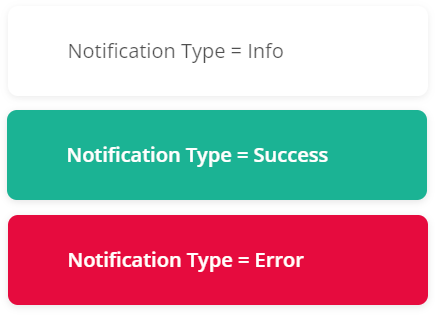 * @param message A message to display. * @param type A notification type: `"info"` (default), `"success"`, or `"error"`. * @param showActions For internal use. */ notify(message: string, type: string, showActions?: boolean): void; /** * Resets the survey [`state`](https://surveyjs.io/form-library/documentation/api-reference/survey-data-model#state) and, optionally, [`data`](https://surveyjs.io/form-library/documentation/api-reference/survey-data-model#data). If `state` is `"completed"`, it becomes `"running"`. * @param clearData *(Optional)* Specifies whether to clear survey data. Default value: `true`. * @param goToFirstPage *(Optional)* Specifies whether to switch the survey to the first page. Default value: `true`. */ clear(clearData?: boolean, goToFirstPage?: boolean): void; mergeValues(src: any, dest: any): void; private updateValuesWithDefaults; protected updateCustomWidgets(page: PageModel): void; protected currentPageChanging(newValue: PageModel, oldValue: PageModel): boolean; protected currentPageChanged(newValue: PageModel, oldValue: PageModel): void; private notifyQuestionsOnHidingContent; private createPageChangeEventOptions; getProgress(): number; /** * Returns a percentage value that indicates user progress in the survey. * @see showProgressBar * @see progressBarType * @see progressText */ get progressValue(): number; get isNavigationButtonsShowing(): string; get isNavigationButtonsShowingOnTop(): boolean; get isNavigationButtonsShowingOnBottom(): boolean; private getIsNavigationButtonsShowingOn; get isEditMode(): boolean; get isDisplayMode(): boolean; get isUpdateValueTextOnTyping(): boolean; /** * Indicates whether the survey is being designed in [Survey Creator](https://surveyjs.io/survey-creator/documentation/overview). */ get isDesignMode(): boolean; private _isDesignMode; setDesignMode(value: boolean): void; /** * Specifies whether to show all survey elements, regardless of their visibility. * * Default value: `false` */ get showInvisibleElements(): boolean; set showInvisibleElements(val: boolean); private updateAllElementsVisibility; get areInvisibleElementsShowing(): boolean; get areEmptyElementsHidden(): boolean; private get isAnyQuestionAnswered(); /** * Indicates whether the browser has a cookie with a specified [`cookieName`](https://surveyjs.io/form-library/documentation/api-reference/survey-data-model#cookieName). If this property's value is `true`, the respondent has passed the survey previously. * @see setCookie * @see deleteCookie */ get hasCookie(): boolean; /** * Sets a cookie with a specified [`cookieName`](https://surveyjs.io/form-library/documentation/api-reference/survey-data-model#cookieName) in the browser. If the `cookieName` property value is defined, this method is automatically called on survey completion. * @see hasCookie * @see deleteCookie */ setCookie(): void; /** * Deletes a cookie with a specified [`cookieName`](https://surveyjs.io/form-library/documentation/api-reference/survey-data-model#cookieName) from the browser. * @see hasCookie * @see setCookie */ deleteCookie(): void; /** * This property is obsolete. Use the [`validationEnabled`](https://surveyjs.io/form-library/documentation/api-reference/survey-data-model#validationEnabled) property instead. */ get ignoreValidation(): boolean; set ignoreValidation(val: boolean); /** * Specifies whether data validation is enabled. * * Default value: `true` * @see checkErrorsMode * @see hideRequiredErrors */ validationEnabled: boolean; /** * Specifies whether respondents can switch the current page even if it contains validation errors. * * Default value: `false` * @see checkErrorsMode */ validationAllowSwitchPages: boolean; /** * Specifies whether respondents can end a survey with validation errors. * * Default value: `false` * @see checkErrorsMode */ validationAllowComplete: boolean; /** * Switches the survey to the next page. * * This method returns a Boolean value that indicates whether the page was successfully switched. `false` is returned if the current page is the last page or if it contains validation errors. * @returns `true` if the page was successfully switched; `false` otherwise. * @see isLastPage * @see prevPage * @see completeLastPage */ nextPage(): boolean; private hasErrorsOnNavigate; private asyncValidationQuesitons; private checkForAsyncQuestionValidation; private clearAsyncValidationQuesitons; private onCompletedAsyncQuestionValidators; get isCurrentPageHasErrors(): boolean; /** * Returns `true` if the current page does not contain errors. * @see currentPage */ get isCurrentPageValid(): boolean; hasCurrentPageErrors(onAsyncValidation?: (hasErrors: boolean) => void): boolean; /** * Validates all questions on the current page and returns `false` if the validation fails. * * If you use validation expressions and at least one of them calls an async function, the `validateCurrentPage` method returns `undefined`. In this case, you should pass a callback function as the `onAsyncValidation` parameter. The function's `hasErrors` Boolean parameter will contain the validation result. * @param onAsyncValidation *(Optional)* Pass a callback function. It accepts a Boolean `hasErrors` parameter that equals `true` if the validation fails or `false` otherwise. * @see currentPage * @see validate * @see validateCurrentPage */ validateCurrentPage(onAsyncValidation?: (hasErrors: boolean) => void): boolean; hasPageErrors(page?: PageModel, onAsyncValidation?: (hasErrors: boolean) => void): boolean; /** * Validates all questions on a specified page and returns `false` if the validation fails. * * If you use validation expressions and at least one of them calls an async function, the `validatePage` method returns `undefined`. In this case, you should pass a callback function as the `onAsyncValidation` parameter. The function's `hasErrors` Boolean parameter will contain the validation result. * @param page Pass the `PageModel` that you want to validate. You can pass `undefined` to validate the [`activePage`](https://surveyjs.io/form-library/documentation/api-reference/survey-data-model#activePage). * @param onAsyncValidation *(Optional)* Pass a callback function. It accepts a Boolean `hasErrors` parameter that equals `true` if the validation fails or `false` otherwise. * @see validate * @see validateCurrentPage */ validatePage(page?: PageModel, onAsyncValidation?: (hasErrors: boolean) => void): boolean; hasErrors(fireCallback?: boolean, focusOnFirstError?: boolean, onAsyncValidation?: (hasErrors: boolean) => void): boolean; /** * Validates all questions and returns `false` if the validation fails. * * If you use validation expressions and at least one of them calls an async function, the `validate` method returns `undefined`. In this case, you should pass a callback function as the `onAsyncValidation` parameter. The function's `hasErrors` Boolean parameter will contain the validation result. * @param fireCallback *(Optional)* Pass `false` if you do not want to show validation errors in the UI. * @param focusOnFirstError *(Optional)* Pass `true` if you want to focus the first question with a validation error. The survey will be switched to the page that contains this question if required. * @param onAsyncValidation *(Optional)* Pass a callback function. It accepts a Boolean `hasErrors` parameter that equals `true` if the validation fails or `false` otherwise. * @see validateCurrentPage * @see validatePage */ validate(fireCallback?: boolean, focusOnFirstError?: boolean, onAsyncValidation?: (hasErrors: boolean) => void, changeCurrentPage?: boolean): boolean; ensureUniqueNames(element?: ISurveyElement): void; private ensureUniqueName; private ensureUniquePageName; private ensureUniquePanelName; private ensureUniqueQuestionName; private ensureUniqueElementName; private getNewName; private checkIsCurrentPageHasErrors; private checkIsPageHasErrors; private fireValidatedErrorsOnPage; /** * Switches the survey to the previous page. * * This method returns a Boolean value that indicates whether the page was successfully switched. `false` is returned if the current page is the first page. * @returns `true` if the page was successfully switched; `false` otherwise. * @see isFirstPage * @see nextPage */ prevPage(): boolean; /** * Completes the survey if it currently displays the last page and the page contains no validation errors. If both these conditions are met, this method returns `true`; otherwise, `false`. * * If you want to complete the survey regardless of the current page and validation errors, use the [`doComplete()`](https://surveyjs.io/form-library/documentation/api-reference/survey-data-model#completeLastPage) event. * @see isCurrentPageValid * @see nextPage */ completeLastPage(): boolean; private isNavigationButtonPressed; navigationMouseDown(): boolean; private resetNavigationButton; private mouseDownPage; nextPageUIClick(): boolean; nextPageMouseDown(): boolean; /** * Displays a [preview of given answers](https://surveyjs.io/form-library/documentation/design-survey/create-a-multi-page-survey#preview-page). Returns `false` if the preview cannot be displayed because of validation errors. * @see cancelPreview * @see showPreviewBeforeComplete * @see onShowingPreview * @see state */ showPreview(): boolean; private showPreviewCore; /** * Cancels a [preview of given answers](https://surveyjs.io/form-library/documentation/design-survey/create-a-multi-page-survey#preview-page) and switches the survey to the page specified by the `currentPage` parameter. * @param currentPage A new current page. If you do not specify this parameter, the survey displays the last page. * @see showPreview * @see showPreviewBeforeComplete * @see state */ cancelPreview(currentPage?: any): void; private gotoPageFromPreview; cancelPreviewByPage(panel: IPanel): any; protected doCurrentPageComplete(doComplete: boolean): boolean; private doCurrentPageCompleteCore; get isSinglePage(): boolean; set isSinglePage(val: boolean); /** * Specifies how to distribute survey elements between pages. * * Possible values: * * - `"singlePage"` - Combines all survey pages into a single page. * - `"questionPerPage"` - Creates a separate page for every question. * - `"standard"` (default) - Retains the original structure specified in the JSON schema. */ get questionsOnPageMode(): string; set questionsOnPageMode(val: string); /** * Gets or sets a Boolean value that specifies whether the first page is a start page. * * Refer to the following help topic for more information: [Start Page](https://surveyjs.io/form-library/documentation/design-survey/create-a-multi-page-survey#start-page). * @see startedPage * @see activePage */ get firstPageIsStarted(): boolean; set firstPageIsStarted(val: boolean); isPageStarted(page: IPage): boolean; /** * Allows respondents to preview answers before they are submitted. * * Possible values: * * - `"showAllQuestions"` - Displays all questions in the preview. * - `"showAnsweredQuestions"` - Displays only answered questions in the preview. * - `"noPreview"` (default) - Hides the preview. * * [View Demo](https://surveyjs.io/form-library/examples/survey-showpreview/ (linkStyle)) * @see showPreview * @see cancelPreview */ get showPreviewBeforeComplete(): string; set showPreviewBeforeComplete(val: string); get isShowPreviewBeforeComplete(): boolean; protected onFirstPageIsStartedChanged(): void; private runningPages; private onShowingPreviewChanged; private changeCurrentPageFromPreview; private originalPages; protected onQuestionsOnPageModeChanged(oldValue: string, isFirstLoad?: boolean): void; private restoreOriginalPages; private getPageStartIndex; private isLockingUpdateOnPageModes; private setupPagesForPageModes; private createPagesForQuestionOnPageMode; private createSinglePage; private createPagesForEveryQuestion; /** * Indicates whether the [current page](#currentPage) is the first page. * * > If the survey displays the [start page](https://surveyjs.io/form-library/documentation/design-survey/create-a-multi-page-survey#start-page), this property contains `false`. Use the [`isShowStartingPage`](#isShowStartingPage) property to find out whether the start page is currently displayed. */ get isFirstPage(): boolean; /** * Indicates whether the [current page](#currentPage) is the last page. */ get isLastPage(): boolean; private updateButtonsVisibility; get isShowPrevButton(): boolean; get isShowNextButton(): boolean; get isCompleteButtonVisible(): boolean; get isPreviewButtonVisible(): boolean; get isCancelPreviewButtonVisible(): boolean; private updateIsFirstLastPageState; private calcIsShowPrevButton; private calcIsShowNextButton; calcIsCompleteButtonVisible(): boolean; private calcIsPreviewButtonVisible; private calcIsCancelPreviewButtonVisible; private get firstVisiblePage(); private get lastVisiblePage(); /** * Completes the survey. * * When you call this method, Form Library performs the following actions: * * 1. Saves a cookie if the [`cookieName`](https://surveyjs.io/form-library/documentation/api-reference/survey-data-model#cookieName) property is set. * 1. Switches the survey [`state`](https://surveyjs.io/form-library/documentation/api-reference/survey-data-model#state) to `"completed"`. * 1. Raises the [`onComplete`](https://surveyjs.io/form-library/documentation/api-reference/survey-data-model#onComplete) event. * 1. Navigates the user to a URL specified by the [`navigateToUrl`](https://surveyjs.io/form-library/documentation/api-reference/survey-data-model#navigateToUrl) or [`navigateToUrlOnCondition`](https://surveyjs.io/form-library/documentation/api-reference/survey-data-model#navigateToUrlOnCondition) property. * 1. Calls the [`sendResult()`](https://surveyjs.io/form-library/documentation/api-reference/survey-data-model#sendResult) method if Form Library works with [SurveyJS Service](https://api.surveyjs.io/). * * The `doComplete()` method completes the survey regardless of validation errors and the current page. If you need to ensure that survey results are valid and full, call the [`completeLastPage()`](https://surveyjs.io/form-library/documentation/api-reference/survey-data-model#completeLastPage) method instead. * * @param isCompleteOnTrigger For internal use. * @param completeTrigger For internal use. * @returns `false` if survey completion is cancelled within the [`onCompleting`](https://surveyjs.io/form-library/documentation/api-reference/survey-data-model#onCompleting) event handler; otherwise, `true`. * @see surveyPostId */ doComplete(isCompleteOnTrigger?: boolean, completeTrigger?: Trigger): boolean; private saveDataOnComplete; private checkOnCompletingEvent; /** * Starts the survey. Applies only if the survey has a [start page](https://surveyjs.io/form-library/documentation/design-survey/create-a-multi-page-survey#start-page). * @see firstPageIsStarted * @see completeLastPage */ start(): boolean; /** * Indicates whether the current page is being [validated on a server](#onServerValidateQuestions). */ get isValidatingOnServer(): boolean; private serverValidationEventCount; private setIsValidatingOnServer; private createServerValidationOptions; protected onIsValidatingOnServerChanged(): void; protected doServerValidation(doComplete: boolean, isPreview?: boolean): boolean; private completeServerValidation; protected doNextPage(): void; setCompleted(trigger: Trigger): void; canBeCompleted(trigger: Trigger, isCompleted: boolean): void; private completedByTriggers; private get canBeCompletedByTrigger(); private get completedTrigger(); /** * Returns HTML content displayed on the [complete page](https://surveyjs.io/form-library/documentation/design-survey/create-a-multi-page-survey#complete-page). * * To specify HTML content, use the [`completedHtml`](#completedHtml) property. */ get processedCompletedHtml(): string; /** * Returns HTML content displayed to a user who has completed the survey before. To identify such users, the survey uses a [cookie name](#cookieName) or [client ID](#clientId). * * To specify HTML content, use the [`completedBeforeHtml`](#completedBeforeHtml) property. */ get processedCompletedBeforeHtml(): string; /** * Returns HTML content displayed while a survey JSON schema is being loaded from [SurveyJS Service](https://api.surveyjs.io). * * To specify HTML content, use the [`loadingHtml`](#loadingHtml) property. */ get processedLoadingHtml(): string; getProgressInfo(): IProgressInfo; /** * Returns text displayed by the progress bar (for instance, "Page 2 of 3" or "Answered 3/8 questions"). Handle the [`onProgressText`](#onProgressText) event to change this text. * @see progressValue * @see showProgressBar * @see progressBarType */ get progressText(): string; private isCalculatingProgressText; updateProgressText(onValueChanged?: boolean): void; getProgressText(): string; private getProgressTextCore; rootCss: string; getRootCss(): string; private resizeObserver; afterRenderSurvey(htmlElement: any): void; private processResponsiveness; triggerResponsiveness(hard: boolean): void; destroyResizeObserver(): void; updateQuestionCssClasses(question: Question, cssClasses: any): void; updatePanelCssClasses(panel: PanelModel, cssClasses: any): void; updatePageCssClasses(page: PageModel, cssClasses: any): void; updateChoiceItemCss(question: IQuestion, options: any): void; private isCurrentPageRendering; private isCurrentPageRendered; afterRenderPage(htmlElement: HTMLElement): void; afterRenderHeader(htmlElement: HTMLElement): void; afterRenderQuestion(question: Question, htmlElement: HTMLElement): void; afterRenderQuestionInput(question: Question, htmlElement: HTMLElement): void; afterRenderPanel(panel: IElement, htmlElement: HTMLElement): void; whenQuestionFocusIn(question: Question): void; whenPanelFocusIn(panel: PanelModel): void; private rebuildQuestionChoices; canChangeChoiceItemsVisibility(): boolean; getChoiceItemVisibility(question: Question, item: any, val: boolean): boolean; loadQuestionChoices(options: { question: Question; filter: string; skip: number; take: number; setItems: (items: Array<any>, totalCount: number) => void; }): void; getChoiceDisplayValue(options: { question: Question; values: Array<any>; setItems: (displayValues: Array<string>, ...customValues: Array<IValueItemCustomPropValues>) => void; }): void; matrixBeforeRowAdded(options: any): void; matrixRowAdded(question: QuestionMatrixDynamicModel, row: any): void; matrixColumnAdded(question: Question, column: any): void; multipleTextItemAdded(question: QuestionMultipleTextModel, item: any): void; getQuestionByValueNameFromArray(valueName: string, name: string, index: number): IQuestion; matrixRowRemoved(question: QuestionMatrixDynamicModel, rowIndex: number, row: any): void; matrixRowRemoving(question: QuestionMatrixDynamicModel, rowIndex: number, row: any): boolean; matrixAllowRemoveRow(question: QuestionMatrixDynamicModel, rowIndex: number, row: any): boolean; matrixDetailPanelVisibleChanged(question: QuestionMatrixDropdownModelBase, rowIndex: number, row: any, visible: boolean): void; matrixCellCreating(question: QuestionMatrixDropdownModelBase, options: any): void; matrixCellCreated(question: QuestionMatrixDropdownModelBase, options: any): void; matrixAfterCellRender(question: QuestionMatrixDropdownModelBase, options: any): void; matrixCellValueChanged(question: QuestionMatrixDropdownModelBase, options: any): void; matrixCellValueChanging(question: QuestionMatrixDropdownModelBase, options: MatrixCellValueChangingEvent): void; get isValidateOnValueChanging(): boolean; get isValidateOnValueChanged(): boolean; private get isValidateOnComplete(); matrixCellValidate(question: QuestionMatrixDropdownModelBase, options: MatrixCellValidateEvent): SurveyError; dynamicPanelAdded(question: QuestionPanelDynamicModel, panelIndex?: number, panel?: PanelModel): void; dynamicPanelRemoved(question: QuestionPanelDynamicModel, panelIndex: number, panel: PanelModel): void; dynamicPanelRemoving(question: QuestionPanelDynamicModel, panelIndex: number, panel: PanelModel): boolean; dynamicPanelItemValueChanged(question: IQuestion, options: any): void; dynamicPanelGetTabTitle(question: IQuestion, options: any): void; dynamicPanelCurrentIndexChanged(question: IQuestion, options: any): void; dragAndDropAllow(options: DragDropAllowEvent): boolean; elementContentVisibilityChanged(element: ISurveyElement): void; getUpdatedPanelFooterActions(panel: PanelModel, actions: Array<IAction>, question?: QuestionPanelDynamicModel): Array<IAction>; getUpdatedElementTitleActions(element: ISurveyElement, titleActions: Array<IAction>): Array<IAction>; private getUpdatedQuestionTitleActions; private getUpdatedPanelTitleActions; private getUpdatedPageTitleActions; getUpdatedMatrixRowActions(question: QuestionMatrixDropdownModelBase, row: any, actions: Array<IAction>): IAction[]; scrollElementToTop(element: ISurveyElement, question: Question, page: PageModel, id: string, scrollIfVisible?: boolean, scrollIntoViewOptions?: ScrollIntoViewOptions): any; /** * Opens a dialog window for users to select files. * @param input A [file input HTML element](https://developer.mozilla.org/en-US/docs/Web/API/HTMLInputElement). * @param callback A callback function that you can use to process selected files. Accepts an array of JavaScript <a href="https://developer.mozilla.org/en-US/docs/Web/API/File" target="_blank">File</a> objects. * @see onOpenFileChooser * @see onUploadFile */ chooseFiles(input: HTMLInputElement, callback: (files: File[]) => void, context?: { element: Base; item?: any; elementType?: string; propertyName?: string; }): void; /** * Uploads files to a server. * * The following code shows how to call this method: * * ```js * const question = survey.getQuestionByName("myFileQuestion"); * survey.uploadFiles( * question, * question.name, * question.value, * (data, errors) => { * // ... * } * ); * ``` * @param question A [File Upload question instance](https://surveyjs.io/form-library/documentation/api-reference/file-model) or [Signature Pad question instance](https://surveyjs.io/form-library/documentation/api-reference/signature-pad-model). * @param name The File Upload question's [`name`](https://surveyjs.io/form-library/documentation/api-reference/file-model#name) or Signature Pad question's [`name`](https://surveyjs.io/form-library/documentation/api-reference/signature-pad-model#name). * @param files An array of JavaScript <a href="https://developer.mozilla.org/en-US/docs/Web/API/File" target="_blank">File</a> objects that represent files to upload. * @param callback A callback function that allows you to access successfully uploaded files as the first argument. If any files fail to upload, the second argument contains an array of error messages. * @see onUploadFiles * @see downloadFile */ uploadFiles(question: QuestionFileModel | QuestionSignaturePadModel, name: string, files: File[], callback: (data: any | Array<any>, errors?: any | Array<any>) => any): void; /** * Downloads a file from a server. * * The following code shows how to call this method: * * ```js * const question = survey.getQuestionByName("myFileQuestion"); * survey.downloadFile( * question, * question.name, * // Download the first uploaded file * question.value[0], * (status, data) => { * if (status === "success") { * // Use `data` to retrieve the file * } * if (status === "error") { * // Handle error * } * } * ); * ``` * * @param question A [File Upload question instance](https://surveyjs.io/form-library/documentation/api-reference/file-model). * @param questionName The File Upload question's [`name`](https://surveyjs.io/form-library/documentation/api-reference/file-model#name). * @param fileValue An object from File Upload's [`value`](https://surveyjs.io/form-library/documentation/api-reference/file-model#value) array. This object contains metadata about the file you want to download. * @param callback A callback function that allows you to get the download status (`"success"` or `"error"`) and the file identifier (URL, file name, etc.) that you can use to retrieve the file. * @see onDownloadFile * @see uploadFiles */ downloadFile(question: QuestionFileModel, questionName: string, fileValue: any, callback: (status: string, data: any) => any): void; clearFiles(question: QuestionFileModel | QuestionSignaturePadModel, name: string, value: any, fileName: string, callback: (status: string, data: any) => any): void; updateChoicesFromServer(question: QuestionSelectBase, choices: Array<ItemValue>, serverResult: any): Array<ItemValue>; loadedChoicesFromServer(question: IQuestion): void; protected createSurveyService(): dxSurveyService; protected uploadFilesCore(name: string, files: File[], uploadingCallback: (data: any | Array<any>, errors?: any | Array<any>) => any): void; getPage(index: number): PageModel; /** * Adds an existing page to the survey. * @param page A page to add. * @param index An index at which to insert the page. If you do not specify this parameter, the page will be added to the end. * @see addNewPage * @see createNewPage */ addPage(page: PageModel, index?: number): void; /** * Creates a new page and adds it to the survey. * * If you want to switch a survey to the newly added page, assign its index to the [`currentPageNo`](https://surveyjs.io/form-library/documentation/api-reference/survey-data-model#currentPageNo) property or assign the entire page to the [`currentPage`](https://surveyjs.io/form-library/documentation/api-reference/survey-data-model#currentPage) property. * * @param name A page name. If you do not specify this parameter, it will be generated automatically. * @param index An index at which to insert the page. If you do not specify this parameter, the page will be added to the end. * @returns The created and added page. * @see addPage * @see createNewPage */ addNewPage(name?: string, index?: number): PageModel; /** * Removes a page from the survey. * * Pass a `PageModel` object to this method. You can get this object in different ways. For example, you can call the [`getPageByName()`](#getPageByName) method to obtain a `PageModel` object with a specific name or use the [`currentPage`](#currentPage) property to access and delete the current page, as shown in the code below. * * ```js * // Delete the current page * survey.removePage(survey.currentPage); * ``` * @param page A page to remove. * @see addNewPage */ removePage(page: PageModel): void; /** * Returns a question with a specified [`name`](https://surveyjs.io/form-library/documentation/api-reference/question#name). * @param name A question name * @param caseInsensitive *(Optional)* A Boolean value that specifies case sensitivity when searching for the question. Default value: `false` (uppercase and lowercase letters are treated as distinct). * @returns A question with a specified name. * @see getAllQuestions * @see getQuestionByValueName */ getQuestionByName(name: string, caseInsensitive?: boolean): Question; findQuestionByName(name: string): IQuestion; getEditingSurveyElement(): Base; /** * Returns a question with a specified [`valueName`](https://surveyjs.io/form-library/documentation/api-reference/question#valueName). * * > Since `valueName` does not have to be unique, multiple questions can have the same `valueName` value. In this case, the `getQuestionByValueName()` method returns the first such question. If you need to get all questions with the same `valueName`, call the `getQuestionsByValueName()` method. * @param valueName A question's `valueName` property value. * @param caseInsensitive *(Optional)* A Boolean value that specifies case sensitivity when searching for the question. Default value: `false` (uppercase and lowercase letters are treated as distinct). * @returns A question with a specified `valueName`. * @see getAllQuestions * @see getQuestionByName */ getQuestionByValueName(valueName: string, caseInsensitive?: boolean): Question; /** * Returns all questions with a specified [`valueName`](https://surveyjs.io/form-library/documentation/api-reference/question#valueName). If a question's `valueName` is undefined, its [`name`](https://surveyjs.io/form-library/documentation/api-reference/question#name) property is used. * @param valueName A question's `valueName` property value. * @param caseInsensitive *(Optional)* A Boolean value that specifies case sensitivity when searching for the questions. Default value: `false` (uppercase and lowercase letters are treated as distinct). * @returns An array of questions with a specified `valueName`. * @see getAllQuestions * @see getQuestionByName */ getQuestionsByValueName(valueName: string, caseInsensitive?: boolean): Array<Question>; getCalculatedValueByName(name: string): CalculatedValue; /** * Returns an array of questions with specified [names](https://surveyjs.io/form-library/documentation/api-reference/question#name). * @param names An array of question names. * @param caseInsensitive *(Optional)* A Boolean value that specifies case sensitivity when searching for the questions. Default value: `false` (uppercase and lowercase letters are treated as distinct). * @returns An array of questions with specified names * @see getAllQuestions */ getQuestionsByNames(names: string[], caseInsensitive?: boolean): IQuestion[]; /** * Returns a page to which a specified survey element (question or panel) belongs. * @param element A question or panel instance. */ getPageByElement(element: IElement): PageModel; /** * Returns a page to which a specified question belongs. * @param question A question instance. */ getPageByQuestion(question: IQuestion): PageModel; /** * Returns a page with a specified name. * @param name A page [name](https://surveyjs.io/form-library/documentation/api-reference/page-model#name). */ getPageByName(name: string): PageModel; /** * Returns an array of pages with specified names. * @param names An array of page names. */ getPagesByNames(names: string[]): PageModel[]; /** * Returns a list of all [questions](https://surveyjs.io/form-library/documentation/api-reference/question) in the survey. * @param visibleOnly A Boolean value that specifies whether to include only visible questions. * @param includeDesignTime For internal use. * @param includeNested A Boolean value that specifies whether to include nested questions, such as questions within matrix cells. * @returns An array of questions. * @see getQuestionByName */ getAllQuestions(visibleOnly?: boolean, includeDesignTime?: boolean, includeNested?: boolean): Array<Question>; /** * Returns an array of quiz questions. A question counts if it is visible, has an input field, and specifies [`correctAnswer`](https://surveyjs.io/form-library/documentation/api-reference/checkbox-question-model#correctAnswer). * * For more information about quizzes, refer to the following tutorial: [Create a Quiz](https://surveyjs.io/form-library/documentation/design-survey/create-a-quiz). * @returns An array of quiz questions. * @see getQuizQuestionCount */ getQuizQuestions(): Array<IQuestion>; /** * Returns a [panel](https://surveyjs.io/form-library/documentation/api-reference/panel-model) with a specified [`name`](https://surveyjs.io/form-library/documentation/api-reference/panel-model#name). * @param name A panel name. * @param caseInsensitive *(Optional)* A Boolean value that specifies case sensitivity when searching for the panel. Default value: `false` (uppercase and lowercase letters are treated as distinct). * @returns A panel with a specified name. * @see getAllPanels */ getPanelByName(name: string, caseInsensitive?: boolean): PanelModel; /** * Returns a list of all [panels](https://surveyjs.io/form-library/documentation/api-reference/panel-model) in the survey. * @param visibleOnly A Boolean value that specifies whether to include only visible panels. * @param includeDesignTime For internal use. * @returns An array of panels. * @see getPanelByName */ getAllPanels(visibleOnly?: boolean, includeDesignTime?: boolean): Array<IPanel>; /** * Creates and returns a new page but does not add it to the survey. * * Call the [`addPage(page)`](https://surveyjs.io/form-library/documentation/api-reference/survey-data-model#addPage) method to add the created page to the survey later or the [`addNewPage(name, index)`](https://surveyjs.io/form-library/documentation/api-reference/survey-data-model#addNewPage) method to create _and_ add a page to the survey. * @see addPage * @see addNewPage */ createNewPage(name: string): PageModel; protected questionOnValueChanging(valueName: string, newValue: any, questionValueName?: string): any; protected updateQuestionValue(valueName: string, newValue: any): void; private checkQuestionErrorOnValueChanged; private checkQuestionErrorOnValueChangedCore; private checkErrorsOnValueChanging; protected notifyQuestionOnValueChanged(valueName: string, newValue: any, questionName: string): void; private isRunningElementsBindings; private updateVisibleIndexAfterBindings; private checkElementsBindings; private notifyElementsOnAnyValueOrVariableChanged; private updateAllQuestionsValue; private notifyAllQuestionsOnValueChanged; private checkOnPageTriggers; private getCurrentPageQuestions; private isTriggerIsRunning; private triggerValues; private triggerKeys; private checkTriggers; private checkTriggersAndRunConditions; private get hasRequiredValidQuestionTrigger(); private doElementsOnLoad; private conditionValues; private get isRunningConditions(); private isValueChangedOnRunningCondition; private conditionRunnerCounter; private conditionUpdateVisibleIndexes; private conditionNotifyElementsOnAnyValueOrVariableChanged; /** * Recalculates all [expressions](https://surveyjs.io/form-library/documentation/design-survey/conditional-logic#expressions) in the survey. */ runExpressions(): void; private runConditions; private runConditionOnValueChanged; private runConditionsCore; private runQuestionsTriggers; private checkIfNewPagesBecomeVisible; /** * Posts a survey result to [SurveyJS Service](https://api.surveyjs.io/). * @param postId An identifier used to save survey results. You can find it on the [My Surveys](https://surveyjs.io/service/mysurveys) page. If you do not specify this parameter, the survey uses the [`surveyPostId`](https://surveyjs.io/form-library/documentation/api-reference/survey-data-model#surveyPostId) property value. * @param clientId A respondent identifier (e-mail or other unique ID). This ID ensures that the respondent does not pass the same survey twice. * @param isPartial Pass `true` to save partial survey results (see [Continue an Incomplete Survey](https://surveyjs.io/form-library/documentation/handle-survey-results-continue-incomplete)). */ sendResult(postId?: string, clientId?: string, isPartial?: boolean): void; /** * Requests [SurveyJS Service](https://api.surveyjs.io/) to retrieve all answers to a specified question. Handle the [`onGetResult`](https://surveyjs.io/form-library/documentation/api-reference/survey-data-model#onGetResult) event to access the answers. * @param resultId A result ID that identifies the required survey. You can find it on the [My Surveys](https://surveyjs.io/service/mysurveys) page. * @param questionName A question name. */ getResult(resultId: string, questionName: string): void; /** * Loads a survey JSON schema from the [SurveyJS Service](https://api.surveyjs.io). You can handle the [`onLoadedSurveyFromService`](#onLoadedSurveyFromService) event to modify the schema after loading if required. * @param surveyId The identifier of a survey JSON schema to load. Refer to the following help topic for more information: [Store Survey Results in the SurveyJS Service](https://surveyjs.io/form-library/documentation/handle-survey-results-store#store-survey-results-in-the-surveyjs-service). * @param clientId A user identifier (e-mail or other unique ID) used to determine whether the user has already taken the survey. */ loadSurveyFromService(surveyId?: string, clientId?: string): void; private loadSurveyFromServiceJson; protected onLoadingSurveyFromService(): void; protected onLoadSurveyFromService(): void; private resetVisibleIndexes; private updateVisibleIndexes; private updatePageVisibleIndexes; fromJSON(json: any, options?: ILoadFromJSONOptions): void; startLoadingFromJson(json?: any): void; setJsonObject(jsonObj: any): void; private isEndLoadingFromJson; endLoadingFromJson(): void; private updateNavigationCss; private updateNavigationItemCssCallback; private updateNavigationBarCss; protected createNavigationBar(): ActionContainer; protected createNavigationActions(): Array<IAction>; protected onBeforeCreating(): void; protected onCreating(): void; private getProcessedTextValue; getBuiltInVariableValue(name: string): number; private getProcessedTextValueCore; private getProcessedValuesWithoutQuestion; private getFirstName; private reduceFirstName; private isClearingUnsedValues; private clearUnusedValues; hasVisibleQuestionByValueName(valueName: string): boolean; questionsByValueName(valueName: string): Array<IQuestion>; private clearInvisibleQuestionValues; /** * Returns a variable value. * * [Variables help topic](https://surveyjs.io/form-library/documentation/design-survey/conditional-logic#variables (linkStyle)) * @param name A variable name. * @return A variable value. * @see setVariable * @see getVariableNames */ getVariable(name: string): any; /** * Sets a variable value. * * [Variables help topic](https://surveyjs.io/form-library/documentation/design-survey/conditional-logic#variables (linkStyle)) * @param name A variable name. * @param newValue A new variable value. * @see getVariable * @see getVariableNames */ setVariable(name: string, newValue: any): void; /** * Returns the names of all variables in the survey. * * [Variables help topic](https://surveyjs.io/form-library/documentation/design-survey/conditional-logic#variables (linkStyle)) * @returns An array of variable names. * @see getVariable * @see setVariable */ getVariableNames(): Array<string>; protected getUnbindValue(value: any): any; /** * Returns a value (answer) for a question with a specified `name`. * @param name A question name. * @returns A question value (answer). * @see data * @see setValue */ getValue(name: string): any; /** * Sets a question value (answer). * * > This method executes all triggers and reevaluates conditions (`visibleIf`, `requiredId`, and others). It also switches the survey to the next page if the [`goNextPageAutomatic`](https://surveyjs.io/form-library/documentation/api-reference/survey-data-model#goNextPageAutomatic) property is enabled and all questions on the current page have correct answers. * @param name A question name. * @param newValue A new question value. * @param locNotification For internal use. * @param allowNotifyValueChanged For internal use. * @see data * @see getValue */ setValue(name: string, newQuestionValue: any, locNotification?: any, allowNotifyValueChanged?: boolean, questionName?: string): void; private isValueEmpyOnSetValue; private updateOnSetValue; private isValueEqual; protected doOnPageAdded(page: PageModel): void; protected doOnPageRemoved(page: PageModel): void; private generateNewName; protected tryGoNextPageAutomatic(name: string): void; /** * Returns a comment value from a question with a specified `name`. * @param name A question name. * @returns A comment. * @see setComment */ getComment(name: string): string; /** * Sets a comment value to a question with a specified `name`. * @param name A question name. * @param newValue A new comment value. * @param locNotification For internal use. * @see getComment */ setComment(name: string, newValue: string, locNotification?: any): void; /** * Deletes an answer from survey results. * @param {string} name An object property that stores the answer to delete. Pass a question's [`valueName`](https://surveyjs.io/form-library/documentation/api-reference/question#valueName) or [`name`](https://surveyjs.io/form-library/documentation/api-reference/question#name). */ clearValue(name: string): void; /** * Specifies whether to remove disabled choices from the value in [Dropdown](https://surveyjs.io/form-library/documentation/api-reference/dropdown-menu-model), [Checkboxes](https://surveyjs.io/form-library/documentation/api-reference/checkbox-question-model), and [Radio Button Group](https://surveyjs.io/form-library/documentation/api-reference/radio-button-question-model) questions. * * Default value: `false` * * > This property cannot be specified in the survey JSON schema. Use dot notation to specify it. */ get clearValueOnDisableItems(): boolean; set clearValueOnDisableItems(val: boolean); getQuestionClearIfInvisible(questionClearIf: string): string; questionVisibilityChanged(question: Question, newValue: boolean, resetIndexes: boolean): void; pageVisibilityChanged(page: PageModel, newValue: boolean): void; panelVisibilityChanged(panel: PanelModel, newValue: boolean): void; questionCreated(question: Question): any; questionAdded(question: Question, index: number, parentPanel: any, rootPanel: any): void; private canFireAddElement; questionRemoved(question: Question): void; questionRenamed(question: IQuestion, oldName: string, oldValueName: string): any; private questionHashes; private questionHashesClear; private questionHashesPanelAdded; private questionHashesAdded; private questionHashesRemoved; private questionHashAddedCore; private questionHashRemovedCore; panelAdded(panel: PanelModel, index: number, parentPanel: any, rootPanel: any): void; panelRemoved(panel: PanelModel): void; validateQuestion(question: Question): SurveyError; validatePanel(panel: PanelModel): SurveyError; processHtml(html: string, reason?: string): string; processText(text: string, returnDisplayValue: boolean): string; processTextEx(text: string, returnDisplayValue: boolean, doEncoding: boolean): any; private textPreProcessorValue; private get textPreProcessor(); private processTextCore; getSurveyMarkdownHtml(element: Question | PanelModel | PageModel | SurveyModel, text: string, name: string): string; getCorrectedAnswerCount(): number; /** * Returns the number of correct answers in a quiz. * * For more information about quizzes, refer to the following tutorial: [Create a Quiz](https://surveyjs.io/form-library/documentation/design-survey/create-a-quiz). * @returns The number of correct answers in a quiz. * @see getQuizQuestionCount * @see getInCorrectAnswerCount */ getCorrectAnswerCount(): number; /** * Returns the number of quiz questions. A question counts if it is visible, has an input field, and specifies [`correctAnswer`](https://surveyjs.io/form-library/documentation/api-reference/checkbox-question-model#correctAnswer). * * This number may be different from `getQuizQuestions().length` because certain question types (for instance, matrix-like types) include more than one question. * * For more information about quizzes, refer to the following tutorial: [Create a Quiz](https://surveyjs.io/form-library/documentation/design-survey/create-a-quiz). * @returns The number of quiz questions. * @see getQuizQuestions */ getQuizQuestionCount(): number; getInCorrectedAnswerCount(): number; /** * Returns the number of incorrect answers in a quiz. * * For more information about quizzes, refer to the following tutorial: [Create a Quiz](https://surveyjs.io/form-library/documentation/design-survey/create-a-quiz). * @returns The number of incorrect answers in a quiz. * @see getCorrectAnswerCount */ getInCorrectAnswerCount(): number; onCorrectQuestionAnswer(question: IQuestion, options: any): void; private getCorrectedAnswerCountCore; getCorrectedAnswers(): number; getInCorrectedAnswers(): number; /** * Displays the timer panel and specifies its position. Applies only to [quiz surveys](https://surveyjs.io/form-library/documentation/design-survey-create-a-quiz). * * Possible values: * * - `"top"` - Displays the timer panel at the top of the survey. * - `"bottom"` - Displays the timer panel at the bottom of the survey. * - `"none"` (default) - Hides the timer panel. * * If the timer panel is displayed, the timer starts automatically when the survey begins. To specify time limits, use the [`maxTimeToFinish`](https://surveyjs.io/form-library/documentation/api-reference/survey-data-model#maxTimeToFinish) and [`maxTimeToFinishPage`](https://surveyjs.io/form-library/documentation/api-reference/survey-data-model#maxTimeToFinishPage) properties. * * The timer panel displays information about time spent on an individual page and the entire survey. If you want to display only the page timer or the survey timer, set the [`showTimerPanelMode`](https://surveyjs.io/form-library/documentation/api-reference/survey-data-model#showTimerPanelMode) property to `"page"` or `"survey"`. * @see startTimer * @see stopTimer * @see timeSpent * @see onTimer */ get showTimerPanel(): string; set showTimerPanel(val: string); get isTimerPanelShowingOnTop(): boolean; get isTimerPanelShowingOnBottom(): boolean; /** * Specifies whether the timer panel displays timers for the current page, the entire survey, or both. Applies only if the timer panel is [visible](https://surveyjs.io/form-library/documentation/api-reference/survey-data-model#showTimerPanel). * * Possible values: * * - `"survey"` - Displays only the survey timer. * - `"page"` - Displays only the page timer. * - `"all"` (default) - Displays both the survey and page timers. * @see timeSpent * @see onTimer * @see startTimer * @see stopTimer */ get showTimerPanelMode(): string; set showTimerPanelMode(val: string); gridLayoutEnabled: boolean; /** * Specifies how to calculate the survey width. * * Possible values: * * - `"static"` - A survey has a [fixed width](#width). * - `"responsive"` - A survey occupies all available horizontal space and stretches or shrinks horizontally to fit in the screen size. * - `"auto"` (default) - Survey width depends on a question type and corresponds to the `"static"` or `"responsive"` mode. */ get widthMode(): string; set widthMode(val: string); private calculatedWidthModeUpdater; setCalculatedWidthModeUpdater(): void; calculatedWidthMode: string; calculateWidthMode(): string; /** * A survey width in CSS values. * * Default value: `undefined` (the survey inherits the width from its container) */ get width(): string; set width(val: string); get renderedWidth(): string; get timerInfo(): { spent: number; limit?: number; }; get timerClock(): { majorText: string; minorText?: string; }; get timerInfoText(): string; private getTimerInfo; private getTimerInfoText; private getTimerInfoPageText; private getTimerInfoSurveyText; private getDisplayClockTime; private getDisplayTime; get timerModel(): SurveyTimerModel; /** * Starts a timer that calculates how many seconds a respondent has spent on the survey. Applies only to [quiz surveys](https://surveyjs.io/form-library/documentation/design-survey-create-a-quiz). * @see stopTimer * @see maxTimeToFinish * @see maxTimeToFinishPage * @see timeSpent * @see onTimer */ startTimer(): void; startTimerFromUI(): void; /** * Stops the timer. Applies only to [quiz surveys](https://surveyjs.io/form-library/documentation/design-survey-create-a-quiz). * @see startTimer * @see maxTimeToFinish * @see maxTimeToFinishPage * @see timeSpent * @see onTimer */ stopTimer(): void; /** * A time period that a respondent has spent on the survey so far; measured in seconds. Applies only to [quiz surveys](https://surveyjs.io/form-library/documentation/design-survey-create-a-quiz). * * Assign a number to this property if you need to start the quiz timer from a specific time (for instance, if you want to continue an interrupted quiz). * * You can also find out how many seconds a respondent has spent on an individual survey page. To do this, use the [`timeSpent`](https://surveyjs.io/form-library/documentation/api-reference/page-model#timeSpent) property of a [`PageModel`](https://surveyjs.io/form-library/documentation/api-reference/page-model) object. * @see maxTimeToFinish * @see maxTimeToFinishPage * @see startTimer */ get timeSpent(): number; set timeSpent(val: number); /** * A time period that a respondent has to complete the survey; measured in seconds. Applies only to [quiz surveys](https://surveyjs.io/form-library/documentation/design-survey-create-a-quiz). * * A negative value or 0 sets an unlimited time period. * * [View Demo](https://surveyjs.io/form-library/examples/make-quiz-javascript/ (linkStyle)) * @see maxTimeToFinishPage * @see startTimer * @see timeSpent */ get maxTimeToFinish(): number; set maxTimeToFinish(val: number); /** * A time period that a respondent has to complete each survey page; measured in seconds. Applies only to [quiz surveys](https://surveyjs.io/form-library/documentation/design-survey-create-a-quiz). * * A negative value or 0 sets an unlimited time period. * * You can also use `PageModel`'s [`maxTimeToFinish`](https://surveyjs.io/form-library/documentation/api-reference/page-model#maxTimeToFinish) property to specify a time period for an individual survey page. * * [View Demo](https://surveyjs.io/form-library/examples/make-quiz-javascript/ (linkStyle)) * @see maxTimeToFinish * @see startTimer * @see timeSpent */ get maxTimeToFinishPage(): number; set maxTimeToFinishPage(val: number); private doTimer; get inSurvey(): boolean; getSurveyData(): ISurveyData; getSurvey(): ISurvey; getTextProcessor(): ITextProcessor; getObjects(pages: string[], questions: string[]): any[]; setTriggerValue(name: string, value: any, isVariable: boolean): void; copyTriggerValue(name: string, fromName: string, copyDisplayValue: boolean): void; triggerExecuted(trigger: Trigger): void; private focusingQuestionInfo; private isMovingQuestion; startMovingQuestion(): void; stopMovingQuestion(): void; get isQuestionDragging(): boolean; needRenderIcons: boolean; private skippedPages; /** * Focuses a question with a specified name. Switches the current page if needed. * @param name A question name. * @returns `false` if the survey does not contain a question with a specified name or this question is hidden; otherwise, `true`. * @see focusFirstQuestion * @see focusFirstQuestionAutomatic */ focusQuestion(name: string): boolean; focusQuestionByInstance(question: Question, onError?: boolean): boolean; private focusQuestionInfo; questionEditFinishCallback(question: Question, event: any): void; private elementWrapperComponentNameCore; private elementWrapperDataCore; getElementWrapperComponentName(element: any, reason?: string): string; getQuestionContentWrapperComponentName(element: any): string; getRowWrapperComponentName(row: QuestionRowModel): string; getItemValueWrapperComponentName(item: ItemValue, question: QuestionSelectBase): string; getElementWrapperComponentData(element: any, reason?: string): any; getRowWrapperComponentData(row: QuestionRowModel): any; getItemValueWrapperComponentData(item: ItemValue, question: QuestionSelectBase): any; getMatrixCellTemplateData(cell: any): any; searchText(text: string): Array<IFindElement>; skeletonComponentName: string; getSkeletonComponentName(element: ISurveyElement): string; private layoutElements; /** * Adds an element to the survey layout. * * This method accepts an object with the following layout element properties: * * - `id`: `string` | `"timerpanel"` | `"progress-buttons"` | `"progress-questions"` | `"progress-pages"` | `"progress-correctquestions"` | `"progress-requiredquestions"` | `"toc-navigation"` | `"buttons-navigation"`\ * A layout element identifier. You can use possible values to access and relocate or customize predefined layout elements. * * - `container`: `"header"` | `"footer"` | `"left"` | `"right"` | `"contentTop"` | `"contentBottom"`\ * A layout container that holds the element. If you want to display the element within multiple containers, set this property to an array of possible values. * * - `component`: `string`\ * The name of the component that renders the layout element. * * - `data`: `any`\ * Data passed as props to `component`. * * [View Demo](https://surveyjs.io/form-library/examples/progress-bar-with-percentage/ (linkStyle)) * @param layoutElement A layout element configuration. * @returns The configuration of the previous layout element with the same `id`. */ addLayoutElement(layoutElement: ISurveyLayoutElement): ISurveyLayoutElement; findLayoutElement(layoutElementId: string): ISurveyLayoutElement; removeLayoutElement(layoutElementId: string): ISurveyLayoutElement; getContainerContent(container: LayoutElementContainer): any[]; processPopupVisiblityChanged(question: Question, popup: PopupModel<any>, visible: boolean): void; /** * Applies a specified theme to the survey. * * [Themes & Styles](https://surveyjs.io/form-library/documentation/manage-default-themes-and-styles (linkStyle)) * @param theme An [`ITheme`](https://surveyjs.io/form-library/documentation/api-reference/itheme) object with theme settings. */ applyTheme(theme: ITheme): void; themeChanged(theme: ITheme): void; private taskManager; /** * Disposes of the survey model. * * Call this method to release resources if your application contains multiple survey models or if you re-create a survey model at runtime. */ dispose(): void; disposeCallback: () => void; private onScrollCallback; _isElementShouldBeSticky(selector: string): boolean; onScroll(): void; addScrollEventListener(): void; removeScrollEventListener(): void; questionErrorComponent: string; } } declare module "survey-element" { import { Base } from "base"; import { IAction } from "actions/action"; import { AdaptiveActionContainer } from "actions/adaptive-container"; import { ISurveyElement, IPage, IPanel, IProgressInfo, ISurvey, ISurveyData, ISurveyImpl, ITextProcessor, ITitleOwner } from "base-interfaces"; import { SurveyError } from "survey-error"; import { ILocalizableOwner, LocalizableString } from "localizablestring"; import { ActionContainer } from "actions/container"; /** * A base class for the [`SurveyElement`](https://surveyjs.io/form-library/documentation/surveyelement) and [`SurveyModel`](https://surveyjs.io/form-library/documentation/surveymodel) classes. */ export abstract class SurveyElementCore extends Base implements ILocalizableOwner { constructor(); protected createLocTitleProperty(): LocalizableString; /** * Returns `true` if the survey element is a page. * @see Base.getType */ get isPage(): boolean; /** * Returns `true` if the survey element is a panel. * @see Base.getType */ get isPanel(): boolean; /** * Returns `true` if the survey element is a question. * @see Base.getType */ get isQuestion(): boolean; /** * Returns `true` if the element is a survey. * @see Base.getType */ get isSurvey(): boolean; /** * A title for the survey element. If `title` is undefined, the `name` property value is displayed instead. * * Empty pages and panels do not display their titles or names. * * @see [Configure Question Titles](https://surveyjs.io/form-library/documentation/design-survey-question-titles) */ get title(): string; set title(val: string); get locTitle(): LocalizableString; protected getDefaultTitleValue(): string; /** * Returns `true` if the survey element has a description. * @see description */ hasDescription: boolean; /** * Explanatory text displayed under the title. * @see hasDescription */ description: string; updateDescriptionVisibility(newDescription: any): void; get locDescription(): LocalizableString; get titleTagName(): string; protected getDefaultTitleTagName(): string; get hasTitle(): boolean; get hasTitleActions(): boolean; get hasTitleEvents(): boolean; getTitleToolbar(): AdaptiveActionContainer; getTitleOwner(): ITitleOwner; get isTitleOwner(): boolean; get isTitleRenderedAsString(): boolean; toggleState(): boolean; get cssClasses(): any; get cssTitle(): string; get ariaTitleId(): string; get ariaDescriptionId(): string; get titleTabIndex(): number; get titleAriaExpanded(): any; get titleAriaRole(): any; get ariaLabel(): string; get titleAriaLabel(): string | null; protected getIsTitleRenderedAsString(): boolean; abstract getLocale(): string; abstract getMarkdownHtml(text: string, name: string): string; abstract getRenderer(name: string): string; abstract getRendererContext(locStr: LocalizableString): any; abstract getProcessedText(text: string): string; } export enum DragTypeOverMeEnum { InsideEmptyPanel = 1, MultilineRight = 2, MultilineLeft = 3, Top = 4, Right = 5, Bottom = 6, Left = 7 } /** * A base class for all survey elements. */ export class SurveyElement<E = any> extends SurveyElementCore implements ISurveyElement { stateChangedCallback: () => void; static getProgressInfoByElements(children: Array<SurveyElement>, isRequired: boolean): IProgressInfo; private surveyImplValue; private surveyDataValue; private surveyValue; private textProcessorValue; private selectedElementInDesignValue; dragTypeOverMe: DragTypeOverMeEnum; isDragMe: boolean; readOnlyChangedCallback: () => void; static ScrollElementToTop(elementId: string, scrollIfVisible?: boolean, scrollIntoViewOptions?: ScrollIntoViewOptions): boolean; static ScrollElementToViewCore(el: HTMLElement, checkLeft: boolean, scrollIfVisible?: boolean, scrollIntoViewOptions?: ScrollIntoViewOptions): boolean; static GetFirstNonTextElement(elements: any, removeSpaces?: boolean): any; static FocusElement(elementId: string): boolean; private static focusElementCore; static CreateDisabledDesignElements: boolean; disableDesignActions: boolean; effectiveColSpan: number; get colSpan(): number; set colSpan(val: number); constructor(name: string); protected onPropertyValueChanged(name: string, oldValue: any, newValue: any): void; protected getSkeletonComponentNameCore(): string; private parentQuestionValue; /** * A Dynamic Panel, Dynamic Matrix, or Dropdown Matrix that includes the current question. * * This property is `null` for standalone questions. */ get parentQuestion(): E; setParentQuestion(val: E): void; protected onParentQuestionChanged(): void; get skeletonComponentName(): string; /** * Gets and sets the survey element's expand state. * * Possible values: * * - `"default"` (default) - The survey element is displayed in full and cannot be collapsed in the UI. * - `"expanded"` - The survey element is displayed in full and can be collapsed in the UI. * - `"collapsed"` - The survey element displays only `title` and `description` and can be expanded in the UI. * * @see toggleState * @see collapse * @see expand * @see isCollapsed * @see isExpanded */ get state(): string; set state(val: string); protected notifyStateChanged(prevState: string): void; /** * Returns `true` if the survey element is collapsed. * @see state * @see toggleState * @see collapse * @see expand * @see isExpanded */ get isCollapsed(): boolean; /** * Returns `true` if the survey element is expanded. * @see state * @see toggleState * @see collapse * @see expand * @see isCollapsed */ get isExpanded(): boolean; /** * Collapses the survey element. * * In collapsed state, the element displays only `title` and `description`. * @see title * @see description * @see state * @see toggleState * @see expand * @see isCollapsed * @see isExpanded */ collapse(): void; /** * Expands the survey element. * @see state * @see toggleState * @see collapse * @see isCollapsed * @see isExpanded */ expand(): void; /** * Toggles the survey element's `state` between collapsed and expanded. * @see state * @see collapse * @see expand * @see isCollapsed * @see isExpanded */ toggleState(): boolean; get hasStateButton(): boolean; get shortcutText(): string; private titleToolbarValue; getTitleToolbar(): AdaptiveActionContainer; protected createActionContainer(allowAdaptiveActions?: boolean): ActionContainer; get titleActions(): Array<any>; private isTitleActionRequested; getTitleActions(): Array<any>; protected getDefaultTitleActions(): Array<IAction>; private updateTitleActions; get hasTitleActions(): boolean; get hasTitleEvents(): boolean; get titleTabIndex(): number; get titleAriaExpanded(): any; get titleAriaRole(): any; setSurveyImpl(value: ISurveyImpl, isLight?: boolean): void; protected canRunConditions(): boolean; getDataFilteredValues(): any; getDataFilteredProperties(): any; protected get surveyImpl(): ISurveyImpl; __setData(data: ISurveyData): void; get data(): ISurveyData; /** * Returns the survey object. */ get survey(): ISurvey; getSurvey(live?: boolean): ISurvey; protected setSurveyCore(value: ISurvey): void; isContentElement: boolean; isEditableTemplateElement: boolean; isInteractiveDesignElement: boolean; protected get isInternal(): boolean; get areInvisibleElementsShowing(): boolean; get isVisible(): boolean; /** * Returns `true` if the survey element or its parent element is read-only. * * If you want to switch a survey element to the read-only state based on a condition, specify the [`enableIf`](https://surveyjs.io/form-library/documentation/question#enableIf) property. Refer to the following help topic for information: [Conditional Visibility](https://surveyjs.io/form-library/documentation/design-survey-conditional-logic#conditional-visibility). * @see readOnly */ get isReadOnly(): boolean; /** * Makes the survey element read-only. * * If you want to switch a survey element to the read-only state based on a condition, specify the [`enableIf`](https://surveyjs.io/form-library/documentation/question#enableIf) property. Refer to the following help topic for information: [Conditional Visibility](https://surveyjs.io/form-library/documentation/design-survey-conditional-logic#conditional-visibility). * @see isReadOnly */ get readOnly(): boolean; set readOnly(val: boolean); protected onReadOnlyChanged(): void; private get css(); get cssClassesValue(): any; set cssClassesValue(val: any); private ensureCssClassesValue; /** * Returns an object in which keys are UI elements and values are CSS classes applied to them. * * Use the following events of the [`SurveyModel`](https://surveyjs.io/form-library/documentation/surveymodel) object to override CSS classes: * * - [`onUpdateQuestionCssClasses`](https://surveyjs.io/form-library/documentation/surveymodel#onUpdateQuestionCssClasses) * - [`onUpdatePanelCssClasses`](https://surveyjs.io/form-library/documentation/surveymodel#onUpdatePanelCssClasses) * - [`onUpdatePageCssClasses`](https://surveyjs.io/form-library/documentation/surveymodel#onUpdatePageCssClasses) * - [`onUpdateChoiceItemCss`](https://surveyjs.io/form-library/documentation/api-reference/survey-data-model#onUpdateChoiceItemCss) */ get cssClasses(): any; get cssTitleNumber(): any; protected calcCssClasses(css: any): any; protected updateElementCssCore(cssClasses: any): void; get cssError(): string; updateElementCss(reNew?: boolean): void; protected clearCssClasses(): void; protected getIsLoadingFromJson(): boolean; /** * A survey element identifier. * * > Question names must be unique. */ get name(): string; set name(val: string); protected getValidName(name: string): string; protected onNameChanged(oldValue: string): void; protected updateBindingValue(valueName: string, value: any): void; /** * Validation errors. Call the `validate()` method to validate survey element data. * @see validate */ get errors(): Array<SurveyError>; set errors(val: Array<SurveyError>); hasVisibleErrors: boolean; private updateVisibleErrors; /** * Returns `true` if the survey element or its child elements have validation errors. * * This property contains the result of the most recent validation. This result may be outdated. Call the `validate` method to get an up-to-date value. * @see errors */ get containsErrors(): boolean; updateContainsErrors(): void; protected getContainsErrors(): boolean; get selectedElementInDesign(): SurveyElement; set selectedElementInDesign(val: SurveyElement); updateCustomWidgets(): void; onSurveyLoad(): void; private wasRenderedValue; get wasRendered(): boolean; onFirstRendering(): void; endLoadingFromJson(): void; setVisibleIndex(index: number): number; delete(doDispose: boolean): void; locOwner: ILocalizableOwner; /** * Returns the survey's [locale](https://surveyjs.io/form-library/documentation/surveymodel#locale). * * If a default locale is used, this method returns an empty string. To get the applied locale in this case, use the following code: * * ```js * import { surveyLocalization } from 'survey-core'; * const defaultLocale = surveyLocalization.defaultLocale; * ``` * * @see [Localization & Globalization](https://surveyjs.io/form-library/documentation/localization) */ getLocale(): string; getMarkdownHtml(text: string, name: string): string; getRenderer(name: string): string; getRendererContext(locStr: LocalizableString): any; getProcessedText(text: string): string; protected getUseDisplayValuesInDynamicTexts(): boolean; protected removeSelfFromList(list: Array<any>): void; protected get textProcessor(): ITextProcessor; protected getProcessedHtml(html: string): string; protected onSetData(): void; get parent(): IPanel; set parent(val: IPanel); protected getPage(parent: IPanel): IPage; protected moveToBase(parent: IPanel, container: IPanel, insertBefore?: any): boolean; protected setPage(parent: IPanel, newPage: IPage): void; protected getSearchableLocKeys(keys: Array<string>): void; get isDefaultV2Theme(): boolean; get hasParent(): boolean; isSingleInRow: boolean; private shouldAddRunnerStyles; protected get isCompact(): boolean; private canHaveFrameStyles; protected getHasFrameV2(): boolean; protected getIsNested(): boolean; protected getCssRoot(cssClasses: { [index: string]: string; }): string; /** * Sets survey element width in CSS values. * * Default value: "" * @see minWidth * @see maxWidth */ get width(): string; set width(val: string); /** * Gets or sets minimum survey element width in CSS values. * * Default value: "300px" (taken from [`settings.minWidth`](https://surveyjs.io/form-library/documentation/settings#minWidth)) * @see maxWidth * @see renderWidth * @see width */ get minWidth(): string; set minWidth(val: string); /** * Gets or sets maximum survey element width in CSS values. * * Default value: "100%" (taken from [`settings.maxWidth`](https://surveyjs.io/form-library/documentation/settings#maxWidth)) * @see minWidth * @see renderWidth * @see width */ get maxWidth(): string; set maxWidth(val: string); /** * Returns a calculated width of the rendered survey element in CSS values. * @see width * @see minWidth * @see maxWidth */ get renderWidth(): string; set renderWidth(val: string); /** * Increases or decreases an indent of survey element content from the left edge. Accepts positive integer values and 0. Does not apply in the Default V2 theme. * @see rightIndent */ get indent(): number; set indent(val: number); /** * Increases or decreases an indent of survey element content from the right edge. Accepts positive integer values and 0. Does not apply in the Default V2 theme. * @see indent */ get rightIndent(): number; set rightIndent(val: number); getRootStyle(): object; get paddingLeft(): string; set paddingLeft(val: string); get paddingRight(): string; set paddingRight(val: string); allowRootStyle: boolean; rootStyle: any; updateRootStyle(): void; private isContainsSelection; get clickTitleFunction(): any; protected needClickTitleFunction(): boolean; protected processTitleClick(): void; get hasAdditionalTitleToolbar(): boolean; get additionalTitleToolbar(): ActionContainer; protected getAdditionalTitleToolbar(): ActionContainer | null; protected getCssTitle(cssClasses: any): string; get isDisabledStyle(): boolean; get isReadOnlyStyle(): boolean; protected getIsDisableAndReadOnlyStyles(itemReadOnly: boolean): Array<boolean>; get isPreviewStyle(): boolean; localeChanged(): void; private wrapperElement?; setWrapperElement(element?: HTMLElement): void; getWrapperElement(): HTMLElement; private _renderedIsExpanded; private _isAnimatingCollapseExpand; private set isAnimatingCollapseExpand(value); private get isAnimatingCollapseExpand(); protected onElementExpanded(elementIsRendered: boolean): void; private getExpandCollapseAnimationOptions; private get isExpandCollapseAnimationEnabled(); private animationCollapsed; set renderedIsExpanded(val: boolean); get renderedIsExpanded(): boolean; protected getIsAnimationAllowed(): boolean; dispose(): void; } } declare module "questionCustomWidgets" { import { Event } from "base"; import { IQuestion } from "base-interfaces"; export class QuestionCustomWidget { name: string; widgetJson: any; htmlTemplate: string; constructor(name: string, widgetJson: any); afterRender(question: IQuestion, el: any): void; willUnmount(question: IQuestion, el: any): void; getDisplayValue(question: IQuestion, value?: any): string; validate(question: IQuestion): string; isFit(question: IQuestion): boolean; get canShowInToolbox(): boolean; get showInToolbox(): boolean; set showInToolbox(val: boolean); init(): void; activatedByChanged(activatedBy: string): void; private isLibraryLoaded; get isDefaultRender(): boolean; get pdfQuestionType(): string; get pdfRender(): any; } export class CustomWidgetCollection { static Instance: CustomWidgetCollection; private widgetsValues; private widgetsActivatedBy; onCustomWidgetAdded: Event<(customWidget: QuestionCustomWidget) => any, QuestionCustomWidget, any>; get widgets(): Array<QuestionCustomWidget>; add(widgetJson: any, activatedBy?: string): void; addCustomWidget(widgetJson: any, activatedBy?: string): QuestionCustomWidget; /** * Returns the way the custom wiget is activated. It can be activated by a property ("property"), question type ("type") or by new/custom question type ("customtype"). * @param widgetName the custom widget name * @see setActivatedBy */ getActivatedBy(widgetName: string): string; /** * Sets the way the custom wiget is activated. The activation types are: property ("property"), question type ("type") or new/custom question type ("customtype"). A custom wiget may support all or only some of this activation types. * @param widgetName * @param activatedBy there are three possible variants: "property", "type" and "customtype" */ setActivatedBy(widgetName: string, activatedBy: string): void; clear(): void; getCustomWidgetByName(name: string): QuestionCustomWidget; getCustomWidget(question: IQuestion): QuestionCustomWidget; } } declare module "rendererFactory" { import { Question } from "question"; export class RendererFactory { static Instance: RendererFactory; private renderersHash; private defaultHash; unregisterRenderer(questionType: string, rendererAs: string): void; registerRenderer(questionType: string, renderAs: string, renderer: any, useAsDefault?: boolean): void; getRenderer(questionType: string, renderAs: string): string; getRendererByQuestion(question: Question): any; clear(): void; } } declare module "question" { import { HashTable } from "helpers"; import { EventBase } from "base"; import { IElement, IQuestion, IPanel, IConditionRunner, ISurveyImpl, IPage, ITitleOwner, IProgressInfo, ISurvey, IPlainDataOptions } from "base-interfaces"; import { SurveyElement } from "survey-element"; import { SurveyValidator, IValidatorOwner } from "validator"; import { TextPreProcessorValue } from "textPreProcessor"; import { LocalizableString } from "localizablestring"; import { ExpressionRunner } from "conditions"; import { QuestionCustomWidget } from "questionCustomWidgets"; import { SurveyError } from "survey-error"; import { PopupModel } from "popup"; import { ITheme } from "themes"; export interface IConditionObject { name: string; text: string; question: Question; context?: Question; } export interface IQuestionPlainData { name: string | number; title: string; value: any; displayValue: any; isNode: boolean; isComment?: boolean; questionType?: string; data?: Array<IQuestionPlainData>; getString: (val: any) => string; [key: string]: any; } /** * A base class for all questions. */ export class Question extends SurveyElement<Question> implements IQuestion, IConditionRunner, IValidatorOwner, ITitleOwner { [index: string]: any; private static TextPreprocessorValuesMap; private static questionCounter; private static getQuestionId; private isCustomWidgetRequested; private customWidgetValue; customWidgetData: { isNeedRender: boolean; }; focusCallback: () => void; surveyLoadCallback: () => void; displayValueCallback: (text: string) => string; hasCssErrorCallback: () => boolean; private defaultValueRunner; private isChangingViaDefaultValue; private isValueChangedDirectly; valueChangedCallback: () => void; commentChangedCallback: () => void; localeChangedCallback: () => void; validateValueCallback: () => SurveyError; questionTitleTemplateCallback: () => string; afterRenderQuestionCallback: (question: Question, element: any) => any; valueFromDataCallback: (val: any) => any; valueToDataCallback: (val: any) => any; onUpdateCssClassesCallback: (css: any) => void; setValueChangedDirectlyCallback: (val: boolean) => void; onGetSurvey: () => ISurvey; private locProcessedTitle; private isReadyValue; private commentElements; private dependedQuestions; /** * An event that is raised when the question's ready state has changed (expressions are evaluated, choices are loaded from a web resource specified by the `choicesByUrl` property, etc.). * * Parameters: * * - `sender`: `SurveyModel`\ * A survey instance that contains the question whose ready state has changed. * - `options.isReady`: `boolean`\ * Indicates whether the question is ready. * - `options.oldIsReady`: `boolean`\ * Indicates the previous ready state. */ onReadyChanged: EventBase<Question>; isReadOnlyRenderDiv(): boolean; protected allowMobileInDesignMode(): boolean; updateIsMobileFromSurvey(): void; setIsMobile(val: boolean): void; themeChanged(theme: ITheme): void; isMobile: boolean; forceIsInputReadOnly: boolean; ariaExpanded: "true" | "false"; constructor(name: string); protected getDefaultTitle(): string; protected createLocTitleProperty(): LocalizableString; getSurvey(live?: boolean): ISurvey; getValueName(): string; /** * Specifies an object property that should store the question value. * * Refer to the [Merge Question Values](https://surveyjs.io/form-library/documentation/design-survey-merge-question-values) help topic for more information. */ get valueName(): string; set valueName(val: string); protected onValueNameChanged(oldValue: string): void; protected onNameChanged(oldValue: string): void; get isReady(): boolean; protected onAsyncRunningChanged(): void; protected updateIsReady(): void; protected getIsQuestionReady(): boolean; private getAreNestedQuestionsReady; protected getIsReadyNestedQuestions(): Array<Question>; private setIsReady; protected getIsReadyDependsOn(): Array<Question>; private getIsReadyDependends; private getIsReadyDependendCore; choicesLoaded(): void; /** * Returns a page to which the question belongs and allows you to move this question to a different page. */ get page(): IPage; set page(val: IPage); getPanel(): IPanel; delete(doDispose?: boolean): void; protected removeFromParent(): void; protected addDependedQuestion(question: Question): void; protected removeDependedQuestion(question: Question): void; protected updateDependedQuestions(): void; protected updateDependedQuestion(): void; protected resetDependedQuestion(): void; get isFlowLayout(): boolean; getLayoutType(): string; isLayoutTypeSupported(layoutType: string): boolean; /** * Gets or sets question visibility. * * If you want to display or hide a question based on a condition, specify the [`visibleIf`](https://surveyjs.io/form-library/documentation/question#visibleIf) property. Refer to the following help topic for information: [Conditional Visibility](https://surveyjs.io/form-library/documentation/design-survey-conditional-logic#conditional-visibility). * @see isVisible * @see visibleIf */ get visible(): boolean; set visible(val: boolean); protected onVisibleChanged(): void; protected notifyStateChanged(prevState: string): void; private updateIsVisibleProp; /** * Specifies whether to use display names for question values in placeholders. * * Default value: `true` * * This property applies to questions whose values are defined as objects with the `value` and `text` properties (for example, [choice items](https://surveyjs.io/form-library/documentation/questionradiogroupmodel#choices) in Radiogroup, Checkbox, and Dropdown questions). * * You can use question values as placeholders in the following places: * * - Survey element titles and descriptions * - The [`html`](https://surveyjs.io/form-library/documentation/questionhtmlmodel#html) property of the [HTML](https://surveyjs.io/form-library/documentation/questionhtmlmodel) question * * To use a question value as a placeholder, specify the question `name` in curly brackets: `{questionName}`. Refer to the following help topic for more information: [Dynamic Texts - Question Values](https://surveyjs.io/form-library/documentation/design-survey-conditional-logic#question-values). */ get useDisplayValuesInDynamicTexts(): boolean; set useDisplayValuesInDynamicTexts(val: boolean); protected getUseDisplayValuesInDynamicTexts(): boolean; /** * A Boolean expression. If it evaluates to `false`, this question becomes hidden. * * A survey parses and runs all expressions on startup. If any values used in the expression change, the survey re-evaluates it. * * Refer to the following help topic for more information: [Conditional Visibility](https://surveyjs.io/form-library/documentation/design-survey-conditional-logic#conditional-visibility). * @see visible * @see isVisible */ get visibleIf(): string; set visibleIf(val: string); /** * Returns `true` if the question is visible or the survey is currently in design mode. * * If you want to display or hide a question based on a condition, specify the [`visibleIf`](https://surveyjs.io/form-library/documentation/question#visibleIf) property. Refer to the following help topic for information: [Conditional Visibility](https://surveyjs.io/form-library/documentation/design-survey-conditional-logic#conditional-visibility). * @see visibleIf * @see visible * @see isParentVisible */ get isVisible(): boolean; get isVisibleInSurvey(): boolean; protected isVisibleCore(): boolean; /** * Returns the visible index of the question in the survey. It can be from 0 to all visible questions count - 1 * The visibleIndex is -1 if the title is 'hidden' or hideNumber is true * @see titleLocation * @see hideNumber */ get visibleIndex(): number; onHidingContent(): void; /** * Hides the question number from the title and excludes the question from numbering. * * If you want to disable question numbering in the entire survey, set `SurveyModel`'s `showQuestionNumbers` property to `false`. * @see SurveyModel.showQuestionNumbers */ get hideNumber(): boolean; set hideNumber(val: boolean); /** * Returns `true` if the question can display its title to the left of the input field. * @see titleLocation * @see getTitleLocation * @see hasTitle */ get isAllowTitleLeft(): boolean; /** * Returns the question type. * Possible values: * - [*"boolean"*](https://surveyjs.io/Documentation/Library?id=questionbooleanmodel) * - [*"checkbox"*](https://surveyjs.io/Documentation/Library?id=questioncheckboxmodel) * - [*"comment"*](https://surveyjs.io/Documentation/Library?id=questioncommentmodel) * - [*"dropdown"*](https://surveyjs.io/Documentation/Library?id=questiondropdownmodel) * - [*"tagbox"*](https://surveyjs.io/form-library/documentation/questiontagboxmodel) * - [*"expression"*](https://surveyjs.io/Documentation/Library?id=questionexpressionmodel) * - [*"file"*](https://surveyjs.io/Documentation/Library?id=questionfilemodel) * - [*"html"*](https://surveyjs.io/Documentation/Library?id=questionhtmlmodel) * - [*"image"*](https://surveyjs.io/Documentation/Library?id=questionimagemodel) * - [*"imagepicker"*](https://surveyjs.io/Documentation/Library?id=questionimagepickermodel) * - [*"matrix"*](https://surveyjs.io/Documentation/Library?id=questionmatrixmodel) * - [*"matrixdropdown"*](https://surveyjs.io/Documentation/Library?id=questionmatrixdropdownmodel) * - [*"matrixdynamic"*](https://surveyjs.io/Documentation/Library?id=questionmatrixdynamicmodel) * - [*"multipletext"*](https://surveyjs.io/Documentation/Library?id=questionmultipletextmodel) * - [*"panel"*](https://surveyjs.io/Documentation/Library?id=panelmodel) * - [*"paneldynamic"*](https://surveyjs.io/Documentation/Library?id=questionpaneldynamicmodel) * - [*"radiogroup"*](https://surveyjs.io/Documentation/Library?id=questionradiogroupmodel) * - [*"rating"*](https://surveyjs.io/Documentation/Library?id=questionratingmodel) * - [*"ranking"*](https://surveyjs.io/Documentation/Library?id=questionrankingmodel) * - [*"signaturepad"*](https://surveyjs.io/Documentation/Library?id=questionsignaturepadmodel) * - [*"text"*](https://surveyjs.io/Documentation/Library?id=questiontextmodel) */ getType(): string; get isQuestion(): boolean; moveTo(container: IPanel, insertBefore?: any): boolean; getProgressInfo(): IProgressInfo; private setValueExpressionRunner; private ensureSetValueExpressionRunner; private runSetValueExpression; private checkExpressionIf; private triggersInfo; private addTriggerInfo; private runTriggerInfo; runTriggers(name: string, value: any): void; private runConditions; setSurveyImpl(value: ISurveyImpl, isLight?: boolean): void; /** * Returns a survey element (panel or page) that contains the question and allows you to move this question to a different survey element. */ get parent(): IPanel; set parent(val: IPanel); protected onParentChanged(): void; /** * Returns `false` if the `titleLocation` property is set to `"hidden"` or if the question cannot have a title (for example, an [HTML](https://surveyjs.io/form-library/documentation/questionhtmlmodel) question). * * If the `title` property is `undefined` or set to an empty string, the `hasTitle` property returns `true`, because the question uses its `name` as a title in this case. * @see title * @see titleLocation */ get hasTitle(): boolean; /** * Sets question title location relative to the input field. Overrides the `questionTitleLocation` property specified for the question's container (survey, page, or panel). * * Possible values: * * - `"default"` (default) - Inherits the setting from the `questionTitleLocation` property specified for the question's container. * - `"top"` - Displays the title above the input field. * - `"bottom"` - Displays the title below the input field. * - `"left"` - Displays the title to the left of the input field. * - `"hidden"` - Hides the question title. * * > Certain question types (Matrix, Multiple Text) do not support the `"left"` value. For them, the `"top"` value is used. * @see SurveyModel.questionTitleLocation * @see getTitleLocation * @see isAllowTitleLeft */ get titleLocation(): string; set titleLocation(value: string); getTitleOwner(): ITitleOwner; protected getIsTitleRenderedAsString(): boolean; protected notifySurveyOnChildrenVisibilityChanged(): boolean; private notifySurveyVisibilityChanged; protected clearValueOnHidding(isClearOnHidden: boolean): void; get titleWidth(): string; getPercentQuestionTitleWidth(): number; /** * Returns title location calculated based on the question's `titleLocation` property and the `questionTitleLocation` property of the question's containers (survey, page, or panel). * @see titleLocation * @see SurveyModel.questionTitleLocation */ getTitleLocation(): string; protected getTitleLocationCore(): string; get hasTitleOnLeft(): boolean; get hasTitleOnTop(): boolean; get hasTitleOnBottom(): boolean; get hasTitleOnLeftTop(): boolean; /** * Specifies the error message position. Overrides the `questionErrorLocation` property specified for the question's container ([survey](https://surveyjs.io/form-library/documentation/api-reference/survey-data-model#questionErrorLocation), [page](https://surveyjs.io/form-library/documentation/api-reference/page-model#questionErrorLocation), or [panel](https://surveyjs.io/form-library/documentation/api-reference/panel-model#questionErrorLocation)). * * Possible values: * * - `"default"` (default) - Inherits the setting from the `questionErrorLocation` property specified for the question's container. * - `"top"` - Displays error messages above questions. * - `"bottom"` - Displays error messages below questions. */ get errorLocation(): string; set errorLocation(val: string); getErrorLocation(): string; getChildErrorLocation(child: Question): string; /** * Returns `false` if the question has no input fields ([HTML](https://surveyjs.io/form-library/documentation/questionhtmlmodel), [Image](https://surveyjs.io/form-library/documentation/questionimagemodel), and similar question types). * @see hasSingleInput */ get hasInput(): boolean; /** * Returns `false` if the question has no input fields ([HTML](https://surveyjs.io/form-library/documentation/questionhtmlmodel), [Image](https://surveyjs.io/form-library/documentation/questionimagemodel)) or has multiple input fields ([Matrix](https://surveyjs.io/form-library/documentation/questionmatrixmodel), [Multiple Text](https://surveyjs.io/form-library/documentation/questionmultipletextmodel)). * @see hasInput */ get hasSingleInput(): boolean; get inputId(): string; protected getDefaultTitleValue(): string; protected getDefaultTitleTagName(): string; /** * Specifies where to display a question description. * * Possible values: * * - `"default"` (default) - Inherits the setting from the Survey's [`questionDescriptionLocation`](https://surveyjs.io/form-library/documentation/surveymodel#questionDescriptionLocation) property. * - `"underTitle"` - Displays the description under the question title. * - `"underInput"` - Displays the description under the interactive area. * @see description * @see hasDescription */ get descriptionLocation(): string; set descriptionLocation(val: string); get hasDescriptionUnderTitle(): boolean; get hasDescriptionUnderInput(): boolean; private getDescriptionLocation; protected needClickTitleFunction(): boolean; protected processTitleClick(): boolean; /** * Specifies a custom error message for a required form field. * @see isRequired */ get requiredErrorText(): string; set requiredErrorText(val: string); get locRequiredErrorText(): LocalizableString; /** * Specifies a caption displayed above the comment area. Applies when the `showCommentArea` property is `true`. * @see showCommentArea * @see comment */ get commentText(): string; set commentText(val: string); get locCommentText(): LocalizableString; /** * A placeholder for the comment area. Applies when the `showCommentArea` property is `true`. * @see showCommentArea * @see comment * @see commentText */ commentPlaceholder: string; get commentPlaceHolder(): string; set commentPlaceHolder(newValue: string); get renderedCommentPlaceholder(): string; private calcRenderedCommentPlaceholder; getAllErrors(): Array<SurveyError>; getErrorByType(errorType: string): SurveyError; get customWidget(): QuestionCustomWidget; updateCustomWidget(): void; localeChanged(): void; get isCompositeQuestion(): boolean; get isContainer(): boolean; protected updateCommentElements(): void; onCommentInput(event: any): void; onCommentChange(event: any): void; afterRenderQuestionElement(el: HTMLElement): void; afterRender(el: HTMLElement): void; afterRenderCore(el: HTMLElement): void; protected getCommentElementsId(): Array<string>; beforeDestroyQuestionElement(el: HTMLElement): void; get processedTitle(): string; get fullTitle(): string; protected get titlePattern(): string; get isRequireTextOnStart(): boolean; get isRequireTextBeforeTitle(): boolean; get isRequireTextAfterTitle(): boolean; /** * Disable this property if you want to render the current question on the same line or row with the previous question or panel. */ get startWithNewLine(): boolean; set startWithNewLine(val: boolean); protected calcCssClasses(css: any): any; get cssRoot(): string; protected setCssRoot(val: string): void; protected getCssRoot(cssClasses: { [index: string]: string; }): string; get cssHeader(): string; protected setCssHeader(val: string): void; protected getCssHeader(cssClasses: any): string; protected supportContainerQueries(): boolean; get cssContent(): string; protected setCssContent(val: string): void; protected getCssContent(cssClasses: any): string; get cssTitle(): string; protected setCssTitle(val: string): void; protected getCssTitle(cssClasses: any): string; get cssDescription(): string; protected setCssDescription(val: string): void; protected getCssDescription(cssClasses: any): string; showErrorOnCore(location: string): boolean; get showErrorOnTop(): boolean; get showErrorOnBottom(): boolean; private get showErrorsOutsideQuestion(); get showErrorsAboveQuestion(): boolean; get showErrorsBelowQuestion(): boolean; get cssError(): string; protected setCssError(val: string): void; protected getCssError(cssClasses: any): string; protected hasCssError(): boolean; getRootCss(): string; getQuestionRootCss(): string; updateElementCss(reNew?: boolean): void; protected updateQuestionCss(reNew?: boolean): void; private ensureElementCss; protected updateElementCssCore(cssClasses: any): void; protected updateCssClasses(res: any, css: any): void; protected getCssType(): string; get renderCssRoot(): string; private onIndentChanged; private getIndentSize; /** * Moves focus to the input field of this question. * @param onError Pass `true` if you want to focus an input field with the first validation error. Default value: `false` (focuses the first input field). Applies to question types with multiple input fields. */ focus(onError?: boolean, scrollIfVisible?: boolean): void; private focuscore; focusInputElement(onError: boolean): void; expandAllParents(): void; private expandAllParentsCore; focusIn(): void; protected fireCallback(callback: () => void): void; getOthersMaxLength(): any; protected onCreating(): void; getFirstQuestionToFocus(withError: boolean): Question; protected getFirstInputElementId(): string; protected getFirstErrorInputElementId(): string; protected getProcessedTextValue(textValue: TextPreProcessorValue): void; supportComment(): boolean; supportOther(): boolean; /** * Makes the question required. If a respondent skips a required question, the survey displays a validation error. * @see requiredIf * @see [Data Validation](https://surveyjs.io/form-library/documentation/data-validation) */ get isRequired(): boolean; set isRequired(val: boolean); /** * A Boolean expression. If it evaluates to `true`, this question becomes required. * * A survey parses and runs all expressions on startup. If any values used in the expression change, the survey re-evaluates it. * * Refer to the following help topic for more information: [Conditional Visibility](https://surveyjs.io/form-library/documentation/design-survey-conditional-logic#conditional-visibility). * @see isRequired */ get requiredIf(): string; set requiredIf(val: string); /** * Specifies whether to display a comment area. Incompatible with the `showOtherItem` property. * @see comment * @see commentText * @see showOtherItem */ get showCommentArea(): boolean; set showCommentArea(val: boolean); get hasComment(): boolean; set hasComment(val: boolean); /** * A value to assign to the `id` attribute of the rendered HTML element. A default `id` is generated automatically. */ get id(): string; set id(val: string); get ariaTitleId(): string; get ariaDescriptionId(): string; get commentId(): string; /** * Specifies whether to display the "Other" choice item. Incompatible with the `showCommentArea` property. * * @see otherText * @see otherItem * @see otherErrorText * @see showCommentArea * @see [settings.specialChoicesOrder](https://surveyjs.io/form-library/documentation/api-reference/settings#specialChoicesOrder) */ get showOtherItem(): boolean; set showOtherItem(val: boolean); get hasOther(): boolean; set hasOther(val: boolean); protected hasOtherChanged(): void; get requireUpdateCommentValue(): boolean; readOnlyCallback: () => boolean; get isReadOnly(): boolean; get isInputReadOnly(): boolean; get renderedInputReadOnly(): string; get renderedInputDisabled(): string; get isReadOnlyAttr(): boolean; get isDisabledAttr(): boolean; protected onReadOnlyChanged(): void; /** * A Boolean expression. If it evaluates to `false`, this question becomes read-only. * * A survey parses and runs all expressions on startup. If any values used in the expression change, the survey re-evaluates it. * * Refer to the following help topic for more information: [Conditional Visibility](https://surveyjs.io/form-library/documentation/design-survey-conditional-logic#conditional-visibility). * @see readOnly * @see isReadOnly */ get enableIf(): string; set enableIf(val: string); surveyChoiceItemVisibilityChange(): void; runCondition(values: HashTable<any>, properties: HashTable<any>): void; /** * A question number or letter (depends on the `questionStartIndex` property of the question container (panel, page, or survey)). * * When the question number, title, or the entire question is invisible, this property returns an empty string. * @see SurveyModel.questionStartIndex * @see hideNumber * @see titleLocation * @see visibleIf */ get no(): string; private calcNo; protected getStartIndex(): string; onSurveyLoad(): void; protected onSetData(): void; protected initDataFromSurvey(): void; protected initCommentFromSurvey(): void; protected runExpression(expression: string): any; get commentAreaRows(): number; private get autoGrowComment(); private get allowResizeComment(); private get questionValue(); private set questionValue(value); private get questionComment(); private set questionComment(value); get isValueArray(): boolean; /** * Gets or sets the question value. * * The following table illustrates how the value type depends on the question type: * * | Question type | Value type(s) | * | ------------- | ------------- | * | Checkboxes | `Array<string \| number>` | * | Dropdown | `string` \| `number` | * | Dynamic Matrix | `Array<object>` | * | Dynamic Panel | `Array<object>` | * | Expression | `string` \| `number` \| `boolean` | * | File Upload | `File` \| `Array<File>` | * | HTML | (no value) | * | Image | (no value) | * | Image Picker | `Array<string \| number>` | * | Long Text | `string` | * | Multi-Select Dropdown | `object` | * | Multi-Select Matrix | `object` | * | Multiple Textboxes | `Array<string>` | * | Panel | (no value) | * | Radio Button Group | `string` \| `number` | * | Ranking | `Array<string \| number>` | * | Rating Scale | `number` \| `string` | * | Signature | `string` (base64-encoded image) | * | Single-Line Input | `string` \| `number` \| `Date` | * | Single-Select Matrix | `object` | * | Yes/No (Boolean) | `boolean` \| `string` | */ get value(): any; set value(newValue: any); get hasFilteredValue(): boolean; getFilteredValue(): any; getFilteredName(): any; get valueForSurvey(): any; protected valueForSurveyCore(val: any): any; protected valueFromDataCore(val: any): any; /** * Sets the question's `value` and `comment` properties to `undefined`. * @see value * @see comment */ clearValue(keepComment?: boolean): void; clearValueOnly(): void; unbindValue(): void; createValueCopy(): any; initDataUI(): void; protected getUnbindValue(value: any): any; protected isValueSurveyElement(val: any): boolean; private canClearValueAsInvisible; /** * Returns `true` if a parent element (page or panel) is visible. */ get isParentVisible(): boolean; clearValueIfInvisible(reason?: string): void; protected clearValueIfInvisibleCore(reason: string): void; /** * Specifies when to clear the question value if the question becomes invisible. * * Possible values: * * - `"default"` (default) - Inherits the setting from the Survey's [`clearInvisibleValues`](https://surveyjs.io/form-library/documentation/surveymodel#clearInvisibleValues) property. * - `"onHidden"` - Clears the value when the question becomes invisible. If a question is invisible on startup and has an initial value, this value will be cleared when the survey is complete. * - `"onHiddenContainer"` - Clears the value when the question or its container (page or panel) becomes invisible. If a question is invisible on startup and has an initial value, this value will be cleared when the survey is complete. * - `"onComplete"` - Clears the value when the survey is complete. * - `"none"` - Never clears the value of an invisible question. * @see SurveyModel.clearInvisibleValues * @see visible * @see SurveyModel.onComplete */ get clearIfInvisible(): string; set clearIfInvisible(val: string); protected getClearIfInvisible(): string; get displayValue(): any; /** * Returns a display text that corresponds to the question value. For example, if you call this method for a Dropdown question, it returns an item text instead of an item value. * @param keysAsText Applies when the question value is an object (in Matrix, Multiple Text, and similar questions). Pass `true` if not only values in the object should be display texts, but also keys. Default value: `false`. * @param value Specify this parameter to get a display text for a specific value, not for the current question value. If the question value is an object, this parameter should be a similar object. */ getDisplayValue(keysAsText: boolean, value?: any): any; private calcDisplayValue; protected getDisplayValueCore(keyAsText: boolean, value: any): any; protected getDisplayValueEmpty(): string; /** * A default value for the question. Ignored for question types that cannot have a [value](https://surveyjs.io/form-library/documentation/question#value) (for example, HTML). * * The default value is used as a question value in the following cases: * * - While the survey is being loaded from JSON. * - The question is just added to the survey and does not yet have an answer. * - The respondent left the answer empty. * @see defaultValueExpression */ get defaultValue(): any; set defaultValue(val: any); /** * An expression used to calculate the [defaultValue](https://surveyjs.io/form-library/documentation/question#defaultValue). * * This expression applies until the question [value](https://surveyjs.io/form-library/documentation/question#value) is specified by an end user or programmatically. * * An expression can reference other questions as follows: * * - `{other_question_name}` * - `{panel.other_question_name}` (to access questions inside the same dynamic panel) * - `{row.other_question_name}` (to access questions inside the same dynamic matrix or multi-column dropdown) * * An expression can also include built-in and custom functions for advanced calculations. For example, if the `defaultValue` should be today's date, set the `defaultValueExpression` to `"today()"`, and the corresponding built-in function will be executed each time the survey is loaded. Refer to the following help topic for more information: [Built-In Functions](https://surveyjs.io/form-library/documentation/design-survey-conditional-logic#built-in-functions). * * [View Demo](https://surveyjs.io/form-library/examples/specify-default-question-value-dynamically (linkStyle)) * @see defaultValue * @see setValueExpression */ get defaultValueExpression(): any; set defaultValueExpression(val: any); /** * A Boolean expression. If it evaluates to `true`, the question value is reset to [default](#defaultValue). * * A survey parses and runs all expressions on startup. If any values used in the expression change, the survey re-evaluates it. * * [Expressions](https://surveyjs.io/form-library/documentation/design-survey/conditional-logic#expressions (linkStyle)) * @see setValueIf */ get resetValueIf(): string; set resetValueIf(val: string); /** * A Boolean expression. If it evaluates to `true`, the question value is set to a value calculated using the [`setValueExpression`](#setValueExpression). * * A survey parses and runs all expressions on startup. If any values used in the expression change, the survey re-evaluates it. * * [Expressions](https://surveyjs.io/form-library/documentation/design-survey/conditional-logic#expressions (linkStyle)) * @see resetValueIf */ get setValueIf(): string; set setValueIf(val: string); /** * An expression used to calculate the question value. * * You can use `setValueExpression` as a standalone property or in conjunction with the [`setValueIf`](#setValueIf) expression, in which case the calculated question value applies only when `setValueIf` evaluates to `true`. * * [Expressions](https://surveyjs.io/form-library/documentation/design-survey/conditional-logic#expressions (linkStyle)) * @see defaultValueExpression * @see resetValueIf */ get setValueExpression(): string; set setValueExpression(val: string); get resizeStyle(): "none" | "both"; /** * Returns the question value as an object in which the question name, title, value, and other parameters are stored as individual properties. * * If the question can have more than one value (Matrix, Multiple Text), the object enables the `isNode` flag and stores information about these values in the `data` property. Refer to the following help topic for more information: [Access Full Survey Results](https://surveyjs.io/form-library/documentation/handle-survey-results-access#access-full-survey-results). * * Pass an object with the `includeEmpty` property set to `false` if you want to skip empty answers. */ getPlainData(options?: IPlainDataOptions): IQuestionPlainData; protected getPlainDataCalculatedValue(propName: string): any; /** * A correct answer to this question. Specify this property if you want to [create a quiz](https://surveyjs.io/form-library/documentation/design-survey-create-a-quiz). * @see SurveyModel.getCorrectAnswerCount * @see SurveyModel.getInCorrectAnswerCount */ get correctAnswer(): any; set correctAnswer(val: any); protected convertDefaultValue(val: any): any; /** * The number of quiz questions. A question counts if it is visible, has an input field, and specifies `correctAnswer`. * @see [Create a Quiz](https://surveyjs.io/form-library/documentation/design-survey-create-a-quiz) * @see correctAnswer * @see SurveyModel.getQuizQuestions */ get quizQuestionCount(): number; get correctAnswerCount(): number; protected getQuizQuestionCount(): number; protected getCorrectAnswerCount(): number; protected checkIfAnswerCorrect(): boolean; protected getAnswerCorrectIgnoreOrder(): boolean; /** * Returns `true` if a question answer matches the `correctAnswer` property value. * * [View Demo](https://surveyjs.io/form-library/examples/create-a-scored-quiz (linkStyle)) * @see correctAnswer * @see SurveyModel.getQuizQuestions */ isAnswerCorrect(): boolean; updateValueWithDefaults(): void; get isValueDefault(): boolean; protected get isClearValueOnHidden(): boolean; getQuestionFromArray(name: string, index: number): IQuestion; getDefaultValue(): any; protected isDefaultValueEmpty(): boolean; protected getDefaultRunner(runner: ExpressionRunner, expression: string): ExpressionRunner; protected setDefaultValue(): void; private setDefaultValueCore; protected isValueExpression(val: any): boolean; protected setValueAndRunExpression(runner: ExpressionRunner, defaultValue: any, setFunc: (val: any) => void, values?: HashTable<any>, properties?: HashTable<any>): void; protected convertFuncValuetoQuestionValue(val: any): any; private runExpressionSetValueCore; private runExpressionSetValue; private runDefaultValueExpression; /** * A comment to the selected question value. Enable the `showCommentArea` property to allow users to leave comments. * @see showCommentArea * @see commentText */ get comment(): string; set comment(newValue: string); getCommentAreaCss(isOther?: boolean): string; protected getQuestionComment(): string; protected setQuestionComment(newValue: string): void; /** * Returns `true` if the question value is an empty string, array, or object or if it equals `undefined` or `null`. */ isEmpty(): boolean; get isAnswered(): boolean; set isAnswered(val: boolean); protected updateIsAnswered(): void; protected getIsAnswered(): boolean; /** * Question validators. * @see [Data Validation](https://surveyjs.io/form-library/documentation/data-validation) */ get validators(): Array<SurveyValidator>; set validators(val: Array<SurveyValidator>); getValidators(): Array<SurveyValidator>; getSupportedValidators(): Array<string>; addConditionObjectsByContext(objects: Array<IConditionObject>, context: any): void; /** * Returns an array of questions nested within the current question. Use this method to obtain questions within [Multiple Text](https://surveyjs.io/form-library/documentation/api-reference/multiple-text-entry-question-model), [Dynamic Panel](https://surveyjs.io/form-library/documentation/api-reference/dynamic-panel-model), and [Matrix](https://surveyjs.io/form-library/documentation/api-reference/matrix-table-question-model)-like questions. * @param visibleOnly A Boolean value that specifies whether to include only visible nested questions. * @returns An array of nested questions. */ getNestedQuestions(visibleOnly?: boolean): Array<Question>; collectNestedQuestions(questions: Array<Question>, visibleOnly?: boolean): void; protected collectNestedQuestionsCore(questions: Array<Question>, visibleOnly: boolean): void; getConditionJson(operator?: string, path?: string): any; hasErrors(fireCallback?: boolean, rec?: any): boolean; /** * Validates this question and returns `false` if the validation fails. * @param fireCallback *(Optional)* Pass `false` if you do not want to show validation errors in the UI. * @see [Data Validation](https://surveyjs.io/form-library/documentation/data-validation) */ validate(fireCallback?: boolean, rec?: any): boolean; get currentErrorCount(): number; /** * Returns a character or text string that indicates a required question. * @see SurveyModel.requiredText * @see isRequired */ get requiredText(): string; addError(error: SurveyError | string): void; private addCustomError; removeError(error: SurveyError): void; private checkForErrors; protected canCollectErrors(): boolean; private collectErrors; protected canRunValidators(isOnValueChanged: boolean): boolean; private fireSurveyValidation; protected onCheckForErrors(errors: Array<SurveyError>, isOnValueChanged: boolean): void; hasRequiredError(): boolean; private validatorRunner; private isRunningValidatorsValue; onCompletedAsyncValidators: (hasErrors: boolean) => void; get isRunningValidators(): boolean; protected getIsRunningValidators(): boolean; protected runValidators(): Array<SurveyError>; private doOnAsyncCompleted; protected raiseOnCompletedAsyncValidators(): void; allowSpaceAsAnswer: boolean; private isValueChangedInSurvey; private isOldAnswered; private isSettingQuestionValue; protected allowNotifyValueChanged: boolean; protected setNewValue(newValue: any): void; private checkIsValueCorrect; protected isNewValueCorrect(val: any): boolean; protected isNewValueEqualsToValue(newValue: any): boolean; protected isTextValue(): boolean; protected getIsInputTextUpdate(): boolean; get requireStrictCompare(): boolean; private getDataLocNotification; get isInputTextUpdate(): boolean; protected setNewValueInData(newValue: any): void; protected getValueCore(): any; protected setValueCore(newValue: any): void; protected canSetValueToSurvey(): boolean; protected valueFromData(val: any): any; protected valueToData(val: any): any; protected convertToCorrectValue(val: any): any; protected onValueChanged(): void; protected isMouseDown: boolean; onMouseDown(): void; protected setNewComment(newValue: string): void; protected setCommentIntoData(newValue: string): void; protected getValidName(name: string): string; updateValueFromSurvey(newValue: any, clearData?: boolean): void; private updateValueFromSurveyCore; updateCommentFromSurvey(newValue: any): any; protected onChangeQuestionValue(newValue: any): void; protected setValueChangedDirectly(val: boolean): void; protected setQuestionValue(newValue: any, updateIsAnswered?: boolean): void; private get isParentChangingViaDefaultValue(); onSurveyValueChanged(newValue: any): void; setVisibleIndex(val: number): number; removeElement(element: IElement): boolean; supportGoNextPageAutomatic(): boolean; supportGoNextPageError(): boolean; /** * Removes values that cannot be assigned to this question, for example, choices unlisted in the `choices` array. * * Call this method after you assign new question values in code to ensure that they are acceptable. * * > This method does not remove values that fail validation. Call the `validate()` method to validate newly assigned values. * * @see validate */ clearIncorrectValues(): void; clearOnDeletingContainer(): void; /** * Empties the `errors` array. * @see errors */ clearErrors(): void; clearUnusedValues(): void; onAnyValueChanged(name: string, questionName: string): void; checkBindings(valueName: string, value: any): void; getComponentName(): string; isDefaultRendering(): boolean; renderAs: string; inMatrixMode: boolean; getErrorCustomText(text: string, error: SurveyError): string; getValidatorTitle(): string; get validatedValue(): any; set validatedValue(val: any); getAllValues(): any; processPopupVisiblilityChanged(popupModel: PopupModel, visible: boolean): void; protected onTextKeyDownHandler(event: any): void; transformToMobileView(): void; transformToDesktopView(): void; needResponsiveWidth(): boolean; protected supportResponsiveness(): boolean; protected needResponsiveness(): boolean; protected checkForResponsiveness(el: HTMLElement): void; private resizeObserver; protected getObservedElementSelector(): string; private onMobileChanged; private onMobileChangedCallback; triggerResponsiveness(hard?: boolean): void; private triggerResponsivenessCallback; private initResponsiveness; protected getCompactRenderAs(): string; protected getDesktopRenderAs(): string; protected onBeforeSetCompactRenderer(): void; protected onBeforeSetDesktopRenderer(): void; protected processResponsiveness(requiredWidth: number, availableWidth: number): any; destroyResizeObserver(): void; dispose(): void; private resetDependedQuestions; get isNewA11yStructure(): boolean; get ariaLabel(): string; get ariaRole(): string; get ariaRequired(): "true" | "false"; get ariaInvalid(): "true" | "false"; get ariaLabelledBy(): string; get ariaDescribedBy(): string; get ariaErrormessage(): string; get a11y_input_ariaRole(): string; get a11y_input_ariaRequired(): "true" | "false"; get a11y_input_ariaInvalid(): "true" | "false"; get a11y_input_ariaLabel(): string; get a11y_input_ariaLabelledBy(): string; get a11y_input_ariaDescribedBy(): string; get a11y_input_ariaErrormessage(): string; } } declare module "itemvalue" { import { ILocalizableOwner, LocalizableString } from "localizablestring"; import { ConditionRunner } from "conditions"; import { IShortcutText, ISurvey } from "base-interfaces"; import { BaseAction } from "actions/action"; /** * Array of ItemValue is used in checkbox, dropdown and radiogroup choices, matrix columns and rows. * It has two main properties: value and text. If text is empty, value is used for displaying. * The text property is localizable and support markdown. */ export class ItemValue extends BaseAction implements ILocalizableOwner, IShortcutText { protected typeName: string; [index: string]: any; getMarkdownHtml(text: string, name: string): string; getRenderer(name: string): string; getRendererContext(locStr: LocalizableString): any; getProcessedText(text: string): string; static get Separator(): string; static set Separator(val: string); /** * Resets the input array and fills it with values from the values array */ static setData(items: Array<ItemValue>, values: Array<any>, type?: string): void; static getData(items: Array<ItemValue>): any; static getItemByValue(items: Array<ItemValue>, val: any): ItemValue; static getTextOrHtmlByValue(items: Array<ItemValue>, val: any): string; static locStrsChanged(items: Array<ItemValue>): void; static runConditionsForItems(items: Array<ItemValue>, filteredItems: Array<ItemValue>, runner: ConditionRunner, values: any, properties: any, useItemExpression?: boolean, onItemCallBack?: (item: ItemValue, val: boolean) => boolean): boolean; static runEnabledConditionsForItems(items: Array<ItemValue>, runner: ConditionRunner, values: any, properties: any, onItemCallBack?: (item: ItemValue, val: boolean) => boolean): boolean; private static runConditionsForItemsCore; ownerPropertyName: string; private _visible; private locTextValue; private visibleConditionRunner; private enableConditionRunner; constructor(value: any, text?: string, typeName?: string); onCreating(): any; getType(): string; getSurvey(live?: boolean): ISurvey; getLocale(): string; isGhost: boolean; protected get isInternal(): boolean; get locText(): LocalizableString; setLocText(locText: LocalizableString): void; private _locOwner; get locOwner(): ILocalizableOwner; set locOwner(value: ILocalizableOwner); get value(): any; set value(newValue: any); get hasText(): boolean; get pureText(): string; set pureText(val: string); get text(): string; set text(newText: string); get calculatedText(): string; get shortcutText(): string; private canSerializeValue; getData(): any; toJSON(): any; setData(value: any): void; get visibleIf(): string; set visibleIf(val: string); get enableIf(): string; set enableIf(val: string); get isVisible(): boolean; setIsVisible(val: boolean): void; get isEnabled(): boolean; setIsEnabled(val: boolean): void; addUsedLocales(locales: Array<string>): void; locStrsChanged(): void; protected onPropertyValueChanged(name: string, oldValue: any, newValue: any): void; protected getConditionRunner(isVisible: boolean): ConditionRunner; private getVisibleConditionRunner; private getEnableConditionRunner; originalItem: any; selectedValue: boolean; get selected(): boolean; private componentValue; getComponent(): string; setComponent(val: string): void; protected getEnabled(): boolean; protected setEnabled(val: boolean): void; protected getVisible(): boolean; protected setVisible(val: boolean): void; protected getLocTitle(): LocalizableString; protected getTitle(): string; protected setLocTitle(val: LocalizableString): void; protected setTitle(val: string): void; icon: string; } } declare module "martixBase" { import { HashTable } from "helpers"; import { ItemValue } from "itemvalue"; import { Question } from "question"; /** * A base class for all matrix question types. */ export class QuestionMatrixBaseModel<TRow, TColumn> extends Question { protected filteredColumns: Array<TColumn>; protected filteredRows: Array<ItemValue>; protected generatedVisibleRows: Array<TRow>; protected generatedTotalRow: TRow; visibleRowsChangedCallback: () => void; protected createColumnValues(): any; constructor(name: string); getType(): string; endLoadingFromJson(): void; get isCompositeQuestion(): boolean; /** * Specifies whether to display the table header that contains column captions. * * Default value: `true` */ get showHeader(): boolean; set showHeader(val: boolean); /** * An array of matrix columns. * * For a Single-Select Matrix, the `columns` array can contain configuration objects with the `text` (display value) and `value` (value to be saved in survey results) properties. Alternatively, the array can contain primitive values that will be used as both the display values and values to be saved in survey results. * * [View "Single-Select Matrix" Demo](https://surveyjs.io/form-library/examples/single-selection-matrix-table-question/ (linkStyle)) * * For a Multi-Select Matrix or Dynamic Matrix, the `columns` array should contain configuration objects with properties described in the [`MatrixDropdownColumn`](https://surveyjs.io/form-library/documentation/api-reference/multi-select-matrix-column-values) API Reference section. * * [View "Multi-Select Matrix" Demo](https://surveyjs.io/form-library/examples/questiontype-matrixdropdown/ (linkStyle)) */ get columns(): Array<any>; set columns(newValue: Array<any>); get visibleColumns(): Array<any>; /** * An array of matrix rows. * * This array can contain primitive values or objects with the `text` (display value) and `value` (value to be saved in survey results) properties. * * [View Demo](https://surveyjs.io/form-library/examples/single-selection-matrix-table-question/ (linkStyle)) */ get rows(): Array<any>; set rows(newValue: Array<any>); protected processRowsOnSet(newRows: Array<any>): any[]; protected getVisibleRows(): Array<TRow>; /** * Returns an array of visible matrix rows. * @see rowsVisibleIf */ get visibleRows(): Array<TRow>; /** * A Boolean expression that is evaluated against each matrix row. If the expression evaluates to `false`, the row becomes hidden. * * A survey parses and runs all expressions on startup. If any values used in the expression change, the survey re-evaluates it. * * Use the `{item}` placeholder to reference the current row in the expression. * * Refer to the following help topic for more information: [Conditional Visibility](https://surveyjs.io/form-library/documentation/design-survey-conditional-logic#conditional-visibility). * @see visibleRows * @see columnsVisibleIf */ get rowsVisibleIf(): string; set rowsVisibleIf(val: string); /** * A Boolean expression that is evaluated against each matrix column. If the expression evaluates to `false`, the column becomes hidden. * * A survey parses and runs all expressions on startup. If any values used in the expression change, the survey re-evaluates it. * * Use the `{item}` placeholder to reference the current column in the expression. * * Refer to the following help topic for more information: [Conditional Visibility](https://surveyjs.io/form-library/documentation/design-survey-conditional-logic#conditional-visibility). * @see rowsVisibleIf */ get columnsVisibleIf(): string; set columnsVisibleIf(val: string); runCondition(values: HashTable<any>, properties: HashTable<any>): void; protected filterItems(): boolean; protected onColumnsChanged(): void; protected onRowsChanged(): void; protected updateVisibilityBasedOnRows(): void; protected isVisibleCore(): boolean; protected shouldRunColumnExpression(): boolean; protected hasRowsAsItems(): boolean; protected runItemsCondition(values: HashTable<any>, properties: HashTable<any>): boolean; protected clearGeneratedRows(): void; private runConditionsForRows; private runConditionsForColumns; clearIncorrectValues(): void; protected clearInvisibleValuesInRows(): void; private restoreNewVisibleRowsValues; needResponsiveWidth(): boolean; protected get columnsAutoWidth(): boolean; getTableCss(): string; /** * Aligns matrix cell content in the vertical direction. */ verticalAlign: "top" | "middle"; /** * Specifies whether to apply shading to alternate matrix rows. */ alternateRows: boolean; /** * Minimum column width in CSS values. * * @see width */ get columnMinWidth(): string; set columnMinWidth(val: string); /** * A width for the column that displays row titles (first column). Accepts CSS values. */ get rowTitleWidth(): string; set rowTitleWidth(val: string); getCellAriaLabel(rowTitle: string, columnTitle: string): string; get isNewA11yStructure(): boolean; } } declare module "question_matrixdropdownbase" { import { QuestionMatrixBaseModel } from "martixBase"; import { Question, IConditionObject, IQuestionPlainData } from "question"; import { HashTable } from "helpers"; import { Base } from "base"; import { IElement, IQuestion, ISurveyData, ISurvey, ISurveyImpl, ITextProcessor, IProgressInfo, IPanel, IPlainDataOptions } from "base-interfaces"; import { ItemValue } from "itemvalue"; import { ILocalizableOwner, LocalizableString } from "localizablestring"; import { PanelModel } from "panel"; import { SurveyError } from "survey-error"; import { IMatrixColumnOwner, MatrixDropdownColumn } from "question_matrixdropdowncolumn"; import { QuestionMatrixDropdownRenderedCell, QuestionMatrixDropdownRenderedRow, QuestionMatrixDropdownRenderedTable } from "question_matrixdropdownrendered"; export interface IMatrixDropdownData { value: any; onRowChanged(row: MatrixDropdownRowModelBase, columnName: string, newRowValue: any, isDeletingValue: boolean): void; onRowChanging(row: MatrixDropdownRowModelBase, columnName: string, rowValue: any): any; isValidateOnValueChanging: boolean; getRowIndex(row: MatrixDropdownRowModelBase): number; getRowValue(rowIndex: number): any; checkIfValueInRowDuplicated(checkedRow: MatrixDropdownRowModelBase, cellQuestion: Question): boolean; hasDetailPanel(row: MatrixDropdownRowModelBase): boolean; getIsDetailPanelShowing(row: MatrixDropdownRowModelBase): boolean; setIsDetailPanelShowing(row: MatrixDropdownRowModelBase, val: boolean): void; createRowDetailPanel(row: MatrixDropdownRowModelBase): PanelModel; validateCell(row: MatrixDropdownRowModelBase, columnName: string, rowValue: any): SurveyError; columns: Array<MatrixDropdownColumn>; createQuestion(row: MatrixDropdownRowModelBase, column: MatrixDropdownColumn): Question; getLocale(): string; getMarkdownHtml(text: string, name: string): string; getRenderer(name: string): string; getRendererContext(locStr: LocalizableString): any; getProcessedText(text: string): string; getParentTextProcessor(): ITextProcessor; getSharedQuestionByName(columnName: string, row: MatrixDropdownRowModelBase): Question; onTotalValueChanged(): any; getSurvey(): ISurvey; getDataFilteredValues(): any; isMatrixReadOnly(): boolean; } export class MatrixDropdownCell { column: MatrixDropdownColumn; row: MatrixDropdownRowModelBase; data: IMatrixDropdownData; private questionValue; constructor(column: MatrixDropdownColumn, row: MatrixDropdownRowModelBase, data: IMatrixDropdownData); private updateCellQuestionTitleDueToAccessebility; locStrsChanged(): void; protected createQuestion(column: MatrixDropdownColumn, row: MatrixDropdownRowModelBase, data: IMatrixDropdownData): Question; get question(): Question; get value(): any; set value(value: any); getQuestionWrapperClassName(className: string): string; runCondition(values: HashTable<any>, properties: HashTable<any>): void; } export class MatrixDropdownTotalCell extends MatrixDropdownCell { column: MatrixDropdownColumn; row: MatrixDropdownRowModelBase; data: IMatrixDropdownData; constructor(column: MatrixDropdownColumn, row: MatrixDropdownRowModelBase, data: IMatrixDropdownData); protected createQuestion(column: MatrixDropdownColumn, row: MatrixDropdownRowModelBase, data: IMatrixDropdownData): Question; locStrsChanged(): void; updateCellQuestion(): void; getQuestionWrapperClassName(className: string): string; getTotalExpression(): string; } export class MatrixDropdownRowModelBase implements ISurveyData, ISurveyImpl, ILocalizableOwner { static RowVariableName: string; static OwnerVariableName: string; static IndexVariableName: string; static RowValueVariableName: string; private static idCounter; private static getId; protected data: IMatrixDropdownData; protected isSettingValue: boolean; private idValue; private textPreProcessor; private detailPanelValue; cells: Array<MatrixDropdownCell>; showHideDetailPanelClick: any; onDetailPanelShowingChanged: () => void; constructor(data: IMatrixDropdownData, value: any); get id(): string; get rowName(): any; get dataName(): string; get text(): any; isRowEnabled(): boolean; protected isRowHasEnabledCondition(): boolean; get value(): any; set value(value: any); get locText(): LocalizableString; getAccessbilityText(): string; get hasPanel(): boolean; get detailPanel(): PanelModel; get detailPanelId(): string; get isDetailPanelShowing(): boolean; private setIsDetailPanelShowing; private showHideDetailPanel; private isCreatingDetailPanel; showDetailPanel(): void; hideDetailPanel(destroyPanel?: boolean): void; private ensureDetailPanel; getAllValues(): any; getFilteredValues(): any; getFilteredProperties(): any; private applyRowVariablesToValues; runCondition(values: HashTable<any>, properties: HashTable<any>): void; getNamesWithDefaultValues(): Array<string>; clearValue(keepComment?: boolean): void; onAnyValueChanged(name: string, questionName: string): void; getDataValueCore(valuesHash: any, key: string): any; getValue(name: string): any; setValue(name: string, newColumnValue: any): void; getVariable(name: string): any; setVariable(name: string, newValue: any): void; getComment(name: string): string; setComment(name: string, newValue: string, locNotification: any): void; findQuestionByName(name: string): IQuestion; getEditingSurveyElement(): Base; private setValueCore; private updateQuestionsValue; runTriggers(name: string, value: any): void; private hasQuestonError; get isEmpty(): boolean; getQuestionByColumn(column: MatrixDropdownColumn): Question; getCellByColumn(column: MatrixDropdownColumn): MatrixDropdownCell; private getCellByColumnName; getQuestionByColumnName(columnName: string): Question; get questions(): Array<Question>; getQuestionByName(name: string): Question; getQuestionsByName(name: string): Array<Question>; protected getSharedQuestionByName(columnName: string): Question; clearIncorrectValues(val: any): void; getLocale(): string; getMarkdownHtml(text: string, name: string): string; getRenderer(name: string): string; getRendererContext(locStr: LocalizableString): any; getProcessedText(text: string): string; locStrsChanged(): void; updateCellQuestionOnColumnChanged(column: MatrixDropdownColumn, name: string, newValue: any): void; updateCellQuestionOnColumnItemValueChanged(column: MatrixDropdownColumn, propertyName: string, obj: ItemValue, name: string, newValue: any, oldValue: any): void; onQuestionReadOnlyChanged(): void; private validationValues; hasErrors(fireCallback: boolean, rec: any, raiseOnCompletedAsyncValidators: () => void): boolean; protected updateCellOnColumnChanged(cell: MatrixDropdownCell, name: string, newValue: any): void; updateCellOnColumnItemValueChanged(cell: MatrixDropdownCell, propertyName: string, obj: ItemValue, name: string, newValue: any, oldValue: any): void; protected buildCells(value: any): void; protected isTwoValueEquals(val1: any, val2: any): boolean; private getCellValue; protected createCell(column: MatrixDropdownColumn): MatrixDropdownCell; getSurveyData(): ISurveyData; getSurvey(): ISurvey; getTextProcessor(): ITextProcessor; get rowIndex(): number; get editingObj(): Base; private onEditingObjPropertyChanged; private editingObjValue; dispose(): void; private subscribeToChanges; private updateOnSetValue; } export class MatrixDropdownTotalRowModel extends MatrixDropdownRowModelBase { constructor(data: IMatrixDropdownData); protected createCell(column: MatrixDropdownColumn): MatrixDropdownCell; setValue(name: string, newValue: any): void; runCondition(values: HashTable<any>, properties: HashTable<any>): void; protected updateCellOnColumnChanged(cell: MatrixDropdownCell, name: string, newValue: any): void; } /** * A base class for the [QuestionMatrixDropdownModel](https://surveyjs.io/form-library/documentation/questionmatrixdropdownmodel) and [QuestionMatrixDynamicModel](https://surveyjs.io/form-library/documentation/questionmatrixdynamicmodel) classes. */ export class QuestionMatrixDropdownModelBase extends QuestionMatrixBaseModel<MatrixDropdownRowModelBase, MatrixDropdownColumn> implements IMatrixDropdownData, IMatrixColumnOwner { static get defaultCellType(): string; static set defaultCellType(val: string); static addDefaultColumns(matrix: QuestionMatrixDropdownModelBase): void; private detailPanelValue; private isUniqueCaseSensitiveValue; protected isRowChanging: boolean; columnsChangedCallback: () => void; onRenderedTableResetCallback: () => void; onRenderedTableCreatedCallback: (table: QuestionMatrixDropdownRenderedTable) => void; onCellCreatedCallback: (options: any) => void; onCellValueChangedCallback: (options: any) => void; onHasDetailPanelCallback: (row: MatrixDropdownRowModelBase) => boolean; onCreateDetailPanelCallback: (row: MatrixDropdownRowModelBase, panel: PanelModel) => void; onCreateDetailPanelRenderedRowCallback: (renderedRow: QuestionMatrixDropdownRenderedRow) => void; onAddColumn: (column: MatrixDropdownColumn) => void; onRemoveColumn: (column: MatrixDropdownColumn) => void; cellValueChangingCallback: (row: any, columnName: string, value: any, oldValue: any) => any; protected createColumnValues(): any[]; constructor(name: string); getType(): string; dispose(): void; get hasSingleInput(): boolean; get isContainer(): boolean; get isRowsDynamic(): boolean; private isUpdating; protected get isUpdateLocked(): boolean; beginUpdate(): void; endUpdate(): void; protected updateColumnsAndRows(): void; itemValuePropertyChanged(item: ItemValue, name: string, oldValue: any, newValue: any): void; /** * Specifies whether to display [`columns`](#columns) as rows and [`rows`](#rows) as columns. * * Default value: `false` * * [View Demo](https://surveyjs.io/form-library/examples/transpose-dynamic-rows-to-columns-in-matrix/ (linkStyle)) */ get transposeData(): boolean; set transposeData(val: boolean); /** * This property is obsolete. Use the [`transposeData`](#transposeData) property instead. */ get columnLayout(): string; set columnLayout(val: string); get columnsLocation(): string; set columnsLocation(val: string); /** * Specifies the error message position for questions within detail sections. * * Possible values: * * - `"default"` (default) - Inherits the setting from the [`errorLocation`](#errorLocation) property. * - `"top"` - Displays error messages above questions. * - `"bottom"` - Displays error messages below questions. * @see cellErrorLocation */ get detailErrorLocation(): string; set detailErrorLocation(value: string); /** * Specifies the error message position relative to matrix cells. * * Possible values: * * - `"default"` (default) - Inherits the setting from the [`errorLocation`](#errorLocation) property. * - `"top"` - Displays error messages above matrix cells. * - `"bottom"` - Displays error messages below matrix cells. * @see detailErrorLocation */ get cellErrorLocation(): string; set cellErrorLocation(value: string); getChildErrorLocation(child: Question): string; /** * Returns `true` if [`columns`](#columns) are placed in the horizontal direction and [`rows`](#columns) in the vertical direction. * * To specify the layout, use the [`transposeData`](#transposeData) property. If you set it to `true`, the survey applies it only when the screen has enough space. Otherwise, the survey falls back to the original layout, but the `transposeData` property remains set to `true`. Unlike `transposeData`, the `isColumnLayoutHorizontal` property always indicates the current layout. * @see transposeData */ get isColumnLayoutHorizontal(): boolean; /** * Enables case-sensitive comparison in columns with the `isUnique` property set to `true`. * * When this property is `true`, `"ABC"` and `"abc"` are considered different values. * * Default value: `false` * @see keyDuplicationError */ get isUniqueCaseSensitive(): boolean; set isUniqueCaseSensitive(val: boolean); /** * Specifies the location of detail sections. * * Possible values: * * - `"underRow"` - Displays detail sections under their respective rows. Users can expand any number of detail sections. * - `"underRowSingle"` - Displays detail sections under their respective rows, but only one detail section can be expanded at a time. * - `"none"` (default) - Hides detail sections. * * Use the `detailElements` property to specify content of detail sections. * @see detailElements * @see detailPanel */ get detailPanelMode(): string; set detailPanelMode(val: string); /** * Contains a [`PanelModel`](https://surveyjs.io/form-library/documentation/panelmodel) instance that represents a detail section template. * @see detailElements * @see detailPanelMode */ get detailPanel(): PanelModel; getPanel(): IPanel; /** * An array of survey elements (questions and panels) to be displayed in detail sections. * * Detail sections are expandable panels displayed under each matrix row. You can use them to display questions that do not fit into the row. * * Set the `detailPanelMode` property to `"underRow"` or `"underRowSingle"` to display detail sections. * @see detailPanelMode * @see detailPanel */ get detailElements(): Array<IElement>; protected createNewDetailPanel(): PanelModel; get hasRowText(): boolean; getFooterText(): LocalizableString; get canAddRow(): boolean; get canRemoveRows(): boolean; canRemoveRow(row: MatrixDropdownRowModelBase): boolean; onPointerDown(pointerDownEvent: PointerEvent, row: MatrixDropdownRowModelBase): void; protected onRowsChanged(): void; private lockResetRenderedTable; protected onStartRowAddingRemoving(): void; protected onEndRowAdding(): void; protected onEndRowRemoving(row: MatrixDropdownRowModelBase): void; private get renderedTableValue(); private set renderedTableValue(value); protected clearRowsAndResetRenderedTable(): void; resetRenderedTable(): void; protected clearGeneratedRows(): void; protected get isRendredTableCreated(): boolean; get renderedTable(): QuestionMatrixDropdownRenderedTable; protected createRenderedTable(): QuestionMatrixDropdownRenderedTable; protected onMatrixRowCreated(row: MatrixDropdownRowModelBase): void; /** * Specifies the type of matrix cells. You can override this property for individual columns. * * Possible values: * * - [`"dropdown"`](https://surveyjs.io/form-library/documentation/api-reference/dropdown-menu-model) * - [`"checkbox"`](https://surveyjs.io/form-library/documentation/api-reference/checkbox-question-model) * - [`"radiogroup"`](https://surveyjs.io/form-library/documentation/api-reference/radio-button-question-model) * - [`"tagbox"`](https://surveyjs.io/form-library/documentation/api-reference/dropdown-tag-box-model) * - [`"text"`](https://surveyjs.io/form-library/documentation/api-reference/text-entry-question-model) * - [`"comment"`](https://surveyjs.io/form-library/documentation/api-reference/comment-field-model) * - [`"boolean"`](https://surveyjs.io/form-library/documentation/api-reference/boolean-question-model) * - [`"expression"`](https://surveyjs.io/form-library/documentation/api-reference/expression-model) * - [`"rating"`](https://surveyjs.io/form-library/documentation/api-reference/rating-scale-question-model) * * Default value: `"dropdown"` (inherited from [`settings.matrix.defaultCellType`](https://surveyjs.io/form-library/documentation/settings#matrixDefaultCellType)) */ get cellType(): string; set cellType(val: string); isSelectCellType(): boolean; private updateColumnsCellType; private updateColumnsIndexes; /** * Specifies the number of columns in Radiogroup and Checkbox cells. * * Default value: 0 (the number of columns is selected automatically based on the available column width) * @see cellType */ get columnColCount(): number; set columnColCount(value: number); get horizontalScroll(): boolean; set horizontalScroll(val: boolean); get allowAdaptiveActions(): boolean; set allowAdaptiveActions(val: boolean); getRequiredText(): string; hasChoices(): boolean; onColumnPropertyChanged(column: MatrixDropdownColumn, name: string, newValue: any): void; onColumnItemValuePropertyChanged(column: MatrixDropdownColumn, propertyName: string, obj: ItemValue, name: string, newValue: any, oldValue: any): void; onShowInMultipleColumnsChanged(column: MatrixDropdownColumn): void; onColumnVisibilityChanged(column: MatrixDropdownColumn): void; onColumnCellTypeChanged(column: MatrixDropdownColumn): void; private resetTableAndRows; getRowTitleWidth(): string; get hasFooter(): boolean; getAddRowLocation(): string; getShowColumnsIfEmpty(): boolean; protected updateShowTableAndAddRow(): void; protected updateHasFooter(): void; get hasTotal(): boolean; getCellType(): string; getCustomCellType(column: MatrixDropdownColumn, row: MatrixDropdownRowModelBase, cellType: string): string; getConditionJson(operator?: string, path?: string): any; clearIncorrectValues(): void; clearErrors(): void; localeChanged(): void; private runFuncForCellQuestions; runCondition(values: HashTable<any>, properties: HashTable<any>): void; runTriggers(name: string, value: any): void; protected shouldRunColumnExpression(): boolean; protected runCellsCondition(values: HashTable<any>, properties: HashTable<any>): void; private checkColumnsVisibility; private checkColumnsRenderedRequired; private isColumnVisibilityChanged; private updateNewVisibleChoices; protected runTotalsCondition(values: HashTable<any>, properties: HashTable<any>): void; private getRowConditionValues; IsMultiplyColumn(column: MatrixDropdownColumn): boolean; locStrsChanged(): void; /** * Returns a matrix column with a given `name` or `null` if a column with this is not found. * @param columnName A column name. */ getColumnByName(columnName: string): MatrixDropdownColumn; getColumnName(columnName: string): MatrixDropdownColumn; getColumnWidth(column: MatrixDropdownColumn): string; /** * Gets or sets choice items for Dropdown, Checkbox, and Radiogroup matrix cells. You can override this property for individual columns. * * This property accepts an array of objects with the following structure: * * ```js * { * "value": any, // A value to be saved in survey results * "text": String, // A display text. This property supports Markdown. When `text` is undefined, `value` is used. * "customProperty": any // Any property that you find useful. * } * ``` * * To enable Markdown support for the `text` property, implement Markdown-to-HTML conversion in the [onTextMarkdown](https://surveyjs.io/form-library/documentation/api-reference/survey-data-model#onTextMarkdown) event handler. For an example, refer to the following demo: [Convert Markdown to HTML with Showdown](https://surveyjs.io/form-library/examples/edit-survey-questions-markdown/). * * If you add custom properties, refer to the following help topic to learn how to serialize them into JSON: [Add Custom Properties to Property Grid](https://surveyjs.io/survey-creator/documentation/property-grid#add-custom-properties-to-the-property-grid). * * If you need to specify only the `value` property, you can set the `choices` property to an array of primitive values, for example, `[ "item1", "item2", "item3" ]`. These values are both saved in survey results and used as display text. * @see cellType */ get choices(): Array<any>; set choices(val: Array<any>); /** * A placeholder for Dropdown matrix cells. * @see cellType */ get placeholder(): string; set placeholder(val: string); get locPlaceholder(): LocalizableString; get optionsCaption(): string; set optionsCaption(val: string); /** * An error message displayed when users enter a duplicate value into a column that accepts only unique values (`isUnique` is set to `true` or `keyName` is specified). * * A default value for this property is taken from a [localization dictionary](https://github.com/surveyjs/survey-library/tree/master/src/localization). Refer to the following help topic for more information: [Localization & Globalization](https://surveyjs.io/form-library/documentation/localization). * @see isUniqueCaseSensitive */ get keyDuplicationError(): string; set keyDuplicationError(val: string); get locKeyDuplicationError(): LocalizableString; get storeOthersAsComment(): boolean; addColumn(name: string, title?: string): MatrixDropdownColumn; protected getVisibleRows(): Array<MatrixDropdownRowModelBase>; private updateValueOnRowsGeneration; get totalValue(): any; protected getVisibleTotalRow(): MatrixDropdownRowModelBase; get visibleTotalRow(): MatrixDropdownRowModelBase; onSurveyLoad(): void; /** * Returns an object with row values. If a row has no answers, this method returns an empty object. * @param rowIndex A zero-based row index. * @see setRowValue */ getRowValue(rowIndex: number): any; checkIfValueInRowDuplicated(checkedRow: MatrixDropdownRowModelBase, cellQuestion: Question): boolean; /** * Assigns values to a row. * @param rowIndex A zero-based row index. * @param rowValue An object with the following structure: `{ "column_name": columnValue, ... }` * @see getRowValue */ setRowValue(rowIndex: number, rowValue: any): any; protected generateRows(): Array<MatrixDropdownRowModelBase>; protected generateTotalRow(): MatrixDropdownRowModelBase; protected createNewValue(nullOnEmpty?: boolean): any; protected getRowValueCore(row: MatrixDropdownRowModelBase, questionValue: any, create?: boolean): any; protected getRowObj(row: MatrixDropdownRowModelBase): any; protected getRowDisplayValue(keysAsText: boolean, row: MatrixDropdownRowModelBase, rowValue: any): any; getPlainData(options?: IPlainDataOptions): IQuestionPlainData; addConditionObjectsByContext(objects: Array<IConditionObject>, context: any): void; onHidingContent(): void; protected getIsReadyNestedQuestions(): Array<Question>; protected collectNestedQuestionsCore(questions: Question[], visibleOnly: boolean): void; protected collectNestedQuestonsInRows(rows: Array<MatrixDropdownRowModelBase>, questions: Question[], visibleOnly: boolean): void; protected getConditionObjectRowName(index: number): string; protected getConditionObjectRowText(index: number): string; protected getConditionObjectsRowIndeces(): Array<number>; getProgressInfo(): IProgressInfo; protected updateProgressInfoByValues(res: IProgressInfo): void; protected updateProgressInfoByRow(res: IProgressInfo, rowValue: any): void; private getCellQuestions; protected onBeforeValueChanged(val: any): void; private onSetQuestionValue; protected setQuestionValue(newValue: any): void; supportGoNextPageAutomatic(): boolean; protected getContainsErrors(): boolean; protected getIsAnswered(): boolean; private checkForAnswersOrErrors; hasErrors(fireCallback?: boolean, rec?: any): boolean; protected getIsRunningValidators(): boolean; getAllErrors(): Array<SurveyError>; private hasErrorInRows; private isValueDuplicated; protected getUniqueColumnsNames(): Array<string>; private isValueInColumnDuplicated; private getDuplicatedRows; private showDuplicatedErrorsInRows; private removeDuplicatedErrorsInRows; private getDuplicationError; private addDuplicationError; private removeDuplicationError; getFirstQuestionToFocus(withError: boolean): Question; protected getFirstInputElementId(): string; protected getFirstErrorInputElementId(): string; protected getFirstCellQuestion(onError: boolean): Question; protected onReadOnlyChanged(): void; createQuestion(row: MatrixDropdownRowModelBase, column: MatrixDropdownColumn): Question; protected createQuestionCore(row: MatrixDropdownRowModelBase, column: MatrixDropdownColumn): Question; protected deleteRowValue(newValue: any, row: MatrixDropdownRowModelBase): any; private isDoingonAnyValueChanged; onAnyValueChanged(name: string, questionName: string): void; protected isObject(value: any): boolean; private getOnCellValueChangedOptions; protected onCellValueChanged(row: MatrixDropdownRowModelBase, columnName: string, rowValue: any): void; validateCell(row: MatrixDropdownRowModelBase, columnName: string, rowValue: any): SurveyError; get isValidateOnValueChanging(): boolean; onRowChanging(row: MatrixDropdownRowModelBase, columnName: string, rowValue: any): any; onRowChanged(row: MatrixDropdownRowModelBase, columnName: string, newRowValue: any, isDeletingValue: boolean): void; private getNewValueOnRowChanged; getRowIndex(row: MatrixDropdownRowModelBase): number; getElementsInDesign(includeHidden?: boolean): Array<IElement>; hasDetailPanel(row: MatrixDropdownRowModelBase): boolean; getIsDetailPanelShowing(row: MatrixDropdownRowModelBase): boolean; setIsDetailPanelShowing(row: MatrixDropdownRowModelBase, val: boolean): void; getDetailPanelButtonCss(row: MatrixDropdownRowModelBase): string; getDetailPanelIconCss(row: MatrixDropdownRowModelBase): string; getDetailPanelIconId(row: MatrixDropdownRowModelBase): string; private updateDetailPanelButtonCss; createRowDetailPanel(row: MatrixDropdownRowModelBase): PanelModel; getSharedQuestionByName(columnName: string, row: MatrixDropdownRowModelBase): Question; onTotalValueChanged(): any; getDataFilteredValues(): any; getParentTextProcessor(): ITextProcessor; isMatrixReadOnly(): boolean; getQuestionFromArray(name: string, index: number): IQuestion; private isMatrixValueEmpty; private get SurveyModel(); getCellTemplateData(cell: QuestionMatrixDropdownRenderedCell): any; getCellWrapperComponentName(cell: MatrixDropdownCell): string; getCellWrapperComponentData(cell: MatrixDropdownCell): any; getColumnHeaderWrapperComponentName(cell: MatrixDropdownCell): string; getColumnHeaderWrapperComponentData(cell: MatrixDropdownCell): any; getRowHeaderWrapperComponentName(cell: MatrixDropdownCell): string; getRowHeaderWrapperComponentData(cell: MatrixDropdownCell): any; get showHorizontalScroll(): boolean; getRootCss(): string; } } declare module "base-interfaces" { import { ILocalizableOwner, LocalizableString } from "localizablestring"; import { HashTable } from "helpers"; import { MatrixDropdownRowModelBase, QuestionMatrixDropdownModelBase } from "question_matrixdropdownbase"; import { AdaptiveActionContainer } from "actions/adaptive-container"; import { SurveyError } from "survey-error"; import { Base } from "base"; import { IAction } from "actions/action"; import { PanelModel } from "panel"; import { PanelLayoutColumnModel } from "panel-layout-column"; import { QuestionPanelDynamicModel } from "question_paneldynamic"; import { DragDropAllowEvent } from "survey-events-api"; import { PopupModel } from "popup"; export interface ISurveyData { getValue(name: string): any; setValue(name: string, newValue: any, locNotification: any, allowNotifyValueChanged?: boolean, questionName?: string): any; getVariable(name: string): any; setVariable(name: string, newValue: any): void; getComment(name: string): string; setComment(name: string, newValue: string, locNotification: any): any; getAllValues(): any; getFilteredValues(): any; getFilteredProperties(): any; findQuestionByName(name: string): IQuestion; getEditingSurveyElement(): Base; } export interface ITextProcessor { processText(text: string, returnDisplayValue: boolean): string; processTextEx(text: string, returnDisplayValue: boolean, doEncoding: boolean): any; } export interface ISurveyErrorOwner extends ILocalizableOwner { getErrorCustomText(text: string, error: SurveyError): string; } export interface IValueItemCustomPropValues { propertyName: string; values: Array<any>; } export interface ISurvey extends ITextProcessor, ISurveyErrorOwner { getSkeletonComponentName(element: ISurveyElement): string; currentPage: IPage; activePage: IPage; pages: Array<IPage>; getCss(): any; isPageStarted(page: IPage): boolean; getQuestionByName(name: string): IQuestion; pageVisibilityChanged(page: IPage, newValue: boolean): any; panelVisibilityChanged(panel: IPanel, newValue: boolean): any; questionVisibilityChanged(question: IQuestion, newValue: boolean, resetIndexes: boolean): any; isEditingSurveyElement: boolean; getQuestionClearIfInvisible(questionClearIf: string): string; questionsOrder: string; matrixDragHandleArea: string; keepIncorrectValues: boolean; questionCreated(question: IQuestion): any; questionAdded(question: IQuestion, index: number, parentPanel: any, rootPanel: any): any; panelAdded(panel: IElement, index: number, parentPanel: any, rootPanel: any): any; questionRemoved(question: IQuestion): any; panelRemoved(panel: IElement): any; questionRenamed(question: IQuestion, oldName: string, oldValueName: string): any; focusQuestionByInstance(question: IQuestion, onError: boolean): boolean; validateQuestion(question: IQuestion): SurveyError; validatePanel(panel: IPanel): SurveyError; hasVisibleQuestionByValueName(valueName: string): boolean; questionsByValueName(valueName: string): Array<IQuestion>; processHtml(html: string, reason: string): string; getSurveyMarkdownHtml(element: Base, text: string, name: string): string; getRendererForString(element: Base, name: string): string; getRendererContextForString(element: Base, locStr: LocalizableString): any; getExpressionDisplayValue(question: IQuestion, value: any, displayValue: string): string; gridLayoutEnabled: boolean; isDisplayMode: boolean; isDesignMode: boolean; areInvisibleElementsShowing: boolean; areEmptyElementsHidden: boolean; isLoadingFromJson: boolean; isUpdateValueTextOnTyping: boolean; autoGrowComment: boolean; allowResizeComment: boolean; commentAreaRows: number; state: string; isLazyRendering: boolean; lazyRenderingFirstBatchSize: number; cancelPreviewByPage(panel: IPanel): any; locEditText: LocalizableString; cssNavigationEdit: string; rootElement?: HTMLElement; requiredText: string; beforeSettingQuestionErrors(question: IQuestion, errors: Array<SurveyError>): void; beforeSettingPanelErrors(question: IPanel, errors: Array<SurveyError>): void; getQuestionDisplayValue(question: IElement, displayValue: any): any; getSurveyErrorCustomText(obj: Base, text: string, error: SurveyError): string; getElementTitleTagName(element: Base, tagName: string): string; questionTitlePattern: string; getUpdatedQuestionTitle(question: IQuestion, title: string): string; getUpdatedQuestionNo(question: IQuestion, no: string): string; getUpdatedElementTitleActions(element: ISurveyElement, titleActions: Array<IAction>): Array<IAction>; getUpdatedMatrixRowActions(question: QuestionMatrixDropdownModelBase, row: MatrixDropdownRowModelBase, actions: Array<IAction>): Array<IAction>; getUpdatedPanelFooterActions(panel: PanelModel, actions: Array<IAction>, question?: QuestionPanelDynamicModel): Array<IAction>; questionStartIndex: string; questionTitleLocation: string; questionDescriptionLocation: string; questionErrorLocation: string; storeOthersAsComment: boolean; maxTextLength: number; maxOthersLength: number; clearValueOnDisableItems: boolean; maxTimeToFinishPage: number; uploadFiles(question: IQuestion, name: string, files: File[], uploadingCallback: (data: any | Array<any>, errors?: any | Array<any>) => any): any; downloadFile(question: IQuestion, name: string, content: string, callback: (status: string, data: any) => any): any; clearFiles(question: IQuestion, name: string, value: any, fileName: string, clearCallback: (status: string, data: any) => any): any; updateChoicesFromServer(question: IQuestion, choices: Array<any>, serverResult: any): Array<any>; loadedChoicesFromServer(question: IQuestion): void; updateQuestionCssClasses(question: IQuestion, cssClasses: any): any; updatePanelCssClasses(panel: IPanel, cssClasses: any): any; updatePageCssClasses(panel: IPanel, cssClasses: any): any; updateChoiceItemCss(question: IQuestion, options: any): any; afterRenderQuestion(question: IQuestion, htmlElement: HTMLElement): any; afterRenderQuestionInput(question: IQuestion, htmlElement: HTMLElement): any; afterRenderPanel(panel: IElement, htmlElement: HTMLElement): any; afterRenderPage(htmlElement: HTMLElement): any; getQuestionByValueNameFromArray(valueName: string, name: string, index: number): IQuestion; canChangeChoiceItemsVisibility(): boolean; getChoiceItemVisibility(question: IQuestion, item: any, val: boolean): boolean; loadQuestionChoices(options: { question: IQuestion; filter: string; skip: number; take: number; setItems: (items: Array<any>, totalCount: number) => void; }): void; getChoiceDisplayValue(options: { question: IQuestion; values: Array<any>; setItems: (displayValues: Array<string>, ...customValues: Array<IValueItemCustomPropValues>) => void; }): void; matrixRowAdded(question: IQuestion, row: any): any; matrixColumnAdded(question: IQuestion, column: any): void; matrixBeforeRowAdded(options: { question: IQuestion; canAddRow: boolean; }): any; matrixRowRemoved(question: IQuestion, rowIndex: number, row: any): any; matrixRowRemoving(question: IQuestion, rowIndex: number, row: any): boolean; matrixAllowRemoveRow(question: IQuestion, rowIndex: number, row: any): boolean; matrixDetailPanelVisibleChanged(question: IQuestion, rowIndex: number, row: any, visible: boolean): void; matrixCellCreating(question: IQuestion, options: any): any; matrixCellCreated(question: IQuestion, options: any): any; matrixAfterCellRender(question: IQuestion, options: any): any; matrixCellValueChanged(question: IQuestion, options: any): any; matrixCellValueChanging(question: IQuestion, options: any): any; isValidateOnValueChanging: boolean; isValidateOnValueChanged: boolean; multipleTextItemAdded(question: IQuestion, item: any): void; matrixCellValidate(question: IQuestion, options: any): SurveyError; dynamicPanelAdded(question: IQuestion, panelIndex?: number, panel?: IPanel): void; dynamicPanelRemoved(question: IQuestion, panelIndex: number, panel: IPanel): void; dynamicPanelRemoving(question: IQuestion, panelIndex: number, panel: IPanel): boolean; dynamicPanelItemValueChanged(question: IQuestion, options: any): any; dynamicPanelGetTabTitle(question: IQuestion, options: any): any; dynamicPanelCurrentIndexChanged(question: IQuestion, options: any): void; dragAndDropAllow(options: DragDropAllowEvent): boolean; scrollElementToTop(element: ISurveyElement, question: IQuestion, page: IPage, id: string, scrollIfVisible?: boolean, scrollIntoViewOptions?: ScrollIntoViewOptions): any; runExpression(expression: string): any; elementContentVisibilityChanged(element: ISurveyElement): void; onCorrectQuestionAnswer(question: IQuestion, options: any): void; processPopupVisiblityChanged(question: IQuestion, popupModel: PopupModel, visible: boolean): void; chooseFiles(input: HTMLInputElement, callback: (files: File[]) => void, context?: { element: Base; item?: any; elementType?: string; propertyName?: string; }): void; } export interface ISurveyImpl { getSurveyData(): ISurveyData; getSurvey(): ISurvey; getTextProcessor(): ITextProcessor; } export interface IConditionRunner { runCondition(values: HashTable<any>, properties: HashTable<any>): any; } export interface IShortcutText { shortcutText: string; } export interface ISurveyElement extends IShortcutText { name: string; isVisible: boolean; isReadOnly: boolean; isPage: boolean; isPanel: boolean; containsErrors: boolean; parent: IPanel; skeletonComponentName: string; setSurveyImpl(value: ISurveyImpl, isLight?: boolean): any; onSurveyLoad(): any; onFirstRendering(): any; getType(): string; setVisibleIndex(value: number): number; locStrsChanged(): any; delete(doDispose?: boolean): void; toggleState(): void; stateChangedCallback(): void; getTitleToolbar(): AdaptiveActionContainer; isCollapsed: boolean; isExpanded: boolean; expand(): void; collapse(): void; } export interface IElement extends IConditionRunner, ISurveyElement { visible: boolean; renderWidth: string; width: string; minWidth?: string; maxWidth?: string; isExpanded: boolean; isCollapsed: boolean; rightIndent: number; startWithNewLine: boolean; colSpan?: number; registerPropertyChangedHandlers(propertyNames: Array<string>, handler: any, key: string): void; registerFunctionOnPropertyValueChanged(name: string, func: any, key: string): void; unRegisterFunctionOnPropertyValueChanged(name: string, key: string): void; getPanel(): IPanel; getLayoutType(): string; isLayoutTypeSupported(layoutType: string): boolean; removeElement(el: IElement): boolean; onAnyValueChanged(name: string, questionName: string): void; updateCustomWidgets(): any; clearIncorrectValues(): any; clearErrors(): any; dispose(): void; needResponsiveWidth(): boolean; updateRootStyle(): void; } export interface IQuestion extends IElement, ISurveyErrorOwner { hasTitle: boolean; isEmpty(): boolean; onSurveyValueChanged(newValue: any): any; updateValueFromSurvey(newValue: any, clearData: boolean): void; updateCommentFromSurvey(newValue: any): any; supportGoNextPageAutomatic(): boolean; clearUnusedValues(): any; getDisplayValue(keysAsText: boolean, value: any): any; getValueName(): string; clearValue(): any; clearValueIfInvisible(): any; isAnswerCorrect(): boolean; updateValueWithDefaults(): any; getQuestionFromArray(name: string, index: number): IQuestion; value: any; survey: any; } export interface IParentElement { addElement(element: IElement, index: number): any; removeElement(element: IElement): boolean; isReadOnly: boolean; } export interface IPanel extends ISurveyElement, IParentElement { getChildrenLayoutType(): string; getQuestionTitleLocation(): string; getQuestionTitleWidth(): string; getQuestionStartIndex(): string; getQuestionErrorLocation(): string; getColumsForElement(el: IElement): Array<PanelLayoutColumnModel>; updateColumns(): void; parent: IPanel; elementWidthChanged(el: IElement): any; indexOf(el: IElement): number; elements: Array<IElement>; ensureRowsVisibility(): void; validateContainerOnly(): void; onQuestionValueChanged(el: IElement): void; } export interface IPage extends IPanel, IConditionRunner { isStartPage: boolean; } export interface ITitleOwner { name: string; no: string; requiredText: string; isRequireTextOnStart: boolean; isRequireTextBeforeTitle: boolean; isRequireTextAfterTitle: boolean; locTitle: LocalizableString; } export interface IProgressInfo { questionCount: number; answeredQuestionCount: number; requiredQuestionCount: number; requiredAnsweredQuestionCount: number; } export interface IWrapperObject { getOriginalObj(): Base; getClassNameProperty(): string; } export interface IFindElement { element: Base; str: LocalizableString; } export type ISurveyEnvironment = { root: Document | ShadowRoot; rootElement: HTMLElement | ShadowRoot; popupMountContainer: HTMLElement | string; svgMountContainer: HTMLElement | string; stylesSheetsMountContainer: HTMLElement; }; export type LayoutElementContainer = "header" | "footer" | "left" | "right" | "contentTop" | "contentBottom" | "center"; export type HorizontalAlignment = "left" | "center" | "right"; export type VerticalAlignment = "top" | "middle" | "bottom"; export interface ISurveyLayoutElement { id: string; container?: LayoutElementContainer | Array<LayoutElementContainer>; component?: string; template?: string; data?: any; index?: number; processResponsiveness?: (width: number) => void; } export interface IPlainDataOptions { includeEmpty?: boolean; includeQuestionTypes?: boolean; includeValues?: boolean; calculations?: Array<{ propertyName: string; }>; } export interface ILoadFromJSONOptions { validatePropertyValues?: boolean; } export interface ISaveToJSONOptions { storeDefaults?: boolean; version?: string; } } declare module "jsonobject" { import { Base } from "base"; import { ILoadFromJSONOptions, ISaveToJSONOptions } from "base-interfaces"; export interface IPropertyDecoratorOptions<T = any> { defaultValue?: T; defaultSource?: string; getDefaultValue?: (objectInstance?: any) => T; localizable?: { name?: string; onGetTextCallback?: (str: string) => string; defaultStr?: string; } | boolean; onSet?: (val: T, objectInstance: any, prevVal?: T) => void; } export function property(options?: IPropertyDecoratorOptions): (target: any, key: string) => void; export interface IArrayPropertyDecoratorOptions { onPush?: any; onRemove?: any; onSet?: (val: any, target: any) => void; } export function propertyArray(options?: IArrayPropertyDecoratorOptions): (target: any, key: string) => void; export interface IObject { [key: string]: any; } export interface IJsonPropertyInfo { name: string; type?: string; className?: string; classNamePart?: string; baseClassName?: string; isRequired?: boolean; isUnique?: boolean; uniqueProperty?: string; choices?: any; visible?: boolean; alternativeName?: string; oldName?: string; version?: string; dataList?: Array<string>; isLocalizable?: boolean; isSerializable?: boolean; isLightSerializable?: boolean; readOnly?: boolean; serializationProperty?: string; dependsOn?: Array<string> | string; isBindable?: boolean; isArray?: boolean; layout?: string; default?: any; defaultFunc?: (obj: Base) => any; baseValue?: any; onSerializeValue?: (obj: any) => any; onGetValue?: (obj: any) => any; onSettingValue?: (obj: any, value: any) => any; onSetValue?: (obj: any, value: any, jsonConv: JsonObject) => any; visibleIf?: (obj: any) => boolean; enableIf?: (obj: any) => boolean; onExecuteExpression?: (obj: any, res: any) => any; onPropertyEditorUpdate?: (obj: any, propEditor: any) => any; displayName?: string; category?: string; categoryIndex?: number; visibleIndex?: number; nextToProperty?: string; overridingProperty?: string; showMode?: string; maxLength?: number; maxValue?: any; minValue?: any; } /** * Contains information about a property of a survey element (page, panel, questions, and etc). * @see addProperty * @see removeProperty * @see [Add Properties](https://surveyjs.io/Documentation/Survey-Creator#addproperties) * @see [Remove Properties](https://surveyjs.io/Documentation/Survey-Creator#removeproperties) */ export class JsonObjectProperty implements IObject, IJsonPropertyInfo { name: string; static getItemValuesDefaultValue: (val: any, type: string) => any; [key: string]: any; private static Index; private static mergableValues; private idValue; private classInfoValue; private typeValue; private choicesValue; baseValue: any; private isRequiredValue; private isUniqueValue; private uniquePropertyValue; private readOnlyValue; private visibleValue; private isLocalizableValue; private choicesfunc; private dependedProperties; isSerializable: boolean; isLightSerializable: boolean; isCustom: boolean; isDynamicChoices: boolean; isBindable: boolean; className: string; alternativeName: string; oldName: string; classNamePart: string; baseClassName: string; defaultValueValue: any; defaultValueFunc: (obj: Base) => any; serializationProperty: string; displayName: string; category: string; categoryIndex: number; visibleIndex: number; nextToProperty: string; overridingProperty: string; showMode: string; maxLength: number; maxValue: any; minValue: any; private dataListValue; layout: string; version: string; onSerializeValue: (obj: any) => any; onGetValue: (obj: any) => any; onSettingValue: (obj: any, value: any) => any; onSetValue: (obj: any, value: any, jsonConv: JsonObject) => any; visibleIf: (obj: any) => boolean; enableIf: (obj: any) => boolean; onExecuteExpression: (obj: any, res: any) => any; onPropertyEditorUpdate: (obj: any, propEditor: any) => any; constructor(classInfo: JsonMetadataClass, name: string, isRequired?: boolean); uniqueProperty?: string; dependsOn?: string | Array<string>; default?: any; defaultFunc?: (obj: Base) => any; get id(): number; get classInfo(): JsonMetadataClass; get type(): string; set type(value: string); isArray: boolean; get isRequired(): boolean; set isRequired(val: boolean); get isUnique(): boolean; set isUnique(val: boolean); get uniquePropertyName(): string; set uniquePropertyName(val: string); get hasToUseGetValue(): string | ((obj: any) => any); getDefaultValue(obj: Base): any; get defaultValue(): any; set defaultValue(newValue: any); isDefaultValue(value: any): boolean; isDefaultValueByObj(obj: Base, value: any): boolean; getSerializableValue(obj: any): any; getValue(obj: any): any; getPropertyValue(obj: any): any; get hasToUseSetValue(): string | ((obj: any, value: any, jsonConv: JsonObject) => any); settingValue(obj: any, value: any): any; setValue(obj: any, value: any, jsonConv: JsonObject): void; validateValue(value: any): boolean; getObjType(objType: string): string; /** * Depricated, please use getChoices */ get choices(): Array<any>; get hasChoices(): boolean; getChoices(obj: any, choicesCallback?: any): Array<any>; setChoices(value: Array<any>, valueFunc?: (obj: any) => Array<any>): void; getBaseValue(): string; setBaseValue(val: any): void; get readOnly(): boolean; set readOnly(val: boolean); isEnable(obj: any): boolean; isVisible(layout: string, obj?: any): boolean; private getOriginalObj; get visible(): boolean; set visible(val: boolean); isAvailableInVersion(ver: string): boolean; getSerializedName(ver: string): string; getSerializedProperty(obj: any, ver: string): JsonObjectProperty; private isAvailableInVersionCore; get isLocalizable(): boolean; set isLocalizable(val: boolean); get dataList(): Array<string>; set dataList(val: Array<string>); mergeWith(prop: JsonObjectProperty): void; addDependedProperty(name: string): void; getDependedProperties(): Array<string>; schemaType(): string; schemaRef(): string; private mergeValue; } export class CustomPropertiesCollection { private static properties; private static parentClasses; static addProperty(className: string, property: any): void; static removeProperty(className: string, propertyName: string): void; static removeAllProperties(className: string): void; static addClass(className: string, parentClassName: string): void; static getProperties(className: string): Array<any>; static createProperties(obj: any): void; private static createPropertiesCore; private static createPropertiesInObj; private static createPropertyInObj; private static checkIsPropertyExists; } export class JsonMetadataClass { name: string; creator: (json?: any) => any; parentName: string; static requiredSymbol: string; static typeSymbol: string; properties: Array<JsonObjectProperty>; private isCustomValue; private allProperties; private requiredProperties; private hashProperties; constructor(name: string, properties: Array<any>, creator?: (json?: any) => any, parentName?: string); find(name: string): JsonObjectProperty; findProperty(name: string): JsonObjectProperty; getAllProperties(): Array<JsonObjectProperty>; getRequiredProperties(): Array<JsonObjectProperty>; resetAllProperties(): void; get isCustom(): boolean; private fillAllProperties; private addPropCore; private isOverridedProp; private hasRegularChildClass; private makeParentRegularClass; createProperty(propInfo: any, isCustom?: boolean): JsonObjectProperty; private addDependsOnProperties; private addDependsOnProperty; private getIsPropertyNameRequired; private getPropertyName; } /** * The metadata object. It contains object properties' runtime information and allows you to modify it. */ export class JsonMetadata { private classes; private alternativeNames; private childrenClasses; private dynamicPropsCache; onSerializingProperty: ((obj: Base, prop: JsonObjectProperty, value: any, json: any) => boolean) | undefined; getObjPropertyValue(obj: any, name: string): any; setObjPropertyValue(obj: any, name: string, val: any): void; private getObjPropertyValueCore; private isObjWrapper; private isNeedUseObjWrapper; addClass(name: string, properties: Array<IJsonPropertyInfo | string>, creator?: (json?: any) => any, parentName?: string): JsonMetadataClass; removeClass(name: string): void; overrideClassCreatore(name: string, creator: () => any): void; overrideClassCreator(name: string, creator: () => any): void; getProperties(className: string): Array<JsonObjectProperty>; getPropertiesByObj(obj: any): Array<JsonObjectProperty>; addDynamicPropertiesIntoObj(dest: any, src: any, props: Array<JsonObjectProperty>): void; private addDynamicPropertyIntoObj; getDynamicPropertiesByObj(obj: any, dynamicType?: string): Array<JsonObjectProperty>; getDynamicPropertiesByTypes(objType: string, dynamicType: string, invalidNames?: Array<string>): Array<JsonObjectProperty>; hasOriginalProperty(obj: Base, propName: string): boolean; getOriginalProperty(obj: Base, propName: string): JsonObjectProperty; getProperty(className: string, propertyName: string): JsonObjectProperty; findProperty(className: string, propertyName: string): JsonObjectProperty; findProperties(className: string, propertyNames: Array<string>): Array<JsonObjectProperty>; getAllPropertiesByName(propertyName: string): Array<JsonObjectProperty>; getAllClasses(): Array<string>; createClass(name: string, json?: any): any; private createCustomType; getChildrenClasses(name: string, canBeCreated?: boolean): Array<JsonMetadataClass>; getRequiredProperties(name: string): Array<string>; addProperties(className: string, propertiesInfos: Array<IJsonPropertyInfo | string>): void; addProperty(className: string, propertyInfo: IJsonPropertyInfo | string): JsonObjectProperty; private addCustomPropertyCore; removeProperty(className: string, propertyName: string): boolean; private clearDynamicPropsCache; private removePropertyFromClass; private fillChildrenClasses; findClass(name: string): JsonMetadataClass; isDescendantOf(className: string, ancestorClassName: string): boolean; addAlterNativeClassName(name: string, alternativeName: string): void; generateSchema(className?: string): any; private generateLocStrClass; private generateSchemaProperties; private generateSchemaProperty; private getChemeRefName; private generateChemaClass; private getChoicesValues; } export class JsonError { type: string; message: string; description: string; at: number; end: number; jsonObj: any; element: Base; constructor(type: string, message: string); getFullDescription(): string; } export class JsonUnknownPropertyError extends JsonError { propertyName: string; className: string; constructor(propertyName: string, className: string); } export class JsonMissingTypeErrorBase extends JsonError { baseClassName: string; type: string; message: string; constructor(baseClassName: string, type: string, message: string); } export class JsonMissingTypeError extends JsonMissingTypeErrorBase { propertyName: string; baseClassName: string; constructor(propertyName: string, baseClassName: string); } export class JsonIncorrectTypeError extends JsonMissingTypeErrorBase { propertyName: string; baseClassName: string; constructor(propertyName: string, baseClassName: string); } export class JsonRequiredPropertyError extends JsonError { propertyName: string; className: string; constructor(propertyName: string, className: string); } export class JsonRequiredArrayPropertyError extends JsonError { propertyName: string; className: string; constructor(propertyName: string, className: string); } export class JsonIncorrectPropertyValueError extends JsonError { property: JsonObjectProperty; value: any; constructor(property: JsonObjectProperty, value: any); } export class JsonObject { private static typePropertyName; private static positionPropertyName; private static metaDataValue; static get metaData(): JsonMetadata; errors: JsonError[]; lightSerializing: boolean; options: ILoadFromJSONOptions; toJsonObject(obj: any, options?: ISaveToJSONOptions | boolean): any; toObject(jsonObj: any, obj: any, options?: ILoadFromJSONOptions): void; toObjectCore(jsonObj: any, obj: any, options?: ILoadFromJSONOptions): void; private setPropertyValueToObj; toJsonObjectCore(obj: any, property: JsonObjectProperty, options?: ISaveToJSONOptions | boolean): any; private getDynamicProperties; private addDynamicProperties; private propertiesToJson; valueToJson(obj: any, result: any, prop: JsonObjectProperty, options?: ISaveToJSONOptions): void; private valueToJsonCore; valueToObj(value: any, obj: any, property: JsonObjectProperty, jsonObj?: any, options?: ILoadFromJSONOptions): void; private removePosOnValueToJson; private removePos; private removePosFromObj; private isValueArray; private createNewObj; private getClassNameForNewObj; private checkNewObjectOnErrors; private getRequiredError; private addNewError; private valueToArray; private addValuesIntoArray; private findProperty; } /** * An alias for the metadata object. It contains object properties' runtime information and allows you to modify it. * @see JsonMetadata */ export var Serializer: JsonMetadata; } declare module "localizablestring" { import { EventBase } from "base"; export interface ILocalizableOwner { getLocale(): string; getMarkdownHtml(text: string, name: string): string; getProcessedText(text: string): string; getRenderer(name: string): string; getRendererContext(locStr: LocalizableString): any; } export interface ILocalizableString { getLocaleText(loc: string): string; setLocaleText(loc: string, newValue: string): any; getJson(): any; getLocales(): Array<string>; getIsMultiple(): boolean; } /** * The class represents the string that supports multi-languages and markdown. * It uses in all objects where support for multi-languages and markdown is required. */ export class LocalizableString implements ILocalizableString { owner: ILocalizableOwner; useMarkdown: boolean; name?: string; static SerializeAsObject: boolean; static get defaultLocale(): string; static set defaultLocale(val: string); static defaultRenderer: string; static editableRenderer: string; private values; private htmlValues; private renderedText; private calculatedTextValue; private _localizationName; get localizationName(): string; set localizationName(val: string); private _allowLineBreaks; get allowLineBreaks(): boolean; onGetTextCallback: (str: string) => string; storeDefaultText: boolean; onGetLocalizationTextCallback: (str: string) => string; onStrChanged: (oldValue: string, newValue: string) => void; onSearchChanged: () => void; sharedData: LocalizableString; searchText: string; searchIndex: number; disableLocalization: boolean; defaultValue: string; constructor(owner: ILocalizableOwner, useMarkdown?: boolean, name?: string); getIsMultiple(): boolean; get locale(): string; strChanged(): void; get text(): string; set text(value: string); get calculatedText(): string; private calcText; get pureText(): string; private getRootDialect; private getLocalizationName; private getLocalizationStr; get hasHtml(): boolean; get html(): string; get isEmpty(): boolean; get textOrHtml(): string; get renderedHtml(): string; getLocaleText(loc: string): string; private getLocaleTextCore; private isLocaleTextEqualsWithDefault; clear(): void; clearLocale(loc?: string): void; setLocaleText(loc: string, value: string): void; private isValueEmpty; private get curLocale(); private canRemoveLocValue; private fireStrChanged; hasNonDefaultText(): boolean; getLocales(): Array<string>; getJson(): any; setJson(value: any): void; get renderAs(): string; get renderAsData(): any; equals(obj: any): boolean; private searchableText; setFindText(text: string): boolean; onChanged(): void; onStringChanged: EventBase<LocalizableString>; protected onCreating(): void; private hasHtmlValue; private setHtmlValue; getHtmlValue(): string; private deleteValuesEqualsToDefault; private getValue; private setValue; private deleteValue; private getValueLoc; private getValuesKeys; private get defaultLoc(); } /** * The class represents the list of strings that supports multi-languages. */ export class LocalizableStrings implements ILocalizableString { owner: ILocalizableOwner; private values; onValueChanged: (oldValue: any, newValue: any) => void; constructor(owner: ILocalizableOwner); getIsMultiple(): boolean; get locale(): string; get value(): Array<string>; set value(val: Array<string>); get text(): string; set text(val: string); getLocaleText(loc: string): string; setLocaleText(loc: string, newValue: string): any; getValue(loc: string): Array<string>; private getValueCore; setValue(loc: string, val: Array<string>): void; hasValue(loc?: string): boolean; get isEmpty(): boolean; private getLocale; getLocales(): Array<string>; getJson(): any; setJson(value: any): void; private getValuesKeys; } } declare module "base" { import { ILocalizableOwner, LocalizableString } from "localizablestring"; import { HashTable } from "helpers"; import { JsonObjectProperty } from "jsonobject"; import { ItemValue } from "itemvalue"; import { IElement, IFindElement, IProgressInfo, ISurvey, ILoadFromJSONOptions, ISaveToJSONOptions } from "base-interfaces"; import { ExpressionRunner } from "conditions"; export class Bindings { private obj; private properties; private values; constructor(obj: Base); getType(): string; getNames(): Array<string>; getProperties(): Array<JsonObjectProperty>; setBinding(propertyName: string, valueName: string): void; clearBinding(propertyName: string): void; isEmpty(): boolean; getValueNameByPropertyName(propertyName: string): string; getPropertiesByValueName(valueName: string): Array<string>; getJson(): any; setJson(value: any): void; private fillProperties; private onChangedJSON; } export class Dependencies { currentDependency: () => void; target: Base; property: string; private static DependenciesCount; constructor(currentDependency: () => void, target: Base, property: string); dependencies: Array<{ obj: Base; prop: string; id: string; }>; id: string; addDependency(target: Base, property: string): void; dispose(): void; } export class ComputedUpdater<T = any> { private _updater; static readonly ComputedUpdaterType = "__dependency_computed"; private dependencies; constructor(_updater: () => T); readonly type = "__dependency_computed"; get updater(): () => T; setDependencies(dependencies: Dependencies): void; protected getDependencies(): Dependencies; private clearDependencies; dispose(): any; } /** * A base class for all SurveyJS objects. */ export class Base { private static currentDependencis; static finishCollectDependencies(): Dependencies; static startCollectDependencies(updater: () => void, target: Base, property: string): void; private static collectDependency; dependencies: { [key: string]: ComputedUpdater; }; static get commentSuffix(): string; static set commentSuffix(val: string); static get commentPrefix(): string; static set commentPrefix(val: string); static createItemValue: (item: any, type?: string) => any; static itemValueLocStrChanged: (arr: Array<any>) => void; /** * Returns `true` if a passed `value` is an empty string, array, or object or if it equals to `undefined` or `null`. * * @param value A value to be checked. * @param trimString *(Optional)* When this parameter is `true`, the method ignores whitespace characters at the beginning and end of a string value. Pass `false` to disable this functionality. */ isValueEmpty(value: any, trimString?: boolean): boolean; equals(obj: Base): boolean; protected equalsCore(obj: Base): boolean; protected trimValue(value: any): any; protected isPropertyEmpty(value: any): boolean; static createPropertiesHash(): {}; private propertyHash; private localizableStrings; private arraysInfo; private eventList; private expressionInfo; private bindingsValue; private isDisposedValue; private classMetaData; private onPropChangeFunctions; protected isLoadingFromJsonValue: boolean; loadingOwner: Base; protected jsonObj: any; /** * An event that is raised when a property of this SurveyJS object has changed. * * Parameters: * * - `sender`: `this`\ * A SurveyJS object whose property has changed. * - `options.name`: `string`\ * The name of the changed property. * - `options.newValue`: `any`\ * A new value for the property. * - `options.oldValue`: `any`\ * An old value of the property. If the property is an array, `oldValue` contains the same array as `newValue` does. * * If you need to add and remove property change event handlers dynamically, use the [`registerPropertyChangedHandlers`](#registerPropertyChangedHandlers) and [`unregisterPropertyChangedHandlers`](#unregisterPropertyChangedHandlers) methods instead. */ onPropertyChanged: EventBase<Base>; /** * An event that is raised when an [`ItemValue`](https://surveyjs.io/form-library/documentation/itemvalue) property is changed. * * Parameters: * * - `sender`: `this`\ * A SurveyJS object whose property contains an array of `ItemValue` objects. * - `options.obj`: [`ItemValue`](https://surveyjs.io/form-library/documentation/itemvalue)\ * An `ItemValue` object. * - `options.propertyName`: `string`\ * The name of the property to which an array of `ItemValue` objects is assigned (for example, `"choices"` or `"rows"`). * - `options.name`: `"text"` | `"value"`\ * The name of the changed property. * - `options.newValue`: `any`\ * A new value for the property. */ onItemValuePropertyChanged: Event<(sender: Base, options: any) => any, Base, any>; getPropertyValueCoreHandler: (propertiesHash: any, name: string) => any; setPropertyValueCoreHandler: (propertiesHash: any, name: string, val: any) => void; createArrayCoreHandler: (propertiesHash: any, name: string) => Array<any>; surveyChangedCallback: () => void; private isCreating; constructor(); dispose(): void; get isDisposed(): boolean; protected addEvent<T, Options = any>(): EventBase<T, Options>; protected onBaseCreating(): void; /** * Returns the object type as it is used in the JSON schema. */ getType(): string; /** * Use this method to find out if the current object is of a given `typeName` or inherited from it. * * @param typeName One of the values listed in the [getType()](https://surveyjs.io/form-library/documentation/question#getType) description. * @returns `true` if the current object is of a given `typeName` or inherited from it. * @see getType */ isDescendantOf(typeName: string): boolean; getSurvey(isLive?: boolean): ISurvey; /** * Returns `true` if the survey is being designed in Survey Creator. */ get isDesignMode(): boolean; get isDesignModeV2(): boolean; /** * Returns `true` if the object is included in a survey. * * This property may return `false`, for example, when you [create a survey model dynamically](https://surveyjs.io/form-library/documentation/design-survey-create-a-simple-survey#create-or-change-a-survey-model-dynamically). */ get inSurvey(): boolean; get bindings(): Bindings; checkBindings(valueName: string, value: any): void; protected updateBindings(propertyName: string, value: any): void; protected updateBindingValue(valueName: string, value: any): void; getTemplate(): string; /** * Returns `true` if the object configuration is being loaded from JSON. */ get isLoadingFromJson(): boolean; protected getIsLoadingFromJson(): boolean; startLoadingFromJson(json?: any): void; endLoadingFromJson(): void; /** * Returns a JSON object that corresponds to the current SurveyJS object. * @see fromJSON */ toJSON(options?: ISaveToJSONOptions): any; /** * Assigns a new configuration to the current SurveyJS object. This configuration is taken from a passed JSON object. * * The JSON object should contain only serializable properties of this SurveyJS object. Event handlers and properties that do not belong to the SurveyJS object are ignored. * * @param json A JSON object with properties that you want to apply to the current SurveyJS object. * @param options An object with configuration options. * @param {boolean} options.validatePropertyValues Pass `true` if you want to validate property values. Use the [`jsonErrors`](#jsonErrors) array to access validation errors. * @see toJSON */ fromJSON(json: any, options?: ILoadFromJSONOptions): void; onSurveyLoad(): void; /** * Creates a new object that has the same type and properties as the current SurveyJS object. */ clone(): Base; /** * Returns a `JsonObjectProperty` object with metadata about a serializable property that belongs to the current SurveyJS object. * * If the property is not found, this method returns `null`. * @param propName A property name. */ getPropertyByName(propName: string): JsonObjectProperty; isPropertyVisible(propName: string): boolean; static createProgressInfo(): IProgressInfo; getProgressInfo(): IProgressInfo; localeChanged(): void; locStrsChanged(): void; /** * Returns the value of a property with a specified name. * * If the property is not found or does not have a value, this method returns either `undefined`, `defaultValue` specified in the property configuration, or a value passed as the `defaultValue` parameter. * * @param name A property name. * @param defaultValue *(Optional)* A value to return if the property is not found or does not have a value. */ getPropertyValue(name: string, defaultValue?: any): any; getDefaultPropertyValue(name: string): any; hasDefaultPropertyValue(name: string): boolean; resetPropertyValue(name: string): void; protected getPropertyValueWithoutDefault(name: string): any; protected getPropertyValueCore(propertiesHash: any, name: string): any; geValueFromHash(): any; protected setPropertyValueCore(propertiesHash: any, name: string, val: any): void; get isEditingSurveyElement(): boolean; iteratePropertiesHash(func: (hash: any, key: string) => void): void; /** * Assigns a new value to a specified property. * @param name A property name. * @param val A new value for the property. */ setPropertyValue(name: string, val: any): void; protected setArrayPropertyDirectly(name: string, val: any, sendNotification?: boolean): void; protected setPropertyValueDirectly(name: string, val: any): void; protected clearPropertyValue(name: string): void; onPropertyValueChangedCallback(name: string, oldValue: any, newValue: any, sender: Base, arrayChanges: ArrayChanges): void; itemValuePropertyChanged(item: ItemValue, name: string, oldValue: any, newValue: any): void; protected onPropertyValueChanged(name: string, oldValue: any, newValue: any): void; protected propertyValueChanged(name: string, oldValue: any, newValue: any, arrayChanges?: ArrayChanges, target?: Base): void; onBindingChanged(oldValue: any, newValue: any): void; protected get isInternal(): boolean; private doPropertyValueChangedCallback; addExpressionProperty(name: string, onExecute: (obj: Base, res: any) => void, canRun?: (obj: Base) => boolean): void; getDataFilteredValues(): any; getDataFilteredProperties(): any; protected runConditionCore(values: HashTable<any>, properties: HashTable<any>): void; protected canRunConditions(): boolean; private checkConditionPropertyChanged; private runConditionItemCore; private asynExpressionHash; private doBeforeAsynRun; private doAfterAsynRun; protected onAsyncRunningChanged(): void; get isAsyncExpressionRunning(): boolean; protected createExpressionRunner(expression: string): ExpressionRunner; /** * Registers a single value change handler for one or multiple properties. * * The `registerPropertyChangedHandlers` and [`unregisterPropertyChangedHandlers`](#unregisterPropertyChangedHandlers) methods allow you to manage property change event handlers dynamically. If you only need to attach an event handler without removing it afterwards, you can use the [`onPropertyChanged`](#onPropertyChanged) event instead. * @param propertyNames An array of one or multiple property names. * @param handler A function to call when one of the listed properties change. Accepts a new property value as an argument. * @param key *(Optional)* A key that identifies the current registration. If a function for one of the properties is already registered with the same key, the function will be overwritten. You can also use the key to subsequently unregister handlers. * @see unregisterPropertyChangedHandlers */ registerPropertyChangedHandlers(propertyNames: Array<string>, handler: any, key?: string): void; /** * Unregisters value change event handlers for the specified properties. * @param propertyNames An array of one or multiple property names. * @param key *(Optional)* A key of the registration that you want to cancel. * @see registerPropertyChangedHandlers */ unregisterPropertyChangedHandlers(propertyNames: Array<string>, key?: string): void; registerFunctionOnPropertyValueChanged(name: string, func: any, key?: string): void; registerFunctionOnPropertiesValueChanged(names: Array<string>, func: any, key?: string): void; unRegisterFunctionOnPropertyValueChanged(name: string, key?: string): void; unRegisterFunctionOnPropertiesValueChanged(names: Array<string>, key?: string): void; createCustomLocalizableObj(name: string): LocalizableString; getLocale(): string; getLocalizationString(strName: string): string; getLocalizationFormatString(strName: string, ...args: any[]): string; protected createLocalizableString(name: string, owner: ILocalizableOwner, useMarkDown?: boolean, defaultStr?: boolean | string): LocalizableString; getLocalizableString(name: string): LocalizableString; getLocalizableStringText(name: string, defaultStr?: string): string; setLocalizableStringText(name: string, value: string): void; addUsedLocales(locales: Array<string>): void; searchText(text: string, founded: Array<IFindElement>): void; private getSearchableLocalizedStrings; protected getSearchableLocKeys(keys: Array<string>): void; protected getSearchableItemValueKeys(keys: Array<string>): void; protected AddLocStringToUsedLocales(locStr: LocalizableString, locales: Array<string>): void; protected createItemValues(name: string): Array<any>; private notifyArrayChanged; protected createNewArrayCore(name: string): Array<any>; protected ensureArray(name: string, onPush?: any, onRemove?: any): any[]; protected createNewArray(name: string, onPush?: any, onRemove?: any): Array<any>; protected getItemValueType(): string; protected setArray(name: string, src: any[], dest: any[], isItemValues: boolean, onPush: any): void; protected isTwoValueEquals(x: any, y: any, caseInSensitive?: boolean, trimString?: boolean): boolean; private static copyObject; protected copyCssClasses(dest: any, source: any): void; private getValueInLowCase; getElementsInDesign(includeHidden?: boolean): Array<IElement>; get animationAllowed(): boolean; protected getIsAnimationAllowed(): boolean; private animationAllowedLock; blockAnimations(): void; releaseAnimations(): void; supportOnElementRenderedEvent: boolean; onElementRenderedEventEnabled: boolean; enableOnElementRenderedEvent(): void; disableOnElementRenderedEvent(): void; protected _onElementRerendered: EventBase<Base>; get onElementRerendered(): EventBase<Base>; afterRerender(): void; } export class ArrayChanges<T = any> { index: number; deleteCount: number; itemsToAdd: T[]; deletedItems: T[]; constructor(index: number, deleteCount: number, itemsToAdd: T[], deletedItems: T[]); } export class Event<CallbackFunction extends Function, Sender, Options> { onCallbacksChanged: () => void; protected callbacks: Array<CallbackFunction>; get isEmpty(): boolean; get length(): number; fireByCreatingOptions(sender: any, createOptions: () => Options): void; fire(sender: Sender, options: Options): void; clear(): void; add(func: CallbackFunction): void; remove(func: CallbackFunction): void; hasFunc(func: CallbackFunction): boolean; private fireCallbackChanged; } export class EventBase<Sender, Options = any> extends Event<(sender: Sender, options: Options) => any, Sender, Options> { } } declare module "utils/popup" { export type VerticalPosition = "top" | "bottom" | "middle"; export type HorizontalPosition = "left" | "right" | "center"; export type PositionMode = "flex" | "fixed"; export interface IPosition { left?: number | string; top?: number | string; } export interface INumberPosition extends IPosition { left?: number; top?: number; } export interface ISize { width: number; height: number; } export class Rect implements ISize, INumberPosition { private x; private y; width: number; height: number; constructor(x: number, y: number, width: number, height: number); get left(): number; get top(): number; get right(): number; get bottom(): number; } export class PopupUtils { static bottomIndent: number; static calculatePosition(targetRect: Rect, height: number, width: number, verticalPosition: VerticalPosition, horizontalPosition: HorizontalPosition, positionMode?: PositionMode): INumberPosition; static getCorrectedVerticalDimensions(top: number, height: number, windowHeight: number, verticalPosition: VerticalPosition, canShrink?: boolean): any; static updateHorizontalDimensions(left: number, width: number, windowWidth: number, horizontalPosition: HorizontalPosition, positionMode?: PositionMode, margins?: { left: number; right: number; }): { width: number; left: number; }; static updateVerticalPosition(targetRect: Rect, height: number, horizontalPosition: HorizontalPosition, verticalPosition: VerticalPosition, windowHeight: number): VerticalPosition; static updateHorizontalPosition(targetRect: Rect, width: number, horizontalPosition: HorizontalPosition, windowWidth: number): HorizontalPosition; static calculatePopupDirection(verticalPosition: VerticalPosition, horizontalPosition: HorizontalPosition): string; static calculatePointerTarget(targetRect: Rect, top: number, left: number, verticalPosition: VerticalPosition, horizontalPosition: HorizontalPosition, marginLeft?: number, marginRight?: number): INumberPosition; } } declare module "popup" { import { Base, EventBase } from "base"; import { IAction } from "actions/action"; import { VerticalPosition, HorizontalPosition, PositionMode } from "utils/popup"; export interface IPopupOptionsBase { onHide?: () => void; onShow?: () => void; onCancel?: () => void; onDispose?: () => void; cssClass?: string; title?: string; verticalPosition?: VerticalPosition; horizontalPosition?: HorizontalPosition; showPointer?: boolean; isModal?: boolean; canShrink?: boolean; displayMode?: "popup" | "overlay"; } export interface IDialogOptions extends IPopupOptionsBase { componentName: string; data: any; onApply: () => boolean; isFocusedContent?: boolean; } export class PopupModel<T = any> extends Base implements IPopupOptionsBase { setWidthByTarget: boolean; focusFirstInputSelector: string; locale: string; onCancel: () => void; onApply: () => boolean; onHide: () => void; onShow: () => void; onDispose: () => void; contentComponentName: string; contentComponentData: T; verticalPosition: VerticalPosition; horizontalPosition: HorizontalPosition; showPointer: boolean; isModal: boolean; canShrink: boolean; isFocusedContent: boolean; isFocusedContainer: boolean; cssClass: string; title: string; overlayDisplayMode: "auto" | "overlay" | "dropdown-overlay"; displayMode: "popup" | "overlay"; positionMode: PositionMode; onVisibilityChanged: EventBase<PopupModel>; onFooterActionsCreated: EventBase<Base>; onRecalculatePosition: EventBase<Base>; private refreshInnerModel; constructor(contentComponentName: string, contentComponentData: T, option1?: IPopupOptionsBase | any, option2?: any); get isVisible(): boolean; set isVisible(value: boolean); toggleVisibility(): void; show(): void; hide(): void; recalculatePosition(isResetHeight: boolean): void; updateFooterActions(footerActions: Array<IAction>): Array<IAction>; onHiding(): void; dispose(): void; } export function createDialogOptions(componentName: string, data: any, onApply: () => boolean, onCancel?: () => void, onHide?: () => void, onShow?: () => void, cssClass?: string, title?: string, displayMode?: "popup" | "overlay"): IDialogOptions; } declare module "settings" { import { IDialogOptions } from "popup"; export type ISurveyEnvironment = { root: Document | ShadowRoot; rootElement: HTMLElement | ShadowRoot; popupMountContainer: HTMLElement | string; /** * @deprecated */ svgMountContainer: HTMLElement | string; stylesSheetsMountContainer: HTMLElement; }; /** * Global settings that apply to all surveys on the page. To specify one of the settings, use the code below: * * ```js * import { settings } from "survey-core"; * * settings.settingName = "value"; * ``` */ export var settings: { /** * An object that configures survey appearance when the survey is being designed in Survey Creator. * * Nested properties: * * - `showEmptyDescriptions`: `boolean`\ * Specifies whether to display an empty description for pages and panels. Default value: `true`. * * - `showEmptyTitles`: `boolean`\ * Specifies whether to display an empty title for pages and panels. Default value: `true`. */ designMode: { showEmptyDescriptions: boolean; showEmptyTitles: boolean; }; allowShowEmptyDescriptionInDesignMode: boolean; allowShowEmptyTitleInDesignMode: boolean; /** * An object that contains properties related to localization. * * Nested properties: * * - `useLocalTimeZone`: `boolean`\ * Disable this property if you want internal SurveyJS functions to use methods that work with UTC date and time (`setUTCDate()` `setUTCHours()`, etc.) instead of methods that work with local date and time (`setYear()`, `setHours()`, etc.). Default value: `true`. * * - `defaultLocaleName`: `string`\ * A property key that stores a translation for the default locale. Default value: `"default"`. * * - `storeDuplicatedTranslations`: `boolean`\ * Specifies whether surveys should store translation strings that equal the translation strings in the default locale. Default value: `false`. */ localization: { useLocalTimeZone: boolean; storeDuplicatedTranslations: boolean; defaultLocaleName: string; }; useLocalTimeZone: boolean; storeDuplicatedTranslations: boolean; defaultLocaleName: string; /** * An object with properties that configure surveys when they work with a web service. * * Nested properties: * * - `encodeUrlParams`: `boolean`\ * Specifies whether to encode URL parameters when you access a web service. Default value: `true`. * * - `cacheLoadedChoices`: `boolean`\ * Specifies whether to cache [choices loaded from a web service](https://surveyjs.io/form-library/documentation/api-reference/questionselectbase#choicesByUrl). Default value: `true`. * * - `disableQuestionWhileLoadingChoices`: `boolean`\ * Disables a question while its choices are being loaded from a web service. Default value: `false`. * * - `surveyServiceUrl`: `string`\ * The URL of the SurveyJS Service API endpoint. * * - `onBeforeRequestChoices`: `(sender: ChoicesRestful, options: { request: XMLHttpRequest })`\ * An event that is raised before a request for choices is send. Applies to questions with a specified [`choiceByUrl`](https://surveyjs.io/form-library/documentation/api-reference/questionselectbase#choicesByUrl) property. Use the `options.request` parameter to access and modify the `XMLHttpRequest` object. For instance, you can add authentication headers to it: * * ```js * import { settings } from "survey-core"; * * settings.web.onBeforeSendRequest = (sender, options) => { * options.request.setRequestHeader('RequestVerificationToken', requestVerificationToken); * }; * ``` */ web: { onBeforeRequestChoices: (sender: any, options: { request: XMLHttpRequest; }) => void; encodeUrlParams: boolean; cacheLoadedChoices: boolean; disableQuestionWhileLoadingChoices: boolean; surveyServiceUrl: string; }; webserviceEncodeParameters: boolean; useCachingForChoicesRestful: boolean; useCachingForChoicesRestfull: boolean; disableOnGettingChoicesFromWeb: boolean; surveyServiceUrl: string; /** * An object that contains properties related to [triggers](https://surveyjs.io/form-library/documentation/design-survey/conditional-logic#conditional-survey-logic-triggers). * * Nested properties: * * - `changeNavigationButtonsOnComplete`: `boolean`\ * Specifies whether to re-evaluate an expression associated with the [Complete trigger](https://surveyjs.io/form-library/documentation/design-survey/conditional-logic#complete) immediately when a question value changes. If the expression evaluates to `true`, the trigger is executed. Default value: `false`.\ * Keep this property set to `false` if you want to re-evaluate the Complete trigger's expression only when the respondents navigate to another page. * * - `executeCompleteOnValueChanged`: `boolean`\ * Specifies whether to replace the Next button with the Complete button when the [Complete trigger](https://surveyjs.io/form-library/documentation/design-survey/conditional-logic#complete) is going to be executed. Default value: `true`. * * - `executeSkipOnValueChanged`: `boolean`\ * Specifies whether to re-evaluate an expression associated with the [Skip trigger](https://surveyjs.io/form-library/documentation/design-survey/conditional-logic#skip) immediately when a question value changes. If the expression evaluates to `true`, the trigger is executed. Default value: `true`.\ * Disable this property if you want to re-evaluate the Skip trigger's expression only when respondents navigate to another page. */ triggers: { changeNavigationButtonsOnComplete: boolean; executeCompleteOnValueChanged: boolean; executeSkipOnValueChanged: boolean; }; executeCompleteTriggerOnValueChanged: boolean; changeNavigationButtonsOnCompleteTrigger: boolean; executeSkipTriggerOnValueChanged: boolean; /** * An object that contains properties related to JSON serialization. * * Nested properties: * * - `itemValueSerializeAsObject`: `boolean`\ * Enable this property if you want to serialize [`ItemValue`](https://surveyjs.io/form-library/documentation/api-reference/itemvalue) instances as objects even when they include only the `value` property. Default value: `false`. View an example below. * * - `itemValueSerializeDisplayText`: `boolean`\ * Enable this property if you want to serialize the `text` property of [`ItemValue`](https://surveyjs.io/form-library/documentation/api-reference/itemvalue) objects even when it is empty or equal to the `value` property. Default value: `false`. View an example below. * * - `localizableStringSerializeAsObject`: `boolean`\ * Enable this property if you want to serialize [`LocalizableString`](https://surveyjs.io/form-library/documentation/api-reference/localizablestring) instances as objects even when they include only a translation string for the default locale. For example, `"Custom String"` will be serialized as `{ default: "Custom String" }`. Default value: `false`. * * ```js * import { ItemValue, settings } from "survey-core"; * * // `itemValueSerializeAsObject` example * settings.serialization.itemValueSerializeAsObject = true; * const item = new ItemValue(5); * const itemString = item.toJSON(); // Produces { value: 5 } instead of 5 * * // `itemValueSerializeDisplayText` example * settings.serialization.itemValueSerializeDisplayText = true; * const item = new ItemValue("item1"); * const itemString = item.toJSON(); // Produces { value: "item1", text: "item1" } instead of "item1" * ``` */ serialization: { itemValueSerializeAsObject: boolean; itemValueSerializeDisplayText: boolean; localizableStringSerializeAsObject: boolean; }; itemValueAlwaysSerializeAsObject: boolean; itemValueAlwaysSerializeText: boolean; serializeLocalizableStringAsObject: boolean; /** * An object that configures lazy rendering. * * Nested properties: * * - `enabled`: `boolean`\ * Specifies whether to add questions to the DOM only when they get into the viewport. Default value: `false`. * * [View Demo](https://surveyjs.io/form-library/examples/survey-lazy/ (linkStyle)) * @see [SurveyModel.lazyRendering](https://surveyjs.io/form-library/documentation/api-reference/survey-data-model#lazyRendering) */ lazyRender: { enabled: boolean; firstBatchSize: number; }; lazyRowsRendering: boolean; lazyRowsRenderingStartRow: number; /** * An object with properties that apply to [Single-Choice](https://surveyjs.io/form-library/documentation/api-reference/matrix-table-question-model), [Multiple-Choice](https://surveyjs.io/form-library/documentation/api-reference/matrix-table-with-dropdown-list), and [Dynamic Matrix](https://surveyjs.io/form-library/documentation/api-reference/dynamic-matrix-table-question-model) questions. * * Nested properties: * * - `defaultRowName`: `string`\ * A property key that stores an object with default cell values. Default value: "default". * * - `defaultCellType`: `string`\ * The default type of matrix cells. Default value: `"dropdown"`.\ * You can specify this setting for individual questions or matrix columns: [`cellType`](https://surveyjs.io/form-library/documentation/api-reference/dynamic-matrix-table-question-model#cellType). Refer to the `cellType` property description for information on possible values. * * - `totalsSuffix`: `string`\ * A suffix added to the name of the property that stores total values. The resulting property name consists of the matrix name and the suffix. Default value: `"-total"`. * * - `maxRowCount`: `number`\ * A maximum number of rows in a Dynamic Matrix. Default value: 1000.\ * You can specify this setting for an individual Dynamic Matrix: [`maxRowCount`](https://surveyjs.io/form-library/documentation/api-reference/dynamic-matrix-table-question-model#maxRowCount). * * - `maxRowCountInCondition`: `number`\ * A maximum number of matrix rows included in the Condition drop-down menu in Survey Creator. This menu is used to configure conditional survey logic. Default value: 1.\ * If you set this property to 0, the Condition menu does not include any matrix rows. Users still can specify conditions that use matrix rows but only with Manual Entry. * * - `renderRemoveAsIcon`: `boolean`\ * Disable this property if you want to render the Remove action in Dynamic Matrix as a button. Otherwise, the action is rendered as an icon. Default value: `true`. * * - `columnWidthsByType`: `object`\ * An object that specifies fixed and minimum column width based on the column type.\ * Example: `settings.matrix.columnWidthsByType = { "tagbox": { minWidth: "240px", width: "300px" } }` * * - `rateSize`: `"small"` (default) | `"normal"`\ * Specifies the size of rate values. Applies to [Rating Scale](https://surveyjs.io/form-library/examples/rating-scale/) questions within matrixes. */ matrix: { defaultCellType: string; defaultRowName: string; totalsSuffix: string; maxRowCount: number; maxRowCountInCondition: number; renderRemoveAsIcon: boolean; columnWidthsByType: { [index: string]: { minWidth?: string; width?: string; }; }; rateSize: "small" | "normal"; }; matrixDefaultRowName: string; matrixDefaultCellType: string; matrixTotalValuePostFix: string; matrixMaximumRowCount: number; matrixMaxRowCountInCondition: number; matrixRenderRemoveAsIcon: boolean; /** * An object with properties that apply to [Dynamic Panel](https://surveyjs.io/form-library/documentation/api-reference/dynamic-panel-model) questions. * * Nested properties: * * - `maxPanelCount`: `number`\ * A maximum number of panels in Dynamic Panel. Default value: 100.\ * You can specify this setting for an individual Dynamic Panel: [`maxPanelCount`](https://surveyjs.io/form-library/documentation/api-reference/dynamic-panel-model#maxPanelCount). * * - `maxPanelCountInCondition`: `number`\ * A maximum number of Dynamic Panel panels included in the Condition drop-down menu in Survey Creator. This menu is used to configure conditional survey logic. Default value: 1.\ * If you set this property to 0, the Condition menu does not include any panel questions. Users still can specify conditions that use panel questions but only with Manual Entry. */ panel: { maxPanelCount: number; maxPanelCountInCondition: number; }; panelDynamicMaxPanelCountInCondition: number; panelMaximumPanelCount: number; /** * An object with properties that configure questions in read-only mode. * * Nested properties: * * - `commentRenderMode`: `"textarea"` (default) | `"div"`\ * Specifies how to render the input field of [Comment](https://surveyjs.io/form-library/documentation/api-reference/comment-field-model) questions in [read-only](https://surveyjs.io/form-library/documentation/api-reference/comment-field-model#readOnly) mode: as a disabled `<textarea>` element or as a `<div>` element with a non-editable question value within it. * * - `textRenderMode`: `"input"` (default) | `"div"`\ * Specifies how to render the input field of [Text](https://surveyjs.io/form-library/documentation/api-reference/text-entry-question-model) questions in [read-only](https://surveyjs.io/form-library/documentation/api-reference/text-entry-question-model#readOnly) mode: as a disabled `<input>` element or as a `<div>` element with a non-editable question value within it. */ readOnly: { enableValidation: boolean; commentRenderMode: string; textRenderMode: string; }; readOnlyCommentRenderMode: string; readOnlyTextRenderMode: string; /** * An object with properties that configure question numbering. * * Nested properties: * * - `includeQuestionsWithHiddenNumber`: `boolean`\ * Specifies whether to number questions whose [`hideNumber`](https://surveyjs.io/form-library/documentation/api-reference/question#hideNumber) property is enabled. Default value: `false`. * * - `includeQuestionsWithHiddenTitle`: `boolean`\ * Specifies whether to number questions whose [`titleLocation`](https://surveyjs.io/form-library/documentation/api-reference/question#titleLocation) property is set to `"hidden"`. Default value: `false`. */ numbering: { includeQuestionsWithHiddenNumber: boolean; includeQuestionsWithHiddenTitle: boolean; }; setQuestionVisibleIndexForHiddenTitle: boolean; setQuestionVisibleIndexForHiddenNumber: boolean; /** * Specifies an action to perform when users press the Enter key within a survey. * * Possible values: * * - `"moveToNextEditor"` - Moves focus to the next editor. * - `"loseFocus"` - Removes focus from the current editor. * - `"default"` - Behaves as a standard `<input>` element. */ enterKeyAction: "default" | "moveToNextEditor" | "loseFocus"; /** * An object that configures string comparison. * * Nested properties: * * - `trimStrings`: `boolean`\ * Specifies whether to remove whitespace from both ends of a string before the comparison. Default value: `true`. * * - `caseSensitive`: `boolean`\ * Specifies whether to differentiate between capital and lower-case letters. Default value: `false`. */ comparator: { trimStrings: boolean; caseSensitive: boolean; normalizeTextCallback: (str: string, reason: string) => string; }; expressionDisableConversionChar: string; commentPrefix: string; /** * A suffix added to the name of the property that stores comments. * * Default value: "-Comment" * * You can specify this setting for an individual survey: [`commentSuffix`](https://surveyjs.io/form-library/documentation/api-reference/survey-data-model#commentSuffix). */ commentSuffix: string; /** * A separator used in a shorthand notation that specifies a value and display text for an [`ItemValue`](https://surveyjs.io/form-library/documentation/api-reference/itemvalue) object: `"value|text"`. * * Default value: `"|"` * @see [settings.choicesSeparator](https://surveyjs.io/form-library/documentation/api-reference/settings#choicesSeparator) */ itemValueSeparator: string; /** * A maximum number of rate values in a [Rating](https://surveyjs.io/form-library/documentation/api-reference/rating-scale-question-model) question. * * Default value: 20 */ ratingMaximumRateValueCount: number; /** * Specifies whether to close the drop-down menu of a [Multi-Select Dropdown (Tag Box)](https://surveyjs.io/form-library/examples/how-to-create-multiselect-tag-box/) question after a user selects a value. * * This setting applies to all Multi-Select Dropdown questions on a web page. You can use the [`closeOnSelect`](https://surveyjs.io/form-library/documentation/api-reference/dropdown-tag-box-model#closeOnSelect) property to specify the same setting for an individual Multi-Select Dropdown question. */ tagboxCloseOnSelect: boolean; /** * A time interval in milliseconds between the last entered character and the beginning of search in [Single-](https://surveyjs.io/form-library/examples/create-dropdown-menu-in-javascript/) and [Multi-Select Dropdown](https://surveyjs.io/form-library/examples/how-to-create-multiselect-tag-box/) questions. Applies only to questions with the [`choicesLazyLoadEnabled`](https://surveyjs.io/form-library/documentation/api-reference/dropdown-menu-model#choicesLazyLoadEnabled) property set to `true`. * * Default value: 500 * * [View Demo](https://surveyjs.io/form-library/examples/lazy-loading-dropdown/ (linkStyle)) */ dropdownSearchDelay: number; /** * A function that activates a browser confirm dialog. * * Use the following code to execute this function: * * ```js * import { settings } from "survey-core"; * * // `result` contains `true` if the action was confirmed or `false` otherwise * const result = settings.confirmActionFunc("Are you sure?"); * ``` * * You can redefine the `confirmActionFunc` function if you want to display a custom dialog window. Your function should return `true` if a user confirms an action or `false` otherwise. * @param message A message to be displayed in the confirm dialog window. */ confirmActionFunc: (message: string) => boolean; /** * A function that activates a proprietary SurveyJS confirm dialog. * * Use the following code to execute this function: * * ```js * import { settings } from "survey-core"; * * settings.confirmActionAsync("Are you sure?", (confirmed) => { * if (confirmed) { * // ... * // Proceed with the action * // ... * } else { * // ... * // Cancel the action * // ... * } * }); * ``` * * You can redefine the `confirmActionAsync` function if you want to display a custom dialog window. Your function should return `true` to be enabled; otherwise, a survey executes the [`confirmActionFunc`](#confirmActionFunc) function. Pass the dialog result as the `callback` parameter: `true` if a user confirms an action, `false` otherwise. * @param message A message to be displayed in the confirm dialog window. * @param callback A callback function that should be called with `true` if a user confirms an action or `false` otherwise. */ confirmActionAsync: (message: string, callback: (res: boolean) => void, applyTitle?: string, locale?: string, rootElement?: HTMLElement) => boolean; /** * A minimum width value for all survey elements. * * Default value: `"300px"` * * You can override this setting for individual elements: [`minWidth`](https://surveyjs.io/form-library/documentation/api-reference/surveyelement#minWidth). */ minWidth: string; /** * A maximum width value for all survey elements. * * Default value: `"100%"` * * You can override this setting for individual elements: [`maxWidth`](https://surveyjs.io/form-library/documentation/api-reference/surveyelement#maxWidth). */ maxWidth: string; /** * Specifies how many times surveys can re-evaluate expressions when a question value changes. This limit helps avoid recursions in expressions. * * Default value: 10 */ maxConditionRunCountOnValueChanged: number; /** * An object that configures notifications. * * Nested properties: * * - `lifetime`: `number`\ * Specifies a time period during which a notification is displayed; measured in milliseconds. */ notifications: { lifetime: number; }; /** * Specifies how many milliseconds a survey should wait before it automatically switches to the next page. Applies only when [auto-advance](https://surveyjs.io/form-library/documentation/api-reference/survey-data-model#goNextPageAutomatic) is enabled. * * Default value: 300 */ autoAdvanceDelay: number; /** * Specifies the direction in which to lay out Checkbox and Radiogroup items. This setting affects the resulting UI when items are arranged in [more than one column](https://surveyjs.io/form-library/documentation/api-reference/checkbox-question-model#colCount). * * Possible values: * * - `"row"` (default) - Items fill the current row, then move on to the next row. * - `"column"` - Items fill the current column, then move on to the next column. */ showItemsInOrder: string; /** * A value to save in survey results when respondents select the "None" choice item. * * Default value: `"none"` */ noneItemValue: string; /** * A value to save in survey results when respondents select the "Refuse to answer" choice item. * * Default value: `"refused"` */ refuseItemValue: string; /** * A value to save in survey results when respondents select the "Don't know" choice item. * * Default value: `"dontknow"` */ dontKnowItemValue: string; /** * An object whose properties specify the order of the special choice items ("None", "Other", "Select All", "Refuse to answer", "Don't know") in select-based questions. * * Default value: `{ selectAllItem: [-1], noneItem: [1], otherItem: [2], dontKnowItem: [3], otherItem: [4] }` * * Use this object to reorder special choices. Each property accepts an array of integer numbers. Negative numbers place a special choice item above regular choice items, positive numbers place it below them. For instance, the code below specifies the following order of choices: None, Select All, regular choices, Other. * * ```js * import { settings } from "survey-core"; * * settings.specialChoicesOrder.noneItem = [-2]; * settings.specialChoicesOrder.selectAllItem = [-1]; * settings.specialChoicesOrder.otherItem = [1]; * ``` * * If you want to duplicate a special choice item above and below other choices, add two numbers to the corresponding array: * * ```js * settings.specialChoicesOrder.selectAllItem = [-1, 3] // Displays Select All above and below other choices * ``` */ specialChoicesOrder: { selectAllItem: number[]; noneItem: number[]; refuseItem: number[]; dontKnowItem: number[]; otherItem: number[]; }; /** * One or several characters used to separate choice options in a list. * * Default value: `", "` * @see [settings.itemValueSeparator](https://surveyjs.io/form-library/documentation/api-reference/settings#itemValueSeparator) */ choicesSeparator: string; /** * A list of supported validators by question type. */ supportedValidators: { question: string[]; comment: string[]; text: string[]; checkbox: string[]; imagepicker: string[]; }; /** * Specifies a minimum date that users can enter into a [Text](https://surveyjs.io/form-library/documentation/api-reference/text-entry-question-model) question with [`inputType`](https://surveyjs.io/form-library/documentation/api-reference/text-entry-question-model#inputType) set to `"date"` or `"datetime-local"`. Set this property to a string with the folllowing format: `"yyyy-mm-dd"`. */ minDate: string; /** * Specifies a maximum date that users can enter into a [Text](https://surveyjs.io/form-library/documentation/api-reference/text-entry-question-model) question with [`inputType`](https://surveyjs.io/form-library/documentation/api-reference/text-entry-question-model#inputType) set to `"date"` or `"datetime-local"`. Set this property to a string with the folllowing format: `"yyyy-mm-dd"`. */ maxDate: string; showModal: (componentName: string, data: any, onApply: () => boolean, onCancel?: () => void, cssClass?: string, title?: string, displayMode?: "popup" | "overlay") => any; showDialog: (options: IDialogOptions, rootElement?: HTMLElement) => any; supportCreatorV2: boolean; showDefaultItemsInCreatorV2: boolean; /** * An object that specifies icon replacements. Object keys are built-in icon names. To use a custom icon, assign its name to the key of the icon you want to replace: * * ```js * import { settings } from "survey-core"; * * settings.customIcons["icon-redo"] = "custom-redo-icon"; * ``` * * For more information about icons in SurveyJS, refer to the following help topic: [UI Icons](https://surveyjs.io/form-library/documentation/icons). */ customIcons: {}; /** * Specifies which part of a choice item responds to a drag gesture in Ranking questions. * * Possible values: * * - `"entireItem"` (default) - Users can use the entire choice item as a drag handle. * - `"icon"` - Users can only use the choice item icon as a drag handle. */ rankingDragHandleArea: string; environment: ISurveyEnvironment; /** * Allows you to hide the maximum length indicator in text input questions. * * If you specify a question's [`maxLength`](https://surveyjs.io/form-library/documentation/api-reference/text-entry-question-model#maxLength) property or a survey's [`maxTextLength`](https://surveyjs.io/form-library/documentation/api-reference/survey-data-model#maxTextLength) property, text input questions indicate the number of entered characters and the character limit. Assign `false` to the `settings.showMaxLengthIndicator` property if you want to hide this indicator. * * Default value: `true` */ showMaxLengthIndicator: boolean; /** * Specifies whether to animate survey elements. * * Default value: `true` */ animationEnabled: boolean; /** * An object that specifies heading levels (`<h1>`, `<h2>`, etc.) to use when rendering survey, page, panel, and question titles. * * Default value: `{ survey: "h3", page: "h4", panel: "h4", question: "h5" }` * * If you want to modify heading levels for individual titles, handle `SurveyModel`'s [`onGetTitleTagName`](https://surveyjs.io/form-library/documentation/api-reference/survey-data-model#onGetTitleTagName) event. */ titleTags: { survey: string; page: string; panel: string; question: string; }; questions: { inputTypes: string[]; dataList: string[]; }; legacyProgressBarView: boolean; /** * An object with properties that configure input masks. * * Nested properties: * * - `patternPlaceholderChar`: `string`\ * A symbol used as a placeholder for characters to be entered in [pattern masks](https://surveyjs.io/form-library/documentation/api-reference/inputmaskpattern). Default value: `"_"`. * * - `patternEscapeChar`: `string`\ * A symbol used to insert literal representations of special characters in [pattern masks](https://surveyjs.io/form-library/documentation/api-reference/inputmaskpattern). Default value: `"\\"`. * * - `patternDefinitions`: `<{ [key: string]: RegExp }>`\ * An object that maps placeholder symbols to regular expressions in [pattern masks](https://surveyjs.io/form-library/documentation/api-reference/inputmaskpattern). Default value: `{ "9": /[0-9]/, "a": /[a-zA-Z]/, "#": /[a-zA-Z0-9]/ }`. */ maskSettings: { patternPlaceholderChar: string; patternEscapeChar: string; patternDefinitions: { [key: string]: RegExp; }; }; /** * Specifies whether to store date-time values in the following format: `"YYYY-MM-DDThh:mm:ss.sssZ"`. Applies only to form fields with [`inputType`](https://surveyjs.io/form-library/documentation/api-reference/text-entry-question-model#inputType) set to `"datetime-local"`. * * Default value: `false` * * If you enable this setting, date-time values are converted from local time to UTC when they are saved to the survey's [`data`](https://surveyjs.io/form-library/documentation/api-reference/survey-data-model#data) object, while the question values remain in local time. Therefore, when you specify default values using a question's [`defaultValue`](https://surveyjs.io/form-library/documentation/api-reference/text-entry-question-model#defaultValue) property, you need to use local time, but if you specify them using the `data` object, use a UTC date-time value in the following format: `"YYYY-MM-DDThh:mm:ss.sssZ"`. * * ```js * const surveyJson = { * "elements": [{ * "name": "datetime", * "type": "text", * "title": "Select a date and time", * "inputType": "datetime-local", * "defaultValue": "2024-07-16T12:15:00" // Local date-time value * }] * } * ``` * * ```js * import { Model } from "survey-core"; * const surveyJson = { ... } * const survey = new Model(surveyJson); * * survey.data = { * datetime: "2024-07-16T12:15:00.000Z" // UTC date-time value * } * ``` */ storeUtcDates: boolean; }; } declare module "question_matrixdropdown" { import { QuestionMatrixDropdownModelBase, MatrixDropdownRowModelBase, IMatrixDropdownData } from "question_matrixdropdownbase"; import { ItemValue } from "itemvalue"; import { LocalizableString } from "localizablestring"; import { IProgressInfo } from "base-interfaces"; export class MatrixDropdownRowModel extends MatrixDropdownRowModelBase { name: string; private item; constructor(name: string, item: ItemValue, data: IMatrixDropdownData, value: any); get rowName(): string; get text(): string; get locText(): LocalizableString; isRowEnabled(): boolean; protected isRowHasEnabledCondition(): boolean; } /** * A class that describes the Multi-Select Matrix question type. Multi-Select Matrix allows you to use the [Dropdown](https://surveyjs.io/form-library/documentation/questiondropdownmodel), [Checkbox](https://surveyjs.io/form-library/documentation/questioncheckboxmodel), [Radiogroup](https://surveyjs.io/form-library/documentation/questionradiogroupmodel), [Text](https://surveyjs.io/form-library/documentation/questiontextmodel), and [Comment](https://surveyjs.io/form-library/documentation/questioncommentmodel) question types as cell editors. * * [View Demo](https://surveyjs.io/form-library/examples/questiontype-matrixdropdown/ (linkStyle)) */ export class QuestionMatrixDropdownModel extends QuestionMatrixDropdownModelBase implements IMatrixDropdownData { constructor(name: string); getType(): string; /** * A title for the total row. Applies if at least one column displays total values. * @see rowTitleWidth * @see columns */ get totalText(): string; set totalText(val: string); get locTotalText(): LocalizableString; getFooterText(): LocalizableString; getRowTitleWidth(): string; /** * Specifies whether to hide the question when the matrix has no visible rows. * @see rowsVisibleIf */ get hideIfRowsEmpty(): boolean; set hideIfRowsEmpty(val: boolean); protected getDisplayValueCore(keysAsText: boolean, value: any): any; protected getConditionObjectRowName(index: number): string; protected getConditionObjectRowText(index: number): string; protected getConditionObjectsRowIndeces(): Array<number>; protected isNewValueCorrect(val: any): boolean; clearIncorrectValues(): void; protected clearValueIfInvisibleCore(reason: string): void; private defaultValuesInRows; protected clearGeneratedRows(): void; private getRowValueForCreation; protected generateRows(): Array<MatrixDropdownRowModel>; protected createMatrixRow(item: ItemValue, value: any): MatrixDropdownRowModel; protected getSearchableItemValueKeys(keys: Array<string>): void; protected updateProgressInfoByValues(res: IProgressInfo): void; } } declare module "dropdownListModel" { import { IAction } from "actions/action"; import { Base } from "base"; import { ItemValue } from "itemvalue"; import { ListModel } from "list"; import { PopupModel } from "popup"; import { Question } from "question"; export class DropdownListModel extends Base { protected question: Question; protected onSelectionChanged?: (item: IAction, ...params: any[]) => void; readonly minPageSize = 25; readonly loadingItemHeight = 40; timer: any; private htmlCleanerElement; private _markdownMode; private _popupModel; private filteredItems; focused: boolean; private get focusFirstInputSelector(); protected readonly selectedItemSelector = ".sv-list__item--selected"; protected readonly itemSelector = ".sv-list__item"; protected getFocusFirstInputSelector(): string; private itemsSettings; protected listModel: ListModel<ItemValue>; protected popupCssClasses: string; protected listModelFilterStringChanged: (newValue: string) => void; private resetItemsSettings; private setItems; private loadQuestionChoices; private updateQuestionChoices; private updatePopupFocusFirstInputSelector; protected createPopup(): void; private setFilterStringToListModel; private setTextWrapEnabled; protected popupRecalculatePosition(isResetHeight: boolean): void; protected onHidePopup(): void; protected getAvailableItems(): Array<ItemValue>; protected setOnTextSearchCallbackForListModel(listModel: ListModel<ItemValue>): void; protected createListModel(): ListModel<ItemValue>; protected updateAfterListModelCreated(model: ListModel<ItemValue>): void; updateCssClasses(popupCssClass: string, listCssClasses: any): void; protected resetFilterString(): void; clear(): void; protected onSetFilterString(): void; get isAllDataLoaded(): boolean; get canShowSelectedItem(): boolean; searchEnabled: boolean; filterString: string; inputString: string; showInputFieldComponent: boolean; ariaActivedescendant: string; private applyInputString; private cleanHtml; protected fixInputCase(): void; protected applyHintString(item: ItemValue): void; get inputStringRendered(): string; set inputStringRendered(val: string); get placeholderRendered(): any; get listElementId(): string; hasScroll: boolean; hintString: string; private get hintStringLC(); private get inputStringLC(); get showHintPrefix(): boolean; get hintStringPrefix(): string; get showHintString(): boolean; get hintStringSuffix(): string; get hintStringMiddle(): string; private questionPropertyChangedHandler; constructor(question: Question, onSelectionChanged?: (item: IAction, ...params: any[]) => void); get popupModel(): PopupModel; get noTabIndex(): boolean; get filterReadOnly(): boolean; get filterStringEnabled(): boolean; get inputMode(): "none" | "text"; setSearchEnabled(newValue: boolean): void; setChoicesLazyLoadEnabled(newValue: boolean): void; updateItems(): void; onClick(event: any): void; chevronPointerDown(event: any): void; protected onPropertyChangedHandler(sender: any, options: any): void; protected focusItemOnClickAndPopup(): void; onClear(event: any): void; getSelectedAction(): ItemValue; changeSelectionWithKeyboard(reverse: boolean): void; protected beforeScrollToFocusedItem(focusedItem: ItemValue): void; protected afterScrollToFocusedItem(): void; keyHandler(event: any): void; protected onEscape(): void; onScroll(event: Event): void; onBlur(event: any): void; onFocus(event: any): void; setInputStringFromSelectedItem(newValue: any): void; dispose(): void; scrollToFocusedItem(): void; } } declare module "question_dropdown" { import { QuestionSelectBase } from "question_baseselect"; import { LocalizableString } from "localizablestring"; import { ItemValue } from "itemvalue"; import { PopupModel } from "popup"; import { EventBase } from "base"; import { DropdownListModel } from "dropdownListModel"; /** * A class that describes the Dropdown question type. * * [View Demo](https://surveyjs.io/form-library/examples/questiontype-dropdown/ (linkStyle)) */ export class QuestionDropdownModel extends QuestionSelectBase { dropdownListModelValue: DropdownListModel; lastSelectedItemValue: ItemValue; updateReadOnlyText(): void; constructor(name: string); locStrsChanged(): void; get showOptionsCaption(): boolean; set showOptionsCaption(val: boolean); get showClearButton(): boolean; get optionsCaption(): string; set optionsCaption(val: string); /** * A placeholder for the input field. */ get placeholder(): string; set placeholder(val: string); get locPlaceholder(): LocalizableString; get clearCaption(): string; set clearCaption(value: string); get locClearCaption(): LocalizableString; getType(): string; get ariaRole(): string; get selectedItem(): ItemValue; protected onGetSingleSelectedItem(selectedItemByValue: ItemValue): void; supportGoNextPageAutomatic(): boolean; private minMaxChoices; protected getChoices(): Array<ItemValue>; /** * Use the `choicesMin`, `choicesMax`, and `choicesStep` properties to generate choice items automatically. For example, the configuration below generates three choice items: [10, 20, 30]. * * ```js * "choicesMin": 10, * "choicesMax": 30 * "choicesStep": 10 * ``` * @see choicesMax * @see choicesStep */ get choicesMin(): number; set choicesMin(val: number); /** * Use the `choicesMin`, `choicesMax`, and `choicesStep` properties to generate choice items automatically. For example, the configuration below generates three choice items: [10, 20, 30]. * * ```js * "choicesMin": 10, * "choicesMax": 30 * "choicesStep": 10 * ``` * @see choicesMin * @see choicesStep */ get choicesMax(): number; set choicesMax(val: number); /** * Use the `choicesMin`, `choicesMax`, and `choicesStep` properties to generate choice items automatically. For example, the configuration below generates three choice items: [10, 20, 30]. * * ```js * "choicesMin": 10, * "choicesMax": 30 * "choicesStep": 10 * ``` * * The default value of the `choicesStep` property is 1. * @see choicesMin * @see choicesMax */ get choicesStep(): number; set choicesStep(val: number); get autocomplete(): string; set autocomplete(val: string); /** * Specifies whether to display a button that clears the selected value. */ allowClear: boolean; /** * Specifies whether users can enter a value into the input field to filter the drop-down list. * * [View Demo](https://surveyjs.io/form-library/examples/create-dropdown-menu-in-javascript/ (linkStyle)) * @see searchMode * @see [SurveyModel.onChoicesSearch](https://surveyjs.io/form-library/documentation/api-reference/survey-data-model#onChoicesSearch) */ searchEnabled: boolean; /** * Specifies a comparison operation used to filter the drop-down list. Applies only if [`searchEnabled`](#searchEnabled) is `true`. * * Possible values: * * - `"contains"` (default) * - `"startsWith"` * @see [SurveyModel.onChoicesSearch](https://surveyjs.io/form-library/documentation/api-reference/survey-data-model#onChoicesSearch) */ searchMode: "contains" | "startsWith"; /** * Specifies whether to wrap long texts in choice options onto a new line. * * Default value: `true` * * Disable this property if you want the texts to be truncated with ellipsis. */ textWrapEnabled: boolean; inputHasValue: boolean; readOnlyText: string; /** * Enables lazy loading. If you set this property to `true`, you should implement the Survey's [`onChoicesLazyLoad`](https://surveyjs.io/form-library/documentation/surveymodel#onChoicesLazyLoad) event handler. * @see choicesLazyLoadPageSize * @see SurveyModel.onChoicesLazyLoad */ choicesLazyLoadEnabled: boolean; /** * Specifies the number of choice items to load at a time when choices are loaded on demand. * @see choicesLazyLoadEnabled * @see SurveyModel.onChoicesLazyLoad */ choicesLazyLoadPageSize: number; getControlClass(): string; suggestedItem: ItemValue; get selectedItemLocText(): LocalizableString; get inputFieldComponentName(): string; get showSelectedItemLocText(): boolean; get showInputFieldComponent(): boolean; private get selectedItemText(); get dropdownListModel(): DropdownListModel; set dropdownListModel(val: DropdownListModel); get popupModel(): PopupModel; onOpened: EventBase<QuestionDropdownModel>; onOpenedCallBack(): void; protected onSelectedItemValuesChangedHandler(newValue: any): void; protected hasUnknownValue(val: any, includeOther: boolean, isFilteredChoices: boolean, checkEmptyValue: boolean): boolean; protected needConvertRenderedOtherToDataValue(): boolean; protected getItemIfChoicesNotContainThisValue(value: any, text?: string): any; protected onVisibleChoicesChanged(): void; protected getFirstInputElementId(): string; getInputId(): string; clearValue(keepComment?: boolean): void; afterRenderCore(el: any): void; onClick(e: any): void; onKeyUp(event: any): void; dispose(): void; } } declare module "question_matrix" { import { HashTable } from "helpers"; import { ItemValue } from "itemvalue"; import { QuestionMatrixBaseModel } from "martixBase"; import { Base } from "base"; import { SurveyError } from "survey-error"; import { LocalizableString, ILocalizableOwner } from "localizablestring"; import { IConditionObject, IQuestionPlainData } from "question"; import { IPlainDataOptions } from "base-interfaces"; export interface IMatrixData { onMatrixRowChanged(row: MatrixRowModel): void; getCorrectedRowValue(value: any): any; cssClasses: any; isDisabledStyle: boolean; isInputReadOnly: boolean; isDisabledAttr: boolean; isReadOnlyAttr: boolean; hasErrorInRow(row: MatrixRowModel): boolean; } export class MatrixRowModel extends Base { item: ItemValue; fullName: string; private data; cellClick: any; constructor(item: ItemValue, fullName: string, data: IMatrixData, value: any); get name(): string; get text(): string; get locText(): LocalizableString; get value(): any; set value(val: any); setValueDirectly(val: any): void; get isReadOnly(): boolean; get isReadOnlyAttr(): boolean; get isDisabledAttr(): boolean; get rowTextClasses(): string; get hasError(): boolean; set hasError(val: boolean); get rowClasses(): string; } export interface IMatrixCellsOwner extends ILocalizableOwner { getRows(): Array<any>; getColumns(): Array<any>; } export class MatrixCells { cellsOwner: IMatrixCellsOwner; private values; constructor(cellsOwner: IMatrixCellsOwner); get isEmpty(): boolean; onValuesChanged: () => void; private valuesChanged; setCellText(row: any, column: any, val: string): void; setDefaultCellText(column: any, val: string): void; getCellLocText(row: any, column: any): LocalizableString; getDefaultCellLocText(column: any, val: string): LocalizableString; getCellDisplayLocText(row: any, column: any): LocalizableString; getCellText(row: any, column: any): string; getDefaultCellText(column: any): string; getCellDisplayText(row: any, column: any): string; get rows(): Array<any>; get columns(): Array<any>; private getCellRowColumnValue; getJson(): any; setJson(value: any): void; locStrsChanged(): void; protected createString(): LocalizableString; } /** * A class that describes the Single-Select Matrix question type. * * [View Demo](https://surveyjs.io/form-library/examples/single-selection-matrix-table-question/ (linkStyle)) */ export class QuestionMatrixModel extends QuestionMatrixBaseModel<MatrixRowModel, ItemValue> implements IMatrixData, IMatrixCellsOwner { private isRowChanging; private cellsValue; constructor(name: string); getType(): string; /** * The name of a component used to render cells. */ get cellComponent(): string; set itemComponent(value: string); get hasSingleInput(): boolean; /** * Specifies whether each row requires an answer. If a respondent skips a row, the question displays a validation error. * @see isRequired * @see eachRowUnique * @see validators */ get isAllRowRequired(): boolean; set isAllRowRequired(val: boolean); /** * Specifies whether answers in all rows should be unique. If any answers duplicate, the question displays a validation error. * @see isAllRowRequired * @see validators */ get eachRowUnique(): boolean; set eachRowUnique(val: boolean); get hasRows(): boolean; /** * Specifies a sort order for matrix rows. * * Possible values: * * - "initial" (default) - Preserves the original order of the `rows` array. * - "random" - Arranges matrix rows in random order each time the question is displayed. * @see rows */ get rowsOrder(): string; set rowsOrder(val: string); /** * Specifies whether to hide the question when the matrix has no visible rows. * @see rowsVisibleIf */ get hideIfRowsEmpty(): boolean; set hideIfRowsEmpty(val: boolean); getRows(): Array<any>; getColumns(): Array<any>; addColumn(value: any, text?: string): ItemValue; getItemClass(row: any, column: any): string; get itemSvgIcon(): string; locStrsChanged(): void; protected getQuizQuestionCount(): number; protected getCorrectAnswerCount(): number; protected runItemsCondition(values: HashTable<any>, properties: HashTable<any>): boolean; protected getVisibleRows(): Array<MatrixRowModel>; protected sortVisibleRows(array: Array<MatrixRowModel>): Array<MatrixRowModel>; endLoadingFromJson(): void; protected isNewValueCorrect(val: any): boolean; protected processRowsOnSet(newRows: Array<any>): MatrixRowModel[]; get visibleRows(): Array<MatrixRowModel>; /** * An array of matrix cells. Use this array to get or set cell values. * * [View Demo](https://surveyjs.io/form-library/examples/questiontype-matrix-rubric/ (linkStyle)) */ get cells(): MatrixCells; set cells(value: MatrixCells); get hasCellText(): boolean; protected updateHasCellText(): void; setCellText(row: any, column: any, val: string): void; getCellText(row: any, column: any): string; setDefaultCellText(column: any, val: string): void; getDefaultCellText(column: any): string; getCellDisplayText(row: any, column: any): string; private emptyLocalizableString; getCellDisplayLocText(row: any, column: any): LocalizableString; supportGoNextPageAutomatic(): boolean; private errorsInRow; protected onCheckForErrors(errors: Array<SurveyError>, isOnValueChanged: boolean): void; private hasValuesInAllRows; private checkErrorsAllRows; private addErrorIntoRow; private refreshRowsErrors; protected getIsAnswered(): boolean; private createMatrixRow; protected onMatrixRowCreated(row: MatrixRowModel): void; protected setQuestionValue(newValue: any, updateIsAnswered?: boolean): void; protected getDisplayValueCore(keysAsText: boolean, value: any): any; getPlainData(options?: IPlainDataOptions): IQuestionPlainData; addConditionObjectsByContext(objects: Array<IConditionObject>, context: any): void; getConditionJson(operator?: string, path?: string): any; protected clearValueIfInvisibleCore(reason: string): void; protected getFirstInputElementId(): string; onMatrixRowChanged(row: MatrixRowModel): void; getCorrectedRowValue(value: any): any; hasErrorInRow(row: MatrixRowModel): boolean; protected getSearchableItemValueKeys(keys: Array<string>): void; private get SurveyModel(); getColumnHeaderWrapperComponentName(cell: ItemValue): string; getColumnHeaderWrapperComponentData(cell: ItemValue): any; getRowHeaderWrapperComponentName(cell: ItemValue): string; getRowHeaderWrapperComponentData(cell: ItemValue): any; } } declare module "flowpanel" { import { IElement } from "base-interfaces"; import { PanelModel } from "panel"; import { LocalizableString } from "localizablestring"; import { Question } from "question"; /** * The flow panel object. It is a container with flow layout where you can mix questions with markdown text. * */ export class FlowPanelModel extends PanelModel { static contentElementNamePrefix: string; contentChangedCallback: () => void; onGetHtmlForQuestion: (question: Question) => string; onCustomHtmlProducing: () => string; constructor(name?: string); getType(): string; getChildrenLayoutType(): string; onSurveyLoad(): any; get content(): string; set content(val: string); get locContent(): LocalizableString; get html(): string; set html(val: string); protected onContentChanged(): any; produceHtml(): string; getQuestionFromText(str: string): Question; protected getHtmlForQuestion(question: Question): string; protected getQuestionHtmlId(question: Question): string; protected onAddElement(element: IElement, index: number): void; protected onRemoveElement(element: IElement): void; dragDropMoveElement(src: IElement, target: IElement, targetIndex: number): void; private addElementToContent; private insertTextAtCursor; getElementContentText(element: IElement): string; } } declare module "template-renderer" { export interface SurveyTemplateRendererTemplateData { name: string; data: any; nodes?: HTMLElement[]; afterRender: (el: HTMLElement, context: any) => void; } export interface SurveyTemplateRendererViewModel { componentData: any; templateData: SurveyTemplateRendererTemplateData; } } declare module "defaultTitle" { export class DefaultTitleModel { static getIconCss(cssClasses: any, isCollapsed: boolean): string; } } declare module "questionnonvalue" { import { Question, IConditionObject } from "question"; import { SurveyError } from "survey-error"; /** * A base class for question types that cannot have a value ([Html](https://surveyjs.io/form-library/documentation/questionhtmlmodel), [Image](https://surveyjs.io/form-library/documentation/questionimagemodel)). * * This class does not implement new functionality—it only redefines default values of certain properties inherited from the [`Question`](https://surveyjs.io/form-library/documentation/question) class. */ export class QuestionNonValue extends Question { constructor(name: string); getType(): string; get hasInput(): boolean; get hasTitle(): boolean; getTitleLocation(): string; get hasComment(): boolean; hasErrors(fireCallback?: boolean, rec?: any): boolean; getAllErrors(): Array<SurveyError>; supportGoNextPageAutomatic(): boolean; addConditionObjectsByContext(objects: Array<IConditionObject>, context: any): void; getConditionJson(operator?: string, path?: string): any; get ariaRole(): string; get ariaRequired(): any; } } declare module "question_empty" { import { Question } from "question"; /** * A Model for an question that renders empty "div" tag. It used as a base class for some custom widgets */ export class QuestionEmptyModel extends Question { constructor(name: string); getType(): string; } } declare module "question_checkbox" { import { QuestionCheckboxBase } from "question_baseselect"; import { ItemValue } from "itemvalue"; import { LocalizableString } from "localizablestring"; import { IQuestion } from "base-interfaces"; import { SurveyError } from "survey-error"; /** * A class that describes the Checkboxes question type. * * [View Demo](https://surveyjs.io/form-library/examples/questiontype-checkbox/ (linkStyle)) */ export class QuestionCheckboxModel extends QuestionCheckboxBase { private selectAllItemValue; private invisibleOldValues; protected defaultSelectedItemValues: Array<ItemValue>; constructor(name: string); protected getDefaultItemComponent(): string; getType(): string; protected onCreating(): void; protected getFirstInputElementId(): string; /** * Specifies a property name used to store selected values. * * Set this property if you want to store selected values in an array of objects instead of an array of primitive values. For example, if you set `valuePropertyName` to `"car"`, the `value` property will contain an array of objects `[{ car: "Ford" }, { car: "Tesla" }]`, not an array of string values `[ "Ford", "Tesla" ]`. */ get valuePropertyName(): string; set valuePropertyName(val: string); getQuestionFromArray(name: string, index: number): IQuestion; /** * Returns the "Select All" choice item. Use this property to change the item's `value` or `text`. * @see showSelectAllItem */ get selectAllItem(): ItemValue; /** * Gets or sets a caption for the "Select All" choice item. * @see showSelectAllItem */ get selectAllText(): string; set selectAllText(val: string); get locSelectAllText(): LocalizableString; /** * Enable this property to display a "Select All" item. When users select it, all other choice items, except "Other" and "None", also become selected. * @see selectAll * @see isAllSelected * @see separateSpecialChoices */ get showSelectAllItem(): boolean; set showSelectAllItem(val: boolean); get hasSelectAll(): boolean; set hasSelectAll(val: boolean); /** * Returns `true` if all choice items, except "Other" and "None", are selected. * @see showSelectAllItem */ get isAllSelected(): boolean; set isAllSelected(val: boolean); toggleSelectAll(): void; /** * Selects all choice items, except "Other" and "None". * * To clear selection, call the `clearValue()` method. * @see clearValue */ selectAll(): void; clickItemHandler(item: ItemValue, checked?: boolean): void; protected isItemSelectedCore(item: ItemValue): boolean; private getRealValue; get isValueArray(): boolean; /** * Specifies the maximum number of selected choices. * * Default value: 0 (unlimited) * * > This property only limits the number of choice items that can be selected by users. You can select any number of choice items in code, regardless of the `maxSelectedChoices` value. * @see minSelectedChoices */ get maxSelectedChoices(): number; set maxSelectedChoices(val: number); /** * Specifies the minimum number of selected choices. * * Default value: 0 (unlimited) * * > This property only limits the number of choice items that can be selected by users. You can select any number of choice items in code, regardless of the `minSelectedChoices` value. * @see maxSelectedChoices */ get minSelectedChoices(): number; set minSelectedChoices(val: number); /** * An array of selected choice items. Includes the "Other" and "None" choice items if they are selected, but not "Select All". Items are sorted in the order they were selected. * @see visibleChoices * @see enabledChoices */ get selectedChoices(): Array<ItemValue>; get selectedItems(): Array<ItemValue>; get hasFilteredValue(): boolean; getFilteredName(): any; getFilteredValue(): any; protected getMultipleSelectedItems(): Array<ItemValue>; protected validateItemValues(itemValues: Array<ItemValue>): Array<ItemValue>; protected getAnswerCorrectIgnoreOrder(): boolean; protected onCheckForErrors(errors: Array<SurveyError>, isOnValueChanged: boolean): void; protected onVisibleChoicesChanged(): void; protected onEnableItemCallBack(item: ItemValue): boolean; protected onAfterRunItemsEnableCondition(): void; private updateSelectAllItemProps; private getSelectAllEnabled; private getVisibleEnableItems; private shouldCheckMaxSelectedChoices; private checkMinSelectedChoicesUnreached; protected getItemClassCore(item: any, options: any): string; updateValueFromSurvey(newValue: any, clearData: boolean): void; protected setDefaultValue(): void; private addIntoInvisibleOldValues; protected hasValueToClearIncorrectValues(): boolean; protected setNewValue(newValue: any): void; protected getIsMultipleValue(): boolean; protected getCommentFromValue(newValue: any): string; protected setOtherValueIntoValue(newValue: any): any; private getFirstUnknownIndex; protected removeNoneItemsValues(value: Array<any>, newValue: Array<any>): void; private noneIndexInArray; protected canUseFilteredChoices(): boolean; protected supportSelectAll(): boolean; protected addNonChoicesItems(dict: Array<{ index: number; item: ItemValue; }>, isAddAll: boolean): void; protected isBuiltInChoice(item: ItemValue): boolean; isItemInList(item: ItemValue): boolean; protected getDisplayValueEmpty(): string; protected getDisplayValueCore(keysAsText: boolean, value: any): any; protected clearIncorrectValuesCore(): void; protected clearDisabledValuesCore(): void; private isChangingValueOnClearIncorrect; private clearIncorrectAndDisabledValues; private restoreValuesFromInvisible; getConditionJson(operator?: string, path?: string): any; isAnswerCorrect(): boolean; protected setDefaultValueWithOthers(): void; protected getIsItemValue(val: any, item: ItemValue): boolean; protected valueFromData(val: any): any; protected rendredValueFromData(val: any): any; protected rendredValueToData(val: any): any; protected convertValueFromObject(val: any): any; protected convertValueToObject(val: any): any; protected renderedValueFromDataCore(val: any): any; protected rendredValueToDataCore(val: any): any; protected selectOtherValueFromComment(val: boolean): void; get checkBoxSvgPath(): string; get isNewA11yStructure(): boolean; get a11y_input_ariaRole(): string; get a11y_input_ariaRequired(): "true" | "false"; } } declare module "multiSelectListModel" { import { Action, BaseAction, IAction } from "actions/action"; import { IListModel, ListModel } from "list"; export interface IMultiSelectListModel extends IListModel { selectedItems?: Array<IAction>; } export class MultiSelectListModel<T extends BaseAction = Action> extends ListModel<T> { selectedItems: Array<IAction>; hideSelectedItems: boolean; private updateItemState; constructor(options: IMultiSelectListModel); onItemClick: (item: T) => void; isItemDisabled: (itemValue: T) => boolean; isItemSelected: (itemValue: T) => boolean; updateState(): void; setSelectedItems(newItems: Array<IAction>): void; selectFocusedItem(): void; } } declare module "dropdownMultiSelectListModel" { import { IAction } from "actions/action"; import { DropdownListModel } from "dropdownListModel"; import { ItemValue } from "itemvalue"; import { MultiSelectListModel } from "multiSelectListModel"; import { Question } from "question"; export class DropdownMultiSelectListModel extends DropdownListModel { protected popupCssClasses: string; filterStringPlaceholder: string; closeOnSelect: boolean; locStrsChanged(): void; private updateListState; private syncFilterStringPlaceholder; private getSelectedActions; protected getFocusFirstInputSelector(): string; protected createListModel(): MultiSelectListModel<ItemValue>; protected resetFilterString(): void; previousValue: any; doneButtonCaption: string; private get shouldResetAfterCancel(); protected createPopup(): void; selectAllItems(): void; selectNoneItem(): void; selectItem(id: string): void; deselectItem(id: string): void; clear(): void; onClear(event: any): void; setHideSelectedItems(newValue: boolean): void; removeLastSelectedItem(): void; constructor(question: Question, onSelectionChanged?: (item: IAction, ...params: any[]) => void); inputKeyHandler(event: any): void; setInputStringFromSelectedItem(newValue: any): void; protected focusItemOnClickAndPopup(): void; protected onEscape(): void; protected beforeScrollToFocusedItem(focusedItem: ItemValue): void; protected afterScrollToFocusedItem(): void; protected onPropertyChangedHandler(sender: any, options: any): void; } } declare module "question_tagbox" { import { LocalizableString } from "localizablestring"; import { QuestionCheckboxModel } from "question_checkbox"; import { PopupModel } from "popup"; import { DropdownMultiSelectListModel } from "dropdownMultiSelectListModel"; import { EventBase } from "base"; import { ItemValue } from "itemvalue"; /** * A class that describes the Multi-Select Dropdown (Tag Box) question type. * * [View Demo](https://surveyjs.io/form-library/examples/how-to-create-multiselect-tag-box/ (linkStyle)) */ export class QuestionTagboxModel extends QuestionCheckboxModel { dropdownListModel: DropdownMultiSelectListModel; private itemDisplayNameMap; constructor(name: string); locStrsChanged(): void; private updateReadOnlyText; protected getDefaultItemComponent(): string; onSurveyLoad(): void; protected onSetData(): void; private createDropdownListModel; /** * Specifies a comparison operation used to filter the drop-down list. Applies only if [`searchEnabled`](#searchEnabled) is `true`. * * Possible values: * * - `"contains"` (default) * - `"startsWith"` * @see [SurveyModel.onChoicesSearch](https://surveyjs.io/form-library/documentation/api-reference/survey-data-model#onChoicesSearch) */ searchMode: "contains" | "startsWith"; /** * Specifies whether to display a button that clears the selected value. */ allowClear: boolean; /** * Specifies whether users can enter a value into the input field to filter the drop-down list. */ searchEnabled: boolean; /** * Specifies whether to remove selected items from the drop-down list. */ hideSelectedItems: boolean; /** * Enables lazy loading. If you set this property to `true`, you should implement the Survey's [`onChoicesLazyLoad`](https://surveyjs.io/form-library/documentation/surveymodel#onChoicesLazyLoad) event handler. * @see choicesLazyLoadPageSize * @see SurveyModel.onChoicesLazyLoad */ choicesLazyLoadEnabled: boolean; /** * Specifies the number of choice items to load at a time when choices are loaded on demand. * @see choicesLazyLoadEnabled * @see SurveyModel.onChoicesLazyLoad */ choicesLazyLoadPageSize: number; /** * Specifies whether to close the drop-down menu after a user selects a value. */ closeOnSelect: number; textWrapEnabled: boolean; /** * A text displayed in the input field when it doesn't have a value. */ get placeholder(): string; set placeholder(val: string); get locPlaceholder(): LocalizableString; get clearCaption(): string; set clearCaption(value: string); get locClearCaption(): LocalizableString; get readOnlyText(): string; set readOnlyText(val: string); get locReadOnlyText(): LocalizableString; getType(): string; get ariaRole(): string; get popupModel(): PopupModel; getControlClass(): string; onOpened: EventBase<QuestionTagboxModel>; onOpenedCallBack(): void; protected hasUnknownValue(val: any, includeOther: boolean, isFilteredChoices: boolean, checkEmptyValue: boolean): boolean; protected needConvertRenderedOtherToDataValue(): boolean; protected onVisibleChoicesChanged(): void; protected getItemIfChoicesNotContainThisValue(value: any, text?: string): any; protected validateItemValues(itemValues: Array<ItemValue>): Array<ItemValue>; updateItemDisplayNameMap(): void; protected getFirstInputElementId(): string; getInputId(): string; dispose(): void; clearValue(keepComment?: boolean): void; get showClearButton(): boolean; get isNewA11yStructure(): boolean; } } declare module "question_imagepicker" { import { QuestionCheckboxBase } from "question_baseselect"; import { ItemValue } from "itemvalue"; import { ILocalizableOwner, LocalizableString } from "localizablestring"; export class ImageItemValue extends ItemValue implements ILocalizableOwner { protected typeName: string; private videoNotLoaded; private imageNotLoaded; constructor(value: any, text?: string, typeName?: string); getType(): string; /** * The image or video link property. */ get imageLink(): string; set imageLink(val: string); private aspectRatio; get locImageLink(): LocalizableString; getLocale(): string; getMarkdownHtml(text: string, name: string): string; getRenderer(name: string): string; getRendererContext(locStr: LocalizableString): any; getProcessedText(text: string): string; onErrorHandler(): void; set contentNotLoaded(val: boolean); get contentNotLoaded(): boolean; } /** * A class that describes the Image Picker question type. * * [View Demo](https://surveyjs.io/form-library/examples/image-picker-question/ (linkStyle)) */ export class QuestionImagePickerModel extends QuestionCheckboxBase { constructor(name: string); getType(): string; supportGoNextPageAutomatic(): boolean; get hasSingleInput(): boolean; protected getItemValueType(): string; get isCompositeQuestion(): boolean; supportOther(): boolean; supportNone(): boolean; supportRefuse(): boolean; supportDontKnow(): boolean; isAnswerCorrect(): boolean; /** * Specifies whether users can select multiple images or videos. * * Default value: `false` */ get multiSelect(): boolean; set multiSelect(newValue: boolean); isItemSelected(item: ItemValue): boolean; getItemEnabled(item: ItemValue): boolean; clearIncorrectValues(): void; protected getDisplayValueCore(keysAsText: boolean, value: any): any; /** * Specifies whether to display labels under images or videos. Labels text are taken from the `text` property of each object in the `choices` array. * @see choices */ get showLabel(): boolean; set showLabel(newValue: boolean); endLoadingFromJson(): void; protected getValueCore(): any; private convertValToArrayForMultSelect; protected renderedValueFromDataCore(val: any): any; protected rendredValueToDataCore(val: any): any; /** * Specifies the height of containers for images or videos. Accepts positive numbers and CSS values. * * Default value: `auto` * * This property allows you to specify the exact image height. If you do not set it, the height will be calculated automatically based on the [`minImageHeight`](#minImageHeight) and [`maxImageHeight`](#maxImageHeight) values and available screen height. * * Use the [`imageFit`](#imageFit) property to specify how to fit the images or videos into their containers. * @see imageWidth */ get imageHeight(): number; set imageHeight(val: number); private responsiveImageHeight; get renderedImageHeight(): number; /** * Specifies the width of containers for images or videos. Accepts positive numbers and CSS values. * * Default value: `auto` * * This property allows you to specify the exact image width. If you do not set it, the width will be calculated automatically based on the [`minImageWidth`](#minImageWidth) and [`maxImageWidth`](#maxImageWidth) values and available screen width. * * Use the [`imageFit`](#imageFit) property to specify how to fit the images or videos into their containers. * @see imageHeight */ get imageWidth(): number; set imageWidth(val: number); private responsiveImageWidth; get renderedImageWidth(): number; /** * Specifies how to resize images or videos to fit them into their containers. * * Refer to the [`object-fit`](https://developer.mozilla.org/en-US/docs/Web/CSS/object-fit) CSS property description for information on accepted values. * @see imageHeight * @see imageWidth */ get imageFit(): string; set imageFit(val: string); /** * Specifies the type of content that choice items display. * * Possible values: * * - `"image"` (default) - Images in one of the following formats: JPEG, GIF, PNG, APNG, SVG, BMP, ICO. * - `"video"` - Videos in one of the following formats: MP4, MOV, WMV, FLV, AVI, MKV. */ get contentMode(): string; set contentMode(val: string); protected convertDefaultValue(val: any): any; get inputType(): "checkbox" | "radio"; protected isBuiltInChoice(item: ItemValue): boolean; protected addToVisibleChoices(items: Array<ItemValue>, isAddAll: boolean): void; getSelectBaseRootCss(): string; private isResponsiveValue; /** * Specifies a maximum width for image or video containers. Accepts positive numbers and CSS values. * * Default value: 400 * * The `minImageWidth`, `maxImageWidth`, `minImageHeight`, and `maxImageHeight` properties specify boundary values for container sizes. The resulting sizes are selected depending on the available screen space. If you want to specify the exact width and height, use the [`imageWidth`](#imageWidth) and [`imageHeight`](#imageHeight) properties. */ maxImageWidth: number; /** * Specifies a minimum width for image or video containers. Accepts positive numbers and CSS values. * * Default value: 200 * * The `minImageWidth`, `maxImageWidth`, `minImageHeight`, and `maxImageHeight` properties specify boundary values for container sizes. The resulting sizes are selected depending on the available screen space. If you want to specify the exact width and height, use the [`imageWidth`](#imageWidth) and [`imageHeight`](#imageHeight) properties. */ minImageWidth: number; /** * Specifies a maximum height for image or video containers. Accepts positive numbers and CSS values. * * Default value: 266 * * The `minImageWidth`, `maxImageWidth`, `minImageHeight`, and `maxImageHeight` properties specify boundary values for container sizes. The resulting sizes are selected depending on the available screen space. If you want to specify the exact width and height, use the [`imageWidth`](#imageWidth) and [`imageHeight`](#imageHeight) properties. */ maxImageHeight: number; /** * Specifies a minimum height for image or video containers. Accepts positive numbers and CSS values. * * Default value: 133 * * The `minImageWidth`, `maxImageWidth`, `minImageHeight`, and `maxImageHeight` properties specify boundary values for container sizes. The resulting sizes are selected depending on the available screen space. If you want to specify the exact width and height, use the [`imageWidth`](#imageWidth) and [`imageHeight`](#imageHeight) properties. */ minImageHeight: number; private get isResponsive(); private get exactSizesAreEmpty(); private calcIsResponsive; protected getObservedElementSelector(): string; protected supportResponsiveness(): boolean; protected needResponsiveness(): boolean; needResponsiveWidth(): boolean; private _width; onContentLoaded: (item: ImageItemValue, event: any) => void; private responsiveColCount; protected getCurrentColCount(): number; protected processResponsiveness(_: number, availableWidth: number): boolean; triggerResponsiveness(hard?: boolean): void; private gapBetweenItems; private reCalcGapBetweenItemsCallback; afterRender(el: HTMLElement): void; } } declare module "dragdrop/choices" { import { ItemValue } from "itemvalue"; import { QuestionSelectBase } from "question_baseselect"; import { DragDropCore } from "dragdrop/core"; export class DragDropChoices extends DragDropCore<QuestionSelectBase> { private imagepickerControlsNode; protected get draggedElementType(): string; protected createDraggedElementShortcut(text: string, draggedElementNode: HTMLElement, event: PointerEvent): HTMLElement; onShortcutCreated: (node: HTMLElement) => void; private createImagePickerShortcut; protected getDropTargetByDataAttributeValue(dataAttributeValue: string): ItemValue; private getVisibleChoices; protected doDragOver: () => any; protected isDropTargetValid(dropTarget: ItemValue, dropTargetNode?: HTMLElement): boolean; protected doBanDropHere: () => any; protected calculateIsBottom(clientY: number): boolean; protected afterDragOver(dropTargetNode: HTMLElement): void; protected doDrop(): any; clear(): void; private updateVisibleChoices; } } declare module "dragdrop/ranking-choices" { import { ItemValue } from "itemvalue"; import { DragDropChoices } from "dragdrop/choices"; import { QuestionRankingModel } from "question_ranking"; export class DragDropRankingChoices extends DragDropChoices { protected get draggedElementType(): string; protected createDraggedElementShortcut(text: string, draggedElementNode: HTMLElement, event: PointerEvent): HTMLElement; private get shortcutClass(); protected getDropTargetByDataAttributeValue(dataAttributeValue: string): ItemValue; private isDragOverRootNode; protected findDropTargetNodeByDragOverNode(dragOverNode: HTMLElement): HTMLElement; private getIsDragOverRootNode; protected isDropTargetValid(dropTarget: ItemValue, dropTargetNode?: HTMLElement): boolean; protected calculateIsBottom(clientY: number, dropTargetNode?: HTMLElement): boolean; protected doDragOver: () => any; getIndices(model: any, fromChoicesArray: Array<ItemValue>, toChoicesArray: Array<ItemValue>): { fromIndex: number; toIndex: number; }; protected afterDragOver(dropTargetNode: HTMLElement): void; reorderRankedItem: (questionModel: QuestionRankingModel, fromIndex: number, toIndex: number) => void; protected updateDraggedElementShortcut(newIndex: number): void; protected ghostPositionChanged(): void; protected doBanDropHere: () => any; protected doDrop(): any; clear(): void; } } declare module "dragdrop/ranking-select-to-rank" { import { ItemValue } from "itemvalue"; import { DragDropRankingChoices } from "dragdrop/ranking-choices"; import { QuestionRankingModel } from "question_ranking"; export class DragDropRankingSelectToRank extends DragDropRankingChoices { protected findDropTargetNodeByDragOverNode(dragOverNode: HTMLElement): HTMLElement; protected getDropTargetByDataAttributeValue(dataAttributeValue: string): ItemValue; protected getDropTargetByNode(dropTargetNode: HTMLElement, event: PointerEvent): any; protected isDropTargetValid(dropTarget: ItemValue | string, dropTargetNode?: HTMLElement): boolean; protected afterDragOver(dropTargetNode: HTMLElement): void; doRankBetween(dropTargetNode: HTMLElement, fromChoicesArray: Array<ItemValue>, toChoicesArray: Array<ItemValue>, rankFunction: Function): void; private get isDraggedElementRanked(); private get isDropTargetRanked(); private get isDraggedElementUnranked(); private updateChoices; selectToRank: (questionModel: QuestionRankingModel, fromIndex: number, toIndex: number) => void; unselectFromRank: (questionModel: QuestionRankingModel, fromIndex: number, toIndex?: number) => void; } } declare module "question_ranking" { import { ISurveyImpl } from "base-interfaces"; import { DragDropRankingChoices } from "dragdrop/ranking-choices"; import { ItemValue } from "itemvalue"; import { QuestionCheckboxModel } from "question_checkbox"; import { AnimationGroup } from "utils/animation"; /** * A class that describes the Ranking question type. * * [View Demo](https://surveyjs.io/form-library/examples/questiontype-ranking/ (linkStyle)) */ export class QuestionRankingModel extends QuestionCheckboxModel { private domNode; private dragOrClickHelper; constructor(name: string); getType(): string; getItemTabIndex(item: ItemValue): number; protected supportContainerQueries(): boolean; get rootClass(): string; protected isItemSelectedCore(item: ItemValue): boolean; protected getItemClassCore(item: ItemValue, options: any): string; getContainerClasses(containerType?: string): string; protected isItemCurrentDropTarget(item: ItemValue): boolean; get ghostPositionCssClass(): string; getItemIndexClasses(item: ItemValue): string; getNumberByIndex(index: number): string; private updateRankingChoicesSync; setSurveyImpl(value: ISurveyImpl, isLight?: boolean): void; isAnswerCorrect(): boolean; get requireStrictCompare(): boolean; onSurveyValueChanged(newValue: any): void; onSurveyLoad(): void; protected onVisibleChoicesChanged: () => void; localeChanged: () => void; private addToValueByVisibleChoices; private removeFromValueByVisibleChoices; private getChoicesAnimationOptions; private _rankingChoicesAnimation; get rankingChoicesAnimation(): AnimationGroup<ItemValue>; private _unRankingChoicesAnimation; get unRankingChoicesAnimation(): AnimationGroup<ItemValue>; rankingChoices: Array<ItemValue>; unRankingChoices: Array<ItemValue>; private _renderedRankingChoices; private _renderedUnRankingChoices; get renderedRankingChoices(): Array<ItemValue>; set renderedRankingChoices(val: Array<ItemValue>); get renderedUnRankingChoices(): Array<ItemValue>; set renderedUnRankingChoices(val: Array<ItemValue>); private updateRenderedRankingChoices; private updateRenderedUnRankingChoices; private updateRankingChoices; updateUnRankingChoices(newRankingChoices: Array<ItemValue>): void; private updateRankingChoicesSelectToRankMode; dragDropRankingChoices: DragDropRankingChoices; currentDropTarget: ItemValue; endLoadingFromJson(): void; private setDragDropRankingChoices; protected createDragDropRankingChoices(): DragDropRankingChoices; private draggedChoiceValue; private draggedTargetNode; handlePointerDown: (event: PointerEvent, choice: ItemValue, node: HTMLElement) => void; startDrag: (event: PointerEvent) => void; handlePointerUp: (event: PointerEvent, choice: ItemValue, node: HTMLElement) => void; private isDragStartNodeValid; private get allowStartDrag(); private canStartDragDueMaxSelectedChoices; private canStartDragDueItemEnabled; checkMaxSelectedChoicesUnreached(): boolean; afterRenderQuestionElement(el: HTMLElement): void; beforeDestroyQuestionElement(el: HTMLElement): void; handleKeydown: (event: KeyboardEvent, choice: ItemValue) => void; protected supportSelectAll(): boolean; supportOther(): boolean; supportNone(): boolean; supportRefuse(): boolean; supportDontKnow(): boolean; handleKeydownSelectToRank(event: KeyboardEvent, movedElement: ItemValue, hardKey?: string, isNeedFocus?: boolean): void; private setValueAfterKeydown; private focusItem; isValueSetByUser: boolean; setValue: () => void; getIconHoverCss(): string; getIconFocusCss(): string; /** * Specifies whether to use a long tap (press and hold) gesture to start dragging. * * Default value: `true` * * Disable this property if you want to start dragging when users perform a scroll gesture. */ get longTap(): boolean; set longTap(val: boolean); protected getDefaultItemComponent(): string; /** * Specifies whether users can select choices they want to rank. * * When you enable this property, the Ranking question displays two areas for ranked and unranked choices. To order choices, users should first drag them from the unranked to the ranked area. Use this mode if you want to let users order only the choices they select. * * Default value: `false` * @see selectToRankAreasLayout */ get selectToRankEnabled(): boolean; set selectToRankEnabled(val: boolean); carryForwardStartUnranked: boolean; /** * Specifies the layout of the ranked and unranked areas. Applies when [`selectToRankEnabled`](https://surveyjs.io/form-library/documentation/api-reference/ranking-question-model#selectToRankEnabled) is `true`. * * Possible values: * * - `"horizontal"` (default) - The ranked and unranked areas are positioned next to each other. Users drag and drop choices between them in the horizontal direction. * - `"vertical"`- The ranked area is positioned above the unranked area. Users drag and drop choices between them in the vertical direction. * @see selectToRankAreasLayout */ get selectToRankAreasLayout(): string; set selectToRankAreasLayout(val: string); get renderedSelectToRankAreasLayout(): string; isMobileMode(): boolean; /** * A placeholder displayed in the area for ranked choices. Applies when [`selectToRankEnabled`](https://surveyjs.io/form-library/documentation/api-reference/ranking-question-model#selectToRankEnabled) is `true`. */ selectToRankEmptyRankedAreaText: string; /** * A placeholder displayed in the area for unranked choices. Applies when [`selectToRankEnabled`](https://surveyjs.io/form-library/documentation/api-reference/ranking-question-model#selectToRankEnabled) is `true`. */ selectToRankEmptyUnrankedAreaText: string; get useFullItemSizeForShortcut(): boolean; set useFullItemSizeForShortcut(val: boolean); get dragDropSvgIcon(): string; get arrowsSvgIcon(): string; get dashSvgIcon(): string; get isNewA11yStructure(): boolean; } } declare module "question_comment" { import { QuestionTextBase } from "question_textbase"; /** * A class that describes the Long Text question type. * * [View Demo](https://surveyjs.io/form-library/examples/questiontype-comment/ (linkStyle)) */ export class QuestionCommentModel extends QuestionTextBase { private element; /** * Specifies the visible height of the comment area, measured in lines. * * The value of this property is passed on to the `rows` attribute of the underlying `<textarea>` element. */ get rows(): number; set rows(val: number); get cols(): number; set cols(val: number); /** * Specifies whether the question allows line breaks. * * When this property is enabled, a user can press Enter to insert line breaks. They are saved as `\n` in survey results. The Comment question also recognizes and interprets the `\n` sequence as a line break when you set the question `value` in code. */ get acceptCarriageReturn(): boolean; set acceptCarriageReturn(val: boolean); /** * Specifies whether the comment area automatically increases its height to accomodate multi-line content. * * Default value: `false` (inherited from `SurveyModel`'s [`autoGrowComment`](https://surveyjs.io/form-library/documentation/surveymodel#autoGrowComment) property) * @see allowResize */ get autoGrow(): boolean | undefined; set autoGrow(val: boolean | undefined); get renderedAutoGrow(): boolean; /** * * Default value: `true` (inherited from `SurveyModel`'s [`allowResizeComment`](https://surveyjs.io/form-library/documentation/surveymodel#allowResizeComment) property) * @see autoGrow */ get allowResize(): boolean | undefined; set allowResize(val: boolean | undefined); get renderedAllowResize(): boolean; get resizeStyle(): "none" | "both"; getType(): string; afterRenderQuestionElement(el: HTMLElement): void; updateElement(): void; beforeDestroyQuestionElement(el: HTMLElement): void; onInput(event: any): void; onKeyDown(event: any): void; protected setQuestionValue(newValue: any, updateIsAnswered?: boolean): void; onValueChanged(): void; protected setNewValue(newValue: string): any; protected getValueSeparator(): string; get className(): string; } } declare module "question_html" { import { QuestionNonValue } from "questionnonvalue"; import { LocalizableString } from "localizablestring"; /** * A class that describes the HTML question type. Unlike other question types, HTML cannot have a title or value. * * [View Demo](https://surveyjs.io/form-library/examples/questiontype-html/ (linkStyle)) */ export class QuestionHtmlModel extends QuestionNonValue { ignoreHtmlProgressing: boolean; constructor(name: string); getType(): string; get isCompositeQuestion(): boolean; getProcessedText(text: string): string; /** * HTML markup to display. * * > IMPORTANT: If you get the markup from a third party, ensure that it does not contain malicious code. */ get html(): string; set html(val: string); get locHtml(): LocalizableString; get processedHtml(): string; private processHtml; get isNewA11yStructure(): boolean; get renderCssRoot(): string; } } declare module "question_radiogroup" { import { QuestionCheckboxBase } from "question_baseselect"; import { ItemValue } from "itemvalue"; import { Action } from "actions/action"; /** * A class that describes the Radio Button Group question type. * * [View Demo](https://surveyjs.io/form-library/examples/questiontype-radiogroup/ (linkStyle)) */ export class QuestionRadiogroupModel extends QuestionCheckboxBase { constructor(name: string); protected getDefaultItemComponent(): string; getType(): string; protected getFirstInputElementId(): string; /** * Returns the selected choice item. If no item is selected, returns `null`. */ get selectedItem(): ItemValue; /** * Specifies whether to display a button that clears the question value. * * Default value: `false` */ get showClearButton(): boolean; set showClearButton(val: boolean); get canShowClearButton(): boolean; get clearButtonCaption(): string; supportGoNextPageAutomatic(): boolean; getConditionJson(operator?: string, path?: string): any; protected setNewComment(newValue: string): void; get showClearButtonInContent(): boolean; clickItemHandler(item: ItemValue): void; protected getDefaultTitleActions(): Array<Action>; get isNewA11yStructure(): boolean; get a11y_input_ariaRole(): string; } } declare module "question_rating" { import { ItemValue } from "itemvalue"; import { Question } from "question"; import { LocalizableString } from "localizablestring"; import { Base } from "base"; import { DropdownListModel } from "dropdownListModel"; import { ISurveyImpl } from "base-interfaces"; import { ITheme } from "themes"; export class RenderedRatingItem extends Base { itemValue: ItemValue; private locString; private onStringChangedCallback; get value(): number; highlight: "none" | "highlighted" | "unhighlighted"; get locText(): LocalizableString; text: string; style: any; constructor(itemValue: ItemValue, locString?: LocalizableString); } /** * A class that describes the Rating Scale question type. * * [View Demo](https://surveyjs.io/form-library/examples/rating-scale/ (linkStyle)) */ export class QuestionRatingModel extends Question { constructor(name: string); private setIconsToRateValues; endLoadingFromJson(): void; private _syncPropertiesChanging; private registerSychProperties; private useRateValues; private updateRateMax; private updateRateMin; private updateRateCount; initPropertyDependencies(): void; inputHasValue: boolean; get showSelectedItemLocText(): boolean; get selectedItemLocText(): LocalizableString; autoGenerate: boolean; /** * A list of rate values. * * This property accepts an array of objects with the following structure: * * ```js * { * "value": any, // A value to be saved in survey results * "text": String, // A display text. This property supports Markdown. When `text` is undefined, `value` is used. * "customProperty": any // Any property that you find useful. * } * ``` * * If you add custom properties, refer to the following help topic to learn how to serialize them into JSON: [Add Custom Properties to Property Grid](https://surveyjs.io/survey-creator/documentation/property-grid#add-custom-properties-to-the-property-grid). * * To enable Markdown support for the `text` property, implement Markdown-to-HTML conversion in the [onTextMarkdown](https://surveyjs.io/form-library/documentation/api-reference/survey-data-model#onTextMarkdown) event handler. For an example, refer to the following demo: [Convert Markdown to HTML with Showdown](https://surveyjs.io/form-library/examples/edit-survey-questions-markdown/). * * If you need to specify only the `value` property, you can set the `rateValues` property to an array of numbers, for example, `[ 3, 6, 10 ]`. These values are both saved in survey results and used as display text. * * If you do not specify the `rateValues` property, rate values are generated automatically based upon the [`rateMin`](https://surveyjs.io/form-library/documentation/api-reference/rating-scale-question-model#rateMin), [`rateMax`](https://surveyjs.io/form-library/documentation/api-reference/rating-scale-question-model#rateMax), [`rateStep`](https://surveyjs.io/form-library/documentation/api-reference/rating-scale-question-model#rateStep), and [`rateCount`](https://surveyjs.io/form-library/documentation/api-reference/rating-scale-question-model#rateCount) property values. * * [View Demo](https://surveyjs.io/form-library/examples/rating-scale/ (linkStyle)) */ get rateValues(): Array<any>; set rateValues(val: Array<any>); /** * Specifies the first rate value in the generated sequence of rate values. Applies if the [`rateValues`](https://surveyjs.io/form-library/documentation/api-reference/rating-scale-question-model#rateValues) array is empty. * * Default value: 1 * * [View Demo](https://surveyjs.io/form-library/examples/rating-scale/ (linkStyle)) * @see rateMax * @see rateStep * @see rateCount */ get rateMin(): number; set rateMin(val: number); /** * Specifies the last rate value in the generated sequence of rate values. Applies if the [`rateValues`](https://surveyjs.io/form-library/documentation/api-reference/rating-scale-question-model#rateValues) array is empty. * * Default value: 5 * * [View Demo](https://surveyjs.io/form-library/examples/rating-scale/ (linkStyle)) * @see rateMin * @see rateStep * @see rateCount */ get rateMax(): number; set rateMax(val: number); /** * Specifies a step with which to generate rate values. Applies if the [`rateValues`](https://surveyjs.io/form-library/documentation/api-reference/rating-scale-question-model#rateValues) array is empty. * * Default value: 1 * * [View Demo](https://surveyjs.io/form-library/examples/rating-scale/ (linkStyle)) * @see rateMin * @see rateMax * @see rateCount */ get rateStep(): number; set rateStep(val: number); /** * Specifies the number of rate values you want to generate. Applies if the [`rateValues`](https://surveyjs.io/form-library/documentation/api-reference/rating-scale-question-model#rateValues) array is empty. * * Set the [`rateMin`](https://surveyjs.io/form-library/documentation/api-reference/rating-scale-question-model#rateMin) or [`rateMax`](https://surveyjs.io/form-library/documentation/api-reference/rating-scale-question-model#rateMax) property to specify the first or the last rate value. Use the [`rateStep`](https://surveyjs.io/form-library/documentation/api-reference/rating-scale-question-model#rateStep) property to specify a step with which to generate rate values. * * [View Demo](https://surveyjs.io/form-library/examples/rating-scale/ (linkStyle)) */ rateCount: number; private static colorsCalculated; private static badColor; private static normalColor; private static goodColor; private static badColorLight; private static normalColorLight; private static goodColorLight; private updateColors; protected getDisplayValueCore(keysAsText: boolean, value: any): any; get visibleRateValues(): ItemValue[]; itemValuePropertyChanged(item: ItemValue, name: string, oldValue: any, newValue: any): void; private createRenderedRateItems; renderedRateItems: Array<RenderedRatingItem>; private createRateValues; private correctValue; getType(): string; protected getFirstInputElementId(): string; getInputId(index: number): string; get questionName(): string; supportGoNextPageAutomatic(): boolean; supportOther(): boolean; protected getPlainDataCalculatedValue(propName: string): any; /** * Specifies a description for the minimum (first) rate value. * @see rateDescriptionLocation * @see displayRateDescriptionsAsExtremeItems * @see rateValues * @see rateMin */ get minRateDescription(): string; set minRateDescription(val: string); get locMinRateDescription(): LocalizableString; /** * Specifies a description for the maximum (last) rate value. * @see rateDescriptionLocation * @see displayRateDescriptionsAsExtremeItems * @see rateValues * @see rateMax */ get maxRateDescription(): string; set maxRateDescription(val: string); get locMaxRateDescription(): LocalizableString; hasMinRateDescription: boolean; hasMaxRateDescription: boolean; get hasMinLabel(): boolean; get hasMaxLabel(): boolean; /** * Specifies whether to display [`minRateDescription`](https://surveyjs.io/form-library/documentation/api-reference/rating-scale-question-model#minRateDescription) and [`maxRateDescription`](https://surveyjs.io/form-library/documentation/api-reference/rating-scale-question-model#maxRateDescription) values as captions for buttons that correspond to the extreme (first and last) rate values. * * Default value: `false` * * If this property is disabled, the `minRateDescription` and `maxRateDescription` values are displayed as plain non-clickable texts. * * If any of the `minRateDescription` and `maxRateDescription` properties is empty, the corresponding rate value's `value` or `text` is displayed as a button caption. * @see rateDescriptionLocation * @see rateMin * @see rateMax * @see rateValues */ displayRateDescriptionsAsExtremeItems: boolean; /** * Specifies whether to display rate values as buttons or items in a drop-down list. * * Possible values: * * - `"buttons"` - Displays rate values as buttons in a row. * - `"dropdown"` - Displays rate values as items in a drop-down list. * - `"auto"` (default) - Selects between the `"buttons"` and `"dropdown"` modes based on the available width. When the width is insufficient to display buttons, the question displays a dropdown. * * [View Demo](https://surveyjs.io/form-library/examples/ui-adaptation-modes-for-rating-scale/ (linkStyle)) * @see rateType */ displayMode: "dropdown" | "buttons" | "auto"; private updateRenderAsBasedOnDisplayMode; onSurveyLoad(): void; /** * Specifies the alignment of [`minRateDescription`](https://surveyjs.io/form-library/documentation/api-reference/rating-scale-question-model#minRateDescription) and [`maxRateDescription`](https://surveyjs.io/form-library/documentation/api-reference/rating-scale-question-model#maxRateDescription) texts. * * Possible values: * * - `"leftRight"` (default) - Aligns `minRateDescription` to the left of rate values and `maxRateDescription` to their right. * - `"top"` - Displays the descriptions above the minimum and maximum rate values. * - `"bottom"` - Displays both descriptions below the minimum and maximum rate values. * - `"topBottom"` - Displays `minRateDescription` above the minimum rate value and `maxRateDescription` below the maximum rate value. * @see displayRateDescriptionsAsExtremeItems */ rateDescriptionLocation: "leftRight" | "top" | "bottom" | "topBottom"; /** * Specifies the visual representation of rate values. * * Possible values: * * - `"labels"` (default) - Displays rate values as buttons with labels. * - `"stars"` - Displays rate values as stars. * - `"smileys"` - Displays rate values as smiley faces. * * [View Demo](https://surveyjs.io/form-library/examples/rating-scale/ (linkStyle)) * @see scaleColorMode * @see rateColorMode * @see displayMode */ rateType: "labels" | "stars" | "smileys"; get rateDisplayMode(): "labels" | "stars" | "smileys"; set rateDisplayMode(val: "labels" | "stars" | "smileys"); /** * Specifies how to colorize the smiley face rating scale. Applies only if [`rateType`](https://surveyjs.io/form-library/documentation/api-reference/rating-scale-question-model#rateType) is `"smileys"`. * * Possible values: * * - `"monochrome"` (default) - Displays emojis in monochrome. * - `"colored"` - Displays emojis in color. * * [View Demo](https://surveyjs.io/form-library/examples/rating-scale/ (linkStyle)) * @see rateColorMode */ scaleColorMode: "monochrome" | "colored"; /** * Specifies how to colorize the selected emoji. Applies only if [`rateType`](https://surveyjs.io/form-library/documentation/api-reference/rating-scale-question-model#rateType) is `"smileys"`. * * Possible values: * * - `"default"` - Displays the selected emoji in default survey color. * - `"scale"` (default) - Inherits the color from the scale. * @see scaleColorMode */ rateColorMode: "default" | "scale"; get isStar(): boolean; get isSmiley(): boolean; getDefaultItemComponent(): string; /** * The name of a component used to render items. */ get itemComponent(): string; set itemComponent(value: string); protected valueToData(val: any): any; setValueFromClick(value: any): void; onItemMouseIn(item: RenderedRatingItem): void; onItemMouseOut(item: RenderedRatingItem): void; get itemSmallMode(): boolean; get ratingRootCss(): string; get itemStarIcon(): string; get itemStarIconAlt(): string; getItemSmiley(item: ItemValue): string; getItemSmileyIconName(item: ItemValue): string; getItemClassByText(item: ItemValue, text: string): string; private getRenderedItemColor; getItemStyle(item: ItemValue, highlight?: "none" | "highlighted" | "unhighlighted"): { "--sd-rating-item-color"?: undefined; "--sd-rating-item-color-light"?: undefined; } | { "--sd-rating-item-color": string; "--sd-rating-item-color-light": string; } | { "--sd-rating-item-color": string; "--sd-rating-item-color-light"?: undefined; }; getItemClass(item: ItemValue, highlight?: "none" | "highlighted" | "unhighlighted"): string; getControlClass(): string; get placeholder(): string; set placeholder(val: string); get locPlaceholder(): LocalizableString; get allowClear(): boolean; get searchEnabled(): boolean; get renderedValue(): any; set renderedValue(val: any); isItemSelected(item: ItemValue): boolean; get visibleChoices(): ItemValue[]; get readOnlyText(): any; needResponsiveWidth(): boolean; protected supportResponsiveness(): boolean; protected onBeforeSetCompactRenderer(): void; protected getCompactRenderAs(): string; protected getDesktopRenderAs(): string; private dropdownListModelValue; set dropdownListModel(val: DropdownListModel); get dropdownListModel(): DropdownListModel; protected updateCssClasses(res: any, css: any): void; protected calcCssClasses(css: any): any; themeChanged(theme: ITheme): void; setSurveyImpl(value: ISurveyImpl, isLight?: boolean): void; dispose(): void; } } declare module "question_boolean" { import { Question } from "question"; import { LocalizableString } from "localizablestring"; import { ActionContainer } from "actions/container"; /** * A class that describes the Yes/No (Boolean) question type. * * [View Demo](https://surveyjs.io/form-library/examples/questiontype-boolean/ (linkStyle)) */ export class QuestionBooleanModel extends Question { constructor(name: string); getType(): string; isLayoutTypeSupported(layoutType: string): boolean; supportGoNextPageAutomatic(): boolean; get isIndeterminate(): boolean; get hasTitle(): boolean; /** * Gets or sets the question value as a Boolean value. * * If you set the `valueTrue` and `valueFalse` properties, the `value` property contains their values instead of Boolean values. This may be inconvenient when you operate the question value in code. To access the standard Boolean values, use the `booleanValue` property. * @see valueTrue * @see valueFalse */ get booleanValue(): any; set booleanValue(val: any); booleanValueRendered: boolean; get checkedValue(): any; set checkedValue(val: any); private setBooleanValue; get defaultValue(): any; set defaultValue(val: any); getDefaultValue(): any; get locTitle(): LocalizableString; get labelRenderedAriaID(): string; beforeDestroyQuestionElement(el: HTMLElement): void; showTitle: boolean; label: string; get isLabelRendered(): boolean; get canRenderLabelDescription(): boolean; /** * Gets or sets a text label that corresponds to a positive answer. * * Default value: "Yes" * @see valueTrue * @see valueFalse */ get labelTrue(): string; set labelTrue(val: string); get locLabelTrue(): LocalizableString; get isDeterminated(): boolean; /** * Specifies whether to swap the order of the Yes and No answers. * * Default value: `false` * * By default, the order is [ "No", "Yes"]. Enable this property to reorder the answers as follows: [ "Yes", "No" ]. */ swapOrder: boolean; get locLabelLeft(): LocalizableString; get locLabelRight(): LocalizableString; /** * Gets or sets a text label that corresponds to a negative answer. * * Default value: "No" * @see valueTrue * @see valueFalse */ get labelFalse(): string; set labelFalse(val: string); get locLabelFalse(): LocalizableString; /** * A value to save in survey results when respondents give a positive answer. * * Default value: `true` * @see labelTrue * @see labelFalse */ valueTrue: any; /** * A value to save in survey results when respondents give a negative answer. * * Default value: `false` * @see labelTrue * @see labelFalse */ valueFalse: any; getValueTrue(): any; getValueFalse(): any; protected setDefaultValue(): void; private isDefaultValueSet; protected getDisplayValueCore(keysAsText: boolean, value: any): any; private getItemCssValue; getItemCss(): string; getCheckboxItemCss(): string; getLabelCss(checked: boolean): string; updateValueFromSurvey(newValue: any, clearData?: boolean): void; protected onValueChanged(): void; get svgIcon(): string; get itemSvgIcon(): string; get allowClick(): boolean; getCheckedLabel(): LocalizableString; protected setQuestionValue(newValue: any, updateIsAnswered?: boolean): void; onLabelClick(event: any, value: boolean): boolean; private calculateBooleanValueByEvent; onSwitchClickModel(event: any): boolean; onKeyDownCore(event: any): boolean; getRadioItemClass(css: any, value: any): string; protected supportResponsiveness(): boolean; protected getCompactRenderAs(): string; protected createActionContainer(allowAdaptiveActions?: boolean): ActionContainer; get isNewA11yStructure(): boolean; get a11y_input_ariaRole(): string; } } declare module "question_image" { import { QuestionNonValue } from "questionnonvalue"; import { LocalizableString } from "localizablestring"; /** * A class that describes the Image question type. Unlike other question types, Image cannot have a title or value. * * [View Demo](https://surveyjs.io/form-library/examples/questiontype-image/ (linkStyle)) */ export class QuestionImageModel extends QuestionNonValue { contentNotLoaded: boolean; constructor(name: string); getType(): string; get isCompositeQuestion(): boolean; onSurveyLoad(): void; /** * Specifies an image or video URL. * @see contentMode */ get imageLink(): string; set imageLink(val: string); get locImageLink(): LocalizableString; /** * Specifies a value for the `alt` attribute of the underlying `<img>` element. */ get altText(): string; set altText(val: string); get locAltText(): LocalizableString; /** * Specifies the height of a container for the image or video. Accepts positive numbers and CSS values. * * Default value: 150 * * Use the `imageFit` property to specify how to fit the image or video into the container. * @see imageWidth * @see imageFit */ get imageHeight(): string; set imageHeight(val: string); get renderedStyleHeight(): string; get renderedHeight(): number; /** * Specifies the width of a container for the image or video. Accepts positive numbers and CSS values. * * Default value: 200 * * Use the `imageFit` property to specify how to fit the image or video into the container. * @see imageHeight * @see imageFit */ get imageWidth(): string; set imageWidth(val: string); get renderedStyleWidth(): string; get renderedWidth(): number; /** * Specifies how to resize the image or video to fit it into its container. * * Refer to the [`object-fit`](https://developer.mozilla.org/en-US/docs/Web/CSS/object-fit) CSS property description for information on accepted values. * @see imageHeight * @see imageWidth */ get imageFit(): string; set imageFit(val: string); /** * Specifies the type of content that the Image question displays. * * Possible values: * * - `"image"` - An image in one of the following formats: JPEG, GIF, PNG, APNG, SVG, BMP, ICO. * - `"video"` - A video in one of the following formats: MP4, MOV, WMV, FLV, AVI, MKV. * - `"youtube"` - A link to a YouTube video. * - `"auto"` (default) - Selects one of the above based on the [`imageLink`](https://surveyjs.io/form-library/documentation/questionimagemodel#imageLink) property. */ get contentMode(): string; set contentMode(val: string); /** * Returns the type of content that the Image question displays: `"image"`, `"video"`, or `"youtube"`. * @see contentMode */ get renderedMode(): string; getImageCss(): string; onLoadHandler(): void; onErrorHandler(): void; private setRenderedMode; protected calculateRenderedMode(): void; private isYoutubeVideo; private isVideo; } } declare module "surveyProgress" { export class SurveyProgressModel { static getProgressTextInBarCss(css: any): string; static getProgressTextUnderBarCss(css: any): string; } } declare module "popup-survey" { import { Base } from "base"; import { SurveyModel } from "survey"; import { LocalizableString } from "localizablestring"; /** * A class that renders a survey in a pop-up window. * * [View Demo](https://surveyjs.io/form-library/examples/popup-survey/ (linkStyle)) */ export class PopupSurveyModel extends Base { surveyValue: SurveyModel; windowElement: HTMLDivElement; templateValue: string; expandedChangedCallback: () => void; showingChangedCallback: () => void; constructor(jsonObj: any, initialModel?: SurveyModel); protected onCreating(): void; getType(): string; /** * A [`SurveyModel`](https://surveyjs.io/form-library/documentation/api-reference/survey-data-model) instance rendered in the pop-up window. */ get survey(): SurveyModel; /** * Specifies how many seconds the pop-up window should remain open after users complete the survey. * * Default value: 0 (the window is closed immediately) * * Set this property to a negative value (for instance, -1) to keep the pop-up window open without a time limit. */ closeOnCompleteTimeout: number; /** * Indicates whether the pop-up survey appears on the page, regardless of its [expand state](#isExpanded). * * You can set this property to `true` or `false` to control visibility of the pop-up survey. Alternatively, you can use the [`show()`](#show) and [`hide()`](#hide) methods. */ get isShowing(): boolean; set isShowing(val: boolean); get isFullScreen(): boolean; set isFullScreen(val: boolean); /** * Shows the pop-up survey. The survey may appear [expanded or collapsed](#isExpanded). * * As an alternative to this method, you can set the [`isShowing`](#isShowing) property to `true`. * @see hide */ show(): void; /** * Hides the pop-up survey. * * As an alternative to this method, you can set the [`isShowing`](#isShowing) property to `false`. * @see show * @see expand * @see collapse */ hide(): void; toggleFullScreen(): void; /** * Indicates whether the pop-up window is expanded or collapsed. * * You can set this property to `true` or `false` to control the expand state of the pop-up survey. Alternatively, you can use the [`expand()`](#expand) and [`collapse()`](#collapse) methods. */ get isExpanded(): boolean; set isExpanded(val: boolean); get isCollapsed(): boolean; protected onExpandedChanged(): void; /** * A title for the pop-up window. If this property is undefined, the title is taken from [`SurveyModel`](#survey)'s [`title`](https://surveyjs.io/form-library/documentation/api-reference/survey-data-model#title) property. */ get title(): string; set title(value: string); get locTitle(): LocalizableString; get locDescription(): LocalizableString; /** * Expands the pop-up window. * * As an alternative to this method, you can set the [`isExpanded`](#isExpanded) property to `true`. * @see collapse */ expand(): void; /** * Collapses the pop-up window, leaving only the survey title visible. * * As an alternative to this method, you can set the [`isExpanded`](#isExpanded) property to `false`. * @see expand */ collapse(): void; changeExpandCollapse(): void; /** * Specifies whether to display a button that closes the pop-up window. * * Default value: `false` * * If you allow users to close the pop-up window, make sure to implement a UI element that opens it. This element should call the [`show()`](#show) method or enable the [`isShowing`](#isShowing) property. * @see expand * @see collapse * @see hide */ get allowClose(): boolean; set allowClose(val: boolean); /** * Specifies whether to display a button that allows respondents to show the pop-up survey in full screen mode. * * Default value: `false` */ get allowFullScreen(): boolean; set allowFullScreen(val: boolean); get css(): any; get cssButton(): string; get cssRoot(): string; get cssRootCollapsedMod(): string; get cssRootContent(): string; get cssBody(): string; get cssHeaderRoot(): string; get cssHeaderTitleCollapsed(): string; get cssHeaderButtonsContainer(): string; get cssHeaderCollapseButton(): string; get cssHeaderCloseButton(): string; get cssHeaderFullScreenButton(): string; get renderedWidth(): string; width: string; private updateCss; private setCssRoot; private updateCssButton; private setCssButton; protected createSurvey(jsonObj: any): SurveyModel; protected onSurveyComplete(): void; onScroll(): void; } /** * Obsolete. Please use PopupSurvey */ export class SurveyWindowModel extends PopupSurveyModel { } } declare module "popup-dropdown-view-model" { import { IPosition, Rect } from "utils/popup"; import { CssClassBuilder } from "utils/cssClassBuilder"; import { PopupModel } from "popup"; import { PopupBaseViewModel } from "popup-view-model"; export class PopupDropdownViewModel extends PopupBaseViewModel { targetElement?: HTMLElement; areaElement?: HTMLElement; private scrollEventCallBack; private static readonly tabletSizeBreakpoint; private calculateIsTablet; private resizeEventCallback; private resizeWindowCallback; private clientY; private isTablet; private touchStartEventCallback; private touchMoveEventCallback; protected getAvailableAreaRect(): Rect; protected getTargetElementRect(): Rect; private _updatePosition; protected getActualHorizontalPosition(): "left" | "center" | "right"; protected getStyleClass(): CssClassBuilder; protected getShowHeader(): boolean; protected getPopupHeaderTemplate(): string; popupDirection: string; pointerTarget: IPosition; private recalculatePositionHandler; constructor(model: PopupModel, targetElement?: HTMLElement, areaElement?: HTMLElement); setComponentElement(componentRoot: HTMLElement, targetElement?: HTMLElement | null, areaElement?: HTMLElement | null): void; resetComponentElement(): void; updateOnShowing(): void; private get shouldCreateResizeCallback(); updatePosition(isResetHeight: boolean, isDelayUpdating?: boolean): void; updateOnHiding(): void; protected onModelChanging(newModel: PopupModel): void; dispose(): void; } } declare module "popup-modal-view-model" { import { CssClassBuilder } from "utils/cssClassBuilder"; import { PopupModel } from "popup"; import { PopupBaseViewModel } from "popup-view-model"; export class PopupModalViewModel extends PopupBaseViewModel { protected getStyleClass(): CssClassBuilder; protected getShowFooter(): boolean; protected createFooterActionBar(): void; constructor(model: PopupModel); get applyButtonText(): string; apply(): void; clickOutside(): void; onKeyDown(event: any): void; private onScrollOutsideCallback; updateOnShowing(): void; updateOnHiding(): void; } } declare module "popup-utils" { import { IDialogOptions, PopupModel } from "popup"; import { PopupBaseViewModel } from "popup-view-model"; export function createPopupModalViewModel(options: IDialogOptions, rootElement?: HTMLElement): PopupBaseViewModel; export function createPopupViewModel(model: PopupModel, targetElement?: HTMLElement): PopupBaseViewModel; } declare module "question_buttongroup" { import { ItemValue } from "itemvalue"; import { QuestionCheckboxBase } from "question_baseselect"; import { LocalizableString } from "localizablestring"; export class ButtonGroupItemValue extends ItemValue { protected typeName: string; constructor(value: any, text?: string, typeName?: string); iconName: string; iconSize: number; /** * By default item caption is visible. * Set it 'false' to hide item caption. */ showCaption: boolean; getType(): string; } /** * A Model for a button group question. */ export class QuestionButtonGroupModel extends QuestionCheckboxBase { constructor(name: string); getType(): string; protected getItemValueType(): string; supportOther(): boolean; } export class ButtonGroupItemModel { question: QuestionButtonGroupModel; item: ItemValue; index: number; constructor(question: QuestionButtonGroupModel, item: ItemValue, index: number); get value(): any; get iconName(): string; get iconSize(): number; get caption(): LocalizableString; get showCaption(): any; get isRequired(): boolean; get selected(): boolean; get readOnly(): boolean; get name(): string; get id(): string; get hasErrors(): boolean; get describedBy(): string; private get labelClass(); get css(): { label: string; icon: any; control: any; caption: any; decorator: any; }; onChange(): void; } } declare module "mask/mask_pattern" { import { InputMaskBase } from "mask/mask_base"; import { IMaskedInputResult, ITextInputParams } from "mask/mask_utils"; import { ILoadFromJSONOptions } from "base-interfaces"; export interface IMaskLiteral { type: "const" | "regex" | "fixed"; value: any; } export function getLiterals(pattern: string): Array<IMaskLiteral>; export function getMaskedValueByPattern(src: string, pattern: string | Array<IMaskLiteral>, matchWholeMask: boolean): string; export function getUnmaskedValueByPattern(str: string, pattern: string | Array<IMaskLiteral>, matchWholeMask: boolean, skipFixedChar?: boolean): string; /** * A class that describes an input mask of the `"pattern"` [`maskType`](https://surveyjs.io/form-library/documentation/api-reference/text-entry-question-model#maskType). * * The following code shows how to specify the properties of this class within a survey JSON schema: * * ```js * const surveyJson = { * "elements": [{ * "name": "textquestion1" * "type": "text", * "maskType": "pattern", * "maskSettings": { * // Specify the properties of a pattern input mask here * } * }] * } * ``` * * [View Demo](https://surveyjs.io/form-library/examples/masked-input-fields/ (linkStyle)) */ export class InputMaskPattern extends InputMaskBase { private literals; /** * A pattern for the input value. * * If you set the [`maskType`](https://surveyjs.io/form-library/documentation/api-reference/text-entry-question-model#maskType) to `"pattern"`, the mask can contain string literals and the following placeholders: * * - `9` - A digit. * - `a` - An upper- or lower-case letter. * - `#` - A digit or an upper- or lower-case letter. * * Use backslash `\` to escape a character. * * Example: `+1(999)-999-99-99` * * If you set the [`maskType`](https://surveyjs.io/form-library/documentation/api-reference/text-entry-question-model#maskType) to `"datetime"`, the mask can contain separator characters and the following placeholders: * * - `m` - Month number. * - `mm` - Month number, with leading zero for single-digit values. * - `d` - Day of the month. * - `dd` - Day of the month, with leading zero for single-digit values. * - `yy` - Last two digits of the year. * - `yyyy` - A four-digit year. * - `H` - Hours in 24-hour format. * - `HH` - Hours in 24-hour format, with leading zero for single-digit values. * - `h` - Hours in 12-hour format. * - `hh` - Hours in 12-hour format, with leading zero for single-digit values. * - `MM` - Minutes. * - `ss` - Seconds. * - `TT` - 12-hour clock period in upper case (AM/PM). * - `tt` - 12-hour clock period in lower case (am/pm). * * Example: `mm/dd/yyyy HH:MM:ss` * * [View Demo](https://surveyjs.io/form-library/examples/masked-input-fields/ (linkStyle)) * @see [settings.maskSettings](https://surveyjs.io/form-library/documentation/api-reference/settings#maskSettings) */ pattern: string; protected updateLiterals(): void; protected onPropertyValueChanged(name: string, oldValue: any, newValue: any): void; getType(): string; fromJSON(json: any, options?: ILoadFromJSONOptions): void; _getMaskedValue(src: string, matchWholeMask?: boolean): string; _getUnmaskedValue(src: string, matchWholeMask?: boolean): string; processInput(args: ITextInputParams): IMaskedInputResult; getMaskedValue(src: any): string; getUnmaskedValue(src: string): any; } } declare module "mask/mask_numeric" { import { InputMaskBase } from "mask/mask_base"; import { IMaskedInputResult, ITextInputParams } from "mask/mask_utils"; interface INumericalComposition { integralPart: string; fractionalPart: string; isNegative?: boolean; hasDecimalSeparator?: boolean; } export function splitString(str: string, reverse?: boolean, n?: number): Array<string>; /** * A class that describes an input mask of the `"numeric"` [`maskType`](https://surveyjs.io/form-library/documentation/api-reference/text-entry-question-model#maskType). * * The following code shows how to specify the properties of this class within a survey JSON schema: * * ```js * const surveyJson = { * "elements": [{ * "name": "textquestion1" * "type": "text", * "maskType": "numeric", * "maskSettings": { * // Specify the properties of a numeric input mask here * } * }] * } * ``` * * [View Demo](https://surveyjs.io/form-library/examples/masked-input-fields/ (linkStyle)) */ export class InputMaskNumeric extends InputMaskBase { /** * Specifies whether respondents can enter negative values. * * Default value: `true` * @see min * @see max */ allowNegativeValues: boolean; /** * A symbol used to separate the fractional part from the integer part of a displayed number. * * Default value: `"."` * @see precision * @see thousandsSeparator */ decimalSeparator: string; /** * Limits how many digits to retain after the decimal point for a displayed number. * * Default value: 2 * * [View Demo](https://surveyjs.io/form-library/examples/masked-input-fields/ (linkStyle)) * @see decimalSeparator */ precision: number; /** * A symbol used to separate the digits of a large number into groups of three. * * Default value: `","` * @see decimalSeparator */ thousandsSeparator: string; /** * A minimum value that respondents can enter. * @see max * @see allowNegativeValues */ min: number; /** * A maximum value that respondents can enter. * @see min * @see allowNegativeValues */ max: number; private calccaretPosition; private numericalCompositionIsEmpty; displayNumber(parsedNumber: INumericalComposition, insertThousandsSeparator?: boolean, matchWholeMask?: boolean): string; convertNumber(parsedNumber: INumericalComposition): number; validateNumber(number: INumericalComposition, matchWholeMask: boolean): boolean; parseNumber(src: string): INumericalComposition; getNumberMaskedValue(src: string, matchWholeMask?: boolean): string; private getNumberUnmaskedValue; getTextAlignment(): "left" | "right" | "auto"; getMaskedValue(src: any): string; getUnmaskedValue(src: string): any; processInput(args: ITextInputParams): IMaskedInputResult; getType(): string; protected isPropertyEmpty(value: any): boolean; } } declare module "mask/mask_datetime" { import { InputMaskPattern } from "mask/mask_pattern"; import { IMaskedInputResult, ITextInputParams } from "mask/mask_utils"; type DateTimeMaskLexemType = "month" | "day" | "year" | "hour" | "minute" | "second" | "timeMarker" | "separator"; export interface IDateTimeMaskLexem { type: DateTimeMaskLexemType; value: any; count: number; maxCount: number; upperCase: boolean; } interface IDateTimeComposition { day: number; month: number; year: number; hour?: number; minute?: number; second?: number; timeMarker?: string; min?: Date; max?: Date; } export function getDateTimeLexems(pattern: string): Array<IDateTimeMaskLexem>; /** * A class that describes an input mask of the `"datetime"` [`maskType`](https://surveyjs.io/form-library/documentation/api-reference/text-entry-question-model#maskType). * * The following code shows how to specify the properties of this class within a survey JSON schema: * * ```js * const surveyJson = { * "elements": [{ * "name": "textquestion1" * "type": "text", * "maskType": "datetime", * "maskSettings": { * // Specify the properties of a date-time input mask here * } * }] * } * ``` * * [View Demo](https://surveyjs.io/form-library/examples/masked-input-fields/ (linkStyle)) */ export class InputMaskDateTime extends InputMaskPattern { private defaultDate; private turnOfTheCentury; private twelve; private lexems; private inputDateTimeData; private validBeginningOfNumbers; /** * A minimum date and time value that respondents can enter. * @see max */ min: string; /** * A maximum date and time value that respondents can enter. * @see min */ max: string; get hasDatePart(): boolean; get hasTimePart(): boolean; private get is12Hours(); getType(): string; protected updateLiterals(): void; private leaveOnlyNumbers; private getMaskedStrFromISO; private initInputDateTimeData; getISO_8601Format(dateTime: IDateTimeComposition): string; private isYearValid; private createIDateTimeCompositionWithDefaults; private getMaxDateForMonth; private isDateValid; private getPlaceholder; private isDateValid12; private updateTimeMarkerInputDateTimeData; private updateInputDateTimeData; private checkValidationDateTimePart; private getCorrectDatePartFormat; private createIDateTimeComposition; private parseTwoDigitYear; private getFormatedString; private cleanTimeMarker; private setInputDateTimeData; _getMaskedValue(src: string, matchWholeMask?: boolean): string; private getParts; getUnmaskedValue(src: string): any; getMaskedValue(src: string): string; processInput(args: ITextInputParams): IMaskedInputResult; } } declare module "mask/mask_currency" { import { InputMaskNumeric } from "mask/mask_numeric"; import { IMaskedInputResult, ITextInputParams } from "mask/mask_utils"; /** * A class that describes an input mask of the `"currency"` [`maskType`](https://surveyjs.io/form-library/documentation/api-reference/text-entry-question-model#maskType). * * The following code shows how to specify the properties of this class within a survey JSON schema: * * ```js * const surveyJson = { * "elements": [{ * "name": "textquestion1" * "type": "text", * "maskType": "currency", * "maskSettings": { * // Specify the properties of a currency input mask here * } * }] * } * ``` * * [View Demo](https://surveyjs.io/form-library/examples/masked-input-fields/ (linkStyle)) */ export class InputMaskCurrency extends InputMaskNumeric { /** * One or several symbols to be displayed before the currency value. * * [View Demo](https://surveyjs.io/form-library/examples/masked-input-fields/ (linkStyle)) * @see suffix */ prefix: string; /** * One or several symbols to be displayed after the currency value. * @see prefix */ suffix: string; getType(): string; private wrapText; unwrapInputArgs(args: ITextInputParams): void; processInput(args: ITextInputParams): IMaskedInputResult; getMaskedValue(src: any): string; } } declare module "entries/chunks/model" { export var Version: string; export var ReleaseDate: string; export function checkLibraryVersion(ver: string, libraryName: string): void; export function setLicenseKey(key: string): void; export function slk(key: string): void; export function hasLicense(index: number): boolean; export { settings, ISurveyEnvironment } from "settings"; export { Helpers, HashTable } from "helpers"; export { AnswerCountValidator, EmailValidator, NumericValidator, RegexValidator, SurveyValidator, TextValidator, ValidatorResult, ExpressionValidator, ValidatorRunner } from "validator"; export { ItemValue } from "itemvalue"; export { Base, Event, EventBase, ArrayChanges, ComputedUpdater } from "base"; export { ISurvey, ISurveyElement, IElement, IQuestion, IPage, IPanel, ISurveyData, ITitleOwner, ISurveyLayoutElement, IPlainDataOptions as IPlainData, IShortcutText, ILoadFromJSONOptions, ISaveToJSONOptions, HorizontalAlignment, VerticalAlignment } from "base-interfaces"; export { SurveyError } from "survey-error"; export { SurveyElementCore, SurveyElement, DragTypeOverMeEnum } from "survey-element"; export { CalculatedValue } from "calculatedValue"; export { CustomError, AnswerRequiredError, OneAnswerRequiredError, RequreNumericError, ExceedSizeError } from "error"; export { ILocalizableOwner, ILocalizableString, LocalizableString, LocalizableStrings } from "localizablestring"; export { HtmlConditionItem, UrlConditionItem } from "expressionItems"; export { ChoicesRestful, ChoicesRestfull } from "choicesRestful"; export { FunctionFactory, registerFunction } from "functionsfactory"; export { ConditionRunner, ExpressionRunner, IExpresionExecutor, ExpressionExecutor } from "conditions"; export { Operand, Const, BinaryOperand, Variable, FunctionOperand, ArrayOperand, UnaryOperand } from "expressions/expressions"; export { ConditionsParser } from "conditionsParser"; export { ProcessValue } from "conditionProcessValue"; export { JsonError, JsonIncorrectTypeError, JsonMetadata, JsonMetadataClass, JsonMissingTypeError, JsonMissingTypeErrorBase, JsonObject, IJsonPropertyInfo, JsonObjectProperty, JsonRequiredPropertyError, JsonUnknownPropertyError, Serializer, property, propertyArray } from "jsonobject"; export { IMatrixDropdownData, MatrixDropdownCell, MatrixDropdownRowModelBase, QuestionMatrixDropdownModelBase } from "question_matrixdropdownbase"; export { MatrixDropdownColumn, matrixDropdownColumnTypes } from "question_matrixdropdowncolumn"; export { QuestionMatrixDropdownRenderedCell, QuestionMatrixDropdownRenderedRow, QuestionMatrixDropdownRenderedErrorRow, QuestionMatrixDropdownRenderedTable } from "question_matrixdropdownrendered"; export { MatrixDropdownRowModel, QuestionMatrixDropdownModel } from "question_matrixdropdown"; export { MatrixDynamicRowModel, QuestionMatrixDynamicModel } from "question_matrixdynamic"; export { MatrixRowModel, MatrixCells, QuestionMatrixModel, IMatrixData } from "question_matrix"; export { QuestionMatrixBaseModel } from "martixBase"; export { MultipleTextItemModel, MultipleTextCell, MultipleTextErrorCell, MutlipleTextErrorRow, MutlipleTextRow, QuestionMultipleTextModel, MultipleTextEditorModel } from "question_multipletext"; export { PanelModel, PanelModelBase, QuestionRowModel } from "panel"; export { FlowPanelModel } from "flowpanel"; export { PageModel } from "page"; export * from "template-renderer"; export { DefaultTitleModel } from "defaultTitle"; export { Question } from "question"; export { QuestionNonValue } from "questionnonvalue"; export { QuestionEmptyModel } from "question_empty"; export { QuestionCheckboxBase, QuestionSelectBase } from "question_baseselect"; export { QuestionCheckboxModel } from "question_checkbox"; export { QuestionTagboxModel } from "question_tagbox"; export { QuestionRankingModel } from "question_ranking"; export { QuestionCommentModel } from "question_comment"; export { QuestionDropdownModel } from "question_dropdown"; export { QuestionFactory, ElementFactory } from "questionfactory"; export { QuestionFileModel } from "question_file"; export { QuestionHtmlModel } from "question_html"; export { QuestionRadiogroupModel } from "question_radiogroup"; export { QuestionRatingModel, RenderedRatingItem } from "question_rating"; export { QuestionExpressionModel } from "question_expression"; export { QuestionTextBase, CharacterCounter } from "question_textbase"; export { QuestionTextModel } from "question_text"; export { QuestionBooleanModel } from "question_boolean"; export { QuestionImagePickerModel, ImageItemValue } from "question_imagepicker"; export { QuestionImageModel } from "question_image"; export { QuestionSignaturePadModel } from "question_signaturepad"; export { QuestionPanelDynamicModel, QuestionPanelDynamicItem } from "question_paneldynamic"; export { SurveyTimer } from "surveytimer"; export { SurveyTimerModel } from "surveyTimerModel"; export * from "surveyToc"; export { SurveyProgressModel } from "surveyProgress"; export { ProgressButtons, ProgressButtonsResponsivityManager, IProgressButtonsViewModel } from "progress-buttons"; export * from "themes"; export { SurveyModel } from "survey"; export * from "survey-events-api"; export { SurveyTrigger, SurveyTriggerComplete, SurveyTriggerSetValue, SurveyTriggerVisible, SurveyTriggerCopyValue, SurveyTriggerRunExpression, SurveyTriggerSkip, Trigger } from "trigger"; export { PopupSurveyModel, SurveyWindowModel } from "popup-survey"; export { TextPreProcessor } from "textPreProcessor"; export { Notifier } from "notifier"; export { Cover, CoverCell } from "header"; export { dxSurveyService } from "dxSurveyService"; export { englishStrings } from "localization/english"; export { surveyLocalization, surveyStrings } from "surveyStrings"; export { QuestionCustomWidget, CustomWidgetCollection, } from "questionCustomWidgets"; export { QuestionCustomModel, QuestionCompositeModel, ComponentQuestionJSON, ComponentCollection, ICustomQuestionTypeConfiguration } from "question_custom"; export { StylesManager } from "stylesmanager"; export { ListModel } from "list"; export { MultiSelectListModel } from "multiSelectListModel"; export { PopupModel, createDialogOptions, IDialogOptions } from "popup"; export { PopupBaseViewModel } from "popup-view-model"; export { PopupDropdownViewModel } from "popup-dropdown-view-model"; export { PopupModalViewModel } from "popup-modal-view-model"; export { createPopupViewModel, createPopupModalViewModel } from "popup-utils"; export { DropdownListModel } from "dropdownListModel"; export { DropdownMultiSelectListModel } from "dropdownMultiSelectListModel"; export { QuestionButtonGroupModel, ButtonGroupItemModel, ButtonGroupItemValue } from "question_buttongroup"; export { IsMobile, IsTouch, _setIsTouch } from "utils/devices"; export { confirmAction, confirmActionAsync, detectIEOrEdge, doKey2ClickUp, doKey2ClickDown, doKey2ClickBlur, loadFileFromBase64, increaseHeightByContent, createSvg, chooseFiles, sanitizeEditableContent, IAttachKey2clickOptions } from "utils/utils"; export { InputMaskBase } from "mask/mask_base"; export { InputMaskPattern } from "mask/mask_pattern"; export { InputMaskNumeric } from "mask/mask_numeric"; export { InputMaskDateTime } from "mask/mask_datetime"; export { InputMaskCurrency } from "mask/mask_currency"; export * from "utils/cssClassBuilder"; export { surveyCss, defaultV2Css, defaultV2ThemeName } from "defaultCss/defaultV2Css"; export { DragDropCore } from "dragdrop/core"; export { DragDropChoices } from "dragdrop/choices"; export { DragDropRankingSelectToRank } from "dragdrop/ranking-select-to-rank"; } declare module "defaultCss/cssstandard" { export var defaultStandardCss: { root: string; rootProgress: string; container: string; header: string; bodyContainer: string; body: string; bodyEmpty: string; footer: string; title: string; description: string; logo: string; logoImage: string; headerText: string; navigationButton: string; completedPage: string; navigation: { complete: string; prev: string; next: string; start: string; preview: string; edit: string; }; progress: string; progressBar: string; progressTextInBar: string; progressButtonsContainerCenter: string; progressButtonsContainer: string; progressButtonsImageButtonLeft: string; progressButtonsImageButtonRight: string; progressButtonsImageButtonHidden: string; progressButtonsListContainer: string; progressButtonsList: string; progressButtonsListElementPassed: string; progressButtonsListElementCurrent: string; progressButtonsListElementNonClickable: string; progressButtonsPageTitle: string; progressButtonsPageDescription: string; page: { root: string; title: string; description: string; }; pageTitle: string; pageDescription: string; row: string; question: { mainRoot: string; flowRoot: string; header: string; headerLeft: string; content: string; contentLeft: string; titleLeftRoot: string; requiredText: string; title: string; titleExpandable: string; titleExpanded: string; titleCollapsed: string; number: string; description: string; comment: string; required: string; titleRequired: string; hasError: string; indent: number; footer: string; formGroup: string; asCell: string; icon: string; iconExpanded: string; disabled: string; }; panel: { title: string; titleExpandable: string; titleExpanded: string; titleCollapsed: string; titleOnError: string; icon: string; iconExpanded: string; description: string; container: string; footer: string; number: string; requiredText: string; }; error: { root: string; icon: string; item: string; locationTop: string; locationBottom: string; }; boolean: { root: string; rootRadio: string; item: string; control: string; itemChecked: string; itemIndeterminate: string; itemDisabled: string; switch: string; slider: string; label: string; disabledLabel: string; sliderGhost: string; rootCheckbox: string; checkboxItem: string; checkboxItemChecked: string; controlCheckbox: string; checkboxControlLabel: string; checkboxItemIndeterminate: string; checkboxItemDisabled: string; checkboxMaterialDecorator: string; checkboxItemDecorator: string; }; checkbox: { root: string; item: string; itemSelectAll: string; itemNone: string; itemChecked: string; itemInline: string; label: string; labelChecked: string; itemControl: string; itemDecorator: string; controlLabel: string; other: string; column: string; }; ranking: { root: string; rootMobileMod: string; rootDragMod: string; rootDisabled: string; rootDragHandleAreaIcon: string; rootSelectToRankMod: string; rootSelectToRankAlignVertical: string; rootSelectToRankAlignHorizontal: string; item: string; itemContent: string; itemIndex: string; itemIndexEmptyMode: string; controlLabel: string; itemGhostNode: string; itemIconContainer: string; itemIcon: string; itemIconHoverMod: string; itemIconFocusMod: string; itemGhostMod: string; itemDragMod: string; container: string; containerEmptyMode: string; containerFromMode: string; containerToMode: string; containerPlaceholder: string; containersDivider: string; }; comment: { remainingCharacterCounter: string; }; dropdown: { root: string; popup: string; control: string; controlInputFieldComponent: string; selectWrapper: string; other: string; cleanButton: string; cleanButtonSvg: string; cleanButtonIconId: string; controlValue: string; filterStringInput: string; hintPrefix: string; hintSuffix: string; }; html: { root: string; }; image: { root: string; image: string; noImage: string; noImageSvgIconId: string; }; matrix: { root: string; label: string; itemChecked: string; itemDecorator: string; cell: string; cellText: string; cellTextSelected: string; cellLabel: string; cellResponsiveTitle: string; }; matrixdropdown: { root: string; cell: string; cellResponsiveTitle: string; headerCell: string; row: string; rowAdditional: string; rowTextCell: string; detailRow: string; detailRowText: string; detailCell: string; choiceCell: string; detailButton: string; detailButtonExpanded: string; detailIcon: string; detailIconExpanded: string; detailPanelCell: string; actionsCell: string; }; matrixdynamic: { root: string; button: string; buttonAdd: string; buttonRemove: string; iconAdd: string; iconRemove: string; iconDrag: string; cell: string; cellResponsiveTitle: string; headerCell: string; row: string; detailRow: string; detailCell: string; choiceCell: string; detailButton: string; detailButtonExpanded: string; detailIcon: string; detailIconExpanded: string; detailPanelCell: string; actionsCell: string; emptyRowsSection: string; emptyRowsText: string; emptyRowsButton: string; ghostRow: string; }; paneldynamic: { root: string; title: string; header: string; headerTab: string; button: string; buttonAdd: string; buttonRemove: string; buttonRemoveRight: string; buttonPrev: string; buttonPrevDisabled: string; buttonNextDisabled: string; buttonNext: string; progressContainer: string; progress: string; progressBar: string; progressText: string; panelWrapper: string; panelWrapperInRow: string; footer: string; progressBtnIcon: string; }; multipletext: { root: string; itemTitle: string; item: string; row: string; itemLabel: string; itemValue: string; }; radiogroup: { root: string; item: string; itemChecked: string; itemInline: string; itemDecorator: string; label: string; labelChecked: string; itemControl: string; controlLabel: string; other: string; clearButton: string; column: string; }; buttongroup: { root: string; item: string; itemIcon: string; itemDecorator: string; itemCaption: string; itemHover: string; itemSelected: string; itemDisabled: string; itemControl: string; }; imagepicker: { root: string; item: string; itemChecked: string; label: string; itemControl: string; image: string; itemInline: string; itemText: string; clearButton: string; column: string; itemNoImage: string; itemNoImageSvgIcon: string; itemNoImageSvgIconId: string; }; rating: { root: string; item: string; itemFixedSize: string; selected: string; minText: string; itemText: string; maxText: string; itemStar: string; itemStarSelected: string; itemSmiley: string; itemSmileySelected: string; }; text: { root: string; remainingCharacterCounter: string; }; expression: string; file: { root: string; placeholderInput: string; previewItem: string; removeButton: string; fileInput: string; removeFile: string; fileDecorator: string; fileSign: string; chooseFile: string; noFileChosen: string; dragAreaPlaceholder: string; fileList: string; }; signaturepad: { root: string; controls: string; placeholder: string; canvas: string; backgroundImage: string; clearButton: string; }; saveData: { root: string; rootWithButtons: string; info: string; error: string; success: string; button: string; shown: string; }; window: { root: string; rootCollapsedMod: string; rootFullScreenMode: string; rootContent: string; body: string; header: { root: string; titleCollapsed: string; buttonsContainer: string; button: string; buttonExpanded: string; buttonCollapsed: string; collapseButton: string; closeButton: string; fullScreenButton: string; }; }; variables: { mobileWidth: string; themeMark: string; }; tagbox: { root: string; popup: string; small: string; selectWrapper: string; other: string; cleanButton: string; cleanButtonSvg: string; cleanButtonIconId: string; cleanItemButton: string; cleanItemButtonSvg: string; cleanItemButtonIconId: string; control: string; controlValue: string; controlEmpty: string; placeholderInput: string; filterStringInput: string; hint: string; hintPrefix: string; hintSuffix: string; hintSuffixWrapper: string; }; }; } declare module "defaultCss/cssmodern" { export var modernCss: { root: string; rootProgress: string; timerRoot: string; container: string; header: string; headerClose: string; bodyContainer: string; body: string; bodyEmpty: string; footer: string; title: string; description: string; logo: string; logoImage: string; headerText: string; navigationButton: string; completedPage: string; navigation: { complete: string; prev: string; next: string; start: string; preview: string; edit: string; }; panel: { title: string; titleExpandable: string; titleExpanded: string; titleCollapsed: string; titleOnError: string; description: string; container: string; content: string; icon: string; iconExpanded: string; footer: string; requiredText: string; number: string; }; paneldynamic: { root: string; navigation: string; title: string; button: string; buttonRemove: string; buttonRemoveRight: string; buttonAdd: string; progressTop: string; progressBottom: string; buttonPrev: string; buttonNext: string; buttonPrevDisabled: string; buttonNextDisabled: string; progressContainer: string; progress: string; progressBar: string; progressText: string; separator: string; panelWrapper: string; panelWrapperInRow: string; progressBtnIcon: string; footer: string; }; progress: string; progressBar: string; progressText: string; progressTextInBar: string; progressButtonsContainerCenter: string; progressButtonsContainer: string; progressButtonsImageButtonLeft: string; progressButtonsImageButtonRight: string; progressButtonsImageButtonHidden: string; progressButtonsListContainer: string; progressButtonsList: string; progressButtonsListElementPassed: string; progressButtonsListElementCurrent: string; progressButtonsListElementNonClickable: string; progressButtonsPageTitle: string; progressButtonsPageDescription: string; page: { root: string; title: string; description: string; }; pageTitle: string; pageDescription: string; row: string; question: { mainRoot: string; flowRoot: string; asCell: string; header: string; headerLeft: string; headerTop: string; headerBottom: string; content: string; contentLeft: string; titleLeftRoot: string; answered: string; titleOnAnswer: string; titleOnError: string; title: string; titleExpandable: string; titleExpanded: string; titleCollapsed: string; icon: string; iconExpanded: string; requiredText: string; number: string; description: string; descriptionUnderInput: string; comment: string; required: string; titleRequired: string; indent: number; footer: string; formGroup: string; hasError: string; disabled: string; }; image: { root: string; image: string; }; error: { root: string; icon: string; item: string; locationTop: string; locationBottom: string; }; checkbox: { root: string; item: string; itemSelectAll: string; itemNone: string; itemDisabled: string; itemChecked: string; itemHover: string; itemInline: string; label: string; labelChecked: string; itemControl: string; itemDecorator: string; itemSvgIconId: string; controlLabel: string; materialDecorator: string; other: string; column: string; }; ranking: { root: string; rootMobileMod: string; rootDragMod: string; rootDisabled: string; rootDragHandleAreaIcon: string; rootSelectToRankMod: string; rootSelectToRankAlignVertical: string; rootSelectToRankAlignHorizontal: string; item: string; itemContent: string; itemIndex: string; itemIndexEmptyMode: string; controlLabel: string; itemGhostNode: string; itemIconContainer: string; itemIcon: string; itemIconHoverMod: string; itemIconFocusMod: string; itemGhostMod: string; itemDragMod: string; container: string; containerEmptyMode: string; containerFromMode: string; containerToMode: string; containerPlaceholder: string; containersDivider: string; }; radiogroup: { root: string; item: string; itemInline: string; label: string; labelChecked: string; itemDisabled: string; itemChecked: string; itemHover: string; itemControl: string; itemDecorator: string; itemSvgIconId: string; controlLabel: string; materialDecorator: string; other: string; clearButton: string; column: string; }; buttongroup: { root: string; item: string; itemIcon: string; itemDecorator: string; itemCaption: string; itemSelected: string; itemHover: string; itemDisabled: string; itemControl: string; }; boolean: { root: string; rootRadio: string; small: string; item: string; control: string; itemChecked: string; itemIndeterminate: string; itemDisabled: string; switch: string; slider: string; label: string; disabledLabel: string; sliderGhost: string; rootCheckbox: string; checkboxItem: string; checkboxItemChecked: string; controlCheckbox: string; checkboxControlLabel: string; checkboxItemIndeterminate: string; checkboxItemDisabled: string; checkboxMaterialDecorator: string; checkboxItemDecorator: string; indeterminatePath: string; svgIconCheckedId: string; svgIconUncheckedId: string; svgIconIndId: string; }; text: { root: string; small: string; remainingCharacterCounter: string; onError: string; }; multipletext: { root: string; item: string; itemLabel: string; itemTitle: string; row: string; cell: string; }; dropdown: { root: string; popup: string; small: string; control: string; selectWrapper: string; other: string; onError: string; cleanButton: string; cleanButtonSvg: string; cleanButtonIconId: string; filterStringInput: string; controlValue: string; controlInputFieldComponent: string; hintPrefix: string; hintSuffix: string; }; tagbox: { root: string; popup: string; small: string; selectWrapper: string; other: string; cleanButton: string; cleanButtonSvg: string; cleanButtonIconId: string; cleanItemButton: string; cleanItemButtonSvg: string; cleanItemButtonIconId: string; control: string; controlValue: string; controlEmpty: string; placeholderInput: string; filterStringInput: string; }; imagepicker: { root: string; column: string; item: string; itemInline: string; itemChecked: string; itemDisabled: string; itemHover: string; label: string; itemControl: string; image: string; itemText: string; clearButton: string; other: string; }; matrix: { tableWrapper: string; root: string; rowError: string; cell: string; headerCell: string; label: string; itemValue: string; itemChecked: string; itemDisabled: string; itemHover: string; materialDecorator: string; itemDecorator: string; cellText: string; cellTextSelected: string; cellTextDisabled: string; cellResponsiveTitle: string; itemSvgIconId: string; }; matrixdropdown: { root: string; cell: string; cellResponsiveTitle: string; headerCell: string; row: string; rowTextCell: string; rowAdditional: string; detailRow: string; detailRowText: string; detailCell: string; choiceCell: string; detailButton: string; detailButtonExpanded: string; detailIcon: string; detailIconExpanded: string; detailPanelCell: string; actionsCell: string; }; matrixdynamic: { root: string; cell: string; cellResponsiveTitle: string; headerCell: string; button: string; buttonAdd: string; buttonRemove: string; iconAdd: string; iconRemove: string; iconDrag: string; row: string; detailRow: string; detailCell: string; choiceCell: string; detailButton: string; detailButtonExpanded: string; detailIcon: string; detailIconExpanded: string; detailPanelCell: string; actionsCell: string; emptyRowsSection: string; emptyRowsText: string; emptyRowsButton: string; ghostRow: string; }; rating: { root: string; item: string; selected: string; minText: string; itemText: string; maxText: string; itemDisabled: string; filterStringInput: string; control: string; cleanButton: string; cleanButtonSvg: string; cleanButtonIconId: string; controlValue: string; controlInputFieldComponent: string; itemSmiley: string; itemStar: string; itemSmileySelected: string; itemStarSelected: string; }; comment: { root: string; small: string; remainingCharacterCounter: string; }; expression: string; file: { root: string; other: string; placeholderInput: string; previewItem: string; fileSignBottom: string; fileDecorator: string; fileInput: string; noFileChosen: string; chooseFile: string; controlDisabled: string; removeButton: string; removeButtonBottom: string; removeFile: string; removeFileSvg: string; removeFileSvgIconId: string; wrapper: string; dragAreaPlaceholder: string; fileList: string; }; signaturepad: { root: string; small: string; controls: string; placeholder: string; canvas: string; backgroundImage: string; clearButton: string; }; saveData: { root: string; rootWithButtons: string; info: string; error: string; success: string; button: string; shown: string; }; window: { root: string; rootCollapsedMod: string; rootFullScreenMode: string; rootContent: string; body: string; header: { root: string; titleCollapsed: string; buttonsContainer: string; button: string; buttonExpanded: string; buttonCollapsed: string; collapseButton: string; closeButton: string; fullScreenButton: string; }; }; variables: { mobileWidth: string; themeMark: string; }; }; } declare module "svgbundle" { class SvgIconData { [key: string]: string; } export class SvgIconRegistry { icons: SvgIconData; private iconPrefix; private processId; registerIconFromSymbol(iconId: string, iconSymbolSvg: string): void; registerIconFromSvgViaElement(iconId: string, iconSvg: string, iconPrefix?: string): void; registerIconFromSvg(iconId: string, iconSvg: string, iconPrefix?: string): boolean; registerIconsFromFolder(r: any): void; iconsRenderedHtml(): string; } export var SvgRegistry: SvgIconRegistry; export var SvgBundleViewModel: any; } declare module "entries/core-wo-model" { export * from "entries/chunks/model"; export { defaultStandardCss } from "defaultCss/cssstandard"; export { modernCss } from "defaultCss/cssmodern"; export * from "svgbundle"; export * from "rendererFactory"; export * from "utils/responsivity-manager"; export { unwrap, getOriginalEvent, getElement } from "utils/utils"; export * from "actions/action"; export * from "utils/animation"; export * from "actions/adaptive-container"; export * from "actions/container"; export * from "utils/dragOrClickHelper"; } declare module "entries/core" { export * from "entries/core-wo-model"; export { SurveyModel as Model } from "survey"; } declare module "knockout/templateText" { export var koTemplate: any; export class SurveyTemplateText { constructor(); addText(newText: string, id: string, name: string): void; replaceText(replaceText: string, id: string, questionType?: string): void; protected getId(id: string, questionType: string): string; protected get text(): string; protected set text(value: string); } } declare module "knockout/kobase" { import { Base } from "entries/core"; export class ImplementorBase { element: Base; private static doIterateProperties; readonly implementedMark = "__surveyImplementedKo"; constructor(element: Base); dispose(): void; } } declare module "knockout/kosurvey" { import { Base, SurveyModel } from "entries/core"; import { ImplementorBase } from "knockout/kobase"; import { ILoadFromJSONOptions } from "entries/core"; export class SurveyImplementor extends ImplementorBase { survey: SurveyModel; private renderedElement; constructor(survey: SurveyModel); render(element?: any): void; private applyBinding; koEventAfterRender(element: any, survey: any): void; dispose(): void; } export class Survey extends SurveyModel { implementor: SurveyImplementor; constructor(jsonObj?: any, renderedElement?: any); render(element?: any): void; fromJSON(json: any, options?: ILoadFromJSONOptions): void; getHtmlTemplate(): string; makeReactive(obj: Base): void; dispose(): void; } export var registerTemplateEngine: (ko: any, platform: string) => void; } declare module "knockout/koPopupSurvey" { import { SurveyModel, PopupSurveyModel } from "entries/core"; import { ImplementorBase } from "knockout/kobase"; export class PopupSurveyImplementor extends ImplementorBase { window: PopupSurveyModel; constructor(window: PopupSurveyModel); private doShowingChanged; private get template(); } export class PopupSurvey extends PopupSurveyModel { constructor(jsonObj: any, initialModel?: SurveyModel); } export class SurveyWindow extends PopupSurvey { } } declare module "knockout/kopage" { import { PageModel } from "entries/core"; import { PanelModelBase, PanelModel, QuestionRowModel } from "entries/core"; import { SurveyElement } from "entries/core"; import { ImplementorBase } from "knockout/kobase"; export class QuestionRow extends QuestionRowModel { panel: PanelModelBase; koElementAfterRender: any; constructor(panel: PanelModelBase); getElementType(el: any): "survey-panel" | "survey-question"; koAfterRender(htmlElements: any, element: SurveyElement): void; private elementAfterRender; rowAfterRender(elements: HTMLElement[], model: QuestionRow): void; dispose(): void; } export class PanelImplementorBase extends ImplementorBase { panel: PanelModelBase; constructor(panel: PanelModelBase); } export class Panel extends PanelModel { private _implementor; koElementType: any; constructor(name?: string); protected onBaseCreating(): void; createRow(): QuestionRowModel; protected onCreating(): void; protected onNumChanged(value: number): void; dispose(): void; } export class Page extends PageModel { private _implementor; constructor(name?: string); protected onBaseCreating(): void; createRow(): QuestionRowModel; protected onCreating(): void; protected onNumChanged(value: number): void; dispose(): void; } } declare module "knockout/koflowpanel" { import { FlowPanelModel } from "entries/core"; import { Question } from "entries/core"; export class FlowPanel extends FlowPanelModel { koElementType: any; koElementAfterRender: any; placeHolder: string; constructor(name?: string); protected onCreating(): void; protected getHtmlForQuestion(question: Question): string; private elementAfterRender; } } declare module "knockout/koquestion" { import { Question } from "entries/core"; import { ImplementorBase } from "knockout/kobase"; export class QuestionImplementor extends ImplementorBase { question: Question; private disposedObjects; private callBackFunctions; private koDummy; koElementType: any; private _koValue; constructor(question: Question); protected setObservaleObj(name: string, obj: any, addToQuestion?: boolean): any; protected setCallbackFunc(name: string, func: any): void; protected getKoValue(): any; protected setKoValue(val: any): void; protected onSurveyLoad(): void; protected getQuestionTemplate(): string; private getTemplateName; protected getNo(): string; protected updateKoDummy(): void; protected koQuestionAfterRender(elements: any, con: any): void; dispose(): void; } } declare module "knockout/koquestion_baseselect" { import { QuestionImplementor } from "knockout/koquestion"; import { Question } from "entries/core"; export class QuestionSelectBaseImplementor extends QuestionImplementor { protected onCreated(): void; constructor(question: Question); protected get isOtherSelected(): boolean; } export class QuestionCheckboxBaseImplementor extends QuestionSelectBaseImplementor { constructor(question: Question); private koAfterRender; } } declare module "knockout/koquestion_checkbox" { import { QuestionCheckboxBaseImplementor } from "knockout/koquestion_baseselect"; import { QuestionCheckboxModel } from "entries/core"; import { Question } from "entries/core"; export class QuestionCheckboxImplementor extends QuestionCheckboxBaseImplementor { constructor(question: Question); protected getKoValue(): any; protected setKoValue(val: any): void; } export class QuestionCheckbox extends QuestionCheckboxModel { private _implementor; private _selectAllItemImpl; private _otherItemImpl; constructor(name: string); protected onBaseCreating(): void; dispose(): void; } } declare module "knockout/koquestion_tagbox" { import { QuestionTagboxModel } from "entries/core"; export class QuestionTagbox extends QuestionTagboxModel { koAllSelected: any; private isAllSelectedUpdating; private _implementor; constructor(name: string); protected onBaseCreating(): void; onSurveyValueChanged(newValue: any): void; protected onVisibleChoicesChanged(): void; protected updateAllSelected(): void; dispose(): void; } } declare module "knockout/components/ranking/item-content" { export var RankingItemContenViewModel: any; } declare module "knockout/koquestion_ranking" { import { QuestionRankingModel, ItemValue } from "entries/core"; export * from "knockout/components/ranking/item-content"; export class QuestionRanking extends QuestionRankingModel { private _implementor; protected onBaseCreating(): void; dispose(): void; koHandleKeydown: (data: ItemValue, event: KeyboardEvent) => boolean; koHandlePointerDown: (data: ItemValue, event: PointerEvent) => boolean; koHandlePointerUp: (data: ItemValue, event: PointerEvent) => boolean; } } declare module "knockout/koquestion_comment" { import { QuestionCommentModel } from "entries/core"; export class QuestionComment extends QuestionCommentModel { private _implementor; constructor(name: string); protected onBaseCreating(): void; dispose(): void; } } declare module "knockout/koquestion_dropdown" { import { QuestionDropdownModel } from "entries/core"; export class QuestionDropdown extends QuestionDropdownModel { private _implementor; koDisableOption: any; constructor(name: string); protected onBaseCreating(): void; dispose(): void; } } declare module "knockout/koquestion_file" { import { QuestionFileModel } from "entries/core"; export class QuestionFile extends QuestionFileModel { private _implementor; private updateState; constructor(name: string); protected onBaseCreating(): void; dispose(): void; } } declare module "knockout/koquestion_html" { import { QuestionHtmlModel } from "entries/core"; export class QuestionHtml extends QuestionHtmlModel { private _implementor; constructor(name: string); protected onBaseCreating(): void; dispose(): void; } } declare module "knockout/koquestion_matrix" { import { QuestionMatrixModel, MatrixRowModel } from "entries/core"; export class QuestionMatrix extends QuestionMatrixModel { private _implementor; koVisibleRows: any; koVisibleColumns: any; constructor(name: string); protected onBaseCreating(): void; protected onColumnsChanged(): void; protected onRowsChanged(): void; onSurveyLoad(): void; protected onMatrixRowCreated(row: MatrixRowModel): void; protected getVisibleRows(): Array<MatrixRowModel>; dispose(): void; } } declare module "knockout/koquestion_matrixdropdown" { import { QuestionMatrixDropdownRenderedErrorRow, QuestionMatrixDropdownRenderedRow } from "entries/core"; import { QuestionMatrixDropdownModel } from "entries/core"; import { MatrixDropdownRowModelBase, QuestionMatrixDropdownRenderedTable } from "entries/core"; import { Question } from "entries/core"; import { QuestionImplementor } from "knockout/koquestion"; export class QuestionMatrixBaseImplementor extends QuestionImplementor { private _tableImplementor; koRecalc: any; constructor(question: Question); get matrix(): QuestionMatrixDropdownModel; private cellAfterRender; private cellQuestionAfterRender; protected isAddRowTop(): boolean; protected isAddRowBottom(): boolean; protected addRow(): void; protected removeRow(row: MatrixDropdownRowModelBase): void; private panelAfterRender; dispose(): void; } export class QuestionMatrixDropdown extends QuestionMatrixDropdownModel { private _implementor; constructor(name: string); protected createRenderedTable(): QuestionMatrixDropdownRenderedTable; protected onBaseCreating(): void; dispose(): void; } export class KoQuestionMatrixDropdownRenderedTable extends QuestionMatrixDropdownRenderedTable { protected createRenderedRow(cssClasses: any, isDetailRow?: boolean): QuestionMatrixDropdownRenderedRow; protected createErrorRenderedRow(cssClasses: any): QuestionMatrixDropdownRenderedErrorRow; } } declare module "knockout/koquestion_matrixdynamic" { import { QuestionMatrixDropdownRenderedTable } from "entries/core"; import { QuestionMatrixBaseImplementor } from "knockout/koquestion_matrixdropdown"; import { QuestionMatrixDynamicModel } from "entries/core"; import { Question } from "entries/core"; import { MatrixDropdownRowModelBase } from "entries/core"; import { MatrixDynamicRowModel } from "entries/core"; export class QuestionMatrixDynamicImplementor extends QuestionMatrixBaseImplementor { constructor(question: Question); protected addRow(): void; protected removeRow(row: MatrixDynamicRowModel): void; getKoPopupIsVisible(row: MatrixDropdownRowModelBase): any; dispose(): void; } export class QuestionMatrixDynamic extends QuestionMatrixDynamicModel { private _implementor; constructor(name: string); protected createRenderedTable(): QuestionMatrixDropdownRenderedTable; protected onBaseCreating(): void; dispose(): void; } } declare module "knockout/koquestion_paneldynamic" { import { QuestionPanelDynamicModel } from "entries/core"; import { QuestionImplementor } from "knockout/koquestion"; export class QuestionPanelDynamicImplementor extends QuestionImplementor { koRecalc: any; constructor(question: QuestionPanelDynamic); protected onPanelCountChanged(): void; protected onRenderModeChanged(): void; protected onCurrentIndexChanged(): void; protected addPanel(): void; protected removePanel(val: any): void; private panelAfterRender; dispose(): void; } export class QuestionPanelDynamic extends QuestionPanelDynamicModel { private _implementor; constructor(name: string); protected onBaseCreating(): void; dispose(): void; } } declare module "knockout/koquestion_text" { import { QuestionTextModel } from "entries/core"; import { QuestionImplementor } from "knockout/koquestion"; export class QuestionTextImplementor extends QuestionImplementor { constructor(question: QuestionTextModel); } export class QuestionText extends QuestionTextModel { private _implementor; constructor(name: string); protected onBaseCreating(): void; dispose(): void; } } declare module "knockout/koquestion_multipletext" { import { QuestionMultipleTextModel, MultipleTextItemModel } from "entries/core"; import { QuestionTextModel } from "entries/core"; import { QuestionImplementor } from "knockout/koquestion"; import { MultipleTextEditorModel } from "entries/core"; import { MutlipleTextRow } from "entries/core"; export class koMultipleTextEditorModel extends MultipleTextEditorModel { private _implementor; constructor(name: string); protected onBaseCreating(): void; dispose(): void; } export class MultipleTextItem extends MultipleTextItemModel { constructor(name?: any, title?: string); protected createEditor(name: string): QuestionTextModel; } export class QuestionMultipleTextImplementor extends QuestionImplementor { koRecalc: any; constructor(question: QuestionMultipleText); } export class QuestionMultipleText extends QuestionMultipleTextModel { private _implementor; koRows: any; constructor(name: string); protected onBaseCreating(): void; protected onRowCreated(row: MutlipleTextRow): MutlipleTextRow; protected createTextItem(name: string, title: string): MultipleTextItemModel; dispose(): void; } } declare module "knockout/koquestion_radiogroup" { import { QuestionRadiogroupModel } from "entries/core"; export class QuestionRadiogroup extends QuestionRadiogroupModel { private _implementor; constructor(name: string); protected onBaseCreating(): void; dispose(): void; } } declare module "knockout/koquestion_rating" { import { QuestionImplementor } from "knockout/koquestion"; import { QuestionRatingModel, Question } from "entries/core"; export class QuestionRatingImplementor extends QuestionImplementor { protected onCreated(): void; constructor(question: Question); } export class QuestionRating extends QuestionRatingModel { private _implementor; constructor(name: string); protected onBaseCreating(): void; dispose(): void; } } declare module "knockout/koquestion_boolean" { import { QuestionBooleanModel } from "entries/core"; export class QuestionBoolean extends QuestionBooleanModel { private _implementor; constructor(name: string); protected onBaseCreating(): void; onSwitchClick(data: any, event: any): boolean; onTrueLabelClick(data: any, event: any): boolean; onFalseLabelClick(data: any, event: any): boolean; onKeyDown(data: any, event: any): boolean; dispose(): void; } } declare module "knockout/koquestion_empty" { import { QuestionEmptyModel } from "entries/core"; export class QuestionEmpty extends QuestionEmptyModel { private _implementor; constructor(name: string); protected onBaseCreating(): void; dispose(): void; } } declare module "knockout/koquestion_expression" { import { QuestionExpressionModel } from "entries/core"; export class QuestionExpression extends QuestionExpressionModel { private _implementor; constructor(name: string); protected onBaseCreating(): void; dispose(): void; } } declare module "knockout/koquestion_imagepicker" { import { QuestionImagePickerModel } from "entries/core"; export class QuestionImagePicker extends QuestionImagePickerModel { private _implementor; constructor(name: string); protected onBaseCreating(): void; dispose(): void; } } declare module "knockout/koquestion_image" { import { QuestionImageModel } from "entries/core"; export class QuestionImage extends QuestionImageModel { private _implementor; constructor(name: string); protected onBaseCreating(): void; dispose(): void; } } declare module "knockout/koquestion_signaturepad" { import { QuestionSignaturePadModel } from "entries/core"; export class QuestionSignaturePad extends QuestionSignaturePadModel { private _implementor; constructor(name: string); koOnBlur(data: any, event: any): void; protected onBaseCreating(): void; dispose(): void; } } declare module "knockout/koquestion_custom" { import { QuestionCustomModel, QuestionCompositeModel, ComponentQuestionJSON } from "entries/core"; export class QuestionCustom extends QuestionCustomModel { private _implementor; constructor(name: string, questionJSON: ComponentQuestionJSON); protected onBaseCreating(): void; dispose(): void; } export class QuestionComposite extends QuestionCompositeModel { private _implementor; constructor(name: string, questionJSON: ComponentQuestionJSON); protected onBaseCreating(): void; dispose(): void; } } declare module "knockout/koquestion_buttongroup" { import { QuestionButtonGroupModel } from "entries/core"; export class QuestionButtonGroup extends QuestionButtonGroupModel { private _implementor; constructor(name: string); protected onBaseCreating(): void; dispose(): void; } } declare module "knockout/components/action-bar/action" { } declare module "knockout/components/action-bar/action-bar-item" { export let ActionBarItemViewModel: any; } declare module "knockout/components/action-bar/action-bar-item-dropdown" { export let ActionBarItemDropdownViewModel: any; } declare module "knockout/components/action-bar/action-bar-separator" { export var ActionBarSeparatorViewModel: any; } declare module "knockout/components/action-bar/action-bar" { import { ActionContainer } from "entries/core"; import { ImplementorBase } from "knockout/kobase"; export * from "knockout/components/action-bar/action"; export * from "knockout/components/action-bar/action-bar-item"; export * from "knockout/components/action-bar/action-bar-item-dropdown"; export * from "knockout/components/action-bar/action-bar-separator"; export class ActionContainerImplementor extends ImplementorBase { private model; handleClick: boolean; private itemsSubscription; constructor(model: ActionContainer, handleClick?: boolean); dispose(): void; } } declare module "knockout/components/boolean-checkbox/boolean-checkbox" { export var CheckboxViewModel: any; } declare module "knockout/components/boolean-radio/boolean-radio-item" { export var BooleanRadioItemViewModel: any; } declare module "knockout/components/boolean-radio/boolean-radio" { export * from "knockout/components/boolean-radio/boolean-radio-item"; export var BooleanRadioViewModel: any; } declare module "knockout/components/panel/panel" { import { PanelModel } from "entries/core"; export class PanelViewModel { question: PanelModel; targetElement: HTMLElement; constructor(question: PanelModel, targetElement: HTMLElement); } } declare module "knockout/components/popup/popup" { import { PopupBaseViewModel, IDialogOptions } from "entries/core"; export class PopupViewModel { popupViewModel: PopupBaseViewModel; private _popupImplementor; private _popupModelImplementor; constructor(popupViewModel: PopupBaseViewModel); dispose(): void; visibilityChangedHandler: (s: any, option: { isVisible: boolean; }) => void; } export function showModal(componentName: string, data: any, onApply: () => boolean, onCancel?: () => void, cssClass?: string, title?: string, displayMode?: "popup" | "overlay", container?: HTMLElement): PopupBaseViewModel; export function showDialog(dialogOptions: IDialogOptions, rootElement?: HTMLElement): PopupBaseViewModel; } declare module "knockout/components/progress/buttons" { import * as ko from "knockout"; import { ProgressButtons, IProgressButtonsViewModel, SurveyModel } from "entries/core"; export class ProgressButtonsViewModel implements IProgressButtonsViewModel { private model; private element; container: string; survey: SurveyModel; private respManager; private hasScroller; canShowHeader: ko.Observable<boolean>; canShowFooter: ko.Observable<boolean>; canShowItemTitles: ko.Observable<boolean>; constructor(model: ProgressButtons, element: HTMLElement, container: string, survey: SurveyModel); onResize(canShowItemTitles: boolean): void; onUpdateScroller(hasScroller: boolean): void; onUpdateSettings(): void; getScrollButtonCss(isLeftScroll: boolean): any; clickScrollButton(listContainerElement: Element, isLeftScroll: boolean): void; dispose(): void; } } declare module "knockout/components/progress/progress" { export class ProgressViewModel { model: any; private container; constructor(model: any, container?: string); getProgressTextInBarCss(css: any): string; getProgressTextUnderBarCss(css: any): string; getProgressCssClasses(): any; } } declare module "knockout/components/progress/toc" { } declare module "knockout/components/components-container/components-container" { import { SurveyModel } from "entries/core"; export class ComponentsContainer { survey: SurveyModel; private container; needRenderWrapper: boolean; constructor(survey: SurveyModel, container: any, needRenderWrapper?: boolean); css: string; get components(): Array<any>; } } declare module "knockout/components/template-renderer/template-renderer" { } declare module "knockout/components/title/title-element" { export var TitleElementViewModel: any; } declare module "knockout/components/title/title-content" { export var TitleContentViewModel: any; } declare module "knockout/components/title/title-actions" { export var TitleActionViewModel: any; } declare module "knockout/components/string-editor/string-editor" { export class StringEditorViewModel { locString: any; constructor(locString: any); get koHasHtml(): any; get editValue(): any; set editValue(value: any); onInput(sender: StringEditorViewModel, event: any): void; onClick(sender: StringEditorViewModel, event: any): void; dispose(): void; } } declare module "knockout/components/string-viewer/string-viewer" { export var StringViewerViewModel: any; } declare module "knockout/components/logo-image/logo-image" { export let LogoImageViewModel: any; } declare module "knockout/components/skeleton/skeleton" { export var Skeleton: any; } declare module "knockout/components/character-counter/character-counter" { export var CharacterCounterComponent: any; } declare module "knockout/components/rating-dropdown/rating-dropdown-item" { export var RatingItemViewComponent: any; } declare module "knockout/components/rating-dropdown/rating-dropdown" { export * from "knockout/components/rating-dropdown/rating-dropdown-item"; export var RatingDropdownViewModel: any; } declare module "knockout/components/rating/rating-item" { export var RatingItemViewModel: any; } declare module "knockout/components/rating/rating-item-star" { export var RatingItemStarViewModel: any; } declare module "knockout/components/rating/rating-item-smiley" { export var RatingItemSmileyViewModel: any; } declare module "knockout/components/dropdown/dropdown" { export var DropdownViewModel: any; } declare module "knockout/components/dropdown-select/dropdown-select" { export var DropdownSelectViewModel: any; } declare module "knockout/components/tagbox/tagbox-item" { export var TagboxViewComponent: any; } declare module "knockout/components/tagbox/tagbox" { export var TagboxViewModel: any; } declare module "knockout/components/header/cell" { } declare module "knockout/components/header/mobile" { } declare module "knockout/components/header/index" { export * from "knockout/components/header/cell"; export * from "knockout/components/header/mobile"; } declare module "knockout/components/file/choose-file" { export var SurveyNavigationButton: any; } declare module "knockout/components/file/file-preview" { export var SurveyFilePreview: any; } declare module "knockout/components/list/list-item" { export var ListItemViewComponent: any; } declare module "knockout/components/list/list-item-content" { export var ListItemContentViewComponent: any; } declare module "knockout/components/list/list-item-group" { export let ListItemGroupViewComponent: any; } declare module "knockout/components/list/list" { export * from "knockout/components/list/list-item"; export * from "knockout/components/list/list-item-content"; export * from "knockout/components/list/list-item-group"; export var ListViewComponent: any; } declare module "knockout/components/svg-icon/svg-icon" { export var SvgIconViewModel: any; } declare module "knockout/components/matrix-actions/remove-button/remove-button" { export let SurveyQuestionMatrixDynamicRemoveButton: any; } declare module "knockout/components/matrix-actions/detail-button/detail-button" { export var SurveyQuestionMatrixDetailButton: any; } declare module "knockout/components/matrix-actions/drag-drop-icon/drag-drop-icon" { export var SurveyQuestionMatrixDynamicDragDropIcon: any; } declare module "knockout/components/button-group/button-group-item" { import { ButtonGroupItemModel } from "entries/core"; export class ButtonGroupItemViewModel { model: ButtonGroupItemModel; constructor(model: ButtonGroupItemModel); } } declare module "knockout/components/survey-actions/survey-nav-button" { export var SurveyNavigationButton: any; } declare module "knockout/components/paneldynamic-actions/paneldynamic-actions" { export var SurveyQuestionPaneldynamicActioons: any; } declare module "knockout/components/brand-info/brand-info" { export var BrandInfoComponent: any; } declare module "knockout/components/question-error/question-error" { export var QuestionErrorComponent: any; } declare module "knockout/components/notifier/notifier" { export var NotifierViewModel: any; } declare module "knockout/components/loading-indicator/loading-indicator" { export var LoadingIndicatorViewModel: any; } declare module "knockout/svg-bundle" { } declare module "entries/knockout-ui-model" { export { Survey, Survey as Model } from "knockout/kosurvey"; export { PopupSurvey, SurveyWindow } from "knockout/koPopupSurvey"; export { ImplementorBase } from "knockout/kobase"; export { QuestionRow, Page, Panel } from "knockout/kopage"; export { FlowPanel } from "knockout/koflowpanel"; export { QuestionImplementor } from "knockout/koquestion"; export { QuestionSelectBaseImplementor } from "knockout/koquestion_baseselect"; export { QuestionCheckboxBaseImplementor } from "knockout/koquestion_baseselect"; export { QuestionCheckbox } from "knockout/koquestion_checkbox"; export { QuestionTagbox } from "knockout/koquestion_tagbox"; export { QuestionRanking } from "knockout/koquestion_ranking"; export { QuestionComment } from "knockout/koquestion_comment"; export { QuestionDropdown } from "knockout/koquestion_dropdown"; export { QuestionFile } from "knockout/koquestion_file"; export { QuestionHtml } from "knockout/koquestion_html"; export { QuestionMatrix } from "knockout/koquestion_matrix"; export { QuestionMatrixDropdown } from "knockout/koquestion_matrixdropdown"; export { QuestionMatrixDynamicImplementor, QuestionMatrixDynamic, } from "knockout/koquestion_matrixdynamic"; export { QuestionPanelDynamic } from "knockout/koquestion_paneldynamic"; export { MultipleTextItem, QuestionMultipleText, } from "knockout/koquestion_multipletext"; export { QuestionRadiogroup } from "knockout/koquestion_radiogroup"; export { QuestionRating, QuestionRatingImplementor, } from "knockout/koquestion_rating"; export { QuestionText } from "knockout/koquestion_text"; export { QuestionBoolean } from "knockout/koquestion_boolean"; export { QuestionEmpty } from "knockout/koquestion_empty"; export { QuestionExpression } from "knockout/koquestion_expression"; export { QuestionImagePicker } from "knockout/koquestion_imagepicker"; export { PopupSurveyImplementor } from "knockout/koPopupSurvey"; export { SurveyTemplateText } from "knockout/templateText"; export { QuestionImage } from "knockout/koquestion_image"; export { QuestionSignaturePad } from "knockout/koquestion_signaturepad"; export { QuestionCustom } from "knockout/koquestion_custom"; export { QuestionButtonGroup } from "knockout/koquestion_buttongroup"; export * from "knockout/components/action-bar/action-bar"; export * from "knockout/components/boolean-checkbox/boolean-checkbox"; export * from "knockout/components/boolean-radio/boolean-radio"; export * from "knockout/components/panel/panel"; export * from "knockout/components/popup/popup"; export * from "knockout/components/progress/buttons"; export * from "knockout/components/progress/progress"; export * from "knockout/components/progress/toc"; export * from "knockout/components/components-container/components-container"; export * from "knockout/components/template-renderer/template-renderer"; export * from "knockout/components/title/title-element"; export * from "knockout/components/title/title-content"; export * from "knockout/components/title/title-actions"; export * from "knockout/components/string-editor/string-editor"; export * from "knockout/components/string-viewer/string-viewer"; export * from "knockout/components/logo-image/logo-image"; export * from "knockout/components/skeleton/skeleton"; export * from "knockout/components/character-counter/character-counter"; export * from "knockout/components/rating-dropdown/rating-dropdown"; export * from "knockout/components/rating/rating-item"; export * from "knockout/components/rating/rating-item-star"; export * from "knockout/components/rating/rating-item-smiley"; export * from "knockout/components/dropdown/dropdown"; export * from "knockout/components/dropdown-select/dropdown-select"; export * from "knockout/components/tagbox/tagbox-item"; export * from "knockout/components/tagbox/tagbox"; export * from "knockout/components/header/index"; export * from "knockout/components/file/choose-file"; export * from "knockout/components/file/file-preview"; export * from "knockout/components/list/list"; export * from "knockout/components/svg-icon/svg-icon"; export { SurveyQuestionMatrixDynamicRemoveButton } from "knockout/components/matrix-actions/remove-button/remove-button"; export { SurveyQuestionMatrixDetailButton } from "knockout/components/matrix-actions/detail-button/detail-button"; export { SurveyQuestionMatrixDynamicDragDropIcon } from "knockout/components/matrix-actions/drag-drop-icon/drag-drop-icon"; export { ButtonGroupItemViewModel } from "knockout/components/button-group/button-group-item"; export { SurveyNavigationButton } from "knockout/components/survey-actions/survey-nav-button"; export * from "knockout/components/paneldynamic-actions/paneldynamic-actions"; export * from "knockout/components/brand-info/brand-info"; export * from "knockout/components/question-error/question-error"; export * from "knockout/components/notifier/notifier"; export * from "knockout/components/loading-indicator/loading-indicator"; export * from "knockout/svg-bundle"; } declare module "plugins/themes/bootstrap/cssbootstrap" { export var defaultCss: { root: string; container: string; header: string; body: string; bodyEmpty: string; footer: string; title: string; description: string; logo: string; logoImage: string; headerText: string; navigationButton: string; completedPage: string; navigation: { complete: string; prev: string; next: string; start: string; preview: string; edit: string; }; progress: string; progressBar: string; progressTextUnderBar: string; progressTextInBar: string; progressButtonsContainerCenter: string; progressButtonsContainer: string; progressButtonsImageButtonLeft: string; progressButtonsImageButtonRight: string; progressButtonsImageButtonHidden: string; progressButtonsListContainer: string; progressButtonsList: string; progressButtonsListElementPassed: string; progressButtonsListElementCurrent: string; progressButtonsListElementNonClickable: string; progressButtonsPageTitle: string; progressButtonsPageDescription: string; page: { root: string; title: string; description: string; }; pageTitle: string; pageDescription: string; row: string; question: { mainRoot: string; flowRoot: string; header: string; headerLeft: string; content: string; contentLeft: string; titleLeftRoot: string; title: string; titleExpandable: string; titleExpanded: string; titleCollapsed: string; number: string; description: string; descriptionUnderInput: string; requiredText: string; comment: string; required: string; titleRequired: string; hasError: string; indent: number; formGroup: string; disabled: string; }; panel: { title: string; titleExpandable: string; titleExpanded: string; titleCollapsed: string; titleOnError: string; icon: string; iconExpanded: string; description: string; container: string; footer: string; number: string; requiredText: string; }; error: { root: string; icon: string; item: string; locationTop: string; locationBottom: string; }; boolean: { root: string; rootRadio: string; item: string; control: string; controlCheckbox: string; itemChecked: string; itemIndeterminate: string; itemDisabled: string; switch: string; slider: string; label: string; disabledLabel: string; sliderGhost: string; materialDecorator: string; itemDecorator: string; checkedPath: string; uncheckedPath: string; indeterminatePath: string; }; checkbox: { root: string; item: string; itemChecked: string; itemSelectAll: string; itemNone: string; itemInline: string; itemControl: string; itemDecorator: string; label: string; labelChecked: string; controlLabel: string; materialDecorator: string; other: string; column: string; }; ranking: { root: string; rootMobileMod: string; rootDragMod: string; rootDisabled: string; rootDragHandleAreaIcon: string; rootSelectToRankMod: string; rootSelectToRankAlignVertical: string; rootSelectToRankAlignHorizontal: string; item: string; itemContent: string; itemIndex: string; itemIndexEmptyMode: string; controlLabel: string; itemGhostNode: string; itemIconContainer: string; itemIcon: string; itemIconHoverMod: string; itemIconFocusMod: string; itemGhostMod: string; itemDragMod: string; container: string; containerEmptyMode: string; containerFromMode: string; containerToMode: string; containerPlaceholder: string; containersDivider: string; }; comment: string; dropdown: { root: string; popup: string; selectWrapper: string; control: string; controlValue: string; other: string; cleanButton: string; cleanButtonSvg: string; cleanButtonIconId: string; filterStringInput: string; hintPrefix: string; hintSuffix: string; }; tagbox: { root: string; popup: string; selectWrapper: string; control: string; controlValue: string; other: string; cleanButton: string; cleanButtonSvg: string; cleanButtonIconId: string; filterStringInput: string; }; html: { root: string; }; image: { root: string; image: string; }; matrix: { root: string; label: string; itemChecked: string; itemDecorator: string; cellText: string; cellTextSelected: string; cellLabel: string; cellResponsiveTitle: string; }; matrixdropdown: { root: string; cell: string; headerCell: string; row: string; rowAdditional: string; detailRow: string; detailRowText: string; detailCell: string; detailButton: string; detailButtonExpanded: string; detailIcon: string; detailIconExpanded: string; detailPanelCell: string; actionsCell: string; }; matrixdynamic: { root: string; button: string; buttonAdd: string; buttonRemove: string; iconAdd: string; iconRemove: string; iconDrag: string; headerCell: string; row: string; detailRow: string; detailCell: string; detailButton: string; detailButtonExpanded: string; detailIcon: string; detailIconExpanded: string; detailPanelCell: string; actionsCell: string; emptyRowsSection: string; emptyRowsText: string; emptyRowsButton: string; ghostRow: string; }; paneldynamic: { root: string; navigation: string; progressTop: string; progressBottom: string; title: string; button: string; buttonAdd: string; buttonRemove: string; buttonRemoveRight: string; buttonPrev: string; buttonNext: string; buttonPrevDisabled: string; buttonNextDisabled: string; progressContainer: string; progress: string; progressBar: string; progressText: string; panelWrapper: string; panelWrapperInRow: string; footer: string; progressBtnIcon: string; }; multipletext: { root: string; itemTitle: string; item: string; itemLabel: string; row: string; itemValue: string; }; radiogroup: { root: string; item: string; itemChecked: string; itemInline: string; label: string; labelChecked: string; itemControl: string; itemDecorator: string; controlLabel: string; materialDecorator: string; other: string; clearButton: string; column: string; }; buttongroup: { root: string; item: string; itemIcon: string; itemDecorator: string; itemCaption: string; itemHover: string; itemSelected: string; itemDisabled: string; itemControl: string; }; imagepicker: { root: string; item: string; itemChecked: string; itemInline: string; label: string; itemControl: string; image: string; itemText: string; clearButton: string; }; rating: { root: string; item: string; selected: string; minText: string; itemText: string; maxText: string; disabled: string; }; text: string; expression: string; file: { root: string; placeholderInput: string; preview: string; removeButton: string; fileInput: string; removeFile: string; fileDecorator: string; fileSign: string; removeButtonBottom: string; dragAreaPlaceholder: string; fileList: string; }; signaturepad: { root: string; controls: string; placeholder: string; canvas: string; backgroundImage: string; clearButton: string; }; saveData: { root: string; info: string; error: string; success: string; button: string; }; window: { root: string; body: string; header: { root: string; title: string; button: string; buttonExpanded: string; buttonCollapsed: string; }; }; }; } declare module "plugins/themes/bootstrapmaterial/cssbootstrapmaterial" { export var defaultCss: { root: string; container: string; header: string; body: string; bodyEmpty: string; footer: string; title: string; description: string; logo: string; logoImage: string; headerText: string; navigationButton: string; completedPage: string; navigation: { complete: string; prev: string; next: string; start: string; preview: string; edit: string; }; progress: string; progressBar: string; progressTextUnderBar: string; progressTextInBar: string; progressButtonsContainerCenter: string; progressButtonsContainer: string; progressButtonsImageButtonLeft: string; progressButtonsImageButtonRight: string; progressButtonsImageButtonHidden: string; progressButtonsListContainer: string; progressButtonsList: string; progressButtonsListElementPassed: string; progressButtonsListElementCurrent: string; progressButtonsListElementNonClickable: string; progressButtonsPageTitle: string; progressButtonsPageDescription: string; page: { root: string; title: string; description: string; }; pageTitle: string; pageDescription: string; row: string; question: { mainRoot: string; flowRoot: string; header: string; headerLeft: string; content: string; contentLeft: string; titleLeftRoot: string; requiredText: string; title: string; titleExpandable: string; titleExpanded: string; titleCollapsed: string; number: string; description: string; descriptionUnderInput: string; comment: string; required: string; titleRequired: string; hasError: string; indent: number; formGroup: string; disabled: string; }; panel: { title: string; titleExpandable: string; titleExpanded: string; titleCollapsed: string; titleOnError: string; icon: string; iconExpanded: string; description: string; container: string; footer: string; number: string; requiredText: string; }; error: { root: string; icon: string; item: string; locationTop: string; locationBottom: string; }; boolean: { root: string; rootRadio: string; item: string; control: string; controlCheckbox: string; itemChecked: string; itemIndeterminate: string; itemDisabled: string; switch: string; slider: string; label: string; disabledLabel: string; sliderGhost: string; materialDecorator: string; itemDecorator: string; checkedPath: string; uncheckedPath: string; indeterminatePath: string; }; checkbox: { root: string; item: string; itemChecked: string; itemSelectAll: string; itemNone: string; itemInline: string; itemDecorator: string; itemControl: string; label: string; labelChecked: string; controlLabel: string; materialDecorator: string; other: string; column: string; }; ranking: { root: string; rootMobileMod: string; rootDragMod: string; rootDisabled: string; rootDragHandleAreaIcon: string; rootSelectToRankMod: string; rootSelectToRankAlignVertical: string; rootSelectToRankAlignHorizontal: string; item: string; itemContent: string; itemIndex: string; itemIndexEmptyMode: string; controlLabel: string; itemGhostNode: string; itemIconContainer: string; itemIcon: string; itemIconHoverMod: string; itemIconFocusMod: string; itemGhostMod: string; itemDragMod: string; container: string; containerEmptyMode: string; containerFromMode: string; containerToMode: string; containerPlaceholder: string; containersDivider: string; }; comment: string; dropdown: { root: string; popup: string; selectWrapper: string; control: string; controlValue: string; other: string; cleanButton: string; cleanButtonSvg: string; cleanButtonIconId: string; filterStringInput: string; }; tagbox: { root: string; popup: string; selectWrapper: string; control: string; controlValue: string; other: string; cleanButton: string; cleanButtonSvg: string; cleanButtonIconId: string; filterStringInput: string; }; html: { root: string; }; image: { root: string; image: string; }; matrix: { root: string; row: string; label: string; cellText: string; cellTextSelected: string; cellLabel: string; itemValue: string; itemChecked: string; itemDecorator: string; materialDecorator: string; cellResponsiveTitle: string; }; matrixdropdown: { root: string; itemValue: string; headerCell: string; row: string; rowAdditional: string; detailRow: string; detailRowText: string; detailCell: string; detailButton: string; detailButtonExpanded: string; detailIcon: string; detailIconExpanded: string; detailPanelCell: string; actionsCell: string; }; matrixdynamic: { mainRoot: string; flowRoot: string; root: string; button: string; itemValue: string; buttonAdd: string; buttonRemove: string; iconAdd: string; iconRemove: string; iconDrag: string; headerCell: string; row: string; detailRow: string; detailCell: string; detailButton: string; detailButtonExpanded: string; detailIcon: string; detailIconExpanded: string; detailPanelCell: string; actionsCell: string; emptyRowsSection: string; emptyRowsText: string; emptyRowsButton: string; ghostRow: string; }; paneldynamic: { root: string; navigation: string; progressTop: string; progressBottom: string; title: string; button: string; buttonAdd: string; buttonRemove: string; buttonRemoveRight: string; buttonPrev: string; buttonNext: string; buttonPrevDisabled: string; buttonNextDisabled: string; progressContainer: string; progress: string; progressBar: string; progressText: string; panelWrapper: string; panelWrapperInRow: string; progressBtnIcon: string; footer: string; }; multipletext: { root: string; itemTitle: string; item: string; itemLabel: string; row: string; itemValue: string; }; radiogroup: { root: string; item: string; itemChecked: string; itemInline: string; itemDecorator: string; label: string; labelChecked: string; itemControl: string; controlLabel: string; materialDecorator: string; other: string; clearButton: string; column: string; }; buttongroup: { root: string; item: string; itemIcon: string; itemDecorator: string; itemCaption: string; itemSelected: string; itemHover: string; itemDisabled: string; itemControl: string; }; imagepicker: { root: string; item: string; itemChecked: string; itemInline: string; label: string; itemControl: string; image: string; itemText: string; clearButton: string; }; rating: { root: string; item: string; selected: string; minText: string; itemText: string; maxText: string; disabled: string; }; text: string; expression: string; file: { root: string; placeholderInput: string; preview: string; removeButton: string; fileInput: string; fileSign: string; removeFile: string; fileDecorator: string; removeButtonBottom: string; dragAreaPlaceholder: string; fileList: string; }; signaturepad: { root: string; controls: string; placeholder: string; canvas: string; backgroundImage: string; clearButton: string; }; saveData: { root: string; info: string; error: string; success: string; button: string; }; window: { root: string; body: string; header: { root: string; title: string; button: string; buttonExpanded: string; buttonCollapsed: string; }; }; }; } declare module "plugins/themes/common-theme-settings" { export function setMediaStyles(): void; export function setStyles(): void; } declare module "plugins/themes/bootstrap/theme-settings" { export const bootstrapThemeName = "bootstrap"; export const bootstrapThemeColors: { [key: string]: string; }; export const bootstrapThemeCssRules: { ".sv_main .sv_q_imgsel.checked label>div": string; ".sv_main .sv_p_description": string; ".sv_main .sv_qstn_error_bottom": string; ".sv_main .progress": string; ".sv_main .progress-bar": string; ".sv_main .table>tbody>tr>td": string; ".sv_main f-panel .sv_qstn": string; ".sv_main .sv_q_image": string; ".sv_main .sv_row .sv_qstn:first-child:last-child": string; ".sv_main .sv_row .sv_p_container:first-child:last-child": string; ".sv_main .sv-progress": string; ".sv_main .sv-progress__bar": string; ".sv_main .sv_progress-buttons__list li:before": string; ".sv_main .sv_progress-buttons__list li:after": string; ".sv_main .sv_progress-buttons__list .sv_progress-buttons__page-title": string; ".sv_main .sv_progress-buttons__list .sv_progress-buttons__page-description": string; ".sv_main .sv_progress-buttons__list li.sv_progress-buttons__list-element--passed:before": string; ".sv_main .sv_progress-buttons__list li.sv_progress-buttons__list-element--passed + li:after": string; ".sv_main .sv_progress-buttons__list li.sv_progress-buttons__list-element--current:before": string; ".sv_main .sv_progress-buttons__list li.sv_progress-buttons__list-element--passed.sv_progress-buttons__list-element--current:before": string; ".sv_main .sv-paneldynamic__prev-btn.sv-paneldynamic__prev-btn--disabled, .sv_main .sv-paneldynamic__next-btn.sv-paneldynamic__next-btn--disabled": string; ".sv_main .sv-paneldynamic__progress-text": string; ".sv_main .sv-paneldynamic__prev-btn, .sv_main .sv-paneldynamic__next-btn": string; ".sv_main .sv-boolean__switch": string; ".sv_main .sv-boolean__slider": string; ".sv_main .sv-boolean__label--disabled": string; ".sv_main .sv-boolean--disabled .sv-boolean__switch": string; ".sv_main .sv-boolean--disabled .sv-boolean__slider": string; ".sv_main .sjs_sp_container": string; ".sv_main .sjs_sp_placeholder": string; ".sv_main .sv_matrix_detail_row": string; ".sv_main .sv-action-bar-item": string; ".sv_main .sv-action-bar-item__icon use": string; ".sv_main .sv-action-bar-item:hover": string; ".sv-skeleton-element": string; }; } declare module "plugins/themes/bootstrapmaterial/theme-settings" { export const bootstrapMaterialThemeName = "bootstrapmaterial"; export const bootstrapMaterialThemeColors: { [key: string]: string; }; export const bootstrapMaterialThemeCssRules: { ".sv_main.sv_bootstrapmaterial_css .form-group.is-focused .form-control": string; ".sv_main.sv_bootstrapmaterial_css .sv_qstn": string; ".sv_main.sv_bootstrapmaterial_css .sv_qstn label.sv_q_m_label": string; ".sv_main.sv_bootstrapmaterial_css .sv_q_image": string; ".sv_main .sv_row .sv_qstn:first-child:last-child": string; ".sv_main .sv_row .sv_p_container:first-child:last-child": string; ".sv_main.sv_bootstrapmaterial_css .checkbox input[type=checkbox]:checked + .checkbox-material .check": string; ".sv_main.sv_bootstrapmaterial_css label.checkbox-inline input[type=checkbox]:checked + .checkbox-material .check": string; ".sv_main.sv_bootstrapmaterial_css .checkbox input[type=checkbox]:checked + .checkbox-material .check:before": string; ".sv_main.sv_bootstrapmaterial_css label.checkbox-inline input[type=checkbox]:checked + .checkbox-material .check:before": string; ".sv_main.sv_bootstrapmaterial_css .radio input[type=radio]:checked ~ .circle": string; ".sv_main.sv_bootstrapmaterial_css label.radio-inline input[type=radio]:checked ~ .circle": string; ".sv_main.sv_bootstrapmaterial_css .radio input[type=radio]:checked ~ .check": string; ".sv_main.sv_bootstrapmaterial_css label.radio-inline input[type=radio]:checked ~ .check": string; ".sv_main.sv_bootstrapmaterial_css .btn-default.active": string; ".sv_main.sv_bootstrapmaterial_css .btn-default:active": string; ".sv_main.sv_bootstrapmaterial_css .btn-secondary.active": string; ".sv_main.sv_bootstrapmaterial_css .btn-secondary:active": string; ".sv_main.sv_bootstrapmaterial_css .open>.dropdown-toggle.btn-default": string; ".sv_main.sv_bootstrapmaterial_css input[type='button'].btn-primary, .sv_main.sv_bootstrapmaterial_css button.btn-primary": string; ".sv_main.sv_bootstrapmaterial_css input[type='button'].btn-primary:hover, .sv_main.sv_bootstrapmaterial_css button.btn-primary:hover": string; ".sv_main .sv_q_imgsel.checked label>div": string; ".sv_main.sv_bootstrapmaterial_css .sv_q_file_remove:hover": string; ".sv_main.sv_bootstrapmaterial_css .form-group input[type=file]": string; ".sv_main.sv_bootstrapmaterial_css .progress": string; ".sv_main.sv_bootstrapmaterial_css .progress-bar": string; ".sv_main .sv-progress": string; ".sv_main .sv-progress__bar": string; ".sv_main.sv_bootstrapmaterial_css .sv_progress-buttons__list li:before": string; ".sv_main.sv_bootstrapmaterial_css .sv_progress-buttons__list li:after": string; ".sv_main.sv_bootstrapmaterial_css .sv_progress-buttons__list .sv_progress-buttons__page-title": string; ".sv_main.sv_bootstrapmaterial_css .sv_progress-buttons__list .sv_progress-buttons__page-description": string; ".sv_main.sv_bootstrapmaterial_css .sv_progress-buttons__list li.sv_progress-buttons__list-element--passed:before": string; ".sv_main.sv_bootstrapmaterial_css .sv_progress-buttons__list li.sv_progress-buttons__list-element--passed + li:after": string; ".sv_main.sv_bootstrapmaterial_css .sv_progress-buttons__list li.sv_progress-buttons__list-element--current:before": string; ".sv_main.sv_bootstrapmaterial_css .sv_progress-buttons__list li.sv_progress-buttons__list-element--passed.sv_progress-buttons__list-element--current:before": string; ".sv_main .sv-paneldynamic__prev-btn.sv-paneldynamic__prev-btn--disabled, .sv_main .sv-paneldynamic__next-btn.sv-paneldynamic__next-btn--disabled": string; ".sv_main .sv-paneldynamic__progress-text": string; ".sv_main .sv-paneldynamic__prev-btn, .sv_main .sv-paneldynamic__next-btn": string; ".sv_main .sv-boolean .checkbox-decorator": string; ".sv_main .sv-boolean__switch": string; ".sv_main .sv-boolean__slider": string; ".sv_main .sv-boolean__label.sv-boolean__label--disabled": string; ".sv_main .sv-boolean__label": string; ".sv_main .sv-boolean--disabled .sv-boolean__switch": string; ".sv_main .sv-boolean--disabled .sv-boolean__slider": string; ".sv_main .sv_matrix_detail_row": string; ".sv_main .sjs_sp_container": string; ".sv_main .sjs_sp_placeholder": string; ".sv_main .sv-action-bar-item": string; ".sv_main .sv-action-bar-item__icon use": string; ".sv_main .sv-action-bar-item:hover": string; ".sv-skeleton-element": string; }; } declare module "entries/plugins" { export * from "plugins/themes/bootstrap/theme-settings"; export * from "plugins/themes/bootstrapmaterial/theme-settings"; export var defaultBootstrapCss: { root: string; container: string; header: string; body: string; bodyEmpty: string; footer: string; title: string; description: string; logo: string; logoImage: string; headerText: string; navigationButton: string; completedPage: string; navigation: { complete: string; prev: string; next: string; start: string; preview: string; edit: string; }; progress: string; progressBar: string; progressTextUnderBar: string; progressTextInBar: string; progressButtonsContainerCenter: string; progressButtonsContainer: string; progressButtonsImageButtonLeft: string; progressButtonsImageButtonRight: string; progressButtonsImageButtonHidden: string; progressButtonsListContainer: string; progressButtonsList: string; progressButtonsListElementPassed: string; progressButtonsListElementCurrent: string; progressButtonsListElementNonClickable: string; progressButtonsPageTitle: string; progressButtonsPageDescription: string; page: { root: string; title: string; description: string; }; pageTitle: string; pageDescription: string; row: string; question: { mainRoot: string; flowRoot: string; header: string; headerLeft: string; content: string; contentLeft: string; titleLeftRoot: string; title: string; titleExpandable: string; titleExpanded: string; titleCollapsed: string; number: string; description: string; descriptionUnderInput: string; requiredText: string; comment: string; required: string; titleRequired: string; hasError: string; indent: number; formGroup: string; disabled: string; }; panel: { title: string; titleExpandable: string; titleExpanded: string; titleCollapsed: string; titleOnError: string; icon: string; iconExpanded: string; description: string; container: string; footer: string; number: string; requiredText: string; }; error: { root: string; icon: string; item: string; locationTop: string; locationBottom: string; }; boolean: { root: string; rootRadio: string; item: string; control: string; controlCheckbox: string; itemChecked: string; itemIndeterminate: string; itemDisabled: string; switch: string; slider: string; label: string; disabledLabel: string; sliderGhost: string; materialDecorator: string; itemDecorator: string; checkedPath: string; uncheckedPath: string; indeterminatePath: string; }; checkbox: { root: string; item: string; itemChecked: string; itemSelectAll: string; itemNone: string; itemInline: string; itemControl: string; itemDecorator: string; label: string; labelChecked: string; controlLabel: string; materialDecorator: string; other: string; column: string; }; ranking: { root: string; rootMobileMod: string; rootDragMod: string; rootDisabled: string; rootDragHandleAreaIcon: string; rootSelectToRankMod: string; rootSelectToRankAlignVertical: string; rootSelectToRankAlignHorizontal: string; item: string; itemContent: string; itemIndex: string; itemIndexEmptyMode: string; controlLabel: string; itemGhostNode: string; itemIconContainer: string; itemIcon: string; itemIconHoverMod: string; itemIconFocusMod: string; itemGhostMod: string; itemDragMod: string; container: string; containerEmptyMode: string; containerFromMode: string; containerToMode: string; containerPlaceholder: string; containersDivider: string; }; comment: string; dropdown: { root: string; popup: string; selectWrapper: string; control: string; controlValue: string; other: string; cleanButton: string; cleanButtonSvg: string; cleanButtonIconId: string; filterStringInput: string; hintPrefix: string; hintSuffix: string; }; tagbox: { root: string; popup: string; selectWrapper: string; control: string; controlValue: string; other: string; cleanButton: string; cleanButtonSvg: string; cleanButtonIconId: string; filterStringInput: string; }; html: { root: string; }; image: { root: string; image: string; }; matrix: { root: string; label: string; itemChecked: string; itemDecorator: string; cellText: string; cellTextSelected: string; cellLabel: string; cellResponsiveTitle: string; }; matrixdropdown: { root: string; cell: string; headerCell: string; row: string; rowAdditional: string; detailRow: string; detailRowText: string; detailCell: string; detailButton: string; detailButtonExpanded: string; detailIcon: string; detailIconExpanded: string; detailPanelCell: string; actionsCell: string; }; matrixdynamic: { root: string; button: string; buttonAdd: string; buttonRemove: string; iconAdd: string; iconRemove: string; iconDrag: string; headerCell: string; row: string; detailRow: string; detailCell: string; detailButton: string; detailButtonExpanded: string; detailIcon: string; detailIconExpanded: string; detailPanelCell: string; actionsCell: string; emptyRowsSection: string; emptyRowsText: string; emptyRowsButton: string; ghostRow: string; }; paneldynamic: { root: string; navigation: string; progressTop: string; progressBottom: string; title: string; button: string; buttonAdd: string; buttonRemove: string; buttonRemoveRight: string; buttonPrev: string; buttonNext: string; buttonPrevDisabled: string; buttonNextDisabled: string; progressContainer: string; progress: string; progressBar: string; progressText: string; panelWrapper: string; panelWrapperInRow: string; footer: string; progressBtnIcon: string; }; multipletext: { root: string; itemTitle: string; item: string; itemLabel: string; row: string; itemValue: string; }; radiogroup: { root: string; item: string; itemChecked: string; itemInline: string; label: string; labelChecked: string; itemControl: string; itemDecorator: string; controlLabel: string; materialDecorator: string; other: string; clearButton: string; column: string; }; buttongroup: { root: string; item: string; itemIcon: string; itemDecorator: string; itemCaption: string; itemHover: string; itemSelected: string; itemDisabled: string; itemControl: string; }; imagepicker: { root: string; item: string; itemChecked: string; itemInline: string; label: string; itemControl: string; image: string; itemText: string; clearButton: string; }; rating: { root: string; item: string; selected: string; minText: string; itemText: string; maxText: string; disabled: string; }; text: string; expression: string; file: { root: string; placeholderInput: string; preview: string; removeButton: string; fileInput: string; removeFile: string; fileDecorator: string; fileSign: string; removeButtonBottom: string; dragAreaPlaceholder: string; fileList: string; }; signaturepad: { root: string; controls: string; placeholder: string; canvas: string; backgroundImage: string; clearButton: string; }; saveData: { root: string; info: string; error: string; success: string; button: string; }; window: { root: string; body: string; header: { root: string; title: string; button: string; buttonExpanded: string; buttonCollapsed: string; }; }; }; export var defaultBootstrapMaterialCss: { root: string; container: string; header: string; body: string; bodyEmpty: string; footer: string; title: string; description: string; logo: string; logoImage: string; headerText: string; navigationButton: string; completedPage: string; navigation: { complete: string; prev: string; next: string; start: string; preview: string; edit: string; }; progress: string; progressBar: string; progressTextUnderBar: string; progressTextInBar: string; progressButtonsContainerCenter: string; progressButtonsContainer: string; progressButtonsImageButtonLeft: string; progressButtonsImageButtonRight: string; progressButtonsImageButtonHidden: string; progressButtonsListContainer: string; progressButtonsList: string; progressButtonsListElementPassed: string; progressButtonsListElementCurrent: string; progressButtonsListElementNonClickable: string; progressButtonsPageTitle: string; progressButtonsPageDescription: string; page: { root: string; title: string; description: string; }; pageTitle: string; pageDescription: string; row: string; question: { mainRoot: string; flowRoot: string; header: string; headerLeft: string; content: string; contentLeft: string; titleLeftRoot: string; requiredText: string; title: string; titleExpandable: string; titleExpanded: string; titleCollapsed: string; number: string; description: string; descriptionUnderInput: string; comment: string; required: string; titleRequired: string; hasError: string; indent: number; formGroup: string; disabled: string; }; panel: { title: string; titleExpandable: string; titleExpanded: string; titleCollapsed: string; titleOnError: string; icon: string; iconExpanded: string; description: string; container: string; footer: string; number: string; requiredText: string; }; error: { root: string; icon: string; item: string; locationTop: string; locationBottom: string; }; boolean: { root: string; rootRadio: string; item: string; control: string; controlCheckbox: string; itemChecked: string; itemIndeterminate: string; itemDisabled: string; switch: string; slider: string; label: string; disabledLabel: string; sliderGhost: string; materialDecorator: string; itemDecorator: string; checkedPath: string; uncheckedPath: string; indeterminatePath: string; }; checkbox: { root: string; item: string; itemChecked: string; itemSelectAll: string; itemNone: string; itemInline: string; itemDecorator: string; itemControl: string; label: string; labelChecked: string; controlLabel: string; materialDecorator: string; other: string; column: string; }; ranking: { root: string; rootMobileMod: string; rootDragMod: string; rootDisabled: string; rootDragHandleAreaIcon: string; rootSelectToRankMod: string; rootSelectToRankAlignVertical: string; rootSelectToRankAlignHorizontal: string; item: string; itemContent: string; itemIndex: string; itemIndexEmptyMode: string; controlLabel: string; itemGhostNode: string; itemIconContainer: string; itemIcon: string; itemIconHoverMod: string; itemIconFocusMod: string; itemGhostMod: string; itemDragMod: string; container: string; containerEmptyMode: string; containerFromMode: string; containerToMode: string; containerPlaceholder: string; containersDivider: string; }; comment: string; dropdown: { root: string; popup: string; selectWrapper: string; control: string; controlValue: string; other: string; cleanButton: string; cleanButtonSvg: string; cleanButtonIconId: string; filterStringInput: string; }; tagbox: { root: string; popup: string; selectWrapper: string; control: string; controlValue: string; other: string; cleanButton: string; cleanButtonSvg: string; cleanButtonIconId: string; filterStringInput: string; }; html: { root: string; }; image: { root: string; image: string; }; matrix: { root: string; row: string; label: string; cellText: string; cellTextSelected: string; cellLabel: string; itemValue: string; itemChecked: string; itemDecorator: string; materialDecorator: string; cellResponsiveTitle: string; }; matrixdropdown: { root: string; itemValue: string; headerCell: string; row: string; rowAdditional: string; detailRow: string; detailRowText: string; detailCell: string; detailButton: string; detailButtonExpanded: string; detailIcon: string; detailIconExpanded: string; detailPanelCell: string; actionsCell: string; }; matrixdynamic: { mainRoot: string; flowRoot: string; root: string; button: string; itemValue: string; buttonAdd: string; buttonRemove: string; iconAdd: string; iconRemove: string; iconDrag: string; headerCell: string; row: string; detailRow: string; detailCell: string; detailButton: string; detailButtonExpanded: string; detailIcon: string; detailIconExpanded: string; detailPanelCell: string; actionsCell: string; emptyRowsSection: string; emptyRowsText: string; emptyRowsButton: string; ghostRow: string; }; paneldynamic: { root: string; navigation: string; progressTop: string; progressBottom: string; title: string; button: string; buttonAdd: string; buttonRemove: string; buttonRemoveRight: string; buttonPrev: string; buttonNext: string; buttonPrevDisabled: string; buttonNextDisabled: string; progressContainer: string; progress: string; progressBar: string; progressText: string; panelWrapper: string; panelWrapperInRow: string; progressBtnIcon: string; footer: string; }; multipletext: { root: string; itemTitle: string; item: string; itemLabel: string; row: string; itemValue: string; }; radiogroup: { root: string; item: string; itemChecked: string; itemInline: string; itemDecorator: string; label: string; labelChecked: string; itemControl: string; controlLabel: string; materialDecorator: string; other: string; clearButton: string; column: string; }; buttongroup: { root: string; item: string; itemIcon: string; itemDecorator: string; itemCaption: string; itemSelected: string; itemHover: string; itemDisabled: string; itemControl: string; }; imagepicker: { root: string; item: string; itemChecked: string; itemInline: string; label: string; itemControl: string; image: string; itemText: string; clearButton: string; }; rating: { root: string; item: string; selected: string; minText: string; itemText: string; maxText: string; disabled: string; }; text: string; expression: string; file: { root: string; placeholderInput: string; preview: string; removeButton: string; fileInput: string; fileSign: string; removeFile: string; fileDecorator: string; removeButtonBottom: string; dragAreaPlaceholder: string; fileList: string; }; signaturepad: { root: string; controls: string; placeholder: string; canvas: string; backgroundImage: string; clearButton: string; }; saveData: { root: string; info: string; error: string; success: string; button: string; }; window: { root: string; body: string; header: { root: string; title: string; button: string; buttonExpanded: string; buttonCollapsed: string; }; }; }; } declare module "localization/arabic" { export var arabicSurveyStrings: { pagePrevText: string; pageNextText: string; completeText: string; previewText: string; editText: string; startSurveyText: string; otherItemText: string; noneItemText: string; refuseItemText: string; dontKnowItemText: string; selectAllItemText: string; progressText: string; indexText: string; panelDynamicProgressText: string; panelDynamicTabTextFormat: string; questionsProgressText: string; emptySurvey: string; completingSurvey: string; completingSurveyBefore: string; loadingSurvey: string; placeholder: string; ratingOptionsCaption: string; value: string; requiredError: string; requiredErrorInPanel: string; requiredInAllRowsError: string; eachRowUniqueError: string; numericError: string; minError: string; maxError: string; textMinLength: string; textMaxLength: string; textMinMaxLength: string; minRowCountError: string; minSelectError: string; maxSelectError: string; numericMinMax: string; numericMin: string; numericMax: string; invalidEmail: string; invalidExpression: string; urlRequestError: string; urlGetChoicesError: string; exceedMaxSize: string; noUploadFilesHandler: string; otherRequiredError: string; uploadingFile: string; loadingFile: string; chooseFile: string; noFileChosen: string; filePlaceholder: string; confirmDelete: string; keyDuplicationError: string; addColumn: string; addRow: string; removeRow: string; emptyRowsText: string; addPanel: string; removePanel: string; showDetails: string; hideDetails: string; choices_Item: string; matrix_column: string; matrix_row: string; multipletext_itemname: string; savingData: string; savingDataError: string; savingDataSuccess: string; savingExceedSize: string; saveAgainButton: string; timerMin: string; timerSec: string; timerSpentAll: string; timerSpentPage: string; timerSpentSurvey: string; timerLimitAll: string; timerLimitPage: string; timerLimitSurvey: string; clearCaption: string; signaturePlaceHolder: string; signaturePlaceHolderReadOnly: string; chooseFileCaption: string; takePhotoCaption: string; photoPlaceholder: string; fileOrPhotoPlaceholder: string; replaceFileCaption: string; removeFileCaption: string; booleanCheckedLabel: string; booleanUncheckedLabel: string; confirmRemoveFile: string; confirmRemoveAllFiles: string; questionTitlePatternText: string; modalCancelButtonText: string; modalApplyButtonText: string; filterStringPlaceholder: string; emptyMessage: string; noEntriesText: string; noEntriesReadonlyText: string; tabTitlePlaceholder: string; more: string; tagboxDoneButtonCaption: string; selectToRankEmptyRankedAreaText: string; selectToRankEmptyUnrankedAreaText: string; ok: string; cancel: string; }; } declare module "localization/basque" { export var basqueSurveyStrings: { pagePrevText: string; pageNextText: string; completeText: string; previewText: string; editText: string; startSurveyText: string; otherItemText: string; noneItemText: string; refuseItemText: string; dontKnowItemText: string; selectAllItemText: string; progressText: string; indexText: string; panelDynamicProgressText: string; panelDynamicTabTextFormat: string; questionsProgressText: string; emptySurvey: string; completingSurvey: string; completingSurveyBefore: string; loadingSurvey: string; placeholder: string; ratingOptionsCaption: string; value: string; requiredError: string; requiredErrorInPanel: string; requiredInAllRowsError: string; eachRowUniqueError: string; numericError: string; minError: string; maxError: string; textMinLength: string; textMaxLength: string; textMinMaxLength: string; minRowCountError: string; minSelectError: string; maxSelectError: string; numericMinMax: string; numericMin: string; numericMax: string; invalidEmail: string; invalidExpression: string; urlRequestError: string; urlGetChoicesError: string; exceedMaxSize: string; noUploadFilesHandler: string; otherRequiredError: string; uploadingFile: string; loadingFile: string; chooseFile: string; noFileChosen: string; filePlaceholder: string; confirmDelete: string; keyDuplicationError: string; addColumn: string; addRow: string; removeRow: string; emptyRowsText: string; addPanel: string; removePanel: string; showDetails: string; hideDetails: string; choices_Item: string; matrix_column: string; matrix_row: string; multipletext_itemname: string; savingData: string; savingDataError: string; savingDataSuccess: string; savingExceedSize: string; saveAgainButton: string; timerMin: string; timerSec: string; timerSpentAll: string; timerSpentPage: string; timerSpentSurvey: string; timerLimitAll: string; timerLimitPage: string; timerLimitSurvey: string; clearCaption: string; signaturePlaceHolder: string; signaturePlaceHolderReadOnly: string; chooseFileCaption: string; takePhotoCaption: string; photoPlaceholder: string; fileOrPhotoPlaceholder: string; replaceFileCaption: string; removeFileCaption: string; booleanCheckedLabel: string; booleanUncheckedLabel: string; confirmRemoveFile: string; confirmRemoveAllFiles: string; questionTitlePatternText: string; modalCancelButtonText: string; modalApplyButtonText: string; filterStringPlaceholder: string; emptyMessage: string; noEntriesText: string; noEntriesReadonlyText: string; tabTitlePlaceholder: string; more: string; tagboxDoneButtonCaption: string; selectToRankEmptyRankedAreaText: string; selectToRankEmptyUnrankedAreaText: string; ok: string; cancel: string; }; } declare module "localization/bulgarian" { export var bulgarianStrings: { pagePrevText: string; pageNextText: string; completeText: string; previewText: string; editText: string; startSurveyText: string; otherItemText: string; noneItemText: string; refuseItemText: string; dontKnowItemText: string; selectAllItemText: string; progressText: string; indexText: string; panelDynamicProgressText: string; panelDynamicTabTextFormat: string; questionsProgressText: string; emptySurvey: string; completingSurvey: string; completingSurveyBefore: string; loadingSurvey: string; placeholder: string; ratingOptionsCaption: string; value: string; requiredError: string; requiredErrorInPanel: string; requiredInAllRowsError: string; eachRowUniqueError: string; numericError: string; minError: string; maxError: string; textMinLength: string; textMaxLength: string; textMinMaxLength: string; minRowCountError: string; minSelectError: string; maxSelectError: string; numericMinMax: string; numericMin: string; numericMax: string; invalidEmail: string; invalidExpression: string; urlRequestError: string; urlGetChoicesError: string; exceedMaxSize: string; noUploadFilesHandler: string; otherRequiredError: string; uploadingFile: string; loadingFile: string; chooseFile: string; noFileChosen: string; filePlaceholder: string; confirmDelete: string; keyDuplicationError: string; addColumn: string; addRow: string; removeRow: string; emptyRowsText: string; addPanel: string; removePanel: string; showDetails: string; hideDetails: string; choices_Item: string; matrix_column: string; matrix_row: string; multipletext_itemname: string; savingData: string; savingDataError: string; savingDataSuccess: string; savingExceedSize: string; saveAgainButton: string; timerMin: string; timerSec: string; timerSpentAll: string; timerSpentPage: string; timerSpentSurvey: string; timerLimitAll: string; timerLimitPage: string; timerLimitSurvey: string; clearCaption: string; signaturePlaceHolder: string; signaturePlaceHolderReadOnly: string; chooseFileCaption: string; takePhotoCaption: string; photoPlaceholder: string; fileOrPhotoPlaceholder: string; replaceFileCaption: string; removeFileCaption: string; booleanCheckedLabel: string; booleanUncheckedLabel: string; confirmRemoveFile: string; confirmRemoveAllFiles: string; questionTitlePatternText: string; modalCancelButtonText: string; modalApplyButtonText: string; filterStringPlaceholder: string; emptyMessage: string; noEntriesText: string; noEntriesReadonlyText: string; tabTitlePlaceholder: string; more: string; tagboxDoneButtonCaption: string; selectToRankEmptyRankedAreaText: string; selectToRankEmptyUnrankedAreaText: string; ok: string; cancel: string; }; } declare module "localization/catalan" { export var catalanSurveyStrings: { pagePrevText: string; pageNextText: string; completeText: string; previewText: string; editText: string; startSurveyText: string; otherItemText: string; noneItemText: string; refuseItemText: string; dontKnowItemText: string; selectAllItemText: string; progressText: string; indexText: string; panelDynamicProgressText: string; panelDynamicTabTextFormat: string; questionsProgressText: string; emptySurvey: string; completingSurvey: string; completingSurveyBefore: string; loadingSurvey: string; placeholder: string; ratingOptionsCaption: string; value: string; requiredError: string; requiredErrorInPanel: string; requiredInAllRowsError: string; eachRowUniqueError: string; numericError: string; minError: string; maxError: string; textMinLength: string; textMaxLength: string; textMinMaxLength: string; minRowCountError: string; minSelectError: string; maxSelectError: string; numericMinMax: string; numericMin: string; numericMax: string; invalidEmail: string; invalidExpression: string; urlRequestError: string; urlGetChoicesError: string; exceedMaxSize: string; noUploadFilesHandler: string; otherRequiredError: string; uploadingFile: string; loadingFile: string; chooseFile: string; noFileChosen: string; filePlaceholder: string; confirmDelete: string; keyDuplicationError: string; addColumn: string; addRow: string; removeRow: string; emptyRowsText: string; addPanel: string; removePanel: string; showDetails: string; hideDetails: string; choices_Item: string; matrix_column: string; matrix_row: string; multipletext_itemname: string; savingData: string; savingDataError: string; savingDataSuccess: string; savingExceedSize: string; saveAgainButton: string; timerMin: string; timerSec: string; timerSpentAll: string; timerSpentPage: string; timerSpentSurvey: string; timerLimitAll: string; timerLimitPage: string; timerLimitSurvey: string; clearCaption: string; signaturePlaceHolder: string; signaturePlaceHolderReadOnly: string; chooseFileCaption: string; takePhotoCaption: string; photoPlaceholder: string; fileOrPhotoPlaceholder: string; replaceFileCaption: string; removeFileCaption: string; booleanCheckedLabel: string; booleanUncheckedLabel: string; confirmRemoveFile: string; confirmRemoveAllFiles: string; questionTitlePatternText: string; modalCancelButtonText: string; modalApplyButtonText: string; filterStringPlaceholder: string; emptyMessage: string; noEntriesText: string; noEntriesReadonlyText: string; tabTitlePlaceholder: string; more: string; tagboxDoneButtonCaption: string; selectToRankEmptyRankedAreaText: string; selectToRankEmptyUnrankedAreaText: string; ok: string; cancel: string; }; } declare module "localization/croatian" { export var croatianStrings: { pagePrevText: string; pageNextText: string; completeText: string; previewText: string; editText: string; startSurveyText: string; otherItemText: string; noneItemText: string; refuseItemText: string; dontKnowItemText: string; selectAllItemText: string; progressText: string; indexText: string; panelDynamicProgressText: string; panelDynamicTabTextFormat: string; questionsProgressText: string; emptySurvey: string; completingSurvey: string; completingSurveyBefore: string; loadingSurvey: string; placeholder: string; ratingOptionsCaption: string; value: string; requiredError: string; requiredErrorInPanel: string; requiredInAllRowsError: string; eachRowUniqueError: string; numericError: string; minError: string; maxError: string; textMinLength: string; textMaxLength: string; textMinMaxLength: string; minRowCountError: string; minSelectError: string; maxSelectError: string; numericMinMax: string; numericMin: string; numericMax: string; invalidEmail: string; invalidExpression: string; urlRequestError: string; urlGetChoicesError: string; exceedMaxSize: string; noUploadFilesHandler: string; otherRequiredError: string; uploadingFile: string; loadingFile: string; chooseFile: string; noFileChosen: string; filePlaceholder: string; confirmDelete: string; keyDuplicationError: string; addColumn: string; addRow: string; removeRow: string; emptyRowsText: string; addPanel: string; removePanel: string; showDetails: string; hideDetails: string; choices_Item: string; matrix_column: string; matrix_row: string; multipletext_itemname: string; savingData: string; savingDataError: string; savingDataSuccess: string; savingExceedSize: string; saveAgainButton: string; timerMin: string; timerSec: string; timerSpentAll: string; timerSpentPage: string; timerSpentSurvey: string; timerLimitAll: string; timerLimitPage: string; timerLimitSurvey: string; clearCaption: string; signaturePlaceHolder: string; signaturePlaceHolderReadOnly: string; chooseFileCaption: string; takePhotoCaption: string; photoPlaceholder: string; fileOrPhotoPlaceholder: string; replaceFileCaption: string; removeFileCaption: string; booleanCheckedLabel: string; booleanUncheckedLabel: string; confirmRemoveFile: string; confirmRemoveAllFiles: string; questionTitlePatternText: string; modalCancelButtonText: string; modalApplyButtonText: string; filterStringPlaceholder: string; emptyMessage: string; noEntriesText: string; noEntriesReadonlyText: string; tabTitlePlaceholder: string; more: string; tagboxDoneButtonCaption: string; selectToRankEmptyRankedAreaText: string; selectToRankEmptyUnrankedAreaText: string; ok: string; cancel: string; }; } declare module "localization/czech" { export var czechSurveyStrings: { pagePrevText: string; pageNextText: string; completeText: string; previewText: string; editText: string; startSurveyText: string; otherItemText: string; noneItemText: string; refuseItemText: string; dontKnowItemText: string; selectAllItemText: string; progressText: string; indexText: string; panelDynamicProgressText: string; panelDynamicTabTextFormat: string; questionsProgressText: string; emptySurvey: string; completingSurvey: string; completingSurveyBefore: string; loadingSurvey: string; placeholder: string; ratingOptionsCaption: string; value: string; requiredError: string; requiredErrorInPanel: string; requiredInAllRowsError: string; eachRowUniqueError: string; numericError: string; minError: string; maxError: string; textMinLength: string; textMaxLength: string; textMinMaxLength: string; minRowCountError: string; minSelectError: string; maxSelectError: string; numericMinMax: string; numericMin: string; numericMax: string; invalidEmail: string; invalidExpression: string; urlRequestError: string; urlGetChoicesError: string; exceedMaxSize: string; noUploadFilesHandler: string; otherRequiredError: string; uploadingFile: string; loadingFile: string; chooseFile: string; noFileChosen: string; filePlaceholder: string; confirmDelete: string; keyDuplicationError: string; addColumn: string; addRow: string; removeRow: string; emptyRowsText: string; addPanel: string; removePanel: string; showDetails: string; hideDetails: string; choices_Item: string; matrix_column: string; matrix_row: string; multipletext_itemname: string; savingData: string; savingDataError: string; savingDataSuccess: string; savingExceedSize: string; saveAgainButton: string; timerMin: string; timerSec: string; timerSpentAll: string; timerSpentPage: string; timerSpentSurvey: string; timerLimitAll: string; timerLimitPage: string; timerLimitSurvey: string; clearCaption: string; signaturePlaceHolder: string; signaturePlaceHolderReadOnly: string; chooseFileCaption: string; takePhotoCaption: string; photoPlaceholder: string; fileOrPhotoPlaceholder: string; replaceFileCaption: string; removeFileCaption: string; booleanCheckedLabel: string; booleanUncheckedLabel: string; confirmRemoveFile: string; confirmRemoveAllFiles: string; questionTitlePatternText: string; modalCancelButtonText: string; modalApplyButtonText: string; filterStringPlaceholder: string; emptyMessage: string; noEntriesText: string; noEntriesReadonlyText: string; tabTitlePlaceholder: string; more: string; tagboxDoneButtonCaption: string; selectToRankEmptyRankedAreaText: string; selectToRankEmptyUnrankedAreaText: string; ok: string; cancel: string; }; } declare module "localization/danish" { export var danishSurveyStrings: { pagePrevText: string; pageNextText: string; completeText: string; previewText: string; editText: string; startSurveyText: string; otherItemText: string; noneItemText: string; refuseItemText: string; dontKnowItemText: string; selectAllItemText: string; progressText: string; indexText: string; panelDynamicProgressText: string; panelDynamicTabTextFormat: string; questionsProgressText: string; emptySurvey: string; completingSurvey: string; completingSurveyBefore: string; loadingSurvey: string; placeholder: string; ratingOptionsCaption: string; value: string; requiredError: string; requiredErrorInPanel: string; requiredInAllRowsError: string; eachRowUniqueError: string; numericError: string; minError: string; maxError: string; textMinLength: string; textMaxLength: string; textMinMaxLength: string; minRowCountError: string; minSelectError: string; maxSelectError: string; numericMinMax: string; numericMin: string; numericMax: string; invalidEmail: string; invalidExpression: string; urlRequestError: string; urlGetChoicesError: string; exceedMaxSize: string; noUploadFilesHandler: string; otherRequiredError: string; uploadingFile: string; loadingFile: string; chooseFile: string; noFileChosen: string; filePlaceholder: string; confirmDelete: string; keyDuplicationError: string; addColumn: string; addRow: string; removeRow: string; emptyRowsText: string; addPanel: string; removePanel: string; showDetails: string; hideDetails: string; choices_Item: string; matrix_column: string; matrix_row: string; multipletext_itemname: string; savingData: string; savingDataError: string; savingDataSuccess: string; savingExceedSize: string; saveAgainButton: string; timerMin: string; timerSec: string; timerSpentAll: string; timerSpentPage: string; timerSpentSurvey: string; timerLimitAll: string; timerLimitPage: string; timerLimitSurvey: string; clearCaption: string; signaturePlaceHolder: string; signaturePlaceHolderReadOnly: string; chooseFileCaption: string; takePhotoCaption: string; photoPlaceholder: string; fileOrPhotoPlaceholder: string; replaceFileCaption: string; removeFileCaption: string; booleanCheckedLabel: string; booleanUncheckedLabel: string; confirmRemoveFile: string; confirmRemoveAllFiles: string; questionTitlePatternText: string; modalCancelButtonText: string; modalApplyButtonText: string; filterStringPlaceholder: string; emptyMessage: string; noEntriesText: string; noEntriesReadonlyText: string; tabTitlePlaceholder: string; more: string; tagboxDoneButtonCaption: string; selectToRankEmptyRankedAreaText: string; selectToRankEmptyUnrankedAreaText: string; ok: string; cancel: string; }; } declare module "localization/dutch" { export var dutchSurveyStrings: { pagePrevText: string; pageNextText: string; completeText: string; previewText: string; editText: string; startSurveyText: string; otherItemText: string; noneItemText: string; refuseItemText: string; dontKnowItemText: string; selectAllItemText: string; progressText: string; indexText: string; panelDynamicProgressText: string; panelDynamicTabTextFormat: string; questionsProgressText: string; emptySurvey: string; completingSurvey: string; completingSurveyBefore: string; loadingSurvey: string; placeholder: string; ratingOptionsCaption: string; value: string; requiredError: string; requiredErrorInPanel: string; requiredInAllRowsError: string; eachRowUniqueError: string; numericError: string; minError: string; maxError: string; textMinLength: string; textMaxLength: string; textMinMaxLength: string; minRowCountError: string; minSelectError: string; maxSelectError: string; numericMinMax: string; numericMin: string; numericMax: string; invalidEmail: string; invalidExpression: string; urlRequestError: string; urlGetChoicesError: string; exceedMaxSize: string; noUploadFilesHandler: string; otherRequiredError: string; uploadingFile: string; loadingFile: string; chooseFile: string; noFileChosen: string; filePlaceholder: string; confirmDelete: string; keyDuplicationError: string; addColumn: string; addRow: string; removeRow: string; emptyRowsText: string; addPanel: string; removePanel: string; showDetails: string; hideDetails: string; choices_Item: string; matrix_column: string; matrix_row: string; multipletext_itemname: string; savingData: string; savingDataError: string; savingDataSuccess: string; savingExceedSize: string; saveAgainButton: string; timerMin: string; timerSec: string; timerSpentAll: string; timerSpentPage: string; timerSpentSurvey: string; timerLimitAll: string; timerLimitPage: string; timerLimitSurvey: string; clearCaption: string; signaturePlaceHolder: string; signaturePlaceHolderReadOnly: string; chooseFileCaption: string; takePhotoCaption: string; photoPlaceholder: string; fileOrPhotoPlaceholder: string; replaceFileCaption: string; removeFileCaption: string; booleanCheckedLabel: string; booleanUncheckedLabel: string; confirmRemoveFile: string; confirmRemoveAllFiles: string; questionTitlePatternText: string; modalCancelButtonText: string; modalApplyButtonText: string; filterStringPlaceholder: string; emptyMessage: string; noEntriesText: string; noEntriesReadonlyText: string; tabTitlePlaceholder: string; more: string; tagboxDoneButtonCaption: string; selectToRankEmptyRankedAreaText: string; selectToRankEmptyUnrankedAreaText: string; ok: string; cancel: string; }; } declare module "localization/nl-BE" { } declare module "localization/estonian" { export var estonianSurveyStrings: { pagePrevText: string; pageNextText: string; completeText: string; previewText: string; editText: string; startSurveyText: string; otherItemText: string; noneItemText: string; refuseItemText: string; dontKnowItemText: string; selectAllItemText: string; progressText: string; indexText: string; panelDynamicProgressText: string; panelDynamicTabTextFormat: string; questionsProgressText: string; emptySurvey: string; completingSurvey: string; completingSurveyBefore: string; loadingSurvey: string; placeholder: string; ratingOptionsCaption: string; value: string; requiredError: string; requiredErrorInPanel: string; requiredInAllRowsError: string; eachRowUniqueError: string; numericError: string; minError: string; maxError: string; textMinLength: string; textMaxLength: string; textMinMaxLength: string; minRowCountError: string; minSelectError: string; maxSelectError: string; numericMinMax: string; numericMin: string; numericMax: string; invalidEmail: string; invalidExpression: string; urlRequestError: string; urlGetChoicesError: string; exceedMaxSize: string; noUploadFilesHandler: string; otherRequiredError: string; uploadingFile: string; loadingFile: string; chooseFile: string; noFileChosen: string; filePlaceholder: string; confirmDelete: string; keyDuplicationError: string; addColumn: string; addRow: string; removeRow: string; emptyRowsText: string; addPanel: string; removePanel: string; showDetails: string; hideDetails: string; choices_Item: string; matrix_column: string; matrix_row: string; multipletext_itemname: string; savingData: string; savingDataError: string; savingDataSuccess: string; savingExceedSize: string; saveAgainButton: string; timerMin: string; timerSec: string; timerSpentAll: string; timerSpentPage: string; timerSpentSurvey: string; timerLimitAll: string; timerLimitPage: string; timerLimitSurvey: string; clearCaption: string; signaturePlaceHolder: string; signaturePlaceHolderReadOnly: string; chooseFileCaption: string; takePhotoCaption: string; photoPlaceholder: string; fileOrPhotoPlaceholder: string; replaceFileCaption: string; removeFileCaption: string; booleanCheckedLabel: string; booleanUncheckedLabel: string; confirmRemoveFile: string; confirmRemoveAllFiles: string; questionTitlePatternText: string; modalCancelButtonText: string; modalApplyButtonText: string; filterStringPlaceholder: string; emptyMessage: string; noEntriesText: string; noEntriesReadonlyText: string; tabTitlePlaceholder: string; more: string; tagboxDoneButtonCaption: string; selectToRankEmptyRankedAreaText: string; selectToRankEmptyUnrankedAreaText: string; ok: string; cancel: string; }; } declare module "localization/finnish" { export var finnishSurveyStrings: { pagePrevText: string; pageNextText: string; completeText: string; previewText: string; editText: string; startSurveyText: string; otherItemText: string; noneItemText: string; refuseItemText: string; dontKnowItemText: string; selectAllItemText: string; progressText: string; indexText: string; panelDynamicProgressText: string; panelDynamicTabTextFormat: string; questionsProgressText: string; emptySurvey: string; completingSurvey: string; completingSurveyBefore: string; loadingSurvey: string; placeholder: string; ratingOptionsCaption: string; value: string; requiredError: string; requiredErrorInPanel: string; requiredInAllRowsError: string; eachRowUniqueError: string; numericError: string; minError: string; maxError: string; textMinLength: string; textMaxLength: string; textMinMaxLength: string; minRowCountError: string; minSelectError: string; maxSelectError: string; numericMinMax: string; numericMin: string; numericMax: string; invalidEmail: string; invalidExpression: string; urlRequestError: string; urlGetChoicesError: string; exceedMaxSize: string; noUploadFilesHandler: string; otherRequiredError: string; uploadingFile: string; loadingFile: string; chooseFile: string; noFileChosen: string; filePlaceholder: string; confirmDelete: string; keyDuplicationError: string; addColumn: string; addRow: string; removeRow: string; emptyRowsText: string; addPanel: string; removePanel: string; showDetails: string; hideDetails: string; choices_Item: string; matrix_column: string; matrix_row: string; multipletext_itemname: string; savingData: string; savingDataError: string; savingDataSuccess: string; savingExceedSize: string; saveAgainButton: string; timerMin: string; timerSec: string; timerSpentAll: string; timerSpentPage: string; timerSpentSurvey: string; timerLimitAll: string; timerLimitPage: string; timerLimitSurvey: string; clearCaption: string; signaturePlaceHolder: string; signaturePlaceHolderReadOnly: string; chooseFileCaption: string; takePhotoCaption: string; photoPlaceholder: string; fileOrPhotoPlaceholder: string; replaceFileCaption: string; removeFileCaption: string; booleanCheckedLabel: string; booleanUncheckedLabel: string; confirmRemoveFile: string; confirmRemoveAllFiles: string; questionTitlePatternText: string; modalCancelButtonText: string; modalApplyButtonText: string; filterStringPlaceholder: string; emptyMessage: string; noEntriesText: string; noEntriesReadonlyText: string; tabTitlePlaceholder: string; more: string; tagboxDoneButtonCaption: string; selectToRankEmptyRankedAreaText: string; selectToRankEmptyUnrankedAreaText: string; ok: string; cancel: string; }; } declare module "localization/french" { export var frenchSurveyStrings: { pagePrevText: string; pageNextText: string; completeText: string; previewText: string; editText: string; startSurveyText: string; otherItemText: string; noneItemText: string; refuseItemText: string; dontKnowItemText: string; selectAllItemText: string; progressText: string; indexText: string; panelDynamicProgressText: string; panelDynamicTabTextFormat: string; questionsProgressText: string; emptySurvey: string; completingSurvey: string; completingSurveyBefore: string; loadingSurvey: string; placeholder: string; ratingOptionsCaption: string; value: string; requiredError: string; requiredErrorInPanel: string; requiredInAllRowsError: string; eachRowUniqueError: string; numericError: string; minError: string; maxError: string; textMinLength: string; textMaxLength: string; textMinMaxLength: string; minRowCountError: string; minSelectError: string; maxSelectError: string; numericMinMax: string; numericMin: string; numericMax: string; invalidEmail: string; invalidExpression: string; urlRequestError: string; urlGetChoicesError: string; exceedMaxSize: string; noUploadFilesHandler: string; otherRequiredError: string; uploadingFile: string; loadingFile: string; chooseFile: string; noFileChosen: string; filePlaceholder: string; confirmDelete: string; keyDuplicationError: string; addColumn: string; addRow: string; removeRow: string; emptyRowsText: string; addPanel: string; removePanel: string; showDetails: string; hideDetails: string; choices_Item: string; matrix_column: string; matrix_row: string; multipletext_itemname: string; savingData: string; savingDataError: string; savingDataSuccess: string; savingExceedSize: string; saveAgainButton: string; timerMin: string; timerSec: string; timerSpentAll: string; timerSpentPage: string; timerSpentSurvey: string; timerLimitAll: string; timerLimitPage: string; timerLimitSurvey: string; clearCaption: string; signaturePlaceHolder: string; signaturePlaceHolderReadOnly: string; chooseFileCaption: string; takePhotoCaption: string; photoPlaceholder: string; fileOrPhotoPlaceholder: string; replaceFileCaption: string; removeFileCaption: string; booleanCheckedLabel: string; booleanUncheckedLabel: string; confirmRemoveFile: string; confirmRemoveAllFiles: string; questionTitlePatternText: string; modalCancelButtonText: string; modalApplyButtonText: string; filterStringPlaceholder: string; emptyMessage: string; noEntriesText: string; noEntriesReadonlyText: string; tabTitlePlaceholder: string; more: string; tagboxDoneButtonCaption: string; selectToRankEmptyRankedAreaText: string; selectToRankEmptyUnrankedAreaText: string; ok: string; cancel: string; }; } declare module "localization/georgian" { export var georgianSurveyStrings: { pagePrevText: string; pageNextText: string; completeText: string; previewText: string; editText: string; startSurveyText: string; otherItemText: string; noneItemText: string; refuseItemText: string; dontKnowItemText: string; selectAllItemText: string; progressText: string; indexText: string; panelDynamicProgressText: string; panelDynamicTabTextFormat: string; questionsProgressText: string; emptySurvey: string; completingSurvey: string; completingSurveyBefore: string; loadingSurvey: string; placeholder: string; ratingOptionsCaption: string; value: string; requiredError: string; requiredErrorInPanel: string; requiredInAllRowsError: string; eachRowUniqueError: string; numericError: string; minError: string; maxError: string; textMinLength: string; textMaxLength: string; textMinMaxLength: string; minRowCountError: string; minSelectError: string; maxSelectError: string; numericMinMax: string; numericMin: string; numericMax: string; invalidEmail: string; invalidExpression: string; urlRequestError: string; urlGetChoicesError: string; exceedMaxSize: string; noUploadFilesHandler: string; otherRequiredError: string; uploadingFile: string; loadingFile: string; chooseFile: string; noFileChosen: string; filePlaceholder: string; confirmDelete: string; keyDuplicationError: string; addColumn: string; addRow: string; removeRow: string; emptyRowsText: string; addPanel: string; removePanel: string; showDetails: string; hideDetails: string; choices_Item: string; matrix_column: string; matrix_row: string; multipletext_itemname: string; savingData: string; savingDataError: string; savingDataSuccess: string; savingExceedSize: string; saveAgainButton: string; timerMin: string; timerSec: string; timerSpentAll: string; timerSpentPage: string; timerSpentSurvey: string; timerLimitAll: string; timerLimitPage: string; timerLimitSurvey: string; clearCaption: string; signaturePlaceHolder: string; signaturePlaceHolderReadOnly: string; chooseFileCaption: string; takePhotoCaption: string; photoPlaceholder: string; fileOrPhotoPlaceholder: string; replaceFileCaption: string; removeFileCaption: string; booleanCheckedLabel: string; booleanUncheckedLabel: string; confirmRemoveFile: string; confirmRemoveAllFiles: string; questionTitlePatternText: string; modalCancelButtonText: string; modalApplyButtonText: string; filterStringPlaceholder: string; emptyMessage: string; noEntriesText: string; noEntriesReadonlyText: string; tabTitlePlaceholder: string; more: string; tagboxDoneButtonCaption: string; selectToRankEmptyRankedAreaText: string; selectToRankEmptyUnrankedAreaText: string; ok: string; cancel: string; }; } declare module "localization/german" { export var germanSurveyStrings: { pagePrevText: string; pageNextText: string; completeText: string; previewText: string; editText: string; startSurveyText: string; otherItemText: string; noneItemText: string; refuseItemText: string; dontKnowItemText: string; selectAllItemText: string; progressText: string; indexText: string; panelDynamicProgressText: string; panelDynamicTabTextFormat: string; questionsProgressText: string; emptySurvey: string; completingSurvey: string; completingSurveyBefore: string; loadingSurvey: string; placeholder: string; ratingOptionsCaption: string; value: string; requiredError: string; requiredErrorInPanel: string; requiredInAllRowsError: string; eachRowUniqueError: string; numericError: string; minError: string; maxError: string; textMinLength: string; textMaxLength: string; textMinMaxLength: string; minRowCountError: string; minSelectError: string; maxSelectError: string; numericMinMax: string; numericMin: string; numericMax: string; invalidEmail: string; invalidExpression: string; urlRequestError: string; urlGetChoicesError: string; exceedMaxSize: string; noUploadFilesHandler: string; otherRequiredError: string; uploadingFile: string; loadingFile: string; chooseFile: string; noFileChosen: string; filePlaceholder: string; confirmDelete: string; keyDuplicationError: string; addColumn: string; addRow: string; removeRow: string; emptyRowsText: string; addPanel: string; removePanel: string; showDetails: string; hideDetails: string; choices_Item: string; matrix_column: string; matrix_row: string; multipletext_itemname: string; savingData: string; savingDataError: string; savingDataSuccess: string; savingExceedSize: string; saveAgainButton: string; timerMin: string; timerSec: string; timerSpentAll: string; timerSpentPage: string; timerSpentSurvey: string; timerLimitAll: string; timerLimitPage: string; timerLimitSurvey: string; clearCaption: string; signaturePlaceHolder: string; signaturePlaceHolderReadOnly: string; chooseFileCaption: string; takePhotoCaption: string; photoPlaceholder: string; fileOrPhotoPlaceholder: string; replaceFileCaption: string; removeFileCaption: string; booleanCheckedLabel: string; booleanUncheckedLabel: string; confirmRemoveFile: string; confirmRemoveAllFiles: string; questionTitlePatternText: string; modalCancelButtonText: string; modalApplyButtonText: string; filterStringPlaceholder: string; emptyMessage: string; noEntriesText: string; noEntriesReadonlyText: string; tabTitlePlaceholder: string; more: string; tagboxDoneButtonCaption: string; selectToRankEmptyRankedAreaText: string; selectToRankEmptyUnrankedAreaText: string; ok: string; cancel: string; }; } declare module "localization/greek" { export var greekSurveyStrings: { pagePrevText: string; pageNextText: string; completeText: string; previewText: string; editText: string; startSurveyText: string; otherItemText: string; noneItemText: string; refuseItemText: string; dontKnowItemText: string; selectAllItemText: string; progressText: string; indexText: string; panelDynamicProgressText: string; panelDynamicTabTextFormat: string; questionsProgressText: string; emptySurvey: string; completingSurvey: string; completingSurveyBefore: string; loadingSurvey: string; placeholder: string; ratingOptionsCaption: string; value: string; requiredError: string; requiredErrorInPanel: string; requiredInAllRowsError: string; eachRowUniqueError: string; numericError: string; minError: string; maxError: string; textMinLength: string; textMaxLength: string; textMinMaxLength: string; minRowCountError: string; minSelectError: string; maxSelectError: string; numericMinMax: string; numericMin: string; numericMax: string; invalidEmail: string; invalidExpression: string; urlRequestError: string; urlGetChoicesError: string; exceedMaxSize: string; noUploadFilesHandler: string; otherRequiredError: string; uploadingFile: string; loadingFile: string; chooseFile: string; noFileChosen: string; filePlaceholder: string; confirmDelete: string; keyDuplicationError: string; addColumn: string; addRow: string; removeRow: string; emptyRowsText: string; addPanel: string; removePanel: string; showDetails: string; hideDetails: string; choices_Item: string; matrix_column: string; matrix_row: string; multipletext_itemname: string; savingData: string; savingDataError: string; savingDataSuccess: string; savingExceedSize: string; saveAgainButton: string; timerMin: string; timerSec: string; timerSpentAll: string; timerSpentPage: string; timerSpentSurvey: string; timerLimitAll: string; timerLimitPage: string; timerLimitSurvey: string; clearCaption: string; signaturePlaceHolder: string; signaturePlaceHolderReadOnly: string; chooseFileCaption: string; takePhotoCaption: string; photoPlaceholder: string; fileOrPhotoPlaceholder: string; replaceFileCaption: string; removeFileCaption: string; booleanCheckedLabel: string; booleanUncheckedLabel: string; confirmRemoveFile: string; confirmRemoveAllFiles: string; questionTitlePatternText: string; modalCancelButtonText: string; modalApplyButtonText: string; filterStringPlaceholder: string; emptyMessage: string; noEntriesText: string; noEntriesReadonlyText: string; tabTitlePlaceholder: string; more: string; tagboxDoneButtonCaption: string; selectToRankEmptyRankedAreaText: string; selectToRankEmptyUnrankedAreaText: string; ok: string; cancel: string; }; } declare module "localization/hebrew" { export var hebrewSurveyStrings: { pagePrevText: string; pageNextText: string; completeText: string; previewText: string; editText: string; startSurveyText: string; otherItemText: string; noneItemText: string; refuseItemText: string; dontKnowItemText: string; selectAllItemText: string; progressText: string; indexText: string; panelDynamicProgressText: string; panelDynamicTabTextFormat: string; questionsProgressText: string; emptySurvey: string; completingSurvey: string; completingSurveyBefore: string; loadingSurvey: string; placeholder: string; ratingOptionsCaption: string; value: string; requiredError: string; requiredErrorInPanel: string; requiredInAllRowsError: string; eachRowUniqueError: string; numericError: string; minError: string; maxError: string; textMinLength: string; textMaxLength: string; textMinMaxLength: string; minRowCountError: string; minSelectError: string; maxSelectError: string; numericMinMax: string; numericMin: string; numericMax: string; invalidEmail: string; invalidExpression: string; urlRequestError: string; urlGetChoicesError: string; exceedMaxSize: string; noUploadFilesHandler: string; otherRequiredError: string; uploadingFile: string; loadingFile: string; chooseFile: string; noFileChosen: string; filePlaceholder: string; confirmDelete: string; keyDuplicationError: string; addColumn: string; addRow: string; removeRow: string; emptyRowsText: string; addPanel: string; removePanel: string; showDetails: string; hideDetails: string; choices_Item: string; matrix_column: string; matrix_row: string; multipletext_itemname: string; savingData: string; savingDataError: string; savingDataSuccess: string; savingExceedSize: string; saveAgainButton: string; timerMin: string; timerSec: string; timerSpentAll: string; timerSpentPage: string; timerSpentSurvey: string; timerLimitAll: string; timerLimitPage: string; timerLimitSurvey: string; clearCaption: string; signaturePlaceHolder: string; signaturePlaceHolderReadOnly: string; chooseFileCaption: string; takePhotoCaption: string; photoPlaceholder: string; fileOrPhotoPlaceholder: string; replaceFileCaption: string; removeFileCaption: string; booleanCheckedLabel: string; booleanUncheckedLabel: string; confirmRemoveFile: string; confirmRemoveAllFiles: string; questionTitlePatternText: string; modalCancelButtonText: string; modalApplyButtonText: string; filterStringPlaceholder: string; emptyMessage: string; noEntriesText: string; noEntriesReadonlyText: string; tabTitlePlaceholder: string; more: string; tagboxDoneButtonCaption: string; selectToRankEmptyRankedAreaText: string; selectToRankEmptyUnrankedAreaText: string; ok: string; cancel: string; }; } declare module "localization/hindi" { export var hindiStrings: { pagePrevText: string; pageNextText: string; completeText: string; previewText: string; editText: string; startSurveyText: string; otherItemText: string; noneItemText: string; refuseItemText: string; dontKnowItemText: string; selectAllItemText: string; progressText: string; indexText: string; panelDynamicProgressText: string; panelDynamicTabTextFormat: string; questionsProgressText: string; emptySurvey: string; completingSurvey: string; completingSurveyBefore: string; loadingSurvey: string; placeholder: string; ratingOptionsCaption: string; value: string; requiredError: string; requiredErrorInPanel: string; requiredInAllRowsError: string; eachRowUniqueError: string; numericError: string; minError: string; maxError: string; textMinLength: string; textMaxLength: string; textMinMaxLength: string; minRowCountError: string; minSelectError: string; maxSelectError: string; numericMinMax: string; numericMin: string; numericMax: string; invalidEmail: string; invalidExpression: string; urlRequestError: string; urlGetChoicesError: string; exceedMaxSize: string; noUploadFilesHandler: string; otherRequiredError: string; uploadingFile: string; loadingFile: string; chooseFile: string; noFileChosen: string; filePlaceholder: string; confirmDelete: string; keyDuplicationError: string; addColumn: string; addRow: string; removeRow: string; emptyRowsText: string; addPanel: string; removePanel: string; showDetails: string; hideDetails: string; choices_Item: string; matrix_column: string; matrix_row: string; multipletext_itemname: string; savingData: string; savingDataError: string; savingDataSuccess: string; savingExceedSize: string; saveAgainButton: string; timerMin: string; timerSec: string; timerSpentAll: string; timerSpentPage: string; timerSpentSurvey: string; timerLimitAll: string; timerLimitPage: string; timerLimitSurvey: string; clearCaption: string; signaturePlaceHolder: string; signaturePlaceHolderReadOnly: string; chooseFileCaption: string; takePhotoCaption: string; photoPlaceholder: string; fileOrPhotoPlaceholder: string; replaceFileCaption: string; removeFileCaption: string; booleanCheckedLabel: string; booleanUncheckedLabel: string; confirmRemoveFile: string; confirmRemoveAllFiles: string; questionTitlePatternText: string; modalCancelButtonText: string; modalApplyButtonText: string; filterStringPlaceholder: string; emptyMessage: string; noEntriesText: string; noEntriesReadonlyText: string; tabTitlePlaceholder: string; more: string; tagboxDoneButtonCaption: string; selectToRankEmptyRankedAreaText: string; selectToRankEmptyUnrankedAreaText: string; ok: string; cancel: string; }; } declare module "localization/hungarian" { export var hungarianSurveyStrings: { pagePrevText: string; pageNextText: string; completeText: string; previewText: string; editText: string; startSurveyText: string; otherItemText: string; noneItemText: string; refuseItemText: string; dontKnowItemText: string; selectAllItemText: string; progressText: string; indexText: string; panelDynamicProgressText: string; panelDynamicTabTextFormat: string; questionsProgressText: string; emptySurvey: string; completingSurvey: string; completingSurveyBefore: string; loadingSurvey: string; placeholder: string; ratingOptionsCaption: string; value: string; requiredError: string; requiredErrorInPanel: string; requiredInAllRowsError: string; eachRowUniqueError: string; numericError: string; minError: string; maxError: string; textMinLength: string; textMaxLength: string; textMinMaxLength: string; minRowCountError: string; minSelectError: string; maxSelectError: string; numericMinMax: string; numericMin: string; numericMax: string; invalidEmail: string; invalidExpression: string; urlRequestError: string; urlGetChoicesError: string; exceedMaxSize: string; noUploadFilesHandler: string; otherRequiredError: string; uploadingFile: string; loadingFile: string; chooseFile: string; noFileChosen: string; filePlaceholder: string; confirmDelete: string; keyDuplicationError: string; addColumn: string; addRow: string; removeRow: string; emptyRowsText: string; addPanel: string; removePanel: string; showDetails: string; hideDetails: string; choices_Item: string; matrix_column: string; matrix_row: string; multipletext_itemname: string; savingData: string; savingDataError: string; savingDataSuccess: string; savingExceedSize: string; saveAgainButton: string; timerMin: string; timerSec: string; timerSpentAll: string; timerSpentPage: string; timerSpentSurvey: string; timerLimitAll: string; timerLimitPage: string; timerLimitSurvey: string; clearCaption: string; signaturePlaceHolder: string; signaturePlaceHolderReadOnly: string; chooseFileCaption: string; takePhotoCaption: string; photoPlaceholder: string; fileOrPhotoPlaceholder: string; replaceFileCaption: string; removeFileCaption: string; booleanCheckedLabel: string; booleanUncheckedLabel: string; confirmRemoveFile: string; confirmRemoveAllFiles: string; questionTitlePatternText: string; modalCancelButtonText: string; modalApplyButtonText: string; filterStringPlaceholder: string; emptyMessage: string; noEntriesText: string; noEntriesReadonlyText: string; tabTitlePlaceholder: string; more: string; tagboxDoneButtonCaption: string; selectToRankEmptyRankedAreaText: string; selectToRankEmptyUnrankedAreaText: string; ok: string; cancel: string; }; } declare module "localization/icelandic" { export var icelandicSurveyStrings: { pagePrevText: string; pageNextText: string; completeText: string; previewText: string; editText: string; startSurveyText: string; otherItemText: string; noneItemText: string; refuseItemText: string; dontKnowItemText: string; selectAllItemText: string; progressText: string; indexText: string; panelDynamicProgressText: string; panelDynamicTabTextFormat: string; questionsProgressText: string; emptySurvey: string; completingSurvey: string; completingSurveyBefore: string; loadingSurvey: string; placeholder: string; ratingOptionsCaption: string; value: string; requiredError: string; requiredErrorInPanel: string; requiredInAllRowsError: string; eachRowUniqueError: string; numericError: string; minError: string; maxError: string; textMinLength: string; textMaxLength: string; textMinMaxLength: string; minRowCountError: string; minSelectError: string; maxSelectError: string; numericMinMax: string; numericMin: string; numericMax: string; invalidEmail: string; invalidExpression: string; urlRequestError: string; urlGetChoicesError: string; exceedMaxSize: string; noUploadFilesHandler: string; otherRequiredError: string; uploadingFile: string; loadingFile: string; chooseFile: string; noFileChosen: string; filePlaceholder: string; confirmDelete: string; keyDuplicationError: string; addColumn: string; addRow: string; removeRow: string; emptyRowsText: string; addPanel: string; removePanel: string; showDetails: string; hideDetails: string; choices_Item: string; matrix_column: string; matrix_row: string; multipletext_itemname: string; savingData: string; savingDataError: string; savingDataSuccess: string; savingExceedSize: string; saveAgainButton: string; timerMin: string; timerSec: string; timerSpentAll: string; timerSpentPage: string; timerSpentSurvey: string; timerLimitAll: string; timerLimitPage: string; timerLimitSurvey: string; clearCaption: string; signaturePlaceHolder: string; signaturePlaceHolderReadOnly: string; chooseFileCaption: string; takePhotoCaption: string; photoPlaceholder: string; fileOrPhotoPlaceholder: string; replaceFileCaption: string; removeFileCaption: string; booleanCheckedLabel: string; booleanUncheckedLabel: string; confirmRemoveFile: string; confirmRemoveAllFiles: string; questionTitlePatternText: string; modalCancelButtonText: string; modalApplyButtonText: string; filterStringPlaceholder: string; emptyMessage: string; noEntriesText: string; noEntriesReadonlyText: string; tabTitlePlaceholder: string; more: string; tagboxDoneButtonCaption: string; selectToRankEmptyRankedAreaText: string; selectToRankEmptyUnrankedAreaText: string; ok: string; cancel: string; }; } declare module "localization/indonesian" { export var indonesianStrings: { pagePrevText: string; pageNextText: string; completeText: string; previewText: string; editText: string; startSurveyText: string; otherItemText: string; noneItemText: string; refuseItemText: string; dontKnowItemText: string; selectAllItemText: string; progressText: string; indexText: string; panelDynamicProgressText: string; panelDynamicTabTextFormat: string; questionsProgressText: string; emptySurvey: string; completingSurvey: string; completingSurveyBefore: string; loadingSurvey: string; placeholder: string; ratingOptionsCaption: string; value: string; requiredError: string; requiredErrorInPanel: string; requiredInAllRowsError: string; eachRowUniqueError: string; numericError: string; minError: string; maxError: string; textMinLength: string; textMaxLength: string; textMinMaxLength: string; minRowCountError: string; minSelectError: string; maxSelectError: string; numericMinMax: string; numericMin: string; numericMax: string; invalidEmail: string; invalidExpression: string; urlRequestError: string; urlGetChoicesError: string; exceedMaxSize: string; noUploadFilesHandler: string; otherRequiredError: string; uploadingFile: string; loadingFile: string; chooseFile: string; noFileChosen: string; filePlaceholder: string; confirmDelete: string; keyDuplicationError: string; addColumn: string; addRow: string; removeRow: string; emptyRowsText: string; addPanel: string; removePanel: string; showDetails: string; hideDetails: string; choices_Item: string; matrix_column: string; matrix_row: string; multipletext_itemname: string; savingData: string; savingDataError: string; savingDataSuccess: string; savingExceedSize: string; saveAgainButton: string; timerMin: string; timerSec: string; timerSpentAll: string; timerSpentPage: string; timerSpentSurvey: string; timerLimitAll: string; timerLimitPage: string; timerLimitSurvey: string; clearCaption: string; signaturePlaceHolder: string; signaturePlaceHolderReadOnly: string; chooseFileCaption: string; takePhotoCaption: string; photoPlaceholder: string; fileOrPhotoPlaceholder: string; replaceFileCaption: string; removeFileCaption: string; booleanCheckedLabel: string; booleanUncheckedLabel: string; confirmRemoveFile: string; confirmRemoveAllFiles: string; questionTitlePatternText: string; modalCancelButtonText: string; modalApplyButtonText: string; filterStringPlaceholder: string; emptyMessage: string; noEntriesText: string; noEntriesReadonlyText: string; tabTitlePlaceholder: string; more: string; tagboxDoneButtonCaption: string; selectToRankEmptyRankedAreaText: string; selectToRankEmptyUnrankedAreaText: string; ok: string; cancel: string; }; } declare module "localization/italian" { export var italianSurveyStrings: { pagePrevText: string; pageNextText: string; completeText: string; previewText: string; editText: string; startSurveyText: string; otherItemText: string; noneItemText: string; refuseItemText: string; dontKnowItemText: string; selectAllItemText: string; progressText: string; indexText: string; panelDynamicProgressText: string; panelDynamicTabTextFormat: string; questionsProgressText: string; emptySurvey: string; completingSurvey: string; completingSurveyBefore: string; loadingSurvey: string; placeholder: string; ratingOptionsCaption: string; value: string; requiredError: string; requiredErrorInPanel: string; requiredInAllRowsError: string; eachRowUniqueError: string; numericError: string; minError: string; maxError: string; textMinLength: string; textMaxLength: string; textMinMaxLength: string; minRowCountError: string; minSelectError: string; maxSelectError: string; numericMinMax: string; numericMin: string; numericMax: string; invalidEmail: string; invalidExpression: string; urlRequestError: string; urlGetChoicesError: string; exceedMaxSize: string; noUploadFilesHandler: string; otherRequiredError: string; uploadingFile: string; loadingFile: string; chooseFile: string; noFileChosen: string; filePlaceholder: string; confirmDelete: string; keyDuplicationError: string; addColumn: string; addRow: string; removeRow: string; emptyRowsText: string; addPanel: string; removePanel: string; showDetails: string; hideDetails: string; choices_Item: string; matrix_column: string; matrix_row: string; multipletext_itemname: string; savingData: string; savingDataError: string; savingDataSuccess: string; savingExceedSize: string; saveAgainButton: string; timerMin: string; timerSec: string; timerSpentAll: string; timerSpentPage: string; timerSpentSurvey: string; timerLimitAll: string; timerLimitPage: string; timerLimitSurvey: string; clearCaption: string; signaturePlaceHolder: string; signaturePlaceHolderReadOnly: string; chooseFileCaption: string; takePhotoCaption: string; photoPlaceholder: string; fileOrPhotoPlaceholder: string; replaceFileCaption: string; removeFileCaption: string; booleanCheckedLabel: string; booleanUncheckedLabel: string; confirmRemoveFile: string; confirmRemoveAllFiles: string; questionTitlePatternText: string; modalCancelButtonText: string; modalApplyButtonText: string; filterStringPlaceholder: string; emptyMessage: string; noEntriesText: string; noEntriesReadonlyText: string; tabTitlePlaceholder: string; more: string; tagboxDoneButtonCaption: string; selectToRankEmptyRankedAreaText: string; selectToRankEmptyUnrankedAreaText: string; ok: string; cancel: string; }; } declare module "localization/japanese" { export var japaneseSurveyStrings: { pagePrevText: string; pageNextText: string; completeText: string; previewText: string; editText: string; startSurveyText: string; otherItemText: string; noneItemText: string; refuseItemText: string; dontKnowItemText: string; selectAllItemText: string; progressText: string; indexText: string; panelDynamicProgressText: string; panelDynamicTabTextFormat: string; questionsProgressText: string; emptySurvey: string; completingSurvey: string; completingSurveyBefore: string; loadingSurvey: string; placeholder: string; ratingOptionsCaption: string; value: string; requiredError: string; requiredErrorInPanel: string; requiredInAllRowsError: string; eachRowUniqueError: string; numericError: string; minError: string; maxError: string; textMinLength: string; textMaxLength: string; textMinMaxLength: string; minRowCountError: string; minSelectError: string; maxSelectError: string; numericMinMax: string; numericMin: string; numericMax: string; invalidEmail: string; invalidExpression: string; urlRequestError: string; urlGetChoicesError: string; exceedMaxSize: string; noUploadFilesHandler: string; otherRequiredError: string; uploadingFile: string; loadingFile: string; chooseFile: string; noFileChosen: string; filePlaceholder: string; confirmDelete: string; keyDuplicationError: string; addColumn: string; addRow: string; removeRow: string; emptyRowsText: string; addPanel: string; removePanel: string; showDetails: string; hideDetails: string; choices_Item: string; matrix_column: string; matrix_row: string; multipletext_itemname: string; savingData: string; savingDataError: string; savingDataSuccess: string; savingExceedSize: string; saveAgainButton: string; timerMin: string; timerSec: string; timerSpentAll: string; timerSpentPage: string; timerSpentSurvey: string; timerLimitAll: string; timerLimitPage: string; timerLimitSurvey: string; clearCaption: string; signaturePlaceHolder: string; signaturePlaceHolderReadOnly: string; chooseFileCaption: string; takePhotoCaption: string; photoPlaceholder: string; fileOrPhotoPlaceholder: string; replaceFileCaption: string; removeFileCaption: string; booleanCheckedLabel: string; booleanUncheckedLabel: string; confirmRemoveFile: string; confirmRemoveAllFiles: string; questionTitlePatternText: string; modalCancelButtonText: string; modalApplyButtonText: string; filterStringPlaceholder: string; emptyMessage: string; noEntriesText: string; noEntriesReadonlyText: string; tabTitlePlaceholder: string; more: string; tagboxDoneButtonCaption: string; selectToRankEmptyRankedAreaText: string; selectToRankEmptyUnrankedAreaText: string; ok: string; cancel: string; }; } declare module "localization/kazakh" { export var kazakhStrings: { pagePrevText: string; pageNextText: string; completeText: string; previewText: string; editText: string; startSurveyText: string; otherItemText: string; noneItemText: string; refuseItemText: string; dontKnowItemText: string; selectAllItemText: string; progressText: string; indexText: string; panelDynamicProgressText: string; panelDynamicTabTextFormat: string; questionsProgressText: string; emptySurvey: string; completingSurvey: string; completingSurveyBefore: string; loadingSurvey: string; placeholder: string; ratingOptionsCaption: string; value: string; requiredError: string; requiredErrorInPanel: string; requiredInAllRowsError: string; eachRowUniqueError: string; numericError: string; minError: string; maxError: string; textMinLength: string; textMaxLength: string; textMinMaxLength: string; minRowCountError: string; minSelectError: string; maxSelectError: string; numericMinMax: string; numericMin: string; numericMax: string; invalidEmail: string; invalidExpression: string; urlRequestError: string; urlGetChoicesError: string; exceedMaxSize: string; noUploadFilesHandler: string; otherRequiredError: string; uploadingFile: string; loadingFile: string; chooseFile: string; noFileChosen: string; filePlaceholder: string; confirmDelete: string; keyDuplicationError: string; addColumn: string; addRow: string; removeRow: string; emptyRowsText: string; addPanel: string; removePanel: string; showDetails: string; hideDetails: string; choices_Item: string; matrix_column: string; matrix_row: string; multipletext_itemname: string; savingData: string; savingDataError: string; savingDataSuccess: string; savingExceedSize: string; saveAgainButton: string; timerMin: string; timerSec: string; timerSpentAll: string; timerSpentPage: string; timerSpentSurvey: string; timerLimitAll: string; timerLimitPage: string; timerLimitSurvey: string; clearCaption: string; signaturePlaceHolder: string; signaturePlaceHolderReadOnly: string; chooseFileCaption: string; takePhotoCaption: string; photoPlaceholder: string; fileOrPhotoPlaceholder: string; replaceFileCaption: string; removeFileCaption: string; booleanCheckedLabel: string; booleanUncheckedLabel: string; confirmRemoveFile: string; confirmRemoveAllFiles: string; questionTitlePatternText: string; modalCancelButtonText: string; modalApplyButtonText: string; filterStringPlaceholder: string; emptyMessage: string; noEntriesText: string; noEntriesReadonlyText: string; tabTitlePlaceholder: string; more: string; tagboxDoneButtonCaption: string; selectToRankEmptyRankedAreaText: string; selectToRankEmptyUnrankedAreaText: string; ok: string; cancel: string; }; } declare module "localization/korean" { export var koreanStrings: { pagePrevText: string; pageNextText: string; completeText: string; previewText: string; editText: string; startSurveyText: string; otherItemText: string; noneItemText: string; refuseItemText: string; dontKnowItemText: string; selectAllItemText: string; progressText: string; indexText: string; panelDynamicProgressText: string; panelDynamicTabTextFormat: string; questionsProgressText: string; emptySurvey: string; completingSurvey: string; completingSurveyBefore: string; loadingSurvey: string; placeholder: string; ratingOptionsCaption: string; value: string; requiredError: string; requiredErrorInPanel: string; requiredInAllRowsError: string; eachRowUniqueError: string; numericError: string; minError: string; maxError: string; textMinLength: string; textMaxLength: string; textMinMaxLength: string; minRowCountError: string; minSelectError: string; maxSelectError: string; numericMinMax: string; numericMin: string; numericMax: string; invalidEmail: string; invalidExpression: string; urlRequestError: string; urlGetChoicesError: string; exceedMaxSize: string; noUploadFilesHandler: string; otherRequiredError: string; uploadingFile: string; loadingFile: string; chooseFile: string; noFileChosen: string; filePlaceholder: string; confirmDelete: string; keyDuplicationError: string; addColumn: string; addRow: string; removeRow: string; emptyRowsText: string; addPanel: string; removePanel: string; showDetails: string; hideDetails: string; choices_Item: string; matrix_column: string; matrix_row: string; multipletext_itemname: string; savingData: string; savingDataError: string; savingDataSuccess: string; savingExceedSize: string; saveAgainButton: string; timerMin: string; timerSec: string; timerSpentAll: string; timerSpentPage: string; timerSpentSurvey: string; timerLimitAll: string; timerLimitPage: string; timerLimitSurvey: string; clearCaption: string; signaturePlaceHolder: string; signaturePlaceHolderReadOnly: string; chooseFileCaption: string; takePhotoCaption: string; photoPlaceholder: string; fileOrPhotoPlaceholder: string; replaceFileCaption: string; removeFileCaption: string; booleanCheckedLabel: string; booleanUncheckedLabel: string; confirmRemoveFile: string; confirmRemoveAllFiles: string; questionTitlePatternText: string; modalCancelButtonText: string; modalApplyButtonText: string; filterStringPlaceholder: string; emptyMessage: string; noEntriesText: string; noEntriesReadonlyText: string; tabTitlePlaceholder: string; more: string; tagboxDoneButtonCaption: string; selectToRankEmptyRankedAreaText: string; selectToRankEmptyUnrankedAreaText: string; ok: string; cancel: string; }; } declare module "localization/latvian" { export var latvianSurveyStrings: { pagePrevText: string; pageNextText: string; completeText: string; previewText: string; editText: string; startSurveyText: string; otherItemText: string; noneItemText: string; refuseItemText: string; dontKnowItemText: string; selectAllItemText: string; progressText: string; indexText: string; panelDynamicProgressText: string; panelDynamicTabTextFormat: string; questionsProgressText: string; emptySurvey: string; completingSurvey: string; completingSurveyBefore: string; loadingSurvey: string; placeholder: string; ratingOptionsCaption: string; value: string; requiredError: string; requiredErrorInPanel: string; requiredInAllRowsError: string; eachRowUniqueError: string; numericError: string; minError: string; maxError: string; textMinLength: string; textMaxLength: string; textMinMaxLength: string; minRowCountError: string; minSelectError: string; maxSelectError: string; numericMinMax: string; numericMin: string; numericMax: string; invalidEmail: string; invalidExpression: string; urlRequestError: string; urlGetChoicesError: string; exceedMaxSize: string; noUploadFilesHandler: string; otherRequiredError: string; uploadingFile: string; loadingFile: string; chooseFile: string; noFileChosen: string; filePlaceholder: string; confirmDelete: string; keyDuplicationError: string; addColumn: string; addRow: string; removeRow: string; emptyRowsText: string; addPanel: string; removePanel: string; showDetails: string; hideDetails: string; choices_Item: string; matrix_column: string; matrix_row: string; multipletext_itemname: string; savingData: string; savingDataError: string; savingDataSuccess: string; savingExceedSize: string; saveAgainButton: string; timerMin: string; timerSec: string; timerSpentAll: string; timerSpentPage: string; timerSpentSurvey: string; timerLimitAll: string; timerLimitPage: string; timerLimitSurvey: string; clearCaption: string; signaturePlaceHolder: string; signaturePlaceHolderReadOnly: string; chooseFileCaption: string; takePhotoCaption: string; photoPlaceholder: string; fileOrPhotoPlaceholder: string; replaceFileCaption: string; removeFileCaption: string; booleanCheckedLabel: string; booleanUncheckedLabel: string; confirmRemoveFile: string; confirmRemoveAllFiles: string; questionTitlePatternText: string; modalCancelButtonText: string; modalApplyButtonText: string; filterStringPlaceholder: string; emptyMessage: string; noEntriesText: string; noEntriesReadonlyText: string; tabTitlePlaceholder: string; more: string; tagboxDoneButtonCaption: string; selectToRankEmptyRankedAreaText: string; selectToRankEmptyUnrankedAreaText: string; ok: string; cancel: string; }; } declare module "localization/lithuanian" { export var lithuaniaSurveyStrings: { pagePrevText: string; pageNextText: string; completeText: string; previewText: string; editText: string; startSurveyText: string; otherItemText: string; noneItemText: string; refuseItemText: string; dontKnowItemText: string; selectAllItemText: string; progressText: string; indexText: string; panelDynamicProgressText: string; panelDynamicTabTextFormat: string; questionsProgressText: string; emptySurvey: string; completingSurvey: string; completingSurveyBefore: string; loadingSurvey: string; placeholder: string; ratingOptionsCaption: string; value: string; requiredError: string; requiredErrorInPanel: string; requiredInAllRowsError: string; eachRowUniqueError: string; numericError: string; minError: string; maxError: string; textMinLength: string; textMaxLength: string; textMinMaxLength: string; minRowCountError: string; minSelectError: string; maxSelectError: string; numericMinMax: string; numericMin: string; numericMax: string; invalidEmail: string; invalidExpression: string; urlRequestError: string; urlGetChoicesError: string; exceedMaxSize: string; noUploadFilesHandler: string; otherRequiredError: string; uploadingFile: string; loadingFile: string; chooseFile: string; noFileChosen: string; filePlaceholder: string; confirmDelete: string; keyDuplicationError: string; addColumn: string; addRow: string; removeRow: string; emptyRowsText: string; addPanel: string; removePanel: string; showDetails: string; hideDetails: string; choices_Item: string; matrix_column: string; matrix_row: string; multipletext_itemname: string; savingData: string; savingDataError: string; savingDataSuccess: string; savingExceedSize: string; saveAgainButton: string; timerMin: string; timerSec: string; timerSpentAll: string; timerSpentPage: string; timerSpentSurvey: string; timerLimitAll: string; timerLimitPage: string; timerLimitSurvey: string; clearCaption: string; signaturePlaceHolder: string; signaturePlaceHolderReadOnly: string; chooseFileCaption: string; takePhotoCaption: string; photoPlaceholder: string; fileOrPhotoPlaceholder: string; replaceFileCaption: string; removeFileCaption: string; booleanCheckedLabel: string; booleanUncheckedLabel: string; confirmRemoveFile: string; confirmRemoveAllFiles: string; questionTitlePatternText: string; modalCancelButtonText: string; modalApplyButtonText: string; filterStringPlaceholder: string; emptyMessage: string; noEntriesText: string; noEntriesReadonlyText: string; tabTitlePlaceholder: string; more: string; tagboxDoneButtonCaption: string; selectToRankEmptyRankedAreaText: string; selectToRankEmptyUnrankedAreaText: string; ok: string; cancel: string; }; } declare module "localization/macedonian" { export var macedonianSurveyStrings: { pagePrevText: string; pageNextText: string; completeText: string; previewText: string; editText: string; startSurveyText: string; otherItemText: string; noneItemText: string; refuseItemText: string; dontKnowItemText: string; selectAllItemText: string; progressText: string; indexText: string; panelDynamicProgressText: string; panelDynamicTabTextFormat: string; questionsProgressText: string; emptySurvey: string; completingSurvey: string; completingSurveyBefore: string; loadingSurvey: string; placeholder: string; ratingOptionsCaption: string; value: string; requiredError: string; requiredErrorInPanel: string; requiredInAllRowsError: string; eachRowUniqueError: string; numericError: string; minError: string; maxError: string; textMinLength: string; textMaxLength: string; textMinMaxLength: string; minRowCountError: string; minSelectError: string; maxSelectError: string; numericMinMax: string; numericMin: string; numericMax: string; invalidEmail: string; invalidExpression: string; urlRequestError: string; urlGetChoicesError: string; exceedMaxSize: string; noUploadFilesHandler: string; otherRequiredError: string; uploadingFile: string; loadingFile: string; chooseFile: string; noFileChosen: string; filePlaceholder: string; confirmDelete: string; keyDuplicationError: string; addColumn: string; addRow: string; removeRow: string; emptyRowsText: string; addPanel: string; removePanel: string; showDetails: string; hideDetails: string; choices_Item: string; matrix_column: string; matrix_row: string; multipletext_itemname: string; savingData: string; savingDataError: string; savingDataSuccess: string; savingExceedSize: string; saveAgainButton: string; timerMin: string; timerSec: string; timerSpentAll: string; timerSpentPage: string; timerSpentSurvey: string; timerLimitAll: string; timerLimitPage: string; timerLimitSurvey: string; clearCaption: string; signaturePlaceHolder: string; signaturePlaceHolderReadOnly: string; chooseFileCaption: string; takePhotoCaption: string; photoPlaceholder: string; fileOrPhotoPlaceholder: string; replaceFileCaption: string; removeFileCaption: string; booleanCheckedLabel: string; booleanUncheckedLabel: string; confirmRemoveFile: string; confirmRemoveAllFiles: string; questionTitlePatternText: string; modalCancelButtonText: string; modalApplyButtonText: string; filterStringPlaceholder: string; emptyMessage: string; noEntriesText: string; noEntriesReadonlyText: string; tabTitlePlaceholder: string; more: string; tagboxDoneButtonCaption: string; selectToRankEmptyRankedAreaText: string; selectToRankEmptyUnrankedAreaText: string; ok: string; cancel: string; }; } declare module "localization/malay" { export var malaySurveyStrings: { pagePrevText: string; pageNextText: string; completeText: string; previewText: string; editText: string; startSurveyText: string; otherItemText: string; noneItemText: string; refuseItemText: string; dontKnowItemText: string; selectAllItemText: string; progressText: string; indexText: string; panelDynamicProgressText: string; panelDynamicTabTextFormat: string; questionsProgressText: string; emptySurvey: string; completingSurvey: string; completingSurveyBefore: string; loadingSurvey: string; placeholder: string; ratingOptionsCaption: string; value: string; requiredError: string; requiredErrorInPanel: string; requiredInAllRowsError: string; eachRowUniqueError: string; numericError: string; minError: string; maxError: string; textMinLength: string; textMaxLength: string; textMinMaxLength: string; minRowCountError: string; minSelectError: string; maxSelectError: string; numericMinMax: string; numericMin: string; numericMax: string; invalidEmail: string; invalidExpression: string; urlRequestError: string; urlGetChoicesError: string; exceedMaxSize: string; noUploadFilesHandler: string; otherRequiredError: string; uploadingFile: string; loadingFile: string; chooseFile: string; noFileChosen: string; filePlaceholder: string; confirmDelete: string; keyDuplicationError: string; addColumn: string; addRow: string; removeRow: string; emptyRowsText: string; addPanel: string; removePanel: string; showDetails: string; hideDetails: string; choices_Item: string; matrix_column: string; matrix_row: string; multipletext_itemname: string; savingData: string; savingDataError: string; savingDataSuccess: string; savingExceedSize: string; saveAgainButton: string; timerMin: string; timerSec: string; timerSpentAll: string; timerSpentPage: string; timerSpentSurvey: string; timerLimitAll: string; timerLimitPage: string; timerLimitSurvey: string; clearCaption: string; signaturePlaceHolder: string; signaturePlaceHolderReadOnly: string; chooseFileCaption: string; takePhotoCaption: string; photoPlaceholder: string; fileOrPhotoPlaceholder: string; replaceFileCaption: string; removeFileCaption: string; booleanCheckedLabel: string; booleanUncheckedLabel: string; confirmRemoveFile: string; confirmRemoveAllFiles: string; questionTitlePatternText: string; modalCancelButtonText: string; modalApplyButtonText: string; filterStringPlaceholder: string; emptyMessage: string; noEntriesText: string; noEntriesReadonlyText: string; tabTitlePlaceholder: string; more: string; tagboxDoneButtonCaption: string; selectToRankEmptyRankedAreaText: string; selectToRankEmptyUnrankedAreaText: string; ok: string; cancel: string; }; } declare module "localization/norwegian" { export var norwegianSurveyStrings: { pagePrevText: string; pageNextText: string; completeText: string; previewText: string; editText: string; startSurveyText: string; otherItemText: string; noneItemText: string; refuseItemText: string; dontKnowItemText: string; selectAllItemText: string; progressText: string; indexText: string; panelDynamicProgressText: string; panelDynamicTabTextFormat: string; questionsProgressText: string; emptySurvey: string; completingSurvey: string; completingSurveyBefore: string; loadingSurvey: string; placeholder: string; ratingOptionsCaption: string; value: string; requiredError: string; requiredErrorInPanel: string; requiredInAllRowsError: string; eachRowUniqueError: string; numericError: string; minError: string; maxError: string; textMinLength: string; textMaxLength: string; textMinMaxLength: string; minRowCountError: string; minSelectError: string; maxSelectError: string; numericMinMax: string; numericMin: string; numericMax: string; invalidEmail: string; invalidExpression: string; urlRequestError: string; urlGetChoicesError: string; exceedMaxSize: string; noUploadFilesHandler: string; otherRequiredError: string; uploadingFile: string; loadingFile: string; chooseFile: string; noFileChosen: string; filePlaceholder: string; confirmDelete: string; keyDuplicationError: string; addColumn: string; addRow: string; removeRow: string; emptyRowsText: string; addPanel: string; removePanel: string; showDetails: string; hideDetails: string; choices_Item: string; matrix_column: string; matrix_row: string; multipletext_itemname: string; savingData: string; savingDataError: string; savingDataSuccess: string; savingExceedSize: string; saveAgainButton: string; timerMin: string; timerSec: string; timerSpentAll: string; timerSpentPage: string; timerSpentSurvey: string; timerLimitAll: string; timerLimitPage: string; timerLimitSurvey: string; clearCaption: string; signaturePlaceHolder: string; signaturePlaceHolderReadOnly: string; chooseFileCaption: string; takePhotoCaption: string; photoPlaceholder: string; fileOrPhotoPlaceholder: string; replaceFileCaption: string; removeFileCaption: string; booleanCheckedLabel: string; booleanUncheckedLabel: string; confirmRemoveFile: string; confirmRemoveAllFiles: string; questionTitlePatternText: string; modalCancelButtonText: string; modalApplyButtonText: string; filterStringPlaceholder: string; emptyMessage: string; noEntriesText: string; noEntriesReadonlyText: string; tabTitlePlaceholder: string; more: string; tagboxDoneButtonCaption: string; selectToRankEmptyRankedAreaText: string; selectToRankEmptyUnrankedAreaText: string; ok: string; cancel: string; }; } declare module "localization/persian" { export var persianSurveyStrings: { pagePrevText: string; pageNextText: string; completeText: string; previewText: string; editText: string; startSurveyText: string; otherItemText: string; noneItemText: string; refuseItemText: string; dontKnowItemText: string; selectAllItemText: string; progressText: string; indexText: string; panelDynamicProgressText: string; panelDynamicTabTextFormat: string; questionsProgressText: string; emptySurvey: string; completingSurvey: string; completingSurveyBefore: string; loadingSurvey: string; placeholder: string; ratingOptionsCaption: string; value: string; requiredError: string; requiredErrorInPanel: string; requiredInAllRowsError: string; eachRowUniqueError: string; numericError: string; minError: string; maxError: string; textMinLength: string; textMaxLength: string; textMinMaxLength: string; minRowCountError: string; minSelectError: string; maxSelectError: string; numericMinMax: string; numericMin: string; numericMax: string; invalidEmail: string; invalidExpression: string; urlRequestError: string; urlGetChoicesError: string; exceedMaxSize: string; noUploadFilesHandler: string; otherRequiredError: string; uploadingFile: string; loadingFile: string; chooseFile: string; noFileChosen: string; filePlaceholder: string; confirmDelete: string; keyDuplicationError: string; addColumn: string; addRow: string; removeRow: string; emptyRowsText: string; addPanel: string; removePanel: string; showDetails: string; hideDetails: string; choices_Item: string; matrix_column: string; matrix_row: string; multipletext_itemname: string; savingData: string; savingDataError: string; savingDataSuccess: string; savingExceedSize: string; saveAgainButton: string; timerMin: string; timerSec: string; timerSpentAll: string; timerSpentPage: string; timerSpentSurvey: string; timerLimitAll: string; timerLimitPage: string; timerLimitSurvey: string; clearCaption: string; signaturePlaceHolder: string; signaturePlaceHolderReadOnly: string; chooseFileCaption: string; takePhotoCaption: string; photoPlaceholder: string; fileOrPhotoPlaceholder: string; replaceFileCaption: string; removeFileCaption: string; booleanCheckedLabel: string; booleanUncheckedLabel: string; confirmRemoveFile: string; confirmRemoveAllFiles: string; questionTitlePatternText: string; modalCancelButtonText: string; modalApplyButtonText: string; filterStringPlaceholder: string; emptyMessage: string; noEntriesText: string; noEntriesReadonlyText: string; tabTitlePlaceholder: string; more: string; tagboxDoneButtonCaption: string; selectToRankEmptyRankedAreaText: string; selectToRankEmptyUnrankedAreaText: string; ok: string; cancel: string; }; } declare module "localization/polish" { export var polishSurveyStrings: { pagePrevText: string; pageNextText: string; completeText: string; previewText: string; editText: string; startSurveyText: string; otherItemText: string; noneItemText: string; refuseItemText: string; dontKnowItemText: string; selectAllItemText: string; progressText: string; indexText: string; panelDynamicProgressText: string; panelDynamicTabTextFormat: string; questionsProgressText: string; emptySurvey: string; completingSurvey: string; completingSurveyBefore: string; loadingSurvey: string; placeholder: string; ratingOptionsCaption: string; value: string; requiredError: string; requiredErrorInPanel: string; requiredInAllRowsError: string; eachRowUniqueError: string; numericError: string; minError: string; maxError: string; textMinLength: string; textMaxLength: string; textMinMaxLength: string; minRowCountError: string; minSelectError: string; maxSelectError: string; numericMinMax: string; numericMin: string; numericMax: string; invalidEmail: string; invalidExpression: string; urlRequestError: string; urlGetChoicesError: string; exceedMaxSize: string; noUploadFilesHandler: string; otherRequiredError: string; uploadingFile: string; loadingFile: string; chooseFile: string; noFileChosen: string; filePlaceholder: string; confirmDelete: string; keyDuplicationError: string; addColumn: string; addRow: string; removeRow: string; emptyRowsText: string; addPanel: string; removePanel: string; showDetails: string; hideDetails: string; choices_Item: string; matrix_column: string; matrix_row: string; multipletext_itemname: string; savingData: string; savingDataError: string; savingDataSuccess: string; savingExceedSize: string; saveAgainButton: string; timerMin: string; timerSec: string; timerSpentAll: string; timerSpentPage: string; timerSpentSurvey: string; timerLimitAll: string; timerLimitPage: string; timerLimitSurvey: string; clearCaption: string; signaturePlaceHolder: string; signaturePlaceHolderReadOnly: string; chooseFileCaption: string; takePhotoCaption: string; photoPlaceholder: string; fileOrPhotoPlaceholder: string; replaceFileCaption: string; removeFileCaption: string; booleanCheckedLabel: string; booleanUncheckedLabel: string; confirmRemoveFile: string; confirmRemoveAllFiles: string; questionTitlePatternText: string; modalCancelButtonText: string; modalApplyButtonText: string; filterStringPlaceholder: string; emptyMessage: string; noEntriesText: string; noEntriesReadonlyText: string; tabTitlePlaceholder: string; more: string; tagboxDoneButtonCaption: string; selectToRankEmptyRankedAreaText: string; selectToRankEmptyUnrankedAreaText: string; ok: string; cancel: string; }; } declare module "localization/portuguese" { export var portugueseSurveyStrings: { pagePrevText: string; pageNextText: string; completeText: string; previewText: string; editText: string; startSurveyText: string; otherItemText: string; noneItemText: string; refuseItemText: string; dontKnowItemText: string; selectAllItemText: string; progressText: string; indexText: string; panelDynamicProgressText: string; panelDynamicTabTextFormat: string; questionsProgressText: string; emptySurvey: string; completingSurvey: string; completingSurveyBefore: string; loadingSurvey: string; placeholder: string; ratingOptionsCaption: string; value: string; requiredError: string; requiredErrorInPanel: string; requiredInAllRowsError: string; eachRowUniqueError: string; numericError: string; minError: string; maxError: string; textMinLength: string; textMaxLength: string; textMinMaxLength: string; minRowCountError: string; minSelectError: string; maxSelectError: string; numericMinMax: string; numericMin: string; numericMax: string; invalidEmail: string; invalidExpression: string; urlRequestError: string; urlGetChoicesError: string; exceedMaxSize: string; noUploadFilesHandler: string; otherRequiredError: string; uploadingFile: string; loadingFile: string; chooseFile: string; noFileChosen: string; filePlaceholder: string; confirmDelete: string; keyDuplicationError: string; addColumn: string; addRow: string; removeRow: string; emptyRowsText: string; addPanel: string; removePanel: string; showDetails: string; hideDetails: string; choices_Item: string; matrix_column: string; matrix_row: string; multipletext_itemname: string; savingData: string; savingDataError: string; savingDataSuccess: string; savingExceedSize: string; saveAgainButton: string; timerMin: string; timerSec: string; timerSpentAll: string; timerSpentPage: string; timerSpentSurvey: string; timerLimitAll: string; timerLimitPage: string; timerLimitSurvey: string; clearCaption: string; signaturePlaceHolder: string; signaturePlaceHolderReadOnly: string; chooseFileCaption: string; takePhotoCaption: string; photoPlaceholder: string; fileOrPhotoPlaceholder: string; replaceFileCaption: string; removeFileCaption: string; booleanCheckedLabel: string; booleanUncheckedLabel: string; confirmRemoveFile: string; confirmRemoveAllFiles: string; questionTitlePatternText: string; modalCancelButtonText: string; modalApplyButtonText: string; filterStringPlaceholder: string; emptyMessage: string; noEntriesText: string; noEntriesReadonlyText: string; tabTitlePlaceholder: string; more: string; tagboxDoneButtonCaption: string; selectToRankEmptyRankedAreaText: string; selectToRankEmptyUnrankedAreaText: string; ok: string; cancel: string; }; } declare module "localization/portuguese-br" { /** * You don't need to translate strings that have the same value as Portuguese translation */ export var portugueseBrSurveyStrings: { pagePrevText: string; pageNextText: string; completeText: string; previewText: string; editText: string; startSurveyText: string; otherItemText: string; noneItemText: string; refuseItemText: string; dontKnowItemText: string; selectAllItemText: string; progressText: string; indexText: string; panelDynamicProgressText: string; panelDynamicTabTextFormat: string; questionsProgressText: string; emptySurvey: string; completingSurvey: string; completingSurveyBefore: string; loadingSurvey: string; placeholder: string; ratingOptionsCaption: string; value: string; requiredError: string; requiredErrorInPanel: string; requiredInAllRowsError: string; eachRowUniqueError: string; numericError: string; minError: string; maxError: string; textMinLength: string; textMaxLength: string; textMinMaxLength: string; minRowCountError: string; minSelectError: string; maxSelectError: string; numericMinMax: string; numericMin: string; numericMax: string; invalidEmail: string; invalidExpression: string; urlRequestError: string; urlGetChoicesError: string; exceedMaxSize: string; noUploadFilesHandler: string; otherRequiredError: string; uploadingFile: string; loadingFile: string; chooseFile: string; noFileChosen: string; filePlaceholder: string; confirmDelete: string; keyDuplicationError: string; addColumn: string; addRow: string; removeRow: string; emptyRowsText: string; addPanel: string; removePanel: string; showDetails: string; hideDetails: string; choices_Item: string; matrix_column: string; matrix_row: string; multipletext_itemname: string; savingData: string; savingDataError: string; savingDataSuccess: string; savingExceedSize: string; saveAgainButton: string; timerMin: string; timerSec: string; timerSpentAll: string; timerSpentPage: string; timerSpentSurvey: string; timerLimitAll: string; timerLimitPage: string; timerLimitSurvey: string; clearCaption: string; signaturePlaceHolder: string; signaturePlaceHolderReadOnly: string; chooseFileCaption: string; takePhotoCaption: string; photoPlaceholder: string; fileOrPhotoPlaceholder: string; replaceFileCaption: string; removeFileCaption: string; booleanCheckedLabel: string; booleanUncheckedLabel: string; confirmRemoveFile: string; confirmRemoveAllFiles: string; questionTitlePatternText: string; modalCancelButtonText: string; modalApplyButtonText: string; filterStringPlaceholder: string; emptyMessage: string; noEntriesText: string; noEntriesReadonlyText: string; tabTitlePlaceholder: string; more: string; tagboxDoneButtonCaption: string; selectToRankEmptyRankedAreaText: string; selectToRankEmptyUnrankedAreaText: string; ok: string; cancel: string; }; } declare module "localization/romanian" { export var romanianSurveyStrings: any; } declare module "localization/russian" { export var russianSurveyStrings: { pagePrevText: string; pageNextText: string; completeText: string; previewText: string; editText: string; startSurveyText: string; otherItemText: string; noneItemText: string; refuseItemText: string; dontKnowItemText: string; selectAllItemText: string; progressText: string; indexText: string; panelDynamicProgressText: string; panelDynamicTabTextFormat: string; questionsProgressText: string; emptySurvey: string; completingSurvey: string; completingSurveyBefore: string; loadingSurvey: string; placeholder: string; ratingOptionsCaption: string; value: string; requiredError: string; requiredErrorInPanel: string; requiredInAllRowsError: string; eachRowUniqueError: string; numericError: string; minError: string; maxError: string; textMinLength: string; textMaxLength: string; textMinMaxLength: string; minRowCountError: string; minSelectError: string; maxSelectError: string; numericMinMax: string; numericMin: string; numericMax: string; invalidEmail: string; invalidExpression: string; urlRequestError: string; urlGetChoicesError: string; exceedMaxSize: string; noUploadFilesHandler: string; otherRequiredError: string; uploadingFile: string; loadingFile: string; chooseFile: string; noFileChosen: string; filePlaceholder: string; confirmDelete: string; keyDuplicationError: string; addColumn: string; addRow: string; removeRow: string; emptyRowsText: string; addPanel: string; removePanel: string; showDetails: string; hideDetails: string; choices_Item: string; matrix_column: string; matrix_row: string; multipletext_itemname: string; savingData: string; savingDataError: string; savingDataSuccess: string; savingExceedSize: string; saveAgainButton: string; timerMin: string; timerSec: string; timerSpentAll: string; timerSpentPage: string; timerSpentSurvey: string; timerLimitAll: string; timerLimitPage: string; timerLimitSurvey: string; clearCaption: string; signaturePlaceHolder: string; signaturePlaceHolderReadOnly: string; chooseFileCaption: string; takePhotoCaption: string; photoPlaceholder: string; fileOrPhotoPlaceholder: string; replaceFileCaption: string; removeFileCaption: string; booleanCheckedLabel: string; booleanUncheckedLabel: string; confirmRemoveFile: string; confirmRemoveAllFiles: string; questionTitlePatternText: string; modalCancelButtonText: string; modalApplyButtonText: string; filterStringPlaceholder: string; emptyMessage: string; noEntriesText: string; noEntriesReadonlyText: string; tabTitlePlaceholder: string; more: string; tagboxDoneButtonCaption: string; selectToRankEmptyRankedAreaText: string; selectToRankEmptyUnrankedAreaText: string; ok: string; cancel: string; }; } declare module "localization/serbian" { export var serbianStrings: { pagePrevText: string; pageNextText: string; completeText: string; previewText: string; editText: string; startSurveyText: string; otherItemText: string; noneItemText: string; refuseItemText: string; dontKnowItemText: string; selectAllItemText: string; progressText: string; indexText: string; panelDynamicProgressText: string; panelDynamicTabTextFormat: string; questionsProgressText: string; emptySurvey: string; completingSurvey: string; completingSurveyBefore: string; loadingSurvey: string; placeholder: string; ratingOptionsCaption: string; value: string; requiredError: string; requiredErrorInPanel: string; requiredInAllRowsError: string; eachRowUniqueError: string; numericError: string; minError: string; maxError: string; textMinLength: string; textMaxLength: string; textMinMaxLength: string; minRowCountError: string; minSelectError: string; maxSelectError: string; numericMinMax: string; numericMin: string; numericMax: string; invalidEmail: string; invalidExpression: string; urlRequestError: string; urlGetChoicesError: string; exceedMaxSize: string; noUploadFilesHandler: string; otherRequiredError: string; uploadingFile: string; loadingFile: string; chooseFile: string; noFileChosen: string; filePlaceholder: string; confirmDelete: string; keyDuplicationError: string; addColumn: string; addRow: string; removeRow: string; emptyRowsText: string; addPanel: string; removePanel: string; showDetails: string; hideDetails: string; choices_Item: string; matrix_column: string; matrix_row: string; multipletext_itemname: string; savingData: string; savingDataError: string; savingDataSuccess: string; savingExceedSize: string; saveAgainButton: string; timerMin: string; timerSec: string; timerSpentAll: string; timerSpentPage: string; timerSpentSurvey: string; timerLimitAll: string; timerLimitPage: string; timerLimitSurvey: string; clearCaption: string; signaturePlaceHolder: string; signaturePlaceHolderReadOnly: string; chooseFileCaption: string; takePhotoCaption: string; photoPlaceholder: string; fileOrPhotoPlaceholder: string; replaceFileCaption: string; removeFileCaption: string; booleanCheckedLabel: string; booleanUncheckedLabel: string; confirmRemoveFile: string; confirmRemoveAllFiles: string; questionTitlePatternText: string; modalCancelButtonText: string; modalApplyButtonText: string; filterStringPlaceholder: string; emptyMessage: string; noEntriesText: string; noEntriesReadonlyText: string; tabTitlePlaceholder: string; more: string; tagboxDoneButtonCaption: string; selectToRankEmptyRankedAreaText: string; selectToRankEmptyUnrankedAreaText: string; ok: string; cancel: string; }; } declare module "localization/simplified-chinese" { export var simplifiedChineseSurveyStrings: { pagePrevText: string; pageNextText: string; completeText: string; previewText: string; editText: string; startSurveyText: string; otherItemText: string; noneItemText: string; refuseItemText: string; dontKnowItemText: string; selectAllItemText: string; progressText: string; indexText: string; panelDynamicProgressText: string; panelDynamicTabTextFormat: string; questionsProgressText: string; emptySurvey: string; completingSurvey: string; completingSurveyBefore: string; loadingSurvey: string; placeholder: string; ratingOptionsCaption: string; value: string; requiredError: string; requiredErrorInPanel: string; requiredInAllRowsError: string; eachRowUniqueError: string; numericError: string; minError: string; maxError: string; textMinLength: string; textMaxLength: string; textMinMaxLength: string; minRowCountError: string; minSelectError: string; maxSelectError: string; numericMinMax: string; numericMin: string; numericMax: string; invalidEmail: string; invalidExpression: string; urlRequestError: string; urlGetChoicesError: string; exceedMaxSize: string; noUploadFilesHandler: string; otherRequiredError: string; uploadingFile: string; loadingFile: string; chooseFile: string; noFileChosen: string; filePlaceholder: string; confirmDelete: string; keyDuplicationError: string; addColumn: string; addRow: string; removeRow: string; emptyRowsText: string; addPanel: string; removePanel: string; showDetails: string; hideDetails: string; choices_Item: string; matrix_column: string; matrix_row: string; multipletext_itemname: string; savingData: string; savingDataError: string; savingDataSuccess: string; savingExceedSize: string; saveAgainButton: string; timerMin: string; timerSec: string; timerSpentAll: string; timerSpentPage: string; timerSpentSurvey: string; timerLimitAll: string; timerLimitPage: string; timerLimitSurvey: string; clearCaption: string; signaturePlaceHolder: string; signaturePlaceHolderReadOnly: string; chooseFileCaption: string; takePhotoCaption: string; photoPlaceholder: string; fileOrPhotoPlaceholder: string; replaceFileCaption: string; removeFileCaption: string; booleanCheckedLabel: string; booleanUncheckedLabel: string; confirmRemoveFile: string; confirmRemoveAllFiles: string; questionTitlePatternText: string; modalCancelButtonText: string; modalApplyButtonText: string; filterStringPlaceholder: string; emptyMessage: string; noEntriesText: string; noEntriesReadonlyText: string; tabTitlePlaceholder: string; more: string; tagboxDoneButtonCaption: string; selectToRankEmptyRankedAreaText: string; selectToRankEmptyUnrankedAreaText: string; ok: string; cancel: string; }; } declare module "localization/slovak" { export var slovakSurveyStrings: { pagePrevText: string; pageNextText: string; completeText: string; previewText: string; editText: string; startSurveyText: string; otherItemText: string; noneItemText: string; refuseItemText: string; dontKnowItemText: string; selectAllItemText: string; progressText: string; indexText: string; panelDynamicProgressText: string; panelDynamicTabTextFormat: string; questionsProgressText: string; emptySurvey: string; completingSurvey: string; completingSurveyBefore: string; loadingSurvey: string; placeholder: string; ratingOptionsCaption: string; value: string; requiredError: string; requiredErrorInPanel: string; requiredInAllRowsError: string; eachRowUniqueError: string; numericError: string; minError: string; maxError: string; textMinLength: string; textMaxLength: string; textMinMaxLength: string; minRowCountError: string; minSelectError: string; maxSelectError: string; numericMinMax: string; numericMin: string; numericMax: string; invalidEmail: string; invalidExpression: string; urlRequestError: string; urlGetChoicesError: string; exceedMaxSize: string; noUploadFilesHandler: string; otherRequiredError: string; uploadingFile: string; loadingFile: string; chooseFile: string; noFileChosen: string; filePlaceholder: string; confirmDelete: string; keyDuplicationError: string; addColumn: string; addRow: string; removeRow: string; emptyRowsText: string; addPanel: string; removePanel: string; showDetails: string; hideDetails: string; choices_Item: string; matrix_column: string; matrix_row: string; multipletext_itemname: string; savingData: string; savingDataError: string; savingDataSuccess: string; savingExceedSize: string; saveAgainButton: string; timerMin: string; timerSec: string; timerSpentAll: string; timerSpentPage: string; timerSpentSurvey: string; timerLimitAll: string; timerLimitPage: string; timerLimitSurvey: string; clearCaption: string; signaturePlaceHolder: string; signaturePlaceHolderReadOnly: string; chooseFileCaption: string; takePhotoCaption: string; photoPlaceholder: string; fileOrPhotoPlaceholder: string; replaceFileCaption: string; removeFileCaption: string; booleanCheckedLabel: string; booleanUncheckedLabel: string; confirmRemoveFile: string; confirmRemoveAllFiles: string; questionTitlePatternText: string; modalCancelButtonText: string; modalApplyButtonText: string; filterStringPlaceholder: string; emptyMessage: string; noEntriesText: string; noEntriesReadonlyText: string; tabTitlePlaceholder: string; more: string; tagboxDoneButtonCaption: string; selectToRankEmptyRankedAreaText: string; selectToRankEmptyUnrankedAreaText: string; ok: string; cancel: string; }; } declare module "localization/spanish" { export var spanishSurveyStrings: { pagePrevText: string; pageNextText: string; completeText: string; previewText: string; editText: string; startSurveyText: string; otherItemText: string; noneItemText: string; refuseItemText: string; dontKnowItemText: string; selectAllItemText: string; progressText: string; indexText: string; panelDynamicProgressText: string; panelDynamicTabTextFormat: string; questionsProgressText: string; emptySurvey: string; completingSurvey: string; completingSurveyBefore: string; loadingSurvey: string; placeholder: string; ratingOptionsCaption: string; value: string; requiredError: string; requiredErrorInPanel: string; requiredInAllRowsError: string; eachRowUniqueError: string; numericError: string; minError: string; maxError: string; textMinLength: string; textMaxLength: string; textMinMaxLength: string; minRowCountError: string; minSelectError: string; maxSelectError: string; numericMinMax: string; numericMin: string; numericMax: string; invalidEmail: string; invalidExpression: string; urlRequestError: string; urlGetChoicesError: string; exceedMaxSize: string; noUploadFilesHandler: string; otherRequiredError: string; uploadingFile: string; loadingFile: string; chooseFile: string; noFileChosen: string; filePlaceholder: string; confirmDelete: string; keyDuplicationError: string; addColumn: string; addRow: string; removeRow: string; emptyRowsText: string; addPanel: string; removePanel: string; showDetails: string; hideDetails: string; choices_Item: string; matrix_column: string; matrix_row: string; multipletext_itemname: string; savingData: string; savingDataError: string; savingDataSuccess: string; savingExceedSize: string; saveAgainButton: string; timerMin: string; timerSec: string; timerSpentAll: string; timerSpentPage: string; timerSpentSurvey: string; timerLimitAll: string; timerLimitPage: string; timerLimitSurvey: string; clearCaption: string; signaturePlaceHolder: string; signaturePlaceHolderReadOnly: string; chooseFileCaption: string; takePhotoCaption: string; photoPlaceholder: string; fileOrPhotoPlaceholder: string; replaceFileCaption: string; removeFileCaption: string; booleanCheckedLabel: string; booleanUncheckedLabel: string; confirmRemoveFile: string; confirmRemoveAllFiles: string; questionTitlePatternText: string; modalCancelButtonText: string; modalApplyButtonText: string; filterStringPlaceholder: string; emptyMessage: string; noEntriesText: string; noEntriesReadonlyText: string; tabTitlePlaceholder: string; more: string; tagboxDoneButtonCaption: string; selectToRankEmptyRankedAreaText: string; selectToRankEmptyUnrankedAreaText: string; ok: string; cancel: string; }; } declare module "localization/swahili" { export var swahiliStrings: { pagePrevText: string; pageNextText: string; completeText: string; previewText: string; editText: string; startSurveyText: string; otherItemText: string; noneItemText: string; refuseItemText: string; dontKnowItemText: string; selectAllItemText: string; progressText: string; indexText: string; panelDynamicProgressText: string; panelDynamicTabTextFormat: string; questionsProgressText: string; emptySurvey: string; completingSurvey: string; completingSurveyBefore: string; loadingSurvey: string; placeholder: string; ratingOptionsCaption: string; value: string; requiredError: string; requiredErrorInPanel: string; requiredInAllRowsError: string; eachRowUniqueError: string; numericError: string; minError: string; maxError: string; textMinLength: string; textMaxLength: string; textMinMaxLength: string; minRowCountError: string; minSelectError: string; maxSelectError: string; numericMinMax: string; numericMin: string; numericMax: string; invalidEmail: string; invalidExpression: string; urlRequestError: string; urlGetChoicesError: string; exceedMaxSize: string; noUploadFilesHandler: string; otherRequiredError: string; uploadingFile: string; loadingFile: string; chooseFile: string; noFileChosen: string; filePlaceholder: string; confirmDelete: string; keyDuplicationError: string; addColumn: string; addRow: string; removeRow: string; emptyRowsText: string; addPanel: string; removePanel: string; showDetails: string; hideDetails: string; choices_Item: string; matrix_column: string; matrix_row: string; multipletext_itemname: string; savingData: string; savingDataError: string; savingDataSuccess: string; savingExceedSize: string; saveAgainButton: string; timerMin: string; timerSec: string; timerSpentAll: string; timerSpentPage: string; timerSpentSurvey: string; timerLimitAll: string; timerLimitPage: string; timerLimitSurvey: string; clearCaption: string; signaturePlaceHolder: string; signaturePlaceHolderReadOnly: string; chooseFileCaption: string; takePhotoCaption: string; photoPlaceholder: string; fileOrPhotoPlaceholder: string; replaceFileCaption: string; removeFileCaption: string; booleanCheckedLabel: string; booleanUncheckedLabel: string; confirmRemoveFile: string; confirmRemoveAllFiles: string; questionTitlePatternText: string; modalCancelButtonText: string; modalApplyButtonText: string; filterStringPlaceholder: string; emptyMessage: string; noEntriesText: string; noEntriesReadonlyText: string; tabTitlePlaceholder: string; more: string; tagboxDoneButtonCaption: string; selectToRankEmptyRankedAreaText: string; selectToRankEmptyUnrankedAreaText: string; ok: string; cancel: string; }; } declare module "localization/swedish" { export var swedishSurveyStrings: { pagePrevText: string; pageNextText: string; completeText: string; previewText: string; editText: string; startSurveyText: string; otherItemText: string; noneItemText: string; refuseItemText: string; dontKnowItemText: string; selectAllItemText: string; progressText: string; indexText: string; panelDynamicProgressText: string; panelDynamicTabTextFormat: string; questionsProgressText: string; emptySurvey: string; completingSurvey: string; completingSurveyBefore: string; loadingSurvey: string; placeholder: string; ratingOptionsCaption: string; value: string; requiredError: string; requiredErrorInPanel: string; requiredInAllRowsError: string; eachRowUniqueError: string; numericError: string; minError: string; maxError: string; textMinLength: string; textMaxLength: string; textMinMaxLength: string; minRowCountError: string; minSelectError: string; maxSelectError: string; numericMinMax: string; numericMin: string; numericMax: string; invalidEmail: string; invalidExpression: string; urlRequestError: string; urlGetChoicesError: string; exceedMaxSize: string; noUploadFilesHandler: string; otherRequiredError: string; uploadingFile: string; loadingFile: string; chooseFile: string; noFileChosen: string; filePlaceholder: string; confirmDelete: string; keyDuplicationError: string; addColumn: string; addRow: string; removeRow: string; emptyRowsText: string; addPanel: string; removePanel: string; showDetails: string; hideDetails: string; choices_Item: string; matrix_column: string; matrix_row: string; multipletext_itemname: string; savingData: string; savingDataError: string; savingDataSuccess: string; savingExceedSize: string; saveAgainButton: string; timerMin: string; timerSec: string; timerSpentAll: string; timerSpentPage: string; timerSpentSurvey: string; timerLimitAll: string; timerLimitPage: string; timerLimitSurvey: string; clearCaption: string; signaturePlaceHolder: string; signaturePlaceHolderReadOnly: string; chooseFileCaption: string; takePhotoCaption: string; photoPlaceholder: string; fileOrPhotoPlaceholder: string; replaceFileCaption: string; removeFileCaption: string; booleanCheckedLabel: string; booleanUncheckedLabel: string; confirmRemoveFile: string; confirmRemoveAllFiles: string; questionTitlePatternText: string; modalCancelButtonText: string; modalApplyButtonText: string; filterStringPlaceholder: string; emptyMessage: string; noEntriesText: string; noEntriesReadonlyText: string; tabTitlePlaceholder: string; more: string; tagboxDoneButtonCaption: string; selectToRankEmptyRankedAreaText: string; selectToRankEmptyUnrankedAreaText: string; ok: string; cancel: string; }; } declare module "localization/tajik" { export var tajikSurveyStrings: { pagePrevText: string; pageNextText: string; completeText: string; startSurveyText: string; otherItemText: string; noneItemText: string; selectAllItemText: string; progressText: string; emptySurvey: string; completingSurvey: string; completingSurveyBefore: string; loadingSurvey: string; placeholder: string; value: string; requiredError: string; requiredErrorInPanel: string; requiredInAllRowsError: string; numericError: string; textMinLength: string; textMaxLength: string; textMinMaxLength: string; minRowCountError: string; minSelectError: string; maxSelectError: string; numericMinMax: string; numericMin: string; numericMax: string; invalidEmail: string; invalidExpression: string; urlRequestError: string; urlGetChoicesError: string; exceedMaxSize: string; otherRequiredError: string; uploadingFile: string; loadingFile: string; chooseFile: string; confirmDelete: string; keyDuplicationError: string; addColumn: string; addRow: string; removeRow: string; addPanel: string; removePanel: string; choices_Item: string; matrix_column: string; matrix_row: string; savingData: string; savingDataError: string; savingDataSuccess: string; saveAgainButton: string; timerMin: string; timerSec: string; timerSpentAll: string; timerSpentPage: string; timerSpentSurvey: string; timerLimitAll: string; timerLimitPage: string; timerLimitSurvey: string; clearCaption: string; removeFileCaption: string; }; } declare module "localization/thai" { export var thaiStrings: { pagePrevText: string; pageNextText: string; completeText: string; previewText: string; editText: string; startSurveyText: string; otherItemText: string; noneItemText: string; refuseItemText: string; dontKnowItemText: string; selectAllItemText: string; progressText: string; indexText: string; panelDynamicProgressText: string; panelDynamicTabTextFormat: string; questionsProgressText: string; emptySurvey: string; completingSurvey: string; completingSurveyBefore: string; loadingSurvey: string; placeholder: string; ratingOptionsCaption: string; value: string; requiredError: string; requiredErrorInPanel: string; requiredInAllRowsError: string; eachRowUniqueError: string; numericError: string; minError: string; maxError: string; textMinLength: string; textMaxLength: string; textMinMaxLength: string; minRowCountError: string; minSelectError: string; maxSelectError: string; numericMinMax: string; numericMin: string; numericMax: string; invalidEmail: string; invalidExpression: string; urlRequestError: string; urlGetChoicesError: string; exceedMaxSize: string; noUploadFilesHandler: string; otherRequiredError: string; uploadingFile: string; loadingFile: string; chooseFile: string; noFileChosen: string; filePlaceholder: string; confirmDelete: string; keyDuplicationError: string; addColumn: string; addRow: string; removeRow: string; emptyRowsText: string; addPanel: string; removePanel: string; showDetails: string; hideDetails: string; choices_Item: string; matrix_column: string; matrix_row: string; multipletext_itemname: string; savingData: string; savingDataError: string; savingDataSuccess: string; savingExceedSize: string; saveAgainButton: string; timerMin: string; timerSec: string; timerSpentAll: string; timerSpentPage: string; timerSpentSurvey: string; timerLimitAll: string; timerLimitPage: string; timerLimitSurvey: string; clearCaption: string; signaturePlaceHolder: string; signaturePlaceHolderReadOnly: string; chooseFileCaption: string; takePhotoCaption: string; photoPlaceholder: string; fileOrPhotoPlaceholder: string; replaceFileCaption: string; removeFileCaption: string; booleanCheckedLabel: string; booleanUncheckedLabel: string; confirmRemoveFile: string; confirmRemoveAllFiles: string; questionTitlePatternText: string; modalCancelButtonText: string; modalApplyButtonText: string; filterStringPlaceholder: string; emptyMessage: string; noEntriesText: string; noEntriesReadonlyText: string; tabTitlePlaceholder: string; more: string; tagboxDoneButtonCaption: string; selectToRankEmptyRankedAreaText: string; selectToRankEmptyUnrankedAreaText: string; ok: string; cancel: string; }; } declare module "localization/traditional-chinese" { export var traditionalChineseSurveyStrings: { pagePrevText: string; pageNextText: string; completeText: string; previewText: string; editText: string; startSurveyText: string; otherItemText: string; noneItemText: string; refuseItemText: string; dontKnowItemText: string; selectAllItemText: string; progressText: string; indexText: string; panelDynamicProgressText: string; panelDynamicTabTextFormat: string; questionsProgressText: string; emptySurvey: string; completingSurvey: string; completingSurveyBefore: string; loadingSurvey: string; placeholder: string; ratingOptionsCaption: string; value: string; requiredError: string; requiredErrorInPanel: string; requiredInAllRowsError: string; eachRowUniqueError: string; numericError: string; minError: string; maxError: string; textMinLength: string; textMaxLength: string; textMinMaxLength: string; minRowCountError: string; minSelectError: string; maxSelectError: string; numericMinMax: string; numericMin: string; numericMax: string; invalidEmail: string; invalidExpression: string; urlRequestError: string; urlGetChoicesError: string; exceedMaxSize: string; noUploadFilesHandler: string; otherRequiredError: string; uploadingFile: string; loadingFile: string; chooseFile: string; noFileChosen: string; filePlaceholder: string; confirmDelete: string; keyDuplicationError: string; addColumn: string; addRow: string; removeRow: string; emptyRowsText: string; addPanel: string; removePanel: string; showDetails: string; hideDetails: string; choices_Item: string; matrix_column: string; matrix_row: string; multipletext_itemname: string; savingData: string; savingDataError: string; savingDataSuccess: string; savingExceedSize: string; saveAgainButton: string; timerMin: string; timerSec: string; timerSpentAll: string; timerSpentPage: string; timerSpentSurvey: string; timerLimitAll: string; timerLimitPage: string; timerLimitSurvey: string; clearCaption: string; signaturePlaceHolder: string; signaturePlaceHolderReadOnly: string; chooseFileCaption: string; takePhotoCaption: string; photoPlaceholder: string; fileOrPhotoPlaceholder: string; replaceFileCaption: string; removeFileCaption: string; booleanCheckedLabel: string; booleanUncheckedLabel: string; confirmRemoveFile: string; confirmRemoveAllFiles: string; questionTitlePatternText: string; modalCancelButtonText: string; modalApplyButtonText: string; filterStringPlaceholder: string; emptyMessage: string; noEntriesText: string; noEntriesReadonlyText: string; tabTitlePlaceholder: string; more: string; tagboxDoneButtonCaption: string; selectToRankEmptyRankedAreaText: string; selectToRankEmptyUnrankedAreaText: string; ok: string; cancel: string; }; } declare module "localization/turkish" { export var turkishSurveyStrings: { pagePrevText: string; pageNextText: string; completeText: string; previewText: string; editText: string; startSurveyText: string; otherItemText: string; noneItemText: string; refuseItemText: string; dontKnowItemText: string; selectAllItemText: string; progressText: string; indexText: string; panelDynamicProgressText: string; panelDynamicTabTextFormat: string; questionsProgressText: string; emptySurvey: string; completingSurvey: string; completingSurveyBefore: string; loadingSurvey: string; placeholder: string; ratingOptionsCaption: string; value: string; requiredError: string; requiredErrorInPanel: string; requiredInAllRowsError: string; eachRowUniqueError: string; numericError: string; minError: string; maxError: string; textMinLength: string; textMaxLength: string; textMinMaxLength: string; minRowCountError: string; minSelectError: string; maxSelectError: string; numericMinMax: string; numericMin: string; numericMax: string; invalidEmail: string; invalidExpression: string; urlRequestError: string; urlGetChoicesError: string; exceedMaxSize: string; noUploadFilesHandler: string; otherRequiredError: string; uploadingFile: string; loadingFile: string; chooseFile: string; noFileChosen: string; filePlaceholder: string; confirmDelete: string; keyDuplicationError: string; addColumn: string; addRow: string; removeRow: string; emptyRowsText: string; addPanel: string; removePanel: string; showDetails: string; hideDetails: string; choices_Item: string; matrix_column: string; matrix_row: string; multipletext_itemname: string; savingData: string; savingDataError: string; savingDataSuccess: string; savingExceedSize: string; saveAgainButton: string; timerMin: string; timerSec: string; timerSpentAll: string; timerSpentPage: string; timerSpentSurvey: string; timerLimitAll: string; timerLimitPage: string; timerLimitSurvey: string; clearCaption: string; signaturePlaceHolder: string; signaturePlaceHolderReadOnly: string; chooseFileCaption: string; takePhotoCaption: string; photoPlaceholder: string; fileOrPhotoPlaceholder: string; replaceFileCaption: string; removeFileCaption: string; booleanCheckedLabel: string; booleanUncheckedLabel: string; confirmRemoveFile: string; confirmRemoveAllFiles: string; questionTitlePatternText: string; modalCancelButtonText: string; modalApplyButtonText: string; filterStringPlaceholder: string; emptyMessage: string; noEntriesText: string; noEntriesReadonlyText: string; tabTitlePlaceholder: string; more: string; tagboxDoneButtonCaption: string; selectToRankEmptyRankedAreaText: string; selectToRankEmptyUnrankedAreaText: string; ok: string; cancel: string; }; } declare module "localization/ukrainian" { export var ukrainianSurveyStrings: { pagePrevText: string; pageNextText: string; completeText: string; previewText: string; editText: string; startSurveyText: string; otherItemText: string; noneItemText: string; refuseItemText: string; dontKnowItemText: string; selectAllItemText: string; progressText: string; indexText: string; panelDynamicProgressText: string; panelDynamicTabTextFormat: string; questionsProgressText: string; emptySurvey: string; completingSurvey: string; completingSurveyBefore: string; loadingSurvey: string; placeholder: string; ratingOptionsCaption: string; value: string; requiredError: string; requiredErrorInPanel: string; requiredInAllRowsError: string; eachRowUniqueError: string; numericError: string; minError: string; maxError: string; textMinLength: string; textMaxLength: string; textMinMaxLength: string; minRowCountError: string; minSelectError: string; maxSelectError: string; numericMinMax: string; numericMin: string; numericMax: string; invalidEmail: string; invalidExpression: string; urlRequestError: string; urlGetChoicesError: string; exceedMaxSize: string; noUploadFilesHandler: string; otherRequiredError: string; uploadingFile: string; loadingFile: string; chooseFile: string; noFileChosen: string; filePlaceholder: string; confirmDelete: string; keyDuplicationError: string; addColumn: string; addRow: string; removeRow: string; emptyRowsText: string; addPanel: string; removePanel: string; showDetails: string; hideDetails: string; choices_Item: string; matrix_column: string; matrix_row: string; multipletext_itemname: string; savingData: string; savingDataError: string; savingDataSuccess: string; savingExceedSize: string; saveAgainButton: string; timerMin: string; timerSec: string; timerSpentAll: string; timerSpentPage: string; timerSpentSurvey: string; timerLimitAll: string; timerLimitPage: string; timerLimitSurvey: string; clearCaption: string; signaturePlaceHolder: string; signaturePlaceHolderReadOnly: string; chooseFileCaption: string; takePhotoCaption: string; photoPlaceholder: string; fileOrPhotoPlaceholder: string; replaceFileCaption: string; removeFileCaption: string; booleanCheckedLabel: string; booleanUncheckedLabel: string; confirmRemoveFile: string; confirmRemoveAllFiles: string; questionTitlePatternText: string; modalCancelButtonText: string; modalApplyButtonText: string; filterStringPlaceholder: string; emptyMessage: string; noEntriesText: string; noEntriesReadonlyText: string; tabTitlePlaceholder: string; more: string; tagboxDoneButtonCaption: string; selectToRankEmptyRankedAreaText: string; selectToRankEmptyUnrankedAreaText: string; ok: string; cancel: string; }; } declare module "localization/vietnamese" { export var vietnameseSurveyStrings: { pagePrevText: string; pageNextText: string; completeText: string; previewText: string; editText: string; startSurveyText: string; otherItemText: string; noneItemText: string; refuseItemText: string; dontKnowItemText: string; selectAllItemText: string; progressText: string; indexText: string; panelDynamicProgressText: string; panelDynamicTabTextFormat: string; questionsProgressText: string; emptySurvey: string; completingSurvey: string; completingSurveyBefore: string; loadingSurvey: string; placeholder: string; ratingOptionsCaption: string; value: string; requiredError: string; requiredErrorInPanel: string; requiredInAllRowsError: string; eachRowUniqueError: string; numericError: string; minError: string; maxError: string; textMinLength: string; textMaxLength: string; textMinMaxLength: string; minRowCountError: string; minSelectError: string; maxSelectError: string; numericMinMax: string; numericMin: string; numericMax: string; invalidEmail: string; invalidExpression: string; urlRequestError: string; urlGetChoicesError: string; exceedMaxSize: string; noUploadFilesHandler: string; otherRequiredError: string; uploadingFile: string; loadingFile: string; chooseFile: string; noFileChosen: string; filePlaceholder: string; confirmDelete: string; keyDuplicationError: string; addColumn: string; addRow: string; removeRow: string; emptyRowsText: string; addPanel: string; removePanel: string; showDetails: string; hideDetails: string; choices_Item: string; matrix_column: string; matrix_row: string; multipletext_itemname: string; savingData: string; savingDataError: string; savingDataSuccess: string; savingExceedSize: string; saveAgainButton: string; timerMin: string; timerSec: string; timerSpentAll: string; timerSpentPage: string; timerSpentSurvey: string; timerLimitAll: string; timerLimitPage: string; timerLimitSurvey: string; clearCaption: string; signaturePlaceHolder: string; signaturePlaceHolderReadOnly: string; chooseFileCaption: string; takePhotoCaption: string; photoPlaceholder: string; fileOrPhotoPlaceholder: string; replaceFileCaption: string; removeFileCaption: string; booleanCheckedLabel: string; booleanUncheckedLabel: string; confirmRemoveFile: string; confirmRemoveAllFiles: string; questionTitlePatternText: string; modalCancelButtonText: string; modalApplyButtonText: string; filterStringPlaceholder: string; emptyMessage: string; noEntriesText: string; noEntriesReadonlyText: string; tabTitlePlaceholder: string; more: string; tagboxDoneButtonCaption: string; selectToRankEmptyRankedAreaText: string; selectToRankEmptyUnrankedAreaText: string; ok: string; cancel: string; }; } declare module "localization/welsh" { export var welshSurveyStrings: { pagePrevText: string; pageNextText: string; completeText: string; previewText: string; editText: string; startSurveyText: string; otherItemText: string; noneItemText: string; refuseItemText: string; dontKnowItemText: string; selectAllItemText: string; progressText: string; indexText: string; panelDynamicProgressText: string; panelDynamicTabTextFormat: string; questionsProgressText: string; emptySurvey: string; completingSurvey: string; completingSurveyBefore: string; loadingSurvey: string; placeholder: string; ratingOptionsCaption: string; value: string; requiredError: string; requiredErrorInPanel: string; requiredInAllRowsError: string; eachRowUniqueError: string; numericError: string; minError: string; maxError: string; textMinLength: string; textMaxLength: string; textMinMaxLength: string; minRowCountError: string; minSelectError: string; maxSelectError: string; numericMinMax: string; numericMin: string; numericMax: string; invalidEmail: string; invalidExpression: string; urlRequestError: string; urlGetChoicesError: string; exceedMaxSize: string; noUploadFilesHandler: string; otherRequiredError: string; uploadingFile: string; loadingFile: string; chooseFile: string; noFileChosen: string; filePlaceholder: string; confirmDelete: string; keyDuplicationError: string; addColumn: string; addRow: string; removeRow: string; emptyRowsText: string; addPanel: string; removePanel: string; showDetails: string; hideDetails: string; choices_Item: string; matrix_column: string; matrix_row: string; multipletext_itemname: string; savingData: string; savingDataError: string; savingDataSuccess: string; savingExceedSize: string; saveAgainButton: string; timerMin: string; timerSec: string; timerSpentAll: string; timerSpentPage: string; timerSpentSurvey: string; timerLimitAll: string; timerLimitPage: string; timerLimitSurvey: string; clearCaption: string; signaturePlaceHolder: string; signaturePlaceHolderReadOnly: string; chooseFileCaption: string; takePhotoCaption: string; photoPlaceholder: string; fileOrPhotoPlaceholder: string; replaceFileCaption: string; removeFileCaption: string; booleanCheckedLabel: string; booleanUncheckedLabel: string; confirmRemoveFile: string; confirmRemoveAllFiles: string; questionTitlePatternText: string; modalCancelButtonText: string; modalApplyButtonText: string; filterStringPlaceholder: string; emptyMessage: string; noEntriesText: string; noEntriesReadonlyText: string; tabTitlePlaceholder: string; more: string; tagboxDoneButtonCaption: string; selectToRankEmptyRankedAreaText: string; selectToRankEmptyUnrankedAreaText: string; ok: string; cancel: string; }; } declare module "localization/telugu" { export var teluguStrings: { pagePrevText: string; pageNextText: string; completeText: string; previewText: string; editText: string; startSurveyText: string; otherItemText: string; noneItemText: string; refuseItemText: string; dontKnowItemText: string; selectAllItemText: string; progressText: string; indexText: string; panelDynamicProgressText: string; panelDynamicTabTextFormat: string; questionsProgressText: string; emptySurvey: string; completingSurvey: string; completingSurveyBefore: string; loadingSurvey: string; placeholder: string; ratingOptionsCaption: string; value: string; requiredError: string; requiredErrorInPanel: string; requiredInAllRowsError: string; eachRowUniqueError: string; numericError: string; minError: string; maxError: string; textMinLength: string; textMaxLength: string; textMinMaxLength: string; minRowCountError: string; minSelectError: string; maxSelectError: string; numericMinMax: string; numericMin: string; numericMax: string; invalidEmail: string; invalidExpression: string; urlRequestError: string; urlGetChoicesError: string; exceedMaxSize: string; noUploadFilesHandler: string; otherRequiredError: string; uploadingFile: string; loadingFile: string; chooseFile: string; noFileChosen: string; filePlaceholder: string; confirmDelete: string; keyDuplicationError: string; addColumn: string; addRow: string; removeRow: string; emptyRowsText: string; addPanel: string; removePanel: string; showDetails: string; hideDetails: string; choices_Item: string; matrix_column: string; matrix_row: string; multipletext_itemname: string; savingData: string; savingDataError: string; savingDataSuccess: string; savingExceedSize: string; saveAgainButton: string; timerMin: string; timerSec: string; timerSpentAll: string; timerSpentPage: string; timerSpentSurvey: string; timerLimitAll: string; timerLimitPage: string; timerLimitSurvey: string; clearCaption: string; signaturePlaceHolder: string; signaturePlaceHolderReadOnly: string; chooseFileCaption: string; takePhotoCaption: string; photoPlaceholder: string; fileOrPhotoPlaceholder: string; replaceFileCaption: string; removeFileCaption: string; booleanCheckedLabel: string; booleanUncheckedLabel: string; confirmRemoveFile: string; confirmRemoveAllFiles: string; questionTitlePatternText: string; modalCancelButtonText: string; modalApplyButtonText: string; filterStringPlaceholder: string; emptyMessage: string; noEntriesText: string; noEntriesReadonlyText: string; tabTitlePlaceholder: string; more: string; tagboxDoneButtonCaption: string; selectToRankEmptyRankedAreaText: string; selectToRankEmptyUnrankedAreaText: string; ok: string; cancel: string; }; } declare module "localization/philippines" { export var philippinesStrings: { pagePrevText: string; pageNextText: string; completeText: string; previewText: string; editText: string; startSurveyText: string; otherItemText: string; noneItemText: string; refuseItemText: string; dontKnowItemText: string; selectAllItemText: string; progressText: string; indexText: string; panelDynamicProgressText: string; panelDynamicTabTextFormat: string; questionsProgressText: string; emptySurvey: string; completingSurvey: string; completingSurveyBefore: string; loadingSurvey: string; placeholder: string; ratingOptionsCaption: string; value: string; requiredError: string; requiredErrorInPanel: string; requiredInAllRowsError: string; eachRowUniqueError: string; numericError: string; minError: string; maxError: string; textMinLength: string; textMaxLength: string; textMinMaxLength: string; minRowCountError: string; minSelectError: string; maxSelectError: string; numericMinMax: string; numericMin: string; numericMax: string; invalidEmail: string; invalidExpression: string; urlRequestError: string; urlGetChoicesError: string; exceedMaxSize: string; noUploadFilesHandler: string; otherRequiredError: string; uploadingFile: string; loadingFile: string; chooseFile: string; noFileChosen: string; filePlaceholder: string; confirmDelete: string; keyDuplicationError: string; addColumn: string; addRow: string; removeRow: string; emptyRowsText: string; addPanel: string; removePanel: string; showDetails: string; hideDetails: string; choices_Item: string; matrix_column: string; matrix_row: string; multipletext_itemname: string; savingData: string; savingDataError: string; savingDataSuccess: string; savingExceedSize: string; saveAgainButton: string; timerMin: string; timerSec: string; timerSpentAll: string; timerSpentPage: string; timerSpentSurvey: string; timerLimitAll: string; timerLimitPage: string; timerLimitSurvey: string; clearCaption: string; signaturePlaceHolder: string; signaturePlaceHolderReadOnly: string; chooseFileCaption: string; takePhotoCaption: string; photoPlaceholder: string; fileOrPhotoPlaceholder: string; replaceFileCaption: string; removeFileCaption: string; booleanCheckedLabel: string; booleanUncheckedLabel: string; confirmRemoveFile: string; confirmRemoveAllFiles: string; questionTitlePatternText: string; modalCancelButtonText: string; modalApplyButtonText: string; filterStringPlaceholder: string; emptyMessage: string; noEntriesText: string; noEntriesReadonlyText: string; tabTitlePlaceholder: string; more: string; tagboxDoneButtonCaption: string; selectToRankEmptyRankedAreaText: string; selectToRankEmptyUnrankedAreaText: string; ok: string; cancel: string; }; } declare module "entries/chunks/localization" { import "localization/arabic"; import "localization/basque"; import "localization/bulgarian"; import "localization/catalan"; import "localization/croatian"; import "localization/czech"; import "localization/danish"; import "localization/dutch"; import "localization/nl-BE"; import "localization/estonian"; import "localization/finnish"; import "localization/french"; import "localization/georgian"; import "localization/german"; import "localization/greek"; import "localization/hebrew"; import "localization/hindi"; import "localization/hungarian"; import "localization/icelandic"; import "localization/indonesian"; import "localization/italian"; import "localization/japanese"; import "localization/kazakh"; import "localization/korean"; import "localization/latvian"; import "localization/lithuanian"; import "localization/macedonian"; import "localization/malay"; import "localization/norwegian"; import "localization/persian"; import "localization/polish"; import "localization/portuguese"; import "localization/portuguese-br"; import "localization/romanian"; import "localization/russian"; import "localization/serbian"; import "localization/simplified-chinese"; import "localization/slovak"; import "localization/spanish"; import "localization/swahili"; import "localization/swedish"; import "localization/tajik"; import "localization/thai"; import "localization/traditional-chinese"; import "localization/turkish"; import "localization/ukrainian"; import "localization/vietnamese"; import "localization/welsh"; import "localization/telugu"; import "localization/philippines"; } declare module "entries/jquery" { export { Model } from "entries/knockout-ui-model"; export * from "entries/core-wo-model"; export * from "entries/plugins"; import "entries/chunks/localization"; const innerKo: any; export { innerKo as ko }; } declare module "survey-jquery" { import main = require("entries/jquery"); export = main; }